ShowUI-Aloha — Human-Taught Computer-Use Agent
Teach your computer once. Aloha learns the workflow and executes new task variants.
Recorder → Learner → Planner → Actor → Executor




---
## 🌟 What is ShowUI-Aloha?
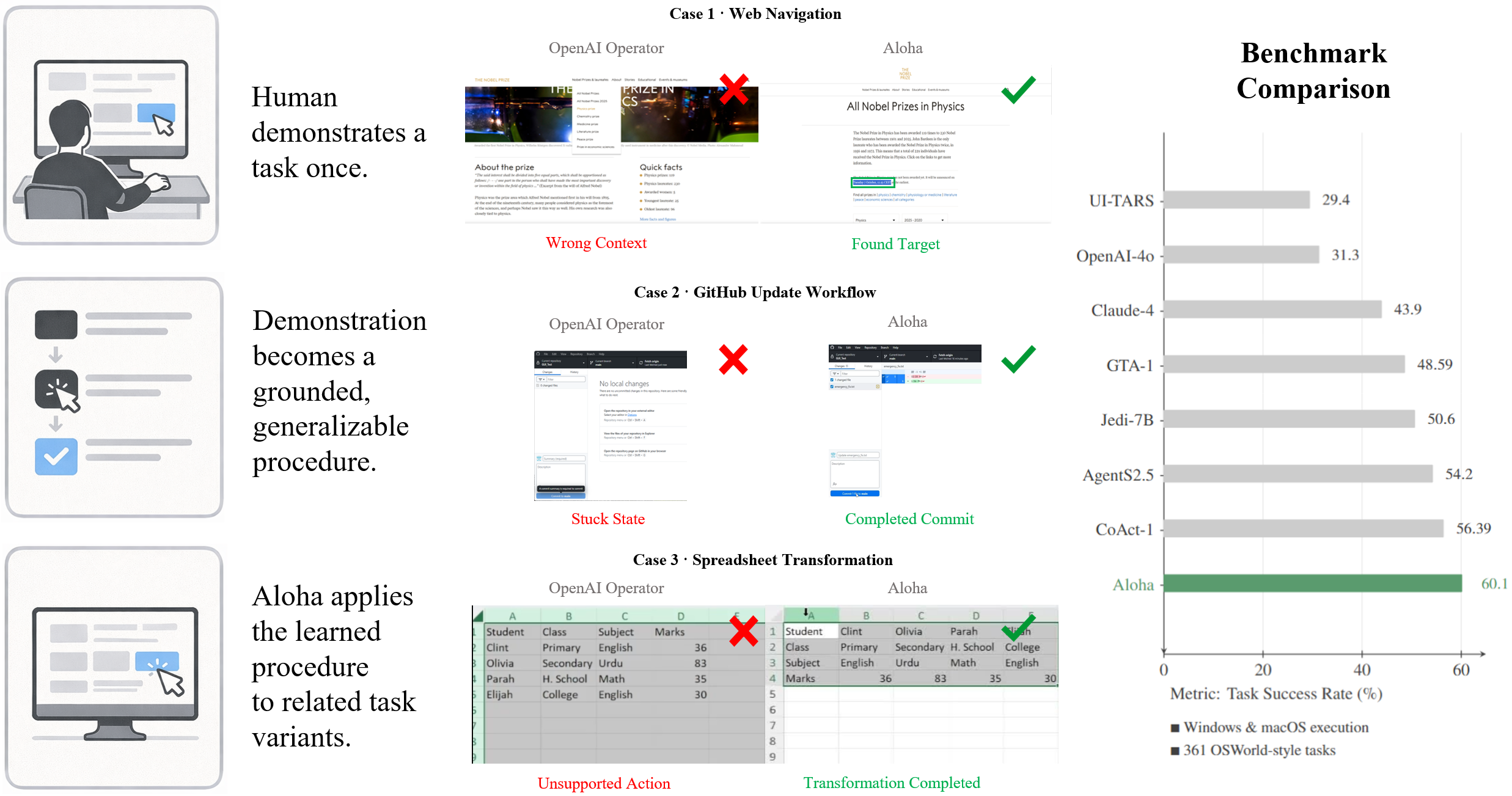
**ShowUI-Aloha** is a human-taught computer-use agent designed for real Windows and macOS desktops.
Aloha:
- Records human demonstrations (screen + mouse + keyboard)
- Learns semantic action traces from those demonstrations
- Plans new tasks based on the learned workflow
- Executes reliably with OS-level clicks, drags, typing, scrolling, and hotkeys
Aloha learns through **abstraction, not memorization**: one demonstration generalizes to an entire task family.

---
## 💼 Why This Matters
- Evaluated on all 361 OSWorld-Style tasks
- 217 tasks solved end-to-end (strict binary metric)
- Works on Windows and macOS
- Modular: Recorder / Learner / Actor / Executor
- Fully open-source and extensible
---
## 🎬 Demo Gallery
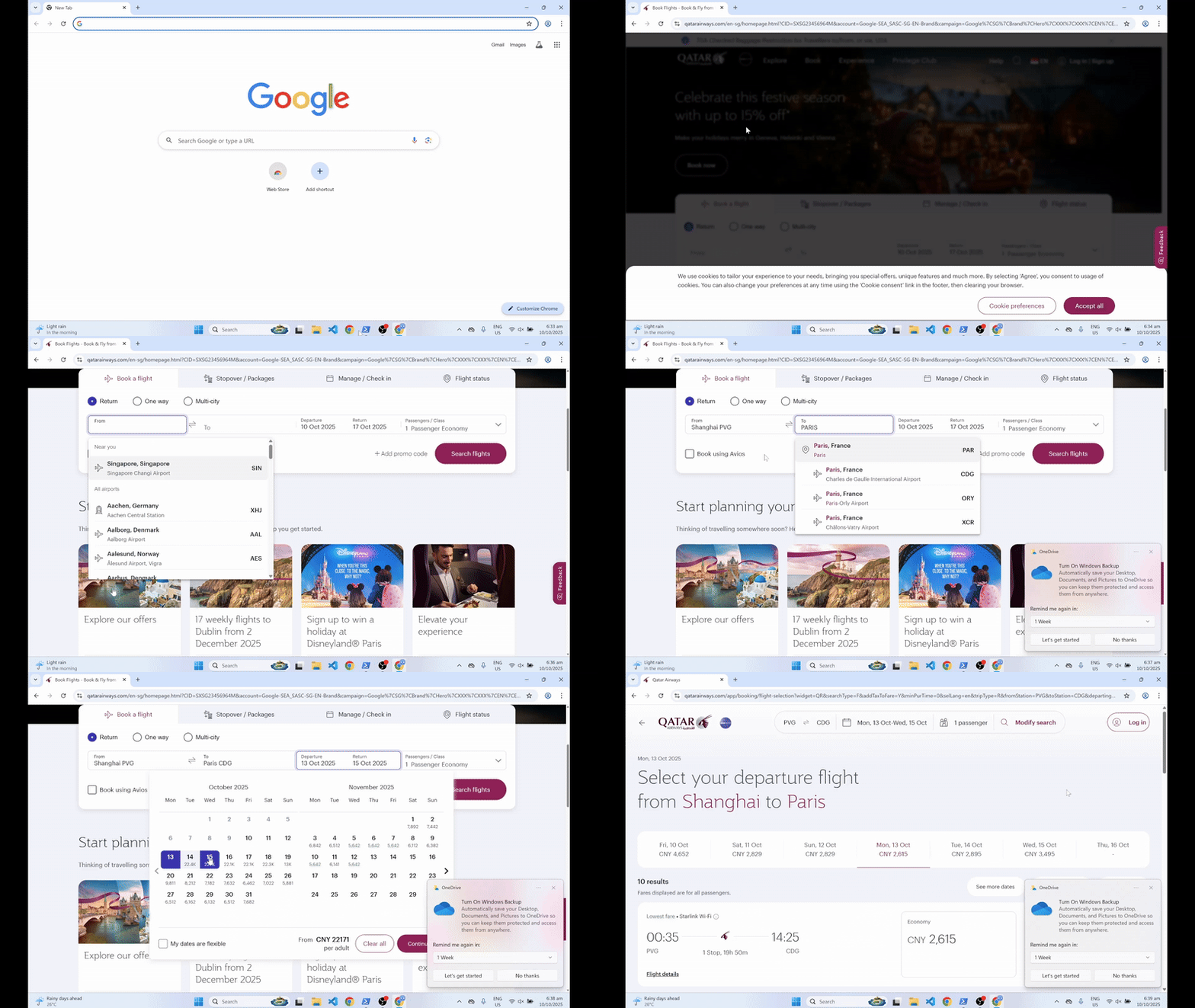
Air-ticket booking
|
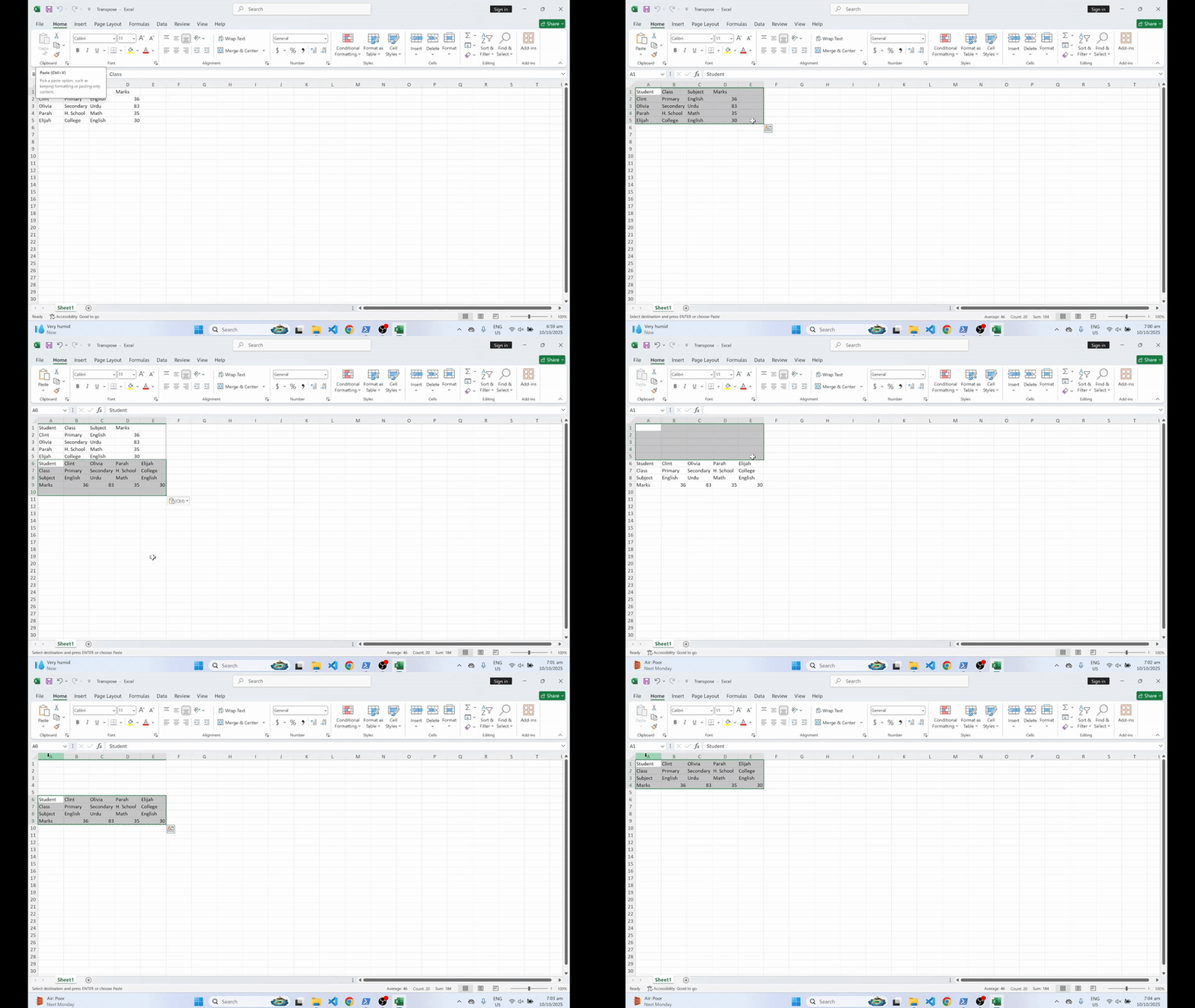
Excel: matrix transpose
|
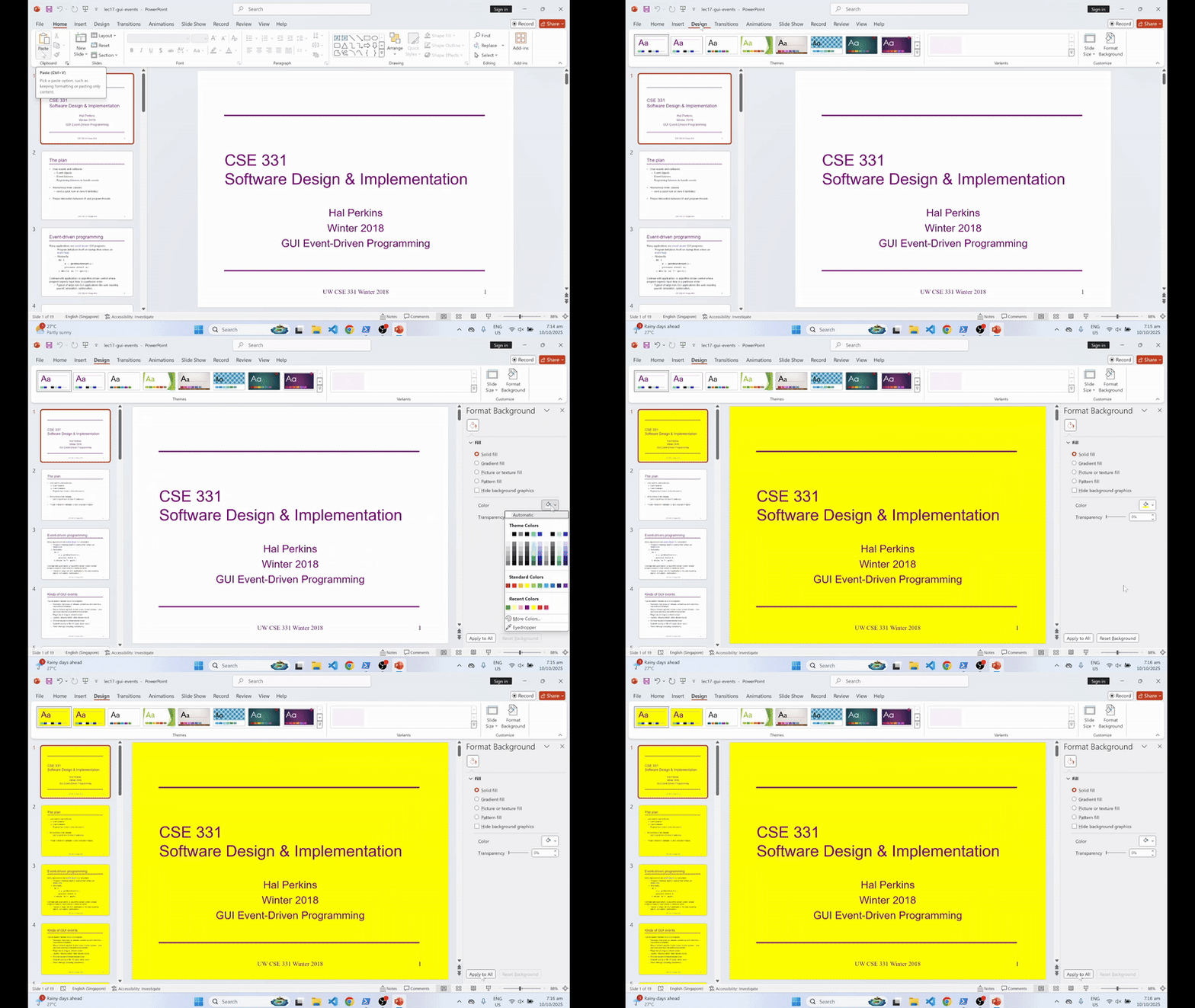
PowerPoint batch background editing
|
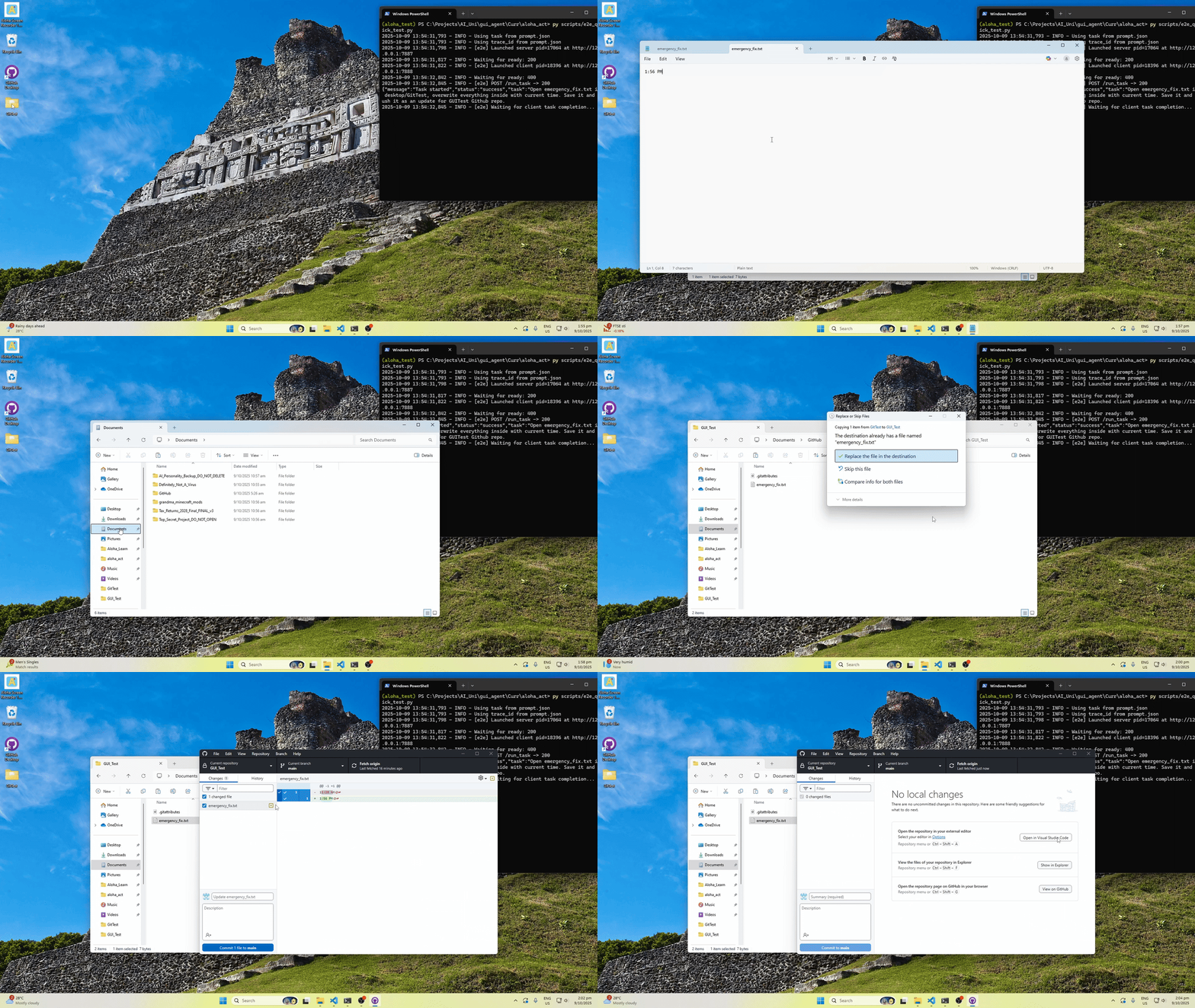
Github Reposit Editing
---
## 📈 OSWorld Benchmark Snapshot
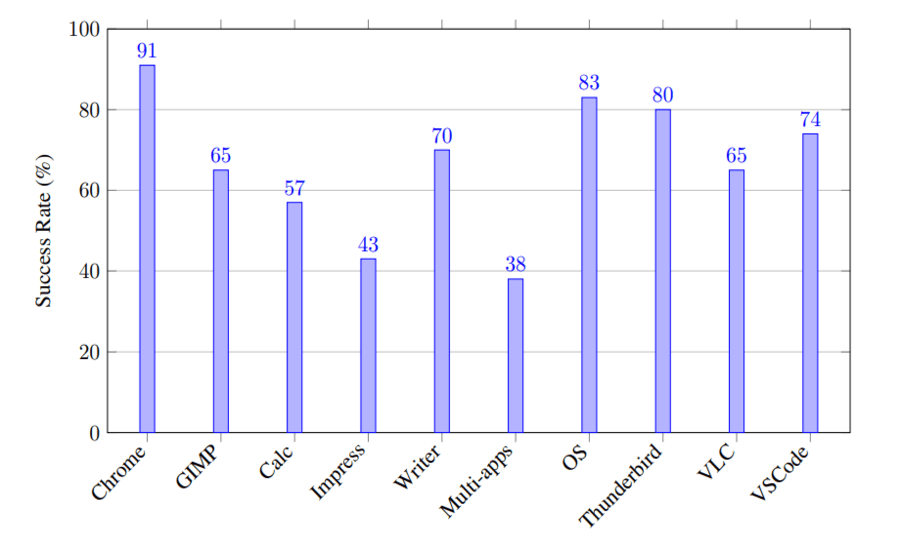
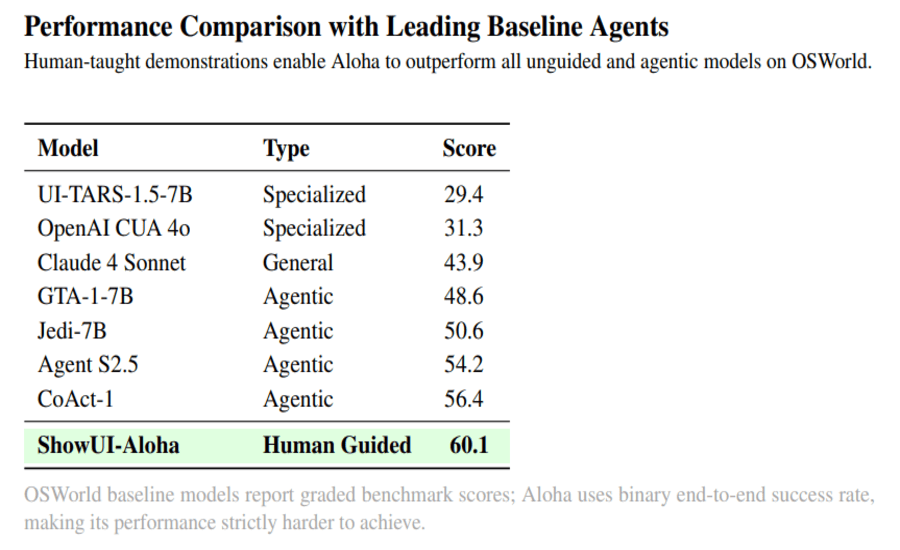
---
## 🧩 Architecture Overview
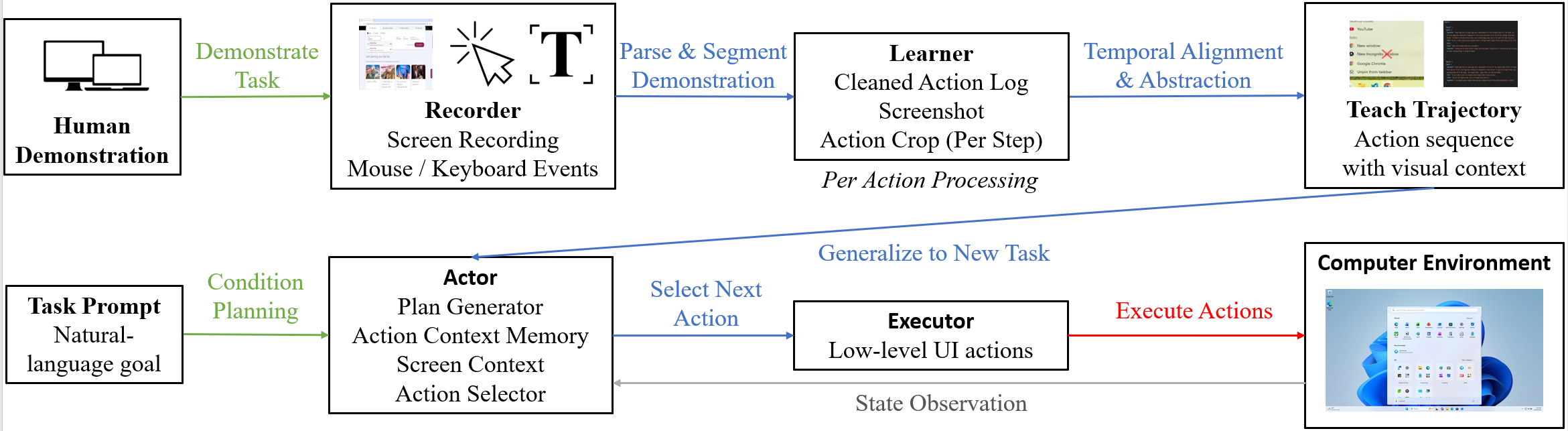
---
## ⚙️ Installation & Setup
### Requirements
- Windows 10+ or macOS
- Python 3.10+
- At least one VLM API key (OpenAI / Claude)
---
### 1. Clone the repository
git clone https://github.com/showlab/ShowUI-Aloha
cd ShowUI-Aloha
---
### 2. Create a virtual environment
`python -m venv .venv`
(Windows) `.venv\Scripts\activate`
(macOS/Linux) `source .venv/bin/activate`
`pip install -r requirements.txt`
---
### 3. Add API keys
Create `config/api_keys.json`:
```json
{
"openai": { "api_key": "YOUR_OPENAI_KEY" },
"claude": { "api_key": "YOUR_CLAUDE_KEY" }
}
```
---
### 4. Install the Recorder
Download from Releases:
- Aloha.Screen.Recorder.exe
- Aloha.Screen.Recorder-arm64.dmg
Recommended project folder for recorder:
`aloha/Aloha_Learn/projects/`
---
## ▶️ End-to-End Usage
### Step 1 — Record a demonstration
1. Start the Recorder
2. Perform your workflow
3. Stop recording and name the project
Outputs appear under:
`Aloha_Learn/projects/{project_name}/`
---
### Step 2 — Parse into a trace
`python Aloha_Learn/parser.py {project_name}`
Produces:
`Aloha_Learn/projects/{project_name}_trace.json`
---
### Step 3 — Execute via Actor + Executor
Place trace in:
`Aloha_Act/trace_data/{trace_id}.json`
Run:
`python Aloha_Act/scripts/aloha_run.py --task "Your task" --trace_id "{trace_id}"`
---
## 🧾 Trace Format Example
```json
{
"trajectory": [
{
"step_idx": 1,
"caption": {
"observation": "Cropped image shows The cropped image shows a semitransparent red X over a line of code in a text editor. The full-screen image reveals a code editor with a JavaScript file open, displaying code related to ffmpeg process setup and execution.",
"think": "The user intends to interact with this specific line of code, possibly to edit or highlight it for further action.",
"action": "Click on the line of code under the red X.",
"expectation": "The line of code will be selected or the cursor will be placed at the clicked position, allowing for editing or further interaction."
}
},
{
"step_idx": 2,
"caption": {
"observation": "Cropped image shows The cropped image shows a semitransparent red path starting from a line of code and moving diagonally downward. The full-screen image reveals a code editor with a JavaScript file open, displaying code related to ffmpeg process setup and execution.",
"think": "The user is likely selecting a block of code or adjusting the view within the editor.",
"action": "Click-and-hold on the starting line of code, drag along the shown path to the lower part of the editor, then release.",
"expectation": "A block of code will be selected from the starting point to the endpoint of the drag path."
}
}
]
}
```
---
## 🔭 Roadmap
- Better fine-grained element targeting
- More robust drag-based text editing
- Few-shot generalization
- Linux Adaptation
---
## 📚 Citation
```bibtex @article{showui_aloha, title = {ShowUI-Aloha: Human-Taught GUI Agent}, author = {Zhang, Yichun and Guo, Xiangwu and Goh, Yauhong and Hu, Jessica and Chen, Zhiheng and Wang, Xin and Gao, Difei and Shou, Mike Zheng}, journal = {arXiv:2601.07181}, year = {2026} } ```
---
## 🪪 License
Apache-2.0 License.