
# WriteBookWhale (写书鲸)
English | [中文](README.md)
### Keep your ideas, manuscript, and Agent inside the same book.
WriteBookWhale is an AI writing desk built for long-form fiction. Write chapters, shape outlines, inspect chapter plans, or select a passage and ask the Agent to continue it, revise it, or challenge it.
You do not have to paste the whole novel into chat again and again. The Agent follows the book, chapter, and selection you are looking at, and every edit returns to its original place as a proposal you can review before it becomes part of the manuscript.

## WriteBookWhale in one picture
WriteBookWhale is not a separate AI editor bolted onto DSH. It composes with native DSH Agents, Presets, Skills, and Subagents, while novel assets, explicit references, and revision proposals keep the writer and the Agent inside the same book.
```mermaid
flowchart LR
Writer["Writer
Draft · Select · Review · Finalize"]
Workbench["WriteBookWhale
Library · Manuscript · Outline · Chapter Plan"]
Context["Writing Context
Active Asset · Selection · Story State"]
Agent["DSH Agent
Preset · Skills · Subagent"]
Tools["Novel Tools
Locate · Read · Search · Propose"]
Assets["Novel Assets
Manuscript · Outline · Style · Review"]
Safety["Safe Changes
ChangeSet · Diff · Revision"]
Files["Local Novel Project
Markdown · YAML · .novel"]
Writer -->|writes and selects| Workbench
Workbench -->|shares the active view| Context
Context -->|supplies task-sized material| Agent
Agent -->|calls| Tools
Tools -->|reads or proposes changes to| Assets
Assets -->|enters review through| Safety
Safety -->|updates after approval| Workbench
Safety -->|stores content and history in| Files
```
## Open the desk and know what comes next
The home screen brings your books, word count, and recent progress together. Continue from the last chapter or open any novel; the conversation and writing desk move to that project without making you explain its background again.
## Keep the story beside the page

Manuscript chapters, free-form book and volume outlines, chapter plans, the book brief, style profile, and Story State all belong to the same novel. Anything visible in the workbench has a precise novel address the Agent can follow. A short text selection also carries its original words, so “please improve this” always has a concrete target.
- **Continue a chapter:** the Agent can work from the chapter plan, current Story State, book style, and the text immediately before the cursor.
- **Improve a passage:** select the original text, describe the intent, and review the proposed change in place.
- **Reshape the story:** outlines remain free-form writing spaces instead of rigid questionnaires.
- **Protect continuity:** revisions, Story State, and explicit references help the Agent remember established facts and avoid crossing books.
## Free-form outlines with a dependable structure

Book and volume outlines stay open writing spaces instead of long questionnaires. They still have stable novel addresses, independent revisions, and dedicated rendering, so the writer can think freely while the Agent can locate, read, reference, and revise them precisely.
## Keep the chapter plan beside the manuscript
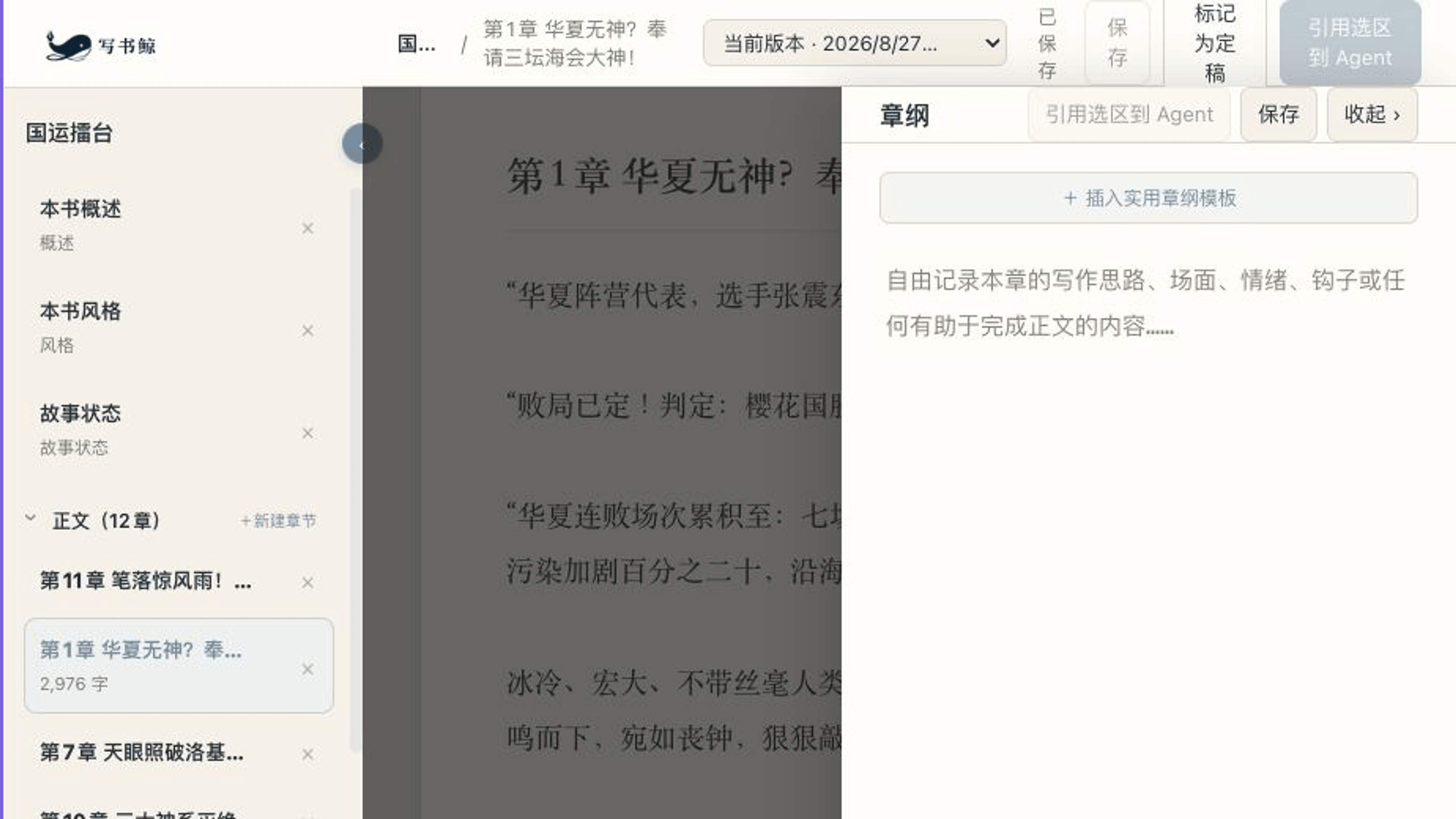
The chapter plan is a scratch space permanently bound to its chapter. Capture an emotional target, a key image, a four-beat progression, or an ending hook—or ignore every template and write freely. Open it when the scene stalls and fold it away when the prose is moving.
## Let the Agent experiment while you keep final say
The Agent cannot silently overwrite the manuscript. It creates a reviewable ChangeSet that you may accept, reject, or edit further, and previous revisions remain recoverable. Only a revision you explicitly mark as final becomes eligible for writing-preference learning.
That makes it safe to try a sharper opening, a stronger conflict, or a different rhythm without losing the lines that already work.
## A writing partner that is willing to be critical
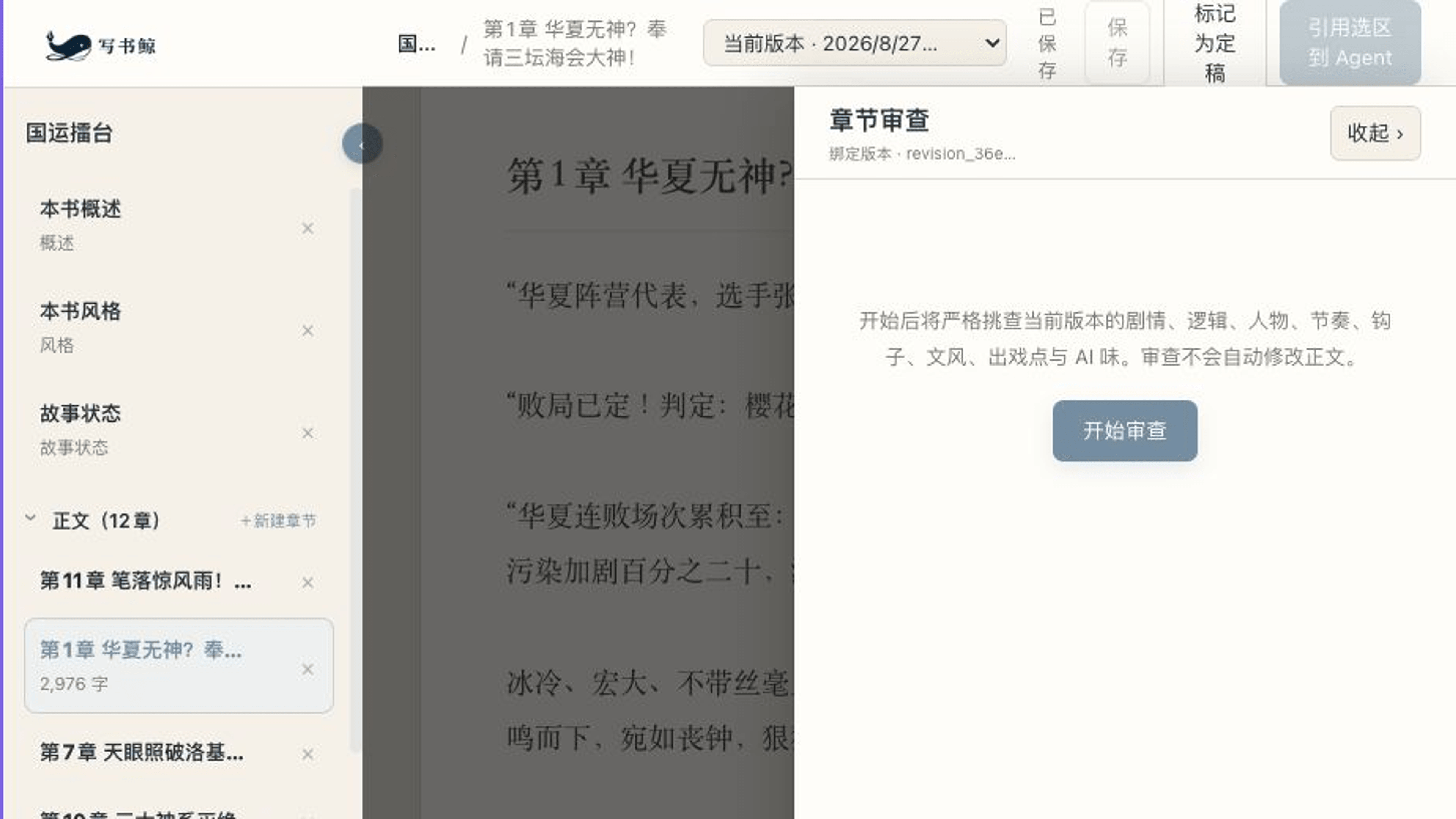
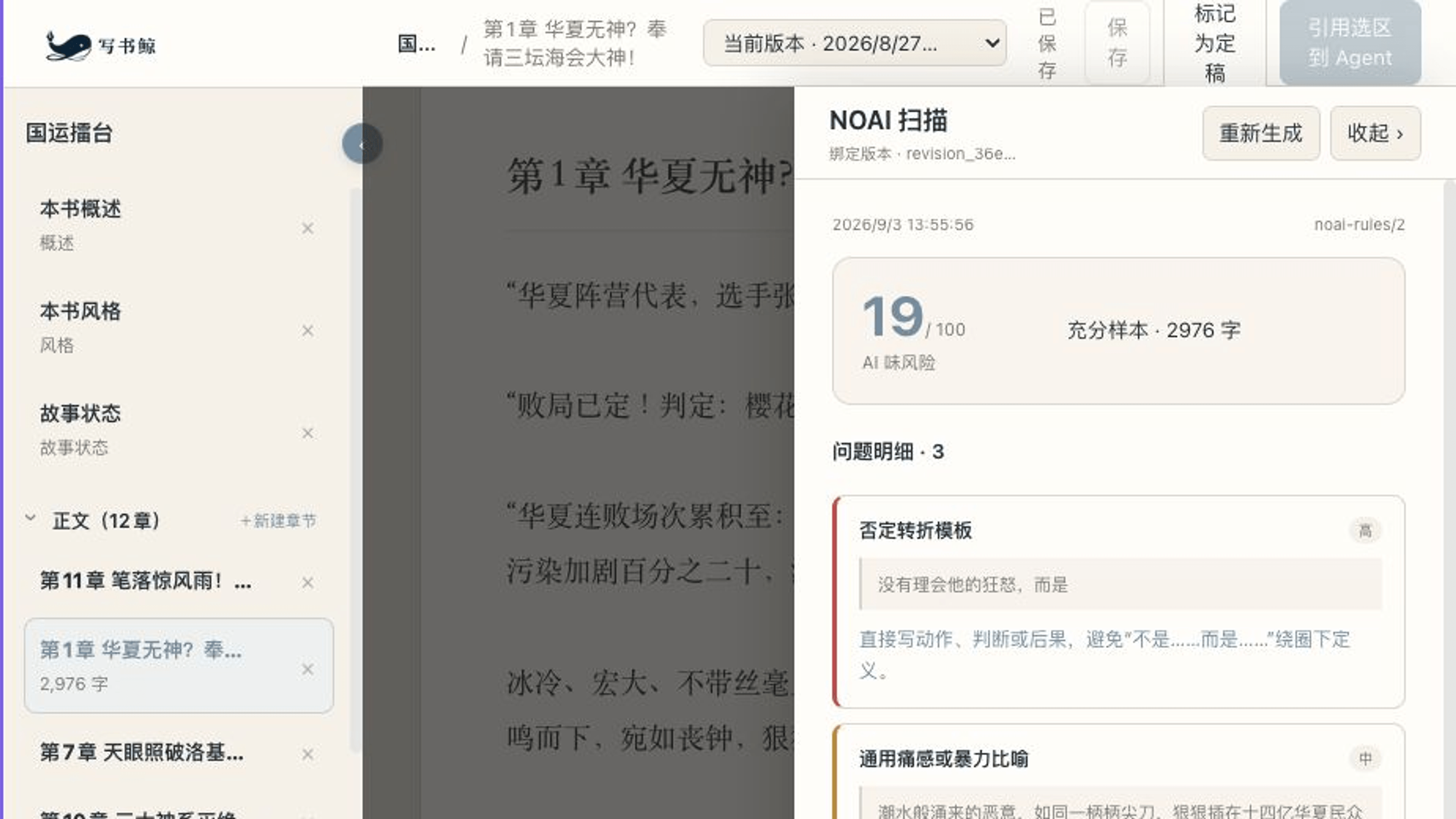
Run a strict chapter review or a fast NOAI scan when you decide the draft is ready. The reviewer challenges logic, pacing, character behavior, immersion breaks, and unnatural expression. NOAI uses local rules to flag common mechanical patterns and binds its findings to the exact manuscript revision it scanned. Both diagnose; neither silently rewrites the page.
## Who it is for
- Serial-fiction writers who want an Agent to remember earlier chapters, plans, and the book's rhythm.
- DSH users who have outgrown managing a novel as chat history plus scattered files.
- Writers who want AI help with drafting, revision, and critique while keeping every change visible, optional, and recoverable.
- Authors who want their books to stay on their own computer in portable Markdown and YAML files.
## What is already here
- A library home, cross-project continuation, and daily word-count summary.
- Manuscript chapters, book and volume outlines, chapter plans, book brief, style profile, and Story State.
- Active-asset and text-selection references, dedicated Novel Tools, ChangeSets, and Revisions.
- Chapter creation, renaming, deletion, drag sorting, autosave, finalization, and revision restore.
- Chapter execution, scene-action choices, style revision, strict review, NOAI diagnostics, and preference extraction.
- A dedicated DSH Agent Preset, Skills, and review Subagent, all composed through native DSH extension points.
## Install
WriteBookWhale currently targets the DeepSeek Harness `0.1.3-alpha.1` release family and follows DSH prereleases closely. Install a tagged release and check the [compatibility matrix](COMPATIBILITY.md) before upgrading DSH.
```sh
dsh plugin --profile web add \
github:shuaweng/DSH_xieshujing#v0.1.3-alpha.1
dsh --profile web
```
After DSH starts, choose the Novel Workbench Agent Preset and click the WriteBookWhale icon inside the composer. Installation does not replace the existing default Preset or change other Profiles.
Requirements, upgrades, and removal
Requirements: Node.js `^22.19.0 || >=24.0.0`, DeepSeek Harness release family `0.1.3-alpha.1`, and a working DSH Web Profile.
Upgrade by running `add` again with the new release tag. Remove the plugin with:
```sh
dsh plugin --profile web remove @xieshujing/dsh-plugin
```
Removal deletes only the plugin. Your `novel.yaml`, manuscript, planning files, and `.novel/` history remain in their original directory.
## Your book remains yours
Novel content stays in the local directory you choose. The default Novel Preset does not expose a general shell or arbitrary file-writing tools to the Agent; authored assets move through dedicated Novel Tools, Revisions, and reviewable ChangeSets.
For help, open a [GitHub Issue](https://github.com/shuaweng/DSH_xieshujing/issues) with reproduction steps and the DSH and WriteBookWhale versions. Follow [SECURITY.md](SECURITY.md) for vulnerability reports.
## License
[MIT](LICENSE). WriteBookWhale is built on MIT-licensed DeepSeek Harness; see [NOTICE.md](NOTICE.md).