> [!WARNING]
> This started as a side project that took off — it's not production grade and you'll hit bugs, but hopefully it covers what you need.
#
OpenScreen
OpenScreen is your free, open-source alternative to Screen Studio (sort of).
If you don't want to pay $29/month for Screen Studio but want a much simpler version that does what most people seem to need - quick, polished product demos and walkthroughs you'd post on X, Reddit. OpenScreen does not offer all Screen Studio features, but covers the basics well!
Screen Studio is an awesome product and this is definitely not a 1:1 clone. OpenScreen is a much simpler take, just the basics for folks who want control and don't want to pay. If you need all the fancy features, your best bet is to support Screen Studio (they really do a great job, haha). But if you just want something free (no gotchas) and open, this project does the job!
**100% free** for both **personal** and **commercial** use. Use it, modify it, distribute it — just be cool 😁 and shout out the project if you feel like it.
## Core Features
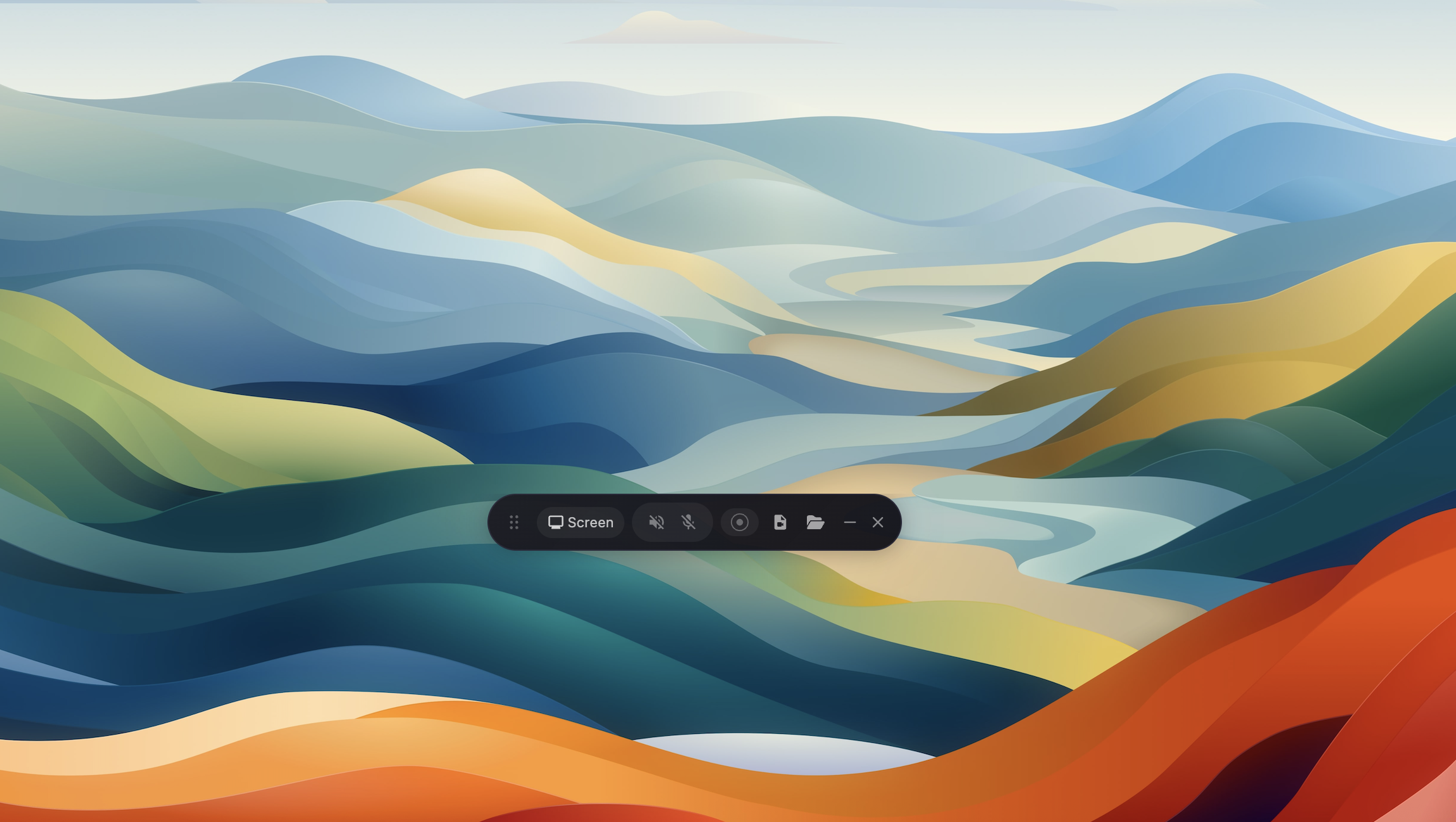
- Record a specific window, region, or your whole screen.
- Record microphone and system audio.
- Webcam overlay with picture-in-picture, drag-to-position, and shape options.
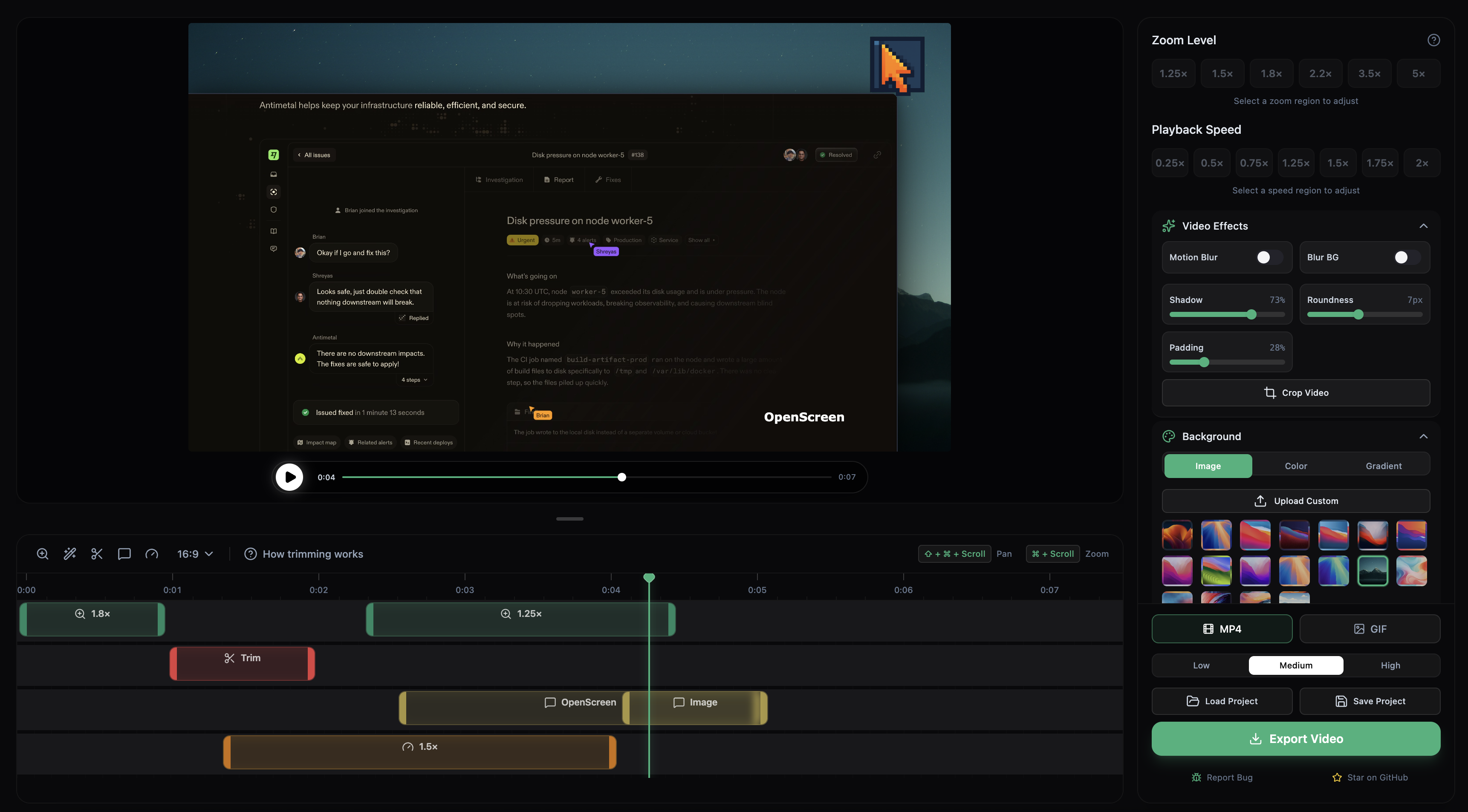
- Auto or manual zooms with adjustable depth, duration, easing, and pixel-precise position.
- Wallpapers, solid colors, gradients, or a custom background.
- Motion blur for smoother pan and zoom transitions.
- Crop, trim, and per-segment speed control on the timeline.
- Blur effects to hide sensitive parts of the screen.
- Cursor and click highlighting.
- Text, arrow, and image annotations.
- Save and reopen projects without re-recording.
- Export to MP4 or GIF in multiple aspect ratios and resolutions.
- Translated into Arabic, English, Spanish, French, Japanese, Korean, Russian, Turkish, Vietnamese, Simplified Chinese, and Traditional Chinese.
## Installation
Download the latest installer for your platform from the [GitHub Releases](https://github.com/siddharthvaddem/openscreen/releases) page.
### macOS
The easiest way to install on macOS is via [Homebrew](https://brew.sh):
```bash
brew install --cask siddharthvaddem/openscreen/openscreen
```
Brew automatically picks the right build for Apple Silicon or Intel, and verifies the download against a notarized signature so Gatekeeper won't block it.
To update later: `brew upgrade --cask openscreen`
To uninstall: `brew uninstall --cask openscreen` (add `--zap` to also remove app data)
#### Manual install (if you prefer)
If you'd rather grab the `.dmg` directly from the [Releases page](https://github.com/siddharthvaddem/openscreen/releases) and encounter Gatekeeper blocking the app, you can bypass it by running the following command in your terminal after installation:
```bash
xattr -rd com.apple.quarantine /Applications/Openscreen.app
```
Note: Give your terminal Full Disk Access in **System Settings > Privacy & Security** to grant you access and then run the above command.
After running this command, proceed to **System Preferences > Security & Privacy** to grant the necessary permissions for "screen recording" and "accessibility". Once permissions are granted, you can launch the app.
### Windows
Install via [winget](https://learn.microsoft.com/en-us/windows/package-manager/winget/):
```bash
winget install SiddharthVaddem.OpenScreen
```
To update later: `winget upgrade SiddharthVaddem.OpenScreen`
To uninstall: `winget uninstall SiddharthVaddem.OpenScreen`
If you'd rather grab the `.exe` installer directly, download it from the [Releases page](https://github.com/siddharthvaddem/openscreen/releases).
### Linux
Three packages are published to the [Releases page](https://github.com/siddharthvaddem/openscreen/releases) for each version. Pick the one that matches your distro:
**Debian / Ubuntu / Pop!_OS (`.deb`)**
```bash
sudo apt install ./Openscreen-Linux-latest.deb
```
**Arch / Manjaro (`.pacman`)**
```bash
sudo pacman -U Openscreen-Linux-latest.pacman
```
**Any distro (`.AppImage`)**
```bash
chmod +x Openscreen-Linux-*.AppImage
./Openscreen-Linux-*.AppImage
```
**NixOS / Nix (flake)**
Try without installing:
```bash
nix run github:siddharthvaddem/openscreen
```
Install into your user profile:
```bash
nix profile install github:siddharthvaddem/openscreen
```
For a NixOS system config (flake):
```nix
{
inputs.openscreen.url = "github:siddharthvaddem/openscreen";
outputs = { nixpkgs, openscreen, ... }: {
nixosConfigurations. = nixpkgs.lib.nixosSystem {
modules = [
openscreen.nixosModules.default
{ programs.openscreen.enable = true; }
];
};
};
}
```
For Home Manager, use `openscreen.homeManagerModules.default` with the same `programs.openscreen.enable = true;`.
You may need to grant screen recording permissions depending on your desktop environment.
**Sandbox error:** If the AppImage fails to launch with a "sandbox" error, run it with `--no-sandbox`:
```bash
./Openscreen-Linux-*.AppImage --no-sandbox
```
### Limitations
System audio capture relies on Electron's [desktopCapturer](https://www.electronjs.org/docs/latest/api/desktop-capturer) and has some platform-specific quirks:
- **macOS**: Requires macOS 13+. On macOS 14.2+ you'll be prompted to grant audio capture permission. macOS 12 and below does not support system audio (mic still works).
- **Windows**: Works out of the box.
- **Linux**: Needs PipeWire (default on Ubuntu 22.04+, Fedora 34+). Older PulseAudio-only setups may not support system audio (mic should still work).
## Built with
- Electron
- React
- TypeScript
- Vite
- PixiJS
- dnd-timeline
---
## Documentation
See the documentation here:
[OpenScreen Docs](https://deepwiki.com/siddharthvaddem/openscreen)
Refresh if outdated.
## Contributing
Contributions are welcome - please **include screenshots or a short video** for any UI change or new user-facing feature. If it touches what users see or do, show it. Skip only when it genuinely doesn't apply. PRs that don't follow this will be closed.
## Star History
## License
This project is licensed under the [MIT License](./LICENSE). By using this software, you agree that the authors are not liable for any issues, damages, or claims arising from its use.