# UniFi MCP
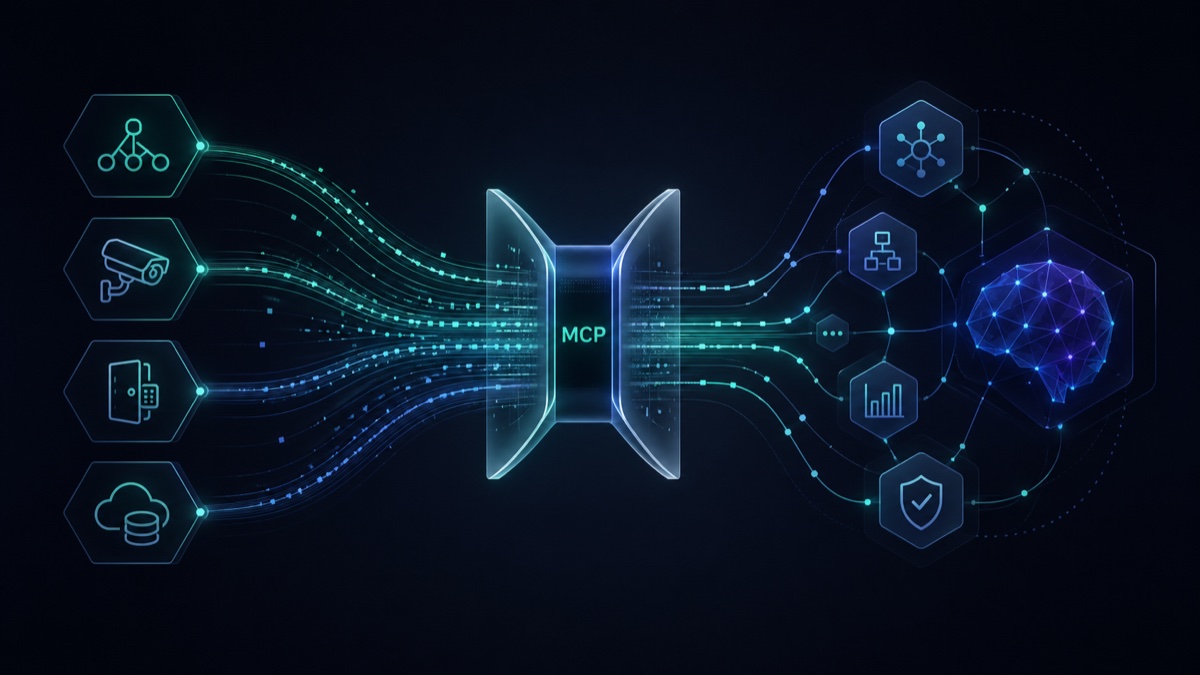
Leverage agents and agentic AI workflows to manage your UniFi deployment.
[](https://pypi.org/project/unifi-network-mcp/)
[](https://pypi.org/project/unifi-protect-mcp/)
[](https://pypi.org/project/unifi-access-mcp/)
[](https://pypi.org/project/unifi-mcp-relay/)
[](https://pypi.org/project/unifi-api-server/)
[](https://www.npmjs.com/package/unifi-mcp-worker)
[](LICENSE)
[](https://www.python.org/downloads/)
## Servers
| Server | Status | Tools | Package |
|--------|--------|-------|---------|
| [Network](apps/network/) | Stable | 210 | [`unifi-network-mcp`](https://pypi.org/project/unifi-network-mcp/) |
| [Protect](apps/protect/) | Stable | 63 | [`unifi-protect-mcp`](https://pypi.org/project/unifi-protect-mcp/) |
| [Access](apps/access/) | Stable | 37 | [`unifi-access-mcp`](https://pypi.org/project/unifi-access-mcp/) |
## Plugins
Install these from the Claude Code, Codex or OpenClaw marketplace; [Quick Start](#quick-start) shows how.
| Plugin | What you get |
|--------|--------------|
| `unifi-network` | The Network MCP server, its agent skills and guided setup |
| `unifi-protect` | The Protect MCP server, its agent skills and guided setup |
| `unifi-access` | The Access MCP server, its agent skills and guided setup |
| `unifi-intelligence` | Cross-product investigations that use Network and Protect together, with every claim cited. Incident Investigation runs locally; Security Patrol and Visitor Audit need the [cloud worker](#cloud-relay). It requires the Network and Protect plugins |
The [Agent Skills](#agent-skills) table lists every skill each plugin ships.
## Choose an integration
| What you are building | Use | Why |
|-----------------------|-----|-----|
| An AI assistant or another existing MCP client | [Network](apps/network/), [Protect](apps/protect/), or [Access](apps/access/) MCP server | Standard MCP discovery, tool calls, permissions, and confirmation flows |
| A custom application, automation service, code-execution runtime, or MCP adapter | [`unifi-api-server`](apps/api/) | Your code controls call sequencing, data joins, resource limits, and approval flow |
| Remote access for an MCP client | [Cloud Relay](packages/unifi-mcp-relay/) | Authenticated remote MCP routing without exposing the local servers directly |
An MCP adapter can expose a small set of tools while using `unifi-api-server`
as its backend. This keeps application-specific joins, branching, loops, and
code isolation out of the general-purpose MCP servers.
## Cloud Relay
| Component | Status | Package |
|-----------|--------|---------|
| [Relay Sidecar](https://github.com/sirkirby/unifi-mcp/tree/main/packages/unifi-mcp-relay) | Beta | [`unifi-mcp-relay`](https://pypi.org/project/unifi-mcp-relay/) |
| [Worker Gateway](https://github.com/sirkirby/unifi-mcp/tree/main/apps/worker) | Beta | [`unifi-mcp-worker`](https://www.npmjs.com/package/unifi-mcp-worker) (CLI) |
Cloud Relay pairs the Cloudflare-hosted Worker gateway with the Relay sidecar on your LAN. The Worker provides the authenticated edge MCP endpoint, Durable Object broker, multi-location routing, token boundary, and deployment/management CLI. The Relay sidecar is a local MCP HTTP client and forwarder: it discovers configured local MCP servers over HTTP and maintains an outbound WebSocket to the Worker. Remote requests follow `MCP client → Worker gateway → outbound WebSocket → Relay sidecar → local MCP servers over HTTP`; the API server is not in this path. Read-only tools support annotation-based multi-location fan-out, while writes require explicit location targeting. Deploy the Worker with `npm install -g unifi-mcp-worker && unifi-mcp-worker install`, then see the [Relay sidecar README](packages/unifi-mcp-relay/) to connect local servers.
## REST + GraphQL API
| Component | Status | Package |
|-----------|--------|---------|
| [API Server](https://github.com/sirkirby/unifi-mcp/tree/main/apps/api) | Beta | [`unifi-api-server`](https://pypi.org/project/unifi-api-server/) · [GHCR image](https://github.com/sirkirby/unifi-mcp/pkgs/container/unifi-api-server) |
`unifi-api-server` is an independent HTTP service for custom applications,
automation, and adapters. It provides typed REST resources, read-only GraphQL
queries, SSE streams, scoped API keys and administration, plus a REST action
endpoint for supported controller operations. It shares `unifi-core` managers
with the MCP servers but does not proxy or require them.
See [`apps/api/README.md`](apps/api/README.md) for quick-start and deployment patterns.
## What is this?
UniFi MCP is a collection of [Model Context Protocol](https://modelcontextprotocol.io/) servers that let AI assistants and automation tools interact with Ubiquiti UniFi controllers. Each server targets a specific UniFi application (Network, Protect, Access) and exposes its functionality as MCP tools — queryable, composable, and safe by default.
## MCP HTTP Access
MCP HTTP is unauthenticated and intended for trusted local clients. HTTP is disabled by default; when enabled, packages bind to loopback. Docker Compose enables it on the container network and publishes ports 3000–3002 on host `127.0.0.1`. Use an authenticated TLS proxy or Cloud Relay for remote access, and prevent direct access to the backend. See the [transport security model](SECURITY.md#mcp-transport-trust-boundary) and [HTTP setup and migration](apps/network/docs/transports.md#http-deployment-security).
| Setting | Default | Purpose |
|---------|---------|---------|
| `UNIFI_MCP_HTTP_ENABLED` | `false` | Opt into HTTP transport |
| `UNIFI_MCP_HOST` | `127.0.0.1` | Bind address; Compose explicitly uses `0.0.0.0` inside containers |
| `UNIFI_MCP_HTTP_FORCE` | `false` | Allow HTTP outside container PID 1 |
| `UNIFI_MCP_ALLOWED_HOSTS` | `localhost,127.0.0.1` | Complete accepted Host-header list; Compose separately adds required internal hosts |
| `UNIFI_MCP_ENABLE_DNS_REBINDING_PROTECTION` | `true` | Validate Host headers to prevent DNS-rebinding requests |
## MCP Discovery
UniFi MCP keeps the standard MCP path primary: capable clients discover currently registered tools with `tools/list` and invoke them with `tools/call`. The default `lazy` mode keeps initial context small by exposing meta-tools first, while `eager` mode registers all selected domain tools directly for clients that prefer a full standard tool list.
The lazy-loading meta-tools — `*_tool_index`, `*_execute`, `*_batch`, `*_batch_status`, and lazy-only `*_load_tools` — support filtered discovery, indirect execution, batch orchestration, and optional direct registration. They are independent of the protocol-version response compatibility policy below. See [MCP Discovery and Lazy-Loading Meta-Tools](docs/tool-index.md) for mode-by-mode behavior.
## MCP response size
For tool results that already provide structured output, `adaptive` response mode is the default. It classifies each request by the canonical date-based `protocolVersion` advertised during MCP initialization, not by the client's product name or application version. Requests advertising MCP `2025-06-18` or later receive concise text in `content` and the full result once in `structuredContent`; requests advertising an earlier revision (such as `2024-11-05` or `2025-03-26`), or whose revision metadata is missing or malformed, retain the full compatibility JSON in `content`. Set `UNIFI_MCP_CONTENT_MODE=compat` to force that duplicated compatibility form, or `UNIFI_MCP_CONTENT_MODE=compact` to force concise text plus the full structured result even outside a negotiated request. Use `compat` for any client that consumes the full result only from `content`, regardless of its advertised revision.
The lazy-loading meta-tools remain content-only; they are not the pre-`2025-06-18` protocol category described above. For structured inner results, `*_execute` and `*_batch_status` expose one normalized JSON payload in `content` rather than a nested transport pair; content-only execute results remain unchanged. Response modes do not convert these meta-tools to `structuredContent`.
`UNIFI_NETWORK_MCP_CONTENT_MODE`, `UNIFI_PROTECT_MCP_CONTENT_MODE`, and `UNIFI_ACCESS_MCP_CONTENT_MODE` override the global setting for their respective servers. Independently of transport compaction, Network's `unifi_get_dashboard` defaults to `summary=true`, while `unifi_list_rogue_aps` defaults to a summarized page of at most 100 records; pass `summary=false` when the full selected data is required.
## Quick Start
### Install with your agent
Paste the block below into your coding agent. It points the agent at the
canonical, versioned setup guide and limits what it may change:
```text
Install UniFi MCP for me using the official instructions at:
https://github.com/sirkirby/unifi-mcp/blob/main/docs/agent-install.md
Before changing anything, identify my agent client and operating system, ask
whether I need Network, Protect, Access, or more than one, and show me the exact
commands and configuration files you plan to change. Wait for my confirmation.
Do not ask me to paste a password or API key into chat. Prefer an indirect
credential provider or the client's secure secret prompt. Keep mutation
permissions in confirm mode and explicitly deny create, update, and delete
unless I opt in. After setup, reload the client, verify the MCP connection and
tool list, and run one harmless read-only check.
```
The guide covers native plugins, product-scoped `npx skills add` installs,
OpenCode's built-in MCP support, and the current manual paths for Antigravity,
Cursor, and Devin Desktop. A skills install adds agent guidance; it does not by
itself register the MCP server.
See the [changelog](CHANGELOG.md) for what each plugin release changed, and the
[plugin upgrade guide](docs/plugin-upgrade.md) before updating an existing install.
### Claude Code (recommended)
Install via the plugin marketplace — includes the MCP server, an agent skill, and guided setup:
```
/plugin marketplace add sirkirby/unifi-mcp
/plugin install unifi-network@unifi-plugins
/unifi-network:unifi-network-setup
```
Repeat for Protect or Access if needed:
```
/plugin install unifi-protect@unifi-plugins
/plugin install unifi-access@unifi-plugins
```
For the cross-product skills, `/plugin install unifi-intelligence@unifi-plugins`
also installs the Network and Protect plugins it needs. Claude Code opens no
options dialog for plugins it installs as dependencies, so run each product's
setup command (`/unifi-network:unifi-network-setup`,
`/unifi-protect:unifi-protect-setup`) for any not yet configured.
`/plugin install` of a product plugin opens its options dialog straight away; fill it in there, or close it and run the setup command. Each plugin's setup command walks you through connecting to your controller and configuring permissions, and saves the result as the plugin's Claude Code options. Auto-update is off by default for this marketplace; see the [plugin upgrade guide](docs/plugin-upgrade.md) for update steps.
Prerequisites, version boundaries and verification status for each client are in the [plugin support matrix](docs/plugin-support.md).
### Codex
Register the UniFi MCP marketplace, then install the plugins from Codex's `/plugins` UI:
```bash
codex plugin marketplace add sirkirby/unifi-mcp
```
Launch `codex`, run `/plugins`, open the UniFi MCP marketplace, and install `unifi-network`, `unifi-protect`, or `unifi-access`. `unifi-intelligence` adds the cross-product skills; Codex does not install plugin dependencies, so install and set up `unifi-network` and `unifi-protect` before it. After installing, ask Codex to run the plugin's setup skill, for example:
> Use the `unifi-network-setup` skill to configure this for Codex.
The setup skill saves your controller settings and credential provider references in a private file, `~/.config/unifi-mcp/.env`, which the plugin's own server reads, and keeps the same preview-before-confirm safety model as Claude Code. Codex installs plugin upgrades itself at the start of a session, and the server comes with them, so nothing needs rerunning. If you ran Codex setup before plugin 1.0.0, run its one-time `--refresh`; see the [plugin upgrade guide](docs/plugin-upgrade.md#one-time-step-if-you-ran-codex-setup-before-100).
### UniFi account requirements
The MCP servers authenticate to the local UniFi controller APIs with a local admin/service account. Do not use a Ubiquiti SSO cloud account for MCP setup. For Network MCP today, accounts that require SSO MFA or local 2FA are not supported through configuration; use a dedicated local admin account without MFA for the service account, scoped to the permissions you are comfortable giving the MCP server.
### OpenClaw
OpenClaw can install the same UniFi plugin bundles from the marketplace and map their skills plus MCP server definitions into embedded Pi sessions:
```bash
openclaw plugins install unifi-network --marketplace https://github.com/sirkirby/unifi-mcp
openclaw gateway restart
```
In a terminal OpenClaw asks you to confirm the source and the plugin's capabilities. Without a terminal, for example in a script, add `--force --accept-capabilities`; otherwise it refuses.
Then run the matching setup skill from OpenClaw (`unifi-network-setup`, `unifi-protect-setup`, or `unifi-access-setup`), or run the plugin's setup script yourself. Point the password at a [credential provider](docs/credential-providers.md) so the secret never appears in the command line:
```bash
bash ~/.openclaw/extensions/unifi-network/scripts/set-env.sh --target openclaw \
UNIFI_NETWORK_HOST=192.168.1.1 \
UNIFI_NETWORK_USERNAME=admin \
'UNIFI_NETWORK_PASSWORD_FILE=/absolute/path/to/password-file'
```
Setup saves these settings in `~/.config/unifi-mcp/network.env`, readable by you only, and the plugin's own server reads that file. It adds no entry to `openclaw.json`, so `openclaw plugins update` brings each new server version with nothing to rerun. An `mcp.servers.unifi-network` entry in `openclaw.json` replaces the plugin's server and pins its version; setup before plugin 1.0.0 wrote one, and `set-env.sh --target openclaw --refresh` converts it once (see the [upgrade guide](docs/plugin-upgrade.md#openclaw)). Repeat with `unifi-protect` or `unifi-access` as needed. Install `unifi-intelligence` for the cross-product skills only after setting up `unifi-network` and `unifi-protect`; OpenClaw does not install plugin dependencies.
### Other MCP clients
Run the servers directly:
```bash
uvx unifi-network-mcp@latest
uvx unifi-protect-mcp@latest
uvx unifi-access-mcp@latest
```
For Claude Desktop, add to your `claude_desktop_config.json`:
```jsonc
{
"mcpServers": {
"unifi-network": {
"command": "uvx",
"args": ["unifi-network-mcp@latest"],
"env": {
// Server-specific vars take priority; UNIFI_* is the fallback
"UNIFI_NETWORK_HOST": "192.168.1.1",
"UNIFI_NETWORK_USERNAME": "admin",
"UNIFI_NETWORK_PASSWORD": "your-password"
}
},
"unifi-protect": {
"command": "uvx",
"args": ["unifi-protect-mcp@latest"],
"env": {
"UNIFI_PROTECT_HOST": "192.168.1.1",
"UNIFI_PROTECT_USERNAME": "admin",
"UNIFI_PROTECT_PASSWORD": "your-password"
}
},
"unifi-access": {
"command": "uvx",
"args": ["unifi-access-mcp@latest"],
"env": {
"UNIFI_ACCESS_HOST": "192.168.1.1",
"UNIFI_ACCESS_USERNAME": "admin",
"UNIFI_ACCESS_PASSWORD": "your-password"
}
}
}
}
```
> **Tip:** If all servers connect to the same controller, you can use the shared `UNIFI_HOST` / `UNIFI_USERNAME` / `UNIFI_PASSWORD` variables instead of repeating them per server.
## Usage Examples
Once connected, just ask your AI agent in natural language:
**Network**
> "Show me all clients on the Guest VLAN with their signal strength and data usage"
> "Create a firewall rule that blocks IoT devices from reaching the internet between midnight and 6 AM"
> "Audit my firewall policies — are there any redundant or conflicting rules?"
> "Show me the top traffic flows from the last hour and group them by destination"
**Protect**
> "List all cameras that detected motion in the last hour"
> "Show me smart detection events from the front door camera today — people and vehicles only"
> "Find driveway detections for white vans this week"
**Access**
> "Who badged into the office today? Show me a timeline of all door access events"
> "Create a visitor pass for John Smith with access to the main entrance tomorrow 9-5"
**UniFi Intelligence** (the `unifi-intelligence` plugin)
> "Switch `aa:bb:cc:00:10:02` dropped off at 8:45 this morning, New York time. What happened between 8:00 and 9:00?" — cites Network events and mapped Protect camera events with their coverage
> "Show me everything that happened at the front entrance in the last hour" — needs the [cloud worker](apps/worker/) and [relay](packages/unifi-mcp-relay/)
All mutations use a **preview-then-confirm** flow — you see exactly what will change before anything is applied.
## Configuration
Set these variables in the server's process environment (shell exports, the MCP client's `env` block, or Docker `environment:` / `env_file:`):
| Variable | Required | Description |
|----------|----------|-------------|
| `UNIFI_HOST` | Yes | Controller IP or hostname |
| `UNIFI_USERNAME` | Yes | Local admin/service account username; do not use a Ubiquiti SSO account |
| `UNIFI_PASSWORD` | Yes | Password for the local account |
| `UNIFI_API_KEY` | No | UniFi API key for selected capabilities, including firewall policy ordering and some Protect settings updates |
| `CONFIG_PATH` | No | Absolute path to an operator-controlled custom YAML file; otherwise uses bundled configuration |
| `UNIFI_SETTINGS_FILE` | No | Absolute path (`~` allowed) to a per-user settings file of `UNIFI_*` variables; see below |
| `UNIFI_DEFER_CONTROLLER_INIT` | No | Network only: make no controller connection at startup and connect on the first tool call instead. By default every server answers the MCP client at once and connects in the background |
| `UNIFI_META_TOOLS_ENABLED` | No | Network eager mode only: set `false` to omit indirect meta-tools; requires `UNIFI_ENABLED_CATEGORIES` or `UNIFI_ENABLED_TOOLS` |
**Startup configuration:** The servers do not automatically load `.env` files or `config/config.yaml` from the working directory. MCP clients may launch servers inside untrusted projects, so project files must not control where credentials are sent or weaken permissions and redaction. If you previously relied on automatic loading, select a trusted env file in your launcher (for example, `uv run --env-file /absolute/path/to/trusted.env --with unifi-network-mcp unifi-network-mcp`) or set an absolute `CONFIG_PATH` for custom YAML. Docker Compose `env_file:` remains supported.
**Per-user settings file:** `UNIFI_SETTINGS_FILE` names a file the server reads at startup, before anything else reads configuration. The Codex plugin's setup writes `~/.config/unifi-mcp/.env` and points its bundled server at it. The file holds `KEY=VALUE` lines (`#` comments, optional matching quotes; no `export`, interpolation or multi-line values). Only `UNIFI_*` keys are accepted, and each behaves exactly as if exported, including `_FILE` / `_COMMAND` providers and policy gates. Variables already in the process environment win. A missing file is not an error. On POSIX the file must be owned by you and not group- or world-writable (keep it `chmod 600`); Windows has no mode check, so keep it in your user profile.
To keep the secret out of the MCP client's environment (and out of every process the client spawns), set `UNIFI_PASSWORD_FILE` to a path whose contents are the password, or `UNIFI_PASSWORD_COMMAND` to an absolute argv whose stdout is the password ([contract](docs/credential-providers.md)). The same `_FILE` / `_COMMAND` suffixes work on `UNIFI_API_KEY` and on the per-server variables below. Details are in each server's `docs/configuration.md`.
### Multi-controller setups
Each server supports its own prefixed environment variables that take priority over the shared `UNIFI_*` variables. This lets you point the Network and Protect servers at different controllers (or different credentials) while keeping a single trusted env file explicitly loaded by the launcher:
| Shared (fallback) | Network server | Protect server | Access server |
|--------------------|----------------|----------------|---------------|
| `UNIFI_HOST` | `UNIFI_NETWORK_HOST` | `UNIFI_PROTECT_HOST` | `UNIFI_ACCESS_HOST` |
| `UNIFI_USERNAME` | `UNIFI_NETWORK_USERNAME` | `UNIFI_PROTECT_USERNAME` | `UNIFI_ACCESS_USERNAME` |
| `UNIFI_PASSWORD` | `UNIFI_NETWORK_PASSWORD` | `UNIFI_PROTECT_PASSWORD` | `UNIFI_ACCESS_PASSWORD` |
| `UNIFI_PORT` | `UNIFI_NETWORK_PORT` | `UNIFI_PROTECT_PORT` | `UNIFI_ACCESS_PORT` |
| `UNIFI_VERIFY_SSL` | `UNIFI_NETWORK_VERIFY_SSL` | `UNIFI_PROTECT_VERIFY_SSL` | `UNIFI_ACCESS_VERIFY_SSL` |
| `UNIFI_API_KEY` | `UNIFI_NETWORK_API_KEY` | `UNIFI_PROTECT_API_KEY` | `UNIFI_ACCESS_API_KEY` |
**Single controller?** Just set the shared `UNIFI_*` variables -- all servers will use them. Server-specific variables are only needed when the servers talk to different controllers or use different credentials.
For the full configuration reference including permissions, transports, and advanced options, see the [Network server docs](apps/network/docs/configuration.md), [Protect server docs](apps/protect/docs/configuration.md), or [Access server docs](apps/access/docs/configuration.md).
## Secret redaction
Tool and API responses redact known controller secret fields by default — Wi-Fi passphrases, VPN private/preshared keys, whole VPN config blobs (imported WireGuard/OpenVPN `.conf`/`.ovpn` files), API tokens, SNMP community strings, SNMPv3 passwords, device-SSH credentials and the management key, and Access credential token/PIN values come back as `***REDACTED***`. This keeps secrets out of agent context and logs.
When a trusted local administration workflow genuinely needs raw values, disable redaction for that process with `UNIFI_REDACT_SENSITIVE_FIELDS=false` or a server-specific override such as `UNIFI_NETWORK_REDACT_SENSITIVE_FIELDS=false`, `UNIFI_PROTECT_REDACT_SENSITIVE_FIELDS=false`, `UNIFI_ACCESS_REDACT_SENSITIVE_FIELDS=false`, or `UNIFI_API_REDACT_SENSITIVE_FIELDS=false`. To keep an existing secret during an update, simply omit the field — do **not** pass the `***REDACTED***` marker back; doing so is rejected so the placeholder can never be written as a real secret. See [`PRIVACY.md`](PRIVACY.md) for the full list of redacted fields.
## Agent Skills
Each plugin ships with agent skills that go beyond raw tool access — they teach agents how to perform common tasks effectively:
| Skill | Plugin | What it does |
|-------|--------|-------------|
| **Network Health Check** | unifi-network | Batch diagnostics across devices, health subsystems, and alarms with reference docs for interpreting results |
| **Firewall Manager** | unifi-network | Natural language firewall management with policy templates, config snapshots, and change tracking |
| **Firewall Auditor** | unifi-network | Security audit with 16 benchmarks, 100-point scoring, topology analysis, and trend tracking |
| **Security Digest** | unifi-protect | Protect event summary with explicit coverage limits; optional Access and Network reads add correlation hypotheses |
| **UniFi Access** | unifi-access | Door control, credentials, visitors, access policies — with real-time event streaming and activity summaries |
| **Incident Investigation** | unifi-intelligence | One Network device incident with Protect camera context, from the read-only incident evidence tools, with cited coverage |
| **Security Patrol** | unifi-intelligence | Area activity from the cloud worker's merged location timeline |
| **Visitor Audit** | unifi-intelligence | Access events beside Network evidence from the cloud worker's timeline, with identity limits |
Skills include reference documentation for device states, alarm types, firewall schemas, and event fields. The agent gathers and interprets evidence; the firewall score CLI computes scores from supported findings. Firewall snapshots, diffs, and template application follow the skill instructions.
Each non-setup skill declares required and optional servers and requires a Coverage and Limitations section in reports. Missing required dependencies stop the workflow; optional missing sources, failed reads, and result caps are disclosed. Security Patrol and Visitor Audit need the cloud worker's merged timeline through a connected relay; see [Cross-Product Capabilities](docs/cross-product.md).
## Architecture
This is a monorepo with shared packages:
```
apps/
network/ # UniFi Network MCP server (stable, 210 tools)
protect/ # UniFi Protect MCP server (stable, 63 tools)
access/ # UniFi Access MCP server (stable, 37 tools)
api/ # Independent REST + GraphQL API server (beta)
worker/ # Cloudflare Worker gateway + npm CLI
packages/
unifi-core/ # Shared UniFi connectivity (auth, detection, retry)
unifi-mcp-shared/ # Shared MCP patterns (permissions, tools, diagnostics, config)
unifi-mcp-relay/ # Cloud relay sidecar (bridges local servers to Cloudflare Worker)
plugins/
unifi-network/ # Claude Code/Codex/OpenClaw plugin: MCP server + agent skills + setup
unifi-protect/ # Claude Code/Codex/OpenClaw plugin: MCP server + agent skills + setup
unifi-access/ # Claude Code/Codex/OpenClaw plugin: MCP server + agent skills + setup
unifi-intelligence/ # Skills-only plugin; needs unifi-network and unifi-protect
skills/
_shared/ # Shared utilities for skill scripts (MCP client, config)
docs/ # Ecosystem-level documentation
```
Each Python server in `apps/` is an independent package that depends on the shared packages. `apps/worker/` is intentionally separate: it is a self-contained TypeScript/Node app for the Cloudflare Worker gateway and npm CLI. Keeping it in this repo lets relay protocol changes and worker contract tests move together.
See [docs/ARCHITECTURE.md](docs/ARCHITECTURE.md) for details.
## Development
```bash
make sync # Install Python workspace + worker npm dependencies
make check # Format check + lint + generated drift checks + tests + worker typecheck
make build # Build deployable artifacts, including worker typecheck
```
## Contributing
See [CONTRIBUTING.md](CONTRIBUTING.md) for the development workflow, including how to work with the monorepo, run tests, and submit PRs.
## Support the Project
UniFi MCP is maintained as an independent open-source project. Sponsorship helps cover the ongoing AI costs behind building, testing, and maintaining the project, plus live controller compatibility testing, release maintenance, documentation, and issue triage across the Network, Protect, Access, API, relay, and plugin packages.
For a reproducible Network, Protect, or Access MCP problem, if the server can start and register tools, generate and review an optional [sanitized support bundle](docs/support-bundles.md) before opening a public bug report. If it cannot, use the bug report's manual form fields instead. Support bundles are safer than ordinary diagnostic logs but remain sanitized, not anonymous.
- [Sponsor on GitHub](https://github.com/sponsors/sirkirby)
- [See what sponsorship funds](https://unifimcp.com/sponsor/)
## License
[MIT](LICENSE)