
RAGGENIE
## What is RAGGENIE
RAGGENIE is a low-code RAG builder designed to make it easy to build your own conversational AI applications. RAGGENIE out of the box pluggins where you can connect to multiple data sources and create a conversational AI on top of that, along with integrating it with pre-built agents for actions.
The project is in its early stages, and we are working on adding more capabilities soon.
• Open-source tool: Since there is some community interest in this project and we can't build all the plugins ourselves, we decided to release it under the MIT license, giving the community full freedom.
• Current focus: We are currently focused on making it easy to build RAG Application. Going forward we will be focusing on maintaince and monitoring of the RAG system as well cosidering how to help these applications to take from pilots to production.
### RAGGENIE Demo
1. Demo with database - [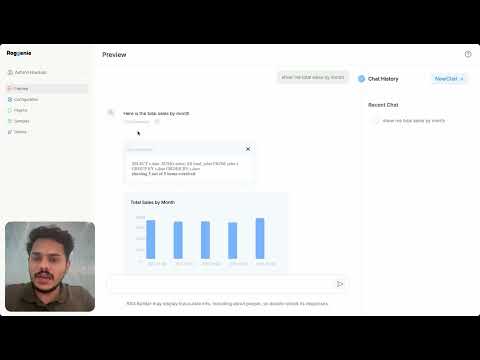](https://www.youtube.com/watch?v=7wBO6g4rj3U)
2. Demo with website data - [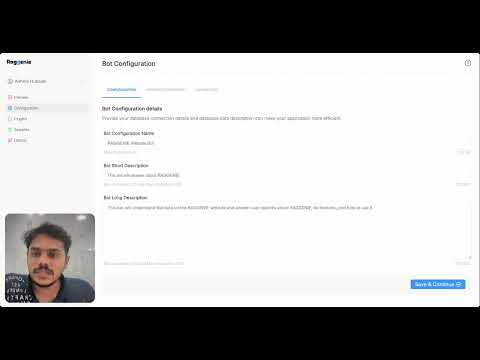](https://www.youtube.com/watch?v=8h4bqqs5S3U)
## 🌎 Communities
Join our communities for product updates, support, and to stay connected with the latest from RAGGENIE!
* Join our [Slack community](https://join.slack.com/t/theailounge/shared_invite/zt-2ogkrruyf-FPOHuPr5hdqXl34bDWjHjw)  * Leave a star on our [GitHub](https://github.com/sirocco-ventures/raggenie) 🌟
* Report bugs with [GitHub Issues](https://github.com/sirocco-ventures/raggenie/issues) 🐞
## 📐 Architecture
![picture of Architecture flow]()
### 🔮 Supported LLM Inferences
Raggenie supports inference APIs to different LLM providers to run your model. The are the inference APIs currently supported by us:
* [OpenAI](https://openai.com/index/openai-api/)
* [Together.ai](https://www.together.ai/)
* [Ollama] (https://ollama.com/)
* [AI71] (https://ai71.ai/)
### 🗃️ Data Sources
These connectors will help you connect your data to RAG. It can handle structured or unstructured data, enabling the RAG to answer questions from these sources.
* Structured Datasources(airtable):
* Leave a star on our [GitHub](https://github.com/sirocco-ventures/raggenie) 🌟
* Report bugs with [GitHub Issues](https://github.com/sirocco-ventures/raggenie/issues) 🐞
## 📐 Architecture
![picture of Architecture flow]()
### 🔮 Supported LLM Inferences
Raggenie supports inference APIs to different LLM providers to run your model. The are the inference APIs currently supported by us:
* [OpenAI](https://openai.com/index/openai-api/)
* [Together.ai](https://www.together.ai/)
* [Ollama] (https://ollama.com/)
* [AI71] (https://ai71.ai/)
### 🗃️ Data Sources
These connectors will help you connect your data to RAG. It can handle structured or unstructured data, enabling the RAG to answer questions from these sources.
* Structured Datasources(airtable):
You can use raggenie to connect to your data sources to analyse it or to intergrate it to your application. Raggenie generates queries to execute on your data sources and provides the results. Current integrations are:
* [MySQL](https://www.mysql.com/)
* [PostgreSQL](https://www.postgresql.org/)
* [Bigquery](https://cloud.google.com/bigquery)
* [Airtable] (https://www.airtable.com/)
* [MariaDB](https://mariadb.org/)
* [MSSQL] (https://www.microsoft.com/en-in/sql-server)
* [SQLite] (https://www.sqlite.org/)
* Document based sources(default):
These sources allows you to load documents such as text documents or Word documents to create an AI chat application that can interact with this data. Current integrations are:
* Document loader
* CSV loader
* Website loader
### 💡Capabilities
you can have more functionalities from RAGGENIE than just as a chatbot by defining its capabilities. They can be used to do tasks such as booking a meeting, checking a calendar, or completing a form from the chat.
Capabilities of the chatbot are defined by the user at the time of configuration. You can setup parameters required for each capability.
* RAGGENIE can make sure that all the parameters are obtained for executing the capability.
* RAGGENIE uses intent extraction to decide which of its defined capabilities should be used.
* Capabilities can be used to trigger different actions.
### 🤖 Agents/Actions
RAGGENIE can do actions to accomplish tasks with user queries. These can be setup along with capabilities to make RAGGENIE more than just a coversation bot. Currently supported actions are.
* Fetch data from a database
* Insert data into database
### 🖼️ UI Plugin
This component will help you embed the chat widget into your UI with JavaScript. So that you can embeed this as a chat bot to your website or portal
## 🛠️ Getting Started
You can use RAGGENIE to create your own conversational chat feature for your application either by integrating it as a chatbot or by embedding it into your application. You can also use it to create different chatbots for different internal teams by tuning each chatbot for different tasks and using different knowledge base for different usecases.
### How to run Video
[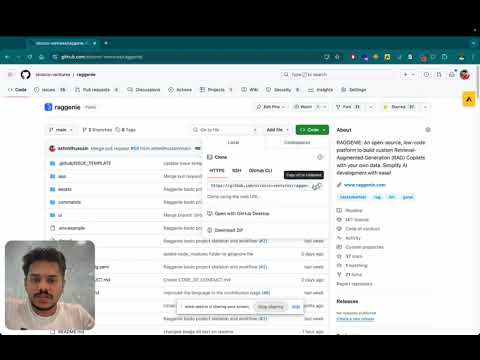](https://www.youtube.com/watch?v=LfCqiToOCvI)
### 📄 Documentation
Comprehensive documentation is available to help you get the most out of RAGGENIE. The full documentation for RAGGENIE can be found [here]()
### 📦 Installation and running
#### Raggenie Backend
* Installing dependencies
* **Using `requirements.txt`**
To install the required dependencies with `pip`, run:
```bash
pip install -r requirements.txt
```
* **Using Poetry**
First, install Poetry:
```bash
curl -sSL https://install.python-poetry.org | python3 -
```
Then, to install the dependencies, run:
```bash
poetry install
```
* Running Zitadel Container and Initial Setup
* **Prerequisities**
* **Docker** installed on your system.
* **Docker Compose** installed on your system.
1. Start the Zitadel container using Docker Compose:
```bash
docker-compose -f zitadel-docker-compose.yaml up -d
```
2. Once the container is running, open your browser and go to: http://localhost:8080
3. Log in using the default credentials:
- **Username:** `zitadel-admin@zitadel.localhost`
- **Password:** `Password1!`
4. Creating a Service User and downloading key file
1. Navigate to the **Users** tab.
2. Select **Service Users** and create a new service user.
3. Provide a username and name of your choice.
4. Set the **Access Token Type** to **JWT**.
5. Go to the **Keys** section and create a new key:
- Click **New**, then **Add**, and finally **Download** the key file.
5. Go to the Organization tab, click **Add a Manager** (top right), select the service user you just created, set **Org Owner** permission, and click **Add**.
6. Follow this [guide](https://zitadel.com/docs/guides/integrate/identity-providers/google) to add Google as an identity provider. Use http://localhost:8080/idps/callback as the redirect URI.
* #### Configuring Environment Variables
After downloading the key file, create an `.env` file and set the following variables:
```env
CLIENT_PRIVATE_KEY_FILE_PATH="./path/to/downloaded/key.json"
ZITADEL_TOKEN_URL="http://localhost:8080/oauth/v2/token"
ZITADEL_DOMAIN="http://localhost:8080"
```
* Running RAGGENIE backend
To run **RAGGENIE** in API mode, specify the config file to use by running the following command:
```bash
python main.py --config ./config.yaml llm
```
Below is a sample configuration for the vector database setup in `config.yaml`:
```yaml
vector_db:
name: "chroma"
params:
path: "./vector_db"
embeddings:
provider: "chroma_default"
```
This configuration ensures that the RAGGENIE system connects to the `chroma` vector database and uses the default embeddings provided by Chroma.
#### Raggenie Frontend
* Move into the ui folder
```
cd ./ui
```
* Install dependencies
```bash
npm install
```
* Running RAGGENIE Frontend
* To run **RAGGENIE** frontend, create a .env file and add the URL to backend as env variables
```env
VITE_BACKEND_URL=${BACKEND_URL}
```
* To start the server, run
```bash
npm run dev
```
* Running RAGGENIE Frontend using fast api
* Update .env file inside `./ui` folder
```env
VITE_BACKEND_URL=""
```
* To serve UI using python server first build the UI
```bash
npm run build
```
* Stop and start python server
```bash
python main.py --config ./config.yaml llm
```
for more details visit [frontend readme](./ui/README.md)
## ⛔️ Troubleshooting
If you encounter an error while running Python, please check the following
- `Your system has an unsupported version of sqlite3. Chroma requires sqlite3 >= 3.35.0`
This issue arises when the system is running a version of SQLite that is below 3.35. Chroma requires SQLite version 3.35 or higher.
Please use the following links for suggested solutions
- https://docs.trychroma.com/troubleshooting#sqlite
- https://discuss.streamlit.io/t/issues-with-chroma-and-sqlite/47950/4
- https://gist.github.com/defulmere/8b9695e415a44271061cc8e272f3c300
## 🚧 Feature Pipeline
These are the planned features and improvements that are in the pipeline for future releases.
* REST API Requests for actions
* Web hooks for actions
## 📜 License
RagGenie is licensed under the [MIT License](https://opensource.org/license/mit), which is a permissive open-source license that allows you to freely use, modify, and distribute the software with very few restrictions.
## 🤝 Contributing
Contributions are welcome! Please check the outstanding issues and feel free to open a pull request. For more information, please check out the [contribution guidelines](https://github.com/sirocco-ventures/raggenie/blob/main/CONTRIBUTING.md).