# cc-plugin-eval
[](https://github.com/sjnims/cc-plugin-eval/actions/workflows/ci.yml)
[](https://codecov.io/gh/sjnims/cc-plugin-eval)
[](https://opensource.org/licenses/MIT)
[](https://nodejs.org/)
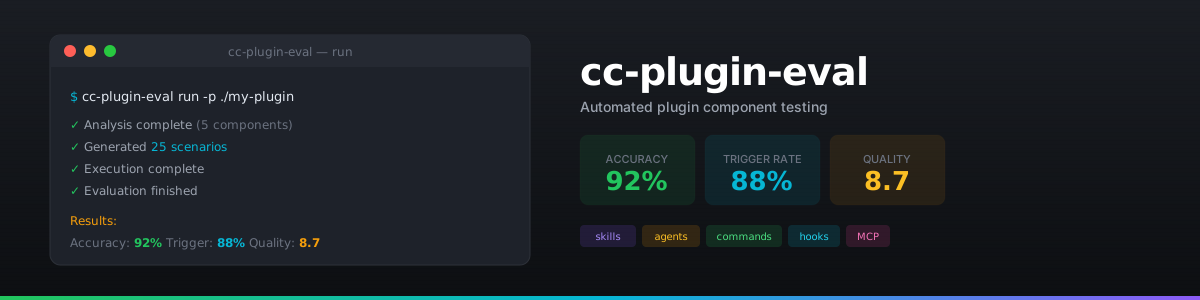
A 4-stage evaluation framework for testing Claude Code plugin component triggering. Validates whether skills, agents, commands, hooks, and MCP servers correctly activate when expected.
## Why This Exists
Claude Code plugins contain multiple component types (skills, agents, commands) that trigger based on user prompts. Testing these triggers manually is time-consuming and error-prone. This framework automates the entire evaluation process:
- **Discovers** all components in your plugin
- **Generates** test scenarios (positive and negative cases)
- **Executes** scenarios against the Claude Agent SDK
- **Evaluates** whether the correct component triggered
## Features
| Feature | Description |
| -------------------------- | -------------------------------------------------------- |
| **4-Stage Pipeline** | Analysis → Generation → Execution → Evaluation |
| **Multi-Component** | Skills, agents, commands, hooks, and MCP servers |
| **Programmatic Detection** | 100% confidence detection by parsing tool captures |
| **Semantic Testing** | Synonym and paraphrase variations to test robustness |
| **Resume Capability** | Checkpoint after each stage, resume interrupted runs |
| **Cost Estimation** | Token and USD estimates before execution |
| **Batch API Support** | 50% cost savings on large runs via Anthropic Batches API |
| **Multiple Formats** | JSON, YAML, JUnit XML, TAP output |
## Quick Start
### Prerequisites
- Node.js >= 20.0.0
- An Anthropic API key
### Installation
```bash
# Clone the repository
git clone https://github.com/sjnims/cc-plugin-eval.git
cd cc-plugin-eval
# Install dependencies
npm install
# Build
npm run build
# Create .env file with your API key
echo "ANTHROPIC_API_KEY=sk-ant-your-key-here" > .env
```
### Run Your First Evaluation
```bash
# See cost estimate without running (recommended first)
npx cc-plugin-eval run -p ./path/to/your/plugin --dry-run
# Run full evaluation
npx cc-plugin-eval run -p ./path/to/your/plugin
```
## How It Works
```mermaid
flowchart LR
subgraph Input
P[Plugin Directory]
end
subgraph Pipeline
S1[**Stage 1: Analysis**
Parse plugin structure,
extract triggers]
S2[**Stage 2: Generation**
Create test scenarios
positive & negative]
S3[**Stage 3: Execution**
Run scenarios via
Agent SDK]
S4[**Stage 4: Evaluation**
Detect triggers,
calculate metrics]
end
P --> S1 --> S2 --> S3 --> S4
S1 --> O1[analysis.json]
S2 --> O2[scenarios.json]
S3 --> O3[transcripts/]
S4 --> O4[evaluation.json]
```
### Stage Details
| Stage | Purpose | Method | Output |
| ----------------- | ----------------------------------------------- | ------------------------------------------------- | ----------------- |
| **1. Analysis** | Parse plugin structure, extract trigger phrases | Deterministic parsing | `analysis.json` |
| **2. Generation** | Create test scenarios | LLM for skills/agents, deterministic for commands | `scenarios.json` |
| **3. Execution** | Run scenarios against Claude Agent SDK | Tool capture hooks | `transcripts/` |
| **4. Evaluation** | Detect triggers, calculate metrics | Programmatic first, LLM judge for quality | `evaluation.json` |
### Scenario Types
Each component generates multiple scenario types to thoroughly test triggering:
| Type | Description | Example |
| ------------- | ---------------------------- | -------------------------------------- |
| `direct` | Exact trigger phrase | "create a skill" |
| `paraphrased` | Same intent, different words | "add a new skill to my plugin" |
| `edge_case` | Unusual but valid | "skill plz" |
| `negative` | Should NOT trigger | "tell me about database skills" |
| `semantic` | Synonym variations | "generate a skill" vs "create a skill" |
## CLI Reference
### Full Pipeline
```bash
# Run complete evaluation
cc-plugin-eval run -p ./plugin
# With options
cc-plugin-eval run -p ./plugin \
--config custom-config.yaml \
--verbose \
--samples 3
```
### Individual Stages
```bash
# Stage 1: Analysis only
cc-plugin-eval analyze -p ./plugin
# Stages 1-2: Analysis + Generation
cc-plugin-eval generate -p ./plugin
# Stages 1-3: Analysis + Generation + Execution
cc-plugin-eval execute -p ./plugin
```
### Resume & Reporting
```bash
# Resume an interrupted run
cc-plugin-eval resume -r
# List previous runs
cc-plugin-eval list -p ./plugin
# Generate report from existing results
cc-plugin-eval report -r --output junit-xml
```
### Common Options
| Option | Description |
| --------------------- | ------------------------------------------------- |
| `-p, --plugin ` | Plugin directory path |
| `-c, --config ` | Config file (default: `config.yaml`) |
| `--dry-run` | Generate scenarios without execution |
| `--estimate` | Show cost estimate before execution |
| `--verbose` | Enable debug output |
| `--fast` | Only run previously failed scenarios |
| `--no-batch` | Force synchronous (non-batch) execution |
| `--rewind` | Undo file changes after each scenario |
| `--semantic` | Enable semantic variation testing |
| `--samples ` | Multi-sample judgment count |
| `--reps ` | Repetitions per scenario |
| `--output ` | Output format: `json`, `yaml`, `junit-xml`, `tap` |
## Programmatic Usage
In addition to the CLI, cc-plugin-eval exports a programmatic API for integration into build systems, test frameworks, and custom tooling.
### Installation
```bash
npm install cc-plugin-eval
```
### Basic Usage
```typescript
import {
runAnalysis,
runGeneration,
runExecution,
runEvaluation,
loadConfigWithOverrides,
consoleProgress,
} from "cc-plugin-eval";
import type {
EvalConfig,
AnalysisOutput,
TestScenario,
} from "cc-plugin-eval/types";
// Load configuration
const config = loadConfigWithOverrides("config.yaml", {
plugin: "./path/to/plugin",
});
// Stage 1: Analyze plugin structure
const analysis = await runAnalysis(config);
// Stage 2: Generate test scenarios
const generation = await runGeneration(analysis, config);
// Stage 3: Execute scenarios (captures tool interactions)
const execution = await runExecution(
analysis,
generation.scenarios,
config,
consoleProgress, // or provide custom progress callbacks
);
// Stage 4: Evaluate results
const evaluation = await runEvaluation(
analysis.plugin_name,
generation.scenarios,
execution.results,
config,
consoleProgress,
);
console.log(`Accuracy: ${(evaluation.metrics.accuracy * 100).toFixed(1)}%`);
```
### Public API Exports
| Export | Description |
| ------------------------- | -------------------------------------------------------- |
| `runAnalysis` | Stage 1: Parse plugin structure and extract triggers |
| `runGeneration` | Stage 2: Generate test scenarios for components |
| `runExecution` | Stage 3: Execute scenarios and capture tool interactions |
| `runEvaluation` | Stage 4: Evaluate results and calculate metrics |
| `loadConfigWithOverrides` | Load configuration with CLI-style overrides |
| `consoleProgress` | Default progress reporter (console output) |
### Types
Import types via the `cc-plugin-eval/types` subpath:
```typescript
import type {
EvalConfig,
AnalysisOutput,
TestScenario,
ExecutionResult,
EvaluationResult,
EvalMetrics,
} from "cc-plugin-eval/types";
```
## Configuration
Configuration is managed via `config.yaml`. Here's a quick reference:
### Scope (What to Test)
```yaml
scope:
skills: true # Evaluate skill components
agents: true # Evaluate agent components
commands: true # Evaluate command components
hooks: false # Evaluate hook components
mcp_servers: false # Evaluate MCP server components
```
### Generation (Stage 2)
```yaml
generation:
model: "claude-sonnet-4-5-20250929"
scenarios_per_component: 5 # Test scenarios per component
diversity: 0.7 # 0.0-1.0, higher = more unique scenarios
semantic_variations: true # Generate synonym variations
```
### Execution (Stage 3)
```yaml
execution:
model: "claude-sonnet-4-20250514"
max_turns: 5 # Conversation turns per scenario
timeout_ms: 60000 # Timeout per scenario (1 min)
max_budget_usd: 10.0 # Stop if cost exceeds this
disallowed_tools: # Safety: block file operations
- Write
- Edit
- Bash
```
### Evaluation (Stage 4)
```yaml
evaluation:
model: "claude-sonnet-4-5-20250929"
detection_mode: "programmatic_first" # Or "llm_only"
num_samples: 1 # Multi-sample judgment
```
See the full [`config.yaml`](./config.yaml) for all options, including:
- **`tuning`**: Fine-tune timeouts, retry behavior, and token estimates
- **`conflict_detection`**: Detect when multiple components trigger for the same prompt
- **`batch_threshold`**: Use Anthropic Batches API for cost savings (50% discount)
- **`sanitization`**: PII redaction with ReDoS-safe custom patterns
## Performance Optimization
### Session Batching (Default)
By default, scenarios testing the same component share a session with `/clear` between them. This reduces subprocess overhead by ~80%:
| Mode | Overhead per Scenario | 100 Scenarios |
| ----------------- | --------------------- | ------------- |
| Batched (default) | ~1-2s after first | ~2-3 minutes |
| Isolated | ~5-8s each | ~8-13 minutes |
The `/clear` command resets conversation history between scenarios while reusing the subprocess and loaded plugin.
### When to Use Isolated Mode
Switch to isolated mode when you need complete separation between scenarios:
- Testing plugins that modify filesystem state
- Debugging cross-contamination issues between scenarios
- When using `rewind_file_changes: true` (automatically uses isolated mode)
To use isolated mode:
```yaml
execution:
session_strategy: "isolated"
```
Or via the deprecated (but still supported) option:
```yaml
execution:
session_isolation: true
```
## Output Structure
After a run, results are saved to:
```text
results/
└── {plugin-name}/
└── {run-id}/
├── state.json # Pipeline state (for resume)
├── analysis.json # Stage 1: Parsed components
├── scenarios.json # Stage 2: Generated test cases
├── execution-metadata.json # Stage 3: Execution stats
├── evaluation.json # Stage 4: Results & metrics
└── transcripts/
└── {scenario-id}.json # Individual execution transcripts
```
### Sample Evaluation Output
```json
{
"results": [
{
"scenario_id": "skill-create-direct-001",
"triggered": true,
"confidence": 100,
"quality_score": 9.2,
"detection_source": "programmatic",
"has_conflict": false
}
],
"metrics": {
"total_scenarios": 25,
"accuracy": 0.92,
"trigger_rate": 0.88,
"avg_quality": 8.7,
"conflict_count": 1
}
}
```
## Detection Strategy
**Programmatic detection is primary** for maximum accuracy:
1. During execution, tool capture hooks capture all tool invocations
2. Tool captures are parsed to detect `Skill`, `Task`, and `SlashCommand` calls
3. MCP tools detected via pattern: `mcp____`
4. Hooks detected via `SDKHookResponseMessage` events
5. Confidence is 100% for programmatic detection
**LLM judge is secondary**, used for:
- Quality assessment (0-10 score)
- Edge cases where programmatic detection is ambiguous
- Multi-sample consensus when configured
## Development
```bash
npm install # Install dependencies
npm run build # Build TypeScript
npm test # Run tests
npm run lint # Lint code
npm run typecheck # Type check
```
See [CONTRIBUTING.md](CONTRIBUTING.md) for detailed development setup, code style, testing requirements, and pull request guidelines.
## Roadmap
- [x] Phase 1: Skills, agents, commands evaluation
- [x] Phase 2: Hooks evaluation (PR #58)
- [x] Phase 3: MCP servers evaluation (PR #63)
- [ ] Phase 4: Cross-plugin conflict detection
- [ ] Phase 5: Marketplace evaluation
## Security Considerations
### Permission Bypass Mode
**Default: `execution.permission_bypass: true`** enables automated evaluation by automatically approving all tool invocations. This is required for unattended runs but has security implications:
- ✅ Required for CI/CD and automated evaluation
- ⚠️ Plugins can perform any action permitted by allowed tools
- 🔒 Use `disallowed_tools` to restrict dangerous operations (default: `[Write, Edit, Bash]`)
- 🔒 For untrusted plugins, set `permission_bypass: false` for manual review (disables automation)
**Security Note**: With permission bypass enabled, use strict `disallowed_tools` and run in sandboxed environments when evaluating untrusted plugins.
### PII Protection & Compliance
**Default: `output.sanitization.enabled: false`** for backwards compatibility. Enable sanitization for PII-sensitive environments:
```yaml
output:
sanitize_transcripts: true # Redact saved files
sanitize_logs: true # Redact console output
sanitization:
enabled: true
custom_patterns: # Optional domain-specific patterns
- pattern: "INTERNAL-\\w+"
replacement: "[REDACTED_ID]"
```
**Built-in redaction**: API keys, JWT tokens, emails, phone numbers, SSNs, credit card numbers.
**Enterprise use cases**: Enable when handling PII or complying with GDPR, HIPAA, SOC 2, or similar regulations.
### Default Tool Restrictions
The default `disallowed_tools: [Write, Edit, Bash]` prevents file modifications and shell commands. Modify with caution:
- Enable `Write`/`Edit` only if testing file-modifying plugins
- Enable `Bash` only if testing shell-executing plugins
- Use `rewind_file_changes: true` to restore files after each scenario
### Additional Safeguards
- **API keys**: Loaded from environment variables (`.env`), never stored in config
- **Budget limits**: Set `execution.max_budget_usd` to cap API spending
- **Timeout limits**: Set `execution.timeout_ms` to prevent runaway executions
- **Plugin loading**: Only local plugins supported (`plugin.path`), no remote loading
- **ReDoS protection**: Custom sanitization patterns validated for Regular Expression Denial of Service vulnerabilities
### Enterprise Deployments
For production/enterprise environments with compliance requirements, see the comprehensive security guide in [SECURITY.md](SECURITY.md), including:
- Threat model and risk assessment
- Sandbox and isolation recommendations
- Compliance checklist (GDPR, HIPAA, SOC 2)
- Container isolation patterns
## Contributing
See [CONTRIBUTING.md](CONTRIBUTING.md) for development setup, code style, and pull request guidelines.
This project follows the [Contributor Covenant](CODE_OF_CONDUCT.md) code of conduct.
## License
[MIT](LICENSE)
## Author
Steve Nims ([@sjnims](https://github.com/sjnims))
## Acknowledgements
- [Anthropic](https://www.anthropic.com/) for Claude, the [Anthropic SDK](https://github.com/anthropics/anthropic-sdk-typescript), and the [Claude Agent SDK](https://github.com/anthropics/claude-agent-sdk)
- [Bloom](https://github.com/safety-research/bloom) for architectural inspiration
- [Boris Cherny](https://github.com/bcherny) for [Claude Code](https://github.com/anthropics/claude-code)
- [Zod](https://zod.dev/) for runtime type validation
- [Commander.js](https://github.com/tj/commander.js) for CLI framework
- [Vitest](https://vitest.dev/) for testing
- [Monster Energy](https://www.monsterenergy.com/) for fuel
- [deadmau5](https://deadmau5.com/) for the beats