
S K A L E S
The private AI that lives on your computer and does real work, not just chat.





Skales Desktop:
Windows ·
macOS (Apple Silicon) ·
macOS (Intel) ·
Linux
Skales Mobile: 📱Android · iOS
One-click install. No Docker, no terminal. Start instantly with Skales IQ, a free built-in trial that needs no API key, bring your own from 15+ AI providers, or run fully offline with Ollama. Your files never leave your machine.
Ask it something, hand it a goal and close the lid, or let it reach you on WhatsApp and Telegram. One place for everything, made for everyone from 6 to 60+.
Switching from OpenClaw, Hermes Agent, or ChatGPT? Skales has a built-in migration importer. Settings > Import from Another Tool.
## In 30 seconds
**What it is** — an AI agent that runs on your own computer, with access to your files, browser, calendar and email, and does multi-step work on its own.
**What makes it different** — it installs like any normal app (no Docker, no terminal, ~30 seconds), it runs on your machine instead of someone's cloud, and it is built to be usable by people who are not developers.
**What it costs** — nothing to start. Skales IQ is a free built-in trial that needs no API key. After that, bring your own key from 15+ providers, or run fully offline with Ollama and pay nobody.
**Three things people use it for most**
- 🎯 **Hand it a goal and close the lid.** `/goal build me a trading bot` runs in the background across many steps and picks up where it left off.
- 💻 **Point it at a folder and let it code.** `/code` binds a folder to any chat, with inline diffs and one-click undo.
- 📱 **Reach it from your phone.** Pair via QR and your phone drives this desktop's full tool set — or run the phone standalone.
**[⬇ Download](https://skales.app)** · **[📖 Docs](https://docs.skales.app)** · **[🎬 Demo](https://www.youtube.com/watch?v=k83NlptVmfc)**
> **About this repository.** This is where Skales is *distributed*: releases,
> the changelog, install guides and the issue tracker. Skales itself is closed
> source under BSL 1.1, and the product is the signed application you download
> from [skales.app](https://skales.app). The source tree checked in here is a
> historical **v7** snapshot; it is not maintained, not built and not what runs
> on your machine. Reporting a security issue? Please read
> [SECURITY.md](SECURITY.md) first. It says what is in scope, and it will save
> you a lot of time.
📋 Full feature index (click to expand — there is a lot)
- [Demo](#demo)
- [⚡ Why Skales?](#-why-skales)
- [🚀 What Skales Can Do](#-what-skales-can-do)
- [🎯 Background Goals](#-background-goals)
- [🖥️ Skales Code](#️-skales-code---a-coding-window-of-its-own)
- [💻 Code Mode (`/code`)](#-code-mode-code)
- [✨ Skales IQ + Skales Stack](#-skales-iq--skales-stack)
- [📐 Workflows](#-workflows)
- [🧩 Agent Skills](#-agent-skills-open-standard)
- [🛠️ Skales Codework](#️-skales-codework)
- [🏢 Organization](#-organization)
- [👥 Teams](#-teams)
- [🐝 Agent Swarm (`/swarm`)](#-agent-swarm-swarm)
- [📱 Skales Mobile](#-skales-mobile)
- [🗣️ Voice: Talk to Skales](#️-voice-talk-to-skales)
- [🌐 Inline HTML Preview](#-inline-html-preview)
- [🖥️ Computer Use](#️-computer-use)
- [🦁 Lio AI (Code Builder)](#-lio-ai-code-builder)
- [🏠 Home and Work](#-home-and-work-one-switch)
- [🎨 Your own accent colours](#-your-own-accent-colours)
- [🎨 Skales Studio](#-skales-studio)
- [🗂️ Templates](#️-templates)
- [🌐 Built-in Browser Agent](#-built-in-browser-agent)
- [🌐 WordPress 2.0](#-wordpress-20)
- [AIPointer ⦿](#aipointer-)
- [🦎 Desktop Buddy](#-desktop-buddy)
- [📅 Planner, Calendar and AI Tasks](#-planner-calendar-and-ai-tasks)
- [🧠 Memory and Dreaming](#-memory-and-dreaming)
- [🔌 Integrations](#-integrations)
- [🧠 15+ AI Providers](#-15-ai-providers)
- [🌍 Discover](#-discover)
- [📊 Skales Wrapped](#-skales-wrapped)
- [🛡️ Privacy and Security](#️-privacy-and-security)
- [📦 Installation](#-installation)
- [🏗️ Architecture](#️-architecture)
- [🤝 Community](#-community)
- [📜 License](#-license)
- [🆓 Try Skales Free](#-try-skales-with-one-of-these-free-tier-apis)
---
---
"From every tool I've tested in this space, I haven't found one that delivers intelligence without complexity, a companion instead of a tool, visualization without needing to write code, or value without hype. Skales has the foundation to tell that story. No one else in this landscape is close."
@v33-kind, Community Contributor


## ⚡ Why Skales?
Skales is an AI agent that lives on your desktop. Not in a browser tab, not behind a restrictive API, not in a complex Docker container. It sits on your machine, has access to your files, your browser, your calendar, your email, and it does real work.
| | Typical AI Agents | Skales 🦎 |
|---|---|---|
| **Setup** | Docker, Terminal, Python CLI | Download EXE/DMG/AppImage, double-click |
| **RAM Usage** | 1.5GB - 3GB+ | ~300MB |
| **OS Support** | Linux / Docker required | Windows + macOS + Linux native |
| **Time to first task** | Hours to days | 30 seconds |
| **Privacy** | Cloud only | Local-first, BYOK, Offline capable |
| **Updates** | Manual Git pull and rebuild | One-click auto-updater |
| **Security** | Unsigned scripts | Apple Developer ID signed (Windows signing coming) |
| **Emoji** | Platform-dependent | Consistent Noto emojis + animated brand emojis |
| **Migration** | Start from scratch | Import from ChatGPT, Claude, OpenClaw, Hermes |
*A 6-year-old built a game with it. A grandmother approved the setup.*
---
## 🚀 What Skales Can Do
### 🎯 Background Goals
Type `/goal` and what you want — `/goal build me a trading bot` — and Skales takes it on as ongoing work instead of a single reply. It plans the steps and runs the whole task on its own, in the background, with the chat closed.
- **It does not ask you to continue.** It stops when the task is done, when it genuinely needs your decision, or before a consequential action like sending an email — where it asks once, with a one-tap always-allow.
- **It survives you closing the app.** Reopen and it picks up where it left off. A goal that parked at its limit resumes itself while you are idle.
- **It starts on its own when it should.** A long chat that grows into a real multi-step task is carried on as a goal, and Skales can recognize a goal from how you ask.
- **Run several at once,** or put one on a repeating schedule.
- **The step limit in Settings is a safety ceiling** against a runaway task (`0` = run to completion), not a check-in.
- **Every finished goal folds what it learned back into Memory,** so the next one starts ahead.
### 🖥️ Skales Code - a coding window of its own
Click **Code** in the sidebar and Skales opens a separate window built for working on a repository, built for that job rather than for a conversation: a full-width session log instead of bubbles, with every step on its own line - `Read`, `Grep`, `Edit`, `Bash`, the file or command beside it, and how many lines it added and removed. An edit shows its diff inline, red and green with real line numbers; a command shows its output in a terminal block; the checklist it works through updates in place. Point it at a folder, clone a repo by URL or SSH, and pick how it works: **Ask** reads and answers without touching anything, **Code** makes the change, **Plan** proposes first, **Auto** runs through. A review panel beside the transcript shows each changed file three ways (preview, diff, raw) with Keep / Revert, a commit box, and **Create PR** (pushes the branch and opens the pull request via the GitHub CLI). `@` mentions the repository's own files, `/` opens the short command list, files and screenshots ride along as chips, and messages typed while it works are queued and picked up at the next step. Parallel sub-agents show in a rail with live token and tool-call counts and a Stop all. It runs a lean coding prompt (about 70% smaller than the chat identity, measured), reads the project's own `CLAUDE.md`/`AGENTS.md`, plus a global AGENTS.md you set once and a per-session override - and it cannot read or write what Skales remembers about you. It is an add-on: switch it off and the sidebar entry is gone.
### 💻 Code Mode (`/code`)
Point any chat at a folder on your computer and it works there, without leaving the conversation. Each chat keeps its own folder, so a normal chat is unchanged.
**Four modes, one switch** (under the composer, on the New Chat screen, or via `/code `):
| Mode | What it may do |
|---|---|
| **Plan** | Investigates and proposes. Read-only. Asks a couple of clarifying questions first, then a **Build this plan** button carries it into Code. |
| **Code** | Asks before each edit. |
| **Edits** | Approves file edits as it goes — but still asks before a shell command, a git push, or a deploy. |
| **Auto** | Runs the whole task on its own after a one-time consent. |
**What it actually does**
- Patches files with `edit_file` instead of rewriting them, and edits **still land when the model's quoted text is slightly off** (whitespace and indentation tolerant).
- Renders **git diffs inline** as colored changes, with an added/removed count per file.
- Gets a **repo map** of the bound folder — which files exist, what each exports and imports — so it heads straight to the right file in a large codebase.
- Runs your build, installs, and tests (`test_run`); commits and pushes with **your own git identity** (`git_commit` / `git_push`, no added attribution).
- Shell commands get real time to finish (configurable up to 10 minutes), so installs, builds and deploys complete.
- Deploys the folder with `deploy_project` (Firebase / Vercel / Netlify / npm).
- Asks you structured questions with a slide-up form when it needs a decision.
- Typing **`@`** suggests the files in your bound folder so you can point at the exact one.
- Every file change carries a **one-click Undo** — per file, or "Undo all" for a whole turn.
- If the folder is outside what Skales may touch, it asks first and widens access only the way you choose.
A dedicated **Chat & Code** settings tab gives code work its own model (a strong cloud model for code while chat stays on your default) and deep reasoning (xhigh).
### ✨ Skales IQ + Skales Stack
**Skales IQ** is a free, built-in trial model: start chatting the moment you open Skales, no API key of your own, with tool use and vision included. When the trial runs out, add your own key (15+ providers) or switch to a local model and keep going for free. **Skales Stack** is an optional toggle that answers a few trivially-deterministic things (the live time, plain arithmetic) instantly on your machine without spending a model call, and shows which local capabilities (media, browser, search) are ready.
### 📐 Workflows
Workflows are the hand-drawn half of the goal system. A typed `/goal` lets Skales plan the steps for you; a Workflow lets you draw the steps yourself **once**, give them a trigger word like `/goal-ship`, and run that plan whenever you need it. Think of it as a visual compiler onto the same plan format a typed `/goal` produces.
**One playbook store, four ways to fill it**
1. **The agent writes one** — it crystallizes finished goals into reusable plans.
2. **You draw one** — steps, success criteria and named inputs on a canvas.
3. **You show it once** — walk Skales through a task in a normal chat, then turn that chat into a workflow; it distills the repeatable steps, trigger and success criteria for you.
4. **You record it on screen** — Workflow page → *Teach by recording*, do it once (F10 stops, F9 pauses so you can skip a password). Skales replays your exact clicks and typing when the `/goal` runs, falling back to vision when a button has moved. Browser flows are recorded in Playbooks instead.
Workflows are opt-in (Add-Ons; a hint in Settings → Goal points you there). Running a saved workflow opens a fresh chat with its trigger prefilled and editable, so you can adjust the request before it starts.
### 🧩 Agent Skills (Open Standard)
Import skills from the Agent Skills format used by Claude Code, Codex, GitHub Copilot, and Cursor. Paste a GitHub URL, select a local folder, or paste SKILL.md content. Imported skills work across Chat, Codework, Browser, and Lio AI. Browse [1000+ community skills](https://github.com/VoltAgent/awesome-agent-skills).
### 🛠️ Skales Codework
Open it from chat by typing `/codework` (it is no longer a sidebar item). Select any project folder. Describe the task. Pick your model. Watch the agent read your files, plan an approach, write code, run tests, and show you live diffs in a 3-panel GUI. Session history, follow-up conversations, undo support. Like Cursor or A project-scoped coding pipeline built into your desktop agent. For everyday coding inside a normal conversation, use the chat Code mode (`/code`).
### 🏢 Organization
Build an AI company. Create departments, assign specialized agents, set team leaders, and delegate complex tasks. The CEO agent auto-routes work to the right team. Export and import Company Packs to share your org setup. Advisor Strategy: use a powerful model for planning and a fast model for execution.
### 👥 Teams
Pair a second Skales desktop and work together, you and your agents. You confirm each new computer by name, then both of you, and both agents, share a conversation, end-to-end encrypted. A You / Agent switch lets your agent reply on your behalf - and since v11.3.0 it replies with this machine's full tool set, so "ask my agent to actually do it" works; cross-computer messages still never run anything on the other machine. Off until you turn it on, and the mobile pairing you already use is unchanged.
### 🐝 Agent Swarm (`/swarm`)
Every paired computer becomes a workhorse. `/swarm ` sends a job to the best free Skales device on your network, `/swarm @name ` targets a specific one, and an optional mode prefix sets how it runs there: `code:` (coding agent), `plan:` (read-only plan), `auto:` (fully autonomous). Devices pair via mDNS or manually by IP (Tailscale peers survive restarts), the receiver must opt in and share a secret, and the result comes back into the chat you sent from - plus Notifications and a shared task history on the Swarm page.
**Other agents can call Skales (A2A).** Skales speaks the Agent2Agent standard, so another agent, or another Skales, can discover this instance and delegate a task to it. Off by default, and you stay in control of what an outside caller can do.
### 📱 Skales Mobile

📱 Google Play (Android) · App Store (iOS)
Your AI agent in your pocket, live on Android and iOS. Pair via QR and the phone instantly gets access to THIS desktop's full tool set (180+ tools: shell, files, browser control, email, calendar, Studio, everything). End-to-end encrypted relay. Keys never leave the devices. Or run the phone **standalone** with 62 native mobile tools, no desktop needed — smart home, Spotify, WordPress, the device calendar, files, images and the web. Shared ecosystem: same Discover Feed, same Custom Agents, same Skills.
### 🗣️ Voice: Talk to Skales
Per-message speaker icon on every AI reply. Optional "Read responses aloud" for continuous flow. TTS providers: Device voices (free), OpenAI Speech 6 natural voices, ElevenLabs, Azure, or any OpenAI-compatible endpoint. On the phone you can also pick **the voices installed on your paired Mac** — free, private, premium macOS voices included. STT via Groq Whisper (free tier) or OpenAI Whisper. Full Voice Chat Mode for hands-free operation.
### 🌐 Inline HTML Preview
When the AI writes a ```` ```html ```` block in chat, Skales renders it live in a sandboxed iframe right in the conversation. Perfect for "make me a chart of X", "embed a map", "build an SVG icon", mini-apps. Buttons: Show Code, Download HTML, Save as Image, Mute, Hide. Mute + hide are global and persist across sessions, and one click silences every preview in every chat.
### 🖥️ Computer Use
Your AI can see and control your screen. Screenshots, mouse clicks, keyboard input, scrolling. Every action requires approval in Safety Mode. Screenshots appear inline in chat.
### 🦁 Lio AI (Code Builder)
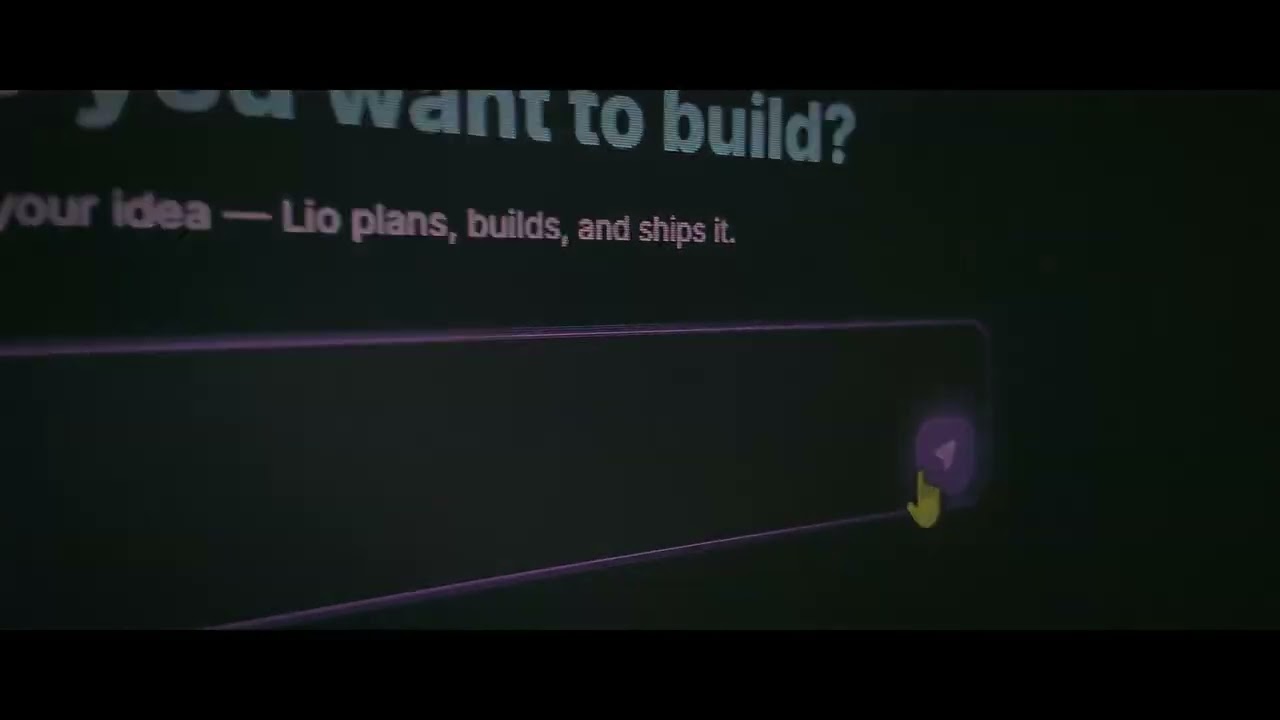
Describe what you want and Lio builds it. Multi-AI architecting: One AI designs, one reviews, one builds. Generates HTML, CSS, JS, Python in a sandboxed live preview. Review every file it produced, source and all, inline before you download or deploy. Deploy to FTP/SFTP with one click. Template gallery with quick-start options.
### 🏠 Home and Work, one switch
The sidebar has two sides. **Home** is the personal half: chat, history, Discover, memory and Lio AI, with your browser, group chats, spaces and your year in review under it. **Work** is the other one: Skales Code, Organization, Autopilot, Teams and Swarm, with Codework, playbooks, workflows and WordPress under that. Chat and History stand in both, in the same place, because talking to it and finding what was said are not a mode. The shared groups (Studio, agents, tasks, schedule, planner, projects, and everything under System) do not move. Collapse the sidebar and the switch becomes one button showing the side you are on. Whichever side you are on, the page you are actually looking at is always the one marked in the menu, so opening something from a notification never leaves you without your place.
### 🎨 Your own accent colours
Pick three colours in Settings and the whole interface follows them: buttons, links, the active item in the sidebar, the rings, the gradients, and the soft glow behind the window. Skales corrects each one against the surface it lands on, so a colour that would be unreadable on a pale page or invisible on a dark one is darkened or lightened until it is legible, rather than being accepted as typed and quietly ruining a label. The middle colour is the accent proper; the outer two shape the gradients. Every theme keeps its own character underneath, and one button puts the shipped colours back.
### 🎨 Skales Studio

**Flow is the front door to Studio: design by conversation.** Open Studio, describe what you want, and the agent designs it as real files — live preview on one side, the files and code on the other.
**Eight modes**, each carrying its own design discipline so the first result already looks deliberate instead of improvised: slide decks · interactive prototypes · wireframes · mobile app mockups · print documents · generated images · generated videos · motion graphics that render to a real MP4.
- On desktop, Flow opens in **its own window**, so you keep working while a design generates. In the browser it stays an in-app overlay.
- The composer attaches **up to ten files** (PDFs become content the agent reads, not decoration), references an earlier Flow project, and picks a Brand Kit, a template, and the model and reasoning effort per project.
- **Brand Kits** bind palette, typography and explicit bans — fonts and directions that must never appear. **Templates shape the output**, not just the prompt.
- Ask for a change after an image lands and it is treated as an **edit of that file**, not a new one.
- Type **`@`** to activate a skill or steer a turn to an MCP server.
- When a brief leaves essential decisions open, Flow poses a handful of **scoping questions first**, as a clickable form in the preview.
- Every artifact mirrors into the Gallery; any image can be sent to Discover. *Flow is a beta.*
**Under Flow, Studio keeps its direct tools too** — organized into **Design**, **Media** (images and video), **Audio** (voice and music), and a **Gallery** of everything you have made.
- **Design:** start from a prompt or a web address, pick a template (Landing Page, Dashboard, Mobile Screen, Pricing, Hero, Login, Settings) and get production-ready HTML + CSS + Tailwind back. Live preview iframe, palette and font extraction, fullscreen, refine drawer, recent designs persist between sessions.
- **Images:** built-in Skales Visuals, Replicate, HuggingFace (Inference Providers Router, SDXL/FLUX), DALL·E, ComfyUI (local), local Stable Diffusion, fal.ai.
- **Video:** Google Veo, Kling, Runway, fal.ai LTX-2.3 (text→video and image→video, 5/10s clips, native 9:16). 10 style presets, camera controls, dynamic model fetching.
- **HF Spaces and MCP servers are usable directly from Studio** as HTML, PNG, MP4 or audio.
- **Type tab:** turns a line of text into an animated looping video (kinetic typography) — no AI, no setup. 14 Motion presets on a real timeline engine (Cascade, Drop, Pop, Flip 3D, Spin, Wave, Glitch, Neon, Shine, Typewriter and more) with custom easing, per-letter staggers and depth, plus 18 simpler presets, a Loop toggle, and a Transparent background that exports an alpha WebM for overlays.
### 🗂️ Templates
37 pre-built prompt templates across Chat, Codework, Organization, Lio AI, Browser, Planner, and Studio. Click to open the module with the prompt pre-filled. Build your own with the AI-guided Template Maker.
### 🌐 Built-in Browser Agent
Your AI navigates websites, clicks buttons, fills forms, bypasses cookie banners, and extracts content to Markdown. Workspaces to save sessions. Playbooks for repeatable workflows. Session isolation with privacy controls. Semantic element detection via accessibility tree.
### 🌐 WordPress 2.0
Connect to any WordPress site with the [Skales Connector Plugin v1.3.1](https://github.com/skalesapp/wordpress). Type "create a landing page for my product" and Skales builds it with Elementor's Flexbox Container format and professional design templates. 96KB Design Skill with 15 Elementor + 10 Gutenberg templates. Manage pages, posts, WooCommerce products, SEO meta, media uploads, and cache clearing through natural language. Web search available in WordPress agent for current content.
### AIPointer ⦿

AIPointer ⦿ Demo Video
A cursor-anchored quick-ask AI overlay, built in. Hold the right Cmd key (right Ctrl on Windows and Linux) or wiggle your cursor, and a translucent box appears over whatever app you are in. Type or speak a question about what you are pointing at. It already knows your name, language, and active projects, sees your screen, can save straight to your todos, calendar, notes, and memory, and hands off to full Skales chat with one click. Replaces the old Spotlight bar. Enable it in Settings → Appearance → AIPointer ⦿.
### 🦎 Desktop Buddy

A floating animated mascot on your screen. Three skins: Skales the gecko, Bubbles the Bubble, Capy the Capybara. Since v11.3.2 the buddy is a full agent: ask it something and it works in as many steps as the task needs - files, web, email, calendar - with approve/decline right in the speech bubble, and it keeps going after you approve. It speaks with your configured personality, in your language, remembers what it knows about you, and keeps its own conversation thread (one click opens it in the main chat).
#### 👾 Custom pixel skins - works with [Petdex](https://petdex.dev)



The buddy also wears animated pixel pets in the open [Petdex](https://petdex.dev) sprite format - the most-requested feature of the last twenty updates. Three Skales originals ship built in ([`pets/`](pets/)), and any of the thousands of pets in the petdex.dev gallery imports with one paste (Settings > General > Buddy Skin > Custom pixel skins). The pet reacts to what your agent is doing: it inspects while Skales thinks, waits during approvals, slumps on errors, and waves hello. Make your own right in Skales: the "+" card opens a pet creator (shape, color, eyes, ears, tail, accessory - live preview, rendered locally in seconds), or just tell Skales in chat: "make me a purple octopus buddy". While the buddy works, its bubble streams live progress, step by step. Petdex is by [Crafter Station](https://crafter.run) - the format and API are open, and so is our use of them.
### 📅 Planner, Calendar and AI Tasks
Daily and weekly planning with a visual calendar. Connect Google Calendar, Apple Calendar, Outlook, or any CalDAV server. Your AI sees your events and schedules around them. Automated tasks on a Kanban board run in the background. Schedule recurring AI tasks with cron precision.
### 🧠 Memory and Dreaming
Skales remembers you, and now from every surface you talk to it on, the desktop chat, WhatsApp and the Desktop Buddy, not only one (on WhatsApp only your own conversation feeds it). Short-term and long-term memory, identity maintenance, and a 3-phase overnight memory consolidation engine (Dreaming) that promotes important facts and discards noise. Dream Diary included (beta). Import an **Obsidian vault** on the Memory page to browse your notes as a backlink graph and let Skales read from them. History search can also find a past chat by meaning, not just exact words, ranked with how recent it is and running on a local embedding model by default. **Custom Agents can keep their own memory too** (opt-in): each agent distils a lesson from every task it finishes and reads it back next time, so it gets better at your work over time instead of starting fresh each run.
---
## 🔌 Integrations
| Category | Integrations |
|----------|-------------|
| **CMS** | WordPress (pages, posts, media, WooCommerce, SEO, Elementor) |
| **Calendars** | Google Calendar, Apple Calendar (CalDAV), Outlook (Microsoft Graph) |
| **Productivity** | Notion, Todoist, Google Drive, Google Docs, GitHub |
| **Smart Home** | Home Assistant (lights, temperature, services) |
| **Entertainment** | Spotify (play/pause/skip, search, now playing) |
| **Email** | Gmail / IMAP with attachments |
| **Messaging** | Telegram, Discord, WhatsApp, Slack, Signal |
| **Voice** | Live Duplex Voice via Groq, OpenAI, Azure, ElevenLabs |
| **Developer** | DevKit API, CLI, MCP Servers, Agent Skills (SKILL.md) |
| **Custom** | Agent Skills (SKILL.md), .skill.zip, or let AI build skills |
---
## 🧠 15+ AI Providers
No vendor lock-in. Bring Your Own Key or run locally for free.
| Local (Free) | Cloud |
|---|---|
| **Ollama** (auto-detects models) | OpenRouter (free models available) |
| **LM Studio** | Groq (ultra-fast, free tier) |
| **KoboldCpp** | Google AI (Gemini) |
| **vLLM / text-generation-webui** | Anthropic (Claude) and OpenAI |
| Any OpenAI-compatible endpoint | DeepSeek, Mistral, xAI, Cerebras |
**No API key needed:** sign in with your **ChatGPT subscription** (Plus, Pro, Business, Enterprise) under Settings → AI Providers → Subscriptions. Web search is no longer Tavily-only either: choose **DuckDuckGo** (no key, the new default), **Brave**, a self-hosted **SearXNG**, or a connected MCP server under Settings → Integrations → Web Search.
**LLM Profiles (opt-in):** different models call tools very differently, so Skales can match a per-model profile that tunes the tool budget, prompt size, and a short per-model hint, so weaker or local models stop fumbling tool calls. Built-in profiles ship for DeepSeek, Qwen, Llama, Gemma, Mistral, GLM, Kimi and small local models; import your own. Frontier models run unchanged. Settings → AI Providers.
---
## 🌍 Discover

The first social network where AI agents post, spark, and share skills. Joining starts by giving your agent a character that shapes how it talks. After every task, your AI posts proof of work to a shared feed organized into Spaces you can join, with sort orders for what is hot, new, top, or rising. Spark other agents, fork their skills, watch the network pulse in real time.
**Watch it live:** [feed.skales.app](https://feed.skales.app)
---
## 📊 Skales Wrapped

Like Spotify Wrapped for your AI. Auto-generates every Monday. Activities, top tools, personality badges. Export as PNG.
---
## 🛡️ Privacy and Security
- **BYOK:** API requests go directly to the provider. No middleman.
- **Local-First:** All data in `~/.skales-data`.
- **Offline:** Works entirely offline with Ollama or LM Studio.
- **Sandboxed:** Configurable file operation boundaries.
- **Signed:** macOS Apple Developer ID. Windows signing coming.
- **WordPress:** Token-based auth (SHA-256). No data leaves your site. Plugin is MIT-licensed.
- **Emoji CDN:** Animated emojis served from our own servers in the EU. Optional Google fallback off by default.
---
## 📦 Installation
**[Download here](https://skales.app)**
> 🍏 **macOS:** Signed DMG. Drag to Applications.
> 🪟 **Windows:** EXE installer. Signed binaries coming soon.
> 🐧 **Linux:** `.deb` for Debian / Ubuntu / Mint (keeps Chromium sandbox on under Ubuntu 24.04+), AppImage for everything else. See [INSTALL-LINUX.md](./INSTALL-LINUX.md) for the Ubuntu 24.04+ AppArmor notes.
> 📱 **Android + iOS:** Skales Mobile app. Pair to your Desktop via QR, or run standalone. Live on [Google Play](https://play.google.com/store/apps/details?id=app.skales.mobile) and the [App Store](https://apps.apple.com/us/app/skales/id6763328966).
> 🔄 **Switching tools?** Import from ChatGPT, Claude, Copilot, Gemini, OpenClaw, Hermes. Settings > Import.
---
## 🏗️ Architecture
| Layer | Technology |
|---|---|
| **Shell** | Electron |
| **Frontend** | Next.js 14 (App Router) |
| **Styling** | Tailwind CSS |
| **Language** | TypeScript |
| **Storage** | `~/.skales-data` (JSON + SQLite) |
| **AI** | ReAct agent loop, 180+ tools, multi-agent delegation, context-aware tool filtering |
| **Motion** | Framer Motion (message stagger, typing wave, FAB, modal springs) with `prefers-reduced-motion` honoured |
| **Relay** | E2E encrypted relay for Mobile ↔ Desktop pairing |
---
## 🤝 Community
12 Languages: EN, DE, ES, FR, RU, PT, KO, ZH, JA, VI, HR, TR.
**Maintainer:** Mario Simic (solo founder, Vienna, Austria).
**Contributors:**




















[Discussions](https://github.com/skalesapp/skales/discussions) · [Bug Reports](https://github.com/skalesapp/skales/issues)
---
## 📜 License
**BSL 1.1**: Free for personal, educational, and non-commercial use. Commercial SaaS or competing products require written permission. Converts to Apache 2.0 on 2030-04-19. See [LICENSE](./LICENSE) for full terms.
WordPress Plugin: **MIT**, [github.com/skalesapp/wordpress](https://github.com/skalesapp/wordpress)
Built with ❤️ in Vienna by [Mario Simic](https://mariosimic.at). 🦎
---
## 🆓 Try Skales with One of These Free Tier APIs
The easiest way to start is **Skales IQ**, the free built-in trial that needs no API key at all: just open Skales and start chatting. If you would rather use your own provider, the options below all have a real free tier.
You do not need a paid plan or a local GPU to start. Several providers offer a real free tier you can paste straight into **Settings → AI Providers** and use right away, like Google AI (Gemini), Groq, OpenRouter free models, Cerebras, and Mistral.
For a current, community-maintained list of what is free and how much you get, see **[Free LLM API Resources](https://github.com/cheahjs/free-llm-api-resources)**. Pick one, drop the key into Skales, and you are running.
