Balloon
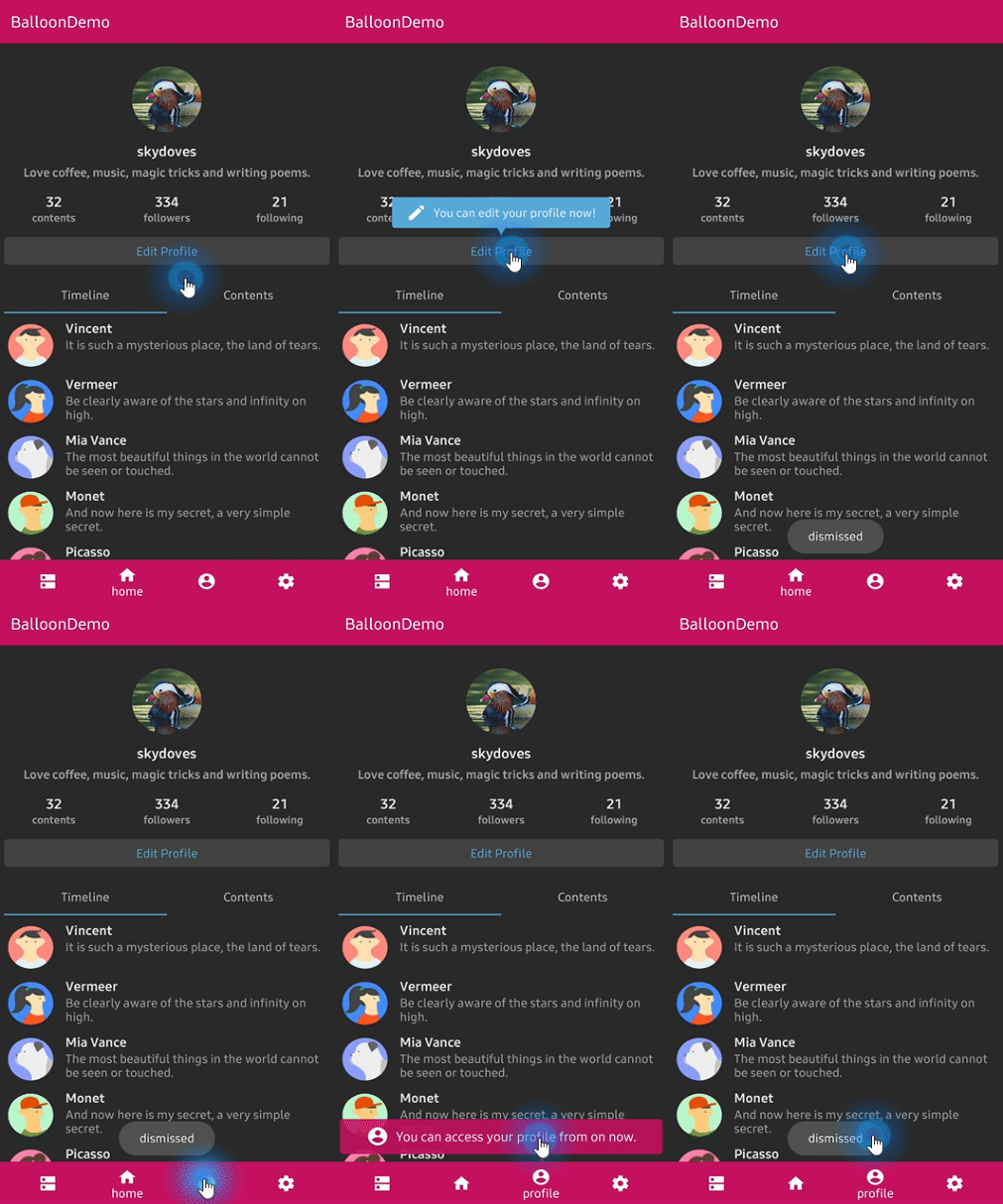
:balloon: Modernized and sophisticated tooltips for Compose Multiplatform, fully customizable with an arrow and animations.












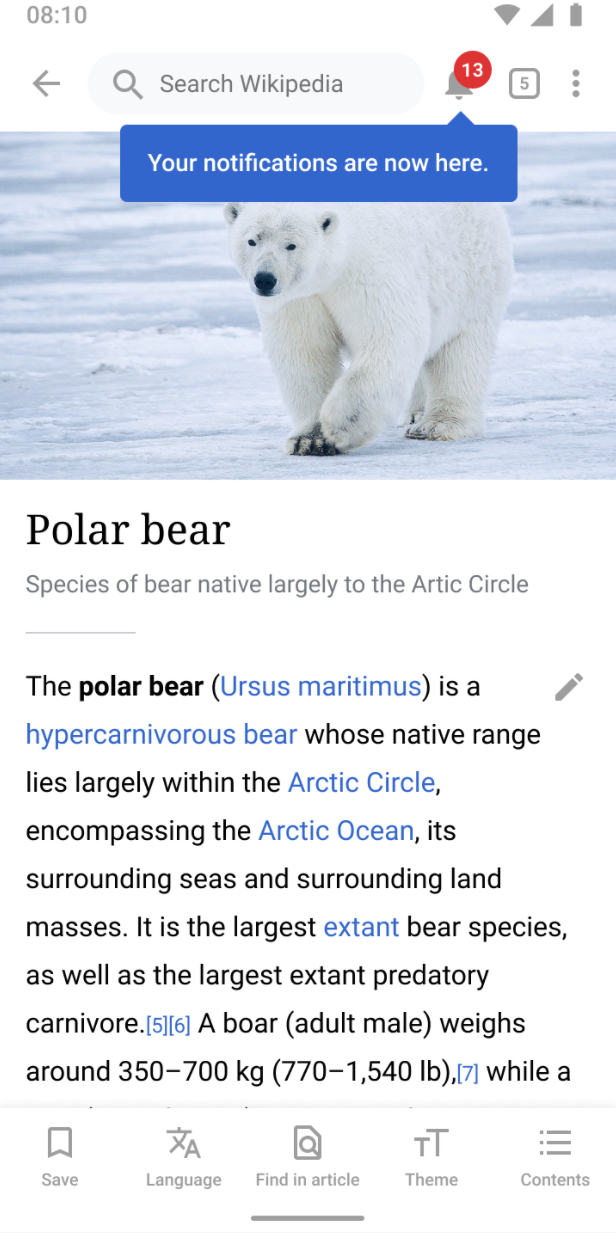
## Who's using Balloon?
**👉 [Check out who's using Balloon](/usecases.md)**
Balloon hits **+800,000 downloads every month** around the globe! :balloon:

 ## What's new in 2.0.0
Balloon 2.0.0 is a full rewrite on **Compose Multiplatform**. One artifact now runs on Android,
iOS, Desktop (JVM), and Web (Wasm), and everything is drawn by Compose instead of a
`PopupWindow`. There is no `Context`, no `View`, and no XML anywhere in the API.
If you are coming from 1.x, read the **[Migration guide from 1.x to 2.0.0](docs/migration.md)**.
The View based implementation is still available at version `1.7.6`, documented under
**[Balloon 1.x (View)](docs/legacy-view/index.md)**.
## 💝 Sponsors
## What's new in 2.0.0
Balloon 2.0.0 is a full rewrite on **Compose Multiplatform**. One artifact now runs on Android,
iOS, Desktop (JVM), and Web (Wasm), and everything is drawn by Compose instead of a
`PopupWindow`. There is no `Context`, no `View`, and no XML anywhere in the API.
If you are coming from 1.x, read the **[Migration guide from 1.x to 2.0.0](docs/migration.md)**.
The View based implementation is still available at version `1.7.6`, documented under
**[Balloon 1.x (View)](docs/legacy-view/index.md)**.
## 💝 Sponsors

 ## Including in your project
[](https://search.maven.org/search?q=g:%22com.github.skydoves%22%20AND%20a:%22balloon%22)
### Gradle
Add the dependency below to your **module**'s `build.gradle.kts` file.
**Compose Multiplatform**
```kotlin
kotlin {
sourceSets {
commonMain.dependencies {
implementation("com.github.skydoves:balloon:2.0.1")
}
}
}
```
**Android only**
```kotlin
dependencies {
implementation("com.github.skydoves:balloon:2.0.1")
}
```
Supported targets: `android`, `jvm` (Desktop), `iosArm64`, `iosSimulatorArm64`, `iosX64`, `wasmJs`.
## How to Use
A balloon is made of two things: a **style** that describes how it looks, and a **state** that
decides when it shows.
```kotlin
val style = rememberBalloonBuilder {
setArrowSize(10.dp)
setArrowPosition(0.5f)
setWidthRatio(0.7f)
setPadding(12.dp)
setCornerRadius(8.dp)
setBackgroundColor(Color(0xFF785EF0))
setBalloonAnimation(BalloonAnimation.ELASTIC)
}
val balloonState = rememberBalloonState(style)
```
Then attach it to an anchor. There are two ways to do that.
### Balloon composable
Wrap the anchor with the `Balloon` composable. The balloon body goes in `balloonContent`, and
the anchor goes in the trailing lambda.
```kotlin
Balloon(
state = balloonState,
balloonContent = {
Text(
text = "Now you can edit your profile!",
color = Color.White,
)
},
) {
Button(onClick = { balloonState.showAlignTop() }) {
Text(text = "Edit profile")
}
}
```
### Modifier.balloon
If you would rather decorate an existing composable than wrap it, use `Modifier.balloon`. It
needs a `BalloonHost` somewhere above it, which is what actually renders the popup and the
overlay scrim.
```kotlin
BalloonHost {
Column(verticalArrangement = Arrangement.spacedBy(16.dp)) {
Button(
modifier = Modifier.balloon(balloonState) {
Text(text = "Now you can edit your profile!", color = Color.White)
},
onClick = { balloonState.showAlignTop() },
) {
Text(text = "Edit profile")
}
}
}
```
Wrap your screen in `BalloonHost` once and every `Modifier.balloon` below it works. Forgetting
it throws an exception that says so, instead of silently rendering nothing.
### Showing and dismissing
`BalloonState` is the single place that controls visibility.
```kotlin
balloonState.showAlignTop() // above the anchor
balloonState.showAlignBottom() // below the anchor
balloonState.showAlignStart() // leading side
balloonState.showAlignEnd() // trailing side
balloonState.showAsDropDown() // below, leading edges aligned
balloonState.showAtCenter(BalloonCenterAlign.TOP)
balloonState.show(BalloonAlign.BOTTOM, xOffset = 8.dp, yOffset = 4.dp)
balloonState.toggle()
balloonState.dismiss()
balloonState.update(BalloonAlign.TOP) // move without replaying the animation
balloonState.dismissWithDelay(scope, 1_500L)
balloonState.isVisible // observable in composition
```
Every `show` has a `suspend` twin that returns once the balloon is dismissed, which makes
sequences easy to write.
```kotlin
LaunchedEffect(Unit) {
firstBalloon.awaitAlignTop()
secondBalloon.awaitAlignBottom()
thirdBalloon.awaitAtCenter(BalloonCenterAlign.END)
}
```
### Positioning
## Including in your project
[](https://search.maven.org/search?q=g:%22com.github.skydoves%22%20AND%20a:%22balloon%22)
### Gradle
Add the dependency below to your **module**'s `build.gradle.kts` file.
**Compose Multiplatform**
```kotlin
kotlin {
sourceSets {
commonMain.dependencies {
implementation("com.github.skydoves:balloon:2.0.1")
}
}
}
```
**Android only**
```kotlin
dependencies {
implementation("com.github.skydoves:balloon:2.0.1")
}
```
Supported targets: `android`, `jvm` (Desktop), `iosArm64`, `iosSimulatorArm64`, `iosX64`, `wasmJs`.
## How to Use
A balloon is made of two things: a **style** that describes how it looks, and a **state** that
decides when it shows.
```kotlin
val style = rememberBalloonBuilder {
setArrowSize(10.dp)
setArrowPosition(0.5f)
setWidthRatio(0.7f)
setPadding(12.dp)
setCornerRadius(8.dp)
setBackgroundColor(Color(0xFF785EF0))
setBalloonAnimation(BalloonAnimation.ELASTIC)
}
val balloonState = rememberBalloonState(style)
```
Then attach it to an anchor. There are two ways to do that.
### Balloon composable
Wrap the anchor with the `Balloon` composable. The balloon body goes in `balloonContent`, and
the anchor goes in the trailing lambda.
```kotlin
Balloon(
state = balloonState,
balloonContent = {
Text(
text = "Now you can edit your profile!",
color = Color.White,
)
},
) {
Button(onClick = { balloonState.showAlignTop() }) {
Text(text = "Edit profile")
}
}
```
### Modifier.balloon
If you would rather decorate an existing composable than wrap it, use `Modifier.balloon`. It
needs a `BalloonHost` somewhere above it, which is what actually renders the popup and the
overlay scrim.
```kotlin
BalloonHost {
Column(verticalArrangement = Arrangement.spacedBy(16.dp)) {
Button(
modifier = Modifier.balloon(balloonState) {
Text(text = "Now you can edit your profile!", color = Color.White)
},
onClick = { balloonState.showAlignTop() },
) {
Text(text = "Edit profile")
}
}
}
```
Wrap your screen in `BalloonHost` once and every `Modifier.balloon` below it works. Forgetting
it throws an exception that says so, instead of silently rendering nothing.
### Showing and dismissing
`BalloonState` is the single place that controls visibility.
```kotlin
balloonState.showAlignTop() // above the anchor
balloonState.showAlignBottom() // below the anchor
balloonState.showAlignStart() // leading side
balloonState.showAlignEnd() // trailing side
balloonState.showAsDropDown() // below, leading edges aligned
balloonState.showAtCenter(BalloonCenterAlign.TOP)
balloonState.show(BalloonAlign.BOTTOM, xOffset = 8.dp, yOffset = 4.dp)
balloonState.toggle()
balloonState.dismiss()
balloonState.update(BalloonAlign.TOP) // move without replaying the animation
balloonState.dismissWithDelay(scope, 1_500L)
balloonState.isVisible // observable in composition
```
Every `show` has a `suspend` twin that returns once the balloon is dismissed, which makes
sequences easy to write.
```kotlin
LaunchedEffect(Unit) {
firstBalloon.awaitAlignTop()
secondBalloon.awaitAlignBottom()
thirdBalloon.awaitAtCenter(BalloonCenterAlign.END)
}
```
### Positioning


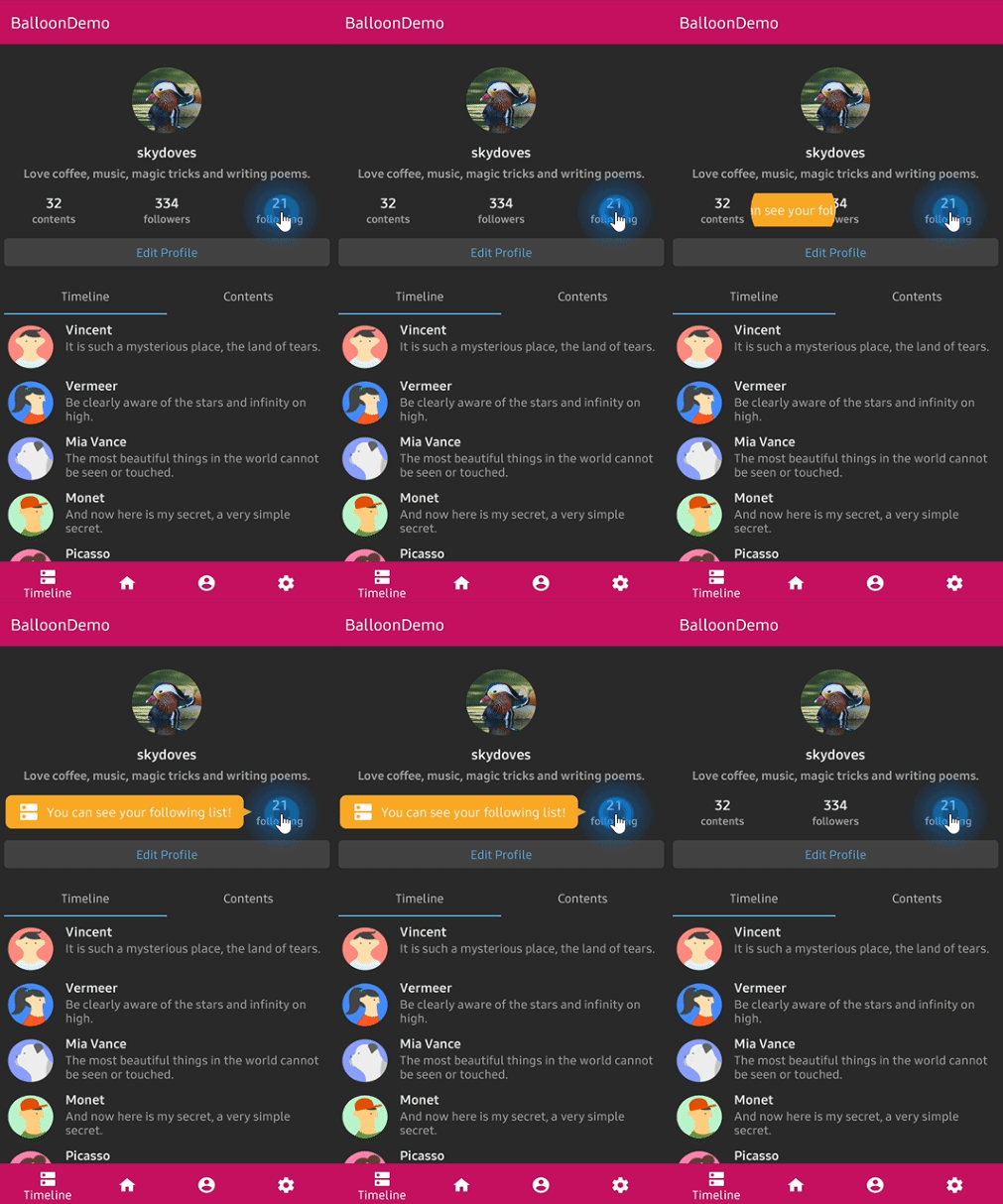
The arrow edge is derived from the alignment you show with, so it always points back at the
anchor without you naming it. When the requested side has no room and the opposite side does,
the balloon flips over and the arrow follows it. A final clamp keeps the balloon inside the
window.
To pin the arrow to a specific edge regardless of placement:
```kotlin
setArrowOrientation(ArrowOrientation.TOP)
setArrowOrientationRules(ArrowOrientationRules.ALIGN_FIXED)
```
### Arrow
```kotlin
setIsVisibleArrow(true)
setArrowSize(10.dp) // square
setArrowSize(width = 16.dp, height = 8.dp) // base and protrusion
setArrowPosition(0.62f) // 0f..1f along the edge
setArrowPositionRules(ArrowPositionRules.ALIGN_ANCHOR)
setArrowColor(Color.White)
```
`ALIGN_BALLOON` reads `arrowPosition` as a fraction of the balloon, and `ALIGN_ANCHOR` reads it
as a fraction of the anchor, so the arrow keeps pointing at the same spot on the anchor wherever
the balloon lands. Under `ALIGN_ANCHOR` the arrow is kept
`arrowSize * arrowAlignAnchorPaddingRatio + arrowAlignAnchorPadding` clear of the balloon's ends.
### Size and spacing
```kotlin
setWidth(200.dp) // fixed
setWidthRatio(0.6f) // fraction of the window
setMinWidth(120.dp)
setMaxWidth(320.dp)
setMinWidthRatio(0.3f)
setMaxWidthRatio(0.9f)
setHeight(120.dp)
setSize(width = 200.dp, height = 120.dp)
setPadding(12.dp)
setPadding(start = 8.dp, top = 4.dp, end = 8.dp, bottom = 4.dp)
setPaddingHorizontal(16.dp)
setPaddingVertical(8.dp)
setMargin(12.dp)
setMarginHorizontal(16.dp)
setElevation(2.dp)
```
Width and height specs size the whole popup box, which is the visible card plus the margins and
the `elevation` inset. Set `setElevation(0.dp)` and no margin if you want the card itself to be
exactly the size you asked for.
### Colors and border

```kotlin
setBackgroundColor(Color(0xFF785EF0))
setArrowColor(Color.White) // Color.Unspecified inherits the background
setCornerRadius(12.dp)
setBorder(color = Color.White, thickness = 2.dp)
setAlpha(0.9f)
```
The border traces the real silhouette, arrow included, at exactly the thickness you asked for.
### Overlay


An overlay dims the whole window and cuts the anchor out of it, which is how you build a
spotlight tour.
```kotlin
setIsVisibleOverlay(true)
setOverlayColor(Color(0x99000000))
setOverlayPadding(6.dp)
setOverlayShape(BalloonOverlayShape.RoundRect(radiusX = 12.dp, radiusY = 12.dp))
setBalloonOverlayAnimation(BalloonOverlayAnimation.FADE)
setDismissWhenOverlayClicked(true)
```
Shapes available: `Empty`, `Rect`, `Oval`, `Circle(radius)`, `RoundRect(radiusX, radiusY)`, and
`RoundRectPerCorner(topStart, topEnd, bottomEnd, bottomStart)`.
A balloon with an overlay must sit under a `BalloonHost`, because a popup cannot cover the
system bars. The scrim fills the host's own bounds, so put `BalloonHost` at the root of an
edge-to-edge window with `Modifier.fillMaxSize()` if you want it to dim the whole screen.
### Animations


```kotlin
setBalloonAnimation(BalloonAnimation.ELASTIC) // NONE, FADE, OVERSHOOT, ELASTIC, CIRCULAR
setCircularDuration(500L)
```
The durations, interpolators, and pivots are ports of the original animation resources, so the
motion is identical on every platform.
### Highlight animations

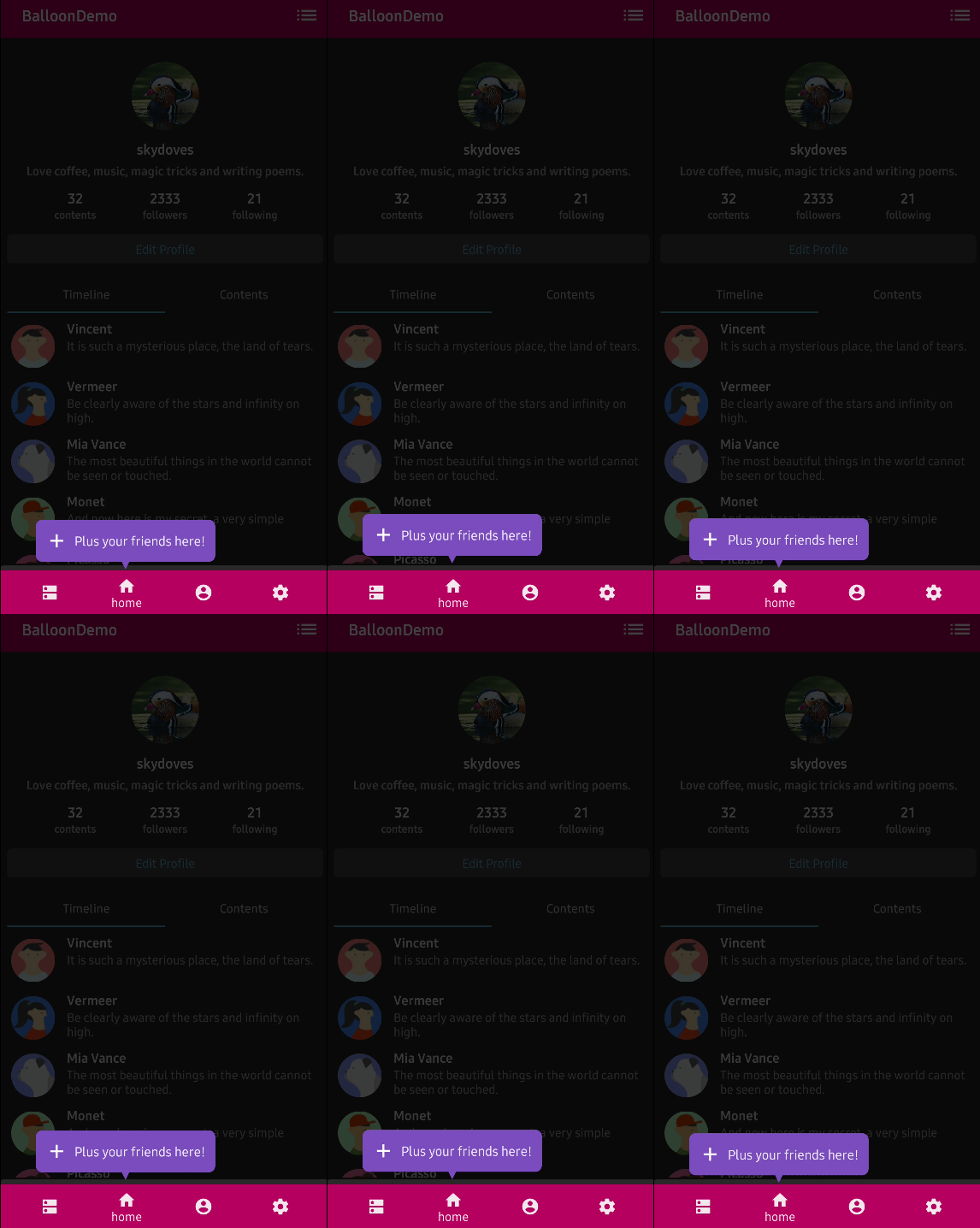


A looping animation that plays while the balloon is showing, to draw the eye.
```kotlin
setBalloonHighlightAnimation(BalloonHighlightAnimation.HEARTBEAT, startDelayMillis = 300L)
```
`NONE`, `HEARTBEAT`, `SHAKE`, `BREATH`, and `ROTATE`. `ROTATE` takes its parameters from
`setBalloonRotationAnimation(BalloonRotateAnimation(turns = 2, speedMillis = 1200))`.
### Listeners
Listeners are properties on the state rather than builder options, because `BalloonStyle` is
value equal data and lambdas would break that.
```kotlin
balloonState.onBalloonClick = { /* the body was tapped */ }
balloonState.onOverlayClick = { /* the scrim was tapped */ }
balloonState.onDismiss = { /* the balloon closed */ }
```
### Behavior
```kotlin
setDismissWhenClicked(true)
setDismissWhenTouchOutside(true)
setDismissWhenBackPressed(true)
setDismissWhenShowAgain(true)
setAutoDismissDuration(2_000L)
setFocusable(true)
```
## Custom content
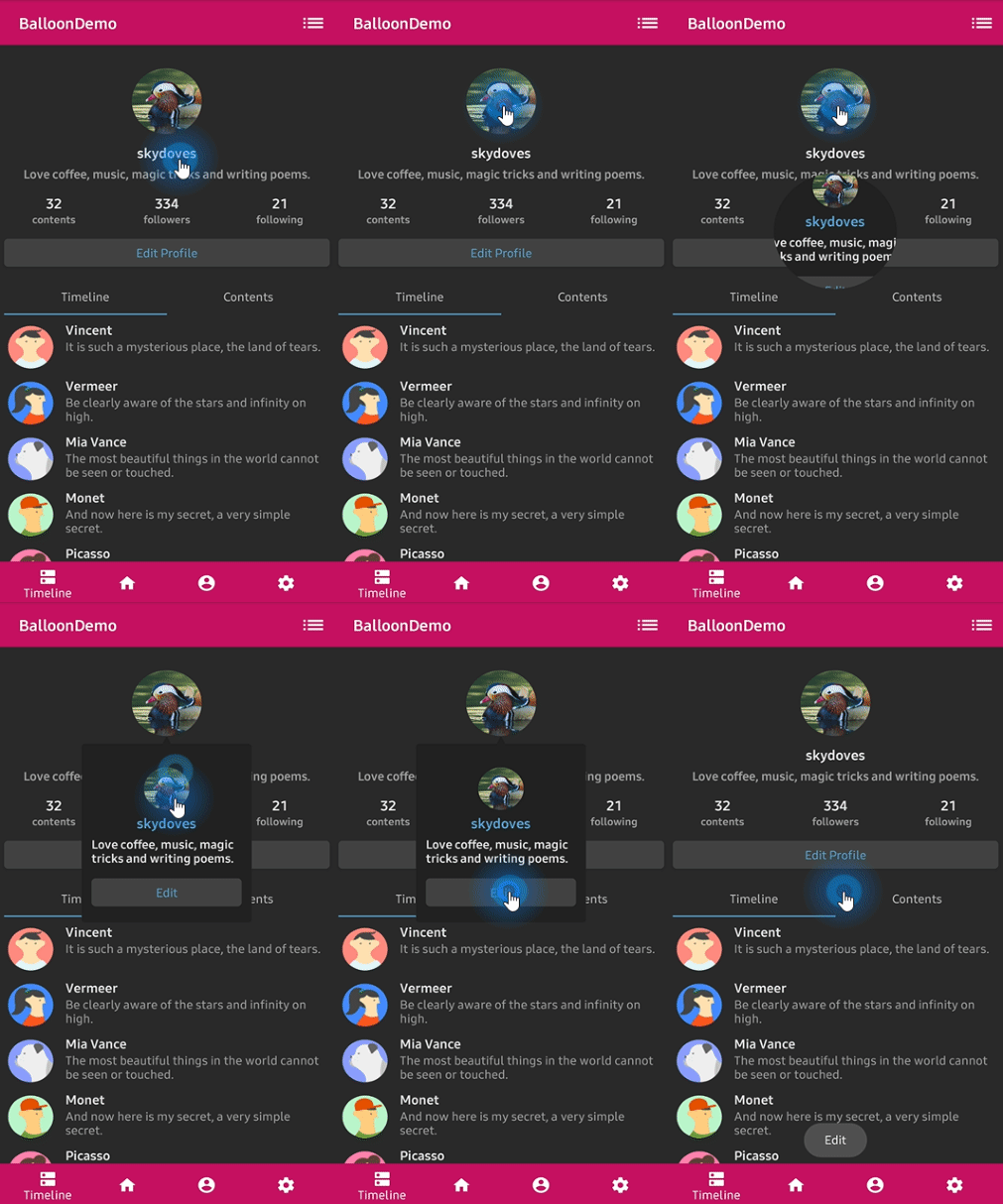
There is no `TextForm`, no `IconForm`, and no `setLayout`. The balloon body is a Compose slot, so
you build it the same way you build anything else.
```kotlin
Balloon(
state = balloonState,
balloonContent = {
Row(verticalAlignment = Alignment.CenterVertically) {
Icon(imageVector = Icons.Default.Edit, contentDescription = null, tint = Color.White)
Spacer(modifier = Modifier.width(8.dp))
Text(text = "Edit your profile", color = Color.White)
}
},
) {
ProfileImage(onClick = { balloonState.showAlignBottom() })
}
```
## Documentation
For a full reference of every option, see the **[documentation](https://skydoves.github.io/libraries/balloon/)**.
- [Getting Started](docs/getting-started.md)
- [Showing a Balloon](docs/showing.md)
- [Arrow](docs/arrow.md)
- [Size and Spacing](docs/size-spacing.md)
- [Customization](docs/customization.md)
- [Overlay](docs/overlay.md)
- [Animation](docs/animation.md)
- [Listeners](docs/listeners.md)
- [Migration from 1.x](docs/migration.md)
- [Balloon 1.x (View)](docs/legacy-view/index.md)
## Find this library useful? :heart:
Support it by joining __[stargazers](https://github.com/skydoves/balloon/stargazers)__ for this repository. :star:
Also, __[follow me](https://github.com/skydoves)__ on GitHub for my next creations! 🤩
# License
```xml
Designed and developed by 2019 skydoves (Jaewoong Eum)
Licensed under the Apache License, Version 2.0 (the "License");
you may not use this file except in compliance with the License.
You may obtain a copy of the License at
http://www.apache.org/licenses/LICENSE-2.0
Unless required by applicable law or agreed to in writing, software
distributed under the License is distributed on an "AS IS" BASIS,
WITHOUT WARRANTIES OR CONDITIONS OF ANY KIND, either express or implied.
See the License for the specific language governing permissions and
limitations under the License.
```