






Join Discord
·
Read docs
·
What's new
Install Now »
# About
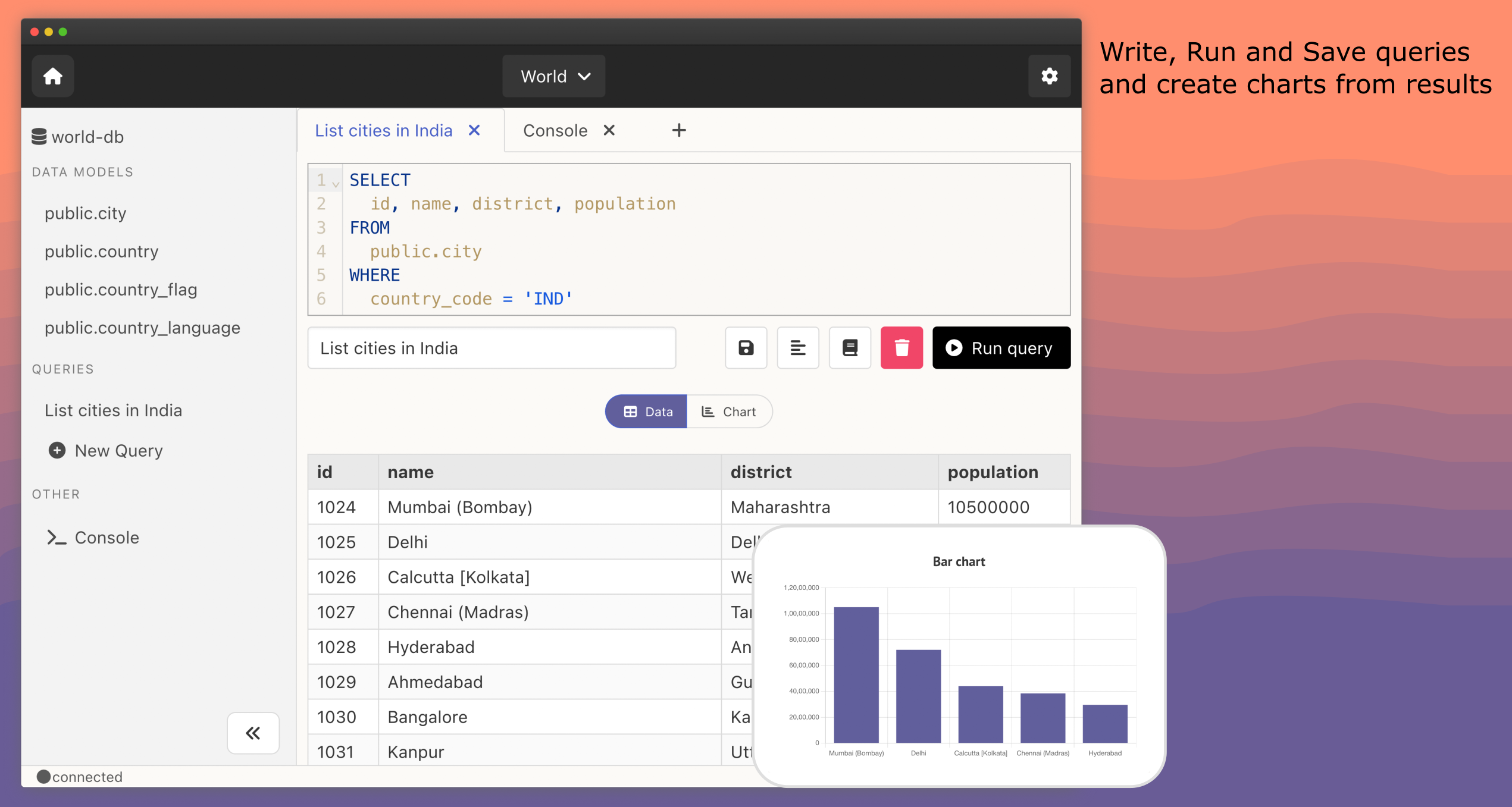
Slashbase is an open-source modern database IDE for your dev/data workflows. Use Slashbase to connect to any of your database, browse data and schema, write, run and save queries, create charts. Supports MySQL, PostgreSQL and MongoDB.
It is in beta (v0.10), help us make it better by sending your feedback and reach a stable (v1.0) version.
> Star 🌟 & watch 👀 the repository to get updates.
## Features:
- **🧑💻 Desktop and Server App**: Use the IDE as a standalone desktop app or self-host on your server.
- **🪄 Modern Interface**: With a modern interface, it is easy to use.
- **🪶 Lightweight**: Doesn't take much space on your system.
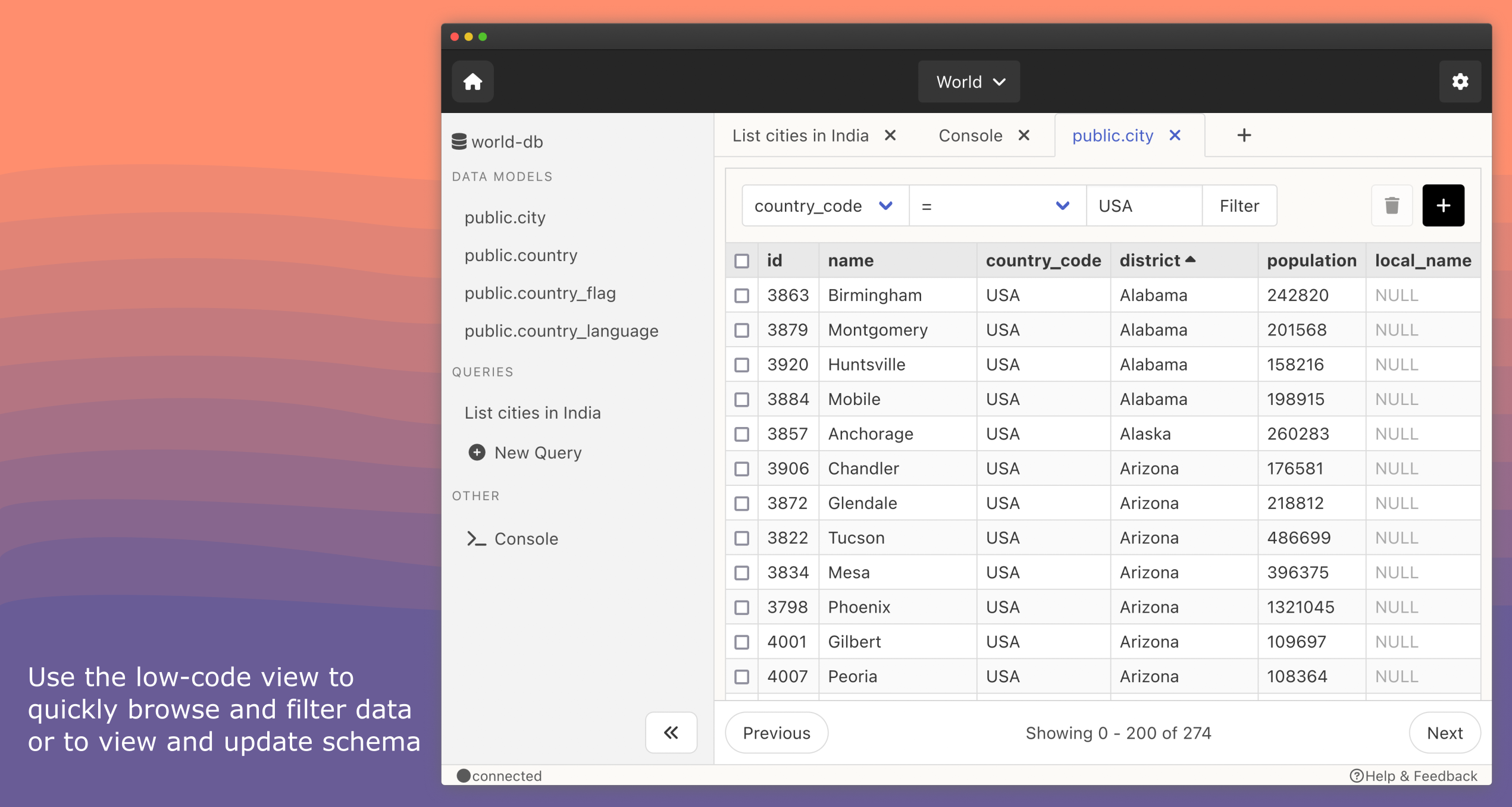
- **⚡️ Quick Browse**: Quickly filter, sort & browse data and schema with a low-code UI.
- **💾 Save Queries**: Write and Save queries to re-run in the future.
- **📊 Create Charts**: Create charts from your query results.
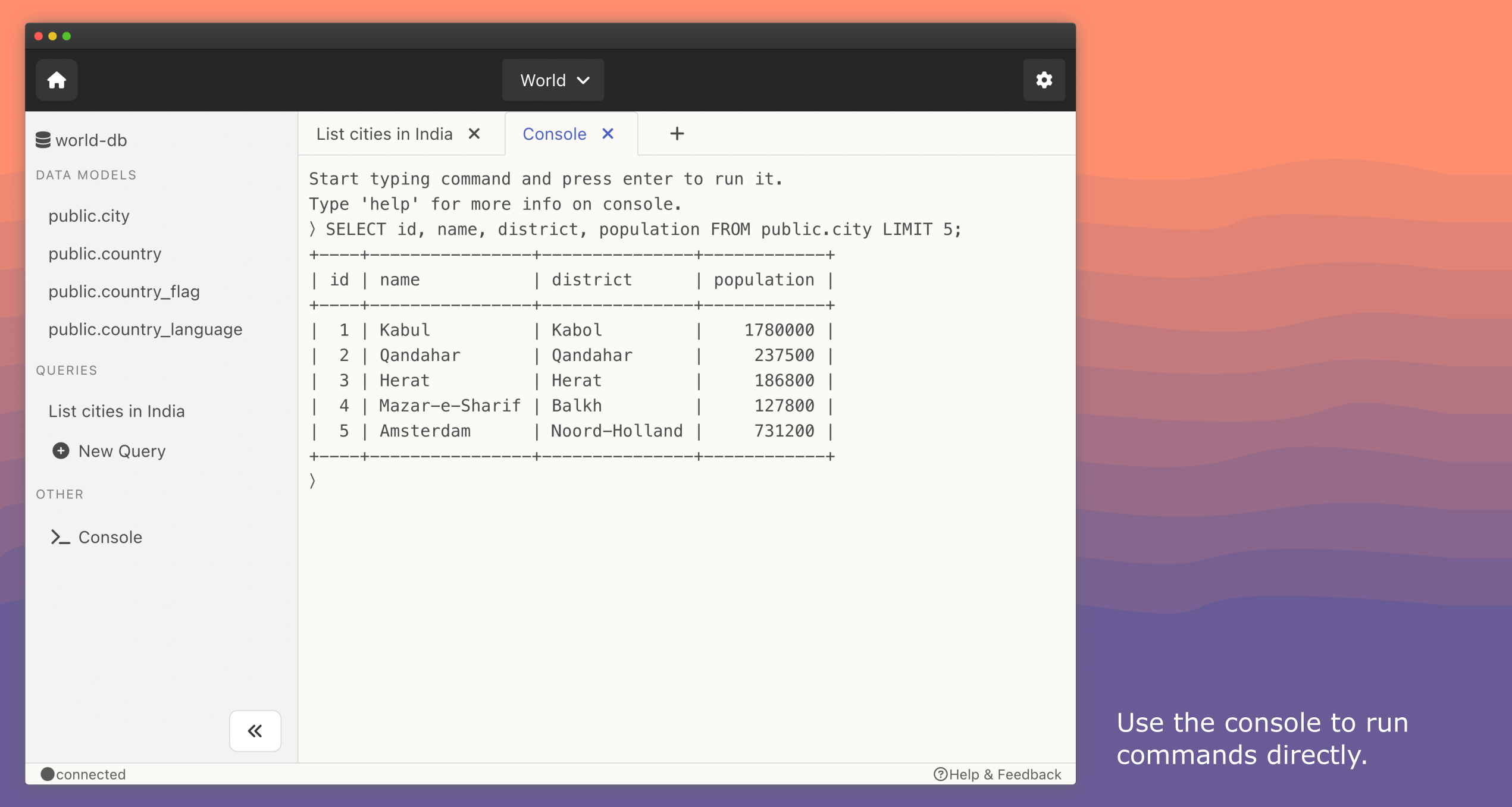
- **📺 Console**: Run commands like you do in the terminal.
- **🗂 Projects**: Organise all database connections into various projects.
- **📕 Query Cheatsheets**: Search and view query commands syntax right inside the IDE.
- **✨ Generate SQL with GPT**: Write prompt to generate SQL using GPT and run it.
- **✅ Database Support**: MySQL, PostgreSQL and MongoDB.
# Installation
## Direct Download
Follow the steps below to download & start the app:
1. Download the [latest release](https://github.com/slashbaseide/slashbase/releases) and extract / open the downloaded file.
2. Follow the platform specific step below
- For Windows, double click the Slashbase file to open the app
- For MacOS, drag the Slashbase file into the Applications folder and start the app from Launchpad.
- For Linux, run `./Slashbase` in the terminal to start the app.
- Requires GLIBC 2.31 minimum to be installed. Check your system version with `ldd --version`
- Requires libwebkit2gtk-4.0 to be installed.
- On Arch-based distributions, you can install it with `pacman -S webkit2gtk`
## Build from source
Follow the steps below to build & start the app:
1. Clone the repository or download the zip.
2. Make sure Go and Wails is installed. Follow the steps [here](https://wails.io/docs/gettingstarted/installation), if not installed.
3. Go to the project root directory and copy the file at development.env.sample and paste as development.env in the root directory of the project.
4. Open the terminal at root directory and run `make build`.
5. The app is created in `build/bin`.
6. Double click the Slashbase file to open the app on Windows and MacOS. For linux, run `./Slashbase` on terminal to start the app.
## Using Homebrew on macOS.
Make sure [Homebrew](https://brew.sh/) is installed and run the following commands:
```shell
brew install slashbaseide/tap/slashbase
```
## Using Scoop on Windows
Make sure [Scoop](https://scoop.sh) is installed and run the following commands:
```shell
scoop bucket add kulfi-scoop https://github.com/Animesh-Ghosh/kulfi-scoop
scoop install slashbase
```
## Using Arch Linux Repository
Install from the Arch User Repository:
```shell
yay -S slashbase
```
## Self-host Slashbase Server IDE
To use Slashbase as a self-hosted in-browser collaborative database IDE. See [instructions](https://docs.slashbase.com/docs/server-ide/installation).
To checkout demo, visit [demo.slashbase.com](https://demo.slashbase.com).
# Screenshots
 # Documentation
Detailed documentation is available on [docs.slashbase.com](https://docs.slashbase.com).
# Roadmap
## Database Support
- ✅ PostgreSQL Query Engine
- ✅ MongoDB Query Engine
- ✅ MySQL Query Engine
- ☑️ SQLite Query Engine
- ☑️ Redis Query Engine
## Features
- ✅ Query Cheatsheets
- ☑️ Add/delete Data Models (Table/collections)
- ☑️ Manage Views
- ☑️ Export/import data
# Contributing
Read our [contribution guide](CONTRIBUTING.md) for getting started on contributing to the project.
# Support
If you face any issues installing or using Slashbase, send us a mail to slashbaseide@gmail.com or contact support chat on our website [slashbase.com](https://slashbase.com).
# Sponsors
This project is supported by:
# Documentation
Detailed documentation is available on [docs.slashbase.com](https://docs.slashbase.com).
# Roadmap
## Database Support
- ✅ PostgreSQL Query Engine
- ✅ MongoDB Query Engine
- ✅ MySQL Query Engine
- ☑️ SQLite Query Engine
- ☑️ Redis Query Engine
## Features
- ✅ Query Cheatsheets
- ☑️ Add/delete Data Models (Table/collections)
- ☑️ Manage Views
- ☑️ Export/import data
# Contributing
Read our [contribution guide](CONTRIBUTING.md) for getting started on contributing to the project.
# Support
If you face any issues installing or using Slashbase, send us a mail to slashbaseide@gmail.com or contact support chat on our website [slashbase.com](https://slashbase.com).
# Sponsors
This project is supported by:
 and
Appwrite OSS Fund
and
Appwrite OSS Fund
# License
This project is licensed under the Apache License 2.0. See the [LICENSE file](LICENSE.txt) for license rights and limitations.