# await
72K build/await, small memory footprint, single binary that run list of commands in parallel and waits for their termination
# 
**Platform support:** Linux and macOS only
### install
```bash
# recommended way (crossplatform)
stew i slavaGanzin/await # https://github.com/marwanhawari/stew
# or
eget slavaGanzin/await --to /usr/local/bin/ # https://github.com/zyedidia/eget
# nix
nix-shell -p await
# arch
yay -S await
# not recommended, but it works!
curl https://i.jpillora.com/slavaGanzin/await! | bash
```
### completions
Install shell completions automatically for all detected shells:
```bash
await --autocompletions
```
This command will detect which shells (bash, zsh, fish) are installed and automatically install completions for each one, providing status feedback for each shell:
```
Detecting installed shells and installing completions...
✓ bash found
→ completions installed to ~/.bashrc
✓ zsh found
→ completions installed to ~/.zshrc
✗ fish not found
Autocompletions installation complete!
```
Alternatively, install completions manually for specific shells:
```bash
# bash
await --autocomplete-bash >> ~/.bashrc
# zsh
await --autocomplete-zsh >> ~/.zshrc
# fish
await --autocomplete-fish >> ~/.config/fish/completions/await.fish
```
# With await you can:
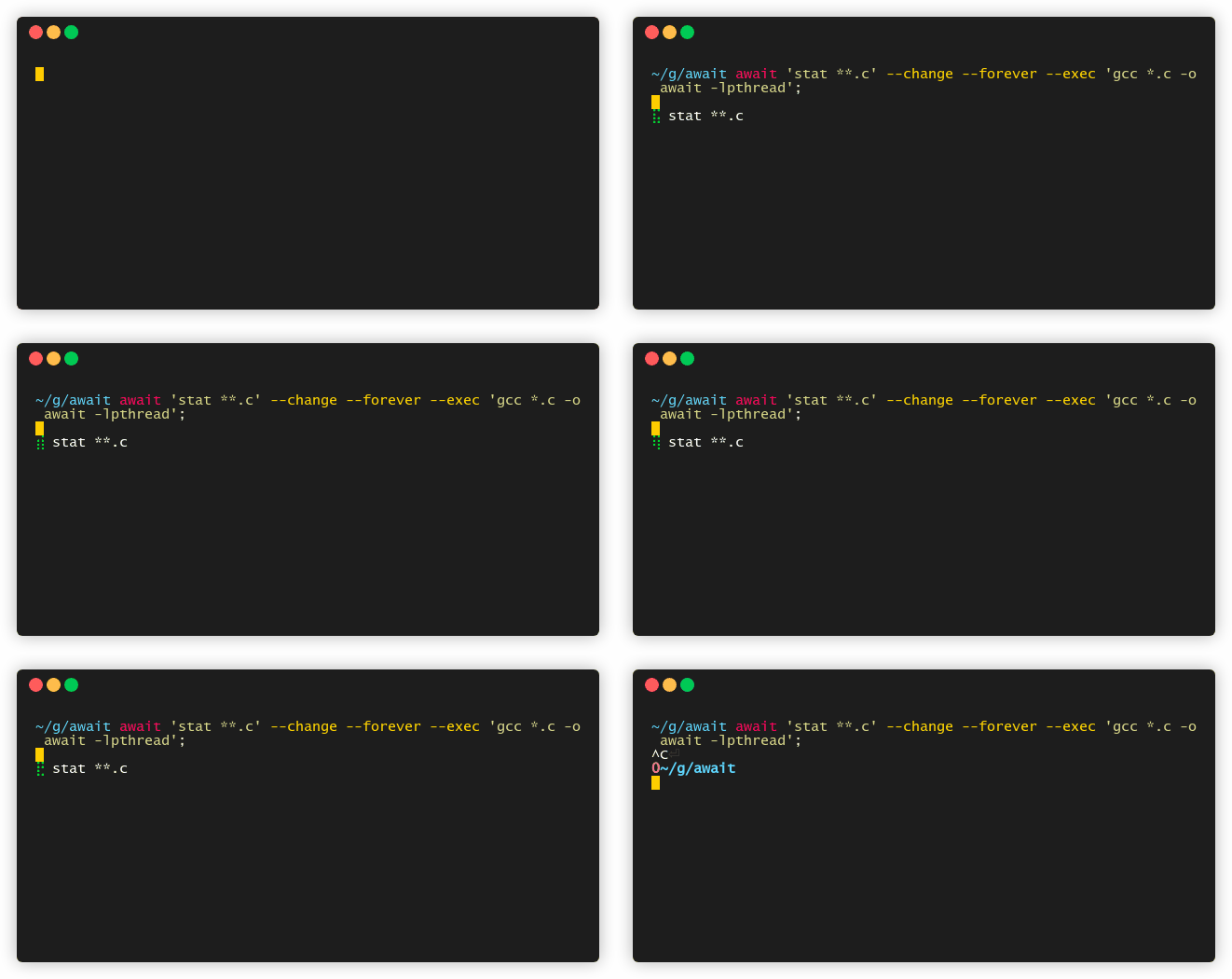
### Take action on specific file type changes
```bash
await 'stat **.c' --change --forever --exec 'gcc *.c -o await -lpthread'
# you can filter with:
`stat --format '%n %z' **; | grep -v node_modules`
```
 ### Wait for FAANG to fail
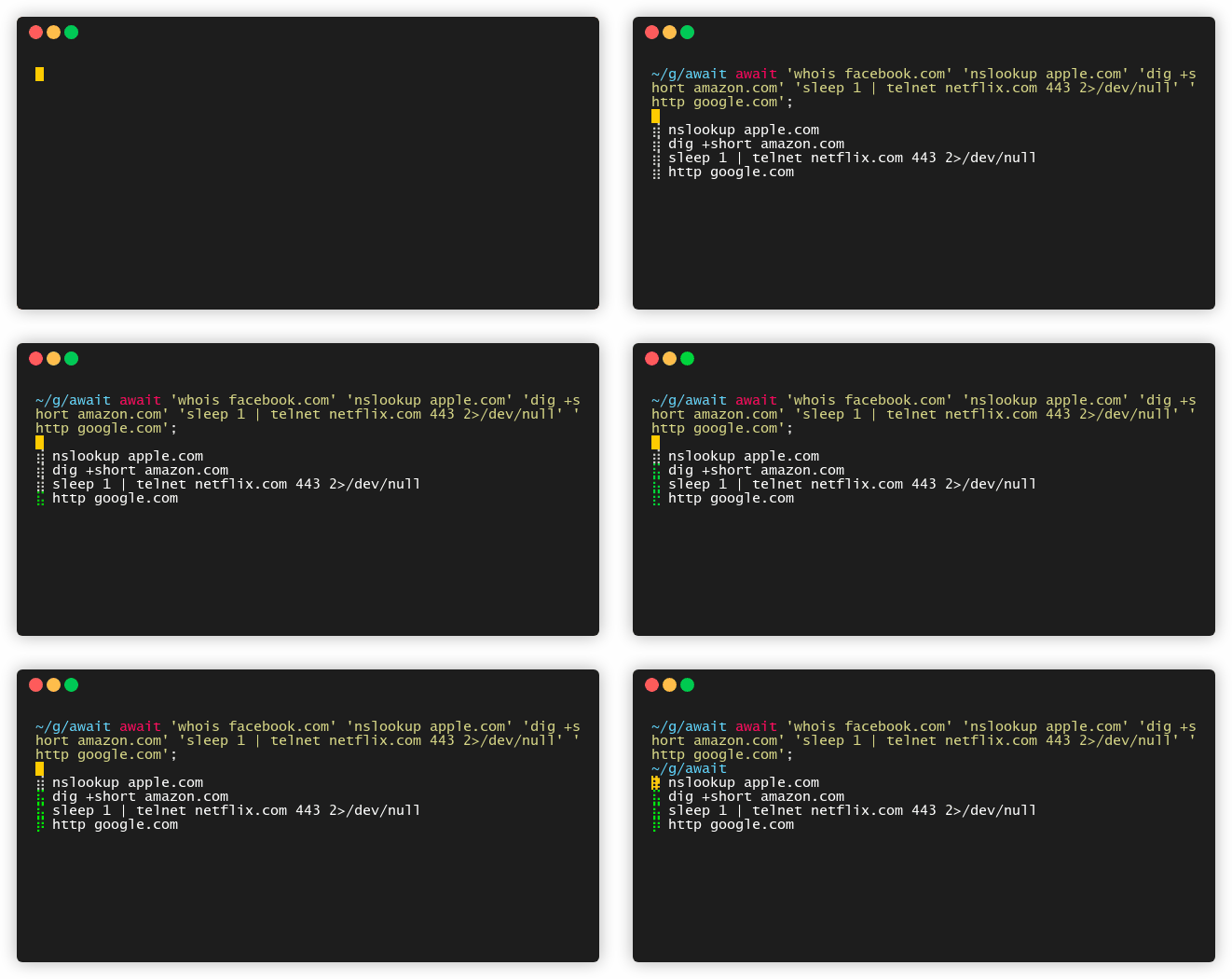
```bash
await 'whois facebook.com' \
'nslookup apple.com' \
'dig +short amazon.com' \
'sleep 1 | telnet netflix.com 443 2>/dev/null' \
'http google.com' --fail
```
### Wait for FAANG to fail
```bash
await 'whois facebook.com' \
'nslookup apple.com' \
'dig +short amazon.com' \
'sleep 1 | telnet netflix.com 443 2>/dev/null' \
'http google.com' --fail
```
 ### Notify yourself when your site down
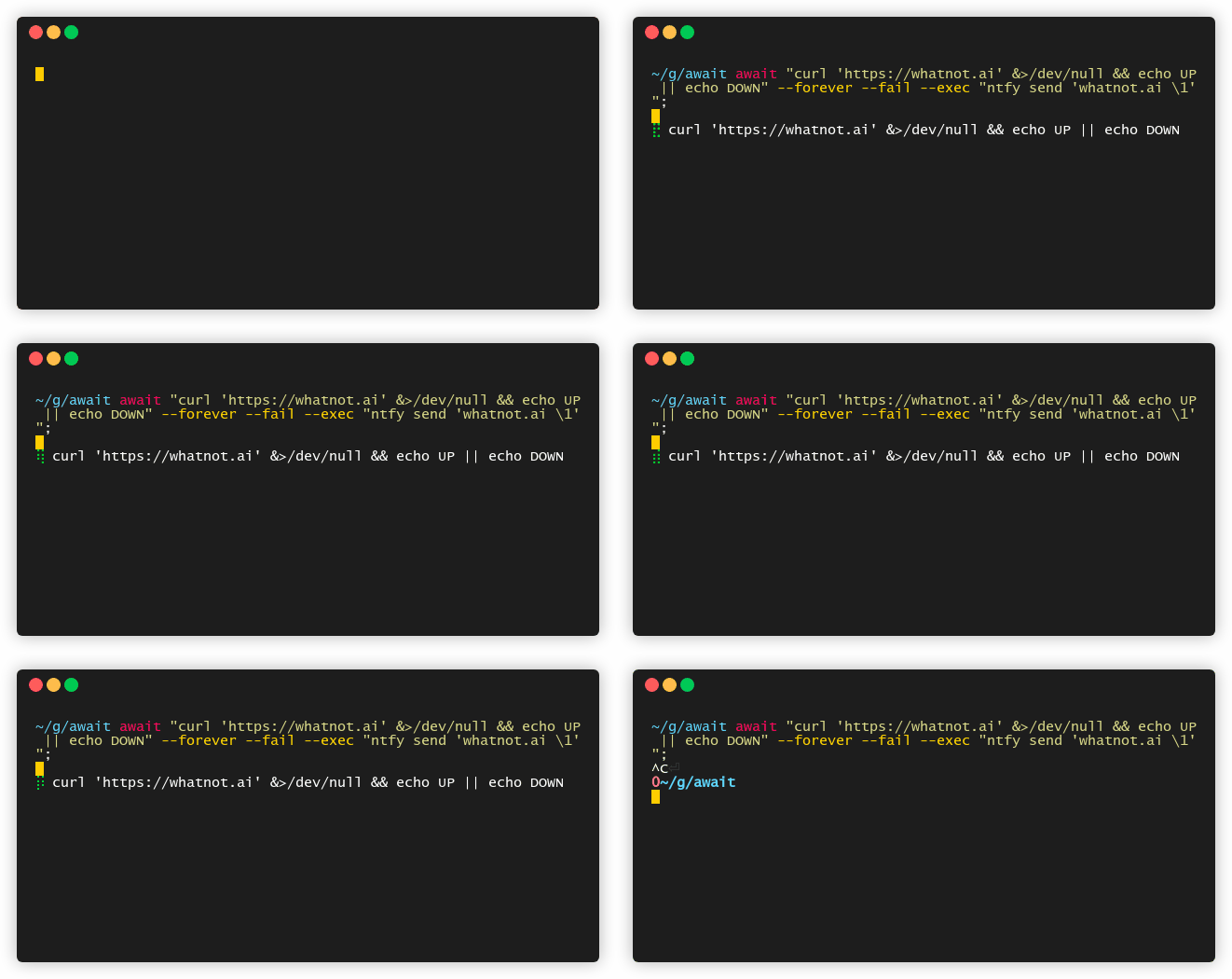
```bash
await "curl 'https://whatnot.ai' &>/dev/null && echo UP || echo DOWN" \
--forever --change --exec "ntfy send 'whatnot.ai \1'"
```
### Notify yourself when your site down
```bash
await "curl 'https://whatnot.ai' &>/dev/null && echo UP || echo DOWN" \
--forever --change --exec "ntfy send 'whatnot.ai \1'"
```
 ### Use as [concurrently](https://github.com/kimmobrunfeldt/concurrently)
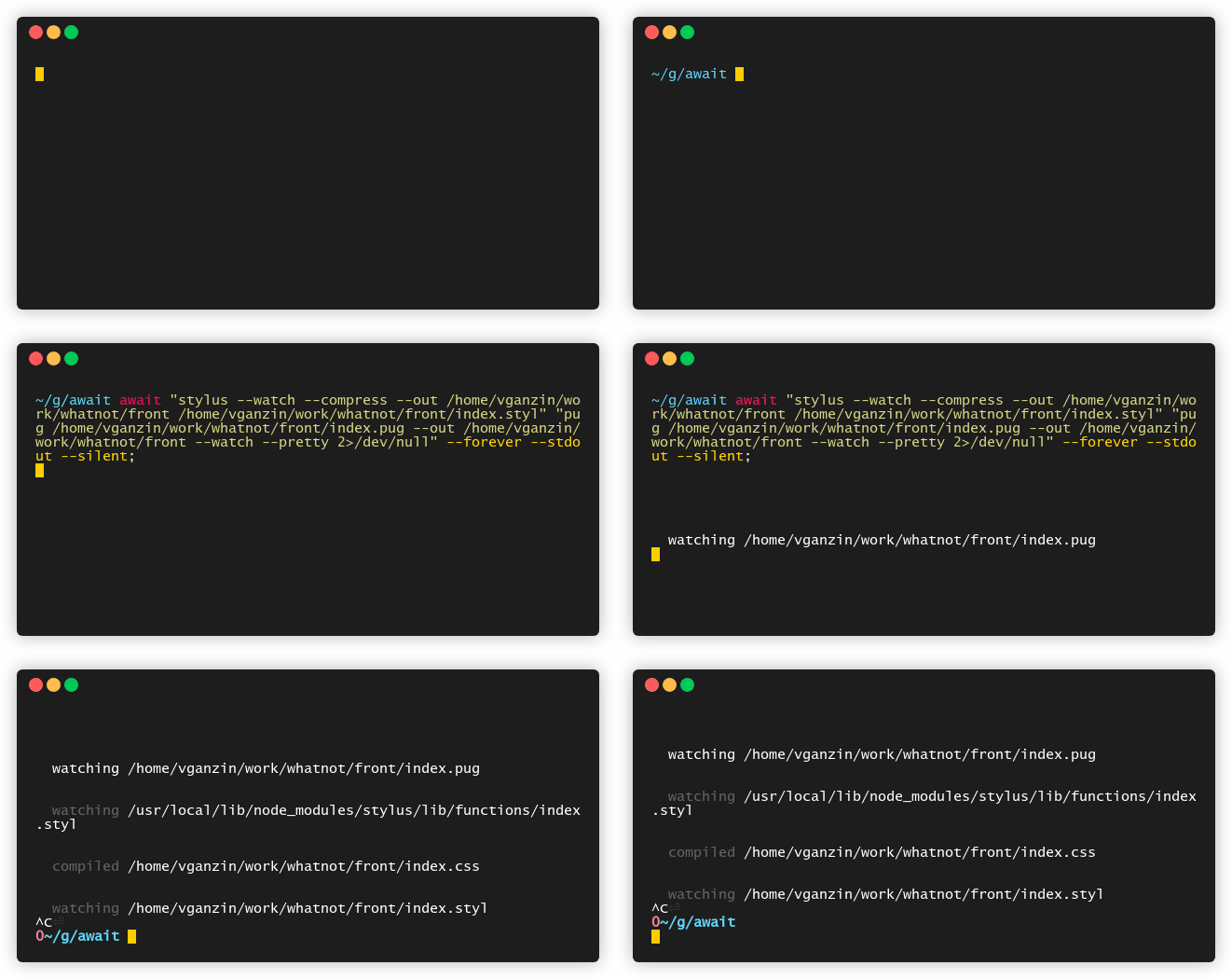
```bash
await "stylus --watch --compress --out /home/vganzin/work/whatnot/front /home/vganzin/work/whatnot/front/index.styl" \
"pug /home/vganzin/work/whatnot/front/index.pug --out /home/vganzin/work/whatnot/front --watch --pretty 2>/dev/null" --forever --stdout --silent
```
### Use as [concurrently](https://github.com/kimmobrunfeldt/concurrently)
```bash
await "stylus --watch --compress --out /home/vganzin/work/whatnot/front /home/vganzin/work/whatnot/front/index.styl" \
"pug /home/vganzin/work/whatnot/front/index.pug --out /home/vganzin/work/whatnot/front --watch --pretty 2>/dev/null" --forever --stdout --silent
```
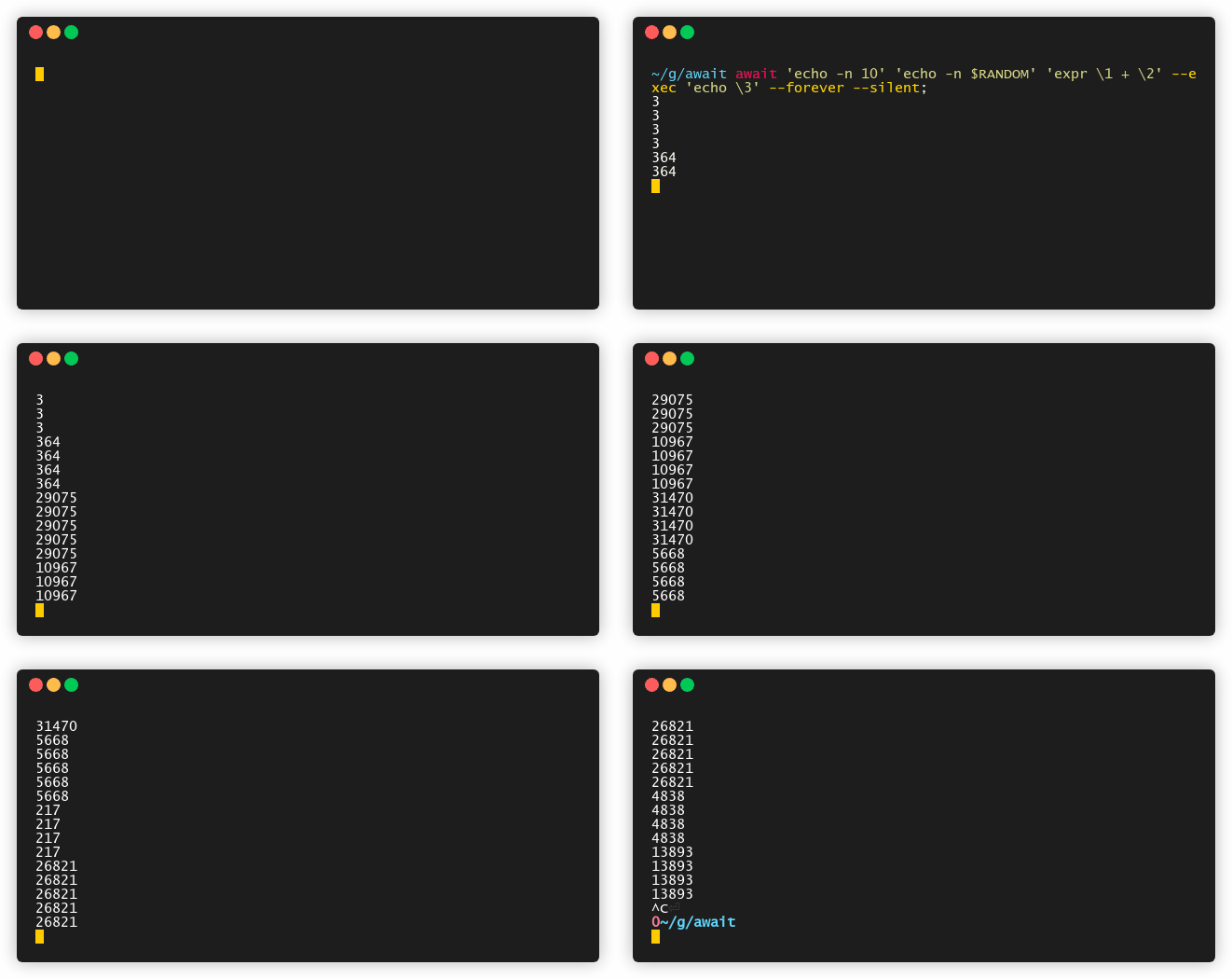
 ### [Substitute while substituting](https://memegenerator.net/img/instances/48173775.jpg)
```bash
await 'echo -n 10' 'echo -n $RANDOM' 'expr \1 + \2' --exec 'echo \3' --forever --silent
```
### [Substitute while substituting](https://memegenerator.net/img/instances/48173775.jpg)
```bash
await 'echo -n 10' 'echo -n $RANDOM' 'expr \1 + \2' --exec 'echo \3' --forever --silent
```
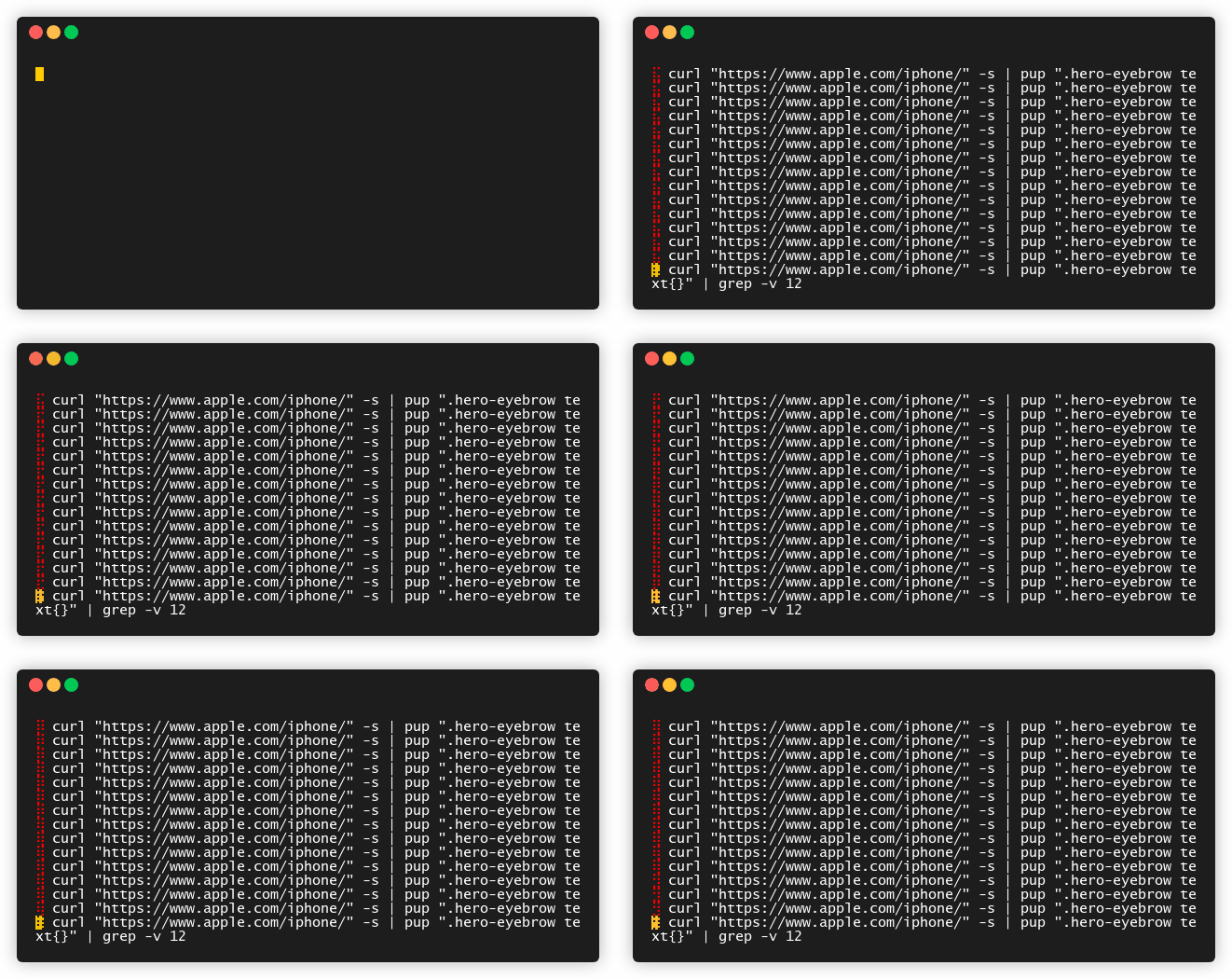
 ### Furiously wait for new iPhone in background process
```bash
await 'curl "https://www.apple.com/iphone/" -s | pup ".hero-eyebrow text{}" | grep -v 12' --interval 1000 --change --daemon --exec 'ntfy send "\1"'
```
### Furiously wait for new iPhone in background process
```bash
await 'curl "https://www.apple.com/iphone/" -s | pup ".hero-eyebrow text{}" | grep -v 12' --interval 1000 --change --daemon --exec 'ntfy send "\1"'
```
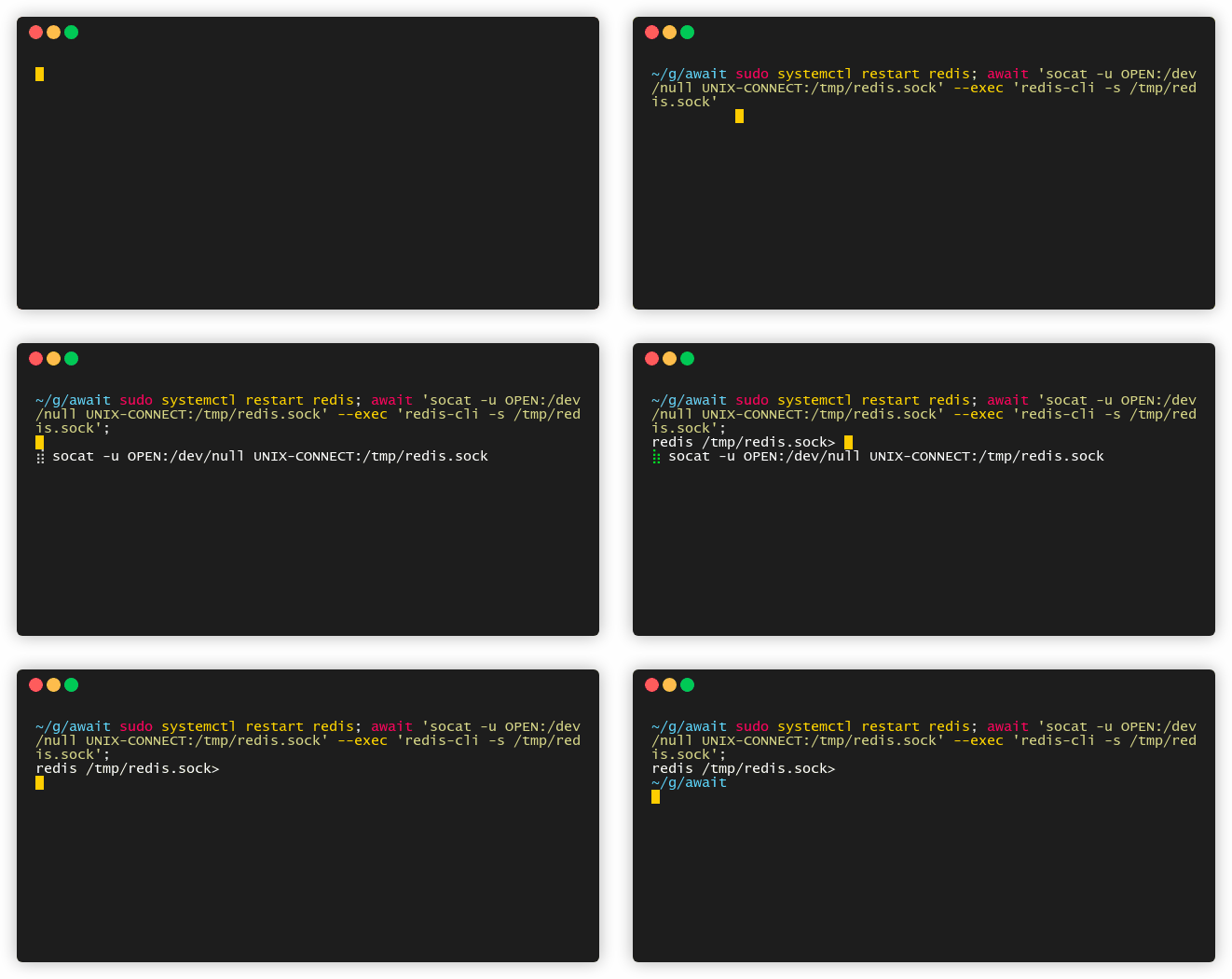
 ### Restart database and connect immediately after it become fully functional
```bash
sudo systemctl restart redis; await 'socat -u OPEN:/dev/null UNIX-CONNECT:/tmp/redis.sock' --exec 'redis-cli -s /tmp/redis.sock'
```
### Restart database and connect immediately after it become fully functional
```bash
sudo systemctl restart redis; await 'socat -u OPEN:/dev/null UNIX-CONNECT:/tmp/redis.sock' --exec 'redis-cli -s /tmp/redis.sock'
```
 ### Watch command output with diff highlighting
```bash
# Like watch -d, highlight only the changing parts
await 'date +%s' --diff --forever --stdout --silent --interval 1000
# Monitor API responses and highlight changes
await 'curl -s https://api.example.com/status | jq .counter' --diff --forever --stdout --silent
# Watch file changes with visual diff
await 'wc -l *.log' --diff --change --forever --stdout
```
### Better stderr handling
```bash
# Suppress stderr without affecting pipes or command structure
await 'curl -s https://unreliable-api.com || echo failed' --no-stderr
# Clean output even with noisy commands
await 'some-verbose-command' 'another-command' --no-stderr --stdout --silent
```
### Watch mode for clean monitoring
```bash
# Equivalent to: await 'uptime' -fVodE
await 'uptime' --watch
# Monitor system resources with clean diff output
await 'ps aux | head -10' --watch --interval 2000
# Watch log file changes with highlighted differences
await 'tail -5 /var/log/system.log' --watch
```
## --help
```bash
await [options] commands
# runs list of commands and waits for their termination
EXAMPLES:
# wait until your deployment is ready
await 'curl 127.0.0.1:3000/healthz' \
'kubectl wait --for=condition=Ready pod it-takes-forever-8545bd6b54-fk5dz' \
"docker inspect --format='{{json .State.Running}}' elasticsearch 2>/dev/null | grep true"
# emulate watch https://linux.die.net/man/1/watch
await 'clear; du -h /tmp/file' 'dd if=/dev/random of=/tmp/file bs=1M count=1000 2>/dev/null' -of --silent
# action on specific file type changes
await 'stat **.c' --change --forever --exec 'gcc *.c -o await -lpthread'
# waiting google (or your internet connection) to fail
await 'curl google.com' --fail
# waiting only google to fail (https://ec.haxx.se/usingcurl/usingcurl-returns)
await 'curl google.com' --status 7
# waits for redis socket and then connects to
await 'socat -u OPEN:/dev/null UNIX-CONNECT:/tmp/redis.sock' --exec 'redis-cli -s /tmp/redis.sock'
# lazy version
await 'ls /tmp/redis.sock'; redis-cli -s /tmp/redis.sock
# daily checking if I am on french reviera. Just in case
await 'curl https://ipapi.co/json 2>/dev/null | jq .city | grep Nice' --interval 86400
# Yet another server monitor
await "curl 'https://whatnot.ai' &>/dev/null && echo 'UP' || echo 'DOWN'" --forever --change\
--exec "ntfy send \'whatnot.ai \1\'"
# waiting for new iPhone in daemon mode
await 'curl "https://www.apple.com/iphone/" -s | pup ".hero-eyebrow text{}" | grep -v 12'\
--change --interval 86400 --daemon --exec "ntfy send \1"
OPTIONS:
--help #print this help
--stdout -o #print stdout of commands
--no-stderr -E #suppress stderr output from commands
--watch -w #equivalent to -fVodE (fail, silent, stdout, diff, no-stderr)
--silent -V #do not print spinners and commands
--fail -f #waiting commands to fail
--status -s #expected status [default: 0]
--any -a #terminate if any of command return expected status
--change -c #waiting for stdout to change and ignore status codes
--diff -d #highlight differences between previous and current output (like watch -d)
--exec -e #run some shell command on success;
--interval -i #seconds between one round of commands [default: 0.2]
--timeout -T #seconds to wait before giving up [default: 0 (no timeout)]
--cmd-timeout -t #seconds per command before killing it (wraps with timeout(1))
--retry -r #max number of attempts before giving up [default: 0 (unlimited)]
--forever -F #do not exit ever
--name -n #label for the next command (shown in spinner, usable as \name in --exec)
--json -j #output results as JSON on exit
--lap -l #show last run duration per command in spinner
--service -S #create systemd user service with same parameters and activate it
--version -v #print the version of await
--autocompletions #detect installed shells and auto-install completions for all of them
--autocomplete-fish #output fish shell autocomplete script
--autocomplete-bash #output bash shell autocomplete script
--autocomplete-zsh #output zsh shell autocomplete script
NOTES:
# \1, \2 ... \n - will be subtituted with n-th command stdout
# you can use stdout substitution in --exec and in commands itself:
await 'echo -n 10' 'echo -n $RANDOM' 'expr \1 + \2' --exec 'echo \3' --forever --silent
```
### Watch command output with diff highlighting
```bash
# Like watch -d, highlight only the changing parts
await 'date +%s' --diff --forever --stdout --silent --interval 1000
# Monitor API responses and highlight changes
await 'curl -s https://api.example.com/status | jq .counter' --diff --forever --stdout --silent
# Watch file changes with visual diff
await 'wc -l *.log' --diff --change --forever --stdout
```
### Better stderr handling
```bash
# Suppress stderr without affecting pipes or command structure
await 'curl -s https://unreliable-api.com || echo failed' --no-stderr
# Clean output even with noisy commands
await 'some-verbose-command' 'another-command' --no-stderr --stdout --silent
```
### Watch mode for clean monitoring
```bash
# Equivalent to: await 'uptime' -fVodE
await 'uptime' --watch
# Monitor system resources with clean diff output
await 'ps aux | head -10' --watch --interval 2000
# Watch log file changes with highlighted differences
await 'tail -5 /var/log/system.log' --watch
```
## --help
```bash
await [options] commands
# runs list of commands and waits for their termination
EXAMPLES:
# wait until your deployment is ready
await 'curl 127.0.0.1:3000/healthz' \
'kubectl wait --for=condition=Ready pod it-takes-forever-8545bd6b54-fk5dz' \
"docker inspect --format='{{json .State.Running}}' elasticsearch 2>/dev/null | grep true"
# emulate watch https://linux.die.net/man/1/watch
await 'clear; du -h /tmp/file' 'dd if=/dev/random of=/tmp/file bs=1M count=1000 2>/dev/null' -of --silent
# action on specific file type changes
await 'stat **.c' --change --forever --exec 'gcc *.c -o await -lpthread'
# waiting google (or your internet connection) to fail
await 'curl google.com' --fail
# waiting only google to fail (https://ec.haxx.se/usingcurl/usingcurl-returns)
await 'curl google.com' --status 7
# waits for redis socket and then connects to
await 'socat -u OPEN:/dev/null UNIX-CONNECT:/tmp/redis.sock' --exec 'redis-cli -s /tmp/redis.sock'
# lazy version
await 'ls /tmp/redis.sock'; redis-cli -s /tmp/redis.sock
# daily checking if I am on french reviera. Just in case
await 'curl https://ipapi.co/json 2>/dev/null | jq .city | grep Nice' --interval 86400
# Yet another server monitor
await "curl 'https://whatnot.ai' &>/dev/null && echo 'UP' || echo 'DOWN'" --forever --change\
--exec "ntfy send \'whatnot.ai \1\'"
# waiting for new iPhone in daemon mode
await 'curl "https://www.apple.com/iphone/" -s | pup ".hero-eyebrow text{}" | grep -v 12'\
--change --interval 86400 --daemon --exec "ntfy send \1"
OPTIONS:
--help #print this help
--stdout -o #print stdout of commands
--no-stderr -E #suppress stderr output from commands
--watch -w #equivalent to -fVodE (fail, silent, stdout, diff, no-stderr)
--silent -V #do not print spinners and commands
--fail -f #waiting commands to fail
--status -s #expected status [default: 0]
--any -a #terminate if any of command return expected status
--change -c #waiting for stdout to change and ignore status codes
--diff -d #highlight differences between previous and current output (like watch -d)
--exec -e #run some shell command on success;
--interval -i #seconds between one round of commands [default: 0.2]
--timeout -T #seconds to wait before giving up [default: 0 (no timeout)]
--cmd-timeout -t #seconds per command before killing it (wraps with timeout(1))
--retry -r #max number of attempts before giving up [default: 0 (unlimited)]
--forever -F #do not exit ever
--name -n #label for the next command (shown in spinner, usable as \name in --exec)
--json -j #output results as JSON on exit
--lap -l #show last run duration per command in spinner
--service -S #create systemd user service with same parameters and activate it
--version -v #print the version of await
--autocompletions #detect installed shells and auto-install completions for all of them
--autocomplete-fish #output fish shell autocomplete script
--autocomplete-bash #output bash shell autocomplete script
--autocomplete-zsh #output zsh shell autocomplete script
NOTES:
# \1, \2 ... \n - will be subtituted with n-th command stdout
# you can use stdout substitution in --exec and in commands itself:
await 'echo -n 10' 'echo -n $RANDOM' 'expr \1 + \2' --exec 'echo \3' --forever --silent
```