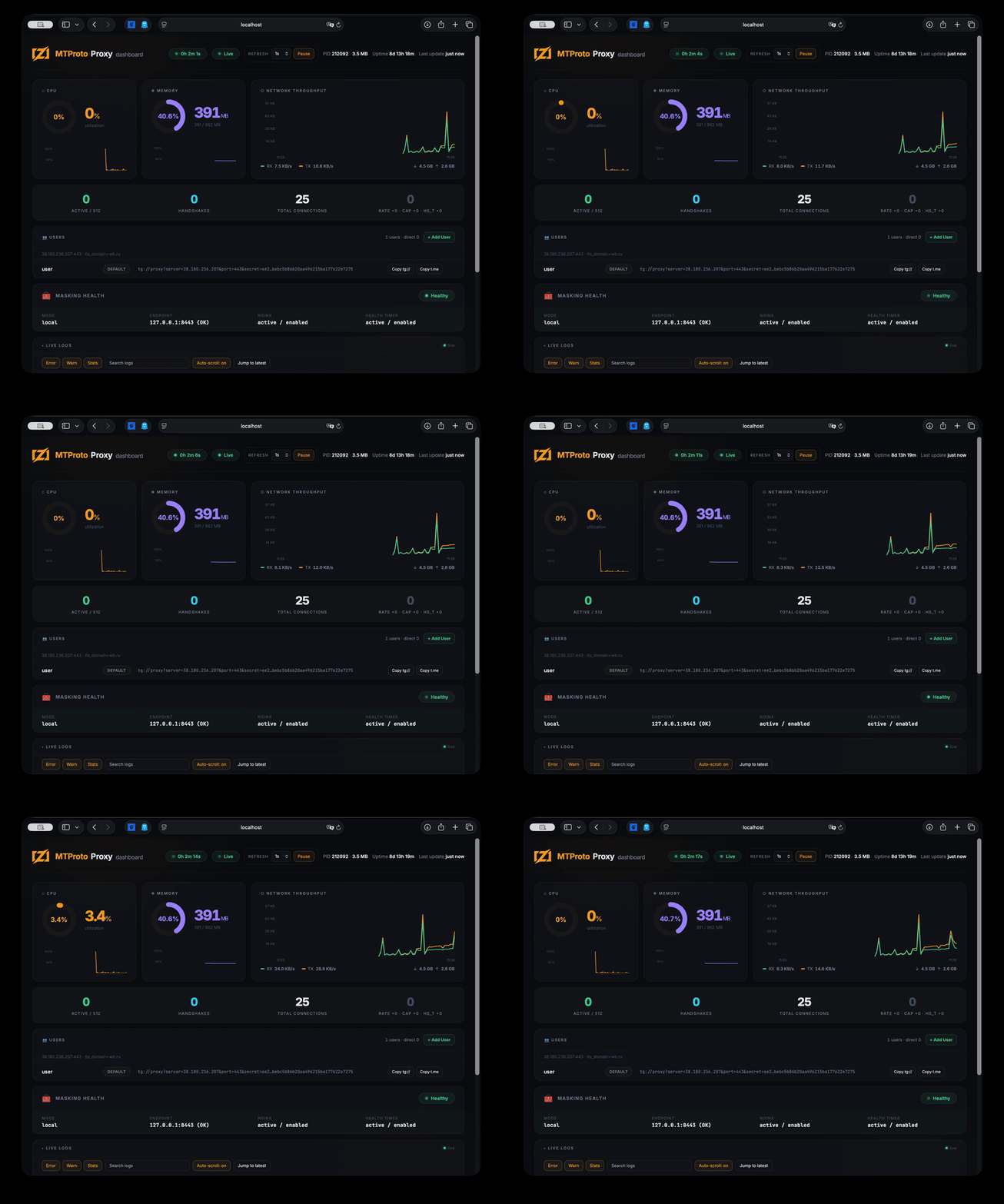
Demo: interactive installer
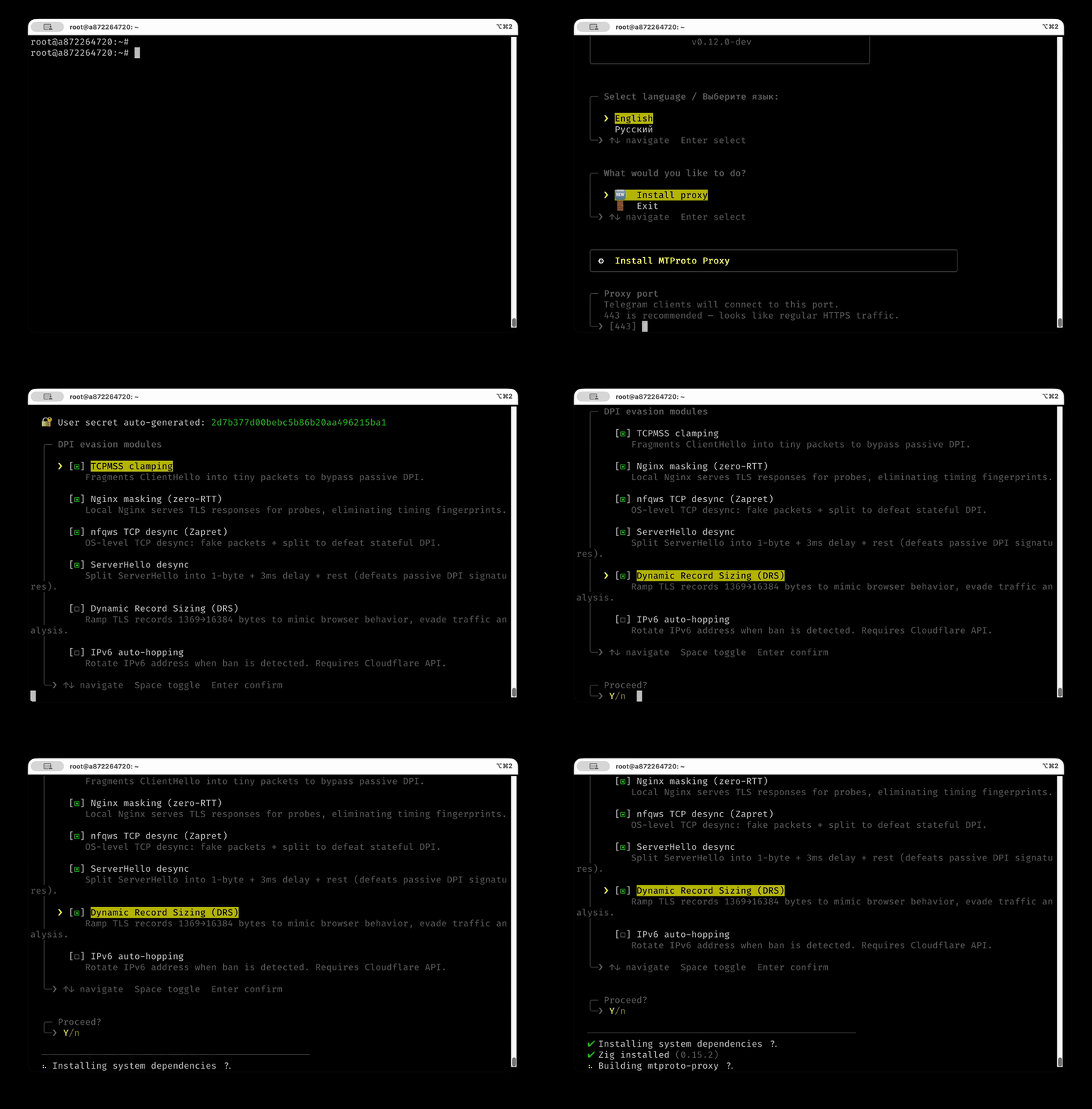
Why this one? · Install · Update · Commands · Routing · Config · Dashboard · Build · Docker · Trust · Compatibility · FAQ
--- ## Who it's for - **You live somewhere Telegram is throttled or blocked** and you just want it back. - **You're the one your family asks for help** — and you want to protect your parents and friends with a link they tap once and never think about again. It runs on **your own server** — your messages never pass through ours, and there's nothing to sign up for. Open source under MIT; the proxy deliberately never logs secrets or who connects. ## Why not just a VPN? A VPN announces itself — censors recognize the protocol and block it, and a whole-device VPN is slow and drains the battery. This looks like a plain HTTPS website, carries only Telegram, and the people you share it with **install nothing**: they tap one link and Telegram does the rest. Small enough for the cheapest VPS you can rent, it starts instantly, and there's nothing else to set up. ## Compared to other MTProto proxies Most MTProto proxies are large, dependency-heavy, and use lots of memory. This one is different: | Proxy | Language | Binary | Baseline RSS | Startup | Dependencies | |---|---|---:|---:|---|---| | **mtproto.zig** | Zig | **177 KB** | **0.75 MB** | **< 10 ms** | **0** | | Official MTProxy | C | 524 KB | 8.0 MB | < 10 ms | openssl, zlib | | Telemt | Rust | 15 MB | 12.1 MB | ~ 5-6 s | 423 crates | | mtg | Go | 13 MB | 11.6 MB | ~ 30 ms | 78 modules | | MTProtoProxy | Python | N/A | ~ 30 MB | ~ 300 ms | python3, cryptography | | JSMTProxy | Node.js | N/A | ~ 45 MB | ~ 400 ms | nodejs, openssl | ## Why Zig? We chose Zig because it provides the raw performance and micro-footprint of C, but without the memory unsafety or build-system nightmares: - **No hot-path allocations:** Connection-slot bookkeeping is pre-sized at startup; slot structs and their heavy buffers are created on first use and reused, so the relay path never allocates per byte. There is no garbage collector dropping frames under heavy load. - **Hermetic cross-compilation:** Run `zig build` on macOS, and out comes a statically linked Linux binary. No Docker, no `glibc` version mismatches. - **Comptime:** Costly operations like protocol definition mapping, endianness conversions, and bilingual string lookup for `mtbuddy` are resolved during compilation, giving instant startup times. **You don't need to understand any of the names below — the default install turns them all on for you.** Under the hood, the proxy stacks more anti-censorship techniques than any other MTProto proxy, and keeps adapting as the blocks get smarter: | Technique | What it does | |---|---| | **Fake TLS 1.3** | Connections look like normal HTTPS to DPI | | **DRS** | Mimics Chrome/Firefox TLS record sizes | | **Active-probe masking** | If a censor probes your server, it gets a real TLS handshake from a local web backend (a real cert if you own the domain, else self-signed) instead of a tell-tale silent proxy. Optional: front the real `tls_domain:443` for single-round-x25519 domains | | **TCPMSS=88** | Fragments ClientHello across 6 TCP packets, breaking DPI reassembly | | **nfqws TCP desync** | Sends fake packets + TTL-limited splits to confuse stateful DPI | | **Split-TLS** | 1-byte Application records to defeat passive signatures | | **VPN tunnel** | Routes through WireGuard/AmneziaWG using explicit socket policy routing (SO_MARK) when DCs are blocked | | **IPv6 hopping** | Auto-rotates IPv6 address from /64 on ban detection via Cloudflare API | | **Anti-replay** | Rejects replayed handshakes + detects ТСПУ Revisor active probes | | **Multi-user** | Independent per-user secrets | | **MiddleProxy** | ME transport with auto-refreshed Telegram metadata | MiddleProxy is required for promotion tags and for media on non-Premium accounts. Without it, photos, videos, stories, and other media on non-Premium accounts should be treated as unavailable rather than flaky. Telegram calls are not supported by this proxy: Telegram only routes calls through SOCKS-style paths, and exposing SOCKS traffic cannot be masked by mtproto.zig as normal HTTPS. --- ## Install All installation, updates, and management are done through **mtbuddy** — a native Zig CLI that ships alongside the proxy. ### One command ```bash curl -fsSL https://raw.githubusercontent.com/sleep3r/mtproto.zig/main/deploy/bootstrap.sh | sudo bash # Explicitly allow unsigned bootstrap mode (not recommended) curl -fsSL https://raw.githubusercontent.com/sleep3r/mtproto.zig/main/deploy/bootstrap.sh | sudo bash -s -- --insecure # or: MTPROTO_INSECURE=1 ``` This downloads the latest `mtbuddy` binary, verifies minisign signature + SHA-256 checksum from the GitHub Release, and prints the next-step install command. Then install the proxy: ```bash # Minimal — auto-generates a secret, enables all DPI bypass modules sudo mtbuddy install --port 443 --domain rutube.ru --yes # Bring your own secret and username sudo mtbuddy install --port 443 --domain rutube.ru --secret <32-hex> --user alice --yes # Disable all DPI modules (bare proxy only) sudo mtbuddy install --port 443 --domain rutube.ru --no-dpi --yes # Install using an existing config file (auto-maps port and domain) sudo mtbuddy install --config /path/to/config.toml --yes # Explicitly allow unsigned mode (not recommended) sudo mtbuddy install --insecure --port 443 --domain rutube.ru --yes ``` At the end, mtbuddy prints a ready-to-use `tg://` connection link. > **Share it with someone you love.** Send them this, with the link: > *"I set up a private door to Telegram for us. Tap this link, choose Connect, and Telegram will work again — nothing to install, nothing to pay, and it's only ours."* ### Interactive wizard If you prefer to be walked through the setup: ```bash sudo mtbuddy --interactive ```