# AI chat
[Documentation](README.md) / AI chat
The chat is a side panel next to your note. It is more than a question box:
it can read your note, propose edits, and work across your whole vault. Every
change is reviewed by you first.
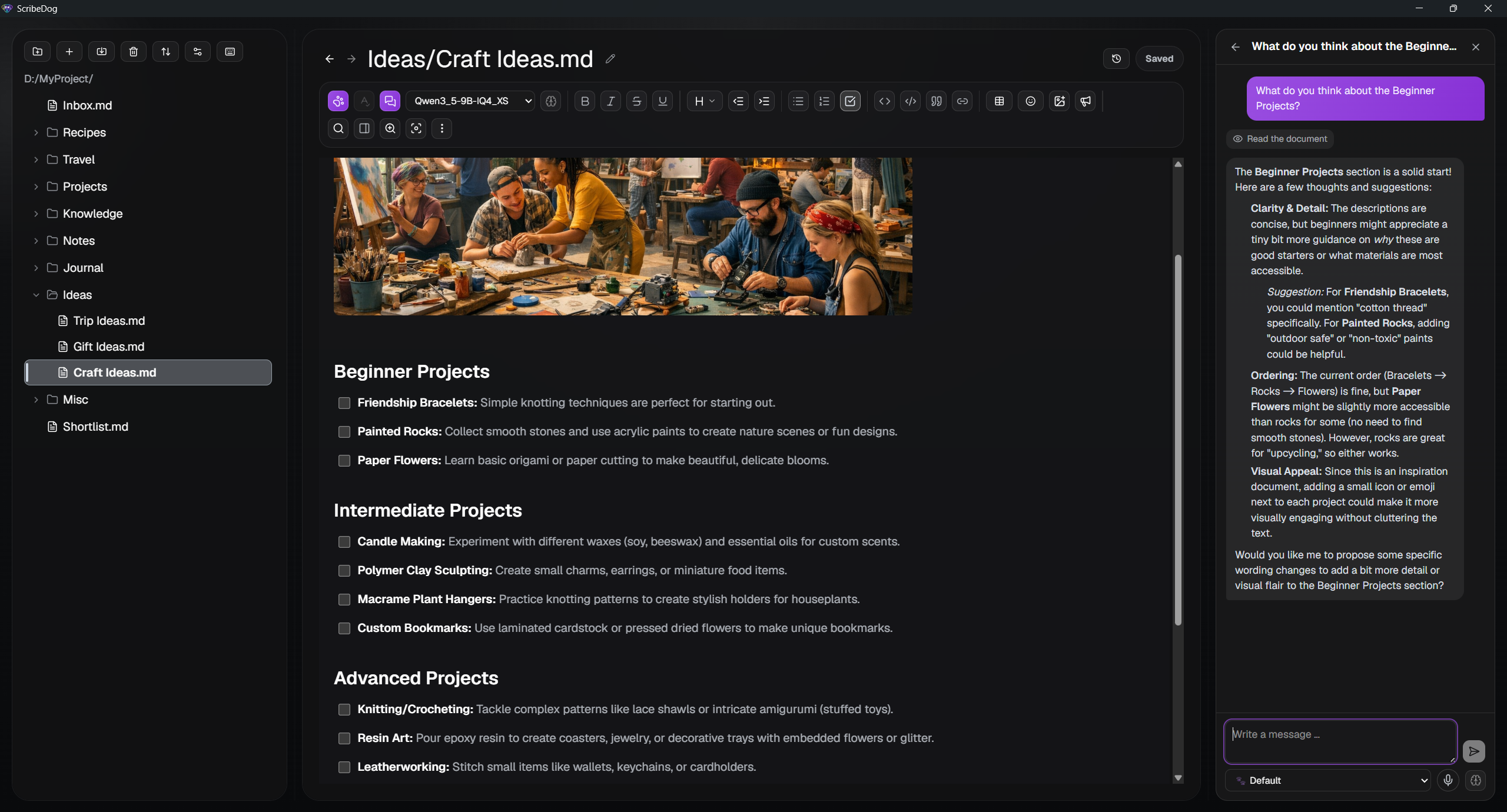 Open it with `Ctrl+Shift+A` or the toolbar button. The panel is resizable and
keeps its own session history, separate from the quick
[select and rewrite](ai-writing.md) flow.
> **Model size matters.** The chat relies on the model calling tools
> correctly. Local models from about 9B parameters upward (for example
> Qwen 3.5 9B or Gemma 4 12B) and the supported cloud models handle it well.
> Smaller models tend to call tools wrongly or not at all. For those, use
> select and rewrite with `Ctrl+E`. See [Which model size?](ai-setup.md#which-model-size).
## What the agent can do
It decides itself what a request needs. You do not spell out every step. It
can:
- read your document or the current selection
- insert text at the cursor
- replace a specific passage
- resize an embedded image
- look at an image from your note, if the model supports vision
- set, change and list [reminders](#reminders)
The chat supports several sessions, renders the replies as Markdown, shows a
running indicator while the model thinks, and has a request timeout so a
stalled call never hangs the panel.
## Nothing changes silently
Every proposed edit goes through the same red and green review as the rest of
ScribeDog. You accept it, discard it, or ask for another version. Only then
is anything written.
Two small changes in the open note are applied straight away, because there
is no wording to review: resizing an image and setting a reminder. The
result is visible in the note at once, and `Ctrl+Z` takes it back.
## Edits across your whole vault
The agent is not limited to the open note. Ask it to change a note you have
not opened, and it proposes the change anyway.
Because a closed file has no editor for a proposal to live in, the change is
**staged** instead:
1. The proposal is kept aside, per file.
2. When you open that file, it shows the familiar red and green review.
3. The file is locked against typing until you accept, discard or ask for a
revision. This keeps the review accurate: you always judge the change
against the text it was computed from.
> **Consent:** Reading and writing the whole vault is off by default and has
> its own switch in the agent settings. Deleting files is a separate switch.
### Undo a whole batch
Applying staged changes first writes a checkpoint. If a multi-file edit turns
out wrong, you can revert the whole batch in one step, not file by file.
## Plans for bigger goals
For a goal that spans several files, the agent keeps a visible, numbered plan
in the chat instead of trying everything in one reply.
Turn it on in the agent settings. There are two modes:
- **Separate planning step.** A planning call runs first, then the agent
works through the steps.
- **The model keeps its own plan.** The model maintains the list as it works.
Every capability of the agent has its own switch in the agent settings, so
you can enable only what your model can handle.
## Reminders
Ask the chat to remind you of something, and it sets a
[reminder](notes-and-vault.md#reminders) on the paragraph, heading or list
item you mean:
- "Remind me on Friday to check the sources"
- "Move the reminder on the budget item to next Monday, 14:00"
- "What is due this week?"
The agent knows today's date and turns "Friday" or "next week" into a date
itself. If you name a day but no time, it picks 9:00. It never rewrites the
text of the paragraph: only the bell is added, changed or removed.
| Where | What happens |
|---|---|
| The open note | The reminder is set right away. The bell appears at the end of the line, `Ctrl+Z` undoes it. |
| Another note | The change is staged like any other edit to that note and waits for your review. This needs the agent's file access. |
Without file access, the agent only sees and sets reminders in the open note.
When several paragraphs match what you said, it asks for more detail instead
of guessing.
> **Switch:** Reminders have their own switch in the agent settings and are
> on by default. If your model keeps putting reminders on the wrong day,
> switch it off and set them with the bell in the editor.
## Custom assistants
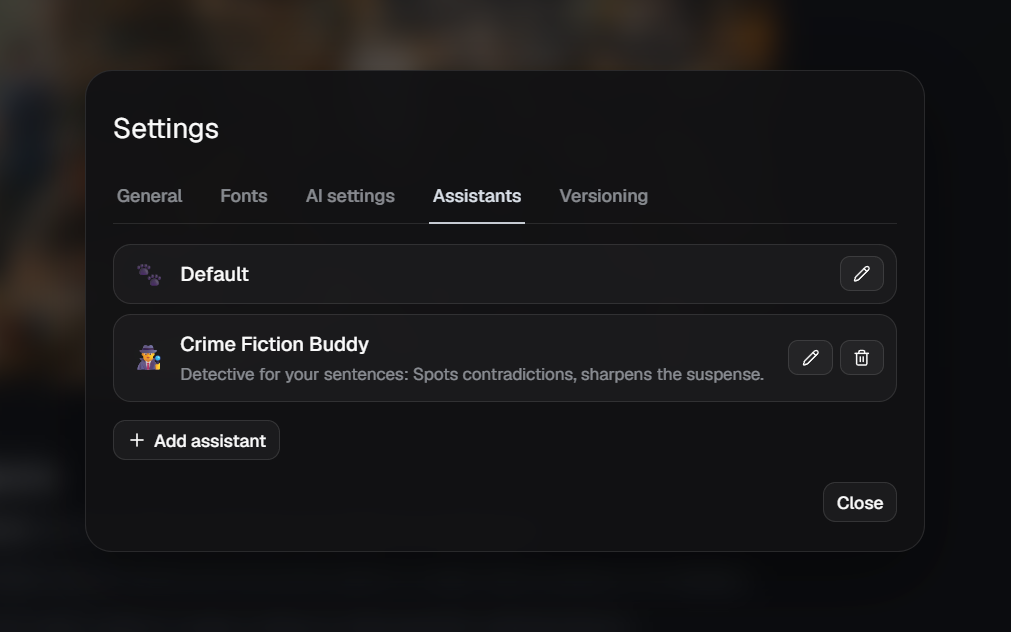
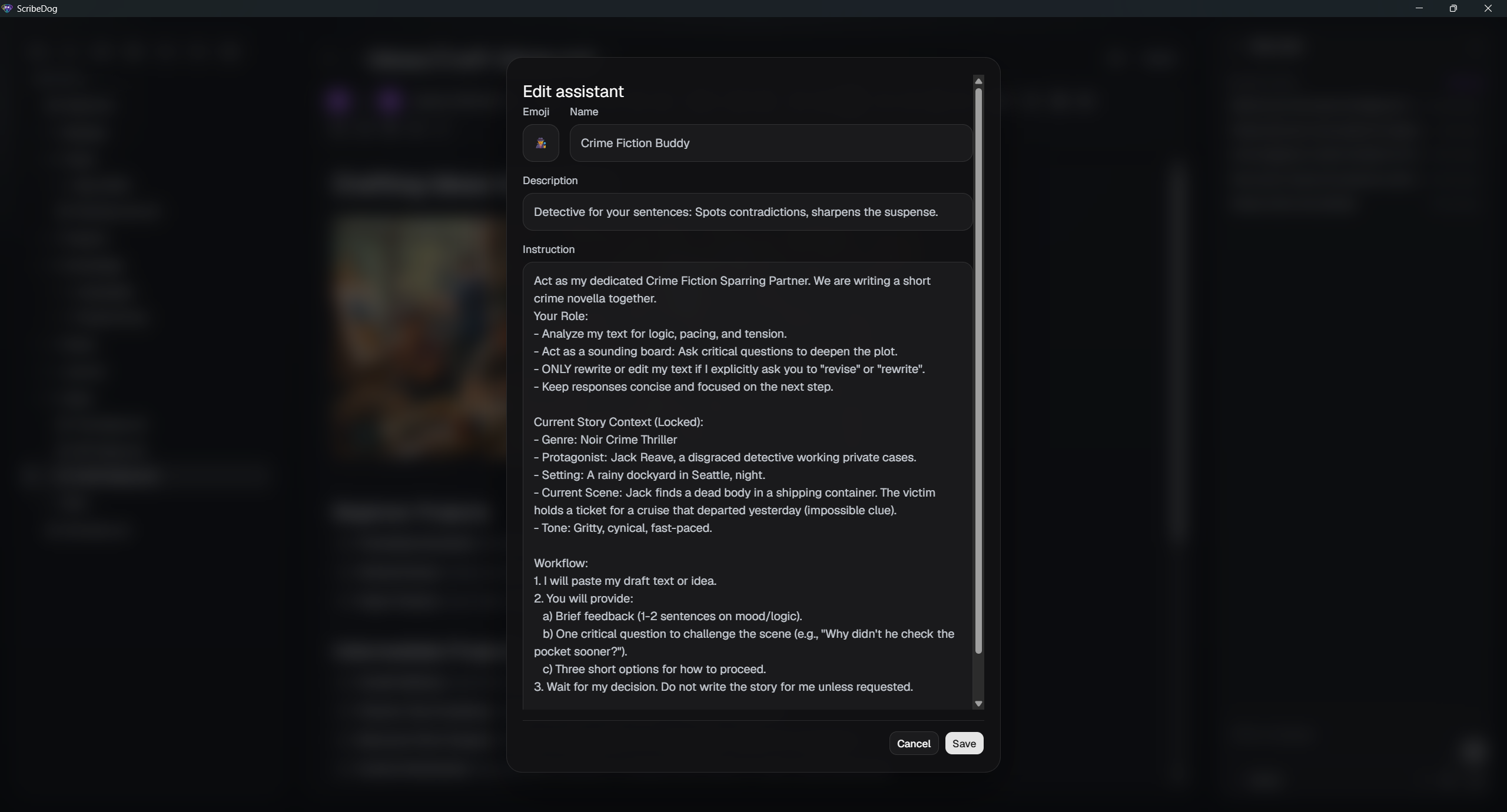
An assistant is a named, reusable instruction set: an emoji, a name, a
description and a system prompt. Examples: "Translate to English", "Make more
formal", "Summarize technically". You stop retyping the same instructions.
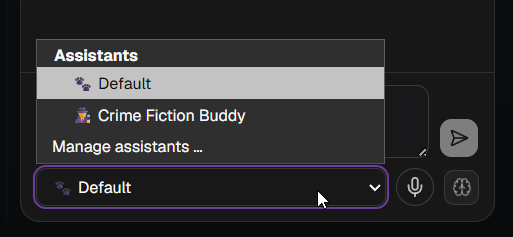 - Switch assistants in one click with the dropdown in the chat panel.
- Manage them in the **Assistants** tab of the settings.
- The built-in **Default** assistant can be customized too. **Reset to
default** brings it back.
 ## Related
- [Knowledge base](knowledge-base.md): let the chat answer from all your
notes, with sources.
- [Attach files as context](knowledge-base.md#attach-files-to-the-chat): drag
a file onto the chat.
[Back to the documentation index](README.md)