
迷い — a small, fast code editor written in Go. It draws a native UI on the GPU with MyGo, with no webview and no Electron, and the packaged app is about 18 MB.
https://github.com/user-attachments/assets/673e7907-2b2c-4ed6-9093-1ba9633cd61c ## Features - **Editor:** tabs, Chroma syntax highlighting, indent guides, sticky scroll, breadcrumbs and word wrap - **Smart editing:** auto-indent, auto-closing brackets and quotes, line commands, and per-tab undo - **Vim mode:** normal, insert and visual modes, with motions, operators, text objects, counts and `.`, registers, macros, marks, search, and `:` commands as `:s`, `:g` and `:normal` - **Columns:** split the editor side by side and drag tabs between columns - **Explorer:** a live file tree that follows the disk and dims Git-ignored files - **Quick open:** fuzzy file search, go to line (`:42`), go to symbol (`@`) and a command palette (`>`, ⇧⌘P) - **Find and replace:** case, whole-word and regex matching, searched in the background in large files - **Search:** find and replace across the folder's files (⇧⌘F, ⇧⌘H), with files to include and exclude, and a preview of each replacement - **Git:** a source control view to stage, commit, amend, undo, pull and push, every change in one diff, folded around the changes, inline or side by side, a graph of the commits with their branches and tags, each with its own diff, gutter marks that revert or stage a change, branches and blame - **Terminal:** Ghostty's emulator (libghostty-vt), in the bottom panel, at a side of the window, or in a tab - **Remote SSH:** open a folder on another machine with the system's `ssh`, nothing installed there: the Explorer, search, Git and terminals run on the host, and its ports forward to this machine - **Image viewer:** PNG, JPEG, GIF, WebP and BMP - **Previews:** a live preview of Markdown, SVG and Mermaid beside the source (⇧⌘V), with the Markdown's Mermaid blocks drawn as diagrams and its LaTeX math as formulas - **Windows:** a window per folder or every folder in one window as project tabs, a welcome page with the recent folders and hosts, Open Recent (⌃R), and a `mayoi` shell command that opens files at a line, compares them, waits for them to close and runs any command - **Themes:** light and dark, The Matrix with digital rain, Purple Gold, and Claude, Qoder, Grok Bot and Cursor, each in light and dark - **Auto save,** and every window reopened as you left it, with its columns, tabs and carets - **Settings:** JSON files applied as you save them, with the code's and the terminal's fonts, weight, ligatures and line height, and keyboard shortcuts in VS Code's format (see [docs/SETTINGS.md](docs/SETTINGS.md)) - **AI commit messages:** signed in, write the commit message from the changes with Mon's AI gateway - **Settings sync:** sign in with GitHub or Google, and your settings and keyboard shortcuts follow you between machines See [docs/FEATURES.md](docs/FEATURES.md) for the details, [docs/ARCHITECTURE.md](docs/ARCHITECTURE.md) for a tour of the source and how fast it runs, and [CONTRIBUTING.md](CONTRIBUTING.md) to build, test and release Mayoi. ## TourColumns: split the editor and drag tabs between columns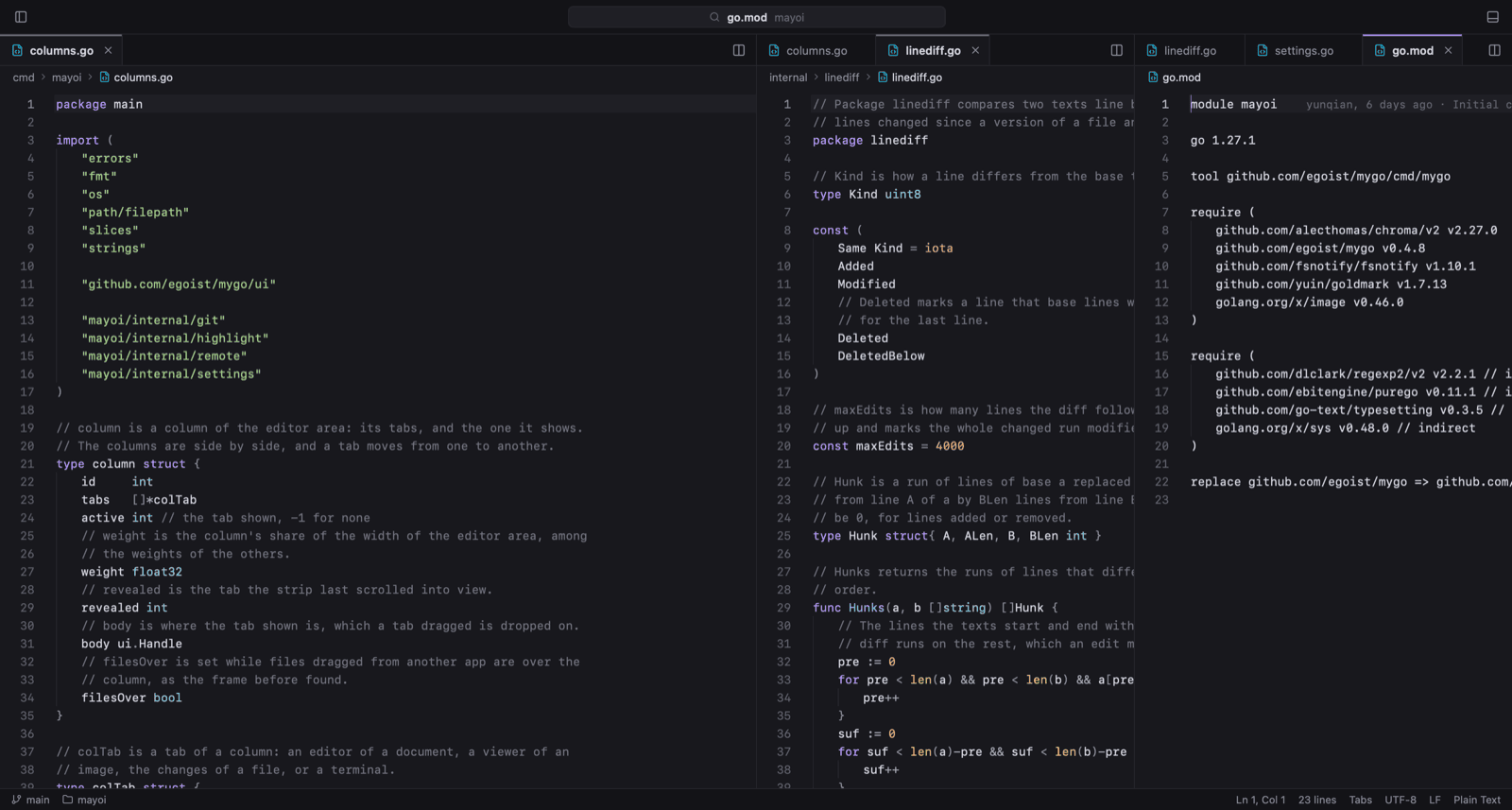 |
Vim mode: motions, operators, text objects and visual mode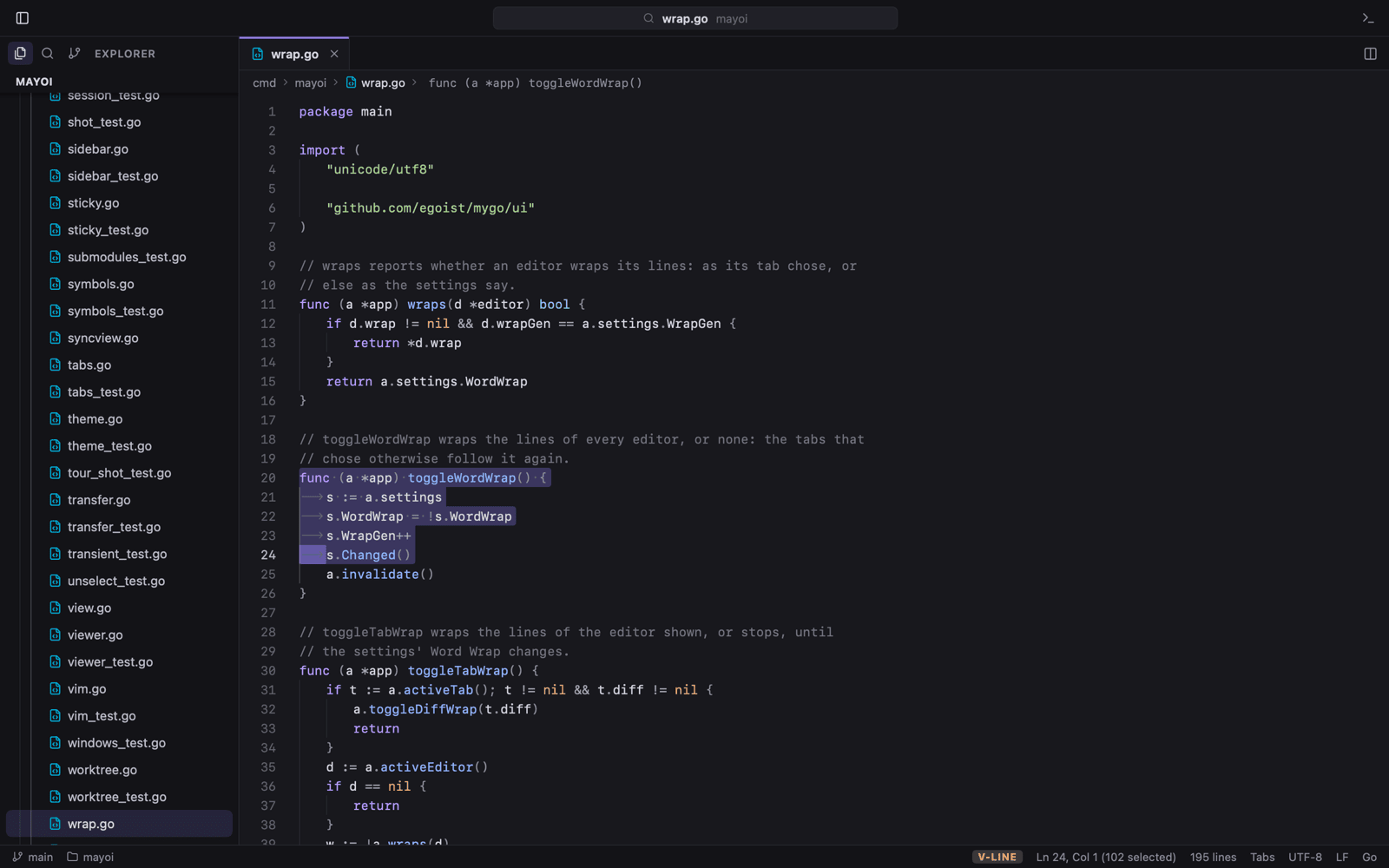 |
Peek a change: click a gutter mark to see the lines at HEAD, then revert or stage them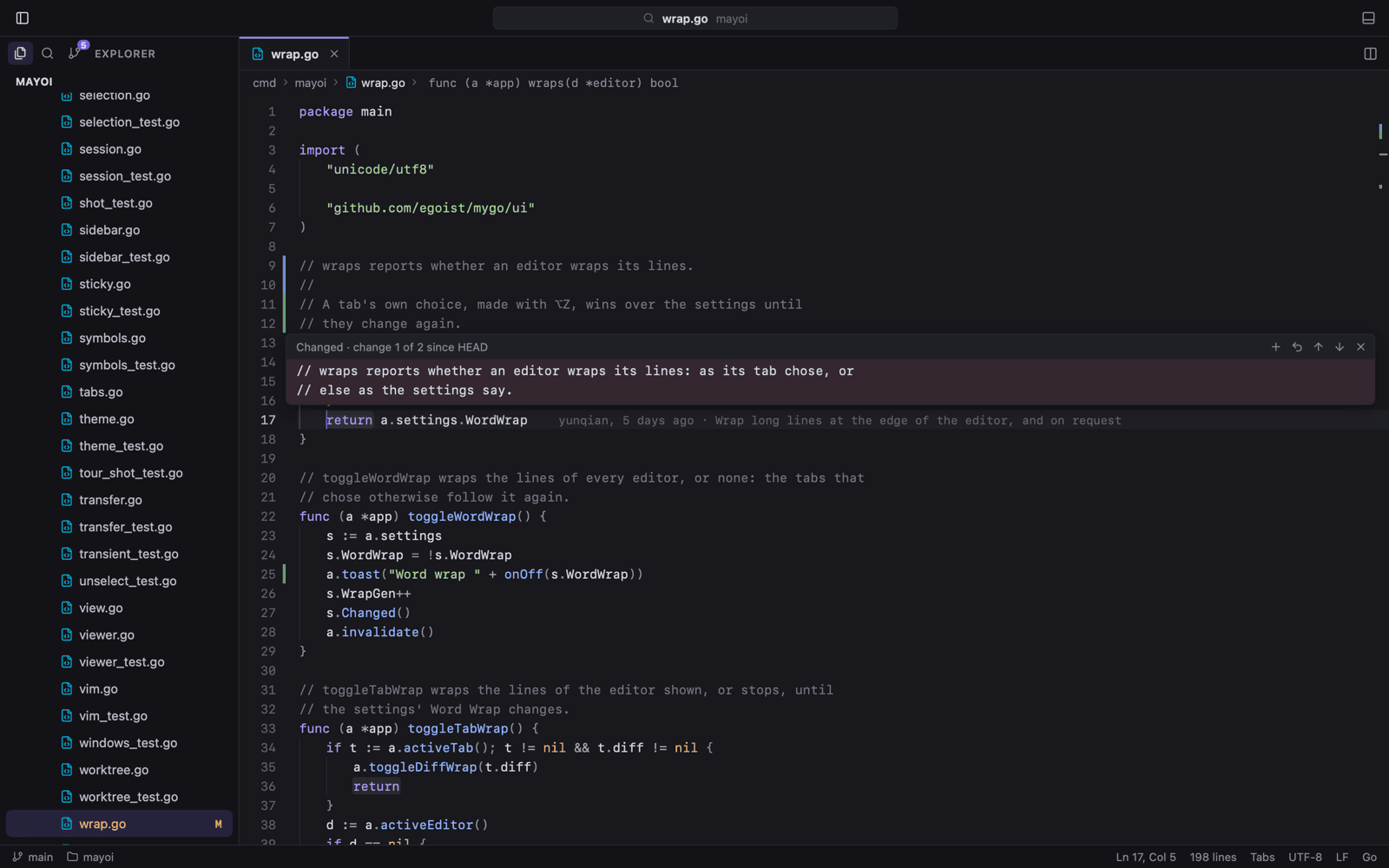 |
Side-by-side diff: every change in one tab, with changed words tinted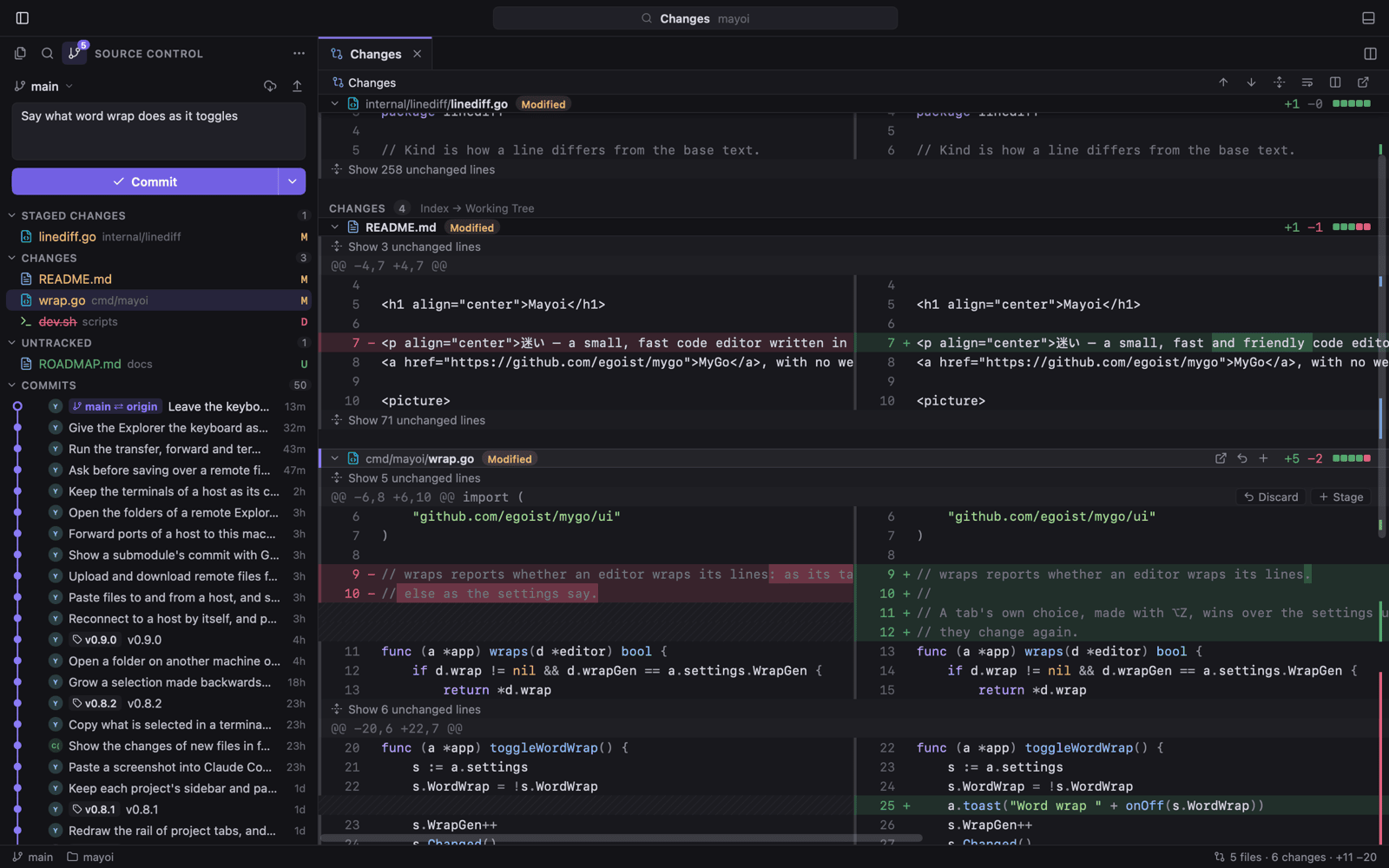 |
Commit graph: branches, tags and merges, and each commit's changes in a tab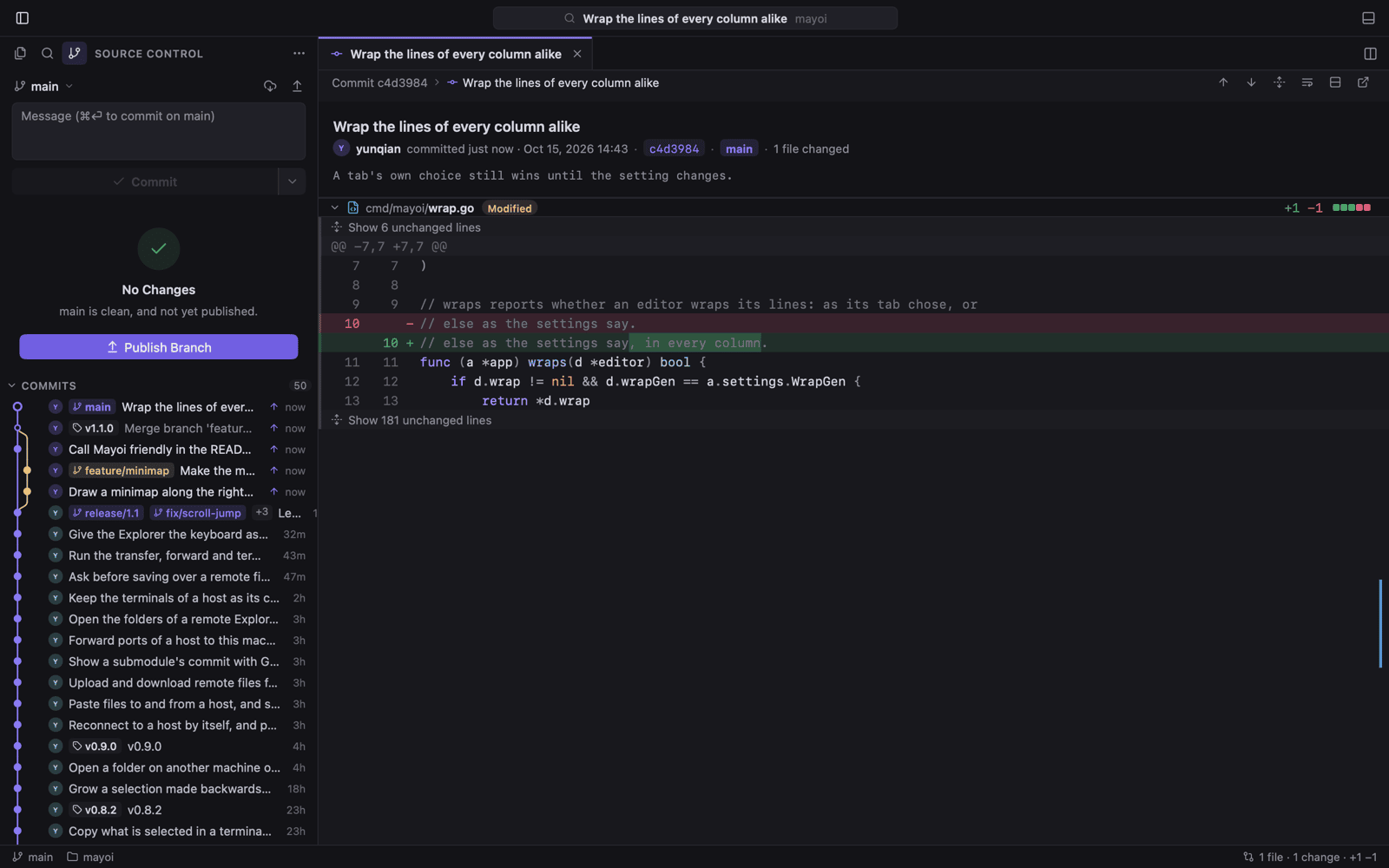 |
Markdown preview: live beside the source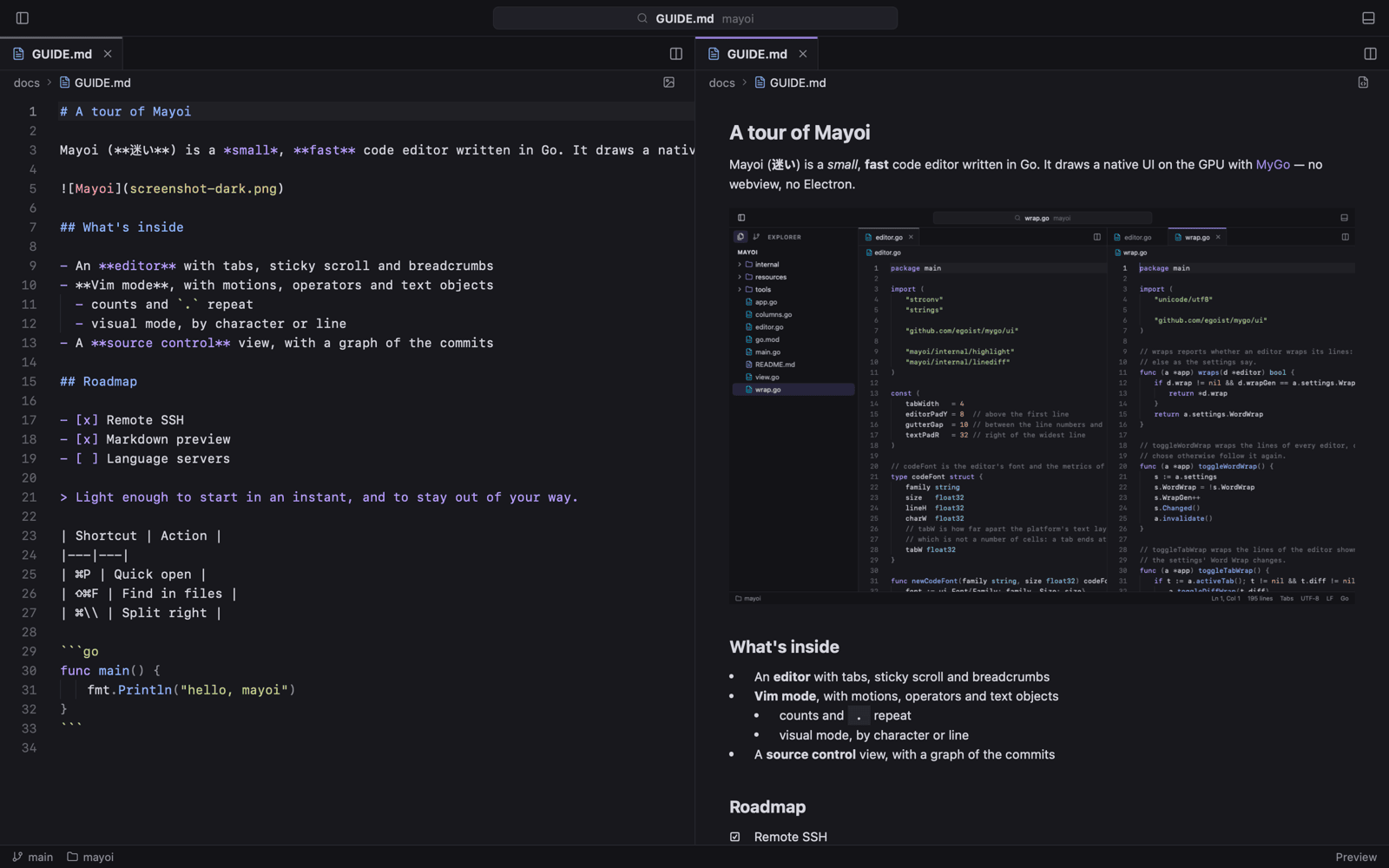 |
Terminal: Ghostty's emulator in the panel or, here, in a tab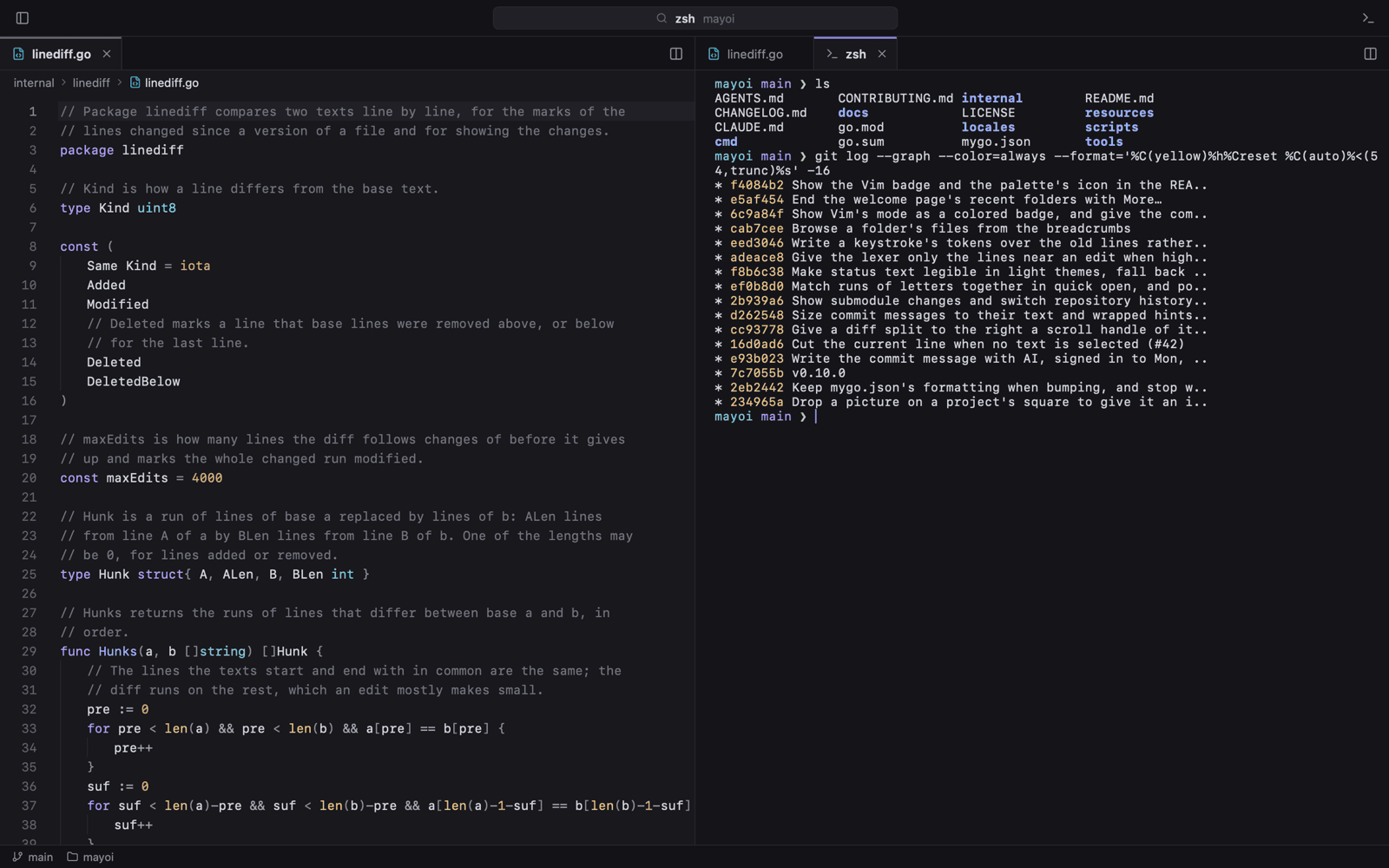 |
Command palette: every command by name, with its shortcut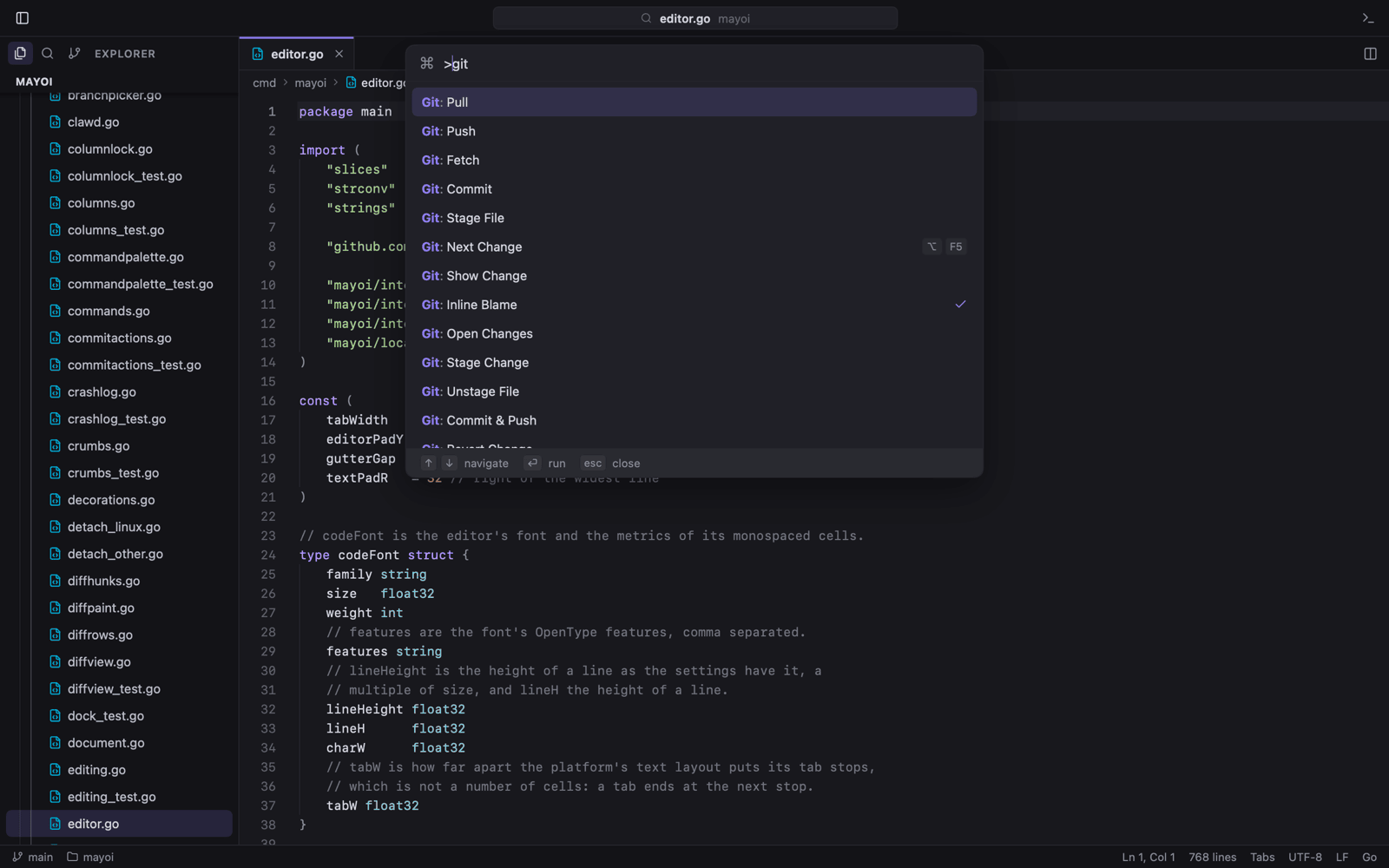 |
Search in files: as you type, with each match in context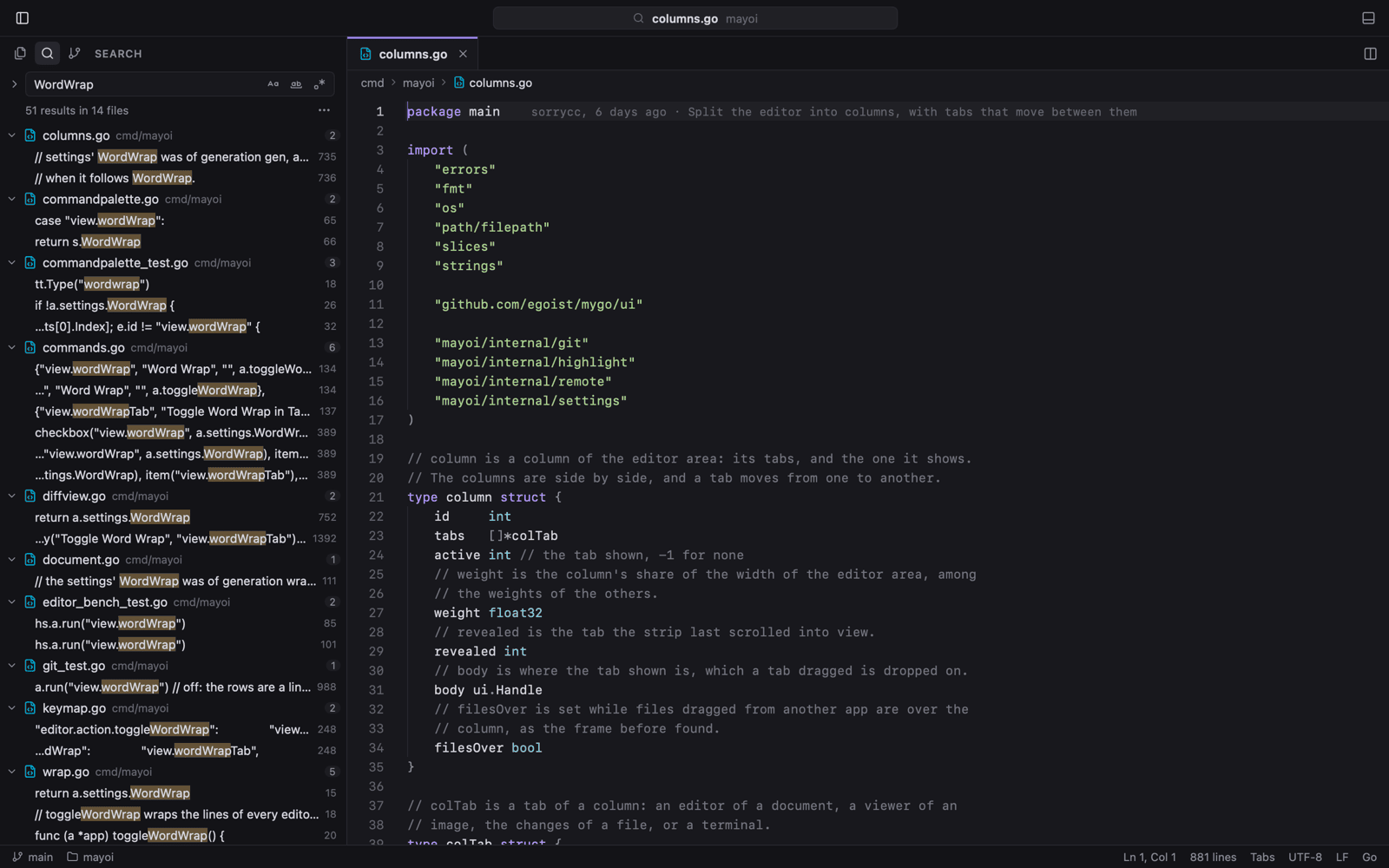 |
Project tabs: every folder in one window, on a rail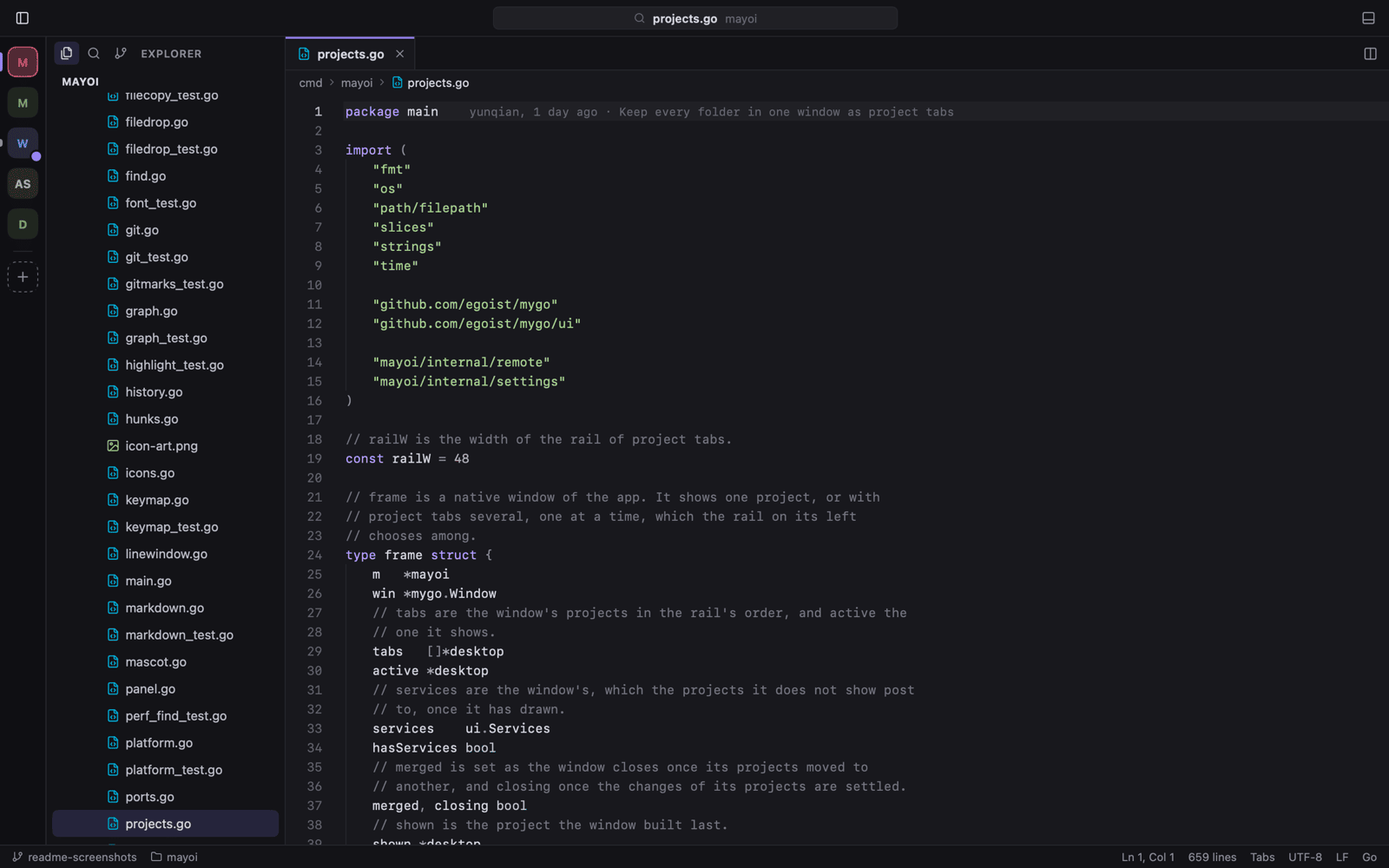 |
Remote SSH: the Explorer, Git, search and terminals on the host, and its ports here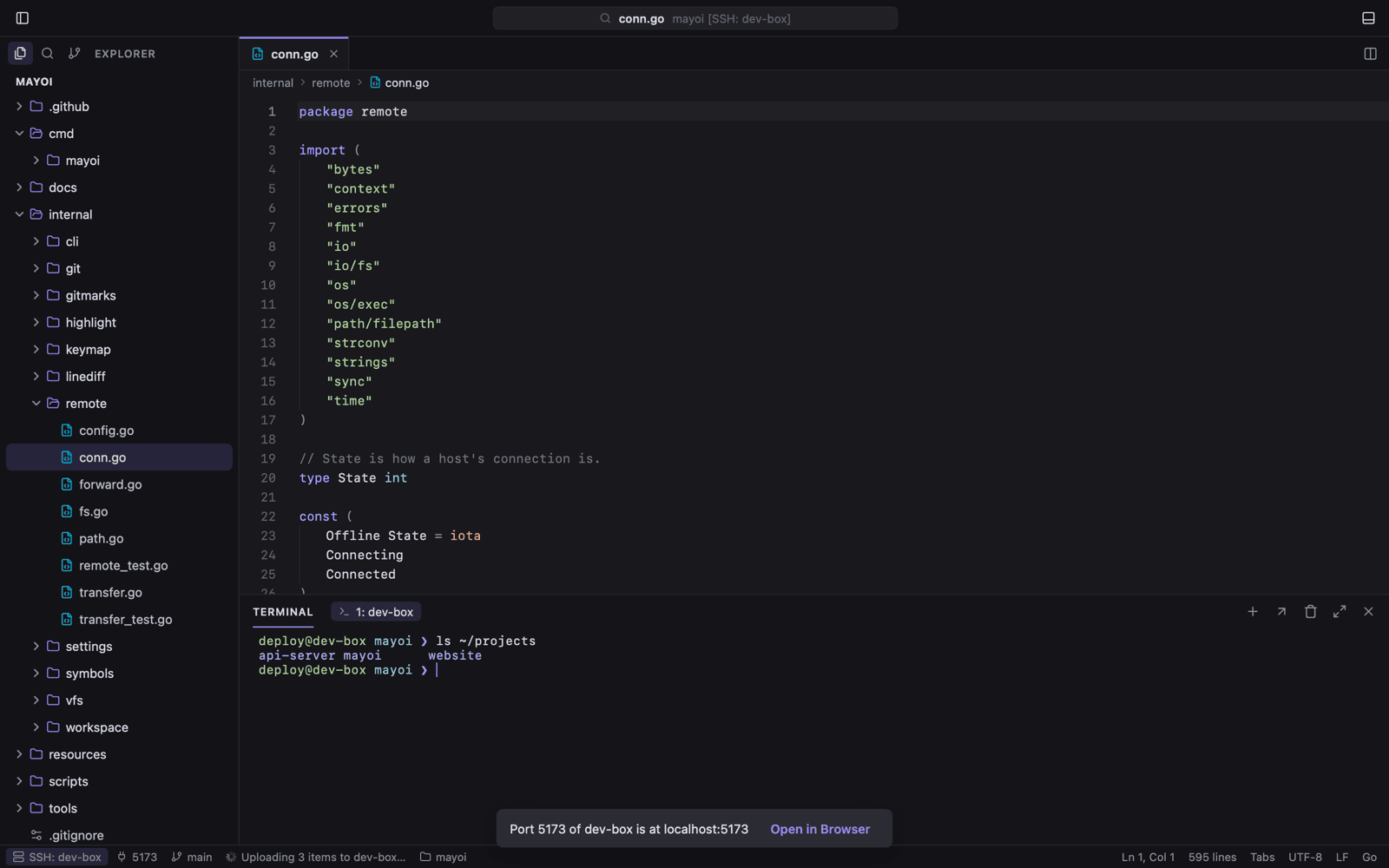 |
The Matrix: one of the themes, with the whole window in the code's font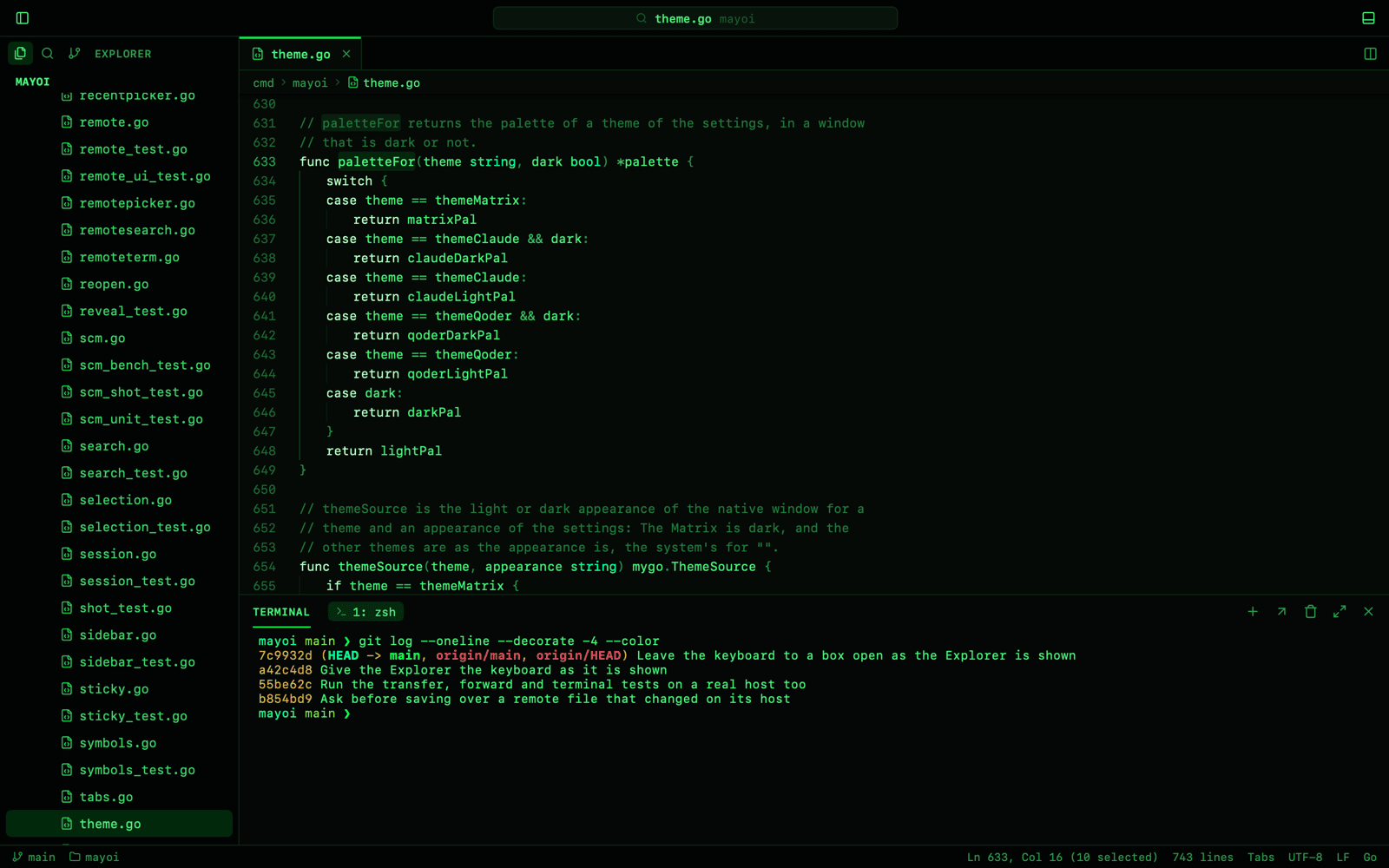 |