An unofficial static recompilation of the Xbox 360 version of Need for Speed: Carbon (2006):
a native port, not an emulator.
Play your own copy on Steam Deck, Steam Machine and Steam Frame (SteamOS), Linux and Mac.
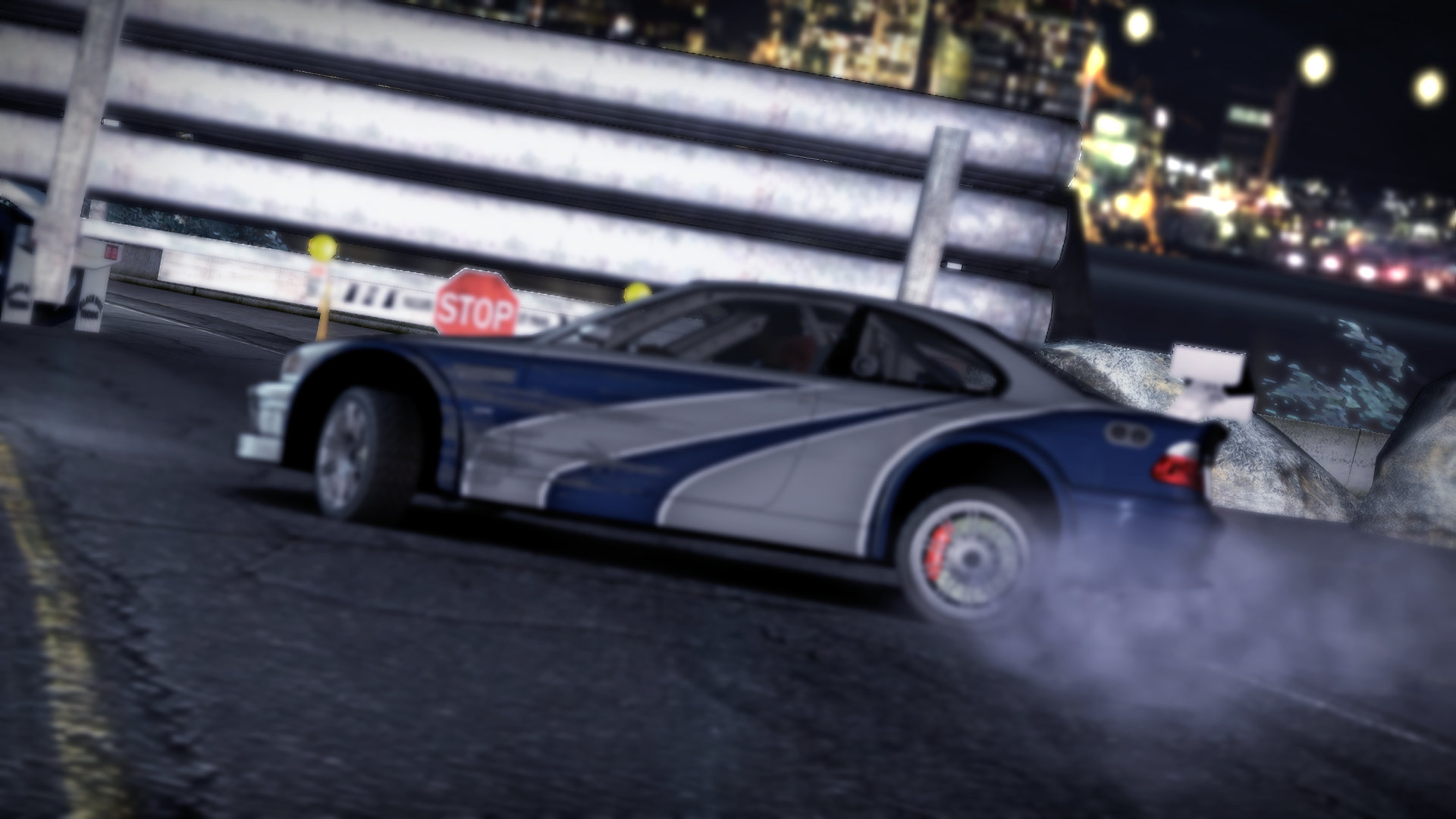
The prologue: the M3 GTR at the edge of Palmont, rendered at 2560x1440.
> [!IMPORTANT]
> **SpeedBreaker: Carbon is an unofficial fan project by project(u). It is not affiliated with,
> endorsed by or sponsored by Electronic Arts Inc., the Need for Speed brand or Valve
> Corporation.**
>
> **No game files are included or distributed.** To play, you need your own legally obtained
> backup (a disc image) of your own Xbox 360 disc of *Need for Speed: Carbon* (2006), the **USA
> Collector's Edition**. The in-app installer verifies it and installs it. Please don't ask for,
> or share, game files or disc images. See the full [legal notice](#legal-notice).
**Contents:** [What it is](#what-is-speedbreaker-carbon) · [Highlights](#highlights) ·
[Download](#download) · [Quick start](#quick-start) · [Which copy do I need?](#which-copy-do-i-need) ·
[How to update](#how-to-update) ·
[Setup by platform](#setup-by-platform) · [Portable mode](#portable-mode) ·
[Controls](#controls) · [Settings](#settings) · [Tips](#tips-for-smooth-play) ·
[FAQ](#faq-and-troubleshooting) · [Known issues](#known-issues) · [What's next](#whats-next) ·
[For developers](#for-developers) · [Credits](#credits) · [License](#license) ·
[Legal notice](#legal-notice)
## What is SpeedBreaker: Carbon?
SpeedBreaker: Carbon is an unofficial static recompilation of the Xbox 360 version of *Need for
Speed: Carbon* (2006): a native port, not an emulator. It runs as an ordinary app on your device
(see [how it works](#how-it-works)). It came out on October 29, 2026, for the game's 20th anniversary on October 31.
It is the second game on **SpeedBreaker**'s engine. [SpeedBreaker](https://github.com/SpeedBreakerProject/speedbreaker)
does the same for *Need for Speed: Most Wanted* (2005); the two are separate apps, with their own
downloads, saves and settings, and you can install both side by side.
It is built from the **Xbox 360 version** of the game, not the PC version: it runs the Xbox 360
release's own code, translated ahead of time, and it installs only from the Xbox 360 disc of the
**USA Collector's Edition**.
You bring the game: SpeedBreaker: Carbon installs it from a backup of your own disc and checks
every file. Then you race through Palmont, with things the Xbox 360 couldn't do: sharper than
720p, ultrawide and tall screens, and a settings menu you can open mid-race.
## Highlights
- **Sharper than the console.** The 3D scene renders above the Xbox 360's 720p. *Auto* picks a
scale from your screen and your graphics chip.
- **Any screen shape.** On 21:9 screens the view gets wider instead of stretched. The 16:10
screens of the Steam Deck and many Macs, and other taller screens, show more above and below
and fill the screen at their own resolution: a Steam Deck renders 1280x800, pixel for pixel.
- **A steady 60 fps,** locked to your 60 Hz display, with the game's movies paced as on the
console.
- **As on the 360:** the nitrous light trails at the console's length, and the picture a real
Xbox 360 sends to a TV (the game's own display gamma), so the game's own Brightness slider
works. Anti-aliasing, sharpening, FSR 1 upscaling, a Brightness setting and up to 16x
anisotropic filtering are also available.
- **HDR.** On an HDR display (a Mac with one, SteamOS and the Steam Deck OLED with HDR on,
or a Windows or Linux PC in HDR) tail lights, street lights, lit windows and nitrous flames
glow brighter than white, from the light Carbon's own scene holds, while the rest of the
picture stays as it was. Off by default.
- **A sharp rear-view mirror.** The mirror renders at the Internal Resolution, like the
rest of the scene, instead of the console's 320x240.
- **Two-player split screen** (Quick Race > Quick Race Options > Game Mode: Split Screen),
with two controllers.
- **A guided installer.** It finds your disc image, checks that it is the right game and edition,
and verifies all 78 files as it copies them. An interrupted install never leaves a broken game.
- **Your controller, or the keyboard.** Controllers work as an Xbox 360 pad, with hot-plugging
and rumble. Every keyboard control can be reassigned in the settings.
- **A settings menu that pauses the game.** Open it with F1 or Back + Start. Every change applies
at once, and *Quit Game* leaves the game from a controller too.
- **One-button bug reports.** Logs, settings and a screenshot go into one zip file. Nothing is
uploaded, and you decide what to send.
- **Check for Updates.** One press in the settings asks GitHub whether a newer release is out,
shows what changed and opens the download page (or shows it as a QR code for your phone).
Nothing is checked online unless you press Check for Updates.
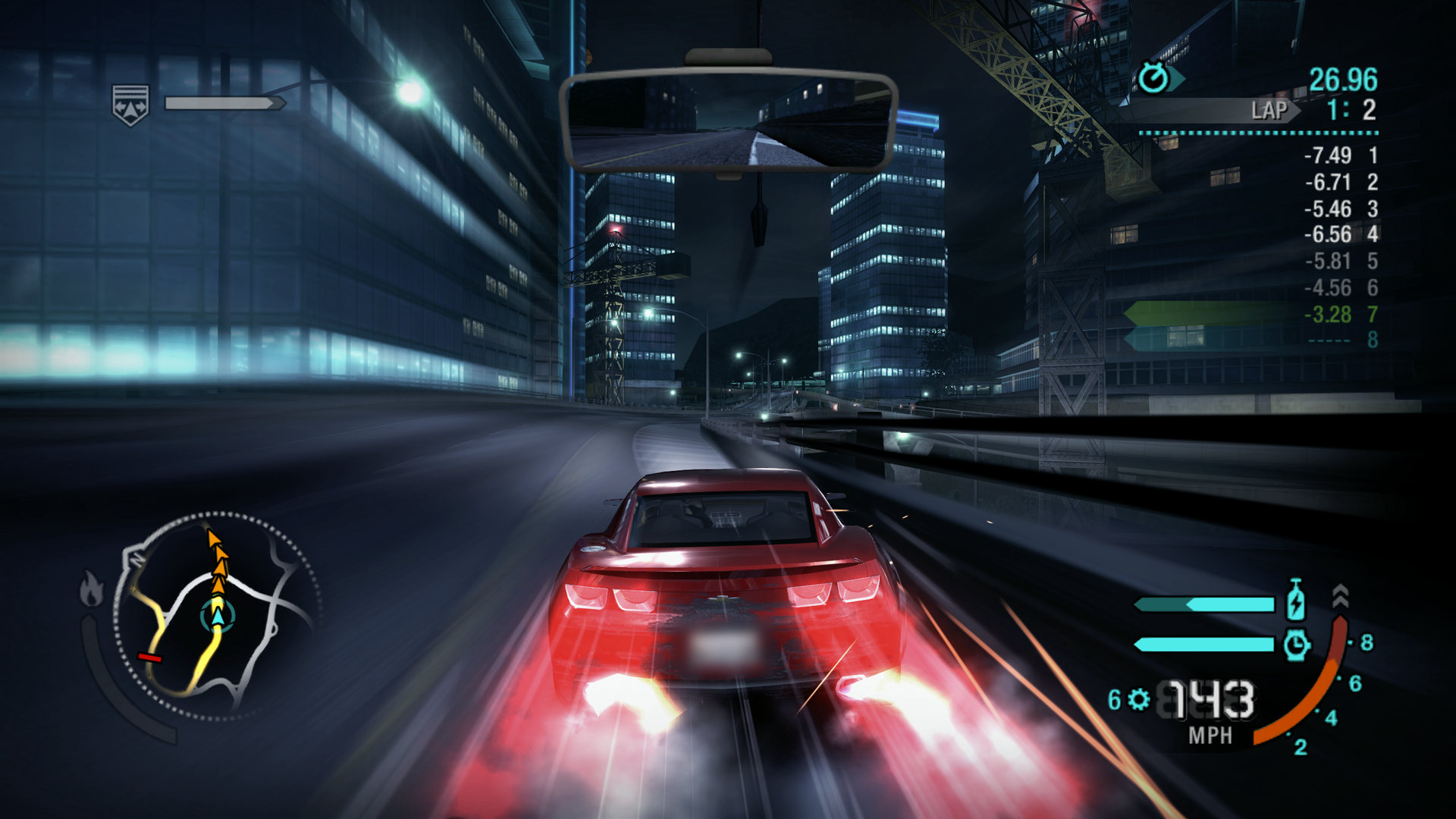
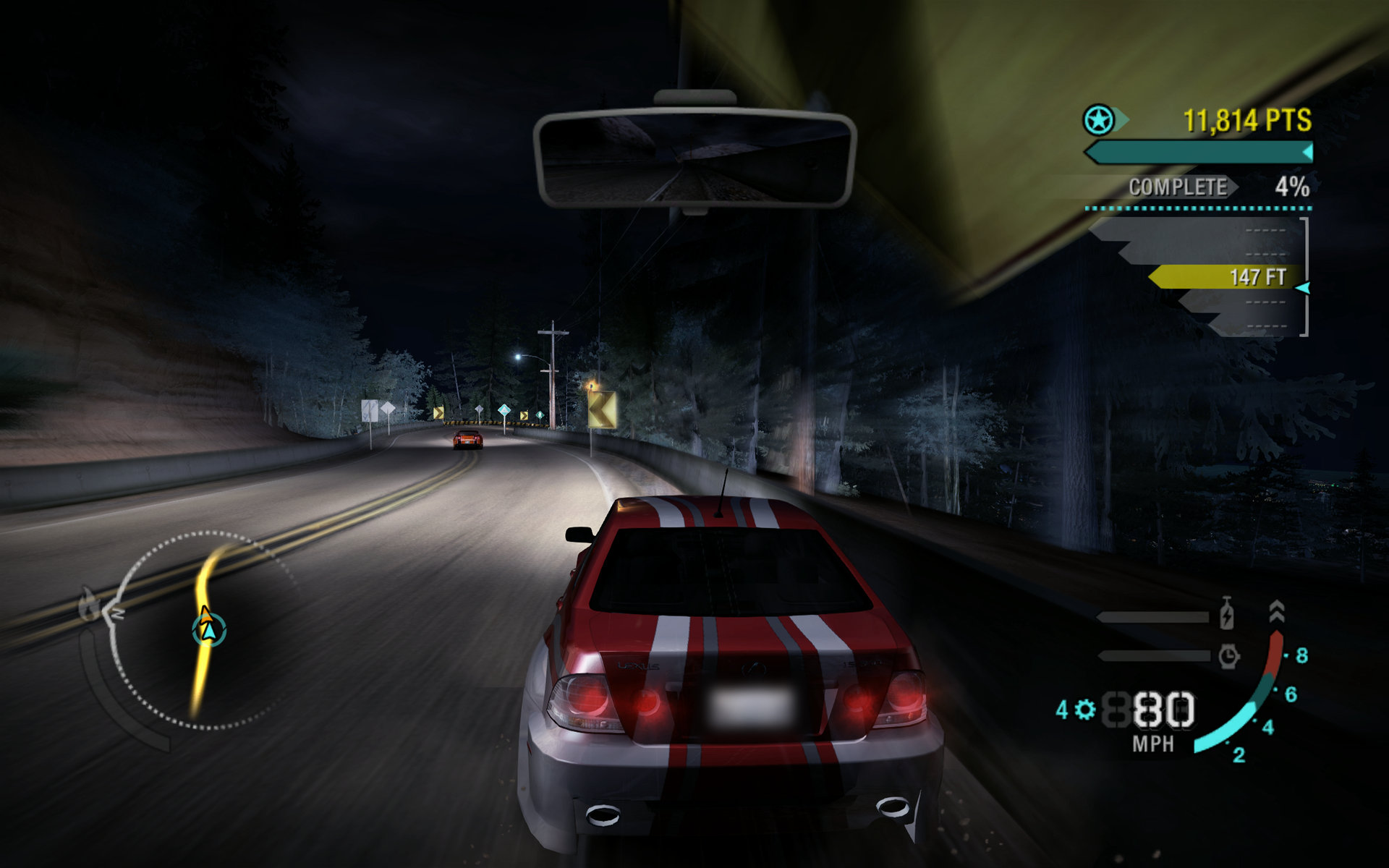
Nitrous at 143 mph: the light trails at the console's length.
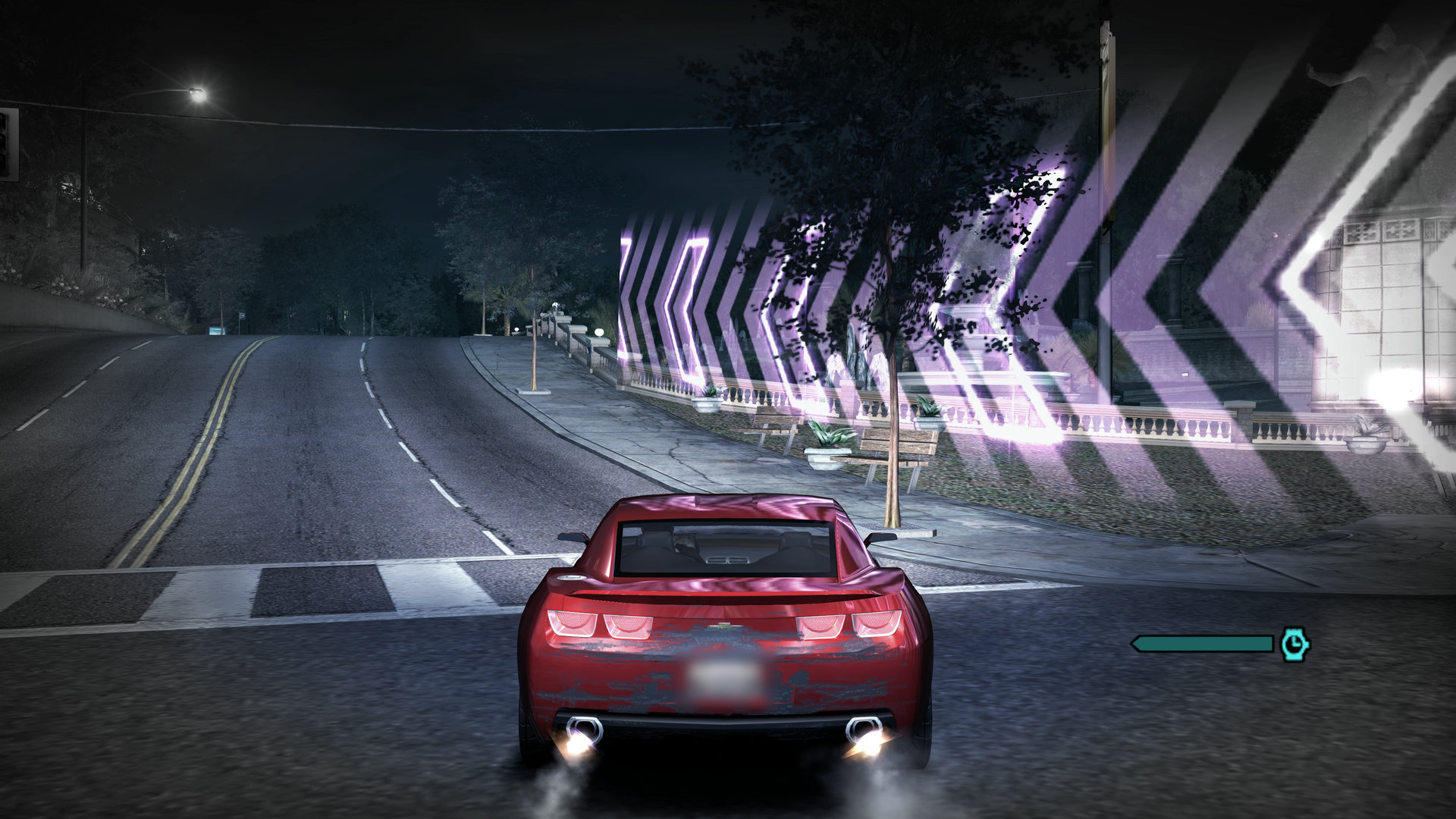
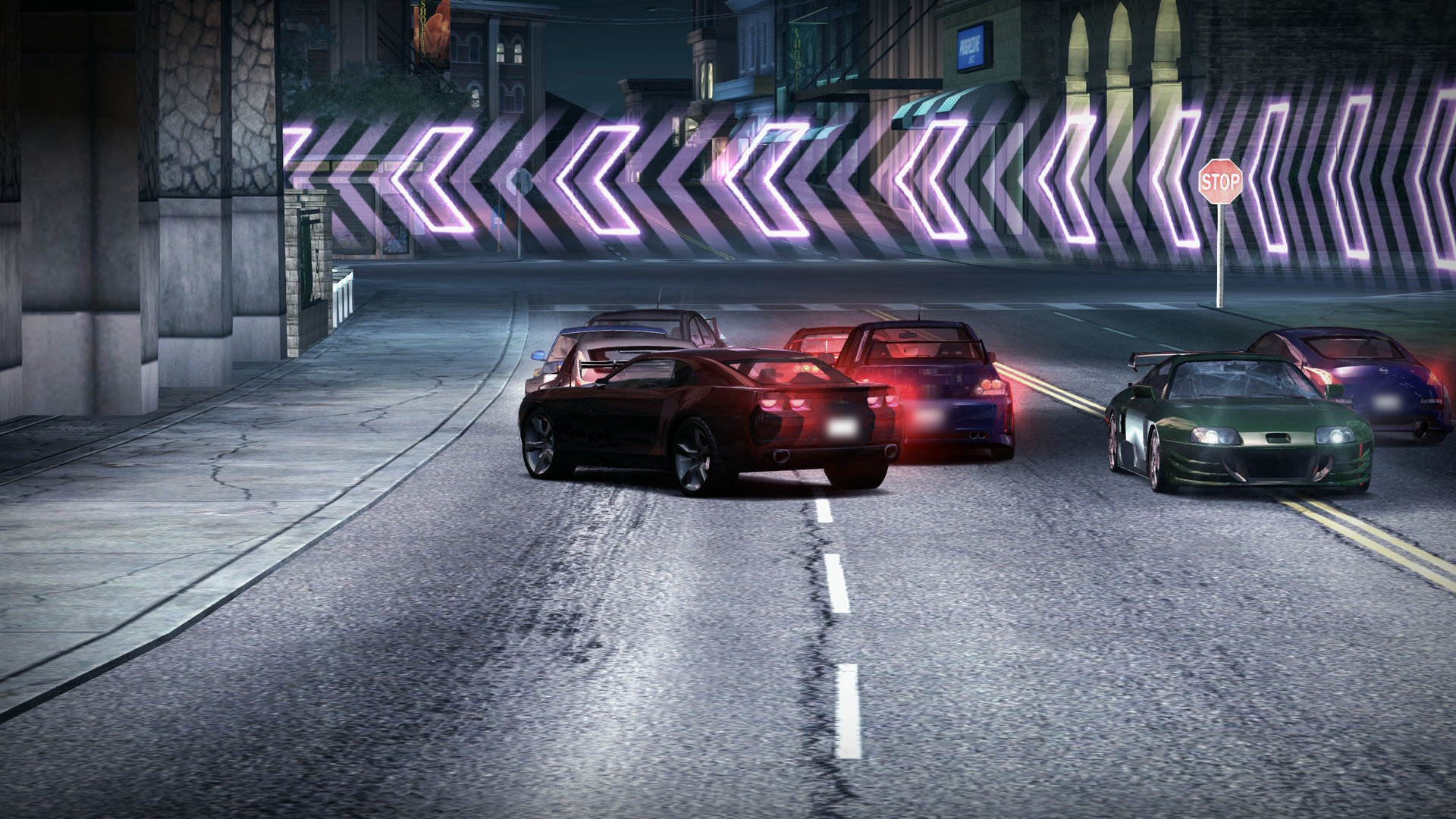
Speedbreaker: slow motion past the neon chevrons, at 3840x2160.
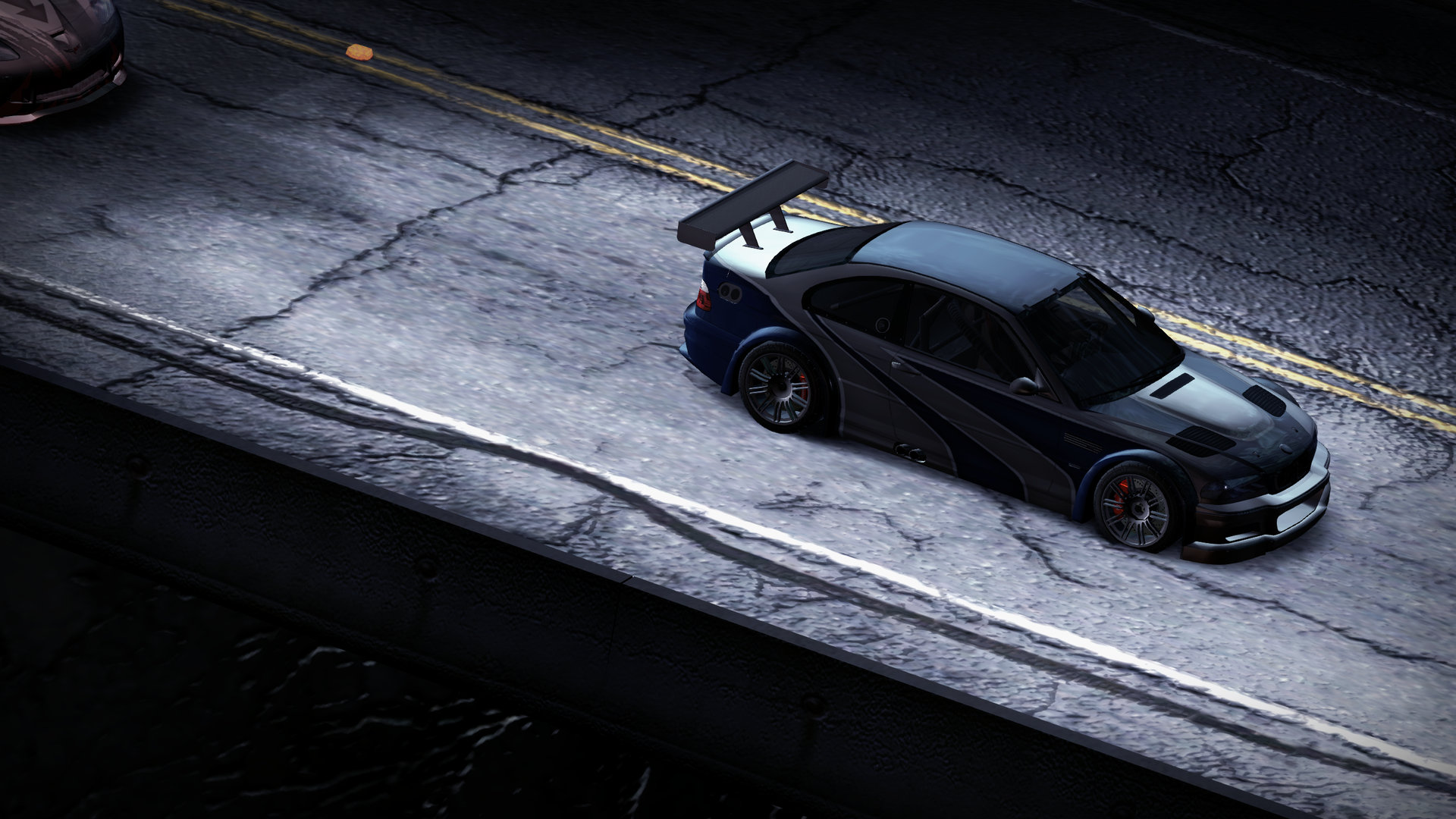
The prologue's canyon road, from above.
16:10, the Steam Deck's shape: a Canyon Duel.
The finish at the neon chevrons.
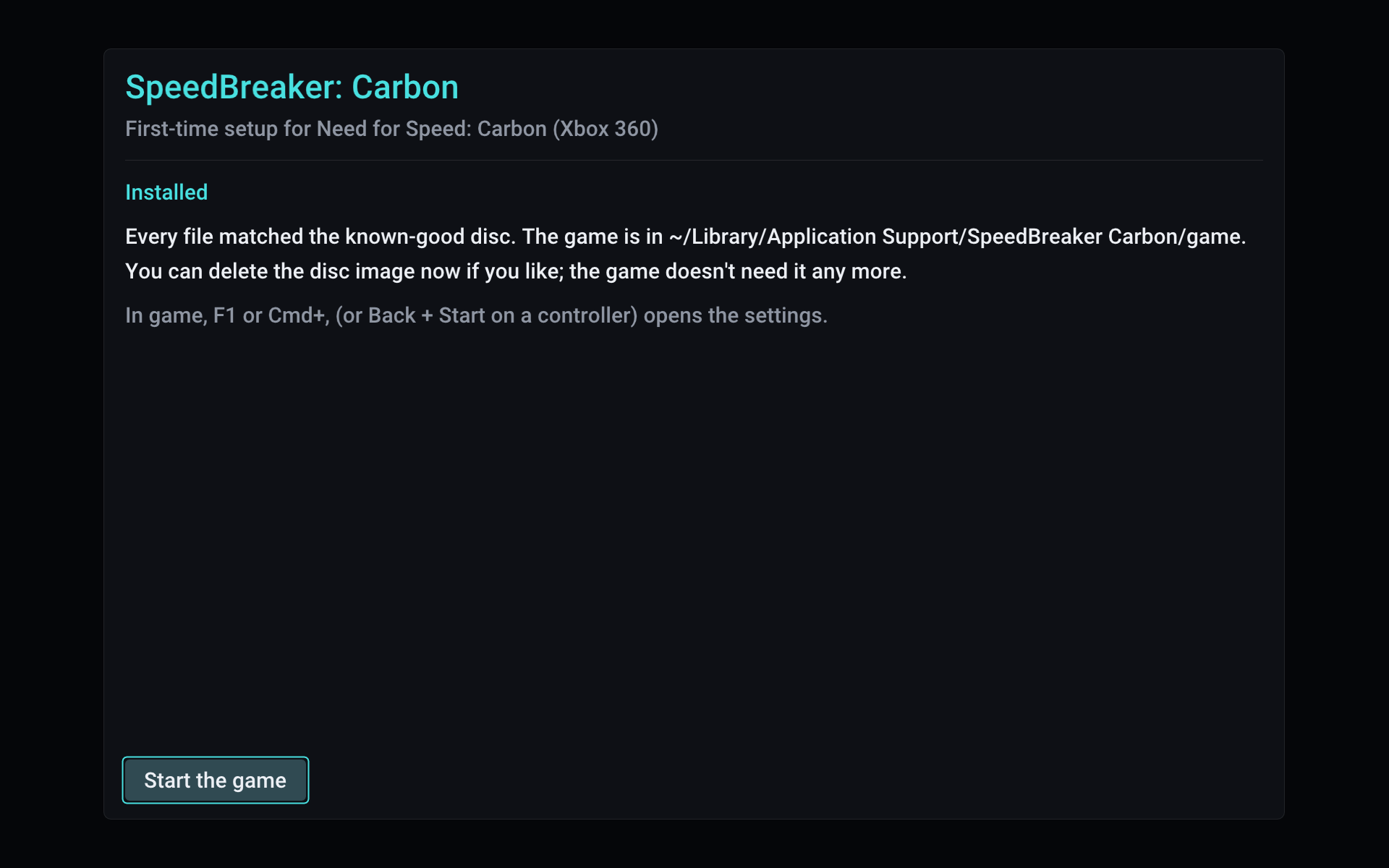
First run: every file matched the known-good disc.
Screenshots: SpeedBreaker: Carbon v0.1.0 on a MacBook Pro (M1 Pro). They are unedited frames
from the game's own output, except that the licence plates in the nitrous, Speedbreaker, Canyon
Duel and finish images are blurred. The game content in them belongs to its owners.
## Download
| Platform | How to get it | Tested on |
|---|---|---|
| **Steam Deck** and **Steam Machine** (SteamOS) | [Download][dl-steamos-x86_64] `SpeedBreaker-Carbon-steamos-x86_64.tar.xz` | Steam Machine (SteamOS 3.8) on a 3440x1440 ultrawide, and a Steam Deck. |
| **Steam Frame** (SteamOS, arm64) | [Download][dl-steamos-arm64] `SpeedBreaker-Carbon-steamos-arm64.tar.xz` | Steam Frame. It plays as a big flat screen in the headset; it is not a VR mode. |
| **Linux** (x86-64) | [Download][dl-steamos-x86_64] the x86-64 SteamOS build, `SpeedBreaker-Carbon-steamos-x86_64.tar.xz`, or [build from source](#building-from-source) | Tested here on SteamOS. Other distributions: reports welcome. |
| **Mac** (Apple silicon) | [Download][dl-macos] `SpeedBreaker-Carbon-macos.dmg` | MacBook Pro (M1 Pro) on macOS 27. There is no Intel Mac build. |
| **Windows** (beta) | [Download][all-releases] `SpeedBreaker-Carbon-0.1.3-windows-x64-beta.zip` from its own pre-release on the Releases page; see [Windows (beta)](#windows-beta) | A ThinkPad laptop with Intel integrated graphics (UHD Graphics, 60 Hz). SpeedBreaker for Most Wanted's Windows testers report NVIDIA and AMD graphics running fine; Intel Arc graphics and 120/144 Hz monitors haven't been tested yet: [reports welcome](#reporting-a-bug). |
| **iPhone** and **iPad** (experimental) | [Sideload the IPA](#iphone-and-ipad), `SpeedBreaker-Carbon-0.1.3-ios.ipa` on the [release page][releases], or [build it yourself](#iphone-and-ipad) with Xcode | iPhone 18 Pro Max (iOS 27) with a Backbone Pro. Not on the App Store. That was an Xcode-signed build: the IPA itself hasn't been installed on a device yet. |
Each link downloads the newest release. Every file and its `.sha256` checksum file are on the
[latest release page][releases]. To check a download, put its `.sha256` file next to it and run
`shasum -a 256 -c SpeedBreaker-Carbon-macos.dmg.sha256` on a Mac, or
`sha256sum -c SpeedBreaker-Carbon-steamos-x86_64.tar.xz.sha256` on SteamOS (with your file's
name): it should say OK. What changed in each release is in [CHANGELOG.md](CHANGELOG.md).
### System requirements
- **Everyone:** a disc image of your own **Xbox 360 disc of the USA Collector's Edition** (see
[Quick start](#quick-start)), about **6 GB** of free space, and a display running at about
**60 Hz**.
- **Split screen:** two controllers.
- **Steam Deck, Steam Machine and Linux PCs** (the x86-64 SteamOS download): a 64-bit x86 CPU
with AVX2 (x86-64-v3): Intel Haswell (2013) or newer, or AMD Excavator, Zen or newer. A
Vulkan 1.2 graphics card.
- **Steam Frame** (the arm64 SteamOS download): SteamOS on the Steam Frame, kept up to date. The
arm64 download is for the Frame only; it hasn't been tested on any other arm64 Linux device.
- **Windows (beta):** Windows 10 or 11, 64-bit; a CPU with AVX2 (Intel Haswell from 2013 or
newer, or any AMD Ryzen; without it the game says so and closes); a Vulkan 1.2 graphics card
with a current driver.
- **Mac:** Apple silicon and **macOS 15** (Sequoia) or later. The app won't open on older
versions of macOS, and there is no Intel Mac build.
- **iPhone and iPad** (experimental): iOS or iPadOS 17 or later, on an A15-class chip or newer
(iPhone 13 and later, M-series iPads), and a controller or keyboard. So far only an iPhone 18
Pro Max has run it; other devices are untested.
## Quick start
1. **Back up your own disc.** SpeedBreaker: Carbon supports one version of the game: the **USA
Collector's Edition** for Xbox 360 (see [Which copy do I need?](#which-copy-do-i-need)). The
standard edition and other regions aren't supported yet. The installer takes a full `.iso`, a trimmed XISO, or a folder with the extracted disc
files. No title update is needed. SpeedBreaker: Carbon doesn't provide game files or disc
images, or link to them.
2. **Get SpeedBreaker: Carbon.** [Download it](#download) for Steam Deck, Steam Machine and
Steam Frame (SteamOS), Linux, Mac or Windows (beta). On iPhone and iPad you sideload the
experimental IPA or build it yourself. Then follow the [setup for your platform](#setup-by-platform).
3. **Start it and install.** On first run, SpeedBreaker: Carbon looks for your disc image, checks
that it is the right game and edition, then copies and verifies every file. This takes a few
minutes at most. Afterwards you can delete the disc image.
4. **Race.** Your saves and settings are kept apart from the game, so they stay when you
[update](#how-to-update) or reinstall the game. The settings open with **F1** or
**Back + Start** on a controller.
### Which copy do I need?
The **USA Collector's Edition** of *Need for Speed: Carbon* for Xbox 360.
- **How to tell:** its case and cover say *Collector's Edition*. Its disc's media ID, which disc
backup tools show, is `1F8BEB88`.
- **Not supported yet:** the standard edition and other regions. The installer tells you when
your copy is one of them.
- **The standard edition:** support for it is being considered, and depends on how many players
want it. Say so on [its tracking issue](https://github.com/SpeedBreakerProject/speedbreaker-carbon/issues/1).
### How to update
- **Mac:** drag the new SpeedBreaker Carbon into Applications, choose **Replace**, then allow it
once more with **Open Anyway** (see [Mac setup](#mac)).
- **Steam Deck, Steam Machine, Steam Frame and Linux:** unpack the new download over the old
folder (`~/Games/SpeedBreaker-Carbon`); your Steam shortcut keeps working.
- **Windows (beta):** extract the new zip into a new folder, run it from there, then delete the
old folder.
- **Everywhere:** your saves, settings and the installed game are kept, and no disc image is
needed. Settings > Advanced > **Check for Updates** says when there's a new release, and so
does GitHub's **Watch > Custom > Releases**.
## Setup by platform
### Steam Deck and Steam Machine
1. **Download and unpack** (in Desktop Mode). Download the SteamOS build,
[`SpeedBreaker-Carbon-steamos-x86_64.tar.xz`][dl-steamos-x86_64]. Make a `Games` folder in
your home folder, move the file there, and choose *Extract archive here*. Or, in Konsole:
```sh
mkdir -p ~/Games && tar -xf ~/Downloads/SpeedBreaker-Carbon-steamos-x86_64.tar.xz -C ~/Games
```
This makes `~/Games/SpeedBreaker-Carbon`, next to SpeedBreaker's own folder if you have it:
neither replaces the other. Keep it on internal storage or on an SD card formatted by SteamOS,
and don't use `:`, `;` or `$` in the folder names.
2. **Add it to Steam.** Steam > Games > *Add a Non-Steam Game to My Library* > Browse. Set the
file type to *All Files* and pick `~/Games/SpeedBreaker-Carbon/speedbreaker.sh`, the launcher
(the program itself is in `lib/`), then rename the shortcut in its Properties. Leave
*Compatibility* (Proton) off: this is a native Linux game.
3. **Put your disc image in Downloads,** or in the top folder of an SD card. SpeedBreaker: Carbon
also looks in your home folder, Desktop, Documents, Games and USB drives. Game Mode only sees
SD cards and USB drives formatted by SteamOS; for a card formatted on a PC, copy the image into
Downloads first.
4. **Install** (back in Game Mode). Start SpeedBreaker: Carbon from your library. It highlights
the image it found (*Ready to install*; with several, pick yours with Up and Down): press
**A**, then **A** again on *Install*. Use the images it finds rather than *Browse for
image...*, which may not open in Game Mode. The game goes to the internal storage; to put it
on the SD card or in another folder, press Up and pick with Left and Right before *Install*.
*Choose a folder...* opens a folder picker in Desktop Mode only; from Konsole, the
[command-line installer](#command-line-installer) takes `--dest `.
5. **Check the screen settings.**
- **Steam Deck OLED: set the refresh rate to 60 Hz** (Quick Access > Performance). At 90 Hz
the game's frames can't be shown evenly, and a note says so, once. Turn on Steam's per-game
profile there and it keeps 60 Hz for this game. On any Deck, leave the Framerate Limit off.
- **Docked, or on a Steam Machine:** in the shortcut's Properties > General > Game
Resolution, choose **Native**.
- The picture fills the Deck's 16:10 screen, with a slightly taller view. For the console's
16:9 picture with thin bars above and below, set Settings > Display > Aspect Ratio to 16:9.
**Controls:** the Deck's controls work through Steam Input (default Gamepad layout).
**Settings:** hold **View** (two squares, left of the screen) and press **Menu** (three lines,
right of the screen).
**Uninstall:** delete `~/Games/SpeedBreaker-Carbon/`, `~/.local/share/speedbreaker-carbon/`
(this deletes your saves too) and `~/.cache/speedbreaker-carbon/`, and remove the shortcut from
Steam. SpeedBreaker for Most Wanted's folders are never touched.
### Steam Frame
The Steam Frame has its own download. You set it up on the Frame's desktop: open the
**Desktop** app in your Steam library.
1. **Download and unpack.** Download the Steam Frame build,
[`SpeedBreaker-Carbon-steamos-arm64.tar.xz`][dl-steamos-arm64], into Downloads (not the
x86-64 one: that is for the Steam Deck, Steam Machine and Linux PCs). The Frame's file manager
can't unpack it, so open **Konsole** and run:
```sh
mkdir -p ~/Games && tar -xf ~/Downloads/SpeedBreaker-Carbon-steamos-arm64.tar.xz -C ~/Games
```
This makes `~/Games/SpeedBreaker-Carbon`. Keep it on the Frame's internal storage, and don't
use `:`, `;` or `$` in the folder names.
2. **Add it to Steam.** In the file manager, open `~/Games/SpeedBreaker-Carbon`, right-click
`speedbreaker.sh` and choose *Add to Steam*. Or, in Konsole:
`steamos-add-to-steam ~/Games/SpeedBreaker-Carbon/speedbreaker.sh`. Leave *Compatibility*
(Proton) off: this is a native Linux game.
3. **Put your disc image in Downloads.** SpeedBreaker: Carbon also looks in your home folder,
Desktop, Documents and Games.
4. **Install.** Start it from your Steam library. It highlights the image it found (*Ready to
install*): press **A**, then **A** again on *Install*. Or install from Konsole:
`~/Games/SpeedBreaker-Carbon/speedbreaker.sh --install ~/Downloads/your-image.iso` (with your
image's name; add `--dest ` to put the game in a folder of your choice).
It plays as a big flat screen in the headset. It is not a VR mode.
- **Settings:** press **Menu + View** together.
- **Frame rate:** if the picture isn't smooth in the headset, set **Display > Frame Rate** to
**30 fps**. The VR compositor shares the graphics chip.
- **Uninstall:** as on the [Steam Deck](#steam-deck-and-steam-machine).
### Linux
There's no separate desktop-Linux package yet. Try the x86-64 SteamOS download,
[`SpeedBreaker-Carbon-steamos-x86_64.tar.xz`][dl-steamos-x86_64], which brings its own runtime
libraries and is tested here on SteamOS, or [build from source](#building-from-source). Unpack it,
put your `.iso` in your home folder, Downloads, Desktop, Documents or Games (or on a USB drive),
and run `speedbreaker.sh`: always start the game with it, since it picks the libraries the
program in `lib/` needs (started on its own, the program fails on most systems with a message
such as `GLIBC_2.44 not found`). The game starts in a window; Display > Fullscreen switches to
full screen and decides how the game starts. The installer puts the game in
`~/.local/share/speedbreaker-carbon/game`, or on a drive, or in any folder you pick with *Choose
a folder...* (it needs a file chooser portal or zenity; without one, use `--dest`).
On a laptop with two GPUs, SpeedBreaker: Carbon uses the dedicated graphics card; with NVIDIA's
driver the launcher also turns on PRIME render offload. The log's `[video] Vulkan devices:` line
says which GPU it chose and why. To pick another, start it with `NFSMW_GPU=`, e.g. `NFSMW_GPU=intel %command%` in Steam's launch options.
### Mac
1. **Download and install.** Download [`SpeedBreaker-Carbon-macos.dmg`][dl-macos], open it, and
drag SpeedBreaker Carbon to your Applications folder.
2. **Open it.** The app isn't notarized by Apple, so the first time you open it, macOS refuses.
Close that message (don't move the app to the Trash), then go to **System Settings > Privacy &
Security**, scroll down to the message about SpeedBreaker Carbon, click **Open Anyway** and
confirm. You only need to do this the first time you open a new download. On current macOS,
Control-click > Open no longer skips this step.
3. **Put your disc image in a `Games` folder in your home folder** (`~/Games`). That's the only
place it looks by itself, so macOS doesn't have to ask for access to your other folders. For
an image anywhere else, use *Browse for image...*.
4. **Install.** The game goes to `~/Library/Application Support/SpeedBreaker Carbon/game`, or to
an external drive or any other folder if you choose one (*Choose a folder...*, with the arrows
on the *To* row). An empty folder is used as it is; a folder that already holds files gets a
new `SpeedBreaker Carbon Game` folder inside it. For a folder in Desktop, Documents or
Downloads, or on an external drive, macOS asks once whether SpeedBreaker Carbon may use it:
choose **Allow**. iCloud Drive can't hold the game (nor Desktop and Documents, if your Mac
keeps them in iCloud): macOS would upload it and can remove its files from the Mac to save
space.
**Settings:** **F1** or **Cmd+,**, or Back + Start on a controller. The game starts in a window;
Display > Fullscreen switches to full screen and decides how the game starts from then on. The
window's green button (or Ctrl+Cmd+F) switches only until you quit. While you play, the mouse
pointer hides after two seconds without moving. SpeedBreaker: Carbon needs macOS 15 (Sequoia) or
later.
### Windows (beta)
The Windows version is a **beta**: so far it has been tested on one ThinkPad laptop with Intel
integrated graphics (UHD Graphics) and a 60 Hz screen. It runs on the same engine as
SpeedBreaker for Most Wanted, whose Windows testers report NVIDIA and AMD graphics running fine;
Intel Arc graphics haven't been tested yet. Download
`SpeedBreaker-Carbon-0.1.3-windows-x64-beta.zip` from its own pre-release on the
[Releases page][all-releases], right-click it, choose **Extract All**, and double-click
`SpeedBreaker-Carbon.exe` in the extracted folder (not inside the zip). SpeedBreaker: Carbon
isn't signed, so Windows may say **"Windows protected your PC"**: click **More info**, then
**Run anyway**. (Smart App Control, where it's on, offers no Run anyway.) The installer then
works as on the other platforms: it looks for your `.iso` in your user folder, Downloads,
Desktop, Documents and Games and on your other drives, or takes one (or an extracted disc
folder) you browse for, and puts the game in `%LOCALAPPDATA%\SpeedBreaker Carbon`, where your
saves, settings and logs go too (or on another drive, or in any folder with *Choose a
folder...*, but not in OneDrive). `README.txt` in the zip has the details, portable mode
included. **Check for Updates** isn't available on Windows yet: watch the Releases page.
Please [report](#reporting-a-bug) how it runs, especially on NVIDIA, AMD and Intel Arc graphics
and on 120 or 144 Hz monitors, with "Windows beta" in the issue's title. Windows builds made by
others aren't supported here.
### iPhone and iPad
SpeedBreaker: Carbon on iPhone and iPad is **experimental**, and it isn't on the App Store. It is
its own app, **SpeedBreaker Carbon**, and installs beside SpeedBreaker for Most Wanted. There are
two ways to get it onto your iPhone or iPad:
- **Sideload the IPA (experimental).** The release has an IPA, `SpeedBreaker-Carbon-0.1.3-ios.ipa`,
on the [release page][releases]. A sideloading tool such as AltStore signs it with your own Apple
Account and installs it. The game asks iOS for more memory than most apps, and a free Apple
Account can't give all of it, so with a free account it may not start, or iOS may close it in
busy scenes. When iOS refuses the memory, the game says so on screen. The IPA itself hasn't been
installed on a device yet (the tested iPhone ran the same app built and signed with Xcode): read
[Sideloading the IPA](scripts/ios/README.md#sideloading-the-ipa-experimental) first, and please
report how it goes, with your device and tool.
- **Build it yourself** with Xcode on a Mac, signed with your own Apple developer account:
[scripts/ios/README.md](scripts/ios/README.md) walks you through it.
Once SpeedBreaker Carbon is on your device:
1. **Get your disc image onto it.** Copy the `.iso` into **Files > On My iPhone (or iPad) >
SpeedBreaker Carbon**, where it is found by itself. Or tap **Browse** and pick it from anywhere
the Files app reaches, such as iCloud Drive or a USB drive. A browsed image is read where it
is, not copied first.
2. **Install.** The game goes into the app's own storage, and is left out of iCloud and computer
backups (your saves are still backed up). Afterwards you can delete the disc image.
3. **Connect a controller or a keyboard.** The game itself doesn't use touch. Pair a Bluetooth
controller, such as an Xbox or PlayStation one, or use a Backbone. So far, a Backbone Pro on
the iPhone is the one tested.
**Settings:** tap with **three fingers**, or press Back + Start on the controller (View + Menu on
a Backbone). SpeedBreaker Carbon runs in landscape, full screen. If you switch away, the game
freezes, and it resumes exactly where it stopped.
**Heat:** phones get warm. On the tested iPhone 18 Pro Max, Carbon holds 60 fps until the phone
reaches iOS's "serious" heat level, which took about eight minutes on battery; Frame Rate *Auto*
(the default) then drops to a steady 30 and says so, and goes back to 60 once the phone has cooled.
## Portable mode
On SteamOS and Linux, everything can live in the `SpeedBreaker-Carbon` folder (saves, settings,
logs, shader caches and the installed game), so the whole folder can be moved or copied to another
Steam Deck, Steam Machine or Linux PC. Make an empty file named `portable.txt` next to
`speedbreaker.sh`. That starts fresh; to bring your current settings, saves and game along, run
`~/Games/SpeedBreaker-Carbon/speedbreaker.sh --portable on` in Konsole instead, and
`--portable off` to go back. Both copy and never delete. In portable mode the folder holds
`data/` (with the game in `data/game`) and `cache/`. The folder's README says more.
## Controls
SpeedBreaker: Carbon hands the game an Xbox 360 controller, so a race plays with the game's own
Xbox 360 controls. Buttons are matched **by position**: on a PlayStation controller, Cross is A,
Circle is B, Square is X and Triangle is Y.
| Xbox 360 control | Controller | Keyboard |
|---|---|---|
| Left stick | Left stick | A / D or Left / Right steer; Up / Down push it up and down |
| Right trigger | Right trigger | W |
| Left trigger | Left trigger | S |
| A / B / X / Y | Bottom / right / left / top face button | Space / Backspace / Left Shift / Left Ctrl |
| LB / RB | Shoulder buttons | Q / E |
| D-pad | D-pad | Arrow keys |
| Start | Start / Menu / Options | Enter |
| Back | Back / View / Create | Esc |
| Right stick | Right stick | O / L up and down, K / ; left and right |
| Stick clicks | Press a stick in | Z (left), C (right) |
- One player, one controller: the first one connected is used, and you can plug one in at any
time. The keyboard always works as well.
- **Split screen** (Quick Race > Quick Race Options > Game Mode: Split Screen): the second
controller joins at "PLAYER 2 Please press START on second controller." and drives the second
half of the screen. If a player's controller disconnects, the game pauses and says so until
it's back. It renders at most what Internal Resolution's Auto would for your screen; single
player keeps your setting.
- Because Back + Start opens the settings, the game sees Back a moment late: a tap arrives when
you let go, a hold after a quarter of a second.
- Every keyboard control can be reassigned: **Settings > Controls** (F1). Each control has two
keys: choose a row, Left or Right for its first or second key, press A or Enter, then the key
you want (Esc or B cancels). Y or Backspace clears a key, X or Delete puts the row's defaults
back, and *Reset page* restores this whole table. There is no mouse control in game.
**To open the settings:**
| Device | Open or close the settings |
|---|---|
| Keyboard | **F1** (on a Mac also **Cmd+,**) |
| Xbox-style controller | **Back + Start** (View + Menu) together |
| Steam Deck | Hold **View**, press **Menu** |
| Steam Frame | **Menu + View** together |
| iPhone and iPad touchscreen | **Three-finger tap** |
## Settings
The game pauses while the settings are open. The D-pad (or arrow keys) chooses and changes a row,
LB and RB (or Q and E) turn pages, and B (or Esc) closes the menu. The mouse works too. Every
change applies at once and is saved when you close the menu. The bottom row has *Reset page* (the
page's defaults), *Close*, and *Quit Game*, which asks first, with *Cancel* chosen.
All settings and their defaults
**Display**
| Option | Choices | Default |
|---|---|---|
| Fullscreen | On / Off | Off: a 1280x720 window you can resize. The game always starts as set here; on a Mac, the window's green button switches only until you quit. Always on in SteamOS Game Mode. Not shown on iPhone and iPad, which are always full screen. |
| Screen Resolution | Full / 75% | Full. iPhone and iPad only: 75% is slightly softer and saves graphics work. |
| V-Sync | On / Off | On. Off can tear, but shows frames sooner. |
| Frame Rate | Auto / 60 fps / 30 fps | 60 fps. Auto runs at 60, or at a steady 30 while the device is hot or can't hold 60. On iPhone and iPad the default is Auto. |
| Aspect Ratio | Fill Screen / 16:9 | Fill Screen: wider screens get a wider view; 16:10 and taller screens (the Steam Deck, many Macs) a taller one, rendered in the screen's own shape. 16:9 always shows the classic picture with bars. |
| Brightness | -5 to +5 | 0, the picture as it is. Each step makes the shadows and mid-tones a little lighter or darker, like a TV's brightness; black and white stay put, and the menus never change. |
| Xbox 360 Display Gamma | On / Off | On: the gamma ramp the game sets for a real Xbox 360's TV output. Off: the flatter picture, without the ramp. |
| HDR Output | On / Off | Off. On an HDR display, the game's highlights (tail lights, street lights, lit windows, nitrous flames) go brighter than white; the rest of the picture stays as in standard range, and the settings menu, and the game seen through it, stay at standard brightness. Shown on a Mac, SteamOS, Linux and Windows; it takes effect where the display (or the system, in HDR mode) offers HDR. Large bright areas, such as tyre smoke and the sun's halo, are held to a soft glow, and a mostly white frame near white. Not on iPhone and iPad. |
| HDR Format | Auto / Extended Linear / HDR10 (PQ) | Auto: Extended Linear (macOS's EDR) on a display that reports HDR. HDR10 sends the PQ signal with its metadata. Mac only; elsewhere HDR is always HDR10. |
| HDR Strength | 2x / 3x / 4x | 2x: how far the brightest highlights go above white. |
| HDR Paper White | Auto / 100 / 200 / 300 / 400 | Auto: how bright ordinary white is in HDR10, in nits, matching the system (100 on a Mac, 200 on Windows and Linux, 400 on SteamOS and the Steam Deck). Raise it if HDR looks dimmer than the game without it. |
The game's own Brightness slider, in its Options > Video, works too while Xbox 360 Display Gamma
is on.
**Graphics**
| Option | Choices | Default |
|---|---|---|
| Anti-Aliasing | On / Off | On |
| Upscaling | Bicubic / Bilinear / FSR 1 | Bicubic. FSR 1 (AMD FidelityFX Super Resolution 1) keeps curves, wires and diagonals smooth when the picture is enlarged a lot; it costs a little more GPU time. Not on iPhone and iPad. |
| Sharpening | 0.00 to 1.00 | 0.30 (0 turns it off). |
| Anisotropic Filtering | Auto / Off / 2x / 4x / 8x / 16x / Original | Auto: 16x on dedicated graphics cards, 4x elsewhere. Original uses each texture's own setting, as on the 360. |
| Mipmaps | On / Off | On, so distant textures don't shimmer |
| Internal Resolution | Auto and fixed scales of the console's 720p | Auto: from the screen and the GPU. At 1440p that is 1.5x on an integrated GPU such as a Mac's and 2x on a dedicated one; a Steam Deck draws its own 1280x800. On iPhone and iPad, Auto always picks 1x. |
**Audio:** Master Volume (100%), Mute (Off), and Mute in Background (Off), which silences the
game while its window isn't in front.
**Input:** Stick Deadzone (8%; raise it if the car steers by itself), Trigger Deadzone (2%), and
Vibration (On).
**Controls:** the keyboard keys for each Xbox 360 control, two per control, as in the table under
[Controls](#controls). The keys are saved by name in `settings.toml`'s `[keys]` table.
**Advanced:** Asynchronous Shaders (On: an object is skipped for a frame or two while its shader
compiles, instead of the game stuttering), Performance Overlay (Off: fps, frame times, and CPU
and GPU time per frame), **Save Bug Report**, and **Check for Updates** (the only thing that goes
online, and only when you press it). The page also shows which build you're running.
## Tips for smooth play
- **Run your display at 60 Hz.** On a Steam Deck OLED, set the refresh rate to 60 Hz and leave
Steam's Framerate Limit off.
- **Start with Auto.** If busy scenes drop below 60, set Internal Resolution one step lower, or
let Frame Rate *Auto* fall back to a steady 30.
- **On iPhone and iPad,** keep Internal Resolution at Auto (1x) and Frame Rate at Auto, which
drops to 30 when the device gets warm.
- **Docked Deck or Steam Machine:** set the shortcut's Game Resolution to Native.
- **See what's happening:** Settings > Advanced > Performance Overlay.
## FAQ and troubleshooting
**Does SpeedBreaker: Carbon include the game?**
No. No game files are included or distributed. You install the game from your own backup of
your own disc, and SpeedBreaker: Carbon checks it file by file.
**Which version of the game do I need?**
The Xbox 360 **USA Collector's Edition** (see [Which copy do I need?](#which-copy-do-i-need)).
The installer checks your image and tells you if it's a different version. The standard edition
and other regions aren't supported yet, Games on Demand packages aren't supported, and no title
update is used.
**Does it work with the PC version of the game?**
No. It is built from the Xbox 360 version and installs only from the Xbox 360 disc.
**Is this an emulator?**
No. It's a static recompilation: the game's Xbox 360 code was translated ahead of time into a
native app, so that code runs directly instead of being emulated. SpeedBreaker: Carbon supplies
what the game expects from the Xbox 360: its system software, graphics, audio and controllers.
**I already play SpeedBreaker (Most Wanted). Do they get in each other's way?**
No. They are separate apps with separate folders, saves and settings, and either can be installed
without the other.
**Can I bring my Xbox 360 saves?**
No. Xbox 360 saves can't be imported, so your career starts fresh.
**The installer refused my image. Why?**
It always says what to do. The usual causes:
- *Another game, or an unsupported edition:* it isn't the USA Collector's Edition.
- *Truncated image:* most often a copy cut off at 4 GB by a FAT32 drive. Copy it again from your
own backup, onto a drive that can hold files over 4 GB.
- *Not a disc image,* a Games on Demand package, or a video-only DVD image.
- *Missing or corrupt files:* make a new backup from your disc.
**My Mac says SpeedBreaker Carbon can't be opened.** Use **Open Anyway** in System Settings >
Privacy & Security (see [Mac setup](#mac)), again after each update. It needs macOS 15 (Sequoia)
or later on Apple silicon.
**The game stutters on my Steam Deck OLED.** Set the screen to 60 Hz (see
[Steam Deck setup](#steam-deck-and-steam-machine)); with Steam's per-game profile on, it stays at
60 Hz for this game.
**The picture is small or stretched on my TV or monitor in Game Mode.** Set the shortcut's
Properties > General > Game Resolution to Native.
**Can I have the bars back on my Deck?** Yes. Set Settings > Display > Aspect Ratio to 16:9 for
the console's picture with thin bars above and below.
**Can I install the game somewhere other than the default folder?** Yes. On the installer's last
page, choose where it goes on the *To* row: internal storage, a removable drive, or *Choose a
folder...* for any folder (SteamOS: in Desktop Mode). Or install from a terminal with `--dest`
(see [Command-line installer](#command-line-installer)). It remembers the place; if it's on a
drive that isn't connected when the game starts, the installer says so: connect it and start the
game again.
**The car steers by itself.** Raise Settings > Input > Stick Deadzone.
**How do I quit in fullscreen without a keyboard?** Open the settings and choose *Quit Game* on
the bottom row; it asks first.
**Where are my saves, settings and logs?**
| | Linux and SteamOS | Mac |
|---|---|---|
| Saves, settings, logs | `~/.local/share/speedbreaker-carbon/` | `~/Library/Application Support/SpeedBreaker Carbon/` |
| Installed game | `game/` in that folder, `speedbreaker-carbon/game` on a drive, or the folder you chose | `game/` in that folder, `SpeedBreaker Carbon/game` on a drive, or the folder you chose |
| Shader caches (safe to delete) | `~/.cache/speedbreaker-carbon/` | `~/Library/Caches/SpeedBreaker Carbon/` |
Deleting that folder deletes your saves. A game you installed in a folder of your own stays there
until you delete that folder. In [portable mode](#portable-mode) (SteamOS and Linux) all of it is
in the `SpeedBreaker-Carbon` folder instead.
### Reporting a bug
1. Open the settings, go to **Advanced**, and choose **Save Bug Report**.
2. A notice says where the zip file went: your **Desktop** (on SteamOS, pick it up in Desktop
Mode, or in the Desktop app on a Steam Frame), or the data folder above when there is no
Desktop. Its name says which version you were running, for example
`speedbreaker-carbon-bug-report-v0.1.3-_