Refract SEO: help guide
Refract SEO is a Chrome extension. It audits the page you are on and connects your Search Console and other data. It then tells you what to fix first, why traffic moved, and what is worth doing this week. Two things are true by default: nothing leaves your computer, and an audit makes zero network requests.
This guide covers installing, setting up, configuring and using every part of it. The screenshots come from the real extension, captured during the automated end-to-end test run. The test data is a small sample site with simulated Google data, so the numbers you see will be your own.
Contents
- Install
- First run: audit a page
- Connect Search Console and track a site
- The side panel
- The Workspace
- Settings and configuration
- AI models: bring your own key, local models, gateways
- Agency setup
- Everyday workflows
- Privacy, local-only mode and admin policy
- Troubleshooting
- What this build cannot do yet
1. Install
From the Chrome Web Store (once published): press Add to Chrome.
Requirements:
- Chrome 120 or later.
- Google Search Console needs Chrome specifically: Edge, Brave and Arc lack Chrome's sign-in API.
- The on-device AI features need Chrome's built-in model. It needs about 22 GB of free disk space, and Chrome removes it when free space falls below 10 GB. Everything else works without it.
Opening Refract. The side panel belongs to the tab you open it on. Switching tabs never carries one page's panel to another. To open it:
- Click the toolbar icon, or press Alt+Shift+D.
- Open Workspace in the panel opens the full-tab Workspace.
- The gear in the panel, or chrome://extensions → Details → Extension options, opens Settings.
- This help: the panel's ? button, or Help in the Workspace header and on the Settings page. The privacy policy is linked from the panel's start screen, the Workspace header, Settings, and the top of this page. Both ship inside the extension and work offline.
2. First run: audit a page
On install, Refract opens a small sample page that has deliberate problems, so you can see a real result before granting anything. Open the panel on it, or on any page, and press Audit this page.
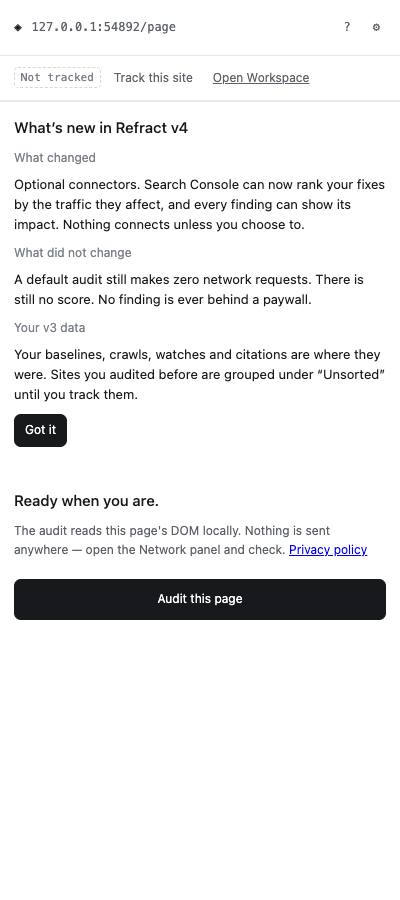
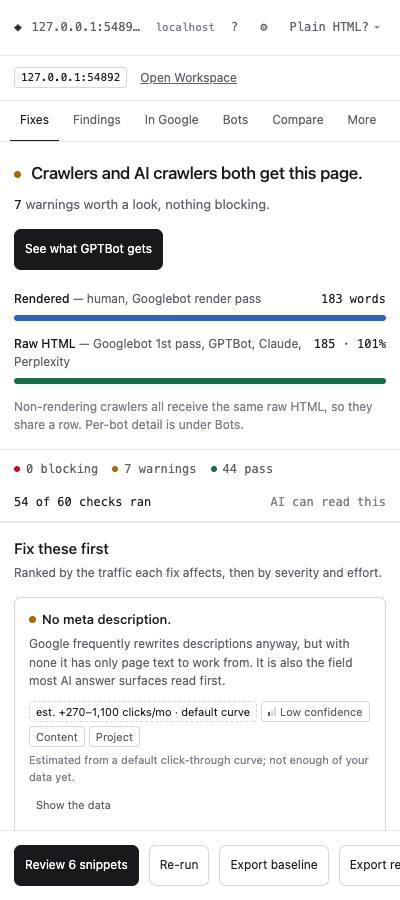
The audit reads the page already loaded in your tab. It makes no network requests: you can open DevTools → Network and check. The result opens on Fixes:
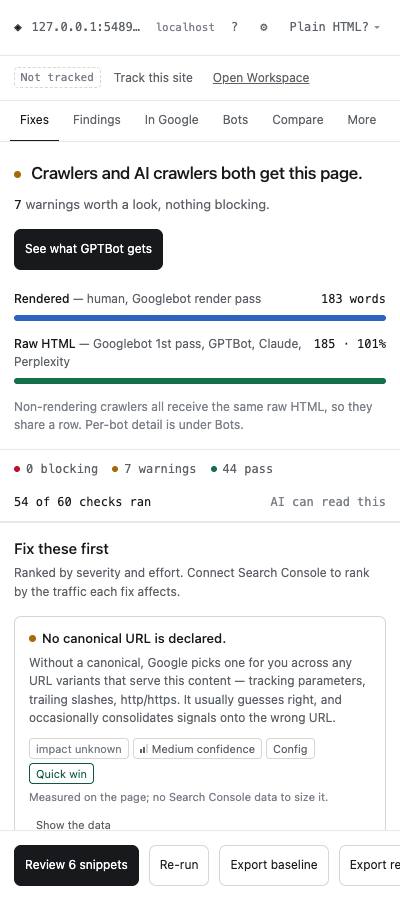
What you see:
- The verdict: whether search and AI crawlers both get the page, and how many issues are blocking or are warnings. There is no 0–100 score.
- Fix these first: your top fixes, ranked by the traffic each affects, then by severity and effort. Each one shows an impact estimate, a confidence level and an effort tag. Without Search Console the impact comes from a default click-through curve, and the card says so.
- Bottom bar:
- Review N snippets collects copy-ready fixes.
- Re-run audits again.
- Export baseline saves this audit to compare against later.
Crawler checks (what GPTBot or Googlebot receives, per-bot robots.txt) need access to the site. The panel asks the first time, and you can decline without losing anything else.
3. Connect Search Console and track a site
Search Console turns "this is wrong" into "this costs you N clicks a month".
- In the panel, open In Google → Connect Search Console.
- Read the consent sheet. It lists exactly what leaves your computer, where it goes and when. Press Connect, then choose your Google account in Chrome's window.
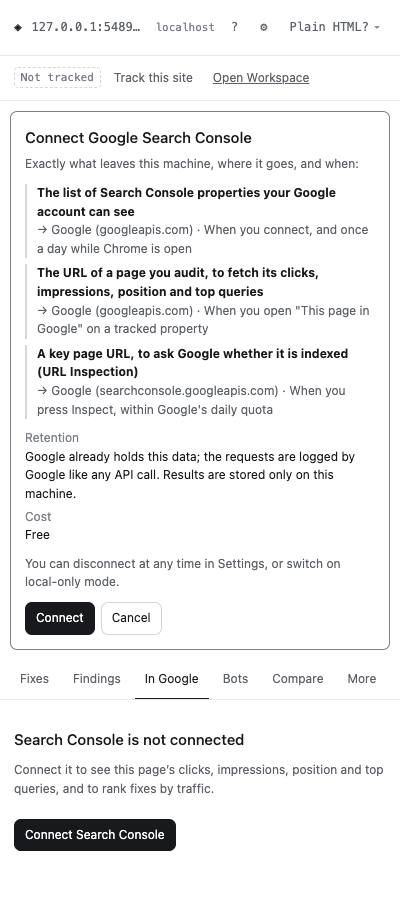
- In Google now shows this page's clicks, impressions, CTR, average position, top queries and index state:
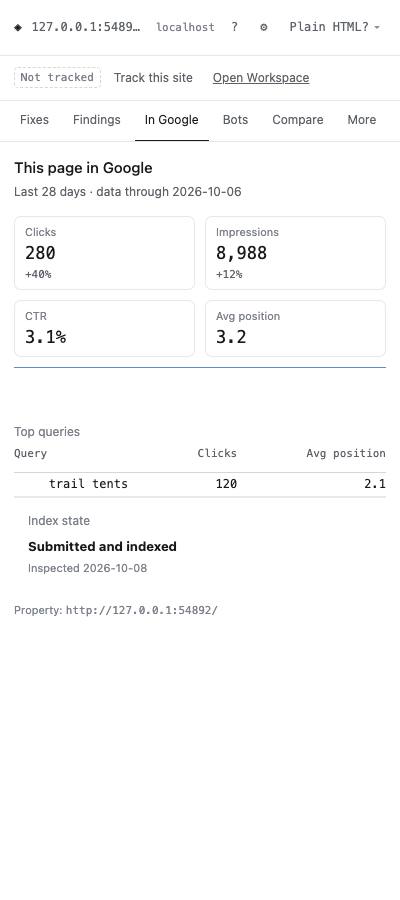
- Press Track this site in the panel's header. This creates a project for the site, maps its Search Console property, and starts the background jobs: Fixes are now ranked by real traffic:
- a daily sync of up to 16 months of history;
- drop detection;
- index watch;
- Core Web Vitals checks.
This build: Search Console needs a verified Google OAuth client ID. A build without one shows "Not available in this build". See §12.
4. The side panel
The panel works on the page in front of you. Its tabs:
| Tab | What it is for |
|---|---|
| Fixes | Top fixes with impact, confidence and effort; Fix it opens the guided fix |
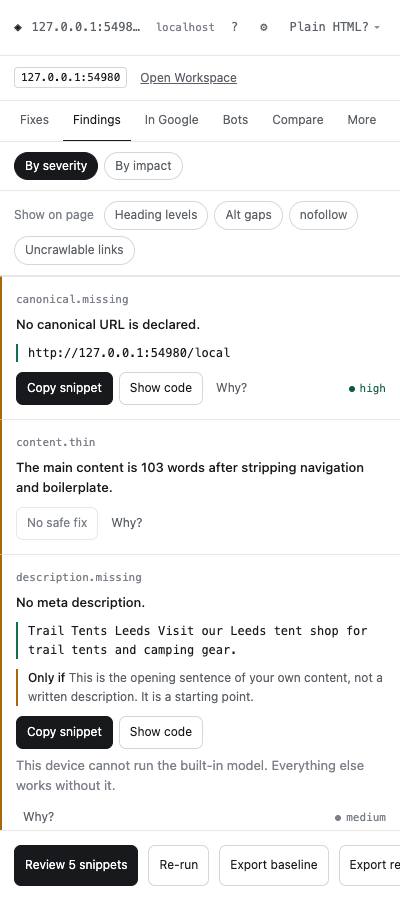
| Findings | Every rule result, by severity or by impact. Each has a copy-ready snippet where a safe fix exists, and Why? links to the source |
| In Google | This page's Search Console numbers, top queries and index state (after connecting) |
| Bots | What each crawler receives, raw HTML vs rendered: Googlebot, GPTBot, ClaudeBot, Perplexity and others |
| Compare | This audit against a saved baseline |
| More | Site checks, crawl summary, N-grams, AI citations capture, Ask about this page |
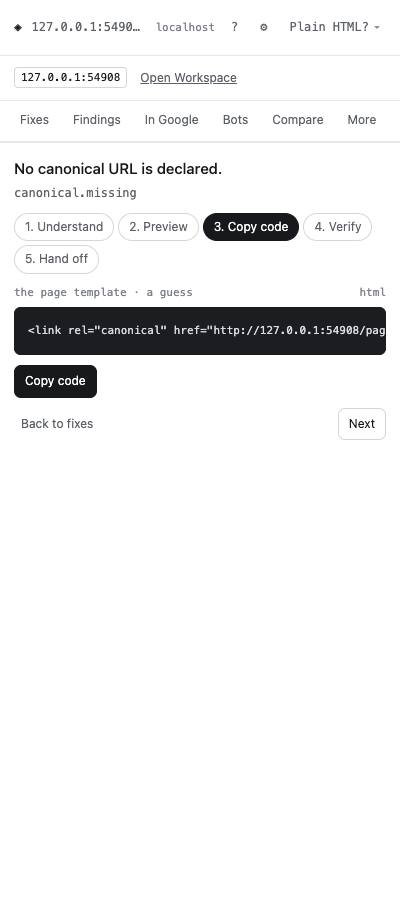
Guided fix. Fix it walks you through five steps, plus a sixth when a CMS is connected:
- Understand
- Preview on the page
- Copy code
- Verify: re-audits and confirms the fix
- Hand off to a ticket
- Apply via CMS
Findings. Toggles highlight issues on the page itself: heading levels, missing alt text, nofollow links and uncrawlable links.
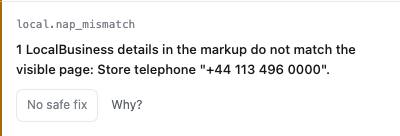
Local business markup. When a page's LocalBusiness markup disagrees with what the page shows, it is flagged:
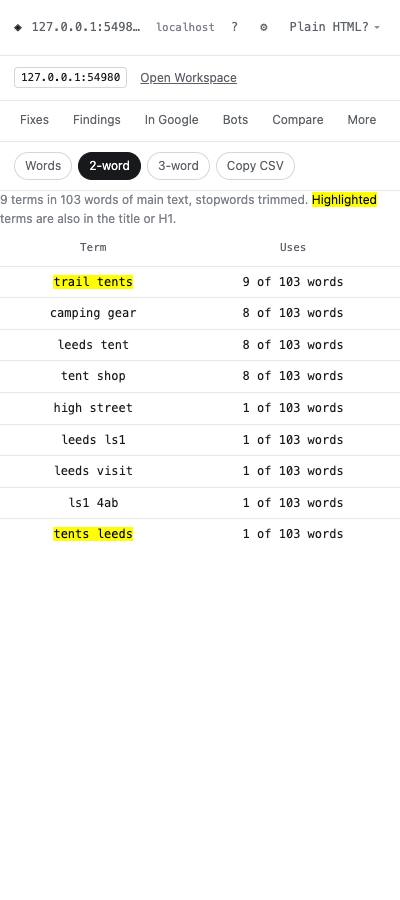
N-grams. Under More → N-grams: the 1-, 2- and 3-word phrases in the page's main text, shown as "9 of 103 words". Phrases also used in the title or H1 are highlighted. Copy CSV exports the list. This also makes no network requests.
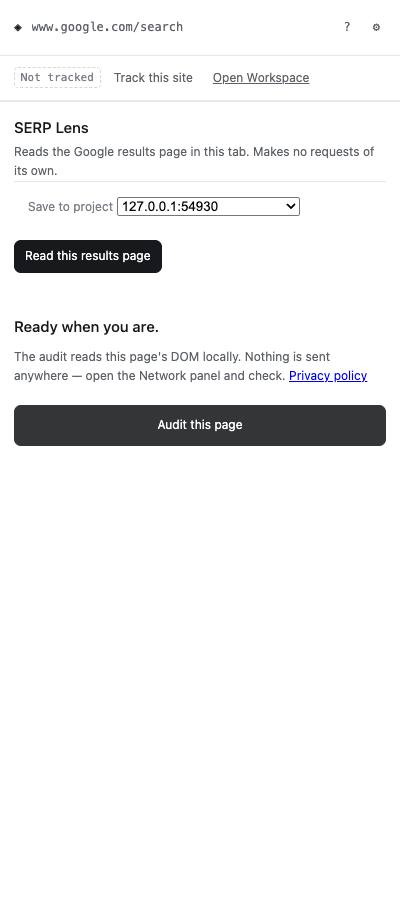
SERP Lens. Open the panel on a Google results page and press Read this results page. Refract reads the results already in your tab, makes no requests of its own, and saves them to a project. Briefs, content gap, quality checks, outreach mentions and intent labels all start from these captures.
5. The Workspace
Open Workspace in the panel opens a full tab:
- Left: the navigation, with screens for the selected project.
- Top: the project picker and the Search Console sync status.
- Settings: top right.
Screens that need data you have not connected say so and tell you how to get it. Unknown values are shown as unknown, never as zero.
Today
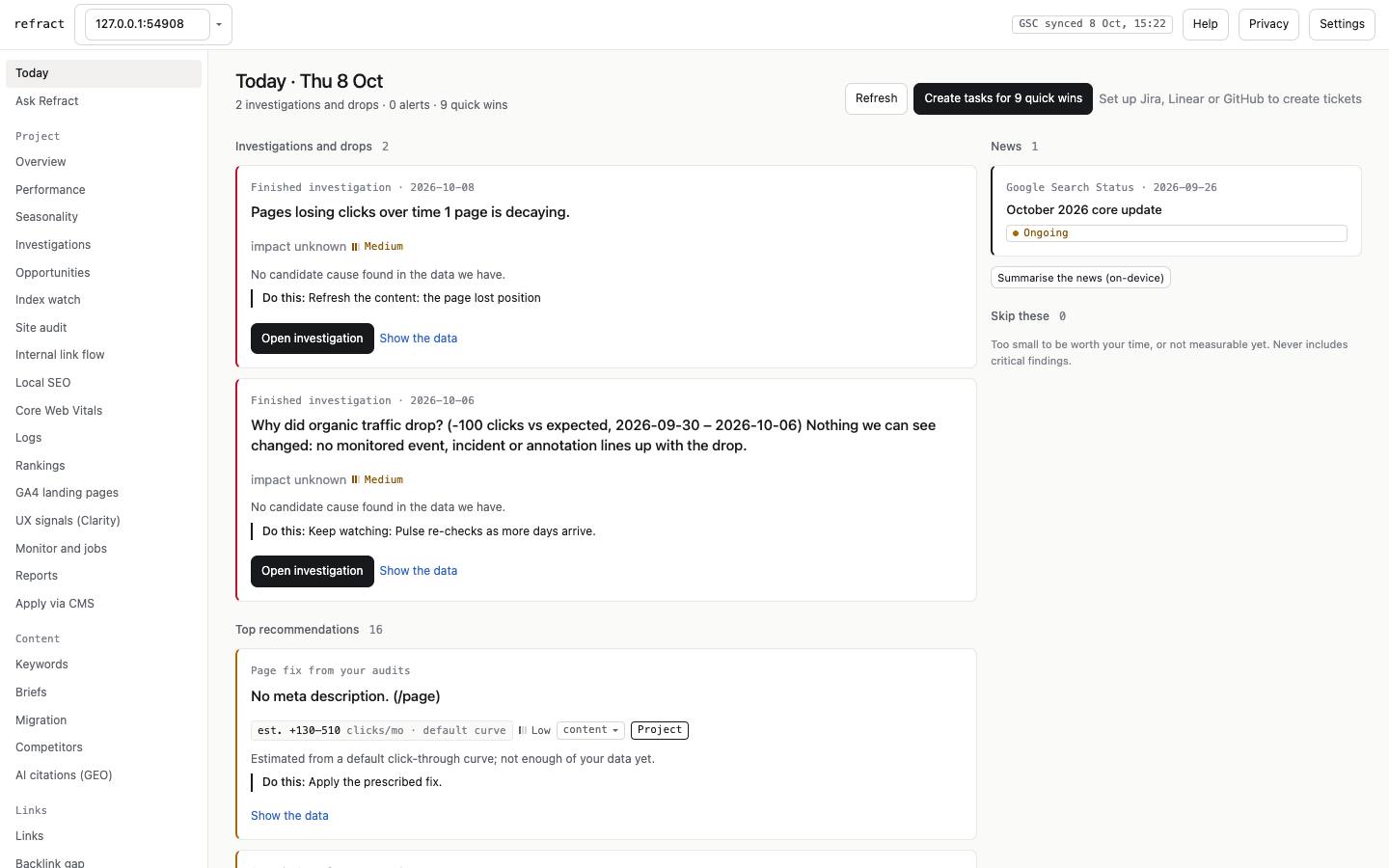
Your daily list, in this order:
- finished investigations of drops;
- alerts from Monitor, rank changes, competitors, backlinks, CrUX and outreach follow-ups;
- the top recommendations, with impact, confidence and effort;
- a Skip these column for work too small to matter;
- Google Search Status news.
Create tasks for N quick wins pushes them to Jira, Linear or GitHub once one is connected.
Ask Refract
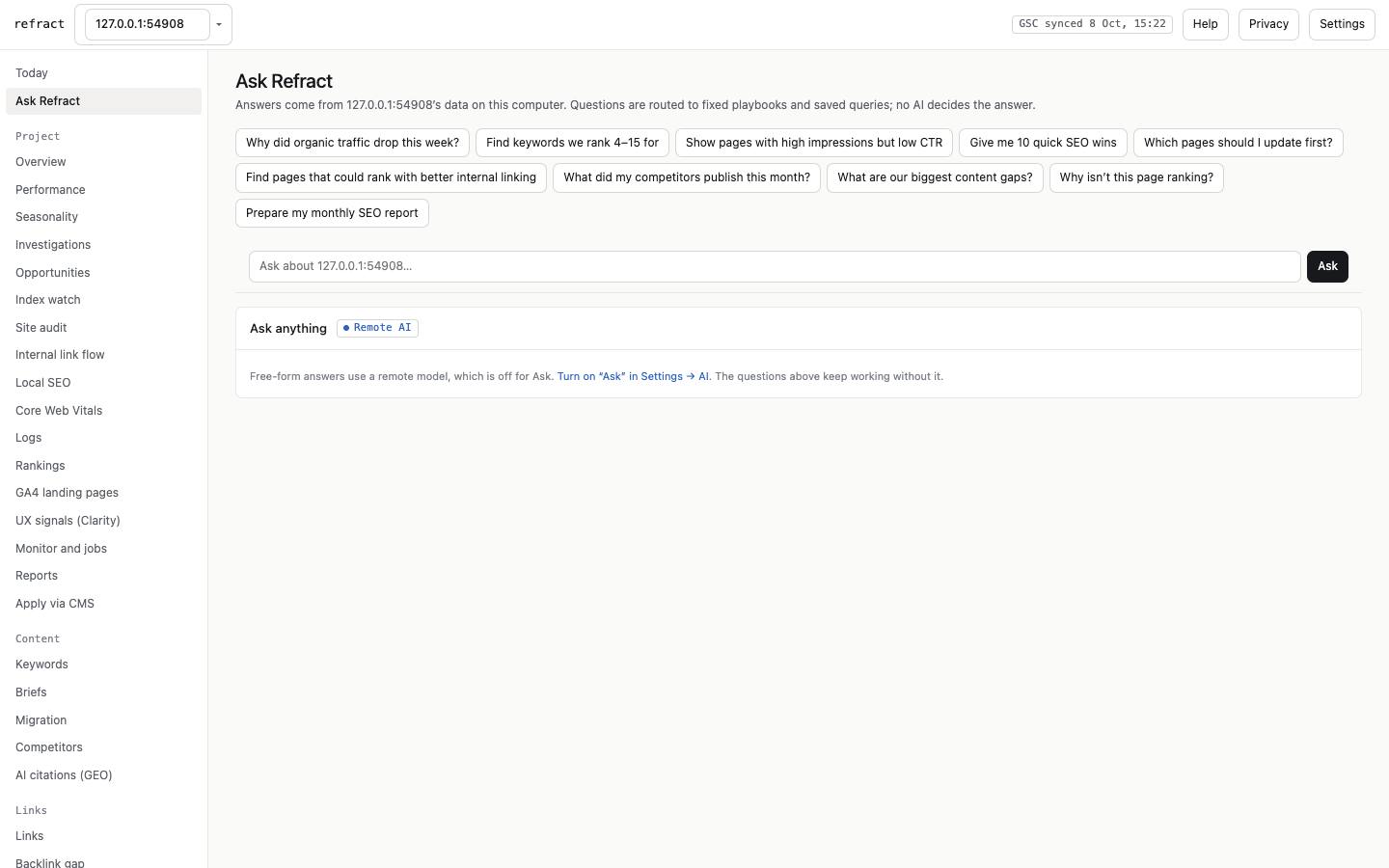
Ask a question in plain words. Common questions are routed to fixed, tested queries over your data, for example "Why did traffic drop?" or "Find keywords we rank 4–15 for". When you switch on a remote or local model (§7), Ask anything answers free-form. Every number in an AI answer is checked against your data, and the price is shown first.
Overview, Performance and Seasonality
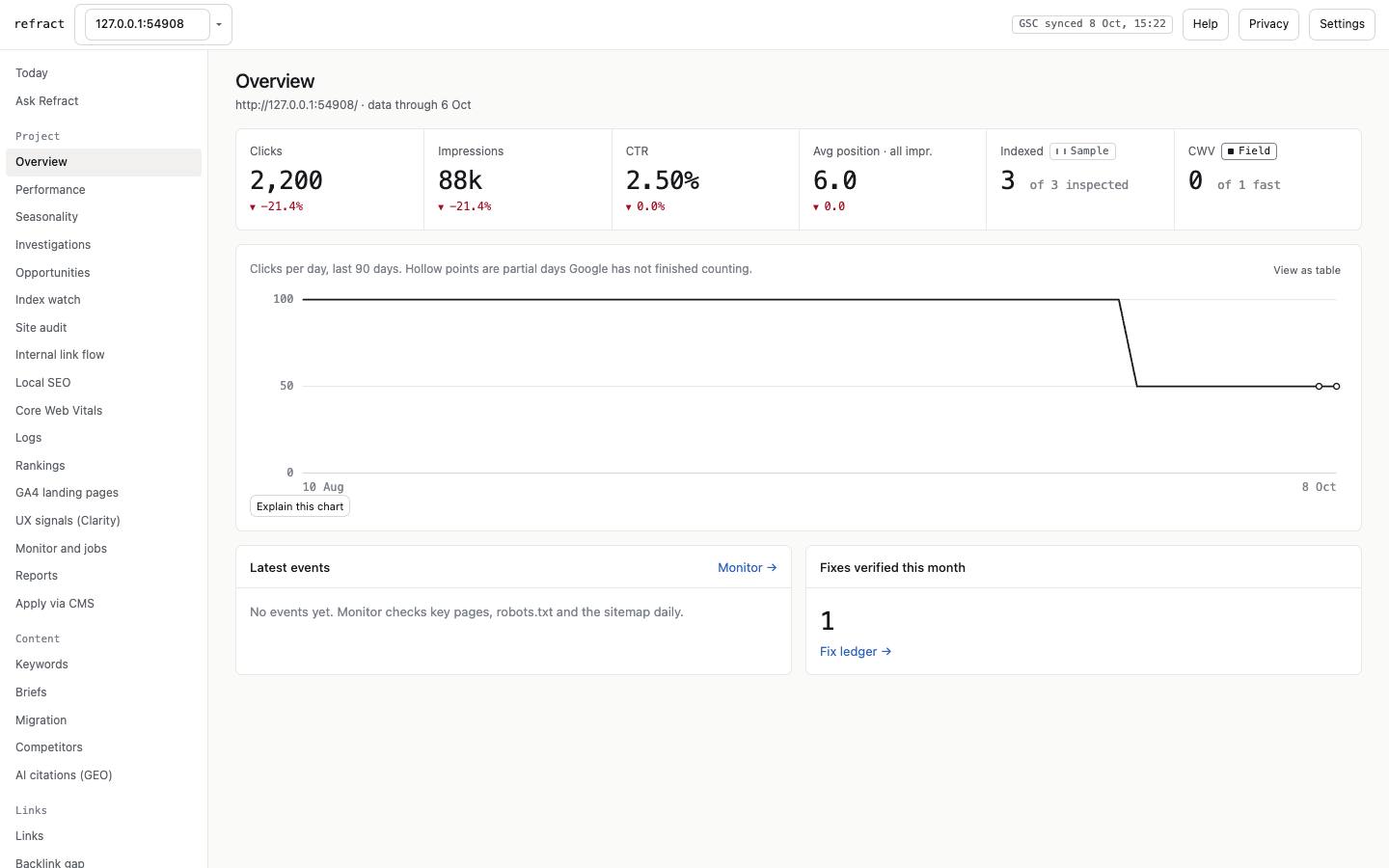
- Overview: clicks, impressions, CTR and average position against the previous 28 days, plus pages indexed, Core Web Vitals, latest events and fixes verified this month. Hollow chart points are days Google has not finished counting.
- Performance: the Search Console explorer, with segments, a brand vs non-brand split, compare periods, annotations, and export to CSV, XLSX or Sheets.
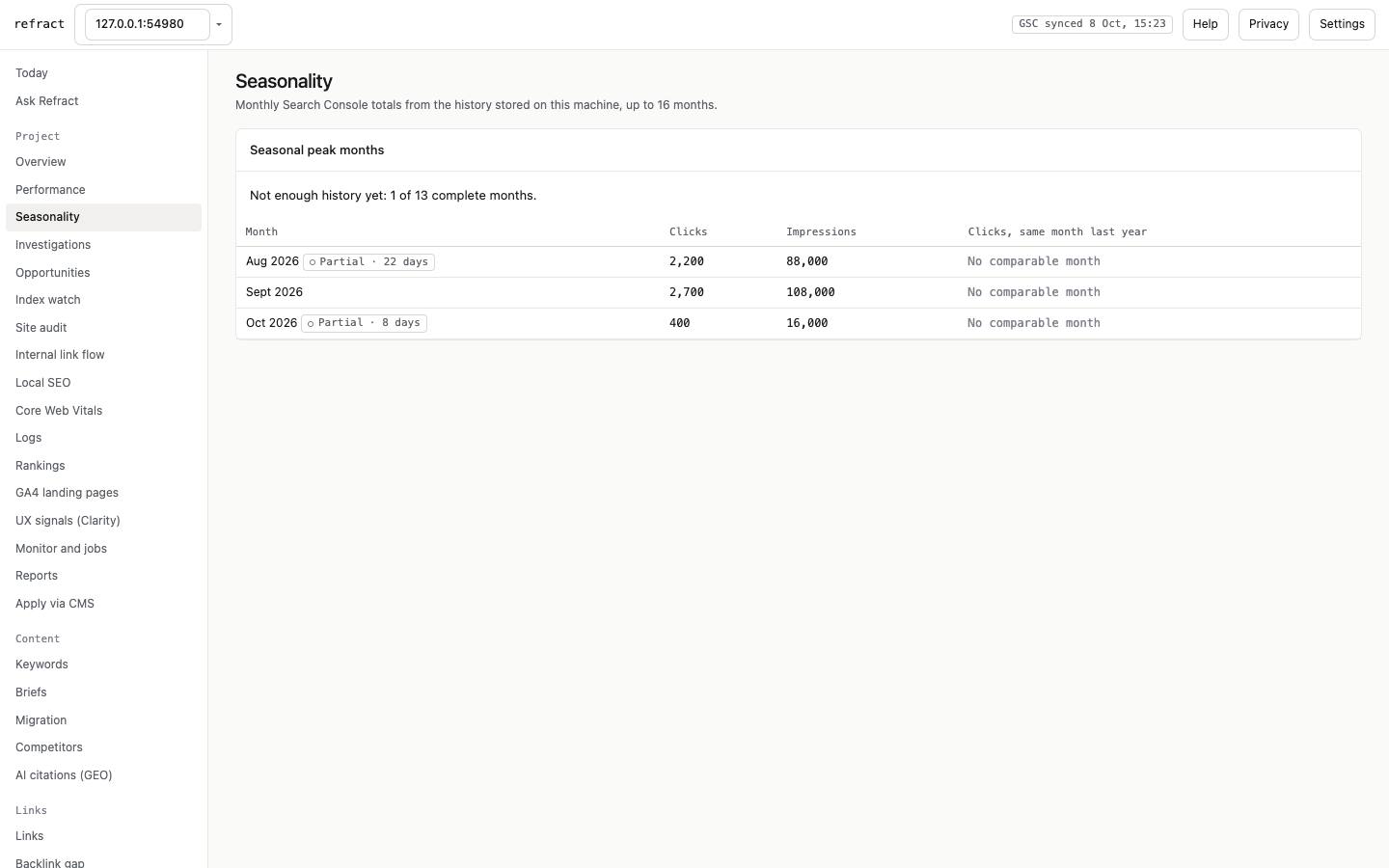
- Seasonality: monthly totals for up to 16 months, with year-over-year comparison and seasonal peak months. Peaks need 13 complete months; until then it says "not enough history yet".
Investigations
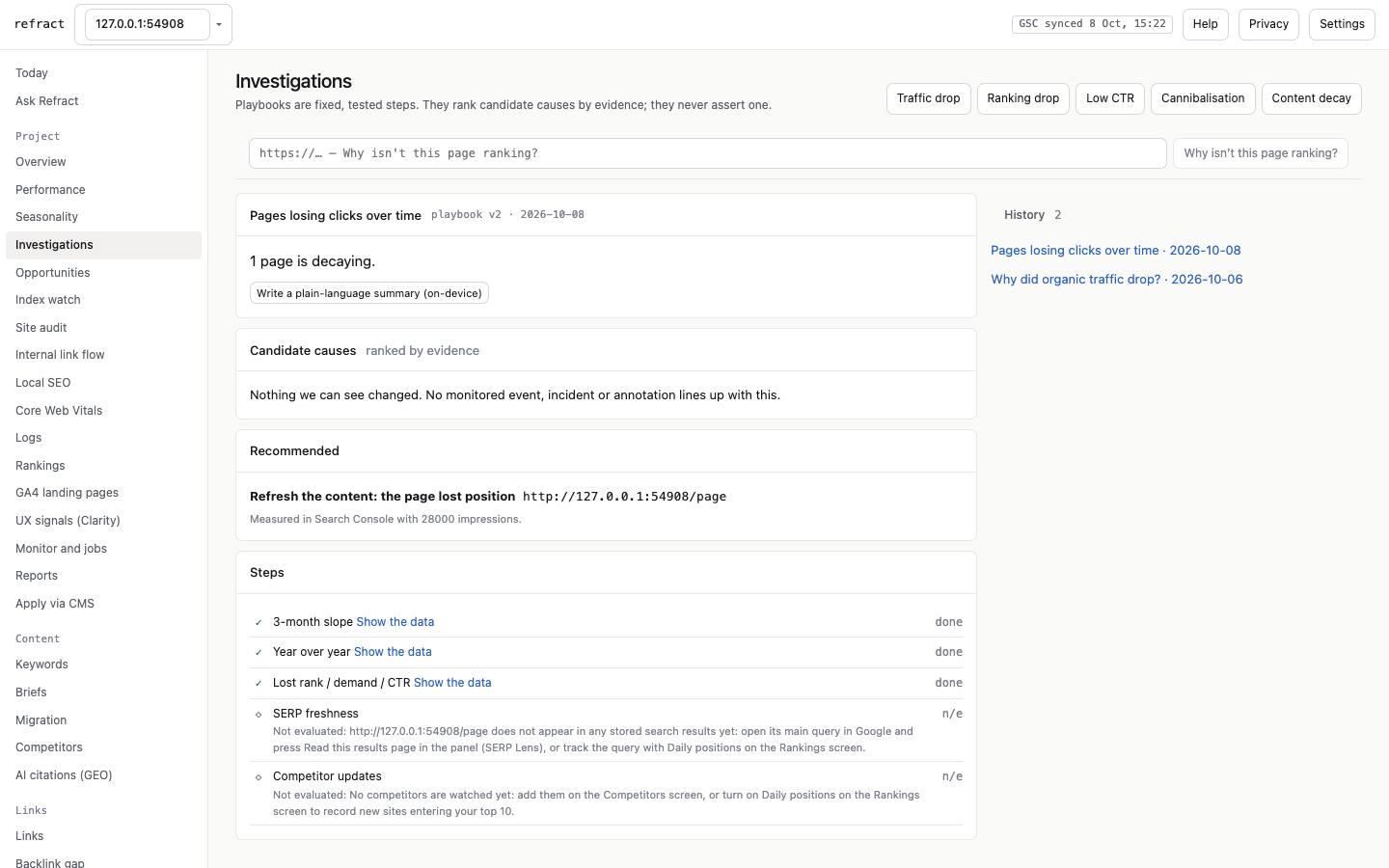
Fixed playbooks: traffic drop, ranking drop, low CTR, cannibalisation, content decay, and "Why isn't this page ranking?". Each lists candidate causes ranked by evidence (never asserted as certain), what to do, and every step it ran or could not run. Drops are investigated automatically. Write a plain-language summary drafts a readable summary, using a remote or on-device model.
Opportunities
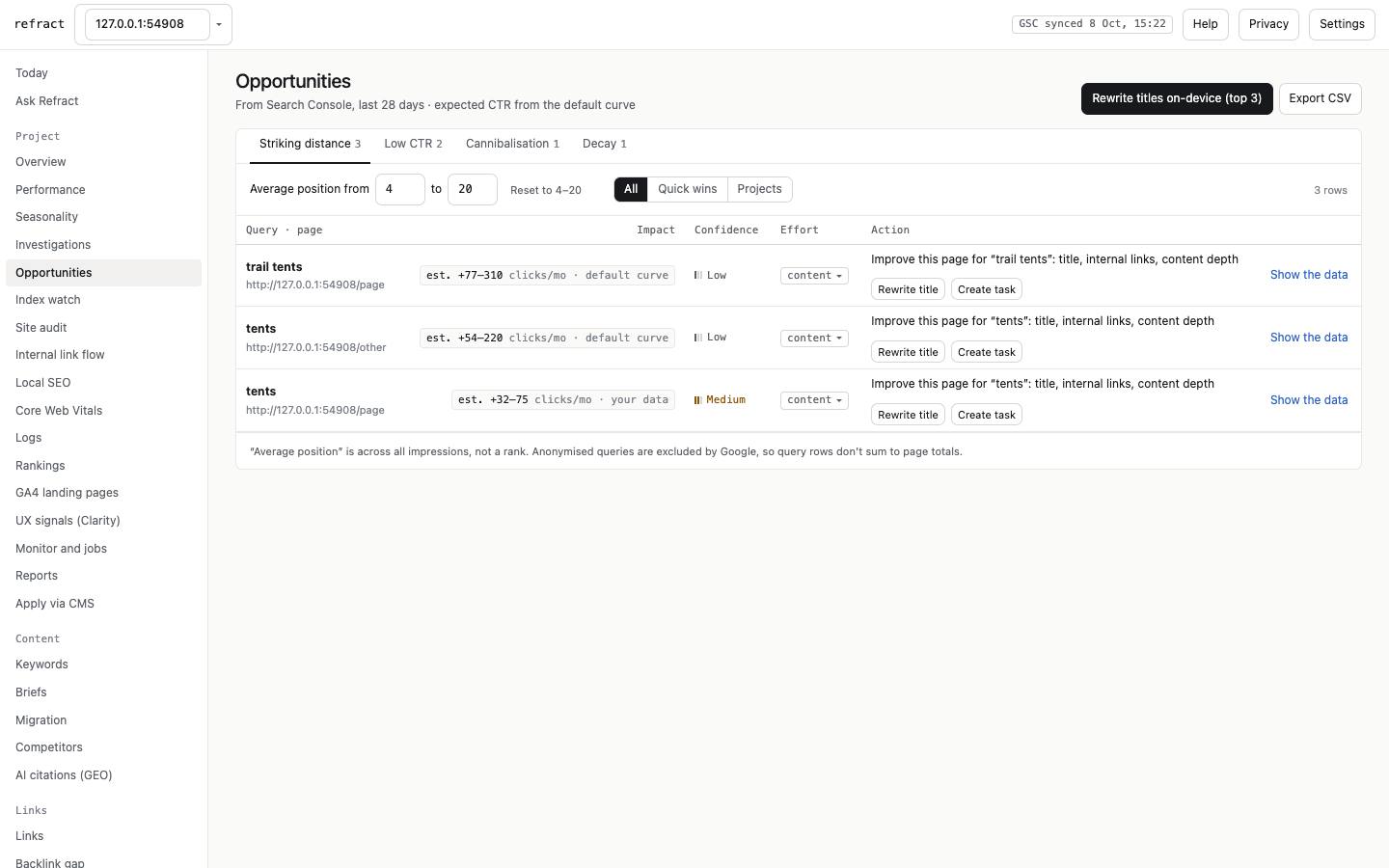
From Search Console, the last 28 days, with an estimated impact for each row:
- Striking distance: queries at positions 4–20.
- Low CTR: pages earning fewer clicks than expected for their position.
- Cannibalisation: several of your pages competing for one query.
- Decay: pages losing clicks over time.
Each row has one-click actions: Rewrite title (on-device) and Create task.
Index watch, Core Web Vitals, Rankings
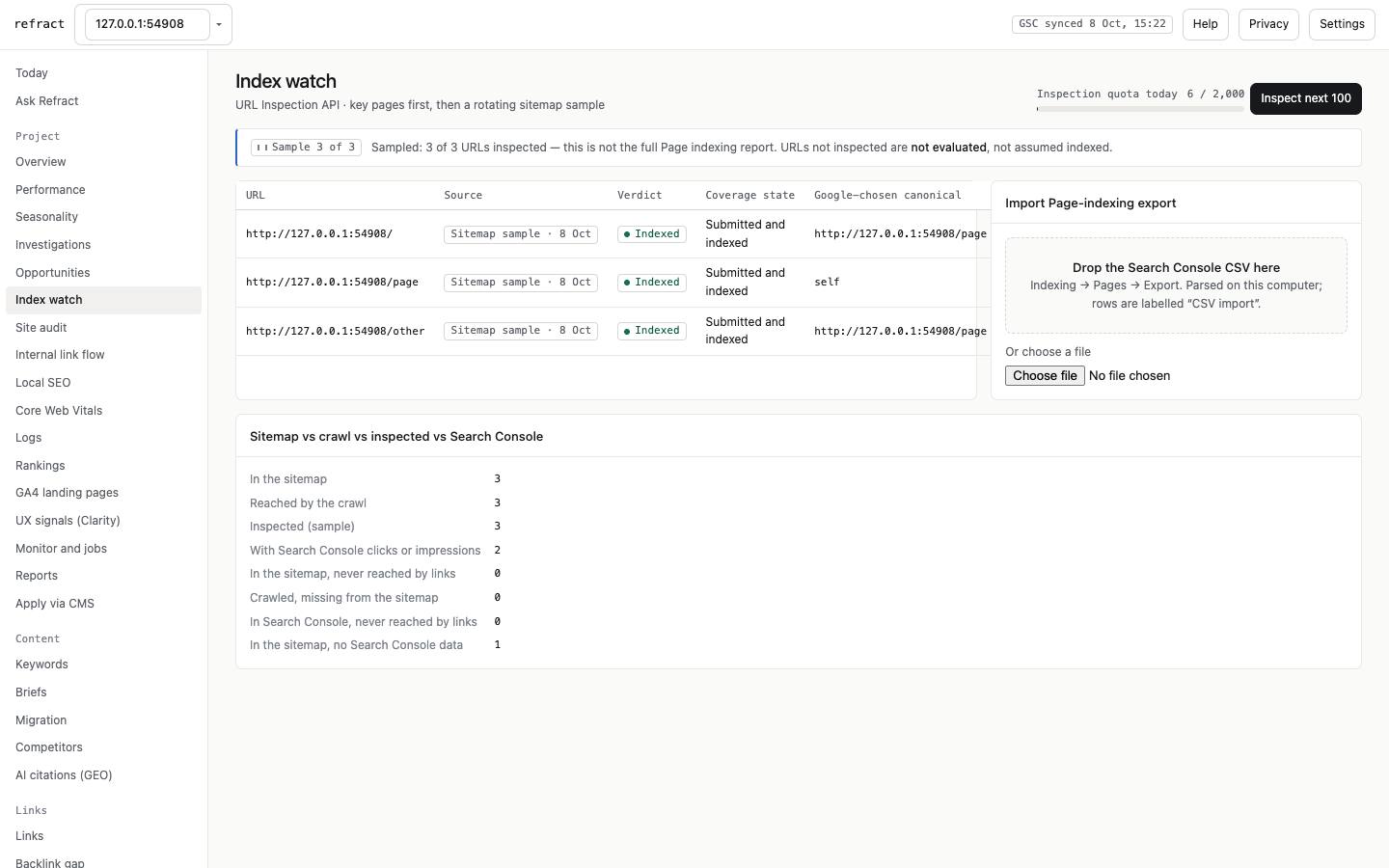
- Index watch: samples your URLs through Google's URL Inspection, within its daily quota. It reconciles the sitemap, crawl, inspected URLs and Search Console.
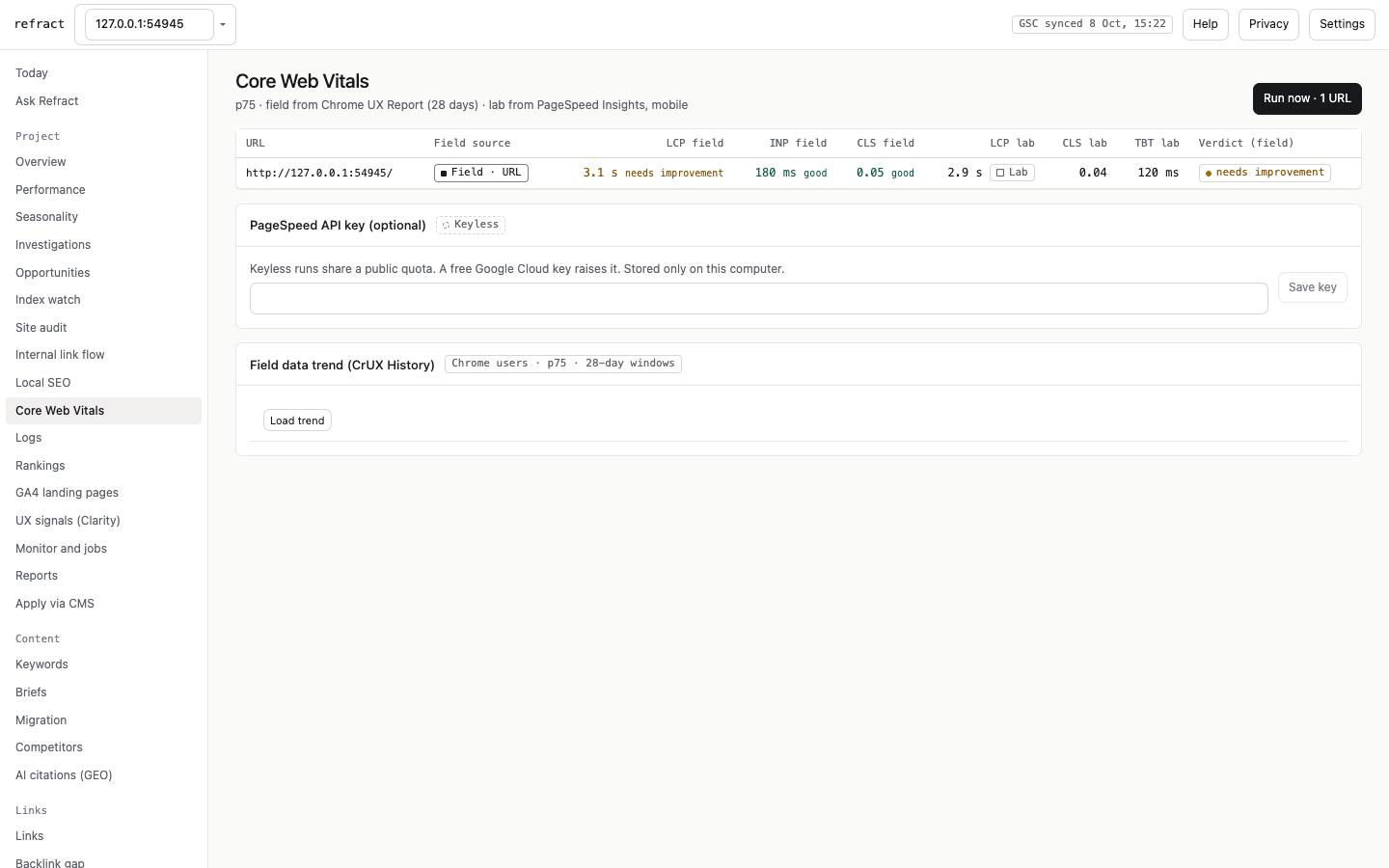
- Core Web Vitals: field data (real users, 28 days) and lab data side by side, always labelled. The CrUX History trend below needs an optional API key (§6), and it alerts after 3 poor periods in a row.
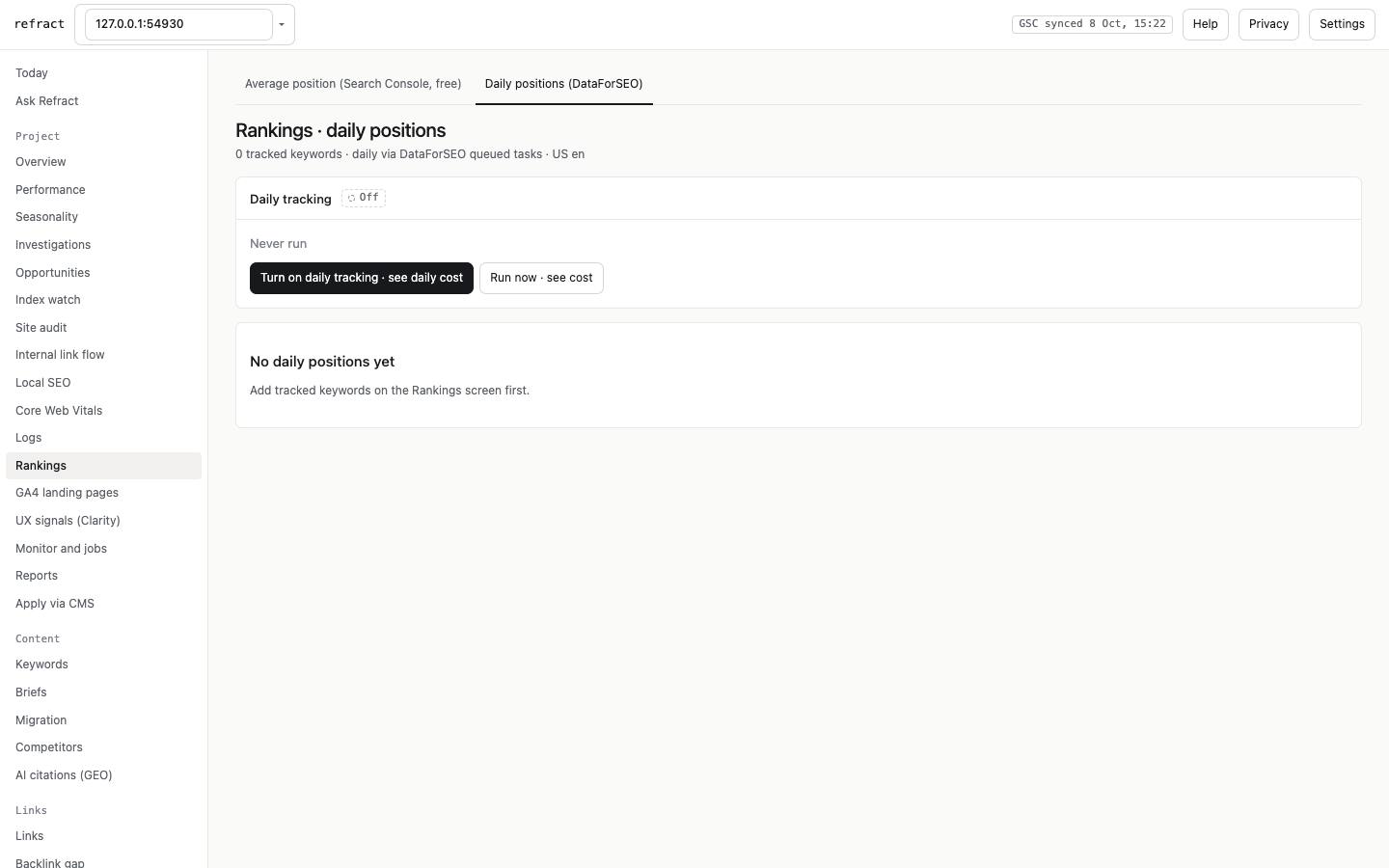
- Rankings: the free view is average position from Search Console. The paid view is daily positions with SERP features and competitors, from DataForSEO; it shows the daily and monthly cost before you turn it on.
Site audit
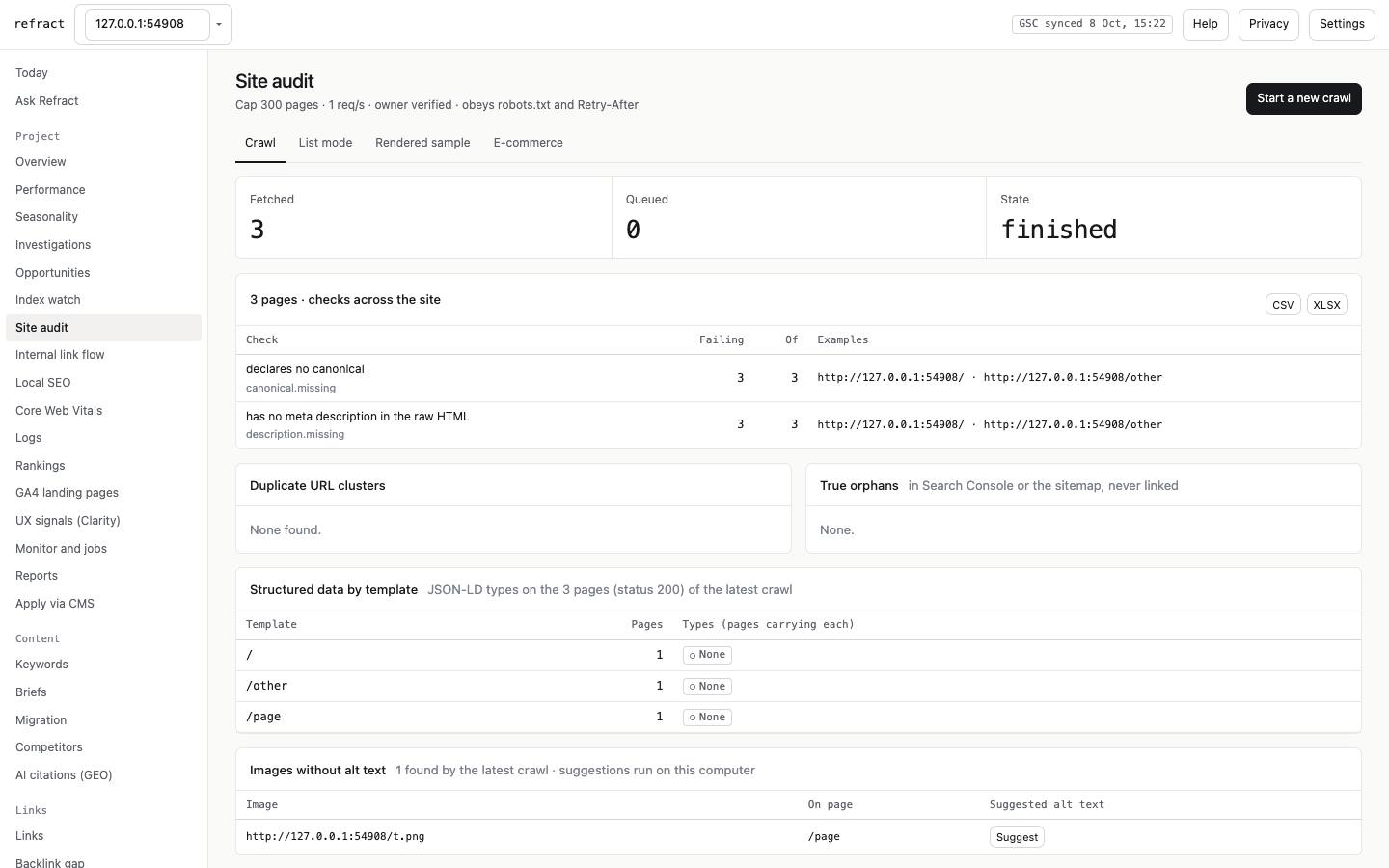
Crawl your site, up to 25,000 pages. The crawl obeys robots.txt and Retry-After, runs at 1 request a second (up to 5 when Search Console confirms you own the site), and survives a browser restart. Results show:
- checks across the site, with CSV and XLSX export;
- duplicate URL clusters and true orphans;
- structured data by template;
- images without alt text, with on-device suggestions.
Tabs:
- List mode: check a pasted list of URLs.
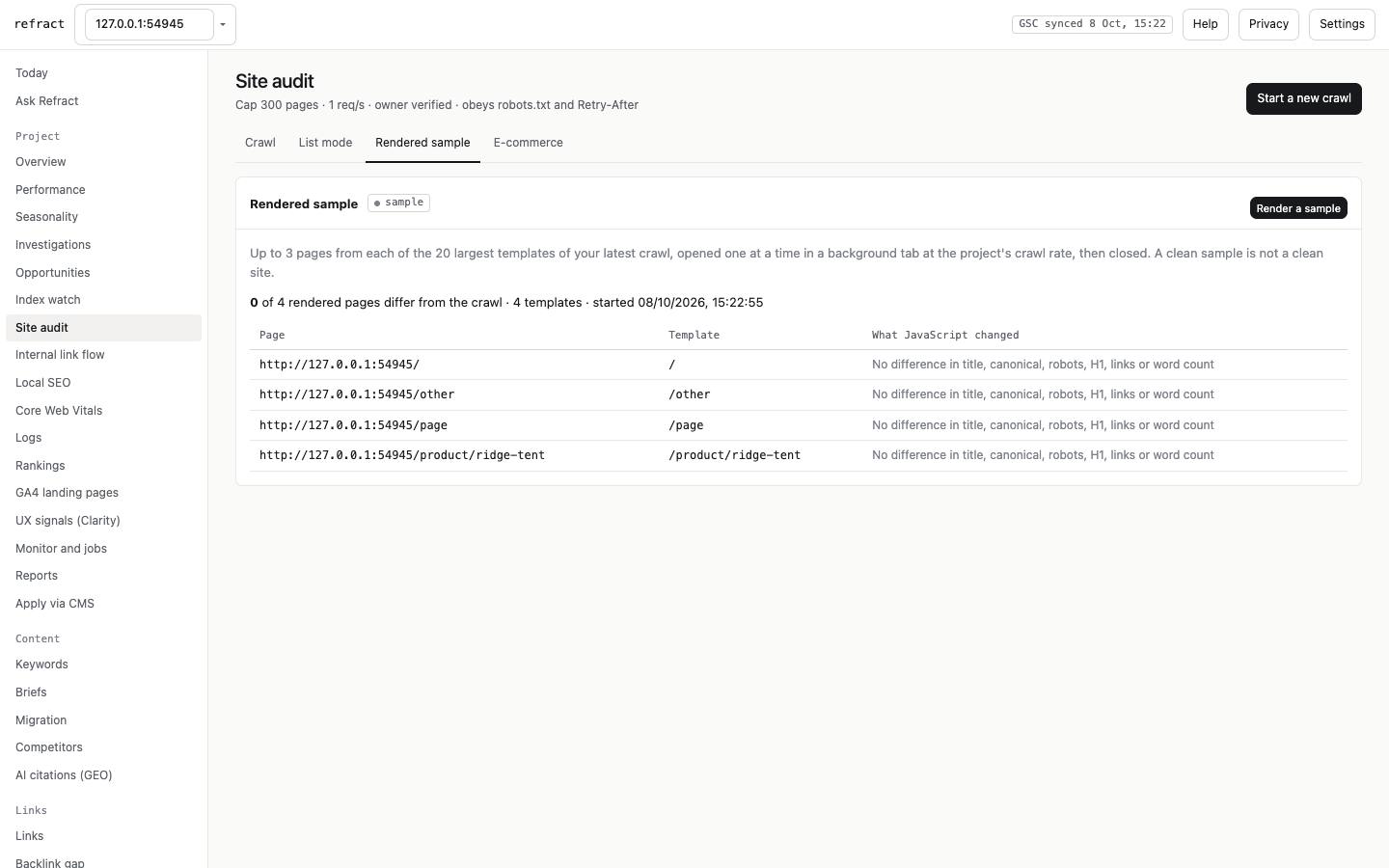
- Rendered sample: 3 pages per template, rendered and compared with the raw HTML.
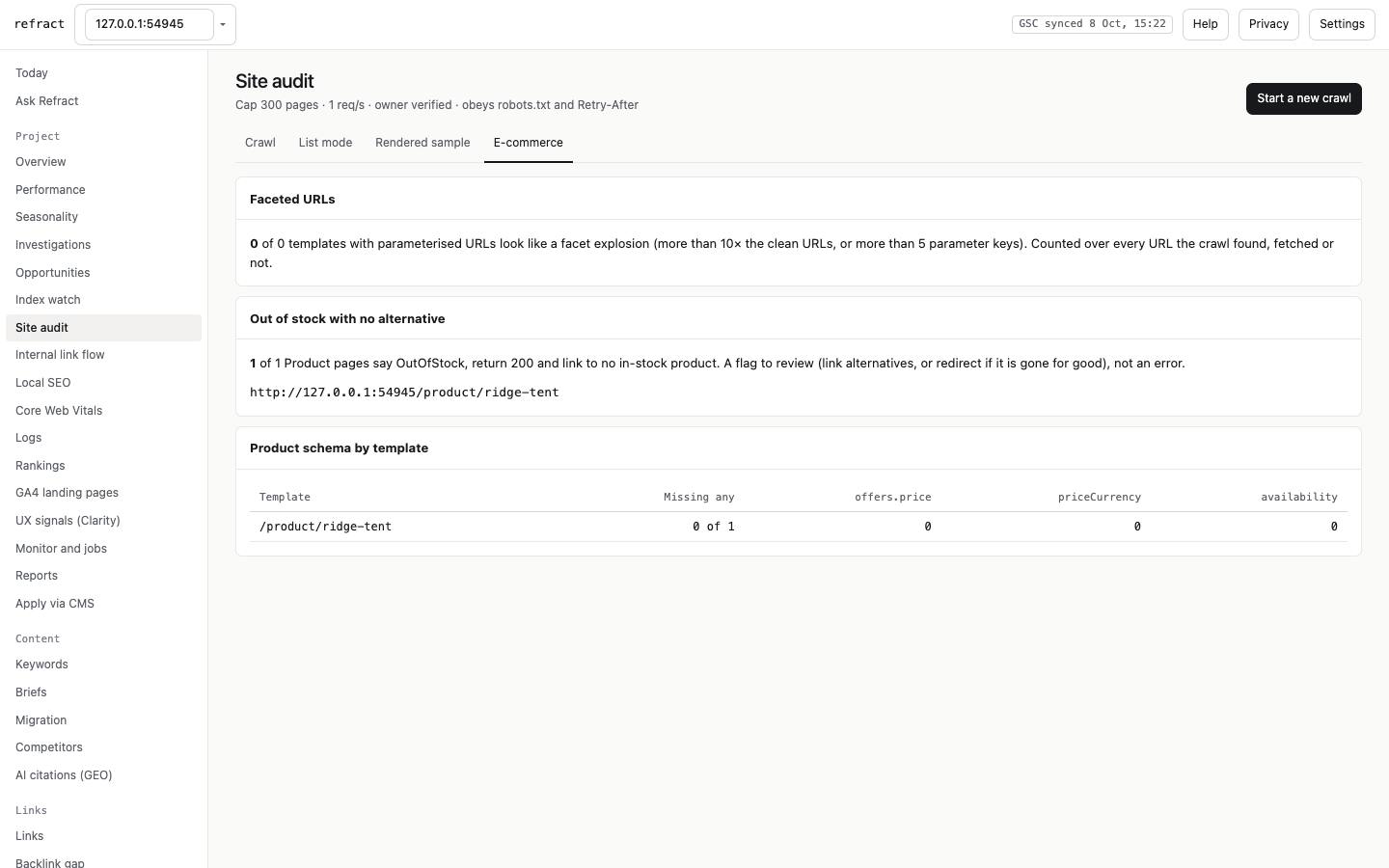
- E-commerce: faceted URL explosion, out-of-stock handling, and product schema at scale.
Internal link flow and Local SEO
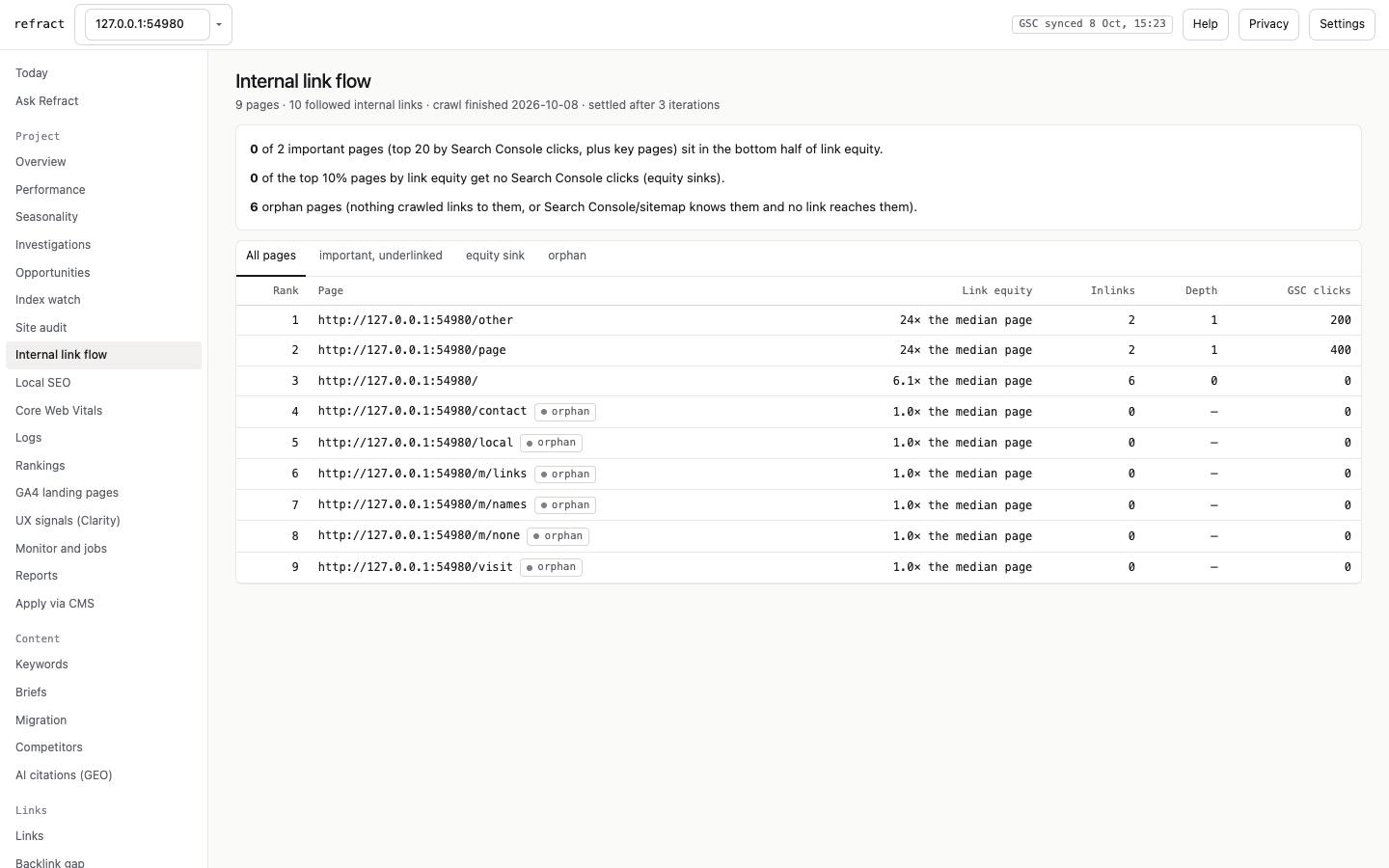
- Internal link flow: from your latest complete crawl, how internal link equity spreads. Each page shows "N× the median page", inlinks and click depth. Flags mark important pages that are underlinked, "equity sinks" (lots of internal links, no clicks) and orphans. An incomplete crawl is not evaluated.
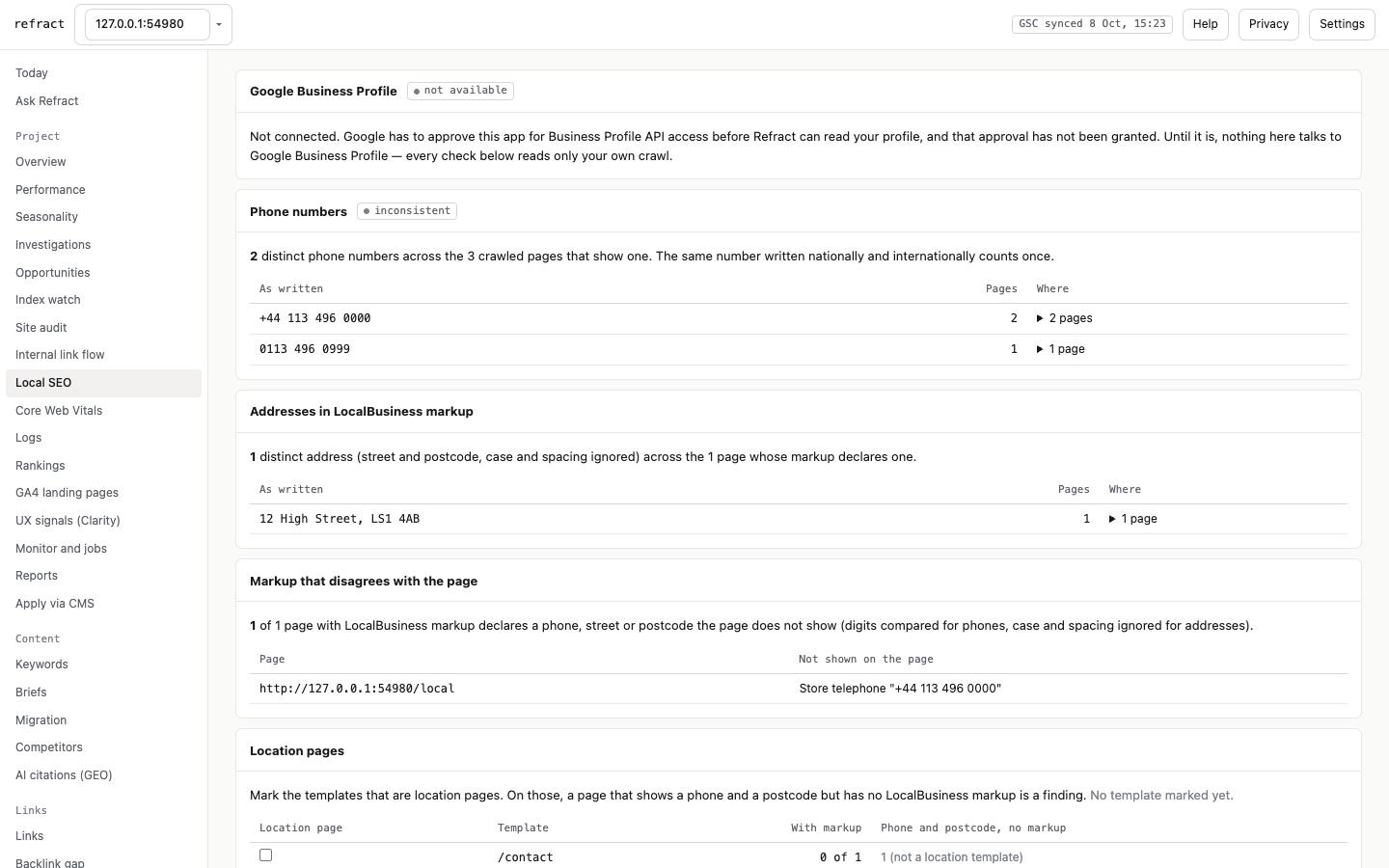
- Local SEO: the distinct phone numbers and addresses across your pages (national and international spellings count once), where the markup disagrees with the page, and location templates you mark. Google Business Profile is not connected (§12).
Logs
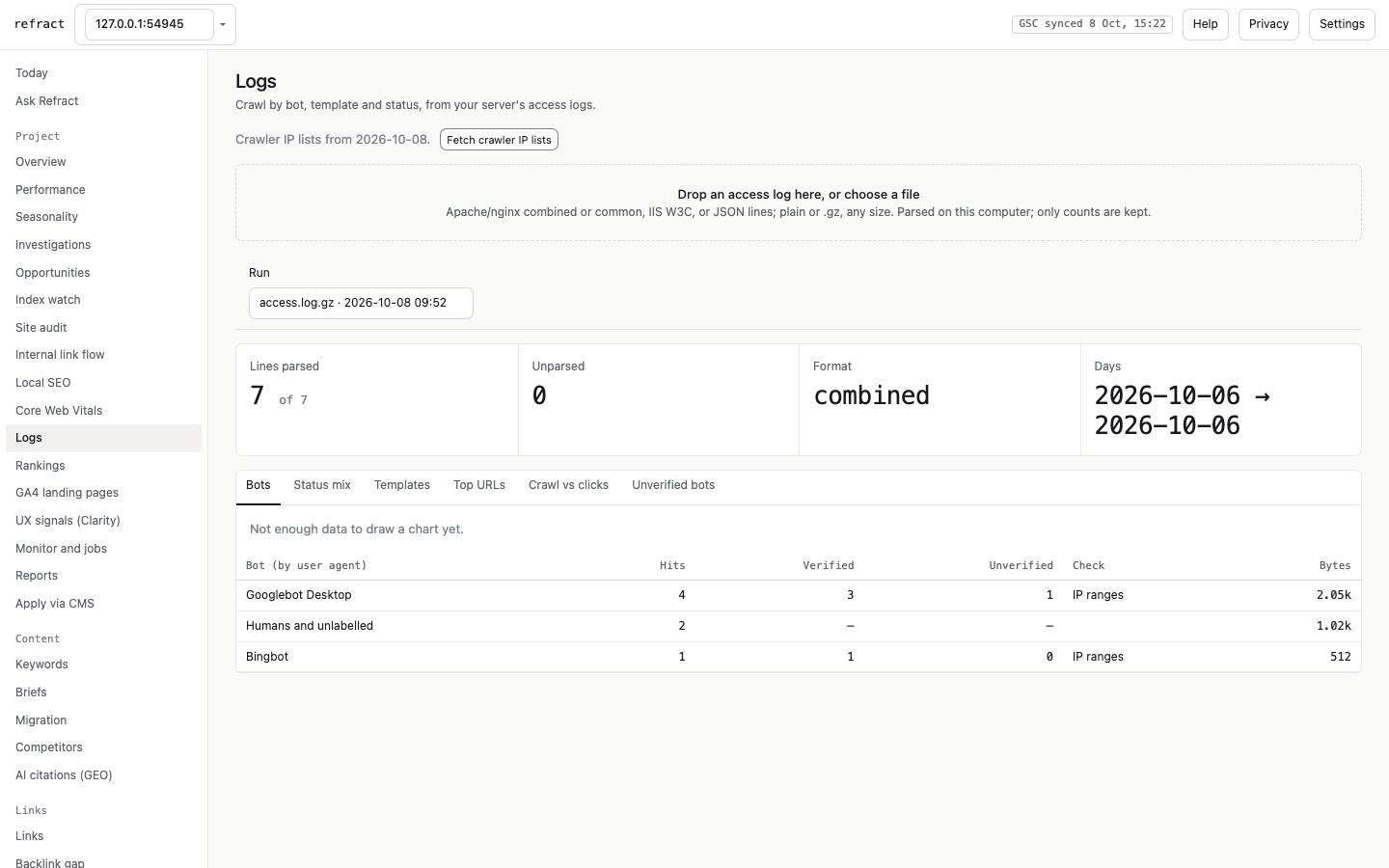
Drop an access log (Apache/nginx combined or common, IIS W3C, or JSON lines; plain or .gz, any size). It is parsed on your computer and only counts are kept. You get hits by bot, status mix, templates, top URLs, and crawl vs Search Console clicks. Press Fetch crawler IP lists to verify Googlebot and Bingbot against their published IP ranges. Until then, bot hits show as "not checked", and a fake Googlebot never counts as Google.
GA4 and UX signals (Clarity)
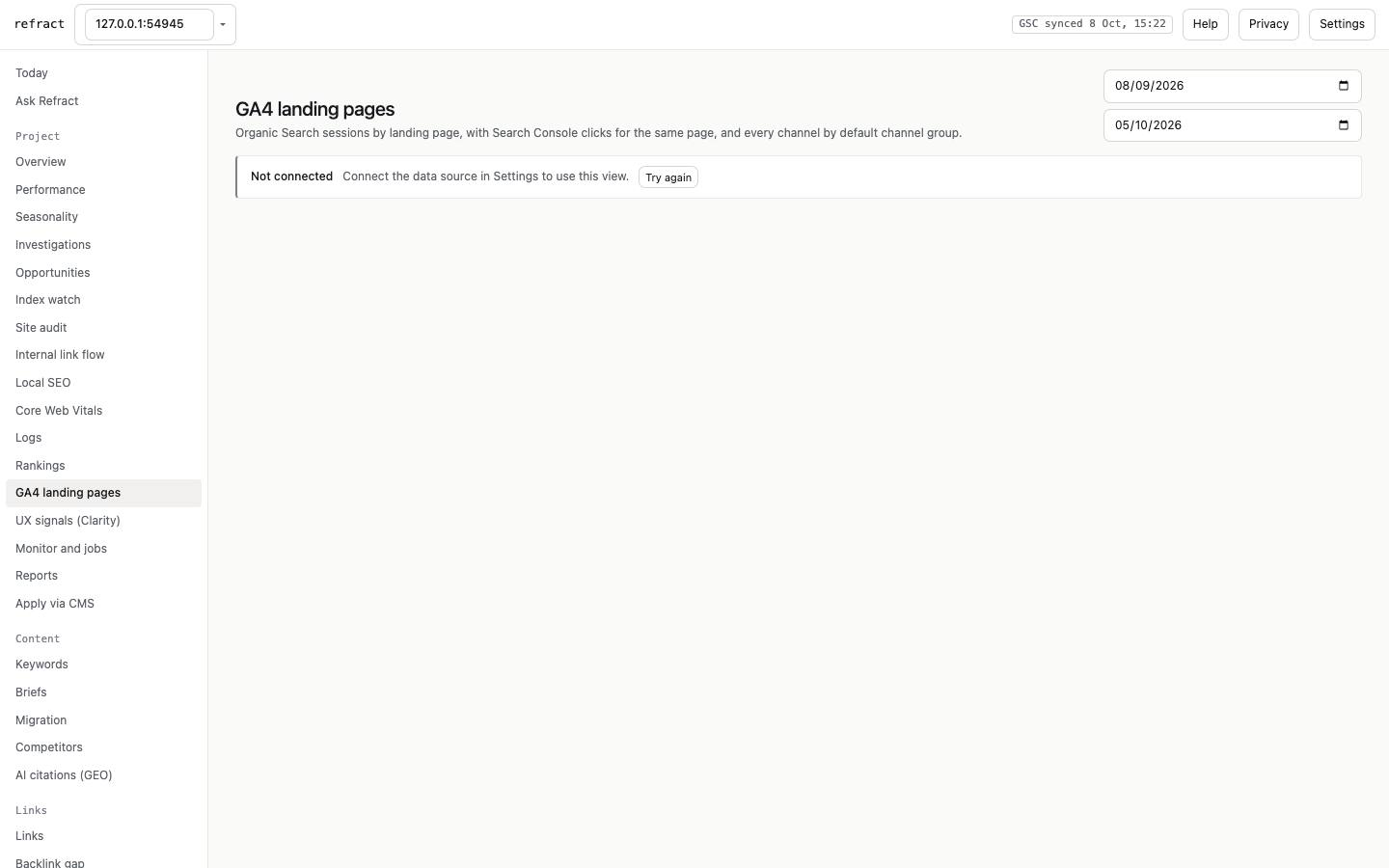
- GA4 landing pages: sessions, engaged sessions, key events and revenue by organic landing page, beside Search Console clicks, plus a channel breakdown. Revenue the property does not report shows as "not reported", never $0.
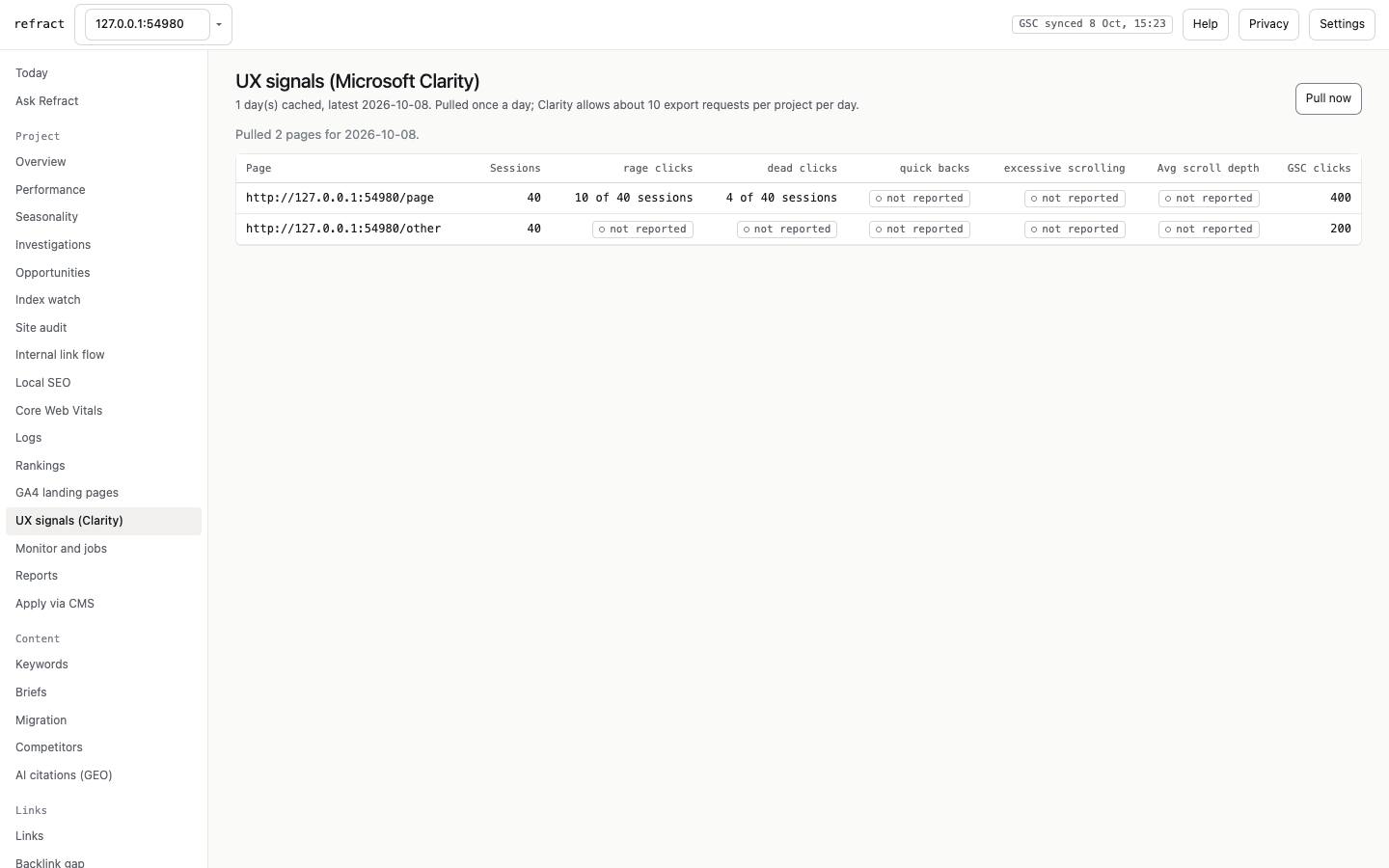
- UX signals (Clarity): per page, rage clicks, dead clicks, quick backs and scroll, as "in N of M sessions". It needs a Clarity token (§6).
Monitor and jobs, Reports, Apply via CMS
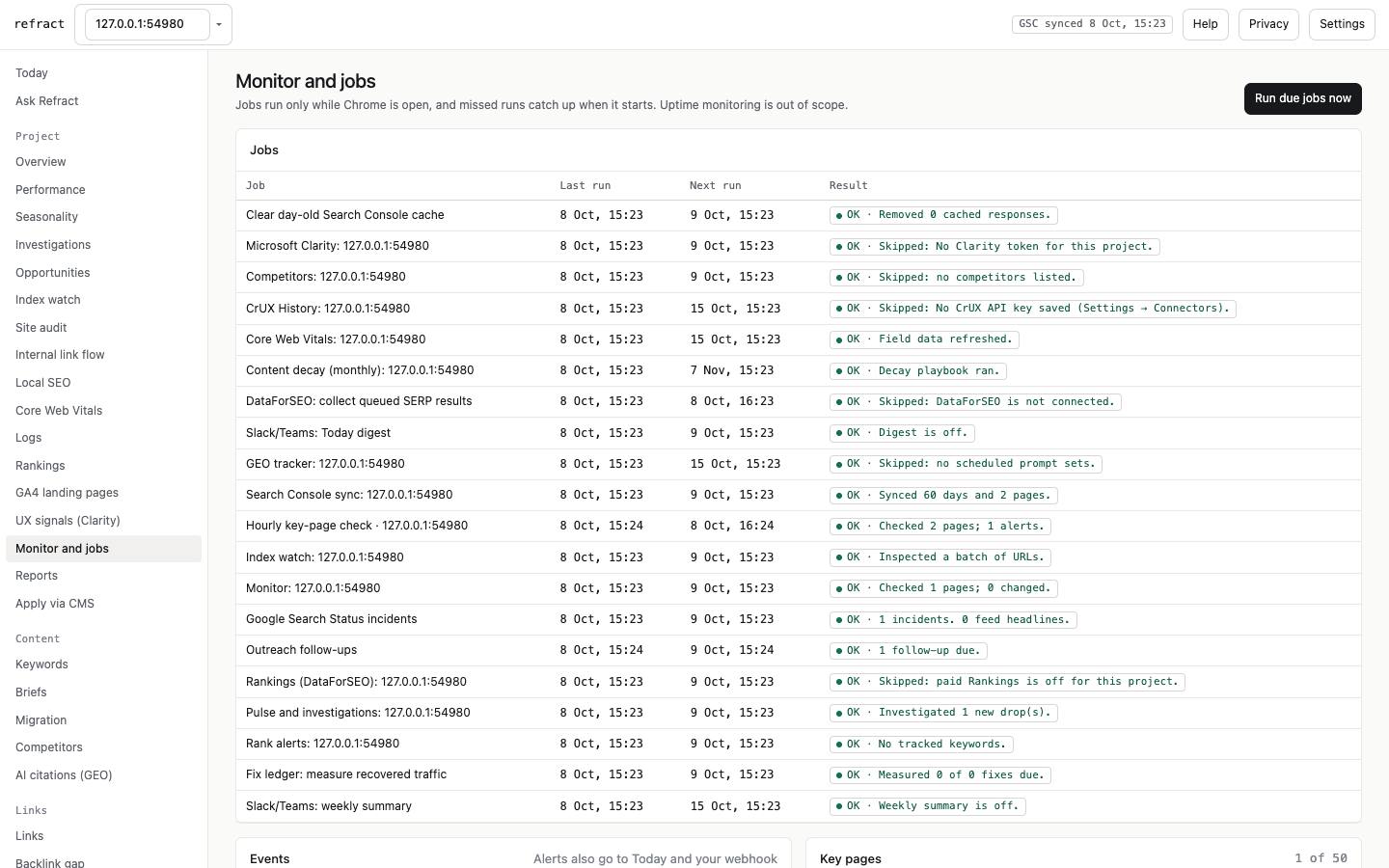
- Monitor and jobs:
- daily checks of key pages, robots.txt and the sitemap;
- optional hourly key-page checks, which run only while Chrome is open;
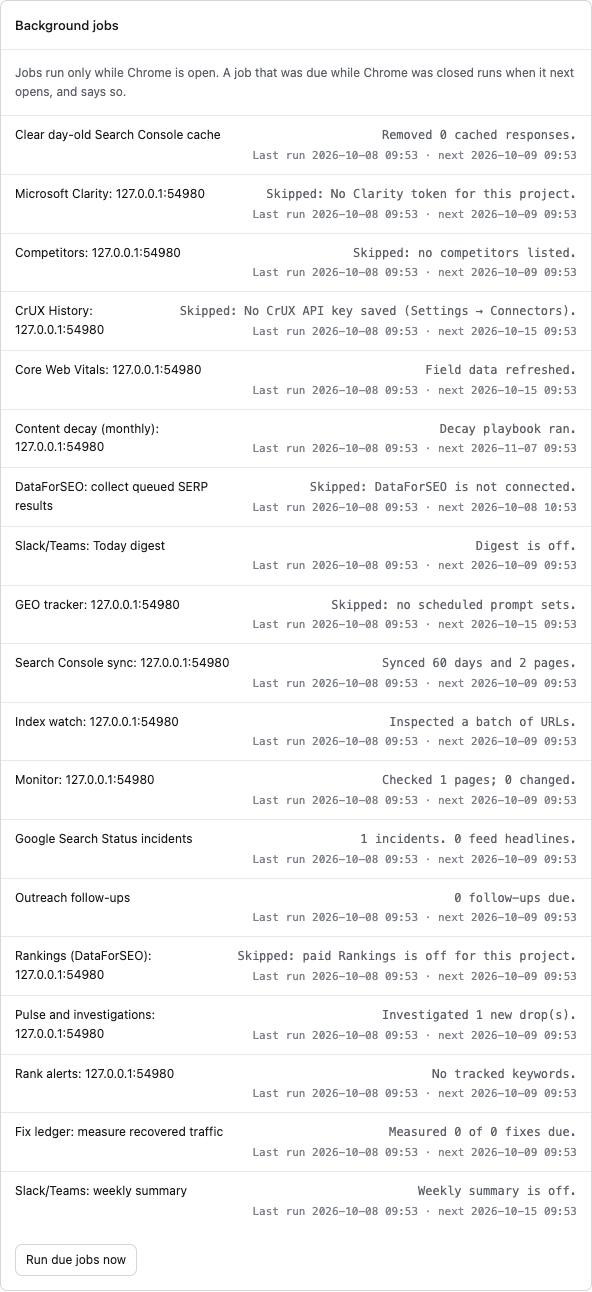
- every background job with its last run, next run and result.
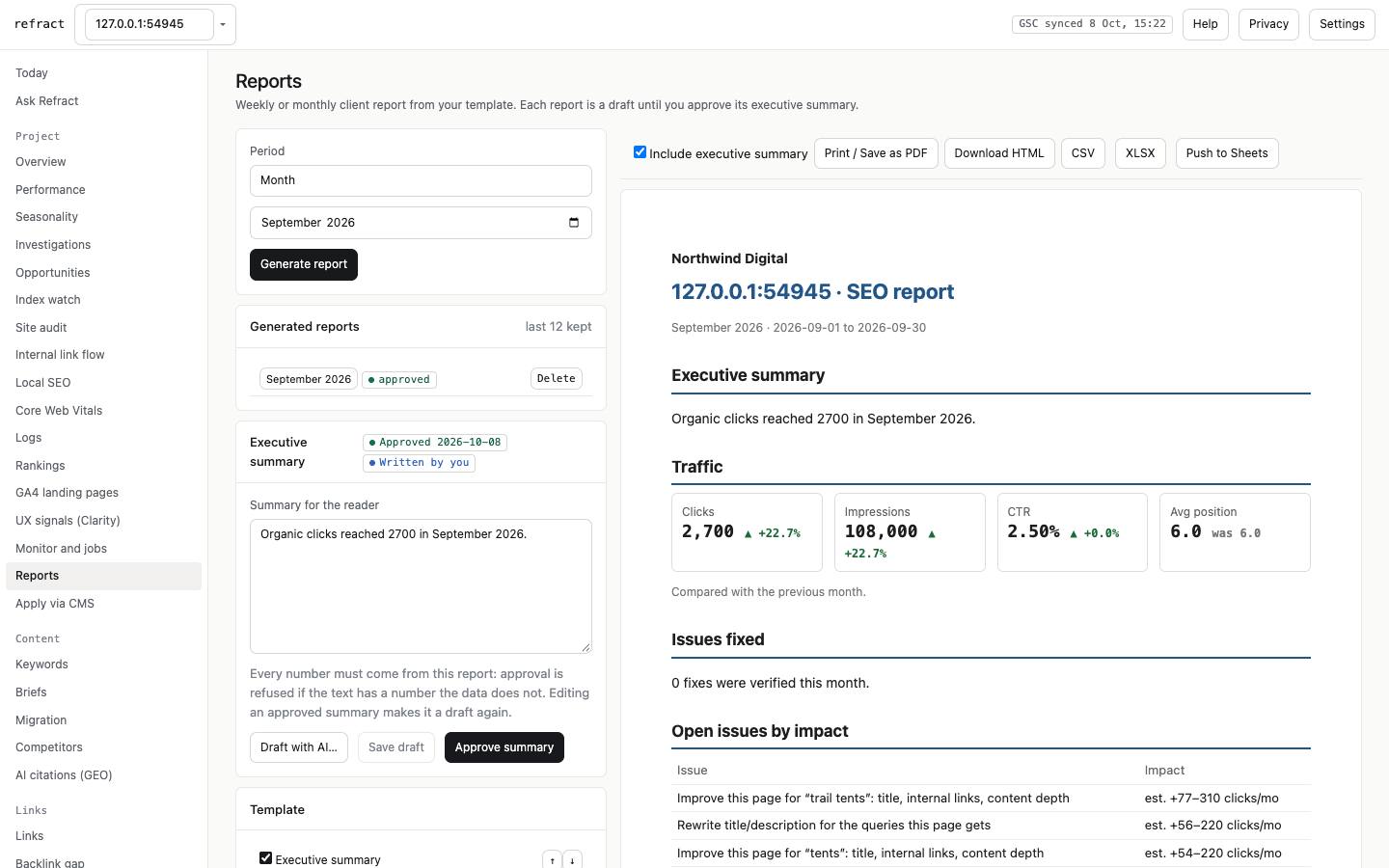
- Reports: monthly or weekly client reports from your template, with white-label and an executive summary that stays a draft until you approve it. Exports to Print / Save as PDF, HTML, CSV, XLSX and Sheets.
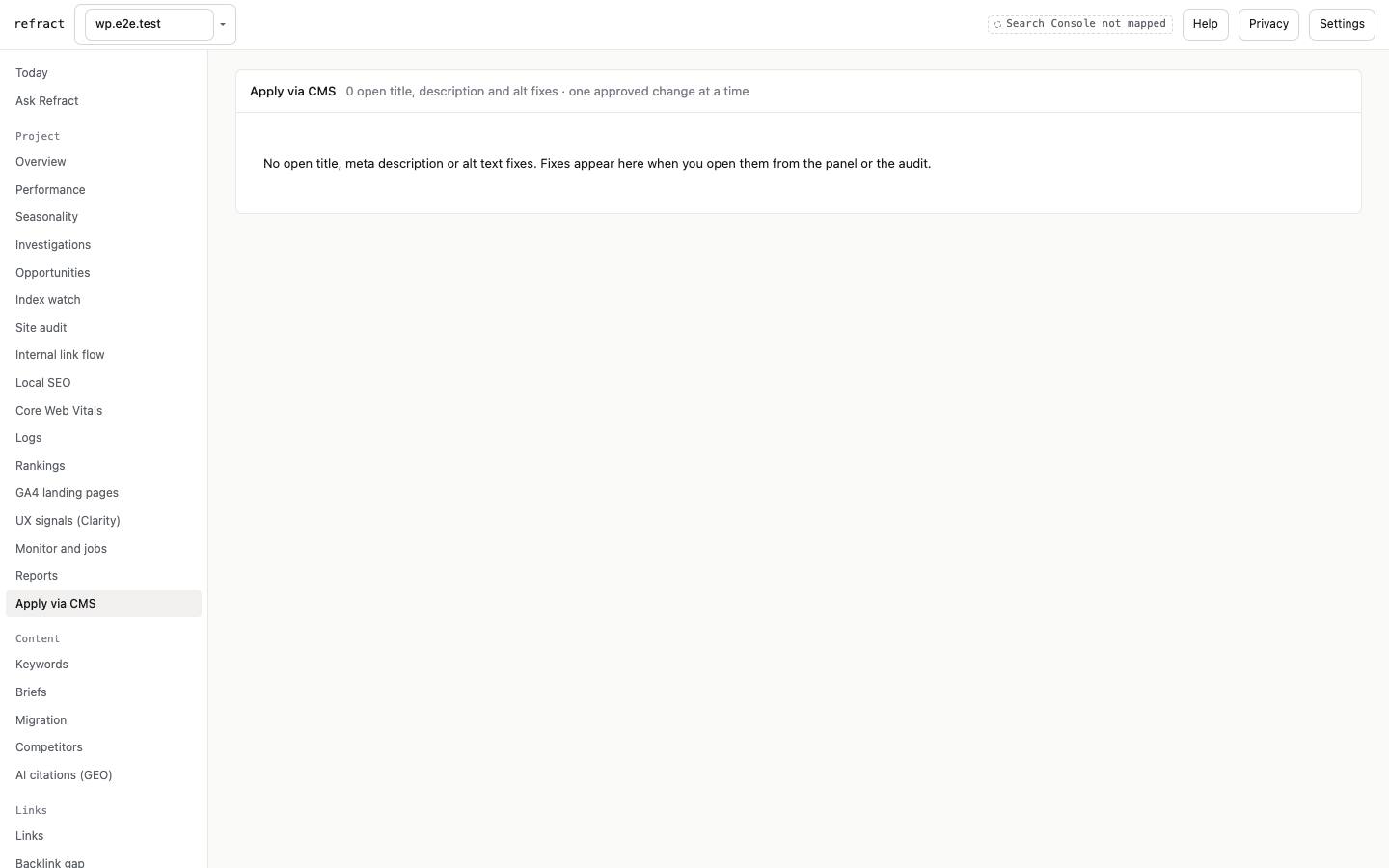
- Apply via CMS: open title, meta description and alt-text fixes for the project, each applied through WordPress, Shopify or Webflow one approved change at a time, then Verify.
Content: Keywords, Briefs, Migration, Competitors, AI citations
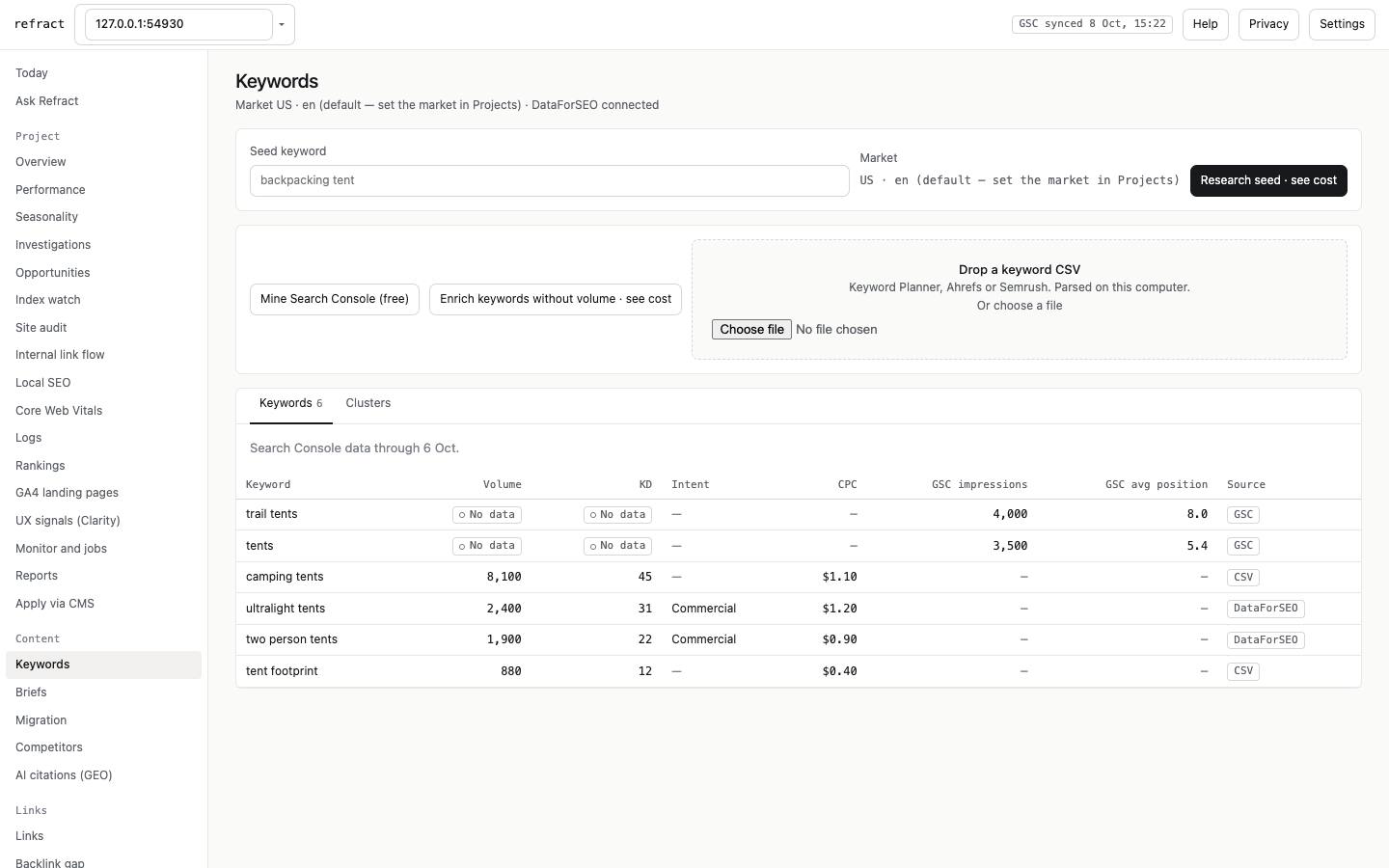
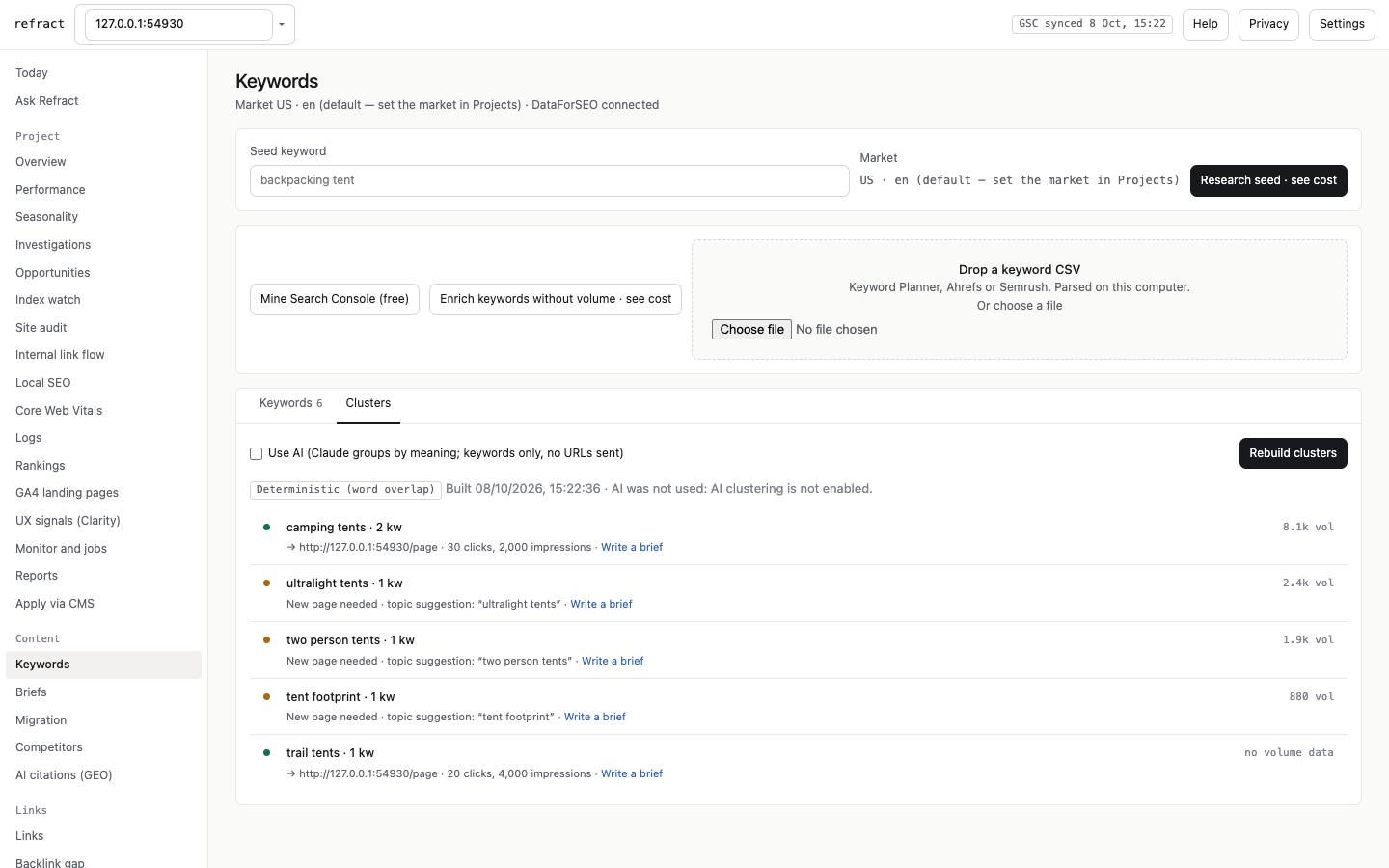
- Keywords:
- Mine Search Console (free), import a keyword CSV, or Research seed and Enrich via DataForSEO (cost shown first).
- Clusters groups keywords and maps each group to a page, or says a new page is needed.
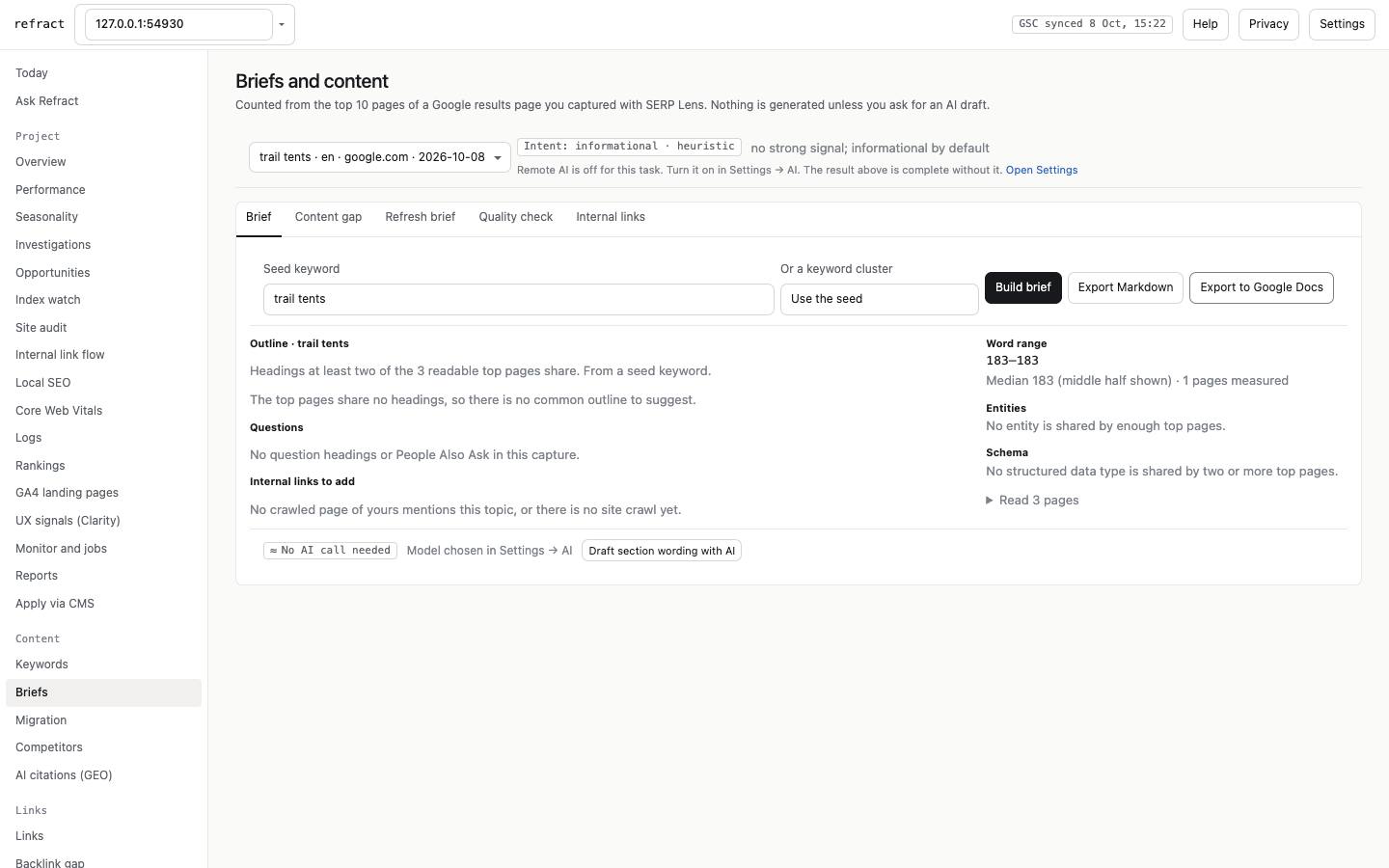
- Briefs: built from the top 10 results of a SERP Lens capture, with headings, questions, entities and a word range. Tabs: Content gap, Refresh brief, Quality check, Internal links. Export as Markdown or to Google Docs.
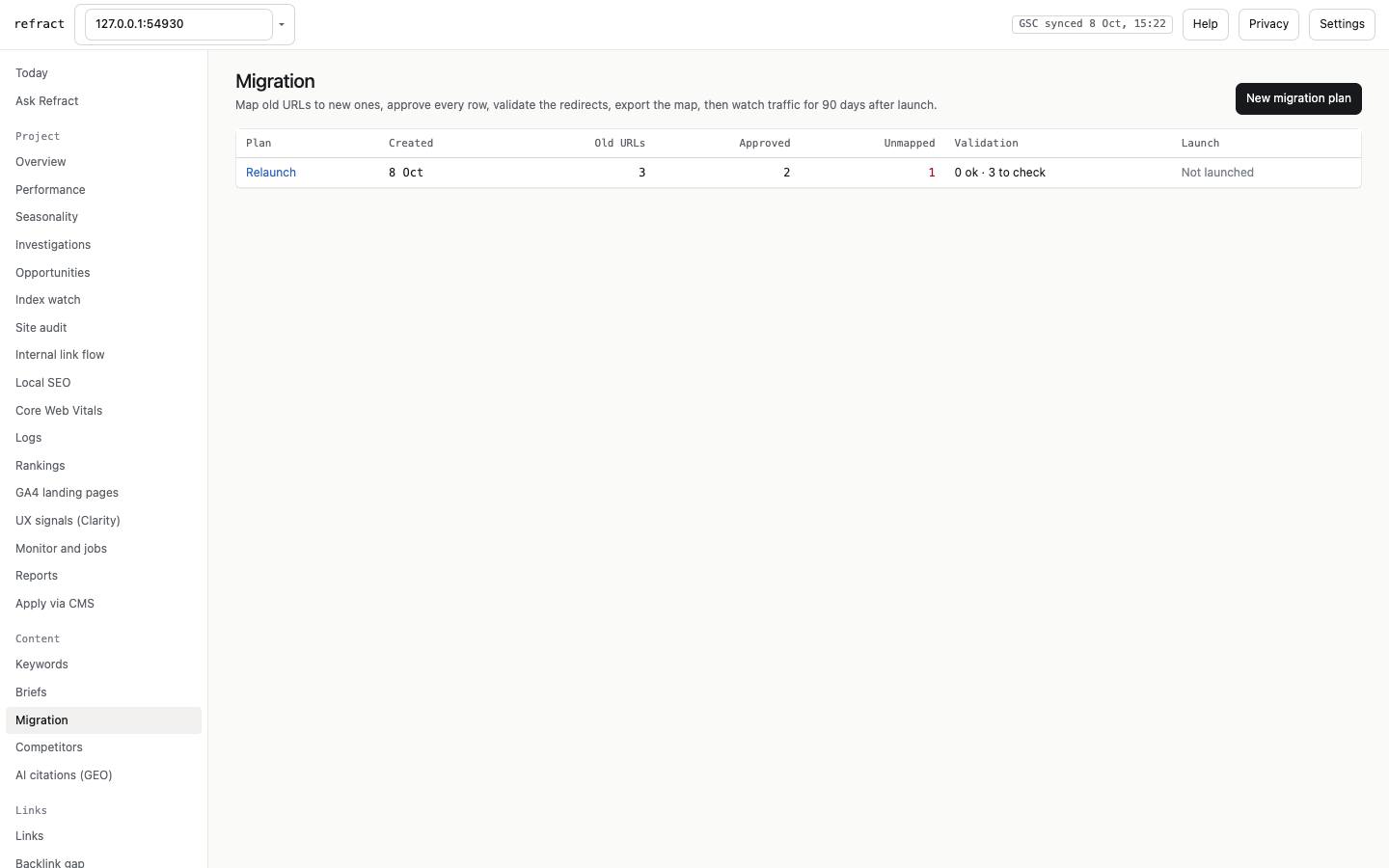
- Migration: map old URLs to new ones (by path and slug, with optional AI suggestions), approve, validate the redirects against the live site, export the redirect file, then watch old and new URLs for 90 days after launch.
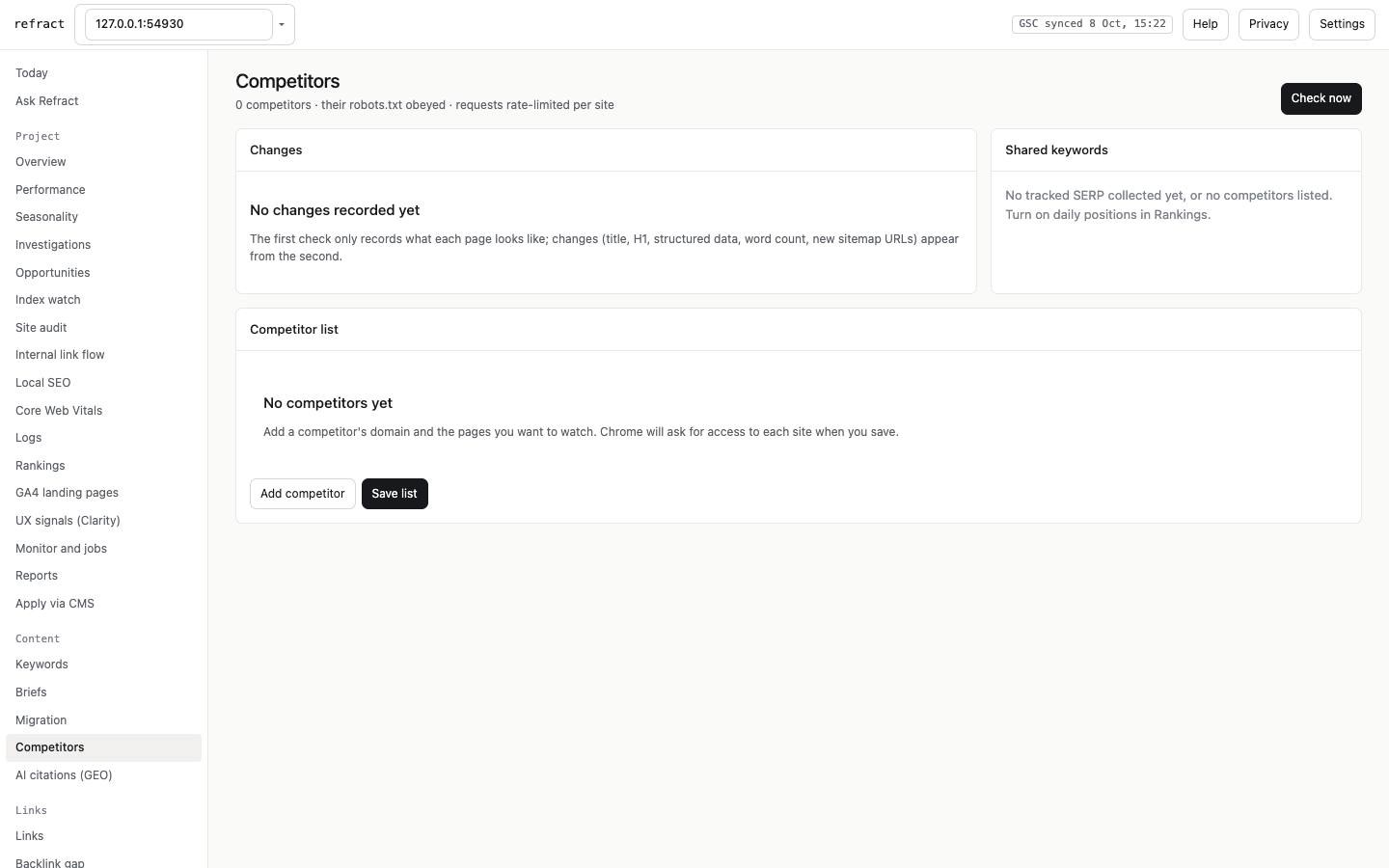
- Competitors: competitor pages changing, new domains entering your results, and visibility on shared keywords.
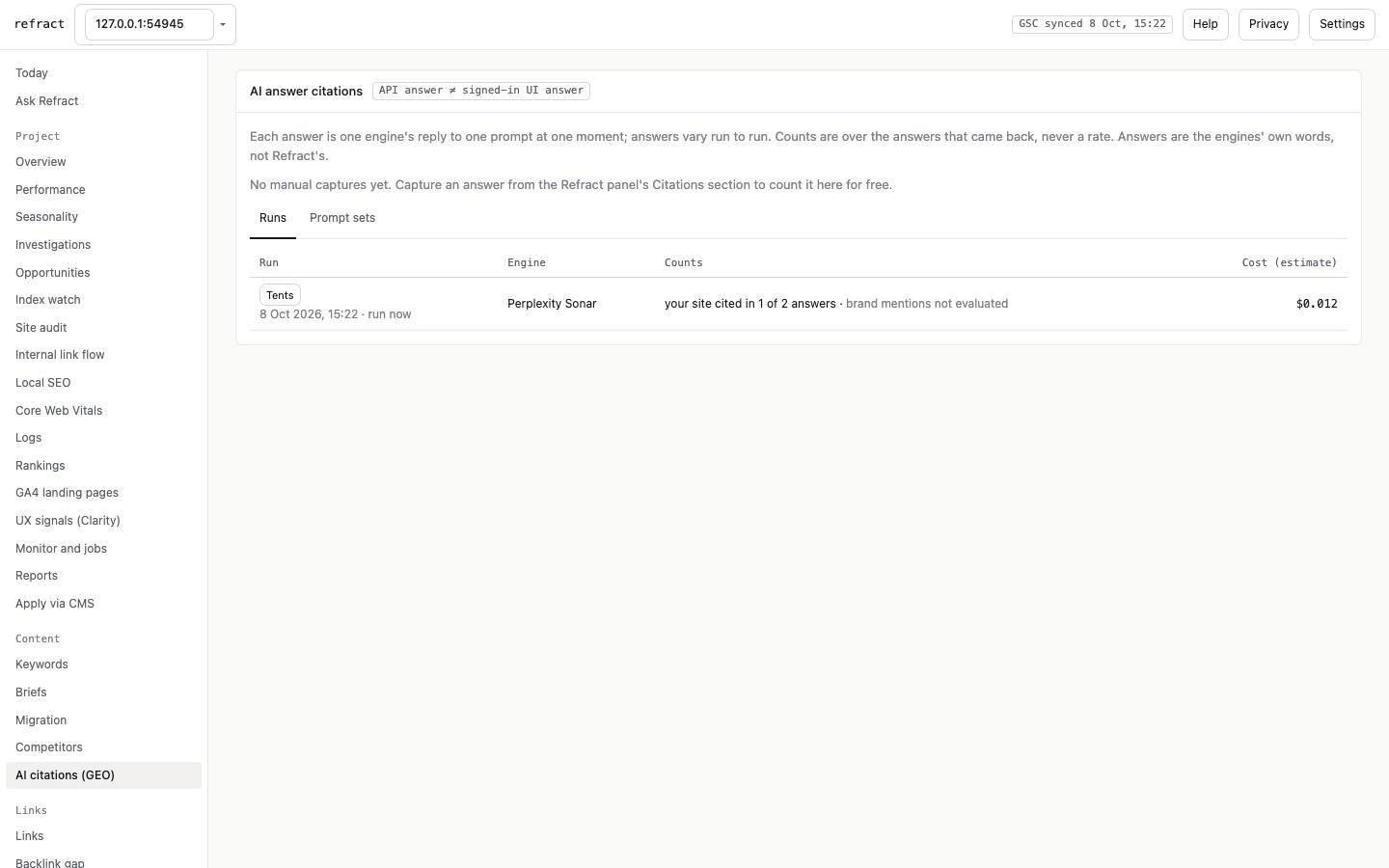
- AI citations (GEO): prompt sets run against answer engines (Anthropic, Perplexity, OpenAI, Gemini), priced before you schedule them. Results read like "your site cited in 1 of 2 answers". Captures you make in the panel are counted for free.
Links: Links, Backlink gap, Broken links, Disavow, Outreach
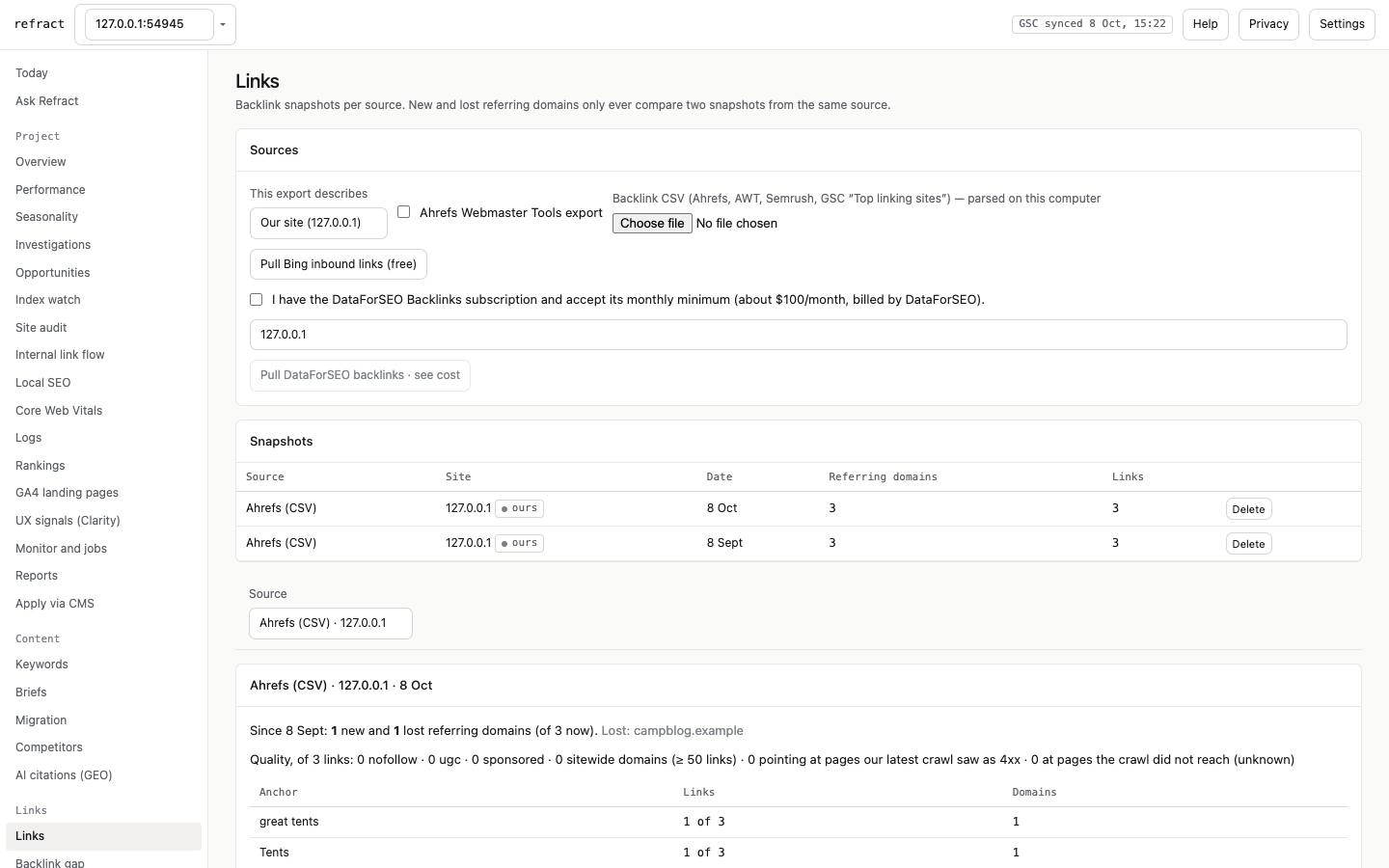
- Links:
- Sources: import Ahrefs, Ahrefs Webmaster Tools, Semrush or Search Console "Top linking sites" CSVs; pull Bing inbound links (free); or pull DataForSEO backlinks (opt-in, monthly minimum).
- Each snapshot: new and lost referring domains, anchor mix and quality flags. Lost links to pages with clicks raise alerts. Re-check confirms whether a link is really gone.
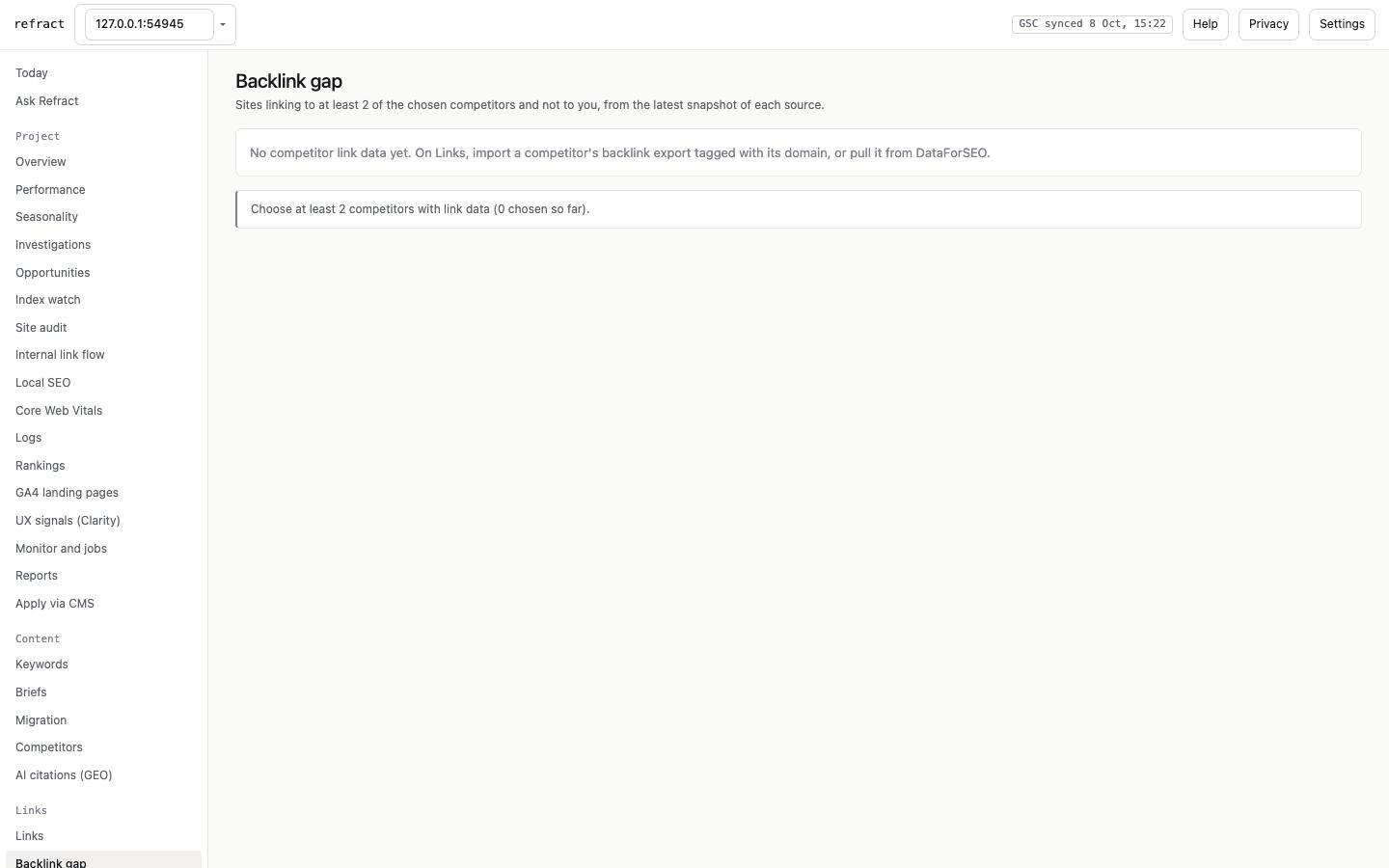
- Backlink gap: domains linking to two or more of your competitors but not to you.
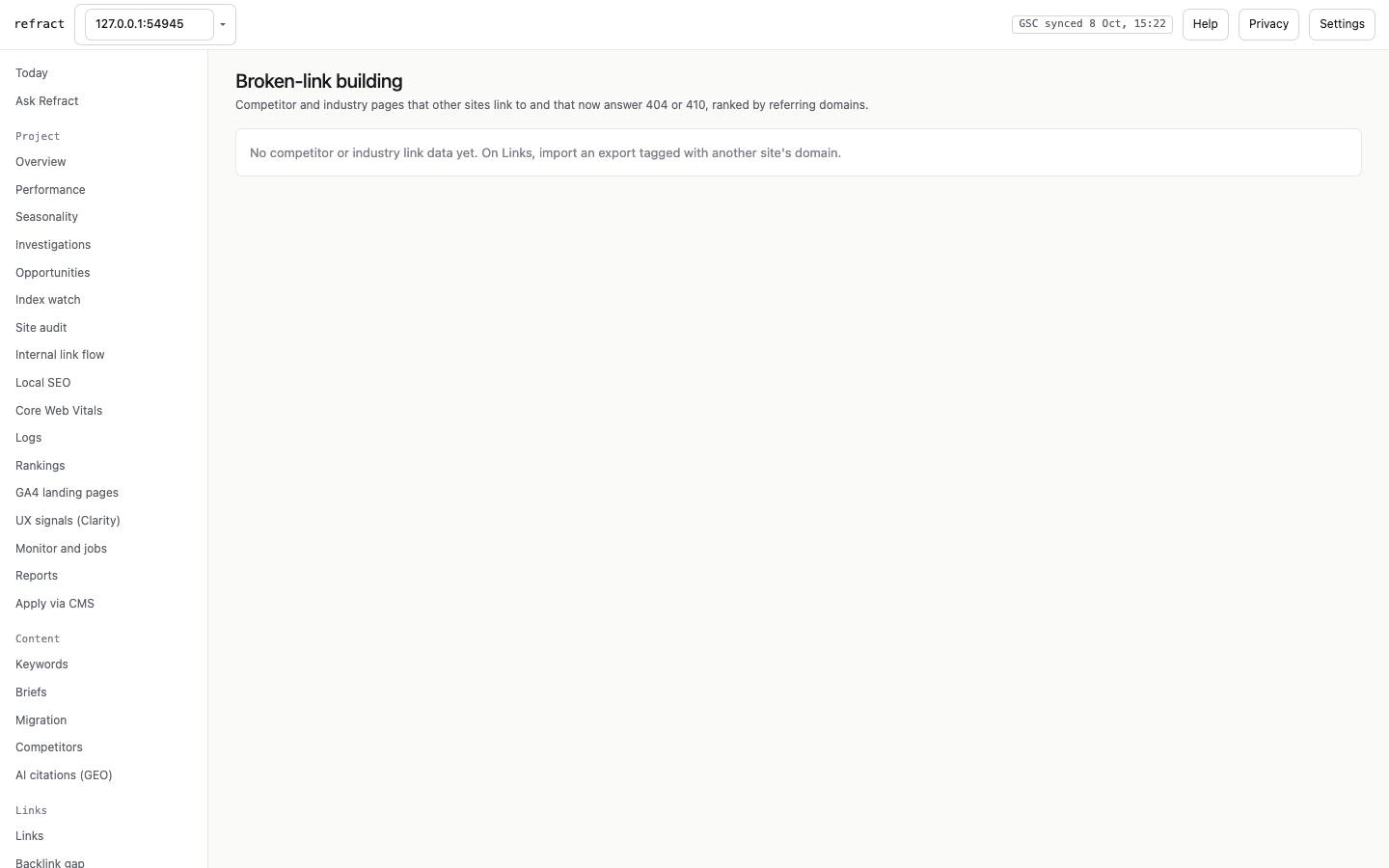
- Broken links: dead pages on competitor or industry sites that others still link to.
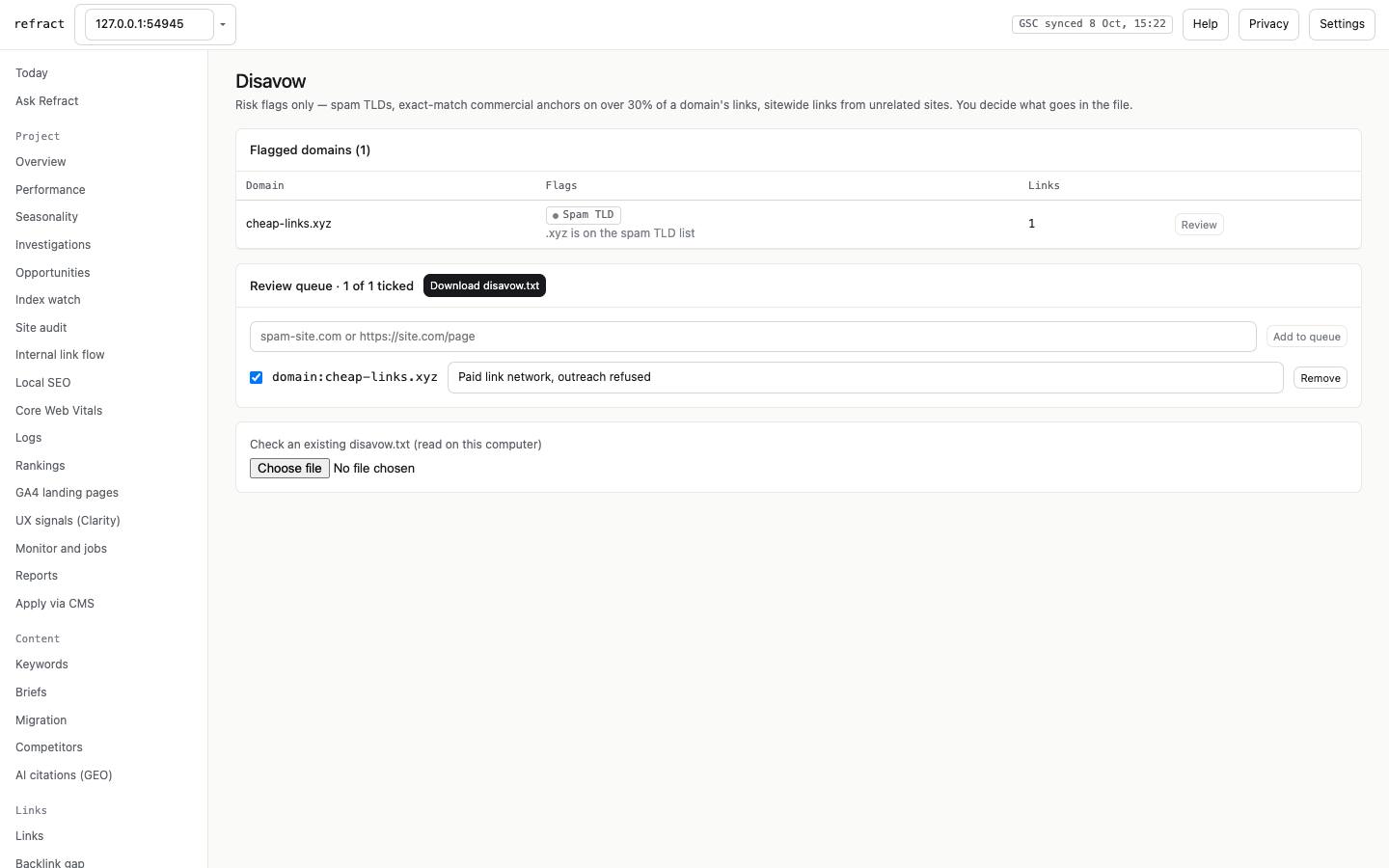
- Disavow: risk flags for your review. Only domains you tick, with a reason, go into
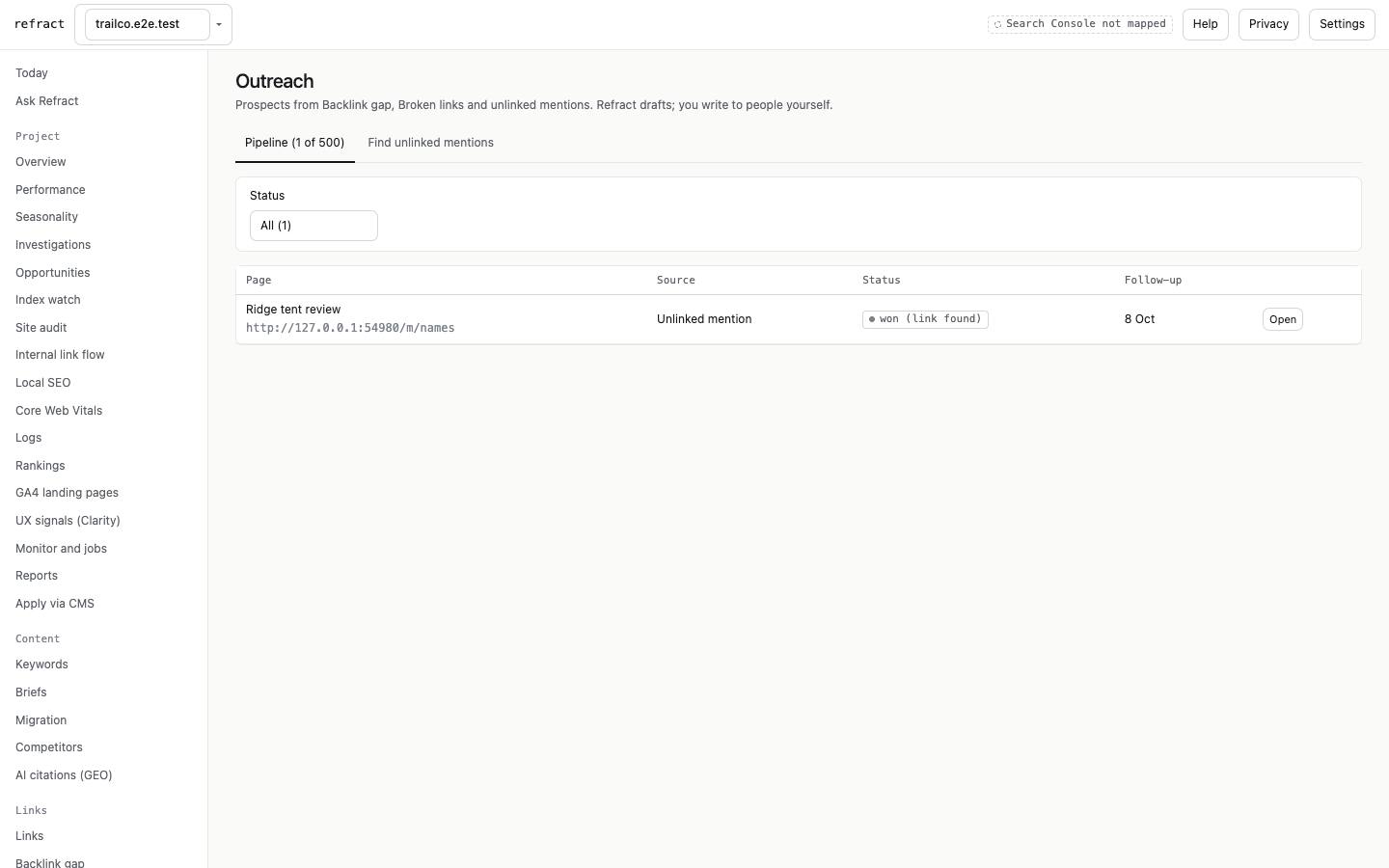
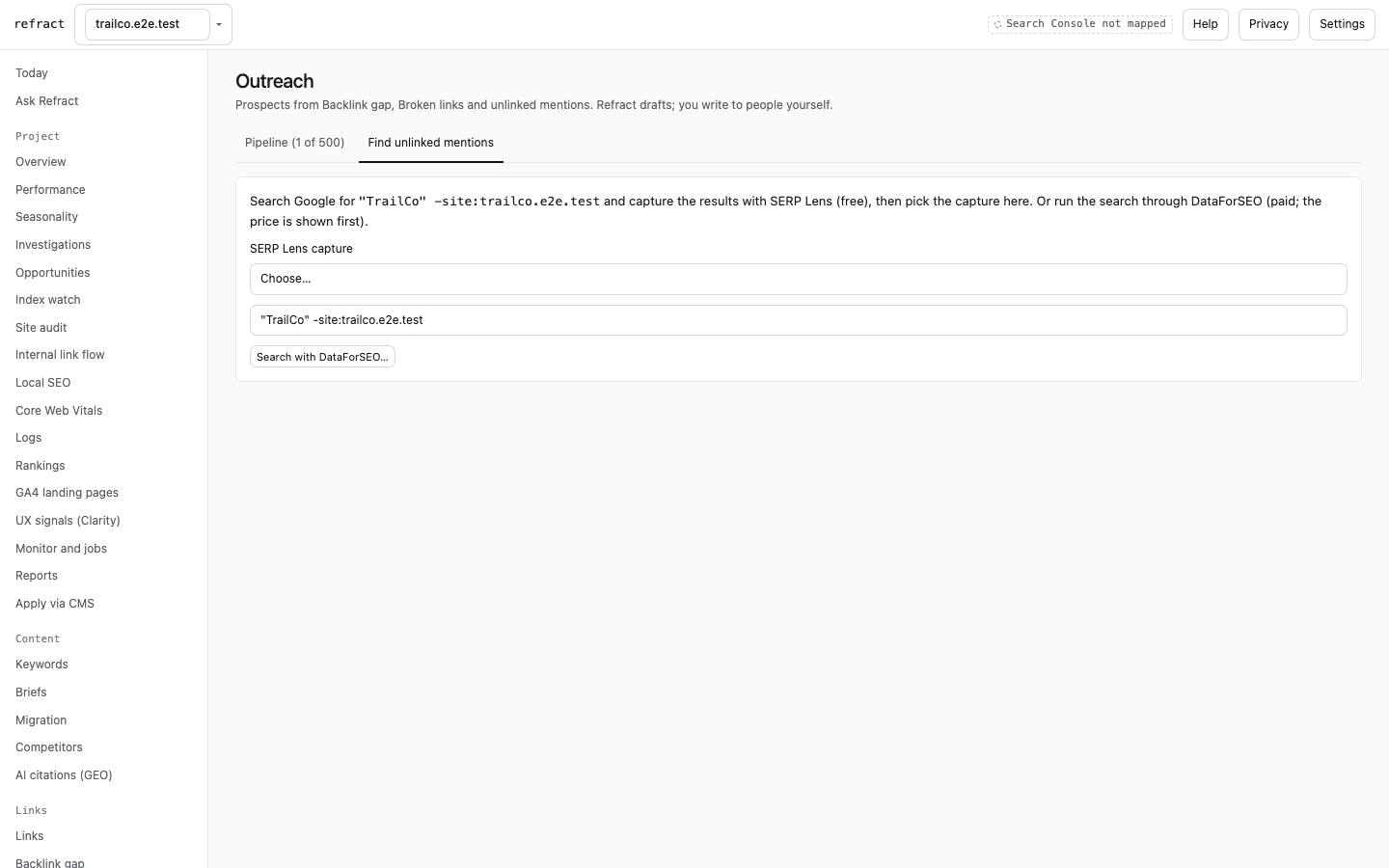
disavow.txt, which is checked against Google's format before download. You can also check an existing file. - Outreach: prospects from Backlink gap, Broken links and unlinked brand mentions. Their status runs prospect → drafted → sent → replied → won or lost, with follow-up reminders on Today. Email drafts are AI-written, priced first and editable. You send them yourself: Refract never sends email and never looks up contacts.
All projects: Projects, Priorities, Fix ledger
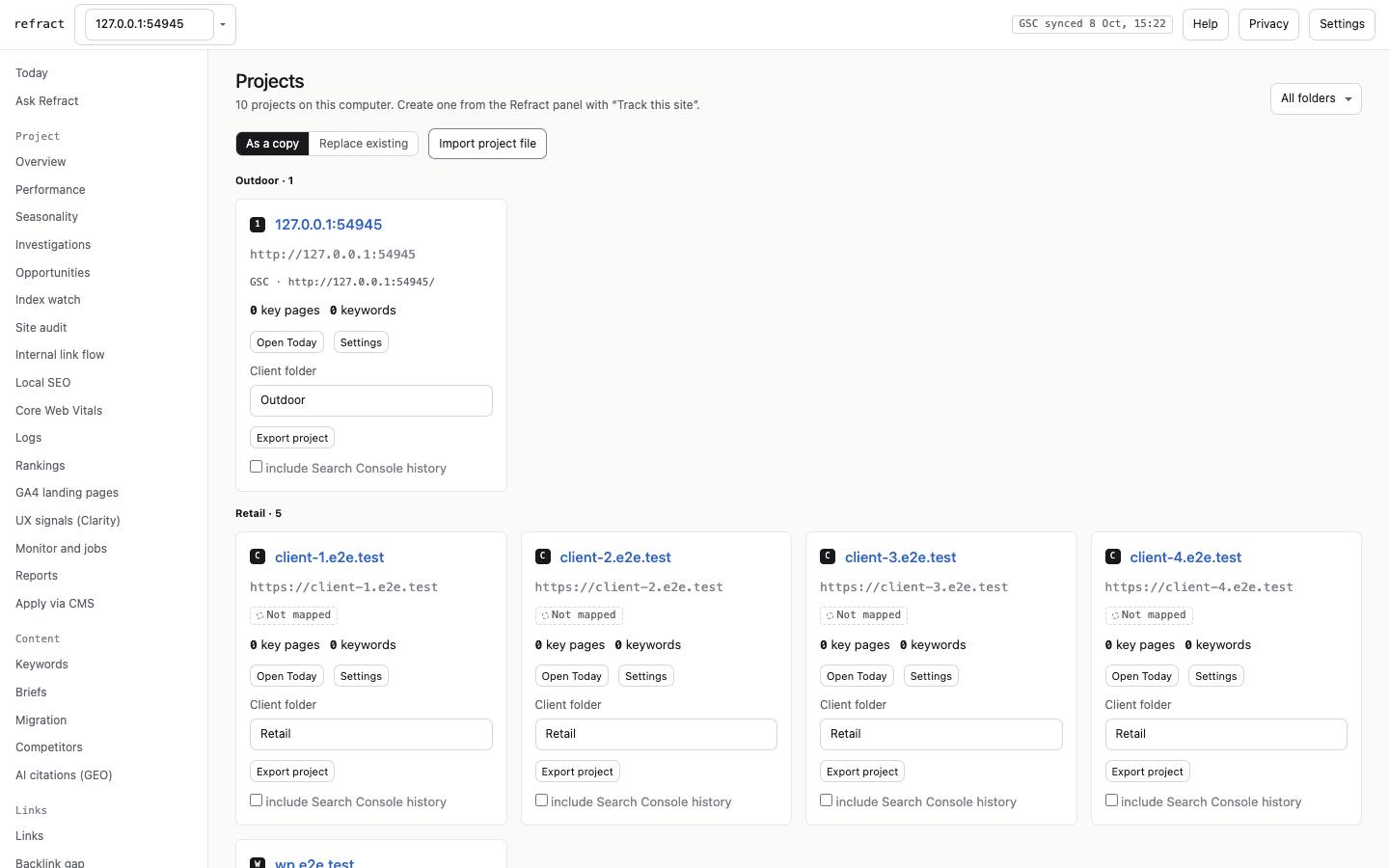
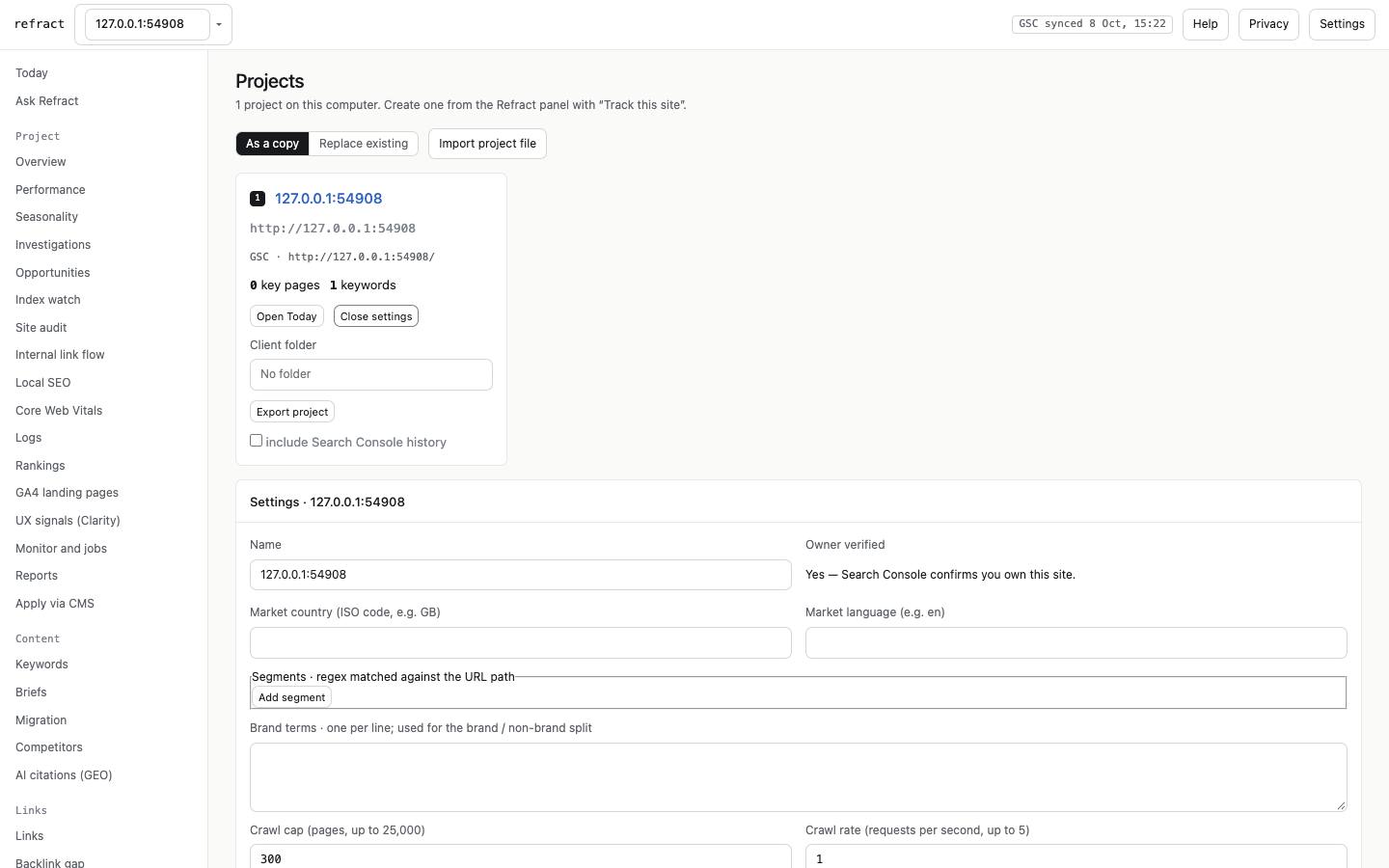
- Projects: every tracked site, grouped by client folder. You can export a project to a file, import one (as a copy, or replacing an existing project), and open a project's settings: name, segments, brand terms, market, key pages, crawl cap and rate, and client folder.
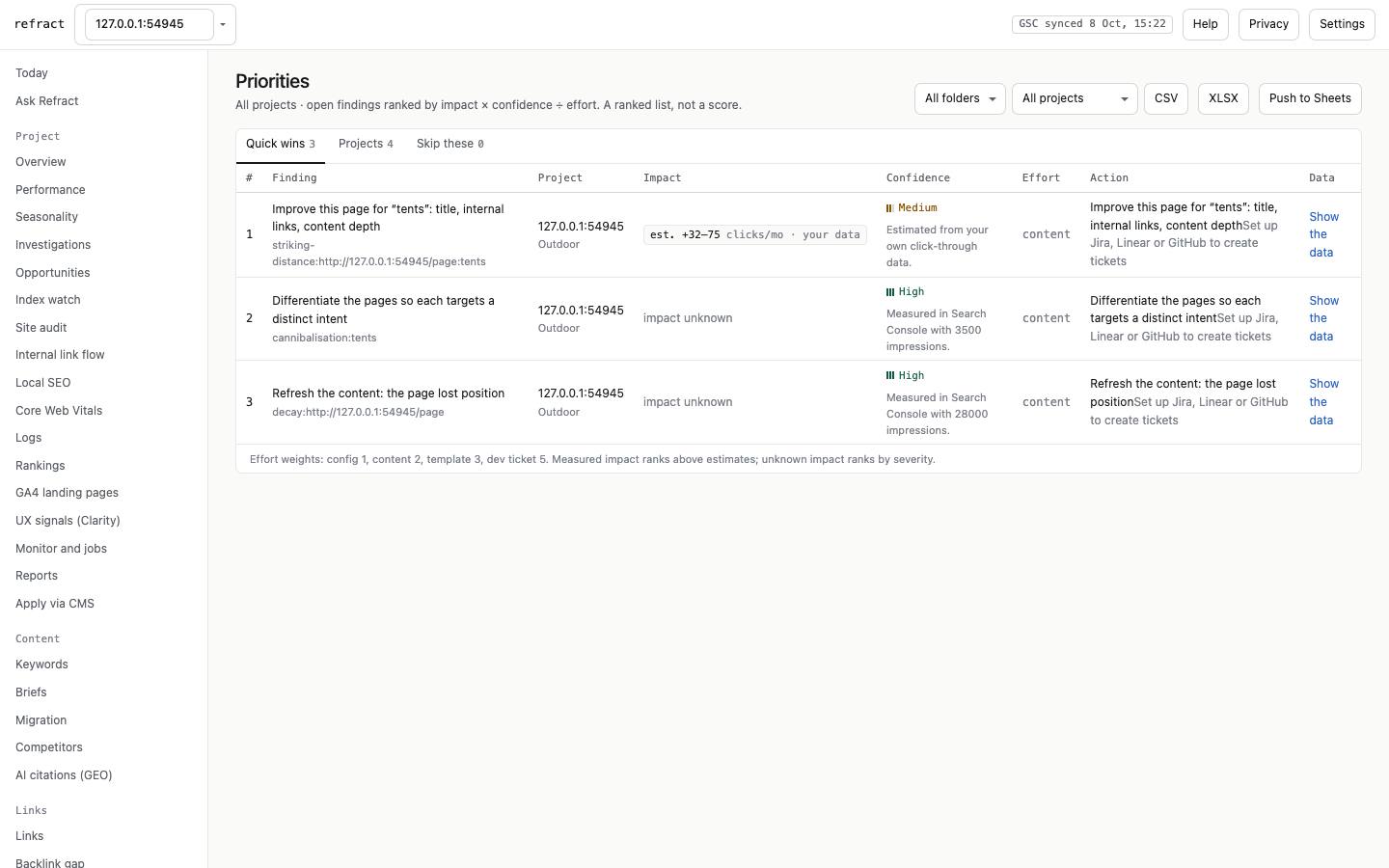
- Priorities: one ranking of recommendations across all projects, filterable by client folder.
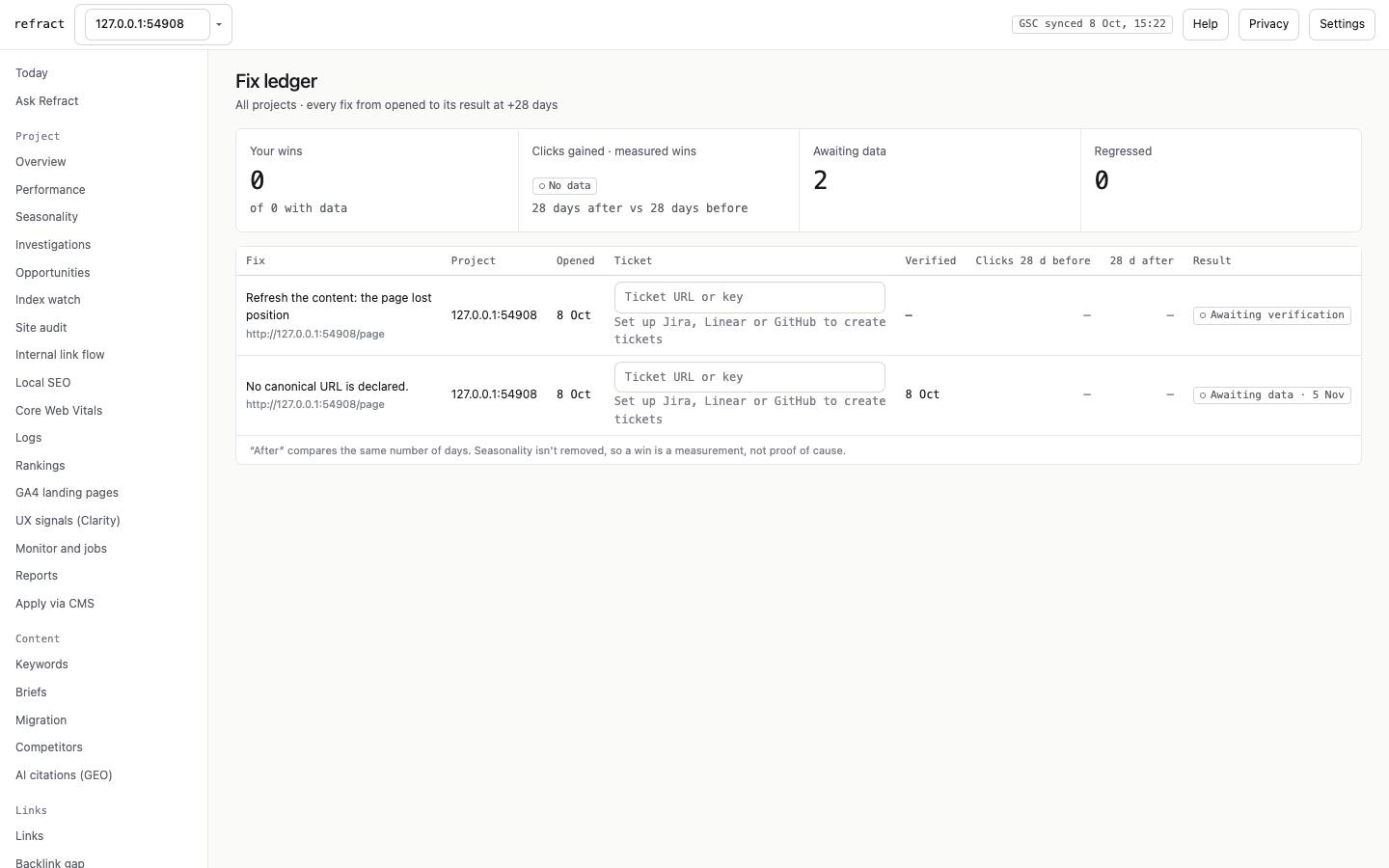
- Fix ledger: every fix you opened, its ticket, when it was verified, and the traffic before and after.
6. Settings and configuration
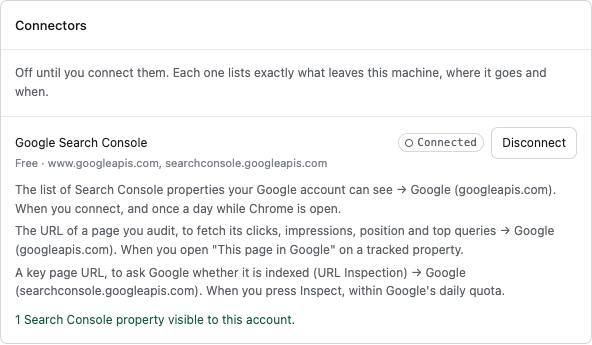
Open Settings from the panel's gear or the Workspace's Settings button. Every connector is off until you connect it, and each card lists exactly what leaves your computer, where it goes and when.
Connectors
| Card | What it unlocks | What you need | Where it is set |
|---|---|---|---|
| Google Search Console | Clicks, queries, impact ranking, index state, all GSC screens | A Google account with access to the property | Connect in the card, or In Google in the panel |
| Google Analytics 4 | Landing-page sessions, key events and revenue | GA4 access on the same Google account | Connect GA4, then choose the property |
| PageSpeed Insights | Field and lab Core Web Vitals | Nothing; an optional Cloud API key raises the shared quota | Key field |
| Slack / Microsoft Teams | Alerts, a daily Today digest, a weekly summary | An incoming-webhook URL | Paste the URL → Save → Send a test |
| Google Sheets and Docs | Export any table to Sheets; briefs to Google Docs | Nothing; Refract only sees the files it creates | Connects on first export |
| Google Search Status / SEO news feeds | Google incident news on Today; your own RSS/Atom feeds | Nothing / feed URLs | Paste feed URLs |
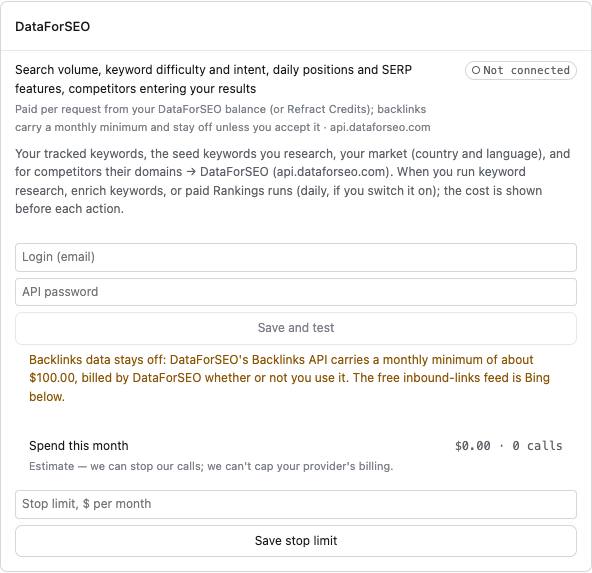
| DataForSEO | Volume, difficulty, intent, daily positions, SERP features, backlinks | A DataForSEO login, or Refract Credits | Login + API password → Save and test; monthly stop limit |
| Bing Webmaster Tools | Bing queries and pages; free inbound links | Bing API key | Key → Save key → Test |
| Jira / Linear / GitHub | Push fixes as tickets; the link is stored in the fix ledger | API token + project/team/repo | Token fields → Test |
| CMS write-back | Apply titles, meta descriptions and alt text | WordPress application password, Shopify Admin token, or Webflow token | Per project: CMS, site, credentials → Save |
| AI answer engines (GEO) | Scheduled AI citation tracking | Perplexity / OpenAI / Gemini keys (Anthropic comes from §7) | Key per engine |
| Chrome UX Report History | 25-period field trend and regression alerts | Google Cloud API key | Key field |
| Microsoft Clarity | UX signals per page | Clarity → Settings → Data Export → API token | Per project token |
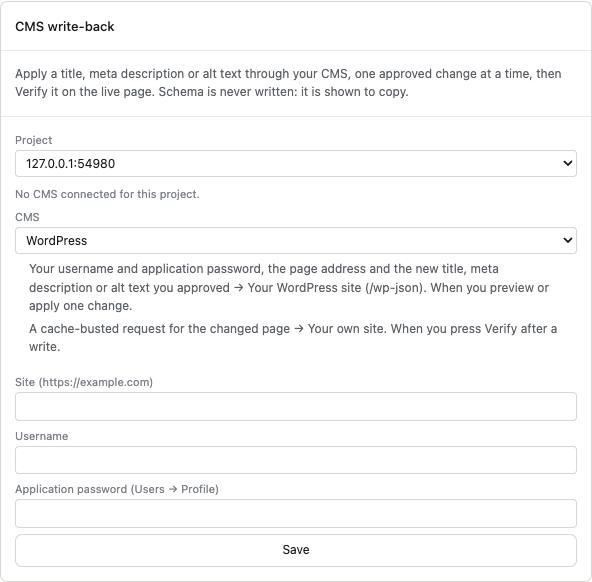
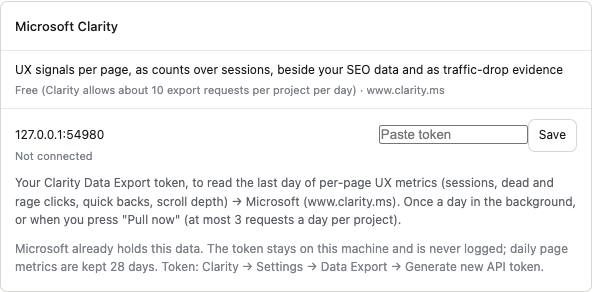
When you save a key, Chrome may ask for permission to reach that service's address. Refract asks only for the exact address, at the moment you press the button.
Projects
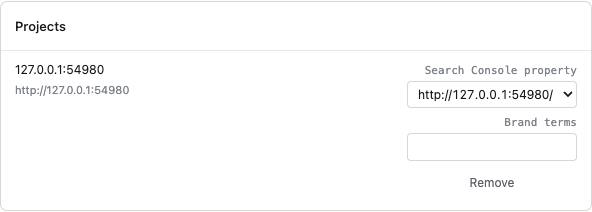
Settings → Projects maps each project to its Search Console property and sets brand terms, which are used to split brand from non-brand queries. The rest of a project's settings live in the Workspace: Projects → Settings on a project card. That covers segments (regex page groups), market (country and language), key pages, crawl cap and rate, and client folder.
Spend and budget
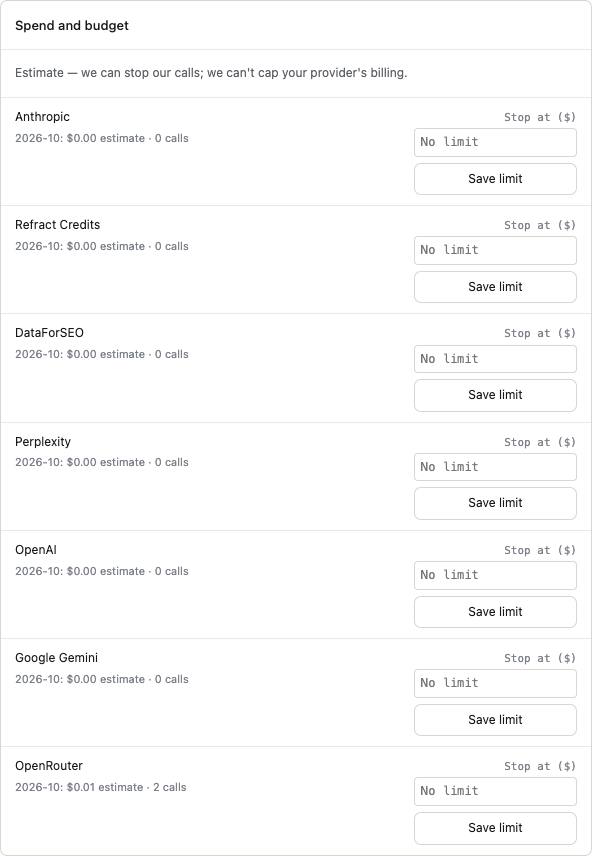
Every paid service (Anthropic, Credits, DataForSEO, Perplexity, OpenAI, Gemini, OpenRouter and any other model provider you add) shows this month's estimated spend and takes a monthly stop. When the next call could pass the stop, Refract refuses to make it. It cannot cap your provider's own billing, so set limits there too.
Background jobs, notifications, privacy
- Background jobs: what runs and when: the Search Console sync, drop detection, index watch, Core Web Vitals, rank alerts, monitor, reports, links, GEO, CrUX and Clarity. Run due jobs now runs them immediately. Jobs run only while Chrome is open. When you have been away, they catch up and are marked late.
- Notifications: off by default. Optionally tells you when a page you audit gains a new blocking issue.
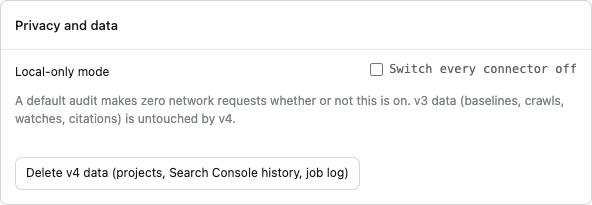
- Privacy and data: local-only mode (§10), and deleting all v4 data.
7. AI models: bring your own key, local models, gateways
Refract never needs AI to work: audits, investigations, opportunities, briefs and reports are all deterministic. AI only words things: summaries, email drafts, section drafts, free-form answers. For those, you choose the model, task by task.
Where models can come from
| Provider | Examples | Leaves your computer? | Cost |
|---|---|---|---|
| Chrome built-in model | Gemini Nano in Chrome | No | Free |
| Local model server | Ollama, LM Studio, llama.cpp, vLLM on localhost | No | Free |
| Anthropic / OpenAI / Google Gemini | Claude, GPT, Gemini with your own key | Yes | Your provider's price |
| OpenRouter | 300+ models behind one key | Yes | OpenRouter's listed price |
| Portkey | Your Portkey gateway (provider slug or saved config) | Yes | Your provider's price |
| Any OpenAI-compatible endpoint | Azure OpenAI, Groq, Together… (https only) | Yes | You enter the price |
| Refract Credits | No key needed | Yes | Your Credits balance |
Set up a provider
- Go to Settings → Model providers → Add a provider. Pick the kind, give it a label, and enter the base URL (for local, Portkey and custom) and the key. Keys stay on this computer and are never exported, logged or shown again.
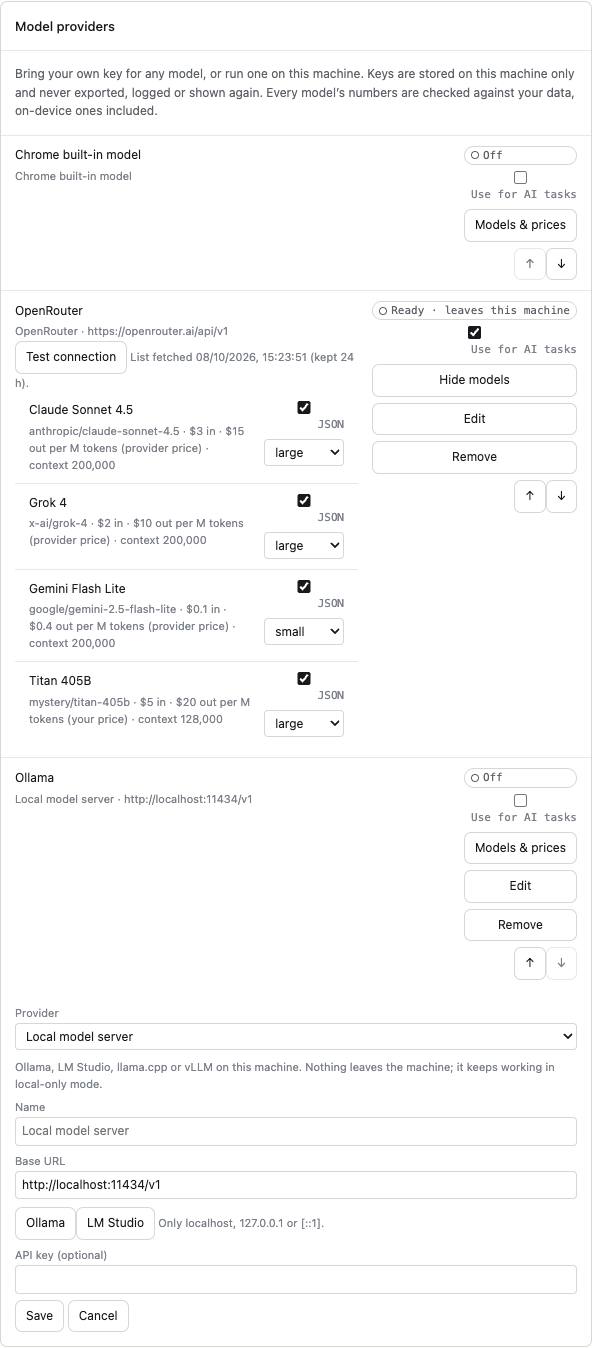
- Press Test connection. Refract lists the provider's models with prices (from the provider, Refract's checked price list, or a price you enter), context size, JSON support and a quality class you can change. A paid model with no price cannot be used until you enter one.
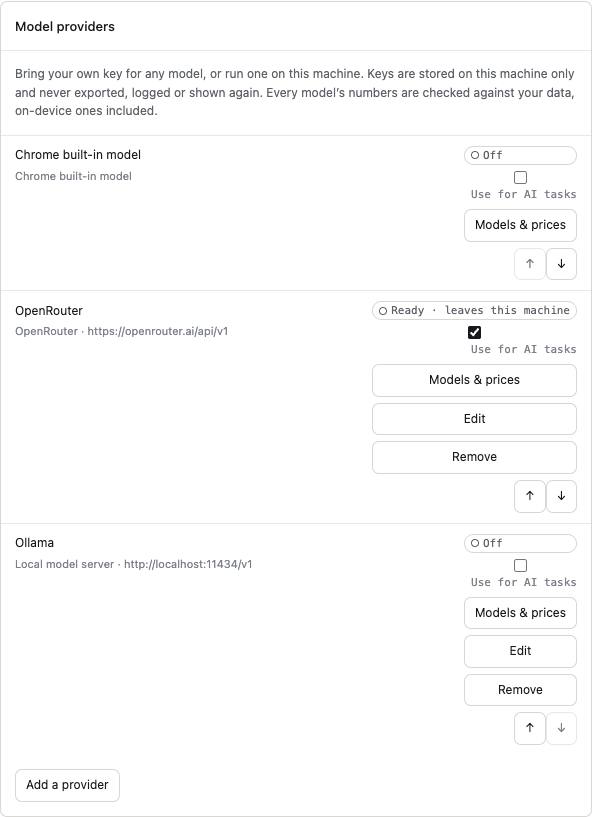
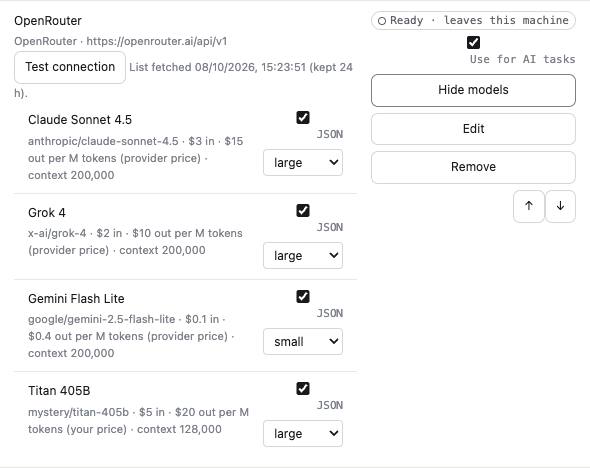
- Tick Use for AI tasks on the providers Auto may pick from. Reorder them with the arrows; ties go to the higher one.
Local models. Start your server first:
- Ollama:
ollama serve, thenollama pull <model>. The base URL ishttp://localhost:11434/v1. - LM Studio: start the server. The base URL is
http://localhost:1234/v1.
A "local" address must be localhost, 127.0.0.1 or [::1]; anything else is refused. If the server answers with an error mentioning origin or CORS, allow Chrome extensions to call it: for Ollama, start it with OLLAMA_ORIGINS="chrome-extension://*"; for LM Studio, enable CORS in its server settings.
Choose which model runs each task
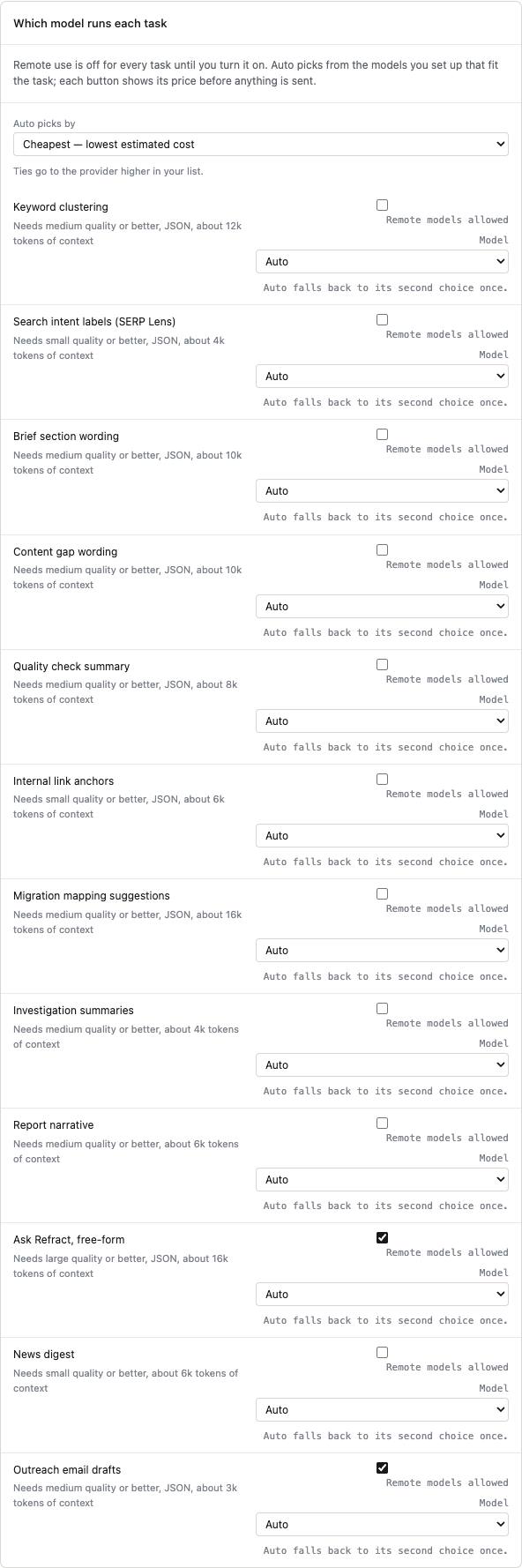
In Which model runs each task, set each task to Auto or to a specific model, with an optional fallback.
- Remote models allowed must be ticked before a task may use a model that leaves your computer. The Chrome built-in model and local models do not need it.
- Auto picks by:
- Private first: Chrome's model, then a local model, then the cheapest remote one.
- Cheapest: the lowest estimated cost.
- Best quality: the highest quality class, then cost.
- Auto only picks models that fit the task: enough context, JSON when needed, and the minimum quality shown under each task.
- Prices first: every AI button shows its price before anything is sent, for example "about $0.021, up to $0.052 if the fallback runs".
- Fallback: at most once per call, after an error, a refusal or a cut-off answer.
Number check. Every number in an AI answer must appear in the data Refract gave the model. An answer that invents a number is discarded, whichever model wrote it.
Spend. Each provider has a monthly stop in Spend and budget. OpenRouter's reported cost is used when available; otherwise Refract records its estimate.
8. Agency setup: many clients on one computer
- Projects: Track this site on each client site.
- Client folders: in Workspace → Projects, type a folder name on each project card. Projects groups by folder; Priorities filters by it.
- More Google accounts:
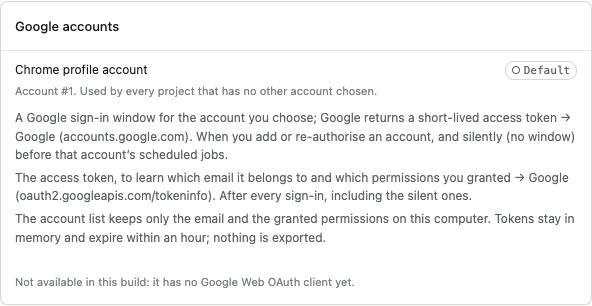
- Add each client's Google account in Settings → Google accounts → Add Google account.
- Bind each project to its account under Project accounts. Each project's jobs then use its own account.
- An account that needs signing in again shows Re-authorise, and its jobs pause rather than fail.
- Connect Analytics adds GA4 access for that account.
- White-label reports: in Reports → Template, pick and order the sections, add your agency name, logo (PNG/JPEG/GIF/WebP, up to 200 KB) and accent colour, and set a weekly (Wednesday) or monthly (the 3rd) schedule. Scheduled reports arrive on Today as "ready to review".
- Tickets: connect Jira, Linear or GitHub once; Create task and Create tasks for N quick wins work everywhere.
- Moving or sharing a project: Export project writes one file, with history optional. Import project file brings it in as a copy or replaces an existing one. Secrets, machine-wide settings and paid schedules never travel in the file.
9. Everyday workflows
"Traffic dropped. Why?"
- Open Today. A finished drop investigation is pinned at the top.
- Open investigation to see the candidate causes ranked by evidence, the steps it ran, and what to do.
- Or ask: Ask Refract → "Why did traffic drop?"
"What should I do this week?"
- Today → Top recommendations, sorted by impact × confidence ÷ effort.
- Create tasks for N quick wins.
- Fix → Verify. The fix ledger records it, and measures the traffic change once enough days have passed.
"Write content that can rank."
- Search the query on Google, then panel → SERP Lens → Read this results page.
- Workspace → Briefs → Build brief, then Content gap and Quality check against your page.
- Optionally draft sections with AI, priced first.
- Export Markdown or Export to Google Docs.
"We're migrating the site."
- Migration: paste the old and new URL lists, or use crawls.
- Approve the mappings, then Validate the redirects against the live site.
- Export the redirect file.
- Launch to start the 90-day watch.
"Monthly client report."
- Reports → Generate report.
- Draft with AI or write the summary yourself, then Approve summary.
- Print / Save as PDF or Download HTML.
"Fix a title through WordPress."
- Connect WordPress in Settings → CMS write-back.
- Apply via CMS (or the panel's Fix it → Apply via CMS): enter the new text and preview the change.
- Approve. It is written, then Verify re-reads the live page.
"Find link opportunities."
- Import competitors' backlink CSVs (tagged with each competitor) in Links.
- Backlink gap and Broken links list the opportunities. Add to outreach on any row.
- Outreach: draft, send it yourself, mark it sent. Refract confirms the win once the page links to you.
10. Privacy, local-only mode and admin policy
- By default nothing leaves your computer. An audit makes zero network requests. Each connector, AI provider and paid service is off until you turn it on, and its card lists what it sends.
- Local-only mode (Settings → Privacy and data → Switch every connector off):
- Stops every connector and every scheduled job that would make a request.
- Audits, crawls you start, SERP Lens, the Chrome built-in model and local models on
localhostkeep working, because nothing leaves the machine.
- Managed policy for IT admins: set
localOnly: truein the extension's managed storage policy (chrome.storage.managed, schema inpublic/managed_schema.json). Local-only mode is then forced on and cannot be turned off. - Storage: everything (projects, Search Console history, crawls, reports, keys) lives in this Chrome profile's extension storage. Delete v4 data removes it.
The full list of every request, its destination and its retention is in PRIVACY.md.
11. Troubleshooting
| What you see | Why | What to do |
|---|---|---|
| "Not available in this build" on Search Console or Google accounts | The build has no verified Google OAuth client | Use a build with a verified client ID (§12) |
| "Local-only mode is on" | Connectors are switched off, by you or by policy | Settings → Privacy and data, or ask your admin |
| The Chrome built-in model shows "unavailable" | Not enough disk space, or the model is not downloaded | Free about 22 GB, or use a local or remote model (§7) |
| A local model returns 403 or a CORS error | The server rejects requests from the extension's origin | Ollama: OLLAMA_ORIGINS="chrome-extension://*"; LM Studio: enable CORS |
| "Cannot be used until you enter a price" | A paid model has no known price | Enter its price in the provider's model list |
| "This call could take spend past your monthly stop" | The monthly stop would be passed | Raise the stop in Spend and budget, or pick a cheaper model |
| Crawler checks or a feature say "no access to this site" | Chrome has not granted Refract access to that site | Press the button again and accept Chrome's prompt |
| Jobs show "late" | Chrome was closed when they were due | Nothing; they catch up when Chrome is open |
| Investigation steps say "not evaluated" | The data that step needs does not exist yet | Follow the step's hint, e.g. capture the query with SERP Lens |
| Weekly report missing a weekend | Search Console data trails by about 2 days | Weekly reports run on Wednesday for that reason |
12. What this build cannot do yet
These need accounts or approvals, not code:
- Search Console, GA4 and Sheets need a verified Google OAuth client ID in
public/manifest.json(oauth2.client_id). - More Google accounts need a Google Web application OAuth client (
src/accounts/config.ts), with redirecthttps://<extension-id>.chromiumapp.org/. - Refract Credits needs the relay (
relay/) deployed atcredits.refract.seo. - Google Business Profile needs Google to approve API access for this app.
- API details marked "verify" in the code: They are tested against recorded response shapes, and should be checked against live accounts before release.
- DataForSEO paths and prices;
- Bing, Clarity, the CMS platforms and the answer engines;
- OpenAI and Gemini prices;
- Portkey's model-list header.