


# Yasha
一个渲染RecyclerView和ViewPager以及ComposeList的DSL库.
> *Read this in other languages: [中文](README.zh.md), [English](README.md), [Changelog](CHANGELOG.md)*
## 功能介绍:
✅ 支持RecyclerView
✅ 支持ViewPager
✅ 支持MultiType
✅ 支持Header和Footer
✅ 支持自动分页加载
✅ 支持DiffUtils刷新
✅ 支持加载状态显示
✅ 支持CleanUp自动清理资源
✅ 支持Compose
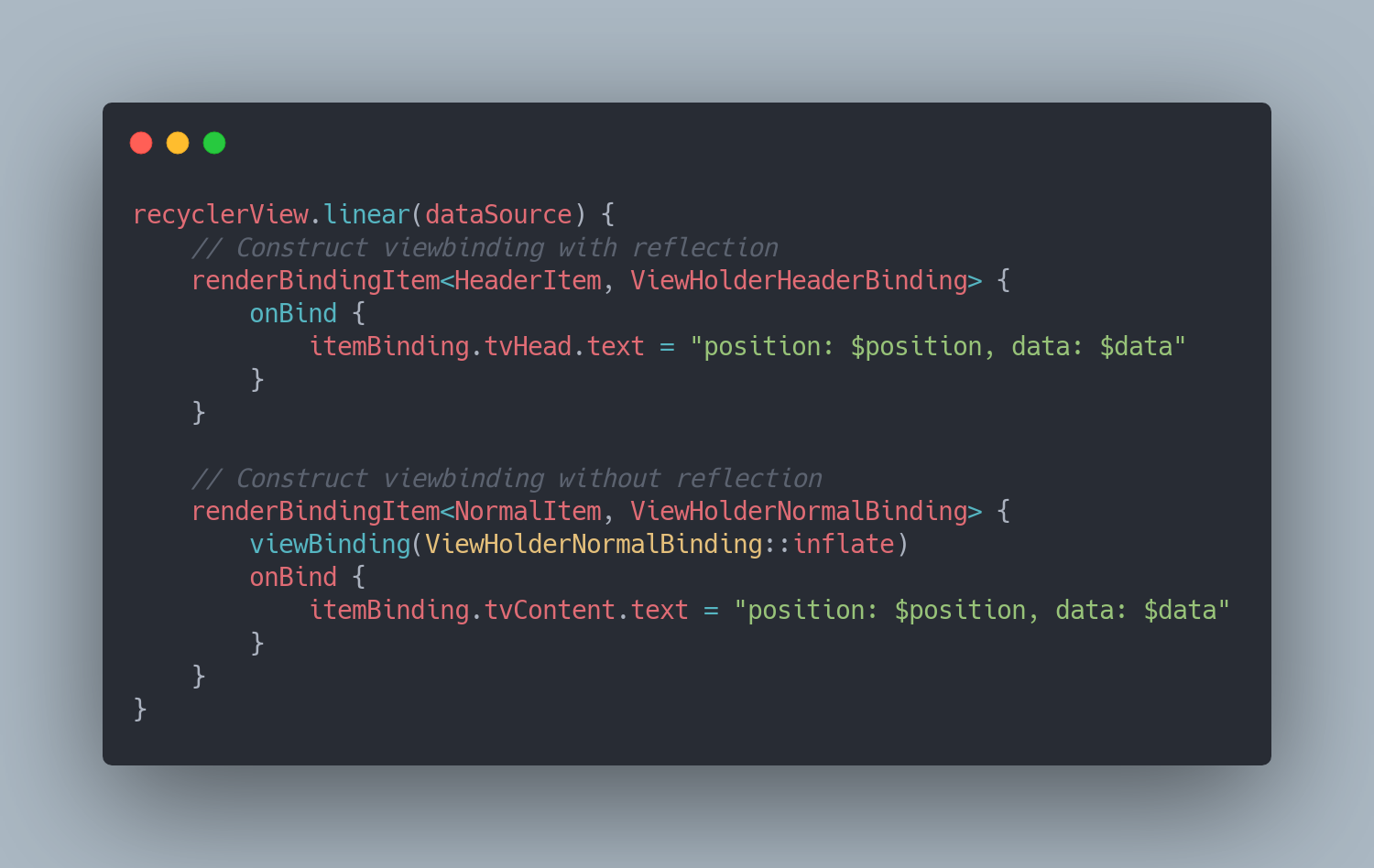
## Prepare
1. 添加jitpack到build.gradle
```gradle
allprojects {
repositories {
maven { url 'https://jitpack.io' }
}
}
```
2. 添加依赖
```gradle
dependencies {
implementation 'com.github.ssseasonnn:Yasha:1.2.0'
// or
implementation 'com.github.ssseasonnn.Yasha:yasha:1.2.0' //only for recyclerview
implementation 'com.github.ssseasonnn.Yasha:yasha-compose:1.2.0' //only for compose
}
```
## 基本用法
### 1. 渲染RecyclerView
```kotlin
//创建数据类
class RecyclerViewItem(val i: Int, val text: String = "") : YashaItem
//创建DataSource
val dataSource = YashaDataSource()
//渲染RecyclerView
recyclerView.linear(dataSource) {
renderBindingItem {
onBind {
itemBinding.tvNormalContent.text = "position: $position, data: $data"
}
}
}
```
### 2. 渲染ViewPager
```kotlin
//创建数据类
class ViewPagerItem(val i: Int, val text: String = "") : YashaItem
//创建DataSource
val dataSource = YashaDataSource()
//渲染ViewPager
viewPager.vertical(dataSource) {
renderBindingItem {
onBind {
itemBinding.tvNormalContent.text = "position: $position, data: $data"
}
}
}
```
## 其余配置
### 1. 渲染类型
Yasha支持多种类型的RecyclerView,如列表、Grid、Stagger以及Pager和自定义列表类型
```kotlin
//渲染列表
recyclerView.linear(dataSource) {
//设置方向为垂直列表或横向列表
orientation(RecyclerView.VERTICAL)
renderBindingItem {}
}
//渲染表格
recyclerView.grid(dataSource) {
//设置列数量
spanCount(2)
renderBindingItem {
//设置该item项对应的列数
gridSpanSize(2)
onBind {}
}
}
//渲染瀑布流
recyclerView.stagger(dataSource) {
//设置列数量
spanCount(2)
renderBindingItem {
staggerFullSpan(true)
onBind {}
}
}
//渲染Page
recyclerView.pager(dataSource) {
//注册翻页回调
onPageChanged { position, yashaItem, view ->
Toast.makeText(this, "This is page $position", Toast.LENGTH_SHORT).show()
}
}
//渲染自定义layout
recyclerView.custom(customLayoutManager, dataSource) {}
```
### 2. DataSource分页加载
```kotlin
// 继承YashaDataSource并重写**loadInitial**和**loadAfter**方法即可
class CustomDataSource(coroutineScope: CoroutineScope) : YashaDataSource(coroutineScope) {
var page = 0
// 初始化加载时调用,位于IO线程
override suspend fun loadInitial(): List? {
page = 0
val items = mutableListOf()
for (i in 0 until 10) {
items.add(NormalItem(i))
}
// 返回null触发加载失败
// 返回空列表触发没有更多
return items
}
// 分页加载时调用,位于IO线程
override suspend fun loadAfter(): List? {
page++
//模拟加载失败
if (page % 5 == 0) {
// 返回null触发加载失败
return null
}
val items = mutableListOf()
for (i in 0 until 10) {
items.add(NormalItem(i))
}
// 返回空列表触发没有更多
return items
}
}
```
### 3. 渲染MultiType
```kotlin
//定义数据类型A
class AItem(val i: Int) : YashaItem
//定义数据类型B
class BItem(val i: Int) : YashaItem
//渲染Item
recyclerView.linear(dataSource) {
//渲染类型 A
renderBindingItem {
onBind {
//render
...
}
}
//渲染类型 B
renderBindingItem {
onBind {
//render
...
}
}
}
```
### 4. Header 和 Footer
DataSource支持以下多种添加Header和Footer的方法:
```kotlin
//Headers
fun addHeader(t: T, position: Int = -1, delay: Boolean = false)
fun addHeaders(list: List, position: Int = -1, delay: Boolean = false)
fun removeHeader(t: T, delay: Boolean = false)
fun setHeader(old: T, new: T, delay: Boolean = false)
fun getHeader(position: Int): T
fun clearHeader(delay: Boolean = false)
//Footers
fun addFooter(t: T, position: Int = -1, delay: Boolean = false)
fun addFooters(list: List, position: Int = -1, delay: Boolean = false)
fun removeFooter(t: T, delay: Boolean = false)
fun setFooter(old: T, new: T, delay: Boolean = false)
fun getFooter(position: Int): T
fun clearFooter(delay: Boolean = false)
```
### 5. 局部刷新
通过重写数据类的Diff方法,即可完成高效的局部刷新
```kotlin
//定义数据类型时,重写Diff方法
class NormalItem(val i: Int, val text: String = "") : YashaItem {
override fun areItemsTheSame(other: Differ): Boolean {
if (other !is NormalItem) return false
return other.i == i
}
override fun areContentsTheSame(other: Differ): Boolean {
if (other !is NormalItem) return false
return other.text == text
}
//设置payload
override fun getChangePayload(other: Differ): Any? {
if (other !is NormalItem) return null
return other.text
}
}
//dataSource更新新的Item数据
val oldItem = NormalItem(1, "1")
val newItem = NormalItem(2, "2")
dataSource.setItem(oldItem, newItem)
// 渲染时注册onBindPayload
recyclerView.linear(dataSource) {
renderBindingItem {
onBind {
itemBinding.tvNormalContent.text = "position: $position, data: $data"
}
//局部刷新使用
onBindPayload {
//取出payload进行局部刷新
val payload = it[0]
if (payload != null) {
itemBinding.tvNormalContent.text = payload.toString()
}
}
}
}
```
### 6. 自定义加载状态
```kotlin
//使用默认的加载状态
val dataSource = YashaDataSource(enableDefaultState = true)
//自定义加载状态
class CustomStateItem(val state: Int) : YashaItem
class CustomDataSource : YashaDataSource(enableDefaultState = false) {
override fun onStateChanged(newState: Int) {
setState(CustomStateItem(newState))
}
}
//渲染自定义状态
recyclerView.linear(dataSource) {
...
renderBindingItem {
onBind {
when (data.state) {
FetchingState.FETCHING -> {
//加载中
}
FetchingState.FETCHING_ERROR -> {
//加载失败
}
FetchingState.DONE_FETCHING -> {
//加载完成
}
else -> {
//其他
}
}
}
}
}
```
### 7. 混淆
仅当使用反射创建ViewBinding时,需要添加以下proguard rule:
```pro
-keepclassmembers class * implements androidx.viewbinding.ViewBinding {
public static ** inflate(...);
}
```
## License
> ```
> Copyright 2021 Season.Zlc
>
> Licensed under the Apache License, Version 2.0 (the "License");
> you may not use this file except in compliance with the License.
> You may obtain a copy of the License at
>
> http://www.apache.org/licenses/LICENSE-2.0
>
> Unless required by applicable law or agreed to in writing, software
> distributed under the License is distributed on an "AS IS" BASIS,
> WITHOUT WARRANTIES OR CONDITIONS OF ANY KIND, either express or implied.
> See the License for the specific language governing permissions and
> limitations under the License.
> ```