 Orca
Orca
Orca
Orca




The AI Orchestrator for 100x builders.
Run Codex, ClaudeCode, OpenCode or Pi side-by-side — each in its own worktree, tracked in one place.
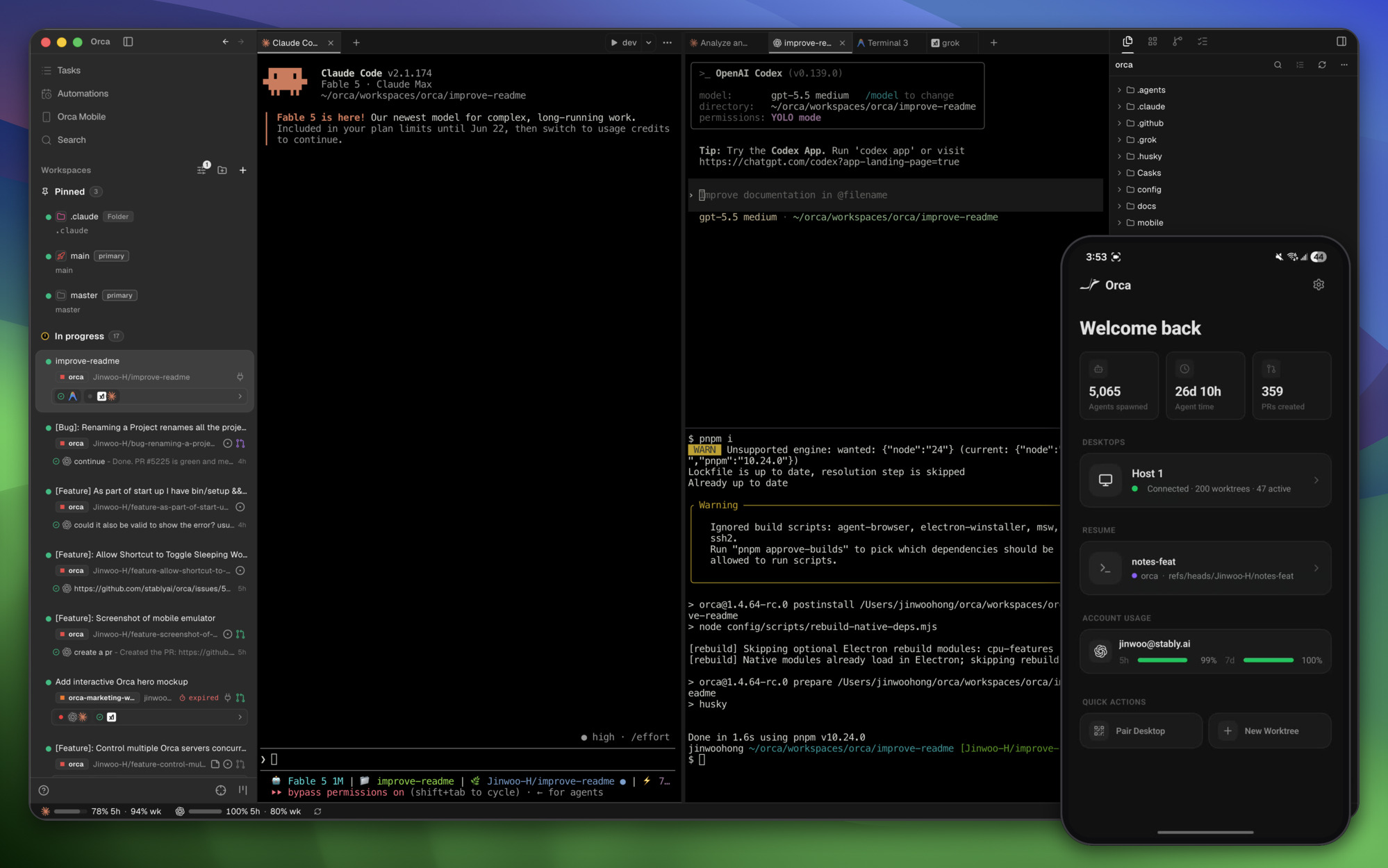
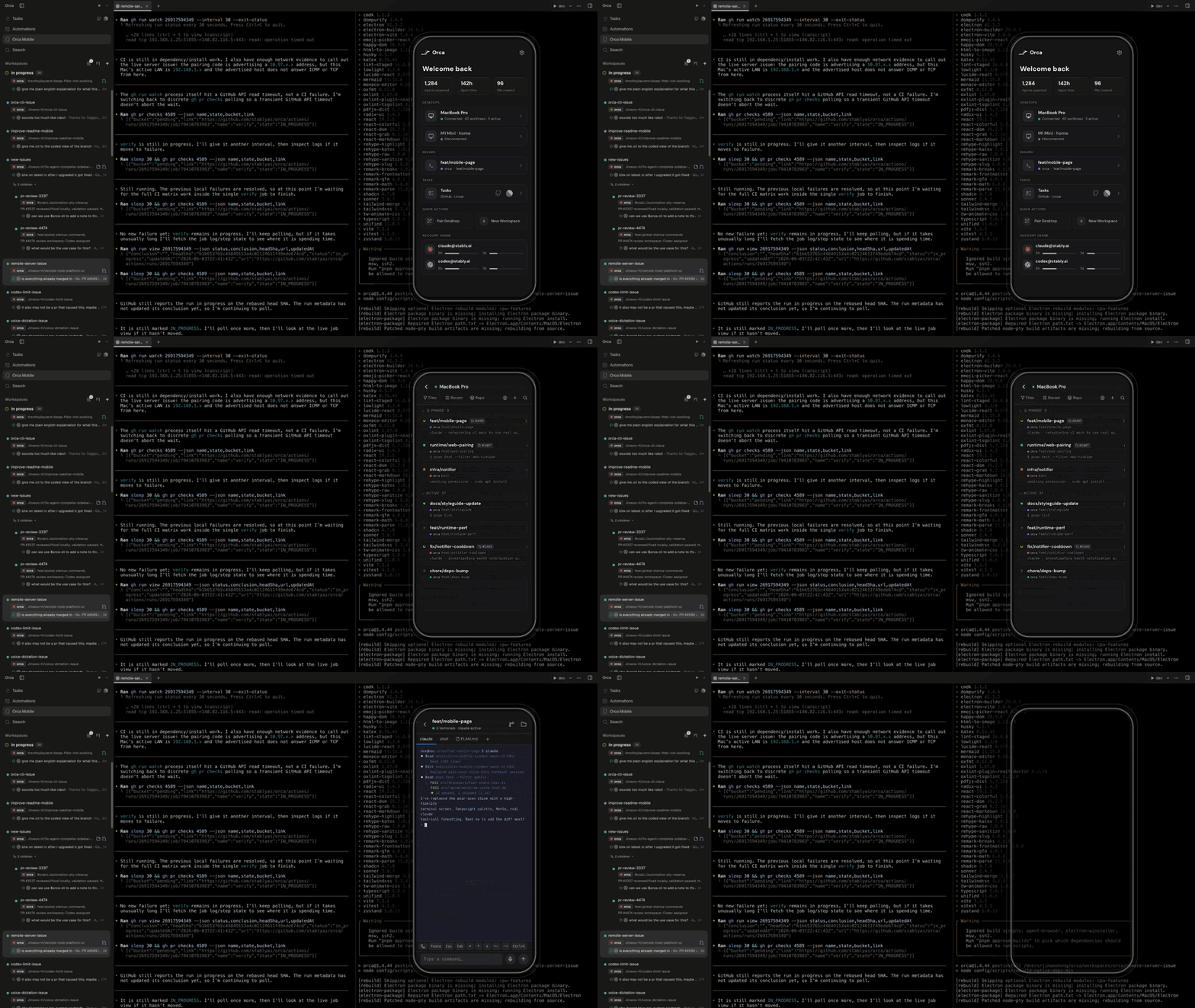
| ### Mobile Companion Monitor and steer your agents from your phone — get notified when an agent finishes and send follow-ups from anywhere. [iOS App Store](https://apps.apple.com/us/app/orca-ide/id6766130217) · [TestFlight](https://testflight.apple.com/join/YjeGMQBA) · [Android APK](https://github.com/stablyai/orca/releases/download/mobile-android-v0.0.16/app-release.apk) · [Docs →](https://www.onorca.dev/docs/mobile) |
 |
| ### Parallel Worktrees Fan one prompt across five agents, each in its own isolated git worktree — compare the results and merge the winner. [Docs →](https://www.onorca.dev/docs/model/worktrees) |
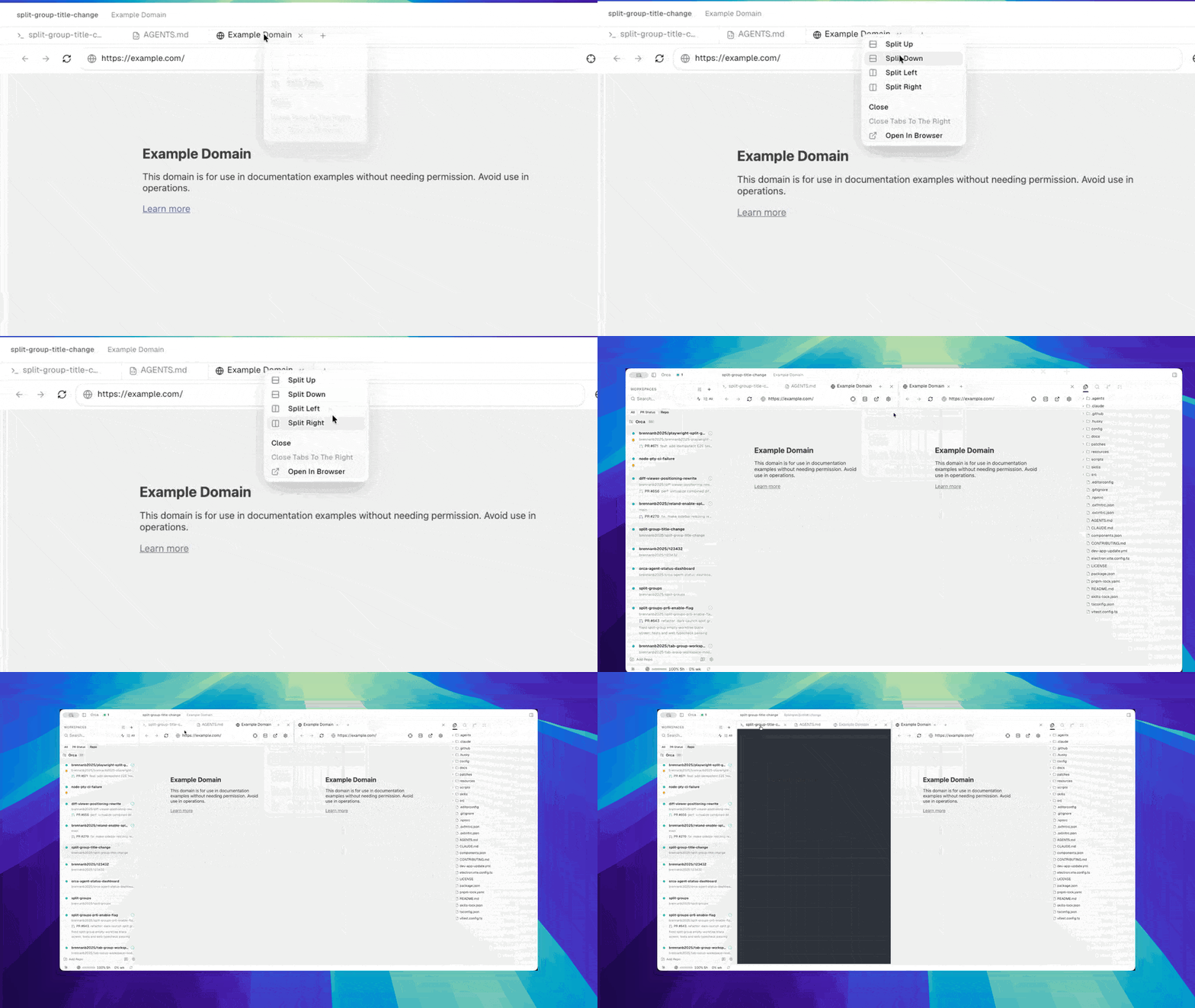 |
| ### Terminal Splits Ghostty-class terminals with WebGL rendering, infinite splits, and scrollback that survives restarts. [Docs →](https://www.onorca.dev/docs/terminal) |
 |
| ### Design Mode Click any UI element in a real Chromium window to send its HTML, CSS, and a cropped screenshot straight into your agent's prompt. [Docs →](https://www.onorca.dev/docs/browser/design-mode) |
 |
| ### GitHub & Linear, Native Browse PRs, issues, and project boards in-app — open a worktree from any task and review without a context switch. [Docs →](https://www.onorca.dev/docs/review/linear) |
 |
| ### SSH Worktrees Run agents on a beefy remote box with full file editing, git, and terminals — auto-reconnect and port forwarding included. [Docs →](https://www.onorca.dev/docs/ssh) |
 |
| ### Annotate AI Diffs Drop comments on any diff line and ship them back to the agent — review, edit, and commit without leaving Orca. [Docs →](https://www.onorca.dev/docs/review/annotate-ai-diff) |
 |
| ### Drag Files to Agents VS Code's editor with autosave everywhere — drag files or images straight into an agent prompt. [Docs →](https://www.onorca.dev/docs/editing/file-explorer) |
 |
| ### Orca CLI Agents drive Orca too — script every workflow with `orca worktree create`, `snapshot`, `click`, and `fill`. [Docs →](https://www.onorca.dev/docs/cli/overview) |
 |
 Claude Code
Codex
Grok
Cursor
GitHub Copilot
OpenCode
MiMo Code
Amp
 OpenClaude
Antigravity
 Pi
Pi
 oh-my-pi
Hermes Agent
Devin
Goose
Auggie
Autohand Code
Charm
Cline
Codebuff
Command Code
Continue
 Droid
Droid
 Kilocode
Kimi
Kiro
Mistral Vibe
Qwen Code
Rovo Dev
+ any CLI agent
 - **Feedback & Ideas:** We ship fast. Missing something? [Request a new feature](https://github.com/stablyai/orca/issues).
- **Privacy:** See the [privacy & telemetry docs](https://www.onorca.dev/docs/telemetry) for what anonymous usage data Orca collects and how to opt out.
- **Show Support:** [Star](https://github.com/stablyai/orca) this repo to follow along with our daily ships.
---
## Developing
Want to contribute or run locally? See our [CONTRIBUTING.md](.github/CONTRIBUTING.md) guide.
- **Feedback & Ideas:** We ship fast. Missing something? [Request a new feature](https://github.com/stablyai/orca/issues).
- **Privacy:** See the [privacy & telemetry docs](https://www.onorca.dev/docs/telemetry) for what anonymous usage data Orca collects and how to opt out.
- **Show Support:** [Star](https://github.com/stablyai/orca) this repo to follow along with our daily ships.
---
## Developing
Want to contribute or run locally? See our [CONTRIBUTING.md](.github/CONTRIBUTING.md) guide.