Starcat

Starcat — 原生 macOS GitHub Stars 管理器与 AI 知识库

在本地整理、搜索并追问你的 GitHub Stars。

Install with Homebrew 在 GitHub Star Starcat
Download on the Mac App Store   Starcat For GitHub - Ask your GitHub Stars — local RAG on native macOS | Product Hunt
macOS 15 Sequoia 或更高版本:优先使用 Homebrew 安装,也可以从 官网 下载面向 Apple Silicon Mac 的 Direct 版本,或在 Mac App Store 获取 Starcat for GitHub。
历史版本与发布说明:更新日志 · 官网更新记录
公开问题反馈:反馈 bug 或提出功能建议
用户文档:starcat.mintlify.app · Mac App Store:dong4j.app/starcat · 隐私:隐私政策 · 用户协议
English: README.md

website Mac App Store platform localization issues organization

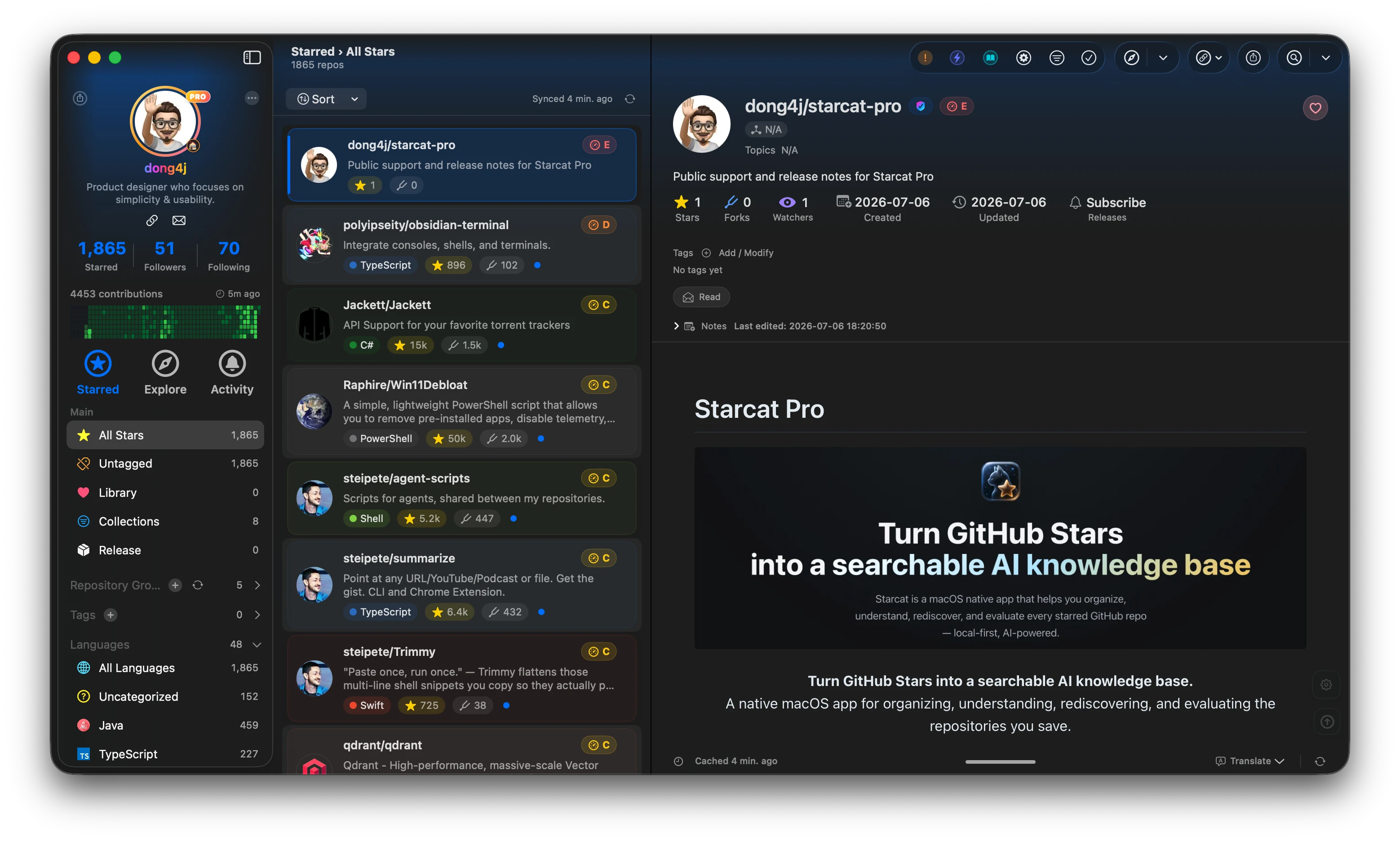
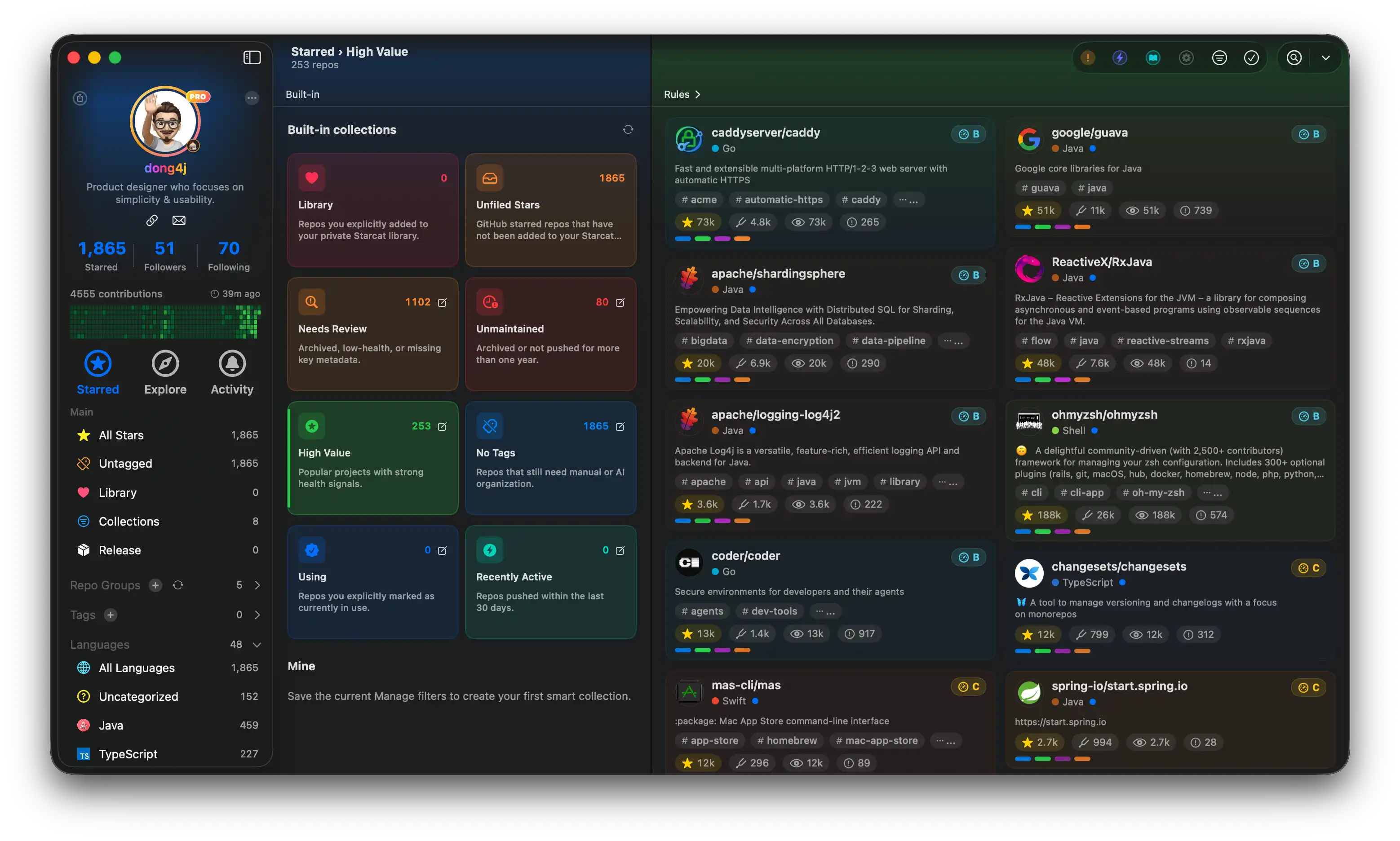
本仓库是 **macOS 客户端源码**,也是公开问题反馈入口。发布说明在 [starcat-site](https://github.com/starcat-app/starcat-site)(`appstore/` 与 `direct/` 双渠道更新日志)。配套文档、CLI、插件和可自建 API 见下方「相关项目」。 ## 这是什么 **Starcat** 是原生 macOS 应用,面向 GitHub Stars 已经超出普通收藏夹规模的人。它把 starred 仓库同步到本地优先的桌面工作区,渲染 README,支持标签、私有笔记和阅读状态,追踪 Release,评估仓库健康度,并把真正要用的项目收进可检索、可追问的本地知识库。 做 Starcat 的过程中,我开始重新看 GitHub Star 的本质。我们习惯把它们当成以后再看的书签。时间长了,它们是一份数字资产,记录专业兴趣、技能方向,以及以后可能真正用到的项目。 Star 本身还是公开的认同。真正准备学习、使用或长期保留的项目,再进入 Starcat 知识库。点 Star 不自动变成待整理清单,入库才进入检索、摘要和 RAG 问答的范围。
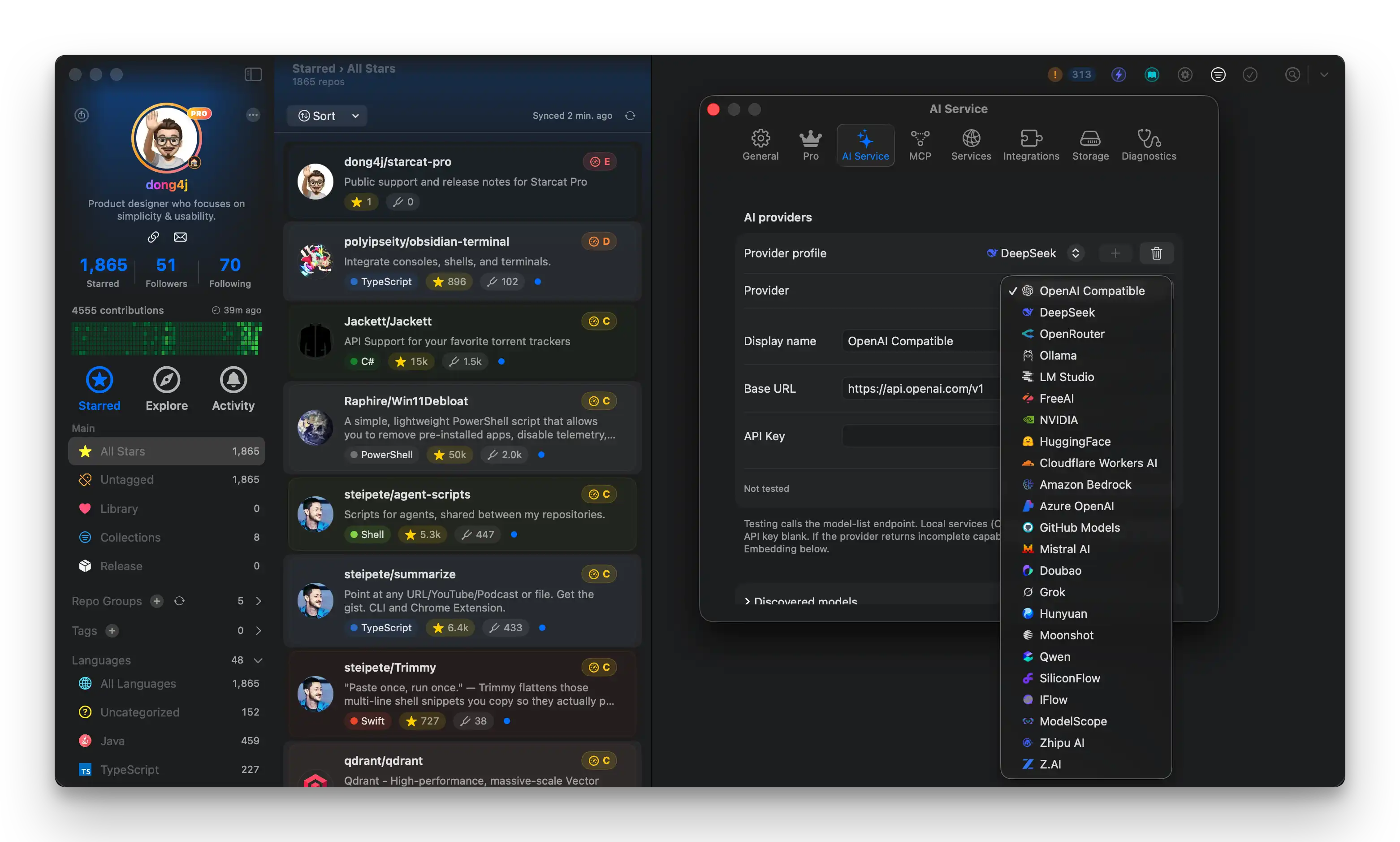
Starcat 主窗口
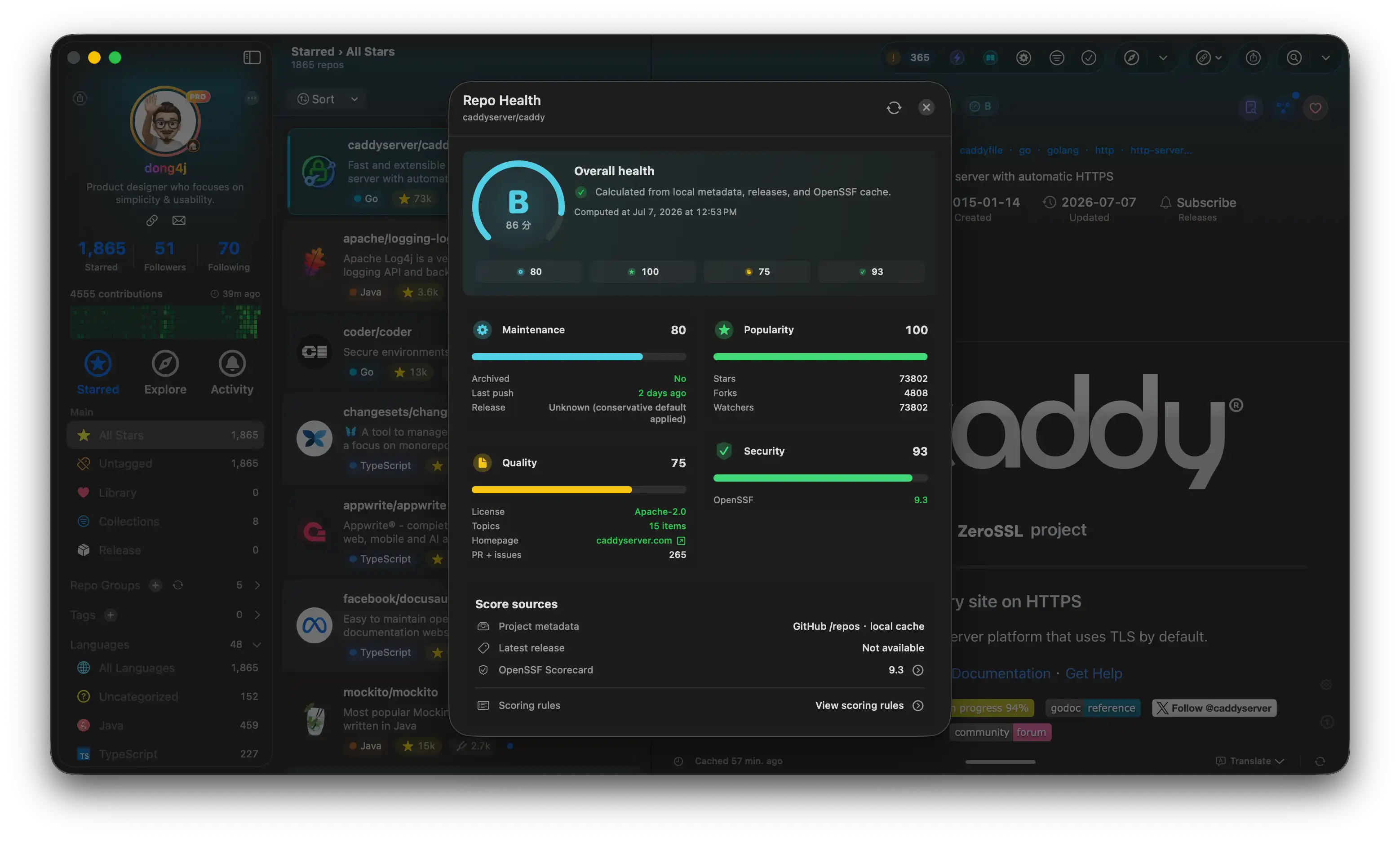
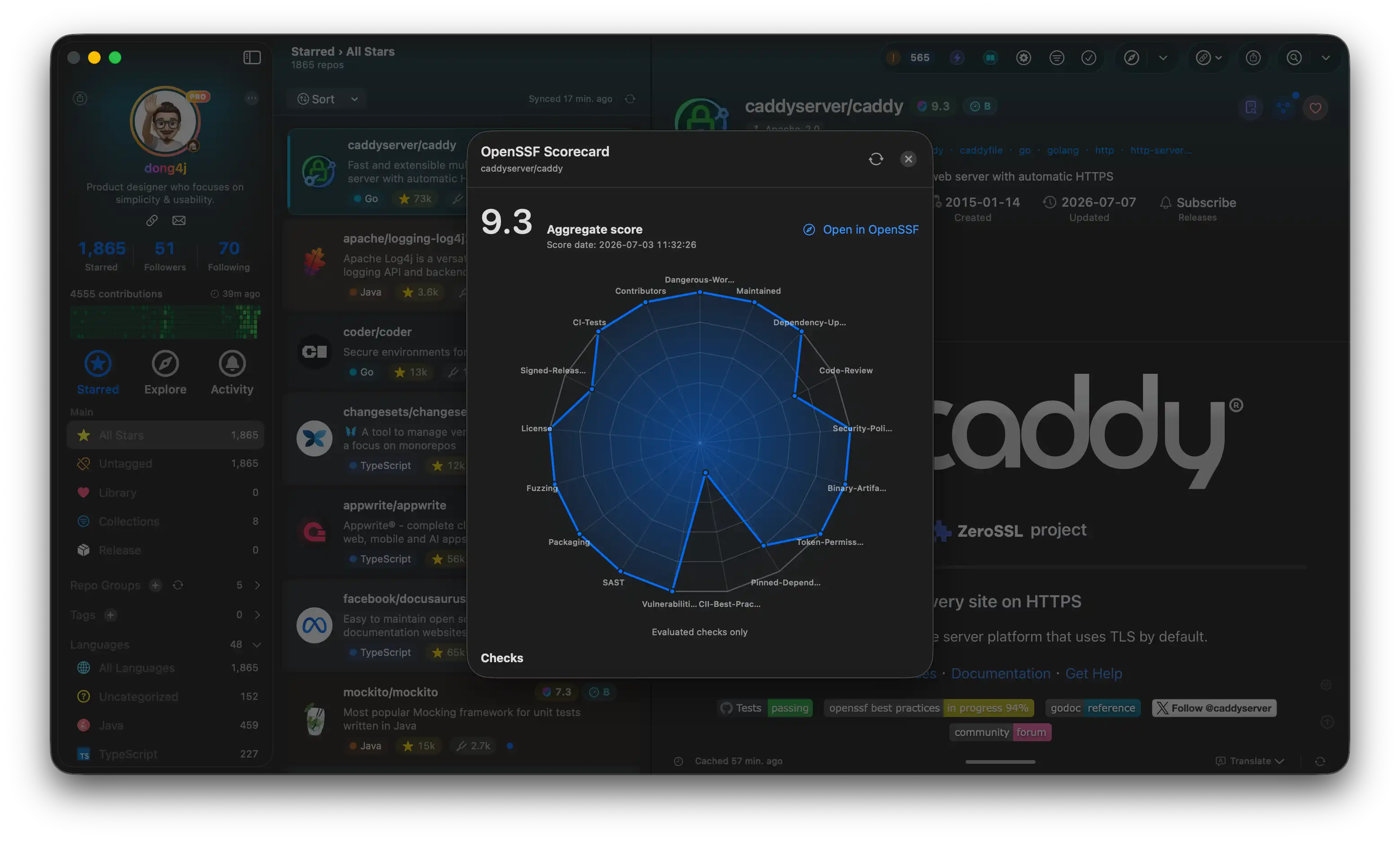
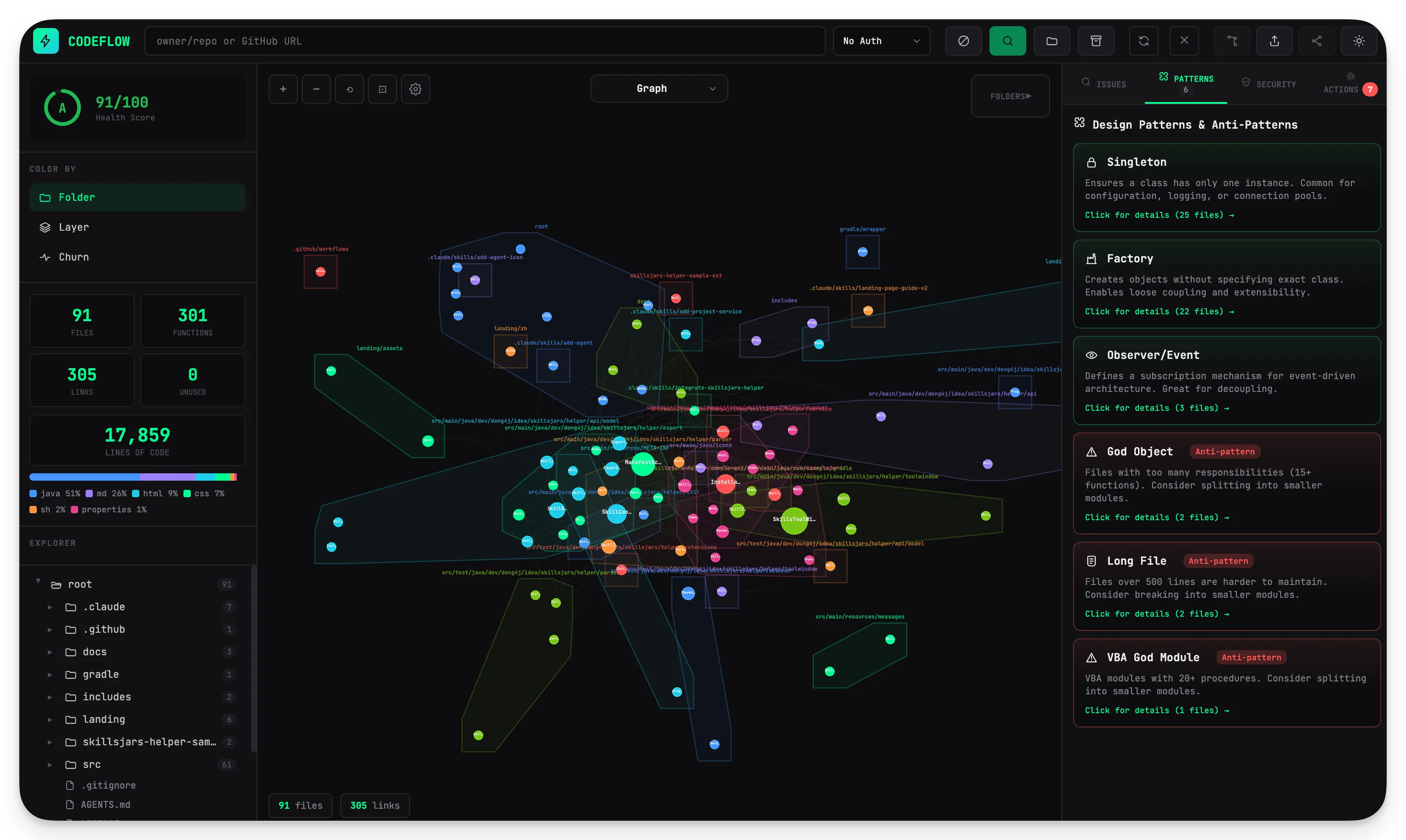
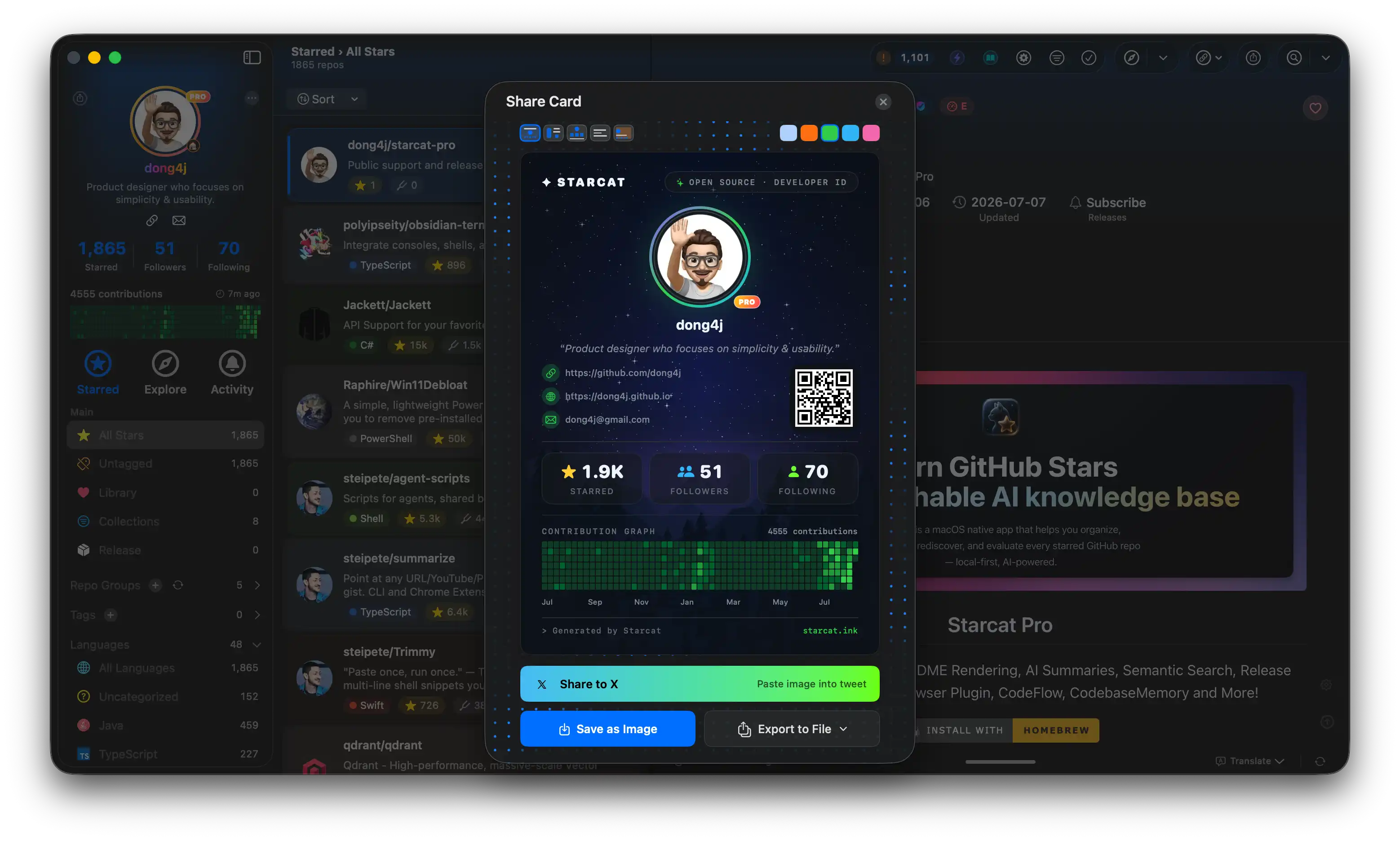
### 为什么开源 Starcat Starcat 最初是收费产品,但深度管理 GitHub Stars 的市场比预期更小。开放整个生态后,真正需要它的人可以审查代码、扩展功能并自建服务。相关项目现已开源,仅保留负责 Direct 渠道授权的 [`starcat-license-api`](https://github.com/starcat-app/starcat-license-api) 为私有。官方 **Mac App Store** 和 **Direct**([starcat.ink](https://starcat.ink))版本仍会持续提供和维护。 ## 看看 Starcat 如何工作 ### AI 驱动的仓库理解 https://github.com/user-attachments/assets/bf229a76-7a26-4f82-a3b2-1c4d3c960a7f ### 向知识库提问 https://github.com/user-attachments/assets/4785fa1e-d629-4a18-b266-6fa2145f92dd ### 同时搜索本地、GitHub 与 Web https://github.com/user-attachments/assets/0257850a-d65b-4d9a-9621-028064b7a873 ## 官方包和自己编译 官方渠道是 Mac App Store([Starcat for GitHub](https://apps.apple.com/cn/app/starcat-for-github/id6788809803?mt=12),落地页 [dong4j.app/starcat](https://dong4j.app/starcat/))和 Direct(官网 DMG / Homebrew + Sparkle)。核心整理能力可免费使用。官方包里的 Pro 工作流、更高 AI 配额和代码智能,走 App Store 内购或 Direct 授权。 从本仓库编译、自建服务,不需要 Starcat License。Direct 授权签发仍走私有的 `starcat-license-api`。 首选 Homebrew: ```bash brew tap starcat-app/starcat brew trust starcat-app/starcat brew install --cask starcat ``` 也可以从 [starcat.ink](https://starcat.ink) 下载 Direct `.dmg`,拖到 `/Applications` 后用 GitHub 登录。 ## 核心能力 主界面是三栏工作区:侧栏导航、仓库列表、当前仓库详情。另外还有两个独立工作台:知识库 RAG 和 Agent。 ### 整理 Stars 用 GitHub OAuth 登录后增量同步 starred 仓库,数据落在本地 SQLite。仓库缓存丢了可以重建;标签、私有笔记、阅读状态是用户数据,不能丢。 - 三栏布局,macOS 26 优先适配 Liquid Glass - 标签、语言、未分类、智能集合、置顶 - 阅读状态:未读 / 阅读中 / 已采用 / 已废弃 - 私有笔记,可基于 README 用 AI 起草或改写 - FTS5 全文搜索:仓库名、描述、Topics、笔记 - 语义搜索:按意图找仓库,不只靠关键词 - README 渲染,含图片、Mermaid、专注阅读 - JSON 导入导出,兼容 OhMyStar / Astral ### 活动与 GitHub 通知 活动页是应用内收件箱,用来处理被 @、评审请求、指派、讨论、Release 和安全公告。可按未读、提及、评审、Issue、PR 筛选,并按今天、昨天、本周和更早分组。 打开通知后可以阅读 Issue / PR 会话、撰写或预览回复、用 AI 起草评论,以及翻译评论。完成等同 GitHub Inbox 的 Done,不会关闭 Issue。也可以在系统通知中心收到提醒。 ### 知识库 Star 和知识库是两层。GitHub Star 表示公开认同;知识库表示这份仓库进入你的私有资料。可以从 Stars 批量入库,也可以在探索、周刊、Trending 里直接加入,不必先去 GitHub 点 Star。 入库之后,仓库才成为 RAG 索引、知识库浏览、MCP / CLI 默认上下文的来源。没入库的 Star 继续当收藏。 ### 知识库 RAG 工作台 ![知识库 RAG 工作台](./screenshots/rag-workbench.webp) 独立窗口,快捷键 `⇧⌘K`。默认只问知识库里的仓库,回答带引用,并能跳回对应仓库和证据片段。 工作台分三栏:左侧会话与知识库状态,中间流式回答,右侧 Citation Inspector 核对来源。检索是混合的:FTS5 关键词、Embedding 语义召回、RRF 融合。索引按分片建立,citation 能指到具体段落,而不只是仓库名。 还可以带上仓库洞察 XML、README / 笔记 / 摘要分片,以及文本、Markdown、JSON、源码附件。需要时可以显式走 GitHub 结构化查询或联网搜索,步骤会写进执行时间线。默认只读,不会自动改标签、笔记或入库状态。 ### 评估与洞察 ![我的洞察与仓库洞察](./screenshots/insights.webp) - Repo Health:活跃度、维护状态、风险信号 - OpenSSF Scorecard:公开安全评分雷达图 - 我的洞察:整理进度、技术分布、待处理项 - 仓库洞察:Star 增长、提交、协作、发布节奏、健康度与安全 - 洞察生成后可复用到摘要、对话和 RAG,作为可移除的只读上下文 ### 找回与发现 智能集合覆盖 Needs Review、Unmaintained、High Value、No Tags 等规则,也可以自己组合元数据、状态、笔记和 Health 信号。我的项目用来看个人仓、组织仓和协作仓,私有仓走 GitHub App 授权。 探索侧有 GitHub Trending、发现榜单、阮一峰周刊等来源,以及 Release 订阅、时间线和按平台过滤的下载资产。桌面小组件可以看常用仓库、今日重逢、未读 Release 和收藏趋势。 ### 分享你 Starred 的项目 ![分享你 Starred 的项目](./screenshots/share-page.webp) 仓库详情里可以直接复制 GitHub 链接,给还没装 Starcat 的人看。已 Star 的公开仓库还可以生成一份独立的公开分享页:简介、Star / Fork、README 要点、Topics,以及可切换的卡片样式。对方打开的是网页,不需要账号。 公开分享页走 [`starcat-sharing-api`](https://github.com/starcat-app/starcat-sharing-api),可以自建。私有仓库不会生成可被服务端抓取的页面。 ### 分析你 Starred 的项目 ![分析你 Starred 的项目](./screenshots/code-analysis.webp) 当前仓库的源码可以拉到本机再看结构,不必先 clone 到别的 IDE。Starcat 集成了两套开源分析器: - **[codebase-memory-mcp](https://github.com/DeusData/codebase-memory-mcp)**:符号级知识图谱。文件、类、函数、依赖在本机 3D 图里展开,可按类型过滤和搜索。 - **[codeflow](https://github.com/braedonsaunders/codeflow)**:架构体检。看文件规模、耦合、循环依赖、重复和复杂度,并给出健康分。 源码默认从 GitHub ZIP 拉取,产物可以清掉。 ### 深入了解你的项目 ![深入了解你的项目](./screenshots/understand.webp) 这是主窗口详情页里的 AI,不是独立工作台。笔记、摘要、标签都在本机,入库后会进入 RAG。 - **笔记**:用 AI 根据 README 起草一版私有笔记,你可以随时改。适合记下接入步骤、踩过的坑、和文档对不上的地方。笔记只属于你,不会写回 GitHub。 - **摘要和标签**:AI 读完 README 后给出结构化摘要(做什么、技术栈、适用场景),并推荐标签。标签要你确认才会写入;也可以对全部 Starred 仓库批量生成,再逐条确认。摘要和标签同样会进知识库索引。 - **仓库对话**:直接问当前项目,例如怎么编译、某个功能在哪。回答带这个仓库的 README、笔记和摘要。也可以翻译 README,保留原结构,支持分段对照或全文替换。 ### 接到其他工具 同一份本地数据可以通过 CLI、MCP、Agent Skill、浏览器插件和启动器使用。浏览器插件在 GitHub 页面上带出笔记、标签、健康度和 AI 操作。Alfred、uTools、Raycast 可以直接搜本地仓库。分享卡片和短链给还没装 Starcat 的人看。 AI 走 BYOK 或自建代理:Gemini、OpenAI、Anthropic Claude、DeepSeek、Ollama。Key 和配额留在你这边。界面目前 18 种语言,翻译在 [starcat-localization](https://github.com/starcat-app/starcat-localization)。 ## 数据在哪 标签、私有笔记、阅读状态、知识库归属和 RAG 分片都在本机 SQLite。GitHub Token 和 AI API Key 在 Keychain。仓库缓存(README、元数据)丢了可以重建,用户数据不行。 出本机的请求只有这几类: - GitHub.com:同步 Stars、拉 README / Release、OAuth - 你配置的 AI Provider:摘要、对话、RAG 生成和 Embedding(Ollama 则留在本机) - 可选的 Starcat 支撑 API:Trending、周刊、发现、Wiki 探测、相似推荐、公开分享页;都可以自建 - 可选的外部检索后端:Meilisearch、Qdrant,默认仍用 SQLite FTS5 和本地向量 CloudKit 同步字段已经预留,生产版本还没有接上。Starcat 不托管你的 AI Key,也不会把知识库默认上传到自家服务器。 ## 截图

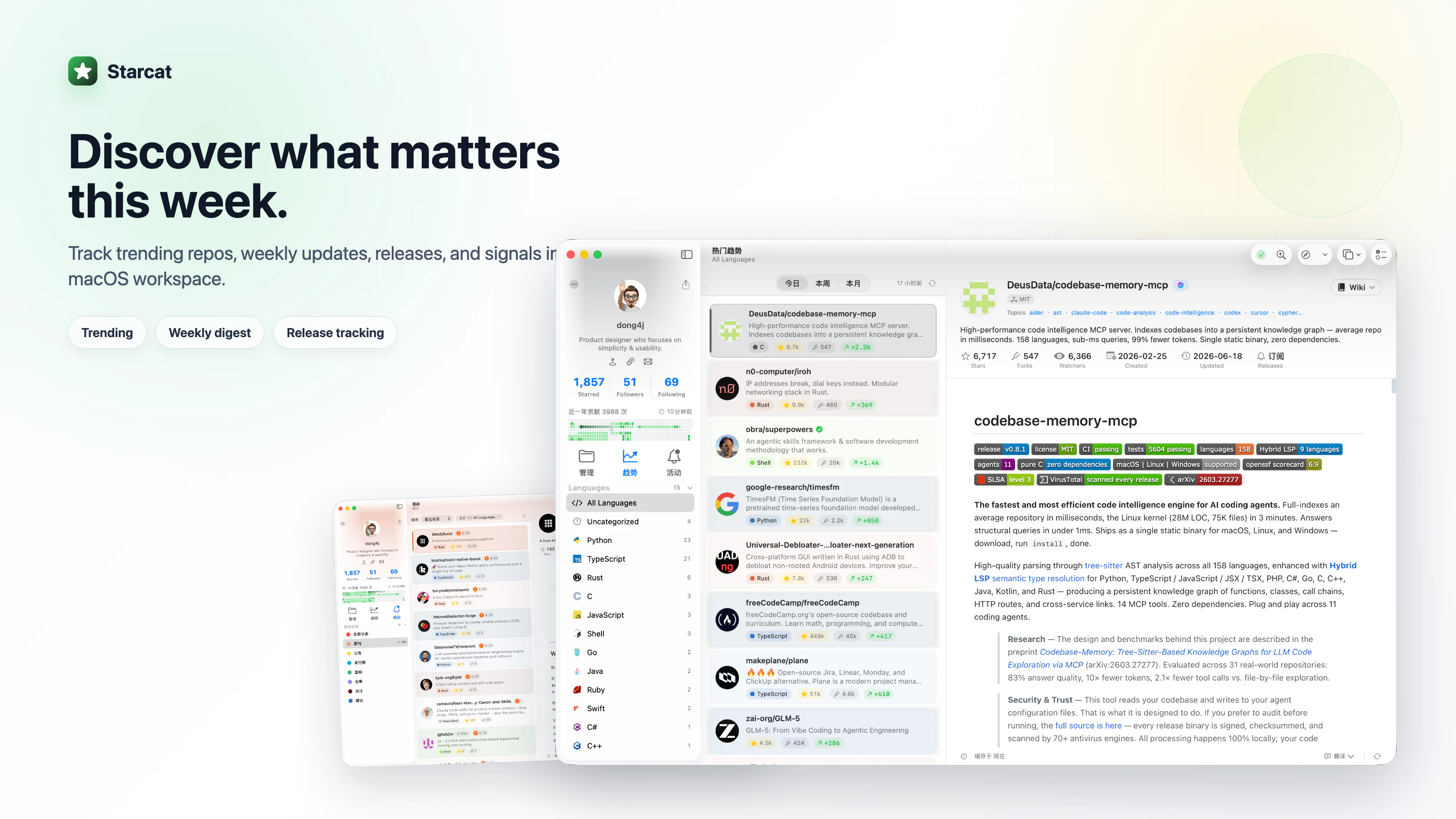
知识库 RAG 工作台 探索与发现

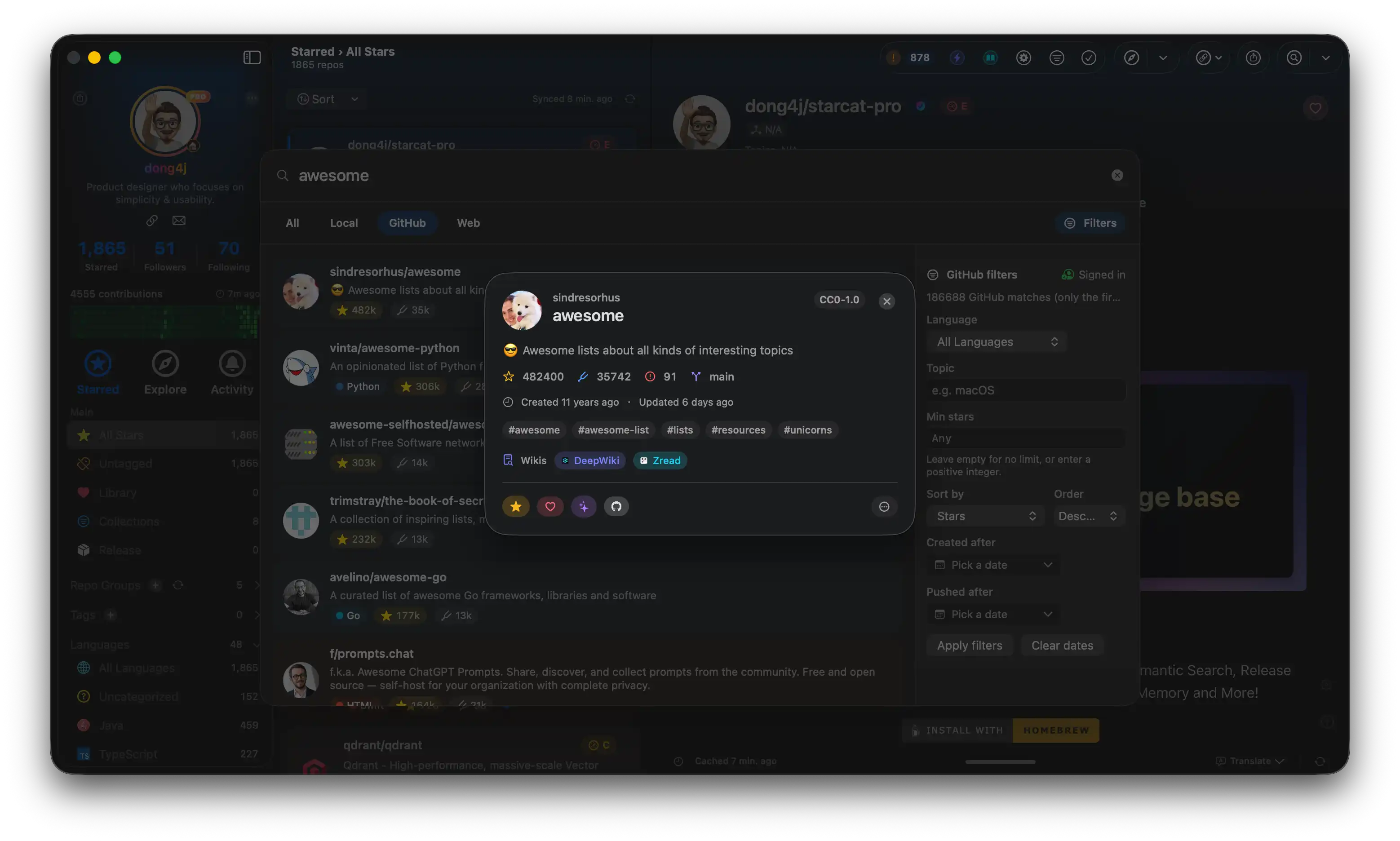
全局搜索与结构化过滤 智能集合

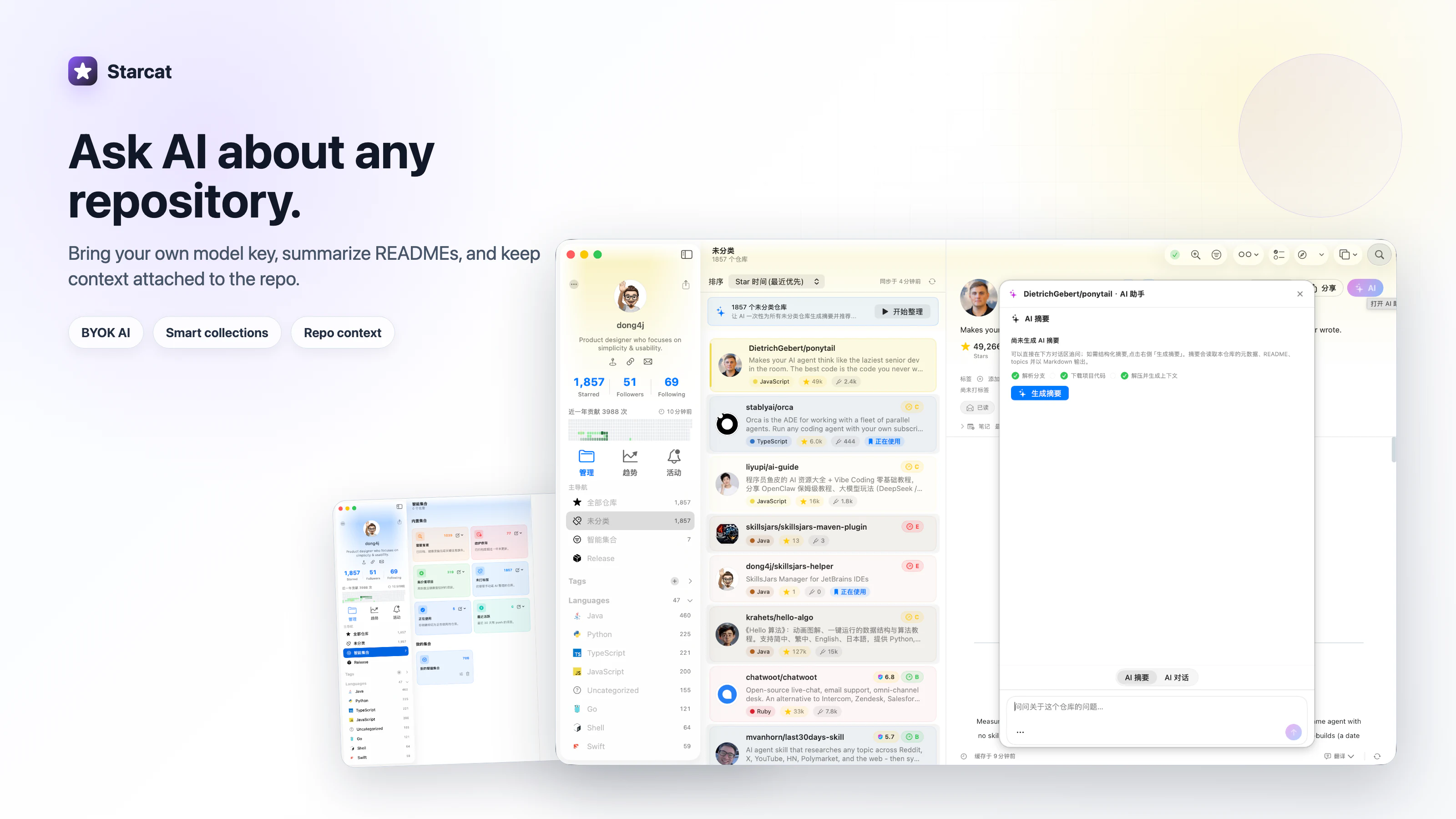
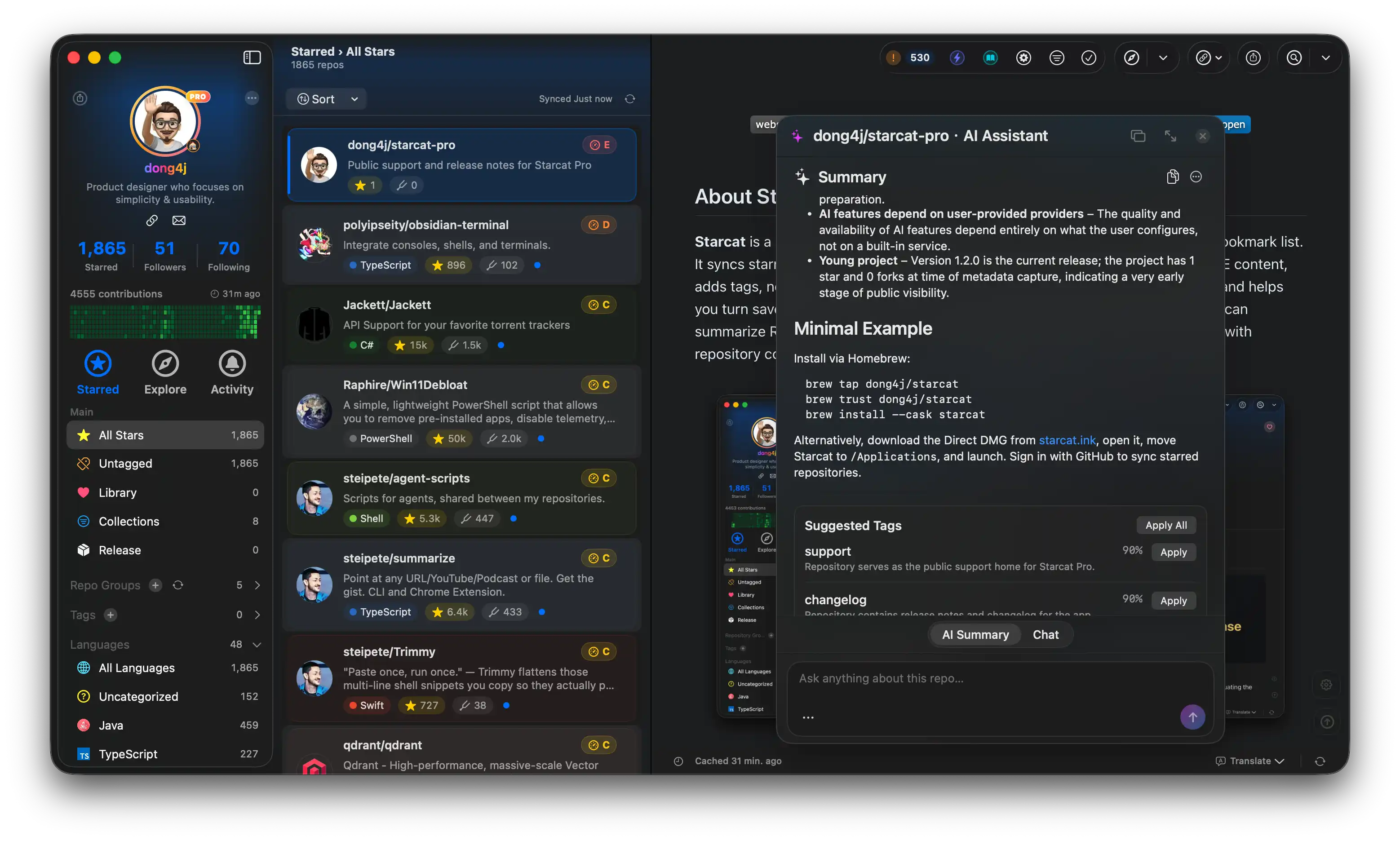
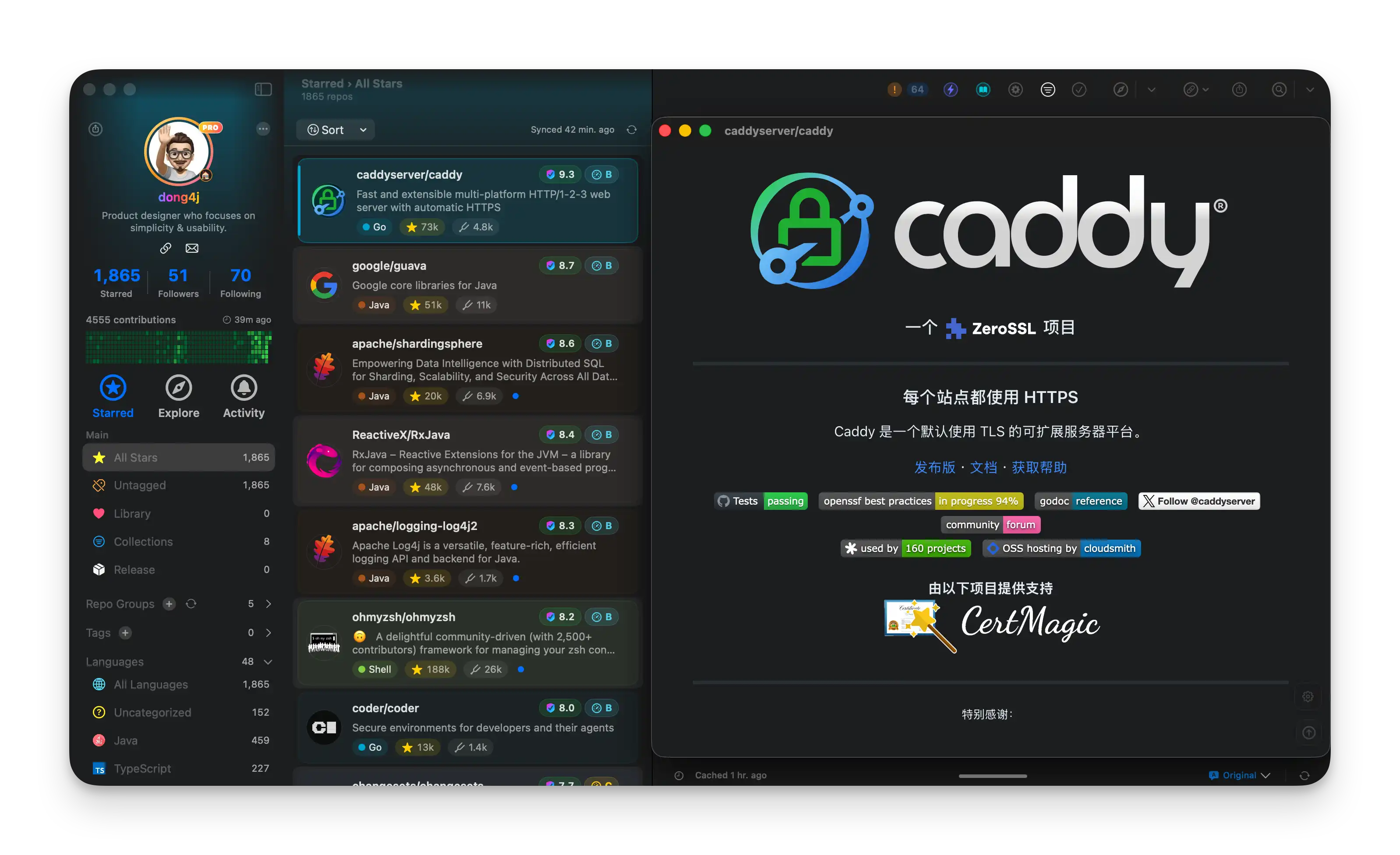
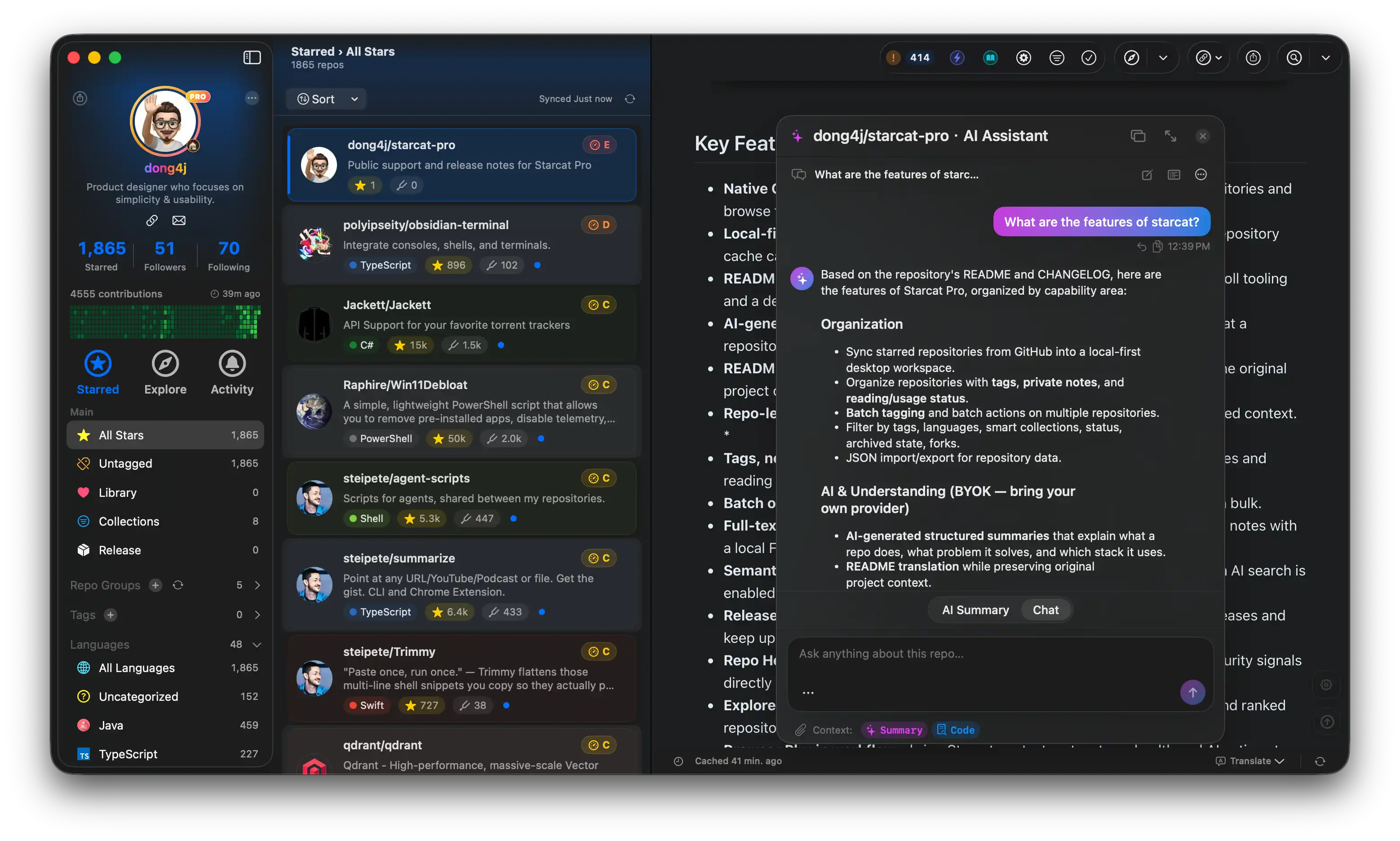
AI 智能摘要 README 翻译

AI 对话 Repo Health 评分

OpenSSF 安全评分 内置代码图谱

分享卡片 AI 服务配置

## 相关项目 本仓库是 macOS 客户端源码。Starcat 还有一组独立仓库,覆盖文档、分发、CLI、插件和可自建 API。完整清单在 [`supports/README.md`](supports/README.md)。组织主页:[github.com/starcat-app](https://github.com/starcat-app)。 ### 产品、文档与分发 | 项目 | 说明 | |------|------| | [starcat.ink](https://starcat.ink) | Direct 官网、下载、更新说明 | | [dong4j.app/starcat](https://dong4j.app/starcat/) | Mac App Store 落地页 | | [starcat-pro](https://github.com/starcat-app/starcat-pro) | 已归档:Changelog 迁至 starcat-site,支持迁至主仓库 issues | | [starcat-docs](https://github.com/starcat-app/starcat-docs) | 官方用户文档源码,发布于 [starcat.mintlify.app](https://starcat.mintlify.app/) | | [starcat-site](https://github.com/starcat-app/starcat-site) | Direct / App Store 官网与法律页面源码 | | [starcat-localization](https://github.com/starcat-app/starcat-localization) | 界面本地化资源,目前 18 种语言 | | [homebrew-starcat](https://github.com/starcat-app/homebrew-starcat) | App 的 Homebrew Cask:`brew install --cask starcat` | ### 在其他工具里用 Starcat | 项目 | 说明 | |------|------| | [starcat-cli](https://github.com/starcat-app/starcat-cli) | 跨平台 CLI,并作为 MCP 运行时给 Agent 读同一份本地知识库 | | [homebrew-starcat-cli](https://github.com/starcat-app/homebrew-starcat-cli) | CLI 的 Homebrew Formula | | [starcat-skill](https://github.com/starcat-app/starcat-skill) | 给 Codex / Claude Code 等 Agent 用的 Skill | | [starcat-chrome-plugin](https://github.com/starcat-app/starcat-chrome-plugin) | Chrome 插件,在 GitHub 页面里用 Starcat 上下文 | | [starcat-safari-plugin](https://github.com/starcat-app/starcat-safari-plugin) | Safari 插件 | | [starcat-alfred-workflow](https://github.com/starcat-app/starcat-alfred-workflow) | Alfred 搜索本地仓库与 GitHub | | [starcat-utools-plugin](https://github.com/starcat-app/starcat-utools-plugin) | uTools 搜索本地仓库与 GitHub | | [starcat-raycast-extension](https://github.com/starcat-app/starcat-raycast-extension) | Raycast 搜索本地仓库与 GitHub | ### 可自建后端 客户端会请求一组独立 API。GitHub 官方没有 Trending 接口,周刊、发现、Wiki 探测、相似推荐、公开分享页也都需要服务端。这些仓库都可以自己部署,各仓 README 里有部署说明。 | 项目 | 说明 | |------|------| | [starcat-sharing-api](https://github.com/starcat-app/starcat-sharing-api) | 分享短链与公开分享页 | | [starcat-trending-api](https://github.com/starcat-app/starcat-trending-api) | GitHub Trending 抓取与 API | | [starcat-weekly-api](https://github.com/starcat-app/starcat-weekly-api) | 周刊、Show HN、HelloGitHub 等发现源 | | [starcat-wiki-api](https://github.com/starcat-app/starcat-wiki-api) | DeepWiki / Zread / CodeWiki 收录探测 | | [starcat-recommend-api](https://github.com/starcat-app/starcat-recommend-api) | 相似仓库推荐 | | [starcat-discovery-api](https://github.com/starcat-app/starcat-discovery-api) | 探索、热门、新发布榜单 | | [starcat-api-kit](https://github.com/starcat-app/starcat-api-kit) | 六个业务 API 共用的 auth / envelope / GitHub 基础包 | | [starcat-license-api](https://github.com/starcat-app/starcat-license-api) | Direct 授权,仓库保持私有 | 知识库关键词默认走 SQLite FTS5,向量默认本地计算。若要在本机验证外部检索后端,见 [`docker/meilisearch`](docker/meilisearch/README.md) 和 [`docker/qdrant`](docker/qdrant/README.md)。端口只绑 `127.0.0.1`。 ## 文章 - 少数派:[我为 GitHub 重度使用者做了一款 macOS 原生应用](https://sspai.com/post/113420) - 个人博客:[同一篇文章](https://blog.dong4j.site/posts/37f07b70.html) ## 从源码编译 完整步骤(客户端、配套 API、CLI、本机 Meilisearch / Qdrant)见 **[本地编译教程](docs/7-工具与脚本/本地编译教程.md)**。贡献约定见 [CONTRIBUTING.md](./CONTRIBUTING.md)。 最短路径:macOS 15+、Xcode 26+、`brew install xcodegen`,checkout `dev`,复制 `Configs/Secrets.xcconfig.template`,`xcodegen generate` 后 Run `Starcat` scheme。新增或删除 Swift 文件后再跑一次 `xcodegen generate`。 配套仓库一次拉齐: ```bash cd supports ./clone-all.sh ``` `supports/` 是独立 git 仓库的工作区,不进本仓库的提交。`starcat-license-api` 和 `starcat-api` 是私有仓,需要组织权限。 ### 项目结构 ```text Starcat/ ├── App/ # 入口、生命周期、依赖装配 ├── Features/ │ ├── Home/ # 三栏主窗口 │ ├── RAG/ # 知识库 RAG 工作台 │ ├── Agents/ # Agent 工作台 │ ├── AI/ # 摘要、对话、翻译、语义搜索 │ ├── Insights/ # 我的洞察 / 仓库洞察 │ ├── Explore/ # 发现 │ ├── Trending/ # GitHub Trending │ ├── Tags/ # 标签 │ ├── Releases/ # Release 订阅与时间线 │ ├── MCP/ # 本地 MCP 门面 │ └── Settings/ # 设置 ├── Core/ │ ├── Database/ # GRDB / 迁移 │ ├── RAG/ # 分片索引与写入 │ ├── Network/ # GitHub API │ ├── Sync/ # Stars 同步 │ └── Keychain/ # Token 与 API Key ├── Shared/ # 共享组件与工具 └── Resources/ ``` ### 测试 跑命令行测试前请关掉 Xcode IDE,避免抢同一个 `testmanagerd`。启动期任何 Keychain / 系统授权调用必须用 `TestEnvironment.isRunning` 门控,否则测试 host 会卡住。 ```bash xcodegen generate xcodebuild -scheme Starcat -destination 'platform=macOS,arch=arm64' test ``` ### 技术栈 | 层级 | 技术选型 | |------|---------| | 客户端 | SwiftUI + macOS 15+,macOS 26 Liquid Glass | | 本地数据库 | GRDB.swift(SQLite)、FTS5、本地 Embedding | | 云同步 | CloudKit 字段已预留,生产版本尚未接入 | | 安全存储 | Keychain | | AI | BYOK / 自建代理(Gemini / OpenAI / Claude / DeepSeek / Ollama) | ## 兼容性 - 当前支持 **macOS 15 Sequoia 或更高版本** - 公开 Direct 下载面向 **Apple Silicon Mac** - 没有 iOS、iPadOS、watchOS、Windows 或 Android 版本 - 从源码编译需要 Apple Developer Program($99/年) - AI 能力取决于你配置的 Provider 或 API Key ## 竞品参考 | 应用 | 特点 | |------|------| | [Starship](https://apps.apple.com/us/app/starship-your-stars-on-github/id1530665887) | 嵌套标签、iCloud 同步 | | [OhMyStar](https://apps.apple.com/cn/app/ohmystar/id1218642292) | 功能完整、搜索强大 | | [GithubStarsManager](https://github.com/AmintaCCCP/GithubStarsManager) | AI 摘要、语义搜索、Release 追踪 | ## 文档 - [本地编译教程](docs/7-工具与脚本/本地编译教程.md) - 从源码编 App、配套 API 和 CLI - [用户文档](https://starcat.mintlify.app/) - 安装、功能与日常使用 - [功能清单](docs/1-立项/功能清单.md) - 完整功能规格 - [功能实现总览](docs/功能实现总览.md) - 主进度索引与工程债 - [详细设计索引](docs/3-设计/详细设计/README.md) - 技术设计文档入口 - [DESIGN.md](DESIGN.md) - 主窗口 / RAG / Agent 的 UI 契约 ## 贡献 见 [CONTRIBUTING.md](./CONTRIBUTING.md)。请遵守 [Code of Conduct](./CODE_OF_CONDUCT.md)。 ## 安全 请按 [SECURITY.md](./SECURITY.md) 私下报告漏洞,不要发到公开 Issue。 ## 支持 产品问题请到[本仓库 issue](https://github.com/starcat-app/Starcat/issues)。 源码问题请到本仓库。说明见 [SUPPORT.md](./SUPPORT.md)。 ## 致谢 Starcat 建立在这些开源项目之上。应用内 **关于 → 开源致谢** 是完整登记表(`Starcat/Features/About/AboutView.swift`)。随包许可证文本见 [THIRD_PARTY_NOTICES.md](./THIRD_PARTY_NOTICES.md)。 Starcat 自己的 CLI、插件和 API 已写在「相关项目」,这里不重复。 ### Swift 依赖(SPM) | 项目 | 许可 | 用途 | |------|------|------| | [GRDB.swift](https://github.com/groue/GRDB.swift) | MIT | 本地 SQLite | | [KeychainAccess](https://github.com/kishikawakatsumi/KeychainAccess) | MIT | Token 与 API Key 存储 | | [Kingfisher](https://github.com/onevcat/Kingfisher) | MIT | 图片加载与缓存 | | [swift-markdown-ui](https://github.com/gonzalezreal/swift-markdown-ui) | MIT | AI 摘要的 SwiftUI Markdown | | [OpenAI](https://github.com/MacPaw/OpenAI) | MIT | OpenAI 兼容客户端 | | [ConfettiSwiftUI](https://github.com/simibac/ConfettiSwiftUI) | MIT | 庆祝动效 | | [ZIPFoundation](https://github.com/weichsel/ZIPFoundation) | MIT | 解压 GitHub 源码 ZIP | | [MCP Swift SDK](https://github.com/modelcontextprotocol/swift-sdk) | Apache-2.0 / MIT | 本地 MCP | | [Aptabase Swift](https://github.com/aptabase/aptabase-swift) | MIT | 可选统计 | | [Sparkle](https://github.com/sparkle-project/Sparkle) | MIT | 仅 Direct 渠道自动更新 | ### 嵌入资源与生成数据 | 项目 | 许可 | 用途 | |------|------|------| | [Devicon](https://github.com/devicons/devicon) | MIT | 语言 / 工具图标 | | [GitHub Linguist](https://github.com/github/linguist) | MIT | 语言颜色与名称 | | [Mermaid](https://github.com/mermaid-js/mermaid) | MIT | README 图表 | | [CodeFlow](https://github.com/braedonsaunders/codeflow) | MIT | 应用内架构视图 | | [codebase-memory-mcp](https://github.com/DeusData/codebase-memory-mcp) | MIT | 符号图谱与 3D 浏览 | | [Repomix](https://github.com/yamadashy/repomix) | MIT | 仓库上下文打包 | | [OpenSSF Scorecard](https://github.com/ossf/scorecard) | CDLA-2.0 / Apache-2.0 | 安全评分雷达 | ### 上游服务与数据 这些不是 SPM 包。Starcat 通过配套 API 或公开数据集使用它们。 | 项目 | 许可 | 用途 | |------|------|------| | [SimRepo](https://github.com/Mubelotix/SimRepo) | MIT / GPL-3.0 | 相似仓库推荐,经 `starcat-recommend-api` 中转 | | [ruanyf/weekly](https://github.com/ruanyf/weekly) | CC BY-NC-SA 4.0 | 周刊发现源 | | [HelloGitHub](https://github.com/521xueweihan/HelloGitHub) | — | 周刊 / 发现源 | ### CodeFlow WebView 运行时 内嵌的 CodeFlow 页面还会加载: [React](https://github.com/facebook/react)、[ReactDOM](https://github.com/facebook/react)、[Babel Standalone](https://github.com/babel/babel)、[D3](https://github.com/d3/d3)、[d3-sankey](https://github.com/d3/d3-sankey)、[Acorn](https://github.com/acornjs/acorn)、[jsrsasign](https://github.com/kjur/jsrsasign)、[JSZip](https://github.com/Stuk/jszip)、[jsPDF](https://github.com/parallax/jsPDF)、[web-tree-sitter](https://github.com/tree-sitter/tree-sitter)、[3d-force-graph](https://github.com/vasturiano/3d-force-graph)。 ## License [MIT](./LICENSE) © 2026 dong4j 第三方声明:[THIRD_PARTY_NOTICES.md](./THIRD_PARTY_NOTICES.md) ## 社区 本项目已链接并认可 [LINUX DO 社区](https://linux.do/)。 ## Star 历史
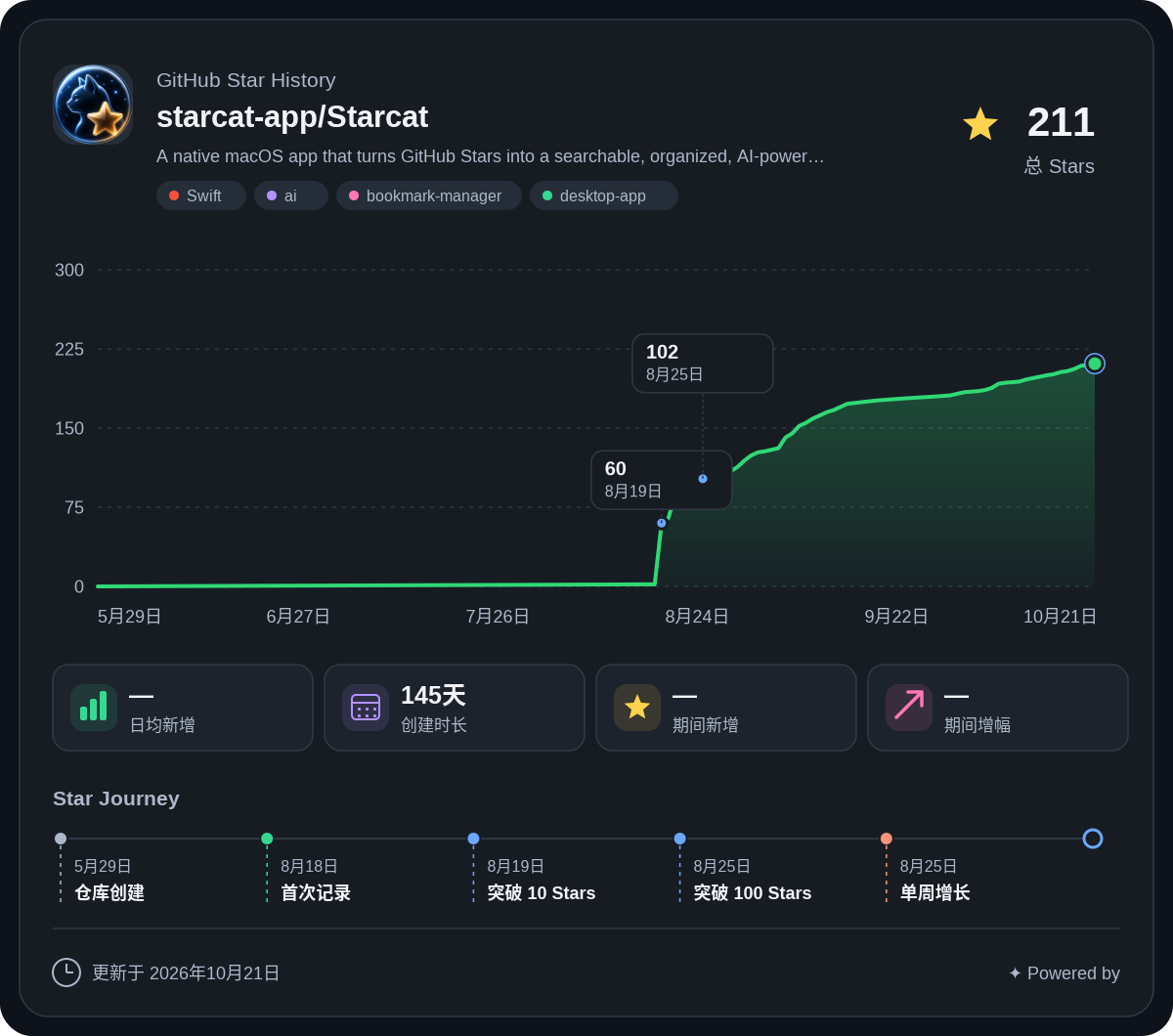
starcat-app/Starcat Star History