# ⚠️ Warning
This project is not maintain. You can check our new version Low-Code Editor in [staringos/mtbird](https://github.com/staringos/mtbird)
这个项目将不在维护,您可以查看我们的新版本开源低代码编辑器 [staringos/mtbird](https://github.com/staringos/mtbird)
[](https://github.com/Tefact/tefact-saas)
[](https://github.com/Tefact/tefact-saas/releases)
[](https://lgtm.com/projects/g/Tefact/tefact-saas/alerts/)
[](https://github.com/Tefact/tefact-saas/pulls)
[](https://discord.gg/7V5vnHW2)
# Tefact
Lightweight no-code editor for `website`、`H5 page` and `Form`. Build your application without code!
[中文文档]
[Example]
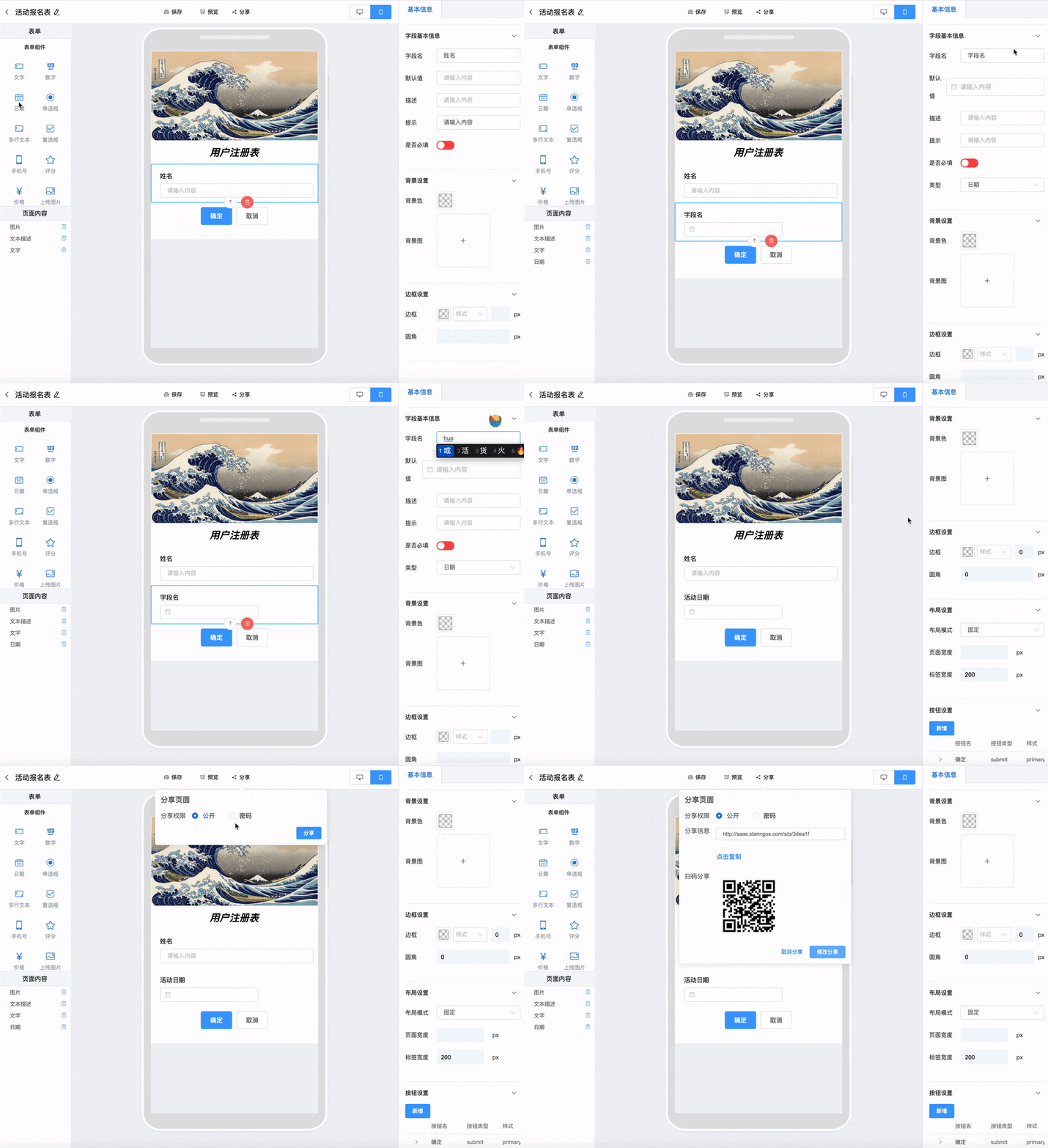 Dependencies:
- [Vue 2.x](https://github.com/vuejs/vue)
- [ElementUI](https://github.com/ElemeFE/element)
- [Sass](https://github.com/sass/sass)
## Getting Start
Recommend: Fork [example project](https://github.com/staringos/tefact-example) to getting start. or manually import:
1. Install dependency:
```shell script
yarn add @tefact/editor
```
2. Import styles to your css or less file:
```vue
import "@tefact/editor/lib/index.css"
```
3. Add `@tefact` package to your webpack transport.
`webpack.config.js` or `nuxt.config.js`
```json
{
"build": {
"transpile": [
/@tefact\/*/
],
}
}
```
4. Import Editor to you.
```vue
```
## Core Concept
### Target
Target is an object that we edit for. It can be a H5 Page / Form Page or website Page. It's a JSON data structure for descript how a Page for Form looks like.
You can use `getDefaultFeature` in `@tefact/editor` to generate default target data. And save it to somewhere, it can be used directly to `@tefact/feature-form` or `@tefact/feature-page`
### Editor
`@tefact/editor` is a Edit view for feature page or form.
#### Parameters
- value: the edit target
- editorSetting: Setting of editor
#### Event
- addTarget: Add target within the editor
- editTarget: after editor target basic information
- share: toggle target share
- save: When save target
- back: When editor within the editor back toggle
### Page
`@tefact/feature-page` is a view component for those `target` has a `featureType = page`. To preview a page, you can do:
```vue
```
### Form
Same like `page`, `@tefact/feature-form` is use for preview or display those target has a `featureType = form`, you can do:
```vue
```
## Contributing
PRs & Issues are all welcome, feel free to ask question or submit your code.
[CONTRIBUTING](./CONTRIBUTING.md)
### Join Community
Scan with wechat, join our group.
Dependencies:
- [Vue 2.x](https://github.com/vuejs/vue)
- [ElementUI](https://github.com/ElemeFE/element)
- [Sass](https://github.com/sass/sass)
## Getting Start
Recommend: Fork [example project](https://github.com/staringos/tefact-example) to getting start. or manually import:
1. Install dependency:
```shell script
yarn add @tefact/editor
```
2. Import styles to your css or less file:
```vue
import "@tefact/editor/lib/index.css"
```
3. Add `@tefact` package to your webpack transport.
`webpack.config.js` or `nuxt.config.js`
```json
{
"build": {
"transpile": [
/@tefact\/*/
],
}
}
```
4. Import Editor to you.
```vue
```
## Core Concept
### Target
Target is an object that we edit for. It can be a H5 Page / Form Page or website Page. It's a JSON data structure for descript how a Page for Form looks like.
You can use `getDefaultFeature` in `@tefact/editor` to generate default target data. And save it to somewhere, it can be used directly to `@tefact/feature-form` or `@tefact/feature-page`
### Editor
`@tefact/editor` is a Edit view for feature page or form.
#### Parameters
- value: the edit target
- editorSetting: Setting of editor
#### Event
- addTarget: Add target within the editor
- editTarget: after editor target basic information
- share: toggle target share
- save: When save target
- back: When editor within the editor back toggle
### Page
`@tefact/feature-page` is a view component for those `target` has a `featureType = page`. To preview a page, you can do:
```vue
```
### Form
Same like `page`, `@tefact/feature-form` is use for preview or display those target has a `featureType = form`, you can do:
```vue
```
## Contributing
PRs & Issues are all welcome, feel free to ask question or submit your code.
[CONTRIBUTING](./CONTRIBUTING.md)
### Join Community
Scan with wechat, join our group.
 #### Discord
[](https://discord.gg/7V5vnHW2)
#### Discord
[](https://discord.gg/7V5vnHW2)