# Notion Graph View
  
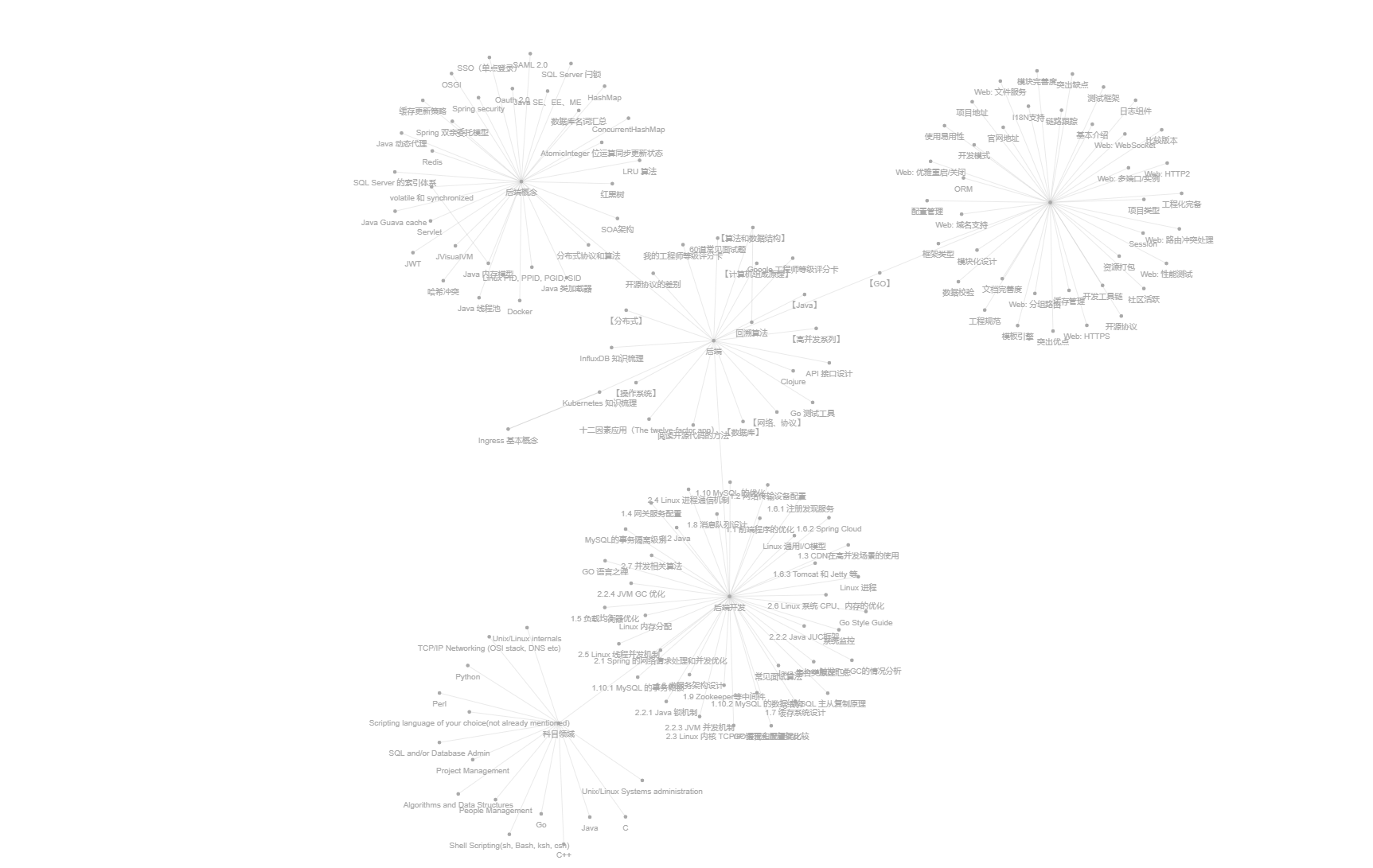
Export [Notion](https://notion.so) pages to a Roam-Research like graph view.
 ## 📜 Usage
### Environment
- Python >= 3.9
### Installing
```shell
pip install notion-graph
```
### Notion API Setup
1. Create a [notion internal integration](https://www.notion.so/my-integrations) and generate an `Internal Integration Token`.
👉 [Learn more about authorization](https://developers.notion.com/docs/authorization)
2. Open one notion page on the browser, select "Add connections" and add your integration account.
3. Find your base `Page ID` from the browser URL, for example:
> if page url is: https://www.notion.so/yourName/PageTitle-8a4b5ff100d648fb8d39d4bfa756ff3f, `8a4b5ff100da48fb8d39d4bfa756ff3f` is the `Page ID`
### Quickly Running
```shell
python -m notion_graph -p -t -o
```
For instance,
```shell
python -m notion_graph -p 856391c93ae64bd1b7ebf699ca0cd861 -t secret_b8p7uLp3j3n95IDgofC9GviXP111Skx6NOt2d20U8e -o ./graph_out.html
```
`graph_out.html` would be generated at your specific path.
### Importing as a Python Library
You can also import `notion_graph` as a library.
For instance, draw your diagram in Jupyter Notebook.
```python
import notion_graph as ng
my_ng = ng.NotionGraph(bearer_token="secret_b8p7uLp3j3n95IDgofC9GviXP111Skx6NOt2d20U8e")
network = my_ng.parse(page_id="856391c93ae64bd1b7ebf699ca0cd861")
# `network` is a `pyvis.network.Network` object, see more attributes: https://pyvis.readthedocs.io/en/latest/documentation.html
network.repulsion(node_distance=200, spring_length=200)
# this line is for jupeter notebook only
network.prep_notebook()
network.show("graph.html")
```
## Testing Environment
The testing page is [Notion-graph-view-demo](https://sund.notion.site/Notion-graph-view-Demo-856391c93ae64bd1b7ebf699ca0cd861). You can duplicate the page to your Notion account and run the project to test if everything goes well.
## Development Guide
This project's dependencies are managed by [PDM](https://pdm.fming.dev/latest/).
```shell
brew install pdm
pdm install
```
Running the project by:
```shell
pdm run start -p -t -o ./graph_out.html
```
## 🔗 Supported Links
| | database | page |
| ------------------ | -------- | ---- |
| paragraph | ✔️ | ✔️ |
| bulleted_list_item | ✔️ | ✔️ |
| numbered_list_item | ✔️ | ✔️ |
| to_do | ✔️ | ✔️ |
| toggle | ✔️ | ✔️ |
| child_page | ✔️ | ✔️ |
| child_database | ✔️ | ✔️ |
| embed | | |
| callout | ✔️ | ✔️ |
| quote | ✔️ | ✔️ |
| heading_1 | ✔️ | ✔️ |
| heading_2 | ✔️ | ✔️ |
| heading_3 | ✔️ | ✔️ |
| column | ✔️ | ✔️ |
| column_list | ✔️ | ✔️ |
| synced_block | | |
| link_to_page | ✔️ | ✔️ |
| table | ✔️ | ✔️ |
| table_row | ✔️ | ✔️ |
## 📜 Usage
### Environment
- Python >= 3.9
### Installing
```shell
pip install notion-graph
```
### Notion API Setup
1. Create a [notion internal integration](https://www.notion.so/my-integrations) and generate an `Internal Integration Token`.
👉 [Learn more about authorization](https://developers.notion.com/docs/authorization)
2. Open one notion page on the browser, select "Add connections" and add your integration account.
3. Find your base `Page ID` from the browser URL, for example:
> if page url is: https://www.notion.so/yourName/PageTitle-8a4b5ff100d648fb8d39d4bfa756ff3f, `8a4b5ff100da48fb8d39d4bfa756ff3f` is the `Page ID`
### Quickly Running
```shell
python -m notion_graph -p -t -o
```
For instance,
```shell
python -m notion_graph -p 856391c93ae64bd1b7ebf699ca0cd861 -t secret_b8p7uLp3j3n95IDgofC9GviXP111Skx6NOt2d20U8e -o ./graph_out.html
```
`graph_out.html` would be generated at your specific path.
### Importing as a Python Library
You can also import `notion_graph` as a library.
For instance, draw your diagram in Jupyter Notebook.
```python
import notion_graph as ng
my_ng = ng.NotionGraph(bearer_token="secret_b8p7uLp3j3n95IDgofC9GviXP111Skx6NOt2d20U8e")
network = my_ng.parse(page_id="856391c93ae64bd1b7ebf699ca0cd861")
# `network` is a `pyvis.network.Network` object, see more attributes: https://pyvis.readthedocs.io/en/latest/documentation.html
network.repulsion(node_distance=200, spring_length=200)
# this line is for jupeter notebook only
network.prep_notebook()
network.show("graph.html")
```
## Testing Environment
The testing page is [Notion-graph-view-demo](https://sund.notion.site/Notion-graph-view-Demo-856391c93ae64bd1b7ebf699ca0cd861). You can duplicate the page to your Notion account and run the project to test if everything goes well.
## Development Guide
This project's dependencies are managed by [PDM](https://pdm.fming.dev/latest/).
```shell
brew install pdm
pdm install
```
Running the project by:
```shell
pdm run start -p -t -o ./graph_out.html
```
## 🔗 Supported Links
| | database | page |
| ------------------ | -------- | ---- |
| paragraph | ✔️ | ✔️ |
| bulleted_list_item | ✔️ | ✔️ |
| numbered_list_item | ✔️ | ✔️ |
| to_do | ✔️ | ✔️ |
| toggle | ✔️ | ✔️ |
| child_page | ✔️ | ✔️ |
| child_database | ✔️ | ✔️ |
| embed | | |
| callout | ✔️ | ✔️ |
| quote | ✔️ | ✔️ |
| heading_1 | ✔️ | ✔️ |
| heading_2 | ✔️ | ✔️ |
| heading_3 | ✔️ | ✔️ |
| column | ✔️ | ✔️ |
| column_list | ✔️ | ✔️ |
| synced_block | | |
| link_to_page | ✔️ | ✔️ |
| table | ✔️ | ✔️ |
| table_row | ✔️ | ✔️ |