# Luminous
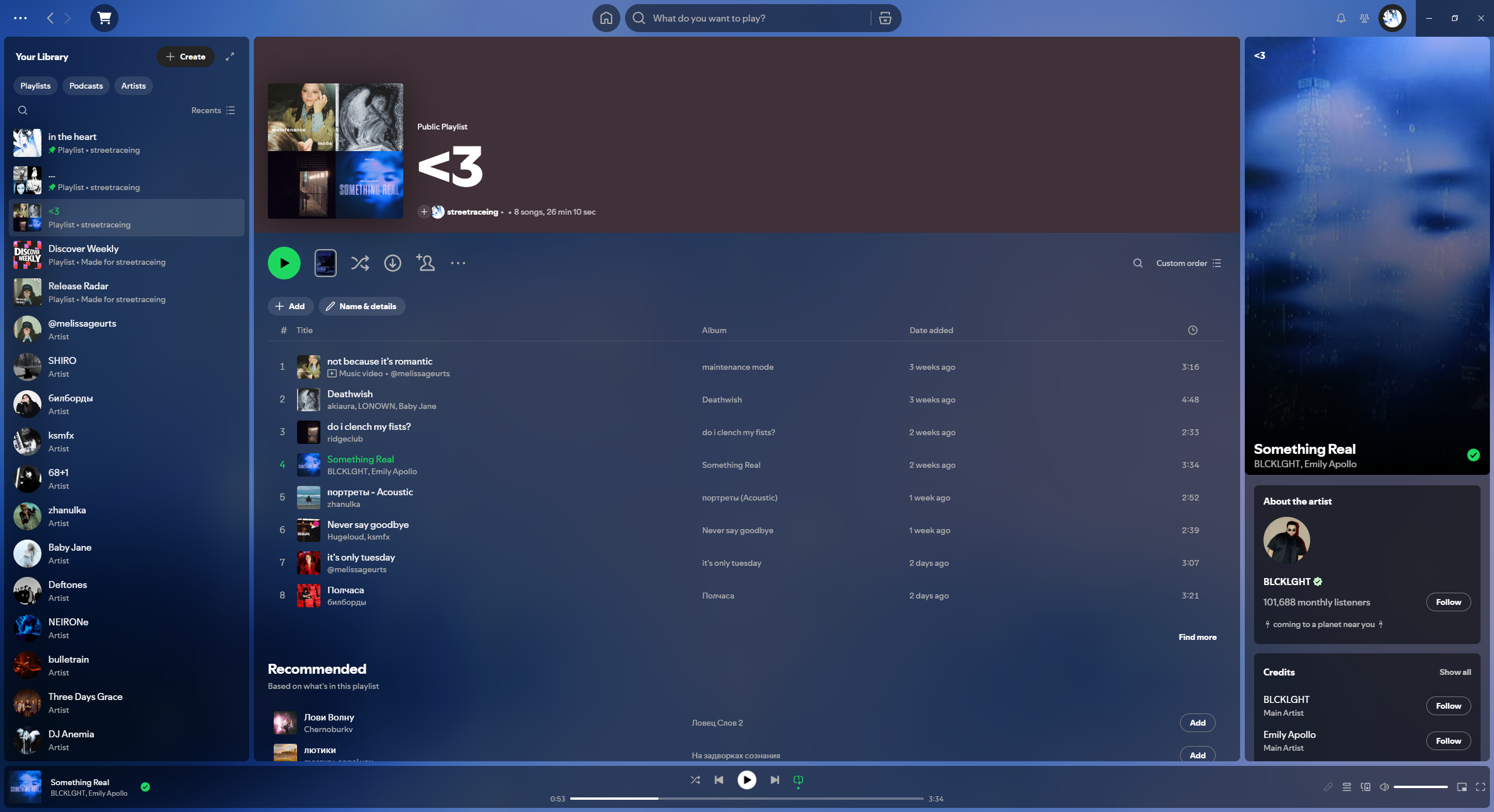
> A lightweight dynamic [Spicetify](https://spicetify.app/) theme with glass surfaces, adaptive album-art effects, and Spotify Canvas support.
Spicetify Marketplace
·
Video preview
·
Documentation
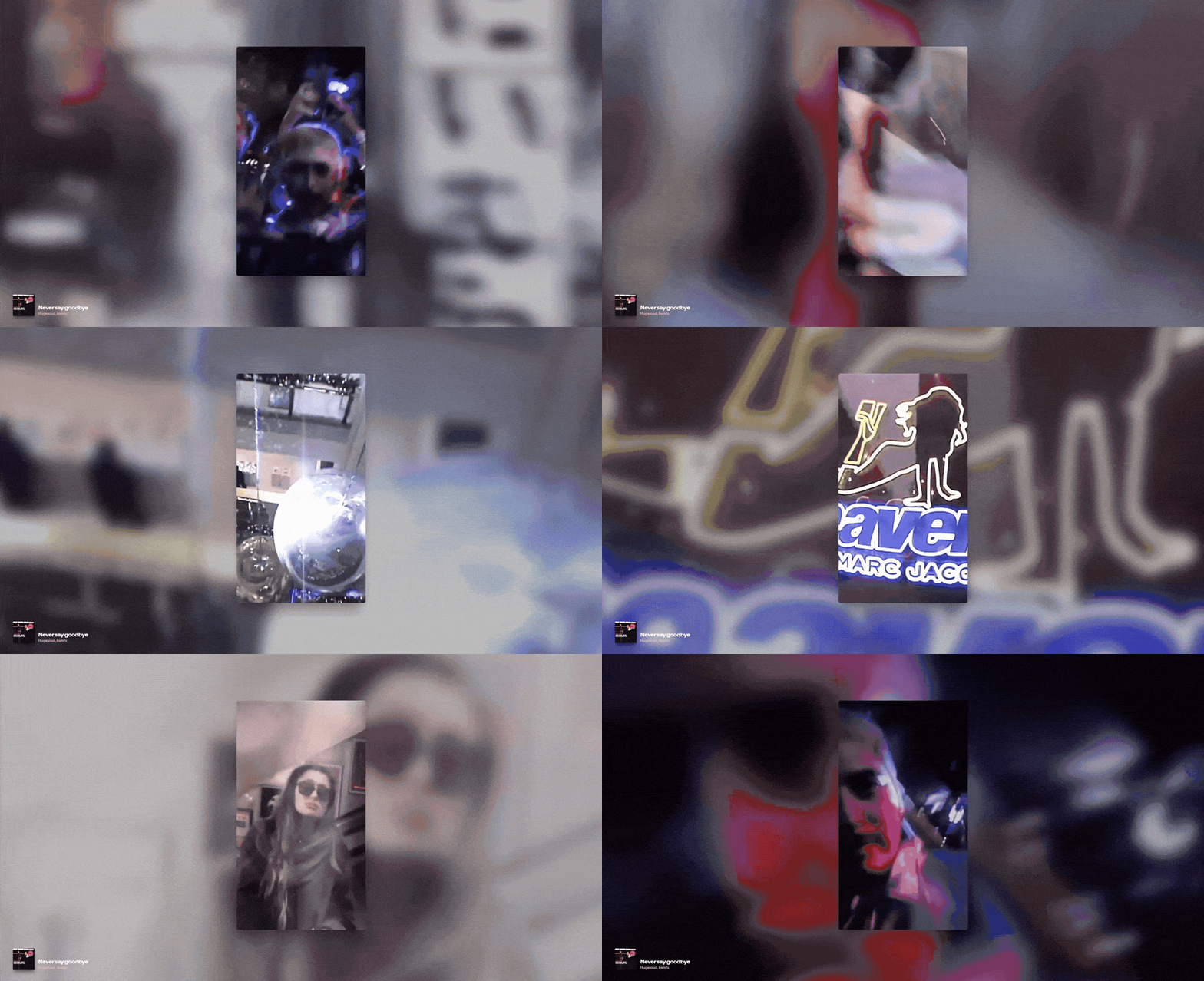
Luminous transforms Spotify's default interface into a softly lit, translucent workspace. The current cover automatically shapes a matching colour scene, while Spotify Canvas or a visible Now Playing video can replace the static artwork when available.
Animated preview
## Highlights
- Dynamic backgrounds from cover art, Canvas, and Spotify NPV videos, including protected long-form video without stream capture.
- Adaptive effects derived from each cover's colours, contrast, and brightness.
- Stable Still, Drift, and Float background motion with adjustable speed.
- Four built-in presets: Balanced, Cinematic, Calm, and Performance.
- Adjustable backdrop blur and brightness, glass opacity and blur, effect intensity, and reduced motion.
- A focused settings dialog in Spotify's top bar with dedicated Presets, Appearance, Motion, and Advanced tabs.
- Built-in diagnostics for copying a reproducible runtime report when troubleshooting.
- Graceful fallbacks when artwork, video capture, or Spotify UI elements are unavailable.
- No runtime dependencies bundled with the theme.
## Install
The simplest option is to install **Luminous** from the [Spicetify Marketplace](https://spicetify.app/marketplace/). For local development or manual installation, use the workflow below.
### Requirements
- [Spicetify](https://spicetify.app/) 2.45.2 or later (required for Spotify 1.3.3+, which rotated the hashed CSS-module class that Spicetify aliases to `Root__top-container`; Spicetify 2.44.0 still works for Spotify 1.2.x).
- Node.js 22.13+ on the 22.x LTS line, or Node.js 24+ with npm for building from source.
- Spotify desktop app with Spicetify already configured.
### Build from source
```bash
git clone https://github.com/streetraceing/luminous.git
cd luminous
npm install
npm run build
```
### Apply the local build
```bash
npm run apply
```
This builds the theme, selects `Luminous` as the current Spicetify theme, and applies it to Spotify.
### Revert to the Marketplace theme
```bash
npm run revert
```
## Development
| Command | Purpose |
| ------------------------ | ---------------------------------------------------------------------- |
| `npm run check` | Run TypeScript, ESLint, and production build validation. |
| `npm run typecheck` | Validate TypeScript without writing files. |
| `npm run lint:check` | Validate JavaScript and TypeScript with ESLint. |
| `npm run lint:fix` | Apply ESLint fixes where possible. |
| `npm run build` | Create the distributable files in `dist/`. |
| `npm run watch` | Ask Spicetify to watch the active theme. |
| `npm run prettier:write` | Format project files with Prettier. |
| `npm run release` | Build release artifacts and try a Git commit with the current version. |
## Documentation
- [Using and customising Luminous](./docs/customization.md)
- [Technical architecture](./docs/architecture.md)
- [Troubleshooting](./docs/troubleshooting.md)
## License
Distributed under the [MIT License](./LICENSE).