[中文](README.md) | **English**
# Creation-SSH (C-SSH)
### Keep operating from your phone: persistent terminals, monitoring, files, and an AI assistant
[](https://github.com/suiyuebaobao/C-SSH/releases/download/v7.0.0/C-SSH_7.0.0_android-arm64.apk)
[](https://github.com/suiyuebaobao/C-SSH/releases/tag/v7.0.0)
[](https://github.com/suiyuebaobao/C-SSH/releases/tag/v7.0.0)
[](https://github.com/suiyuebaobao/C-SSH/releases/tag/v7.0.0)
Creation-SSH is a cross-platform SSH operations client. Android is more than a read-only remote: it manages hosts, restores server-side tmux sessions, shows monitoring data, handles files, runs the AI assistant, and opens system-management workflows. The Windows and Linux desktop clients cover broader day-to-day operations.
Creation-SSH now provides explicit Agent and native SSH host modes. Agent mode retains persistent tmux sessions and server-side monitoring. SSH mode requires no installed agent and provides terminal access, port forwarding, SFTP file management, online monitoring, system management, app-center operations, and SSH AI tools. The current public stable release is **`v7.0.0`**.
> Android upgrade notice: the first launch after every install or in-place update clears the previous installation-generation database and creates a fresh schema 9 database. Previous Android hosts, settings, credential references, and AI data are not retained.
## v7.0.0 Highlights
- Shared Windows, Linux, and Android server operations now run through the common Rust `client-runtime`.
- Added explicit Agent and SSH host modes. Native SSH provides terminal, SFTP files, online monitoring, system management, and AI tools without installing the server agent.
- Host lists consistently show connection mode, architecture, and recent CPU, memory, disk, load, and uptime data.
- Unified single-host selectors and strengthened owner isolation across asynchronous switches, deletion, and mobile back navigation.
- Fixed SSH terminal tail-output loss, ignored extended data, duplicate terminal completion, monitoring parsing, and system-management compatibility.
- Retained client-local SQLite raw AI events, five derived memory layers, hard-window context compilation, and factual 10-second progress updates.
## Android First
The same hosts and tmux sessions can continue across desktop and phone. Android `v7.0.0` ships one arm64 APK. Starting with this version, AAB is no longer generated or uploaded, and x86_64 emulator test builds remain private.
## Download
| Platform | Recommended download | Other production assets |
| --- | --- | --- |
| Android arm64 | [APK](https://github.com/suiyuebaobao/C-SSH/releases/download/v7.0.0/C-SSH_7.0.0_android-arm64.apk) | No AAB for this release |
| Windows x64 | [EXE installer](https://github.com/suiyuebaobao/C-SSH/releases/download/v7.0.0/Creation-SSH_7.0.0_x64-setup.exe) | [MSI](https://github.com/suiyuebaobao/C-SSH/releases/download/v7.0.0/Creation-SSH_7.0.0_x64_en-US.msi) · [portable ZIP](https://github.com/suiyuebaobao/C-SSH/releases/download/v7.0.0/Creation-SSH_7.0.0_portable-Windows-x64.zip) |
| Linux x86_64 | [AppImage](https://github.com/suiyuebaobao/C-SSH/releases/download/v7.0.0/Creation-SSH_7.0.0_linux-x86_64.AppImage) | [Debian/Ubuntu deb](https://github.com/suiyuebaobao/C-SSH/releases/download/v7.0.0/Creation-SSH_7.0.0_linux-amd64.deb) |
See the [v7.0.0 Release](https://github.com/suiyuebaobao/C-SSH/releases/tag/v7.0.0) for release notes and SHA256 values, or [CHANGELOG_EN.md](CHANGELOG_EN.md) for history.
## Delivered Platforms
| Platform | Delivered in `v7.0.0` |
| --- | --- |
| Android | Host management, agent install and update/repair, persistent/standard terminals, file upload/download, live monitoring, AI, system management, local login gate, and Me settings |
| Windows | Complete desktop workflow, distributed as EXE, MSI, and portable ZIP |
| Linux desktop | Independent AppImage/deb with persistent terminals, monitoring, system/process, file, AI, and reconnect workflows |
| Linux agent deployment resources | Independent `x86_64` and `aarch64` agent/static-tmux pairs selected after authenticated `uname -m`; real aarch64 no-mock validation is pending, so complete ARM64 support is not claimed |
| iOS / macOS | **Not released** and not part of the `v7.0.0` delivery |
## Main Pages
### Android
| Page | What it does |
| --- | --- |
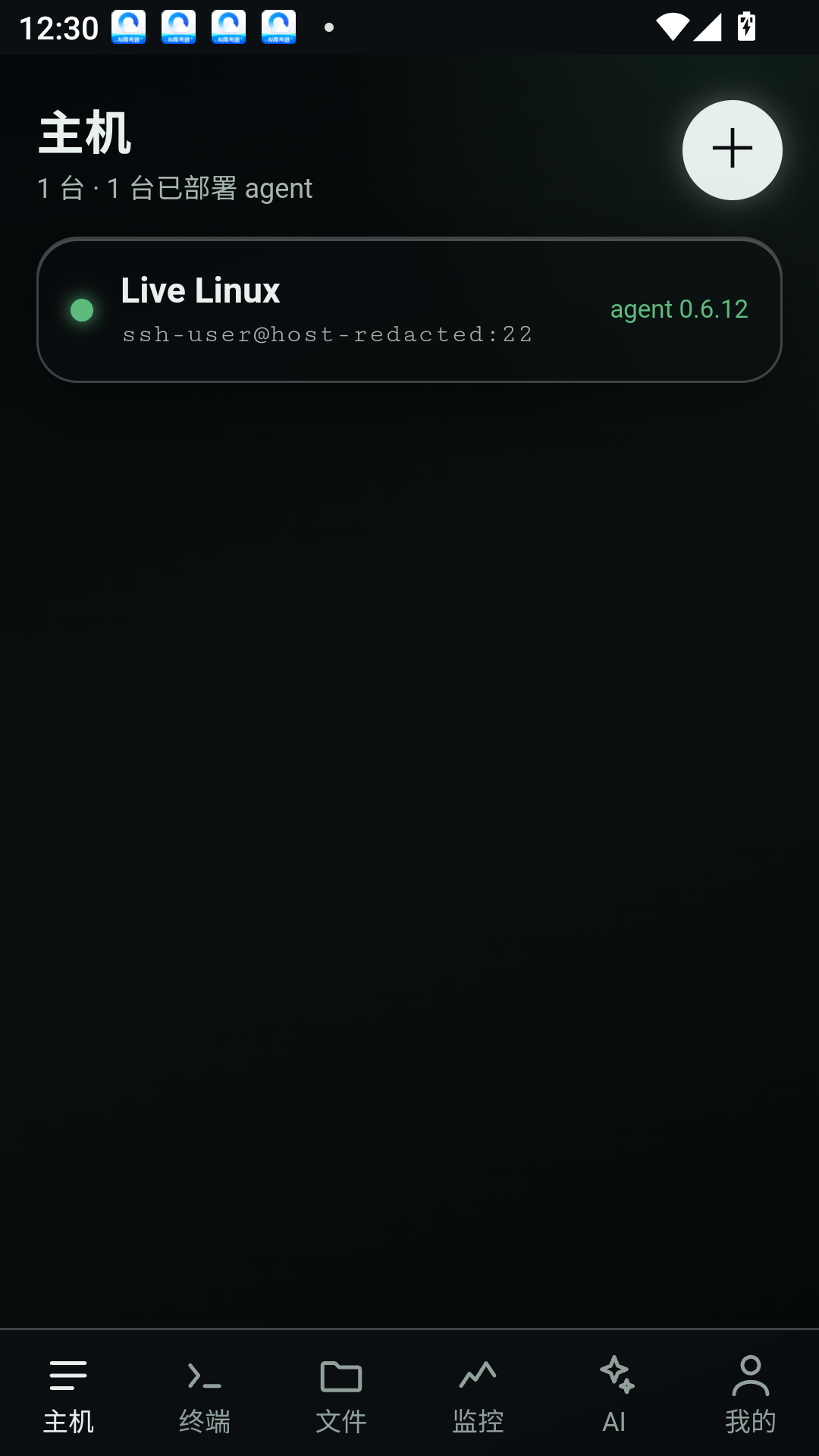
| Hosts | Add, edit, and hard-delete hosts; clear attributable local state on deletion; install or update/repair the agent; enter terminal, monitoring, and system management |
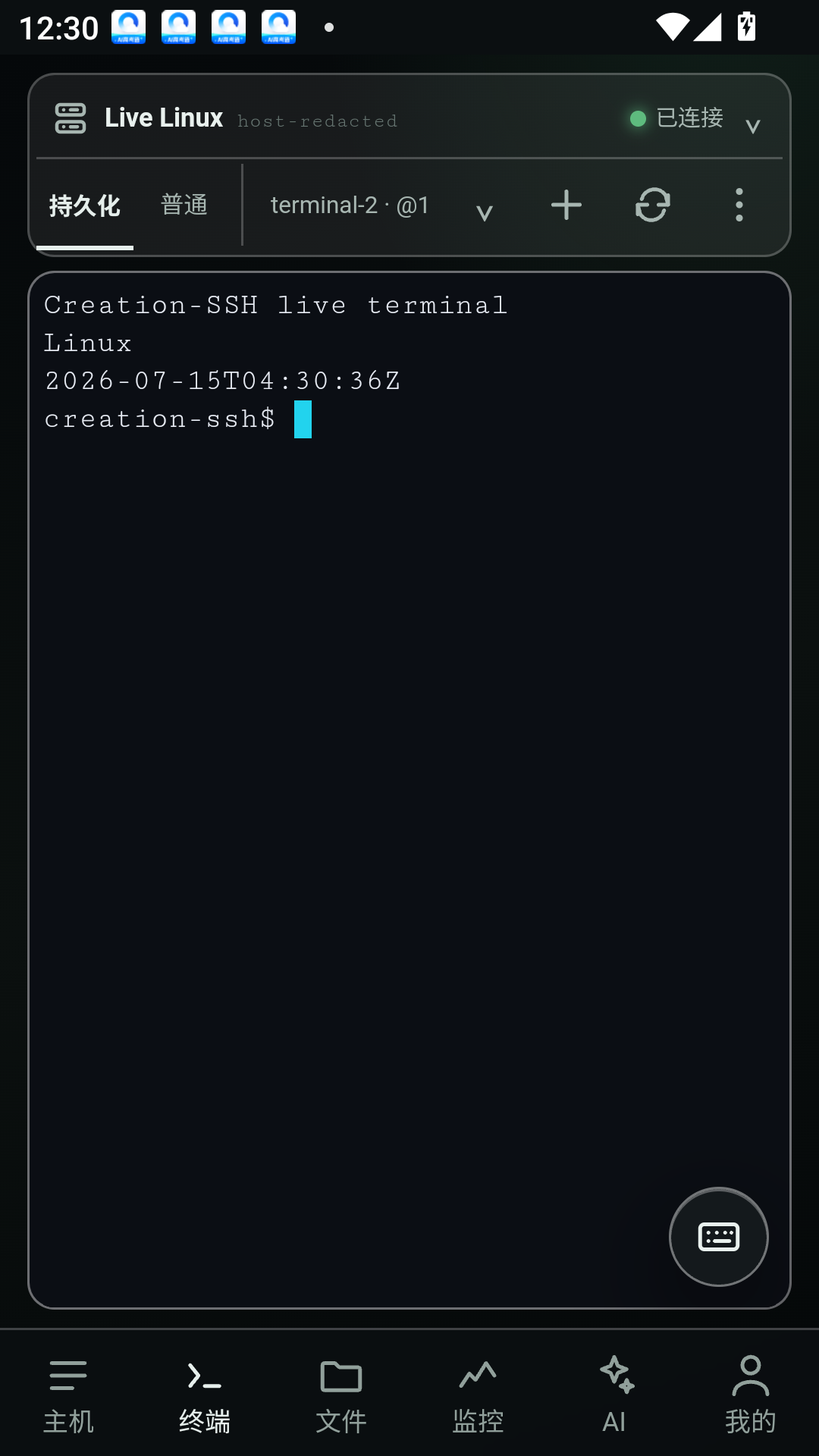
| Terminal | Switch between reconnectable tmux sessions and standard SSH PTY; manage windows, font, sizing, scrolling, copy, and mobile shortcut keys |
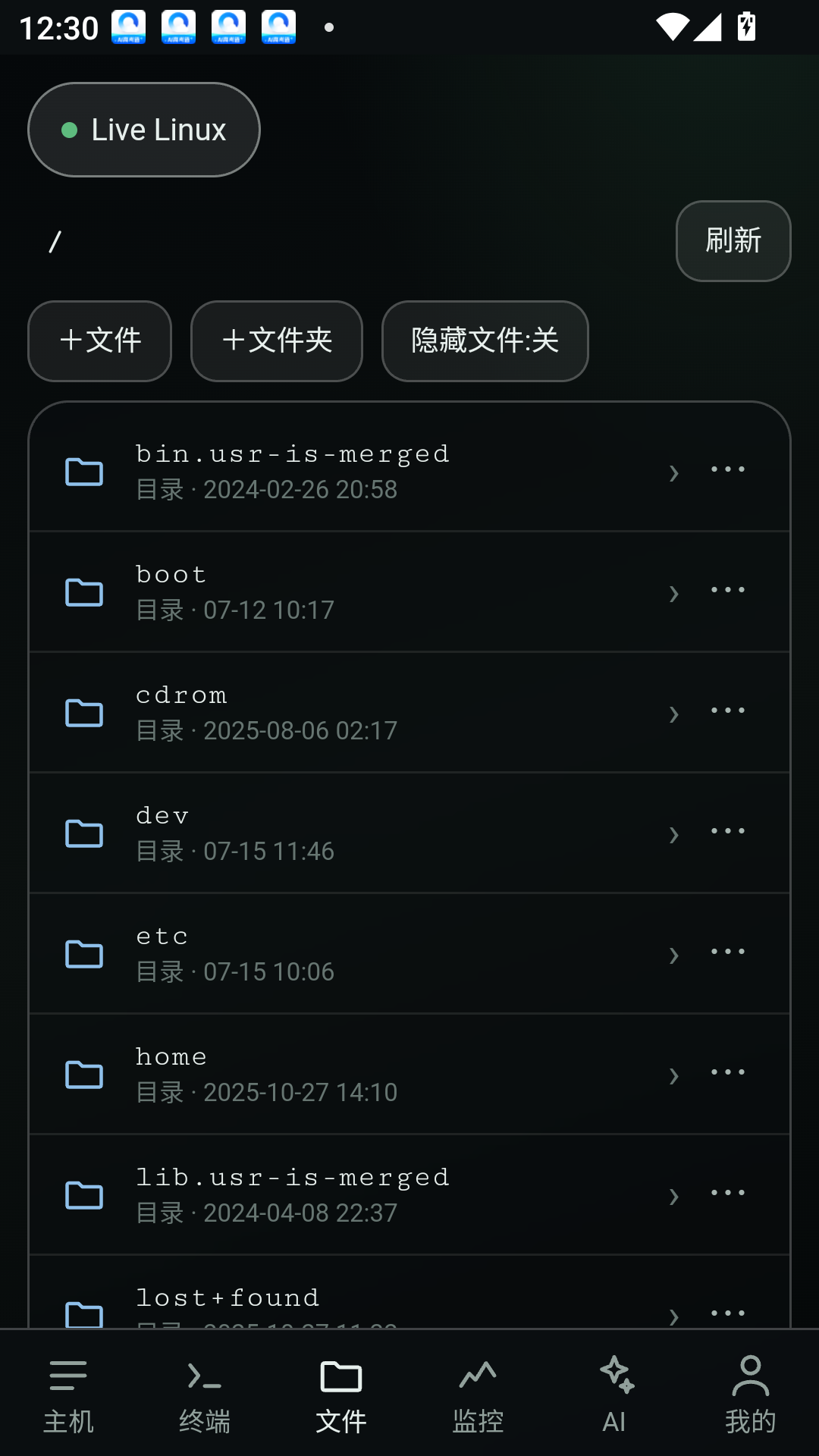
| Files | Browse, edit, create, rename, and delete remote files; use Android SAF for single-file upload or download destinations with chunking, resume, and integrity checks |
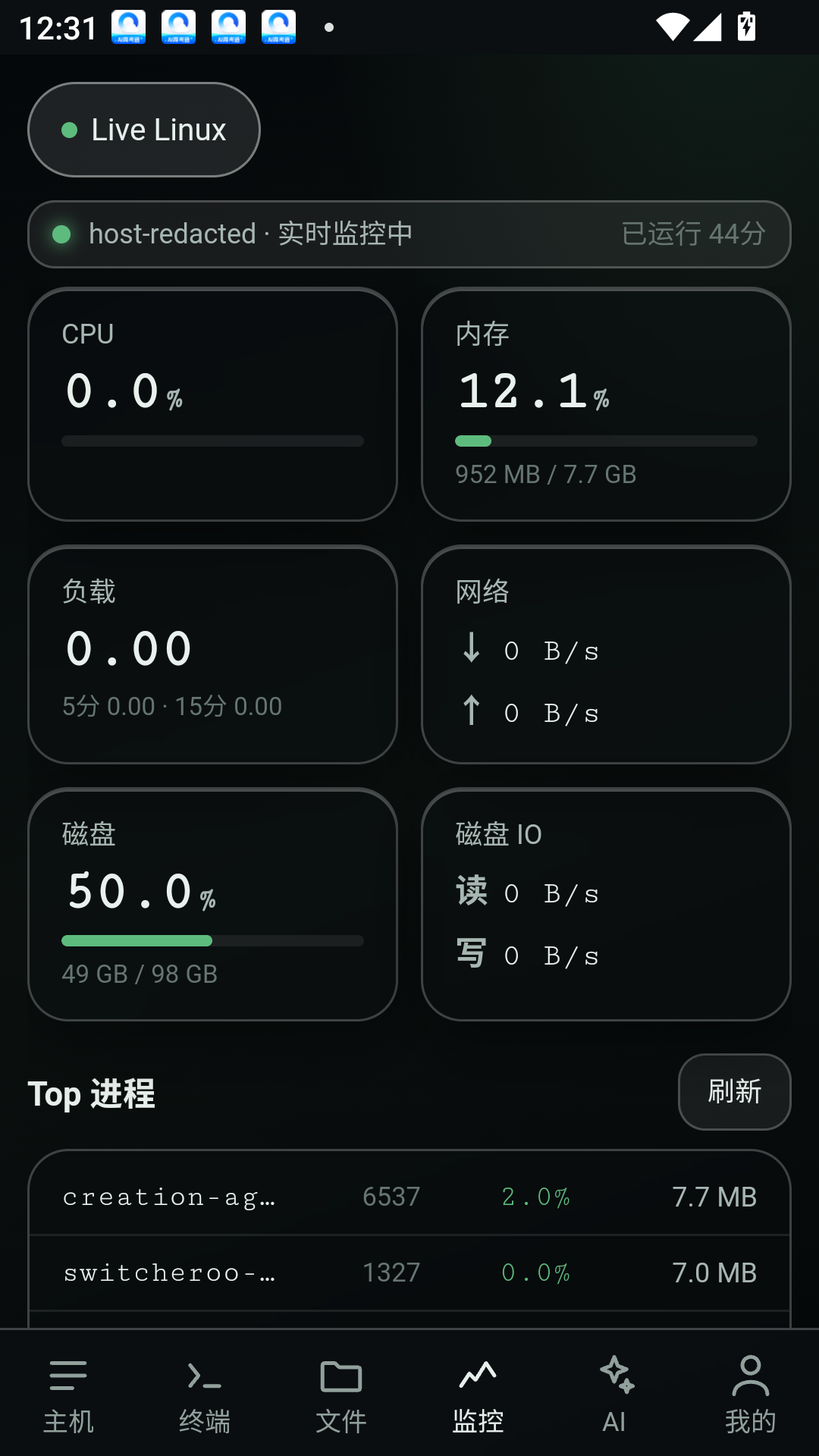
| Monitoring | View CPU, memory, disk, network, disk I/O, and top processes; background multi-host collection settings persist in local SQLite |
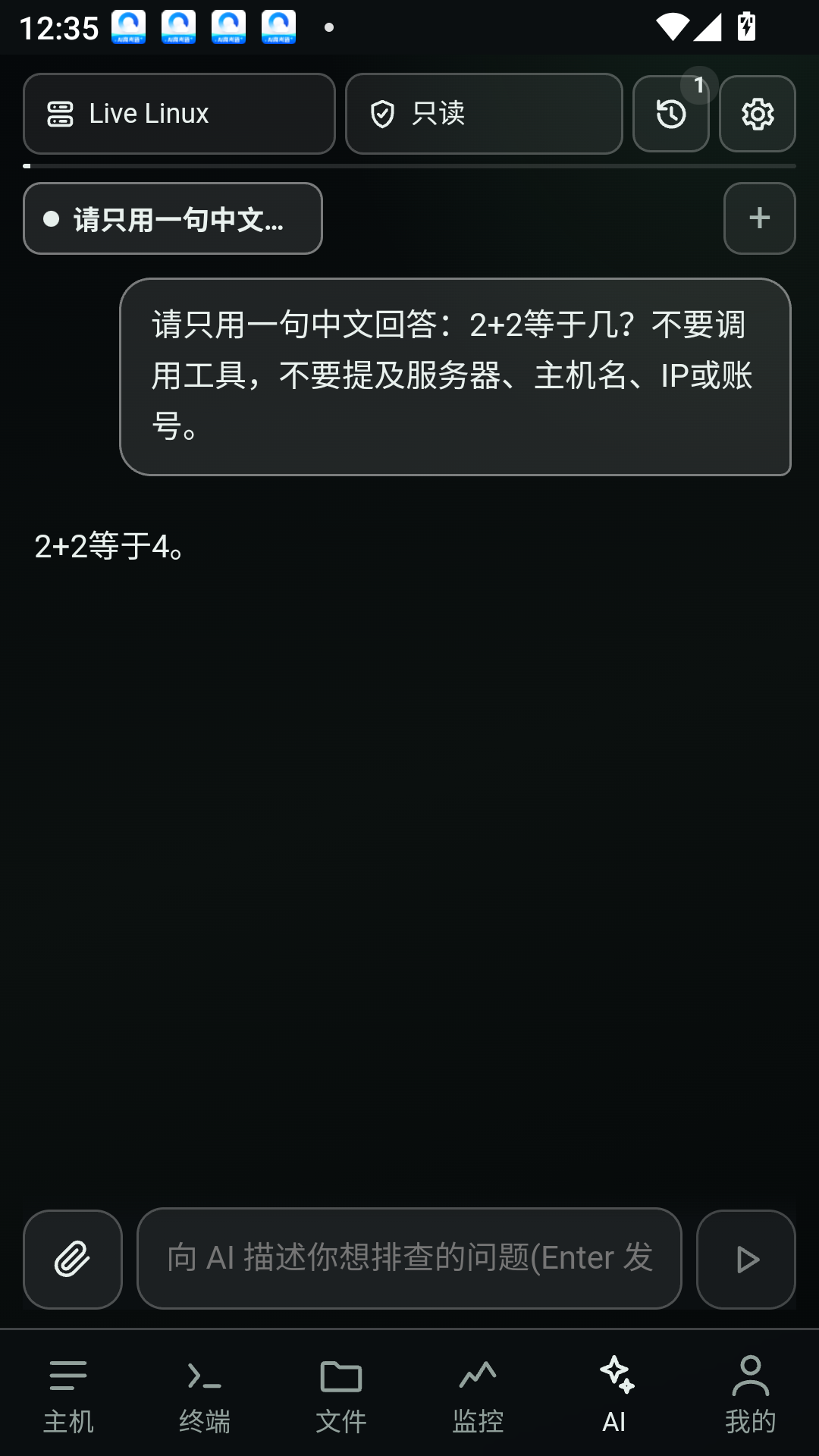
| AI assistant | Select host, model, permission profile, history, and context; tool execution is governed by permissions and confirmation |
| System management | Inspect system facts, processes, and firewall ports; confirm actions such as process termination and SSH password changes |
| Me / login gate | Manage language, theme, version, updates, and local security; a configured login password unlocks the local vault at startup |
### Android Product Screenshots
Each screenshot below is paired with one clear feature description and was reviewed for redaction before publication.
#### Host Management
View connectivity and agent deployment status in one place, install or update/repair the agent, then add, edit, or hard-delete hosts. Hard deletion ends the host's local lifecycle, so adding the same ID or address later still creates a new host without inherited data.
#### Persistent And Standard Terminals
Switch between reconnectable tmux sessions and standard SSH terminals while managing the active window. Persistent sessions can be reattached so command-line work can continue on mobile.
#### File Manager
Use the compact two-row toolbar to browse remote directories, collapse deep paths, create files or folders, and toggle hidden items. Android's system picker selects one local file for upload and also chooses download destinations.
#### Live Monitoring
Monitor CPU, memory, load, network, disk usage, disk I/O, and top processes in real time. The page also shows monitoring health and uptime for quick mobile checks.
#### AI Assistant
Select a target host, model, and permission profile before chatting with the AI, with controls for context, history, and settings. The screenshot shows a real read-only response, while tool execution remains governed by permissions and confirmation.
### Windows And Linux Desktop
Windows exposes the complete desktop navigation below, and Linux has its own desktop client. Both use the same host hard-delete and lifecycle-isolation contract.
| Page | What it does |
| --- | --- |
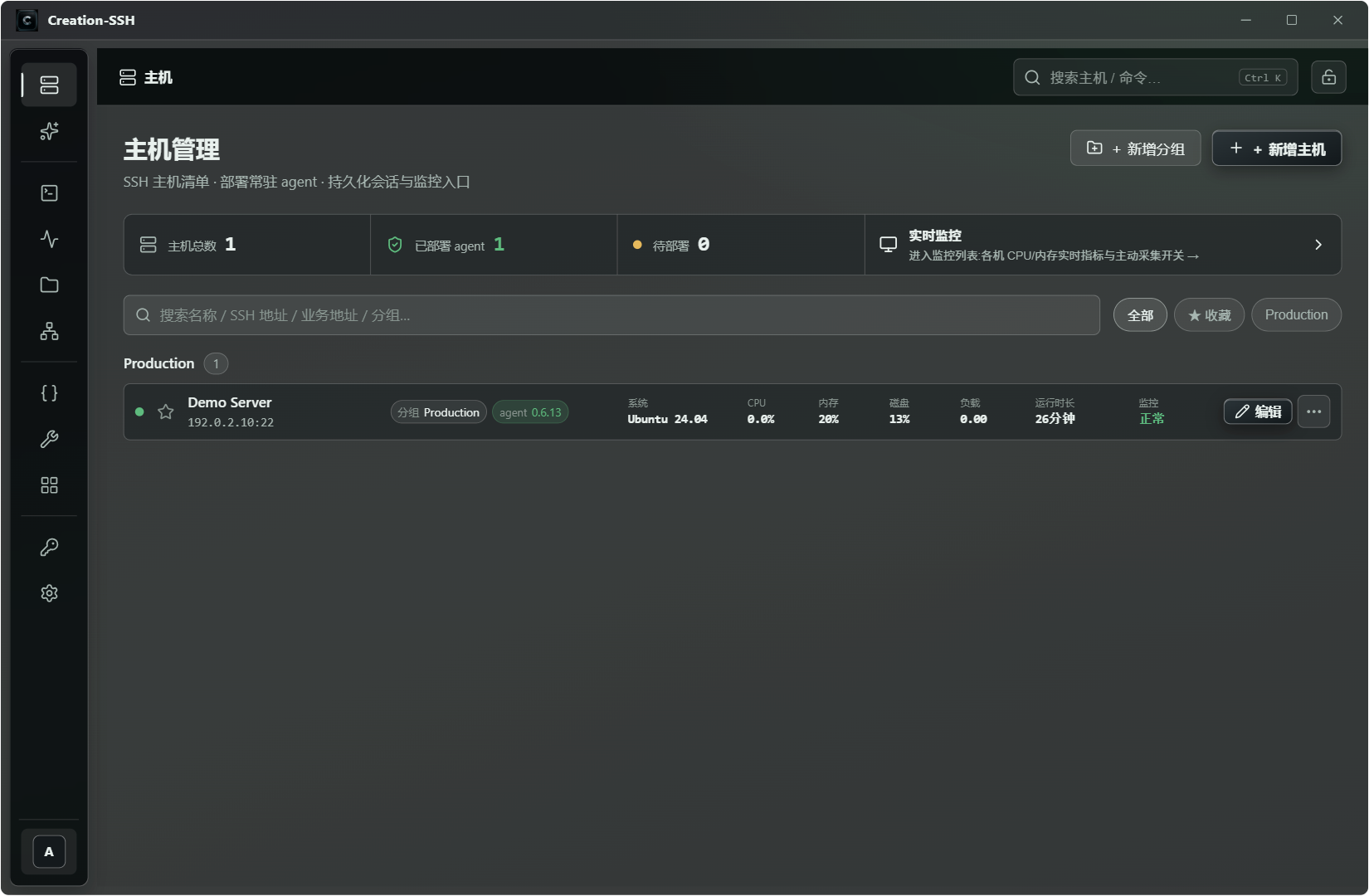
| Hosts | Groups, favorites, search, credential selection, plus agent deployment, repair, and status |
| AI assistant | Uses explicitly authorized host context for metrics, logs, files, and tools; desktop supports a separate AI window |
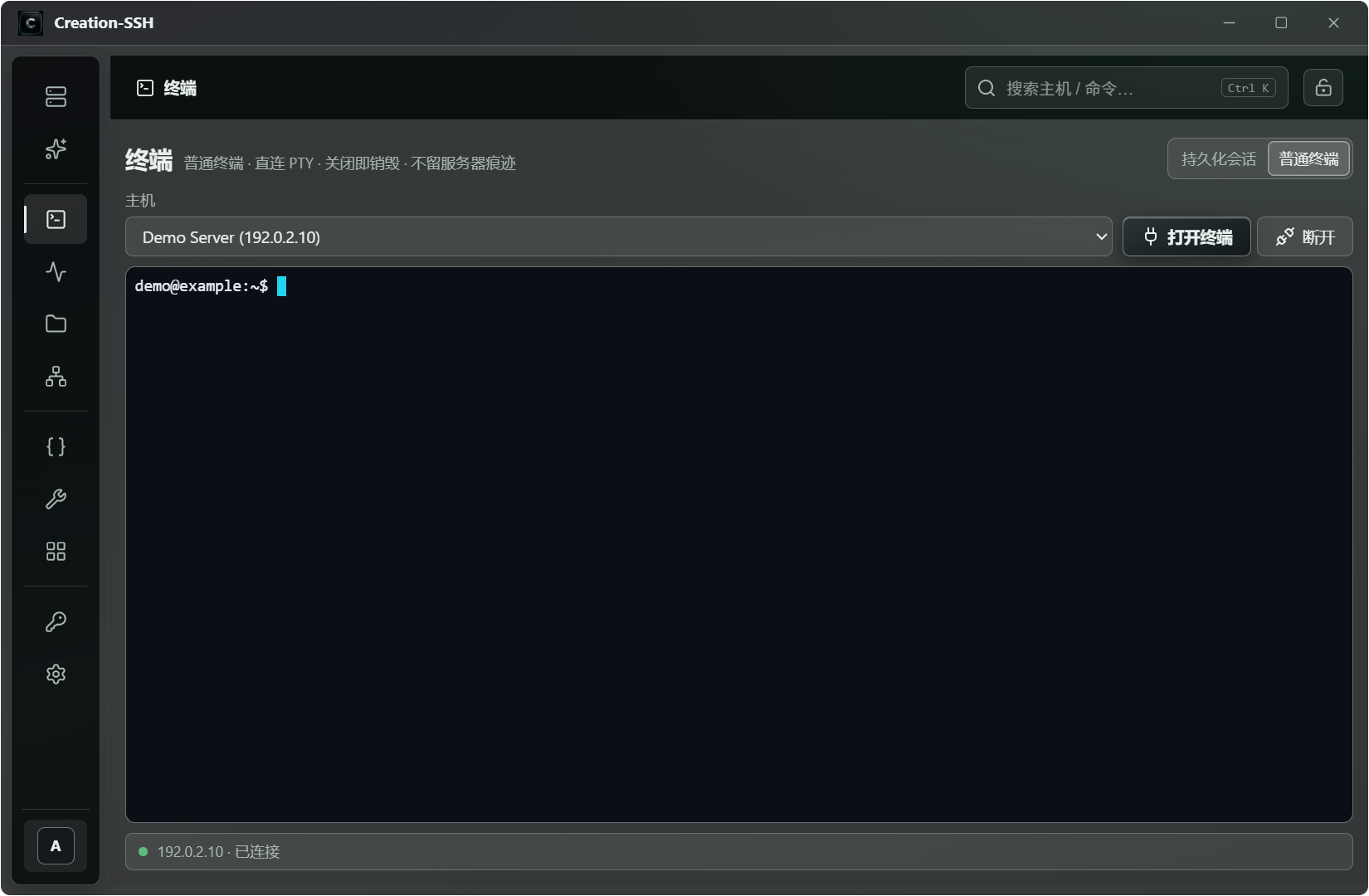
| Terminal | Dual tmux-persistent and standard SSH PTY modes, including persistent-window recovery after disconnects or device changes, plus multiple separate terminal windows for parallel work |
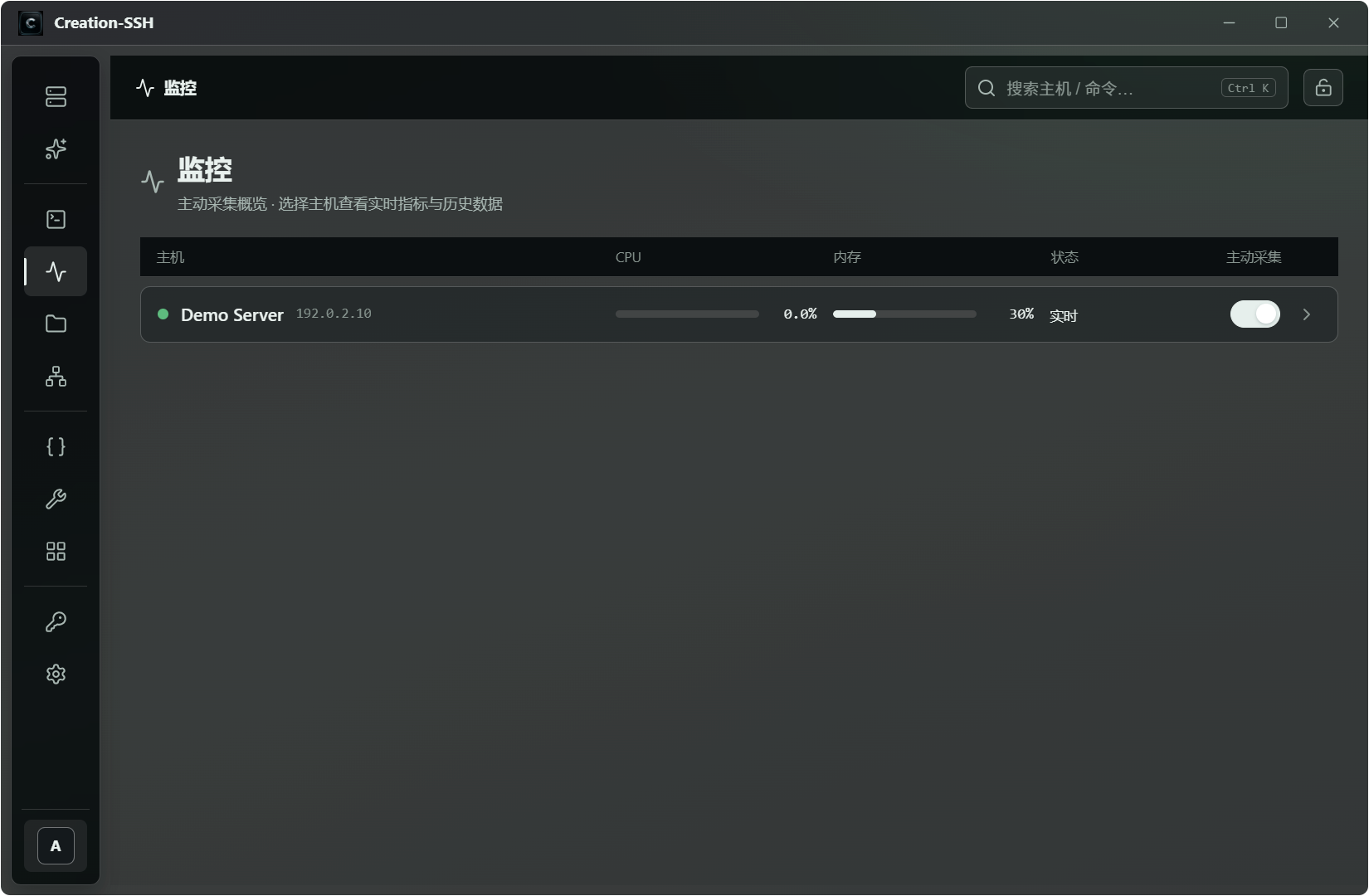
| Monitoring | Fleet health overview, per-host live details, and historical time-range queries |
| Files | Remote file management, online editing, chunked transfer, resume, and integrity verification |
| Port forwarding | SSH local forwarding, bound to `127.0.0.1` by default, with saved start/stop controls |
| Broadcast execution | Select hosts, enter a command or UTF-8 `.sh` file, freeze confirmation, execute through the agent, and review per-host results |
| System management | System facts, processes, firewall ports, and SSH password management |
| App Center | Install Docker, deploy apps such as Nginx/Redis, and manage containers, images, and systemd services |
| Access grants | Review the local vault, SSH keys, one-time grants, and AI audit records |
| Settings | AI provider, language, appearance, local login, monitoring collection, and update checks |
### Desktop Product Screenshots
Windows and Linux share the same desktop experience. Each screenshot below is paired with one feature description and has been reviewed for redaction.
#### Host Management
Manage SSH hosts through groups, favorites, and search while reviewing agent status and live metrics. Deletion clears attributable credentials, session history, window persistence, and monitoring cache instead of allowing a later host to inherit old state.
#### Persistent And Standard Terminals
Select a host and switch between persistent tmux sessions and a standard SSH PTY. Standard terminals keep their live state across menu navigation, while persistent windows can be reattached after disconnects or device changes; a separate-window action supports parallel terminal work.
#### Multi-host Monitoring Overview
Compare CPU, memory, and live status across hosts while controlling active collection. Select any host to open its detailed monitoring view.
#### Per-host Monitoring Details
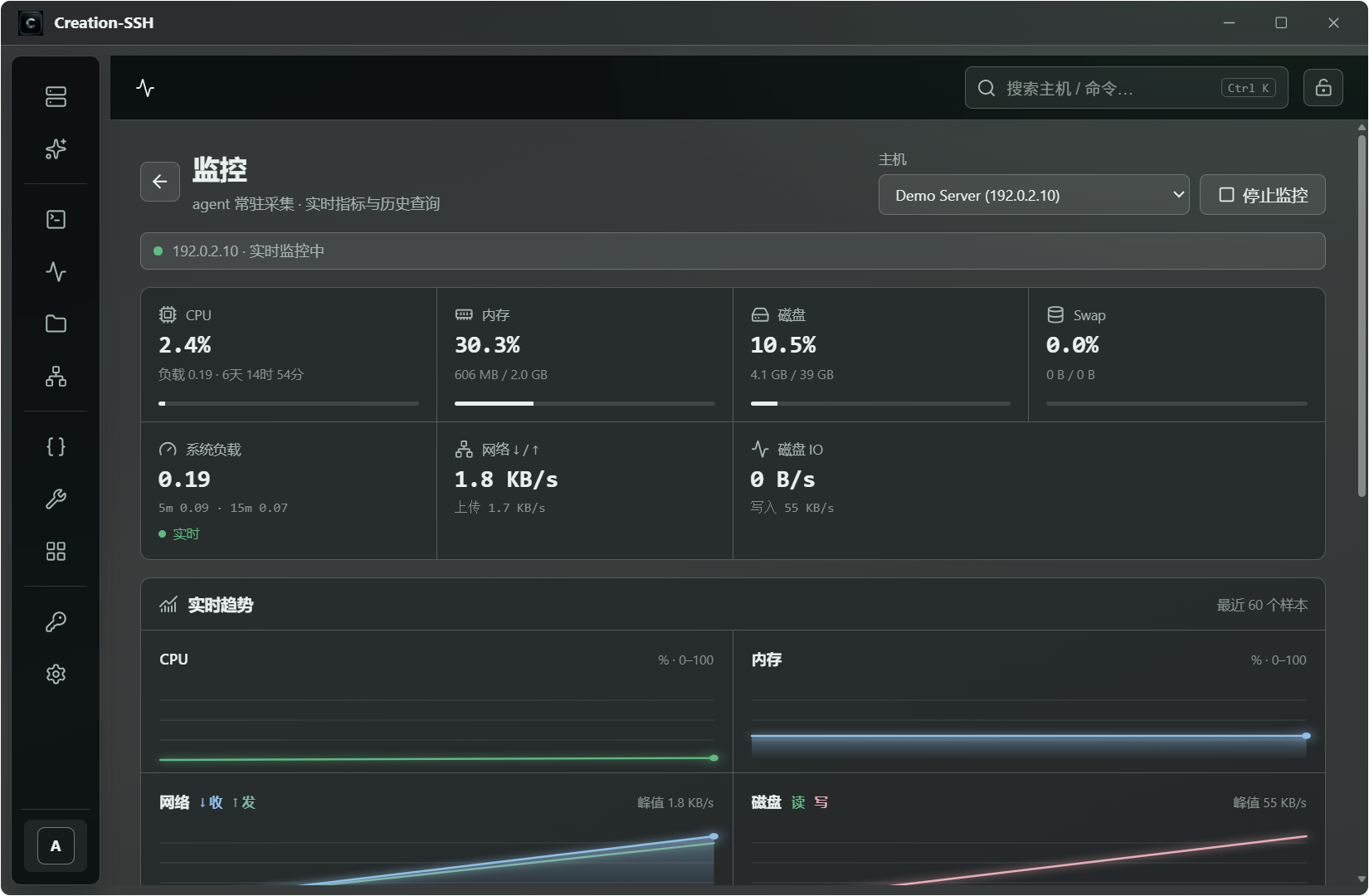
Inspect CPU, memory, disk, swap, load, network, and disk I/O for one host. Trend charts show recent changes, while top-process data helps identify resource usage.
#### File Manager
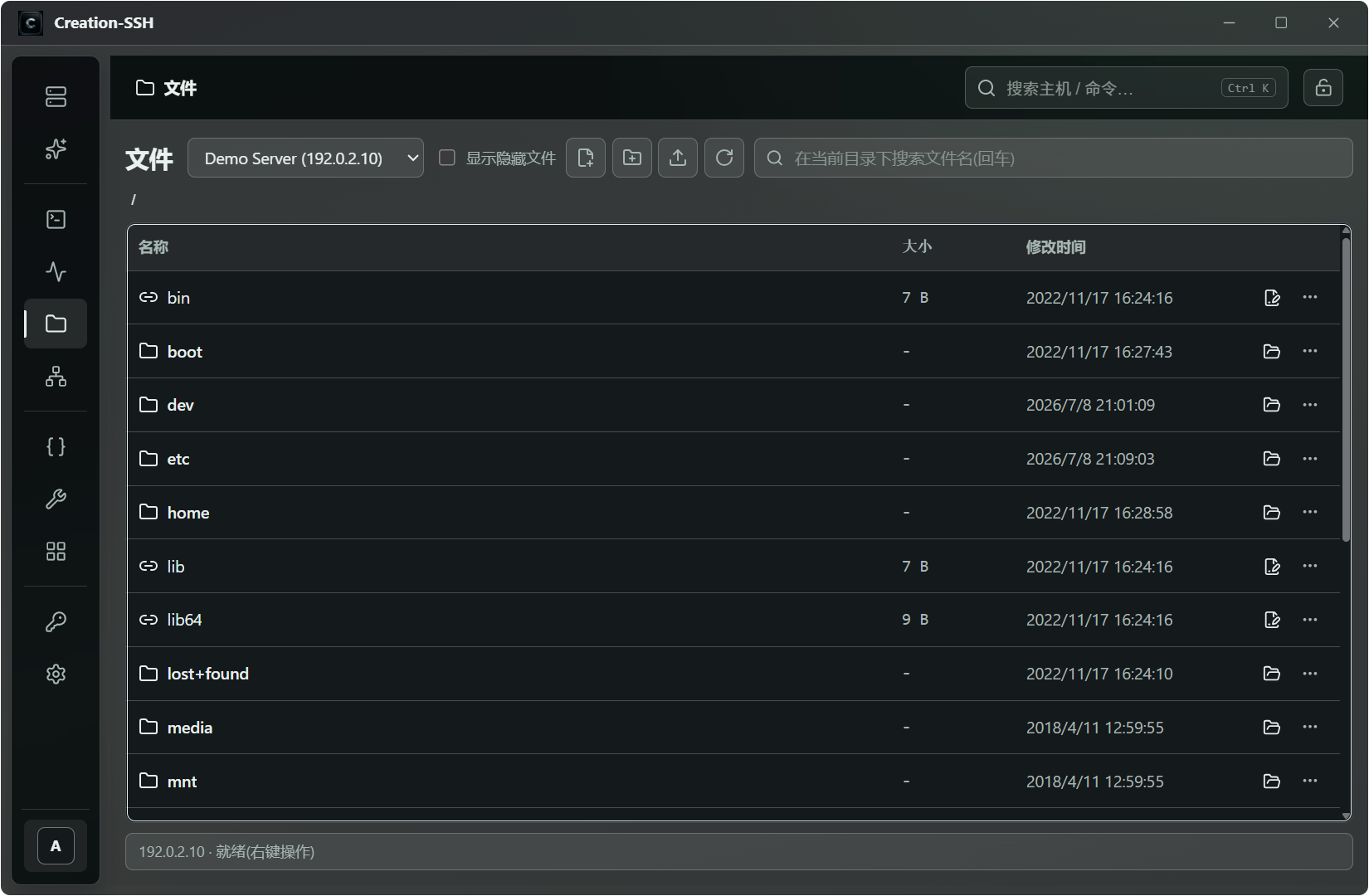
Browse and search remote directories, show hidden files, and create, upload, download, edit, or refresh items. The listing includes sizes, modification times, and per-item actions.
#### AI Assistant
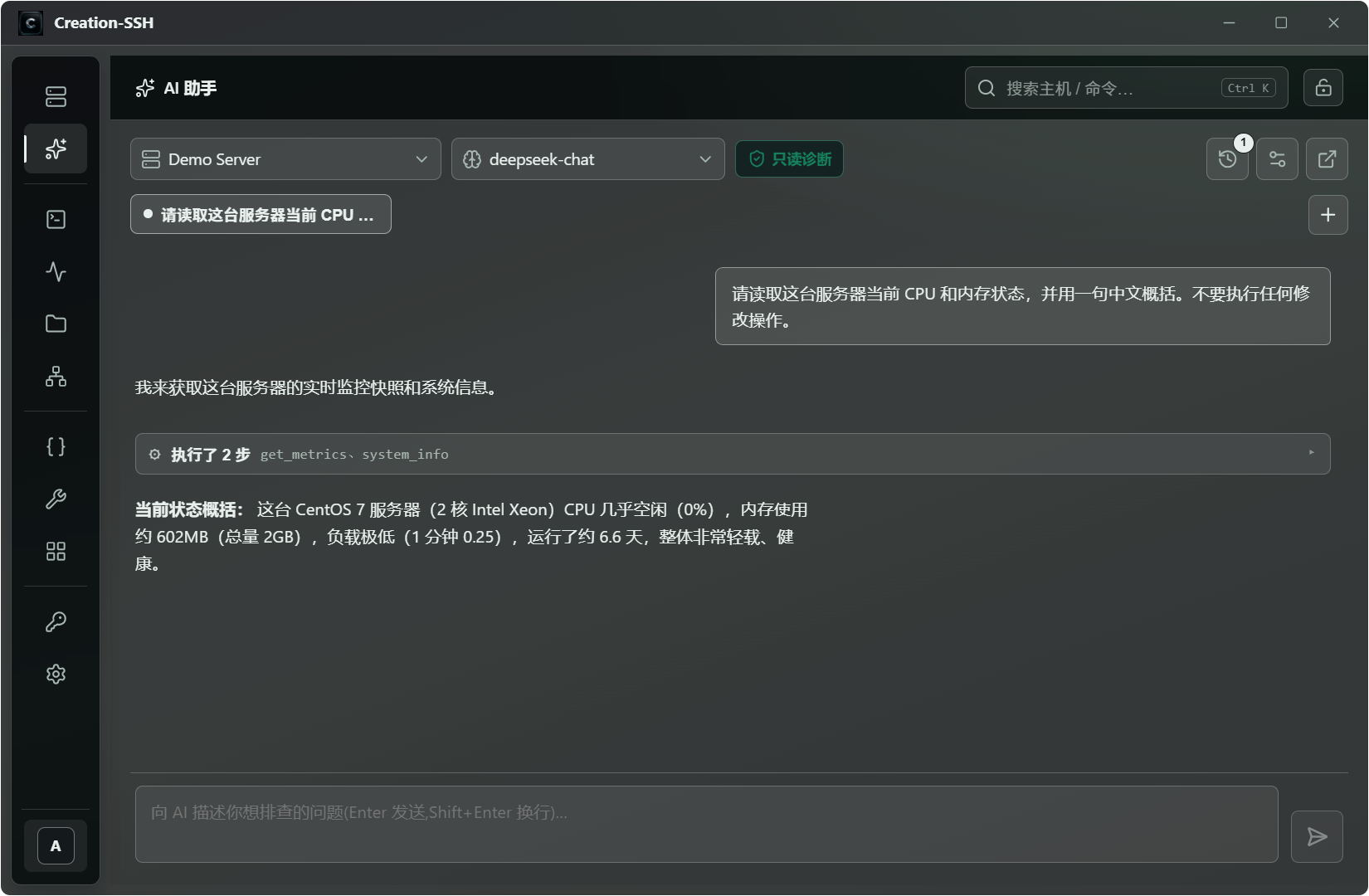
Select a host, model, and permission profile so the AI can read authorized metrics and system information and return a result. The page also provides history, context settings, and a separate AI window.
#### Broadcast Execution
Select one or more hosts, enter a command or UTF-8 `.sh` file, freeze the confirmation, and execute through the structured agent protocol. Per-host results remain isolated and use redacted aliases; AI summarization is always an explicit action.
#### Access Grants
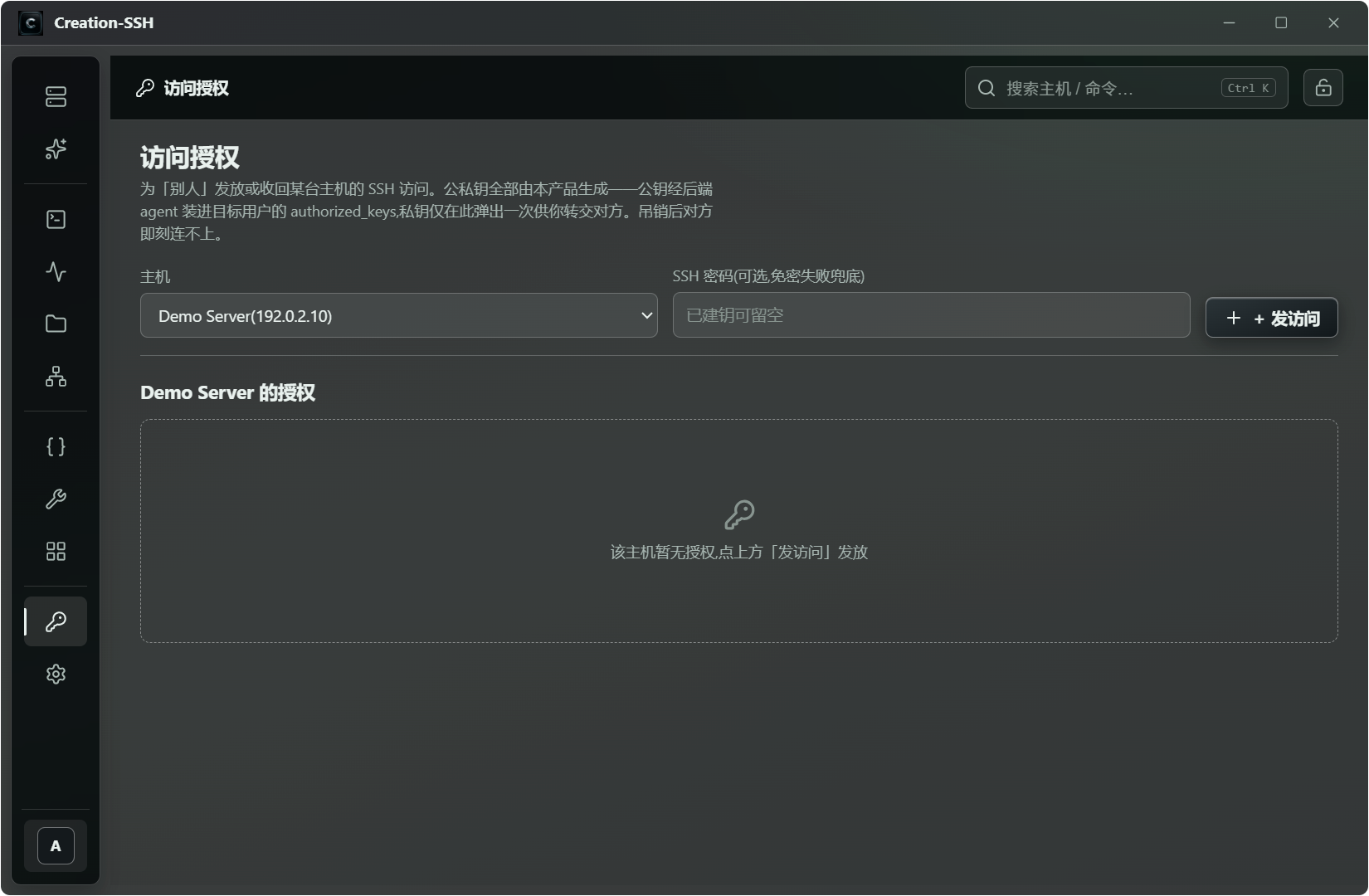
Create an independent temporary SSH access key for a selected host, with the private key shown only when the grant is created. Revoke the grant at any time without sharing the host's long-term credentials.
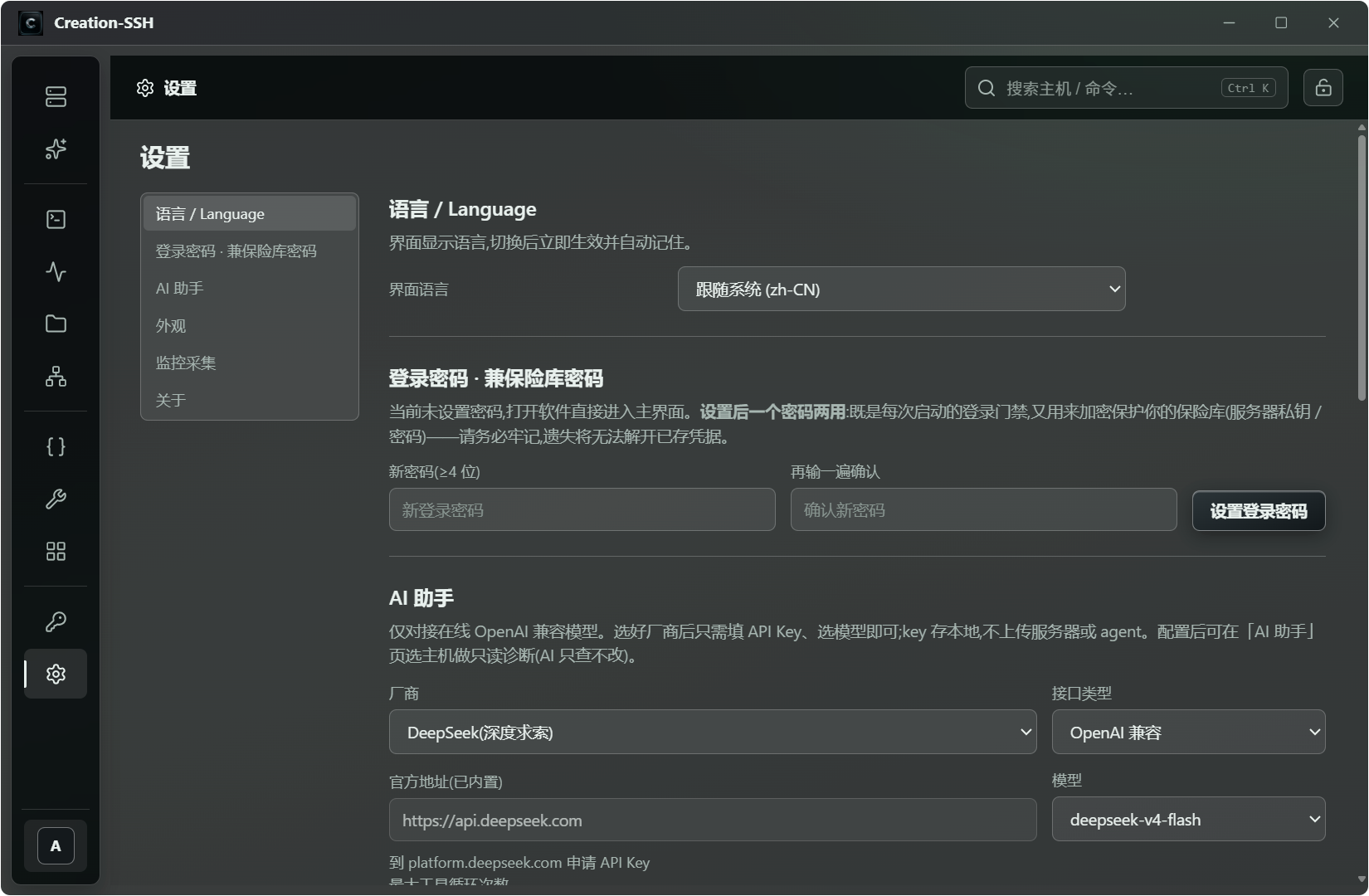
#### Settings
Configure system-language following, local login and vault protection, AI providers, appearance, and monitoring collection in one place. The About view exposes the current version and update check, while persistent settings stay local.
## Security Boundaries
- Private keys and passwords stay in the current device's local encrypted vault. They are not uploaded to servers or a C-SSH cloud; C-SSH does not provide a hosted credential service.
- The agent is reached through an SSH tunnel and listens only on a server-local Unix socket. It exposes no extra public port and runs as the current SSH login identity without self-elevation.
- Host-key anomalies stop the connection, and destructive actions require explicit confirmation. An unreachable host allows local-only deletion only before remote cleanup begins; once remote state is involved, uncertain ownership or incomplete cleanup fails closed.
- Port forwarding binds to `127.0.0.1` by default. Users who choose another listen address are responsible for evaluating LAN exposure.
- AI tools are controlled by permission profiles and execution confirmation. When a third-party AI provider is used, selected conversations and context are processed under that provider's terms.
## Free, Languages, And Open-Source Plan
Creation-SSH is currently free forever, with no subscription, paid tier, or feature lock. The interface includes Simplified Chinese, Traditional Chinese, English, Spanish, French, German, Portuguese, Russian, and Korean.
**The current release is not open source.** This repository contains the public product introduction, screenshots, and Release assets only. The plan is to open-source the project after the official iOS and macOS releases. That is a roadmap statement, not a claim that source is available now or a commitment to a specific date.
## Contact
- WeChat: `suiyue_creation`
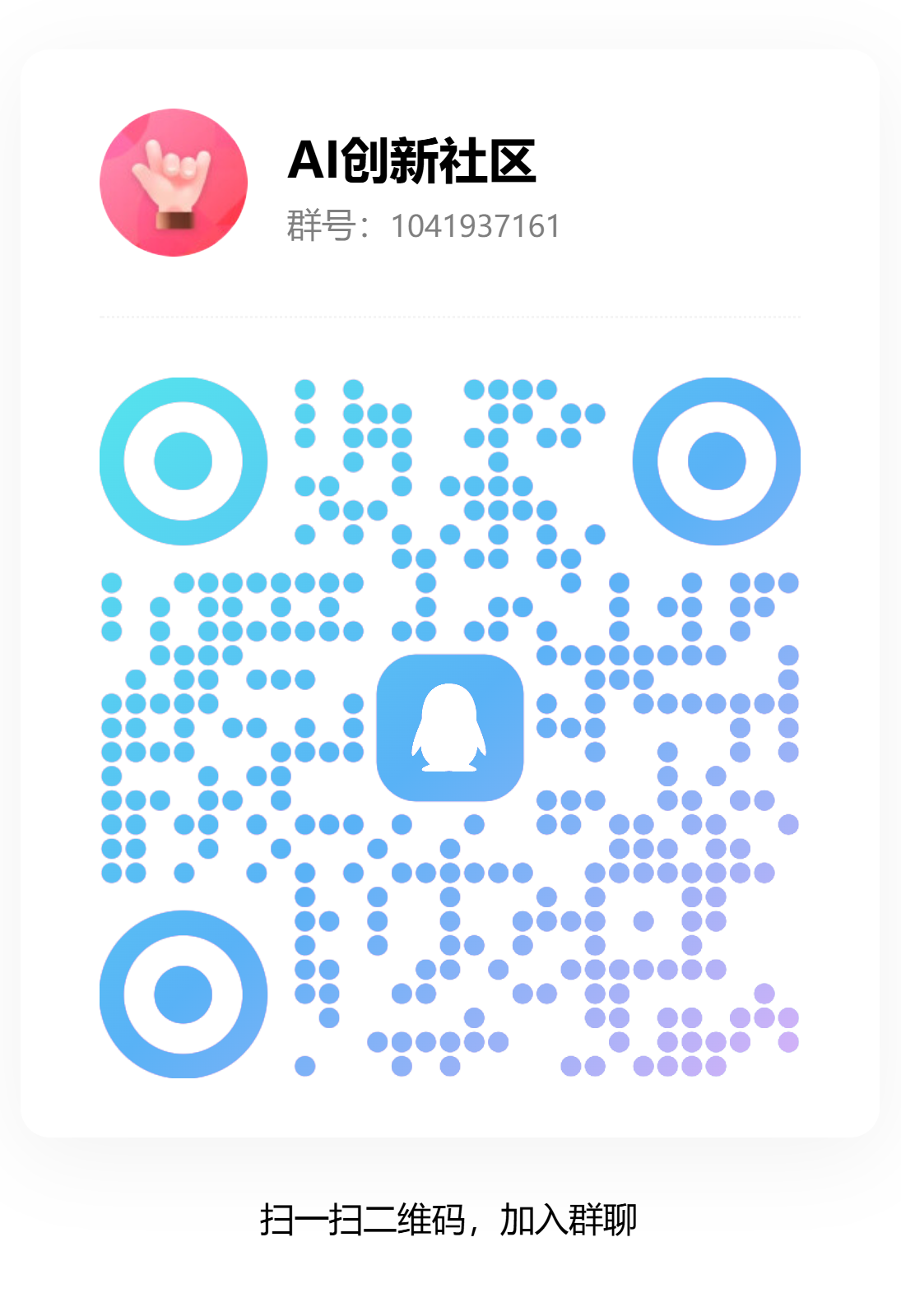
- QQ Group (AI Innovation Community): [Join here](https://qm.qq.com/q/OWYQ9hwFWy)
### QQ Group: AI Innovation Community
Scan the QR code or use the link above to join, Group No. `1041937161`. The group is for product experience, issue feedback, and future release discussions.