 [](https://jitpack.io/#SumiMakito/AwesomeQRCode)
[](https://github.com/SumiMakito/AwesomeQRCode/releases/latest)
[](https://github.com/SumiMakito/AwesomeQRCode/blob/master/LICENSE)

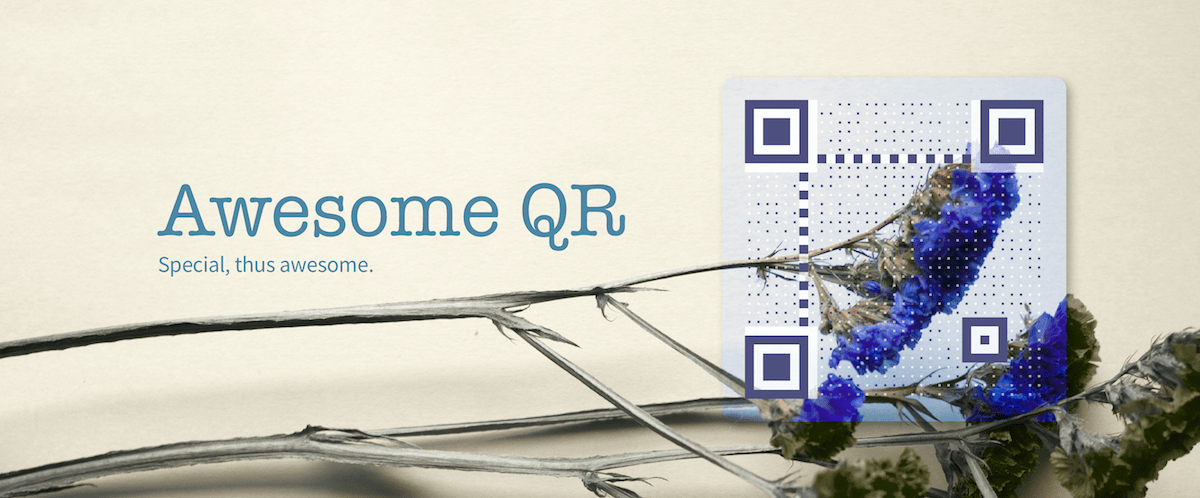
Awesome QR code - An awesome QR code generator for Android.
## Yay! Available on Google Play!
*With the Awesome QR app, you can play with these options like a master!*
[](https://jitpack.io/#SumiMakito/AwesomeQRCode)
[](https://github.com/SumiMakito/AwesomeQRCode/releases/latest)
[](https://github.com/SumiMakito/AwesomeQRCode/blob/master/LICENSE)

Awesome QR code - An awesome QR code generator for Android.
## Yay! Available on Google Play!
*With the Awesome QR app, you can play with these options like a master!*
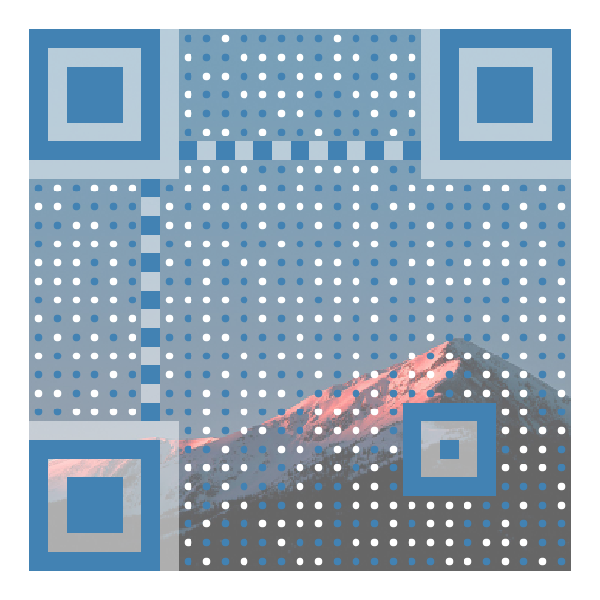
 ## Showcase
No Logo|With Logo|Animated GIF
------------ | ------------- | -------------
## Showcase
No Logo|With Logo|Animated GIF
------------ | ------------- | -------------
 |
| 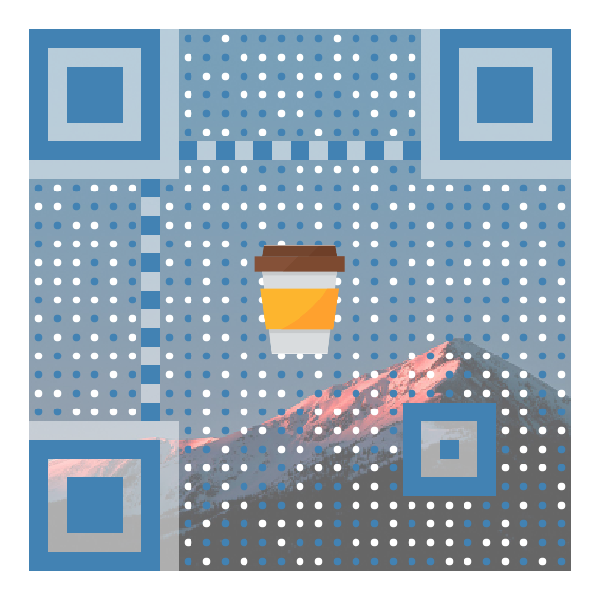 |
| 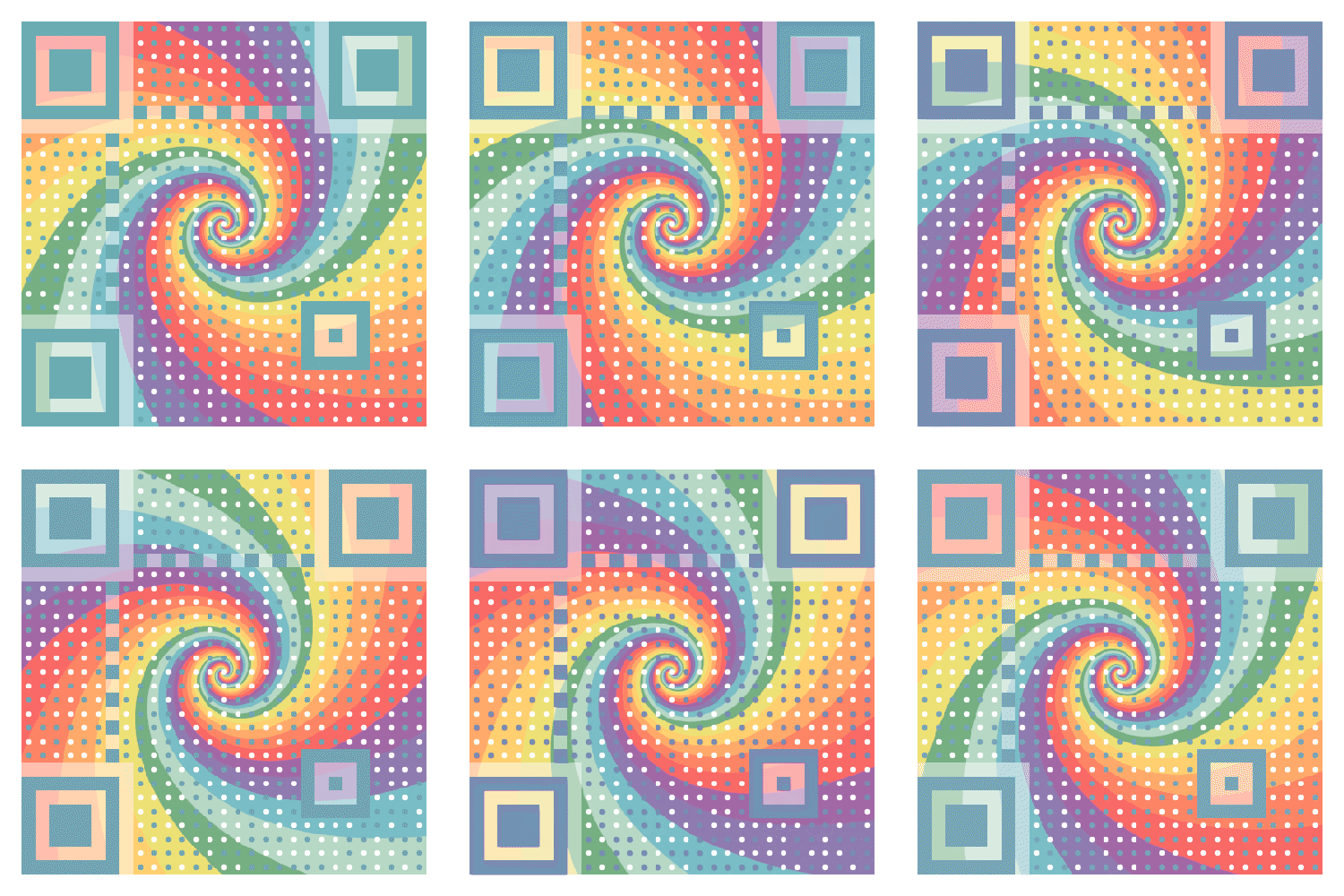 > Listing only several styles for demonstration.
>
> Find out more styles and options in the Awesome QR app!
## Installation
To add the dependency into your project, edit your project-level *build.gradle* first.
```
allprojects {
repositories {
...
maven { url 'https://jitpack.io' }
}
}
```
Then, edit your *build.gradle* on module level.
> Remember to replace `` with the latest version name showed on the JitPack badge.
```
dependencies {
implementation 'com.github.SumiMakito:AwesomeQRCode:'
}
```
## Usage
### 1. Say hello to *RenderOption*.
Like a recipe, *RenderOption* stores a set of options and it will tell the renderer "how to stylize the QR code for you."
```kotlin
// Kotlin
val renderOption = RenderOption()
renderOption.content = "Special, thus awesome." // content to encode
renderOption.size = 800 // size of the final QR code image
renderOption.borderWidth = 20 // width of the empty space around the QR code
renderOption.ecl = ErrorCorrectionLevel.M // (optional) specify an error correction level
renderOption.patternScale = 0.35f // (optional) specify a scale for patterns
renderOption.roundedPatterns = true // (optional) if true, blocks will be drawn as dots instead
renderOption.clearBorder = true // if set to true, the background will NOT be drawn on the border area
renderOption.color = color // set a color palette for the QR code
renderOption.background = background // set a background, keep reading to find more about it
renderOption.logo = logo // set a logo, keep reading to find more about it
```
```java
// Java
RenderOption renderOption = new RenderOption();
renderOption.setContent("Special, thus awesome."); // content to encode
renderOption.setSize(800); // size of the final QR code image
renderOption.setBorderWidth(20); // width of the empty space around the QR code
renderOption.setEcl(ErrorCorrectionLevel.M); // (optional) specify an error correction level
renderOption.setPatternScale(0.35f); // (optional) specify a scale for patterns
renderOption.setRoundedPatterns(true); // (optional) if true, blocks will be drawn as dots instead
renderOption.setClearBorder(true); // if set to true, the background will NOT be drawn on the border area
renderOption.setColor(color); // set a color palette for the QR code
renderOption.setBackground(background); // set a background, keep reading to find more about it
renderOption.setLogo(logo); // set a logo, keep reading to find more about it
```
> But, wait. What is a *background*? Don't worry and keep reading. :)
### 2. Grab a background.Optional
Awesome QR code natively provides three types of backgrounds. Each background should extend the abstract *Background* class.
```kotlin
// Kotlin
// A still background (a still image as the background)
val background = StillBackground()
background.bitmap = backgroundBitmap // assign a bitmap as the background
background.clippingRect = Rect(0, 0, 200, 200) // crop the background before applying
background.alpha = 0.7f // alpha of the background to be drawn
// A blend background (to draw a QR code onto an area of a still image)
val background = BlendBackground()
background.bitmap = backgroundBitmap
background.clippingRect = Rect(0, 0, 200, 200)
background.alpha = 0.7f
background.borderRadius = 10 // radius for blending corners
// A gif background (animated)
val background = GifBackground()
background.inputFile = gifFile // assign a file object of a gif image to this field
background.outputFile = File(pictureStorage, "output.gif") // IMPORTANT: the output image will be saved to this file object
background.clippingRect = Rect(0, 0, 200, 200)
background.alpha = 0.7f
```
```java
// Java
// A still background (a still image as the background)
StillBackground background = new StillBackground();
background.setBitmap(backgroundBitmap); // assign a bitmap as the background
background.setClippingRect(new Rect(0, 0, 200, 200));// crop the background before
background.setAlpha(0.7f); // alpha of the background to be drawn
// A blend background (to draw a QR code onto an area of a still image)
BlendBackground background = new BlendBackground();
background.setBitmap(backgroundBitmap);
background.setClippingRect(new Rect(0, 0, 200, 200));
background.setAlpha(0.7f);
background.setBorderRadius(10); // radius for blending corners
// A gif background (animated)
GifBackground background = new GifBackground();
background.setInputFile(gifFile); // assign a file object of a gif image to this field
background.setOutputFile(new File(pictureStorage, "output.gif")); // IMPORTANT: the output image will be saved to this file object
background.setClippingRect(new Rect(0, 0, 200, 200));
background.setAlpha(0.7f);
```
### 3. Seek for a rainbow.Optional
> This step is optional since Awesome QR code will use black and white as the default color set.
```kotlin
// Kotlin
val color = Color()
color.light = 0xFFFFFFFF.toInt() // for blank spaces
color.dark = 0xFFFF8C8C.toInt() // for non-blank spaces
color.background = 0xFFFFFFFF.toInt() // for the background (will be overriden by background images, if set)
color.auto = false // set to true to automatically pick out colors from the background image (will only work if background image is present)
```
```java
// Java
Color color = new Color();
color.setLight(0xFFFFFFFF); // for blank spaces
color.setDark(0xFFFF8C8C); // for non-blank spaces
color.setBackground(0xFFFFFFFF); // for the background (will be overriden by background images, if set)
color.setAuto(false); // set to true to automatically pick out colors from the background image (will only work if background image is present)
```
### 4. Hey. I want a Logo.Optional
> This step is optional since the logo is not required by default.
```kotlin
// Kotlin
val logo = Logo()
logo.bitmap = logoBitmap
logo.borderRadius = 10 // radius for logo's corners
logo.borderWidth = 10 // width of the border to be added around the logo
logo.scale = 0.3f // scale for the logo in the QR code
logo.clippingRect = Rect(0, 0, 200, 200) // crop the logo image before applying it to the QR code
```
```java
// Java
Logo logo = new Logo();
logo.setBitmap(logoBitmap);
logo.setBorderRadius(10); // radius for logo's corners
logo.setBorderWidth(10); // width of the border to be added around the logo
logo.setScale(0.3f); // scale for the logo in the QR code
logo.setClippingRect(new Rect(0, 0, 200, 200)); // crop the logo image before applying it to the QR code
```
### 5. Render!
Meet the magical renderer.
##### If you prefer the asynchronous way...
```kotlin
// Kotlin
val result = AwesomeQrRenderer.renderAsync(renderOption, { result ->
if (result.bitmap != null) {
// play with the bitmap
} else if (result.type == RenderResult.OutputType.GIF) {
// If your Background is a GifBackground, the image
// will be saved to the output file set in GifBackground
// instead of being returned here. As a result, the
// result.bitmap will be null.
} else {
// Oops, something gone wrong.
}
}, {
exception -> exception.printStackTrace()
// Oops, something gone wrong.
})
```
##### Or synchronously...
```kotlin
// Kotlin
try {
val result = AwesomeQrRenderer.render(renderOption)
if (result.bitmap != null) {
// play with the bitmap
} else if (result.type == RenderResult.OutputType.GIF) {
// If your Background is a GifBackground, the image
// will be saved to the output file set in GifBackground
// instead of being returned here. As a result, the
// result.bitmap will be null.
} else {
// Oops, something gone wrong.
}
} catch (e: Exception) {
e.printStackTrace()
// Oops, something gone wrong.
}
```
## Changelog
#### Version 1.2.0
- Translated into Kotlin.
- Changed to the RenderOption-Renderer structure.
#### Version 1.1.1
- Fixed a bug that would previously cause the gaps between blocks in position/alignment patterns.
#### Version 1.1.0
+ Added the support for GIF backgrounds.
+ Fixed some issues found in the previous version.
#### Version 1.0.6
- Fixed a "divide by zero" error mentioned in [#20](https://github.com/SumiMakito/AwesomeQRCode/issues/20).
#### Version 1.0.5
- The way to use Awesome QR code is more elegant.
#### Version 1.0.4
- New feature: Embedding a logo image in the QR code.
- Sample/Demo application updated.
#### Version 1.0.3
- Added CHARACTER_SET => UTF-8 to QR code's hints before encoding.
- Fixed an encoding issue mentioned in [#7](https://github.com/SumiMakito/AwesomeQRCode/issues/7).
#### Version 1.0.2
- Added an optional parameter which enables the data dots to appear as filled circles.
#### Version 1.0.1
- Now background images can be binarized as you like.
#### Version 1.0.0
- Initial release.
## Alternatives
#### Awesome-qr.js written in JavaScript
Redirect to [Awesome-qr.js](https://github.com/SumiMakito/Awesome-qr.js)
#### EFQRCode written in Swift
EFQRCode is a tool to generate QRCode image or recognize QRCode from image, in Swift.
Awesome QR code is inspired by [EFQRCode by EyreFree](https://github.com/EyreFree/EFQRCode).
If your application is in need of generating pretty QR codes in Swift, take a look at EFQRCode. It should help.
## Donation
If you think Awesome QR code is awesome, would you like to buy me a cup of cappuccino?
- [PayPal](https://www.paypal.me/makito)
- [Alipay](https://qr.alipay.com/a6x02021re1jk4ftcymlw79)
## Sponsors
It is those generous sponsors who supports this project makes the Awesome-qr.js more awesome!
I'd like to express my sincere appreciation to all the generous sponsors.
- [Coxxs](https://coxxs.me/)
## Special thanks
- [Megabits](https://github.com/megabitsenmzq) (Banner art work)
## Copyright & License
> Listing only several styles for demonstration.
>
> Find out more styles and options in the Awesome QR app!
## Installation
To add the dependency into your project, edit your project-level *build.gradle* first.
```
allprojects {
repositories {
...
maven { url 'https://jitpack.io' }
}
}
```
Then, edit your *build.gradle* on module level.
> Remember to replace `` with the latest version name showed on the JitPack badge.
```
dependencies {
implementation 'com.github.SumiMakito:AwesomeQRCode:'
}
```
## Usage
### 1. Say hello to *RenderOption*.
Like a recipe, *RenderOption* stores a set of options and it will tell the renderer "how to stylize the QR code for you."
```kotlin
// Kotlin
val renderOption = RenderOption()
renderOption.content = "Special, thus awesome." // content to encode
renderOption.size = 800 // size of the final QR code image
renderOption.borderWidth = 20 // width of the empty space around the QR code
renderOption.ecl = ErrorCorrectionLevel.M // (optional) specify an error correction level
renderOption.patternScale = 0.35f // (optional) specify a scale for patterns
renderOption.roundedPatterns = true // (optional) if true, blocks will be drawn as dots instead
renderOption.clearBorder = true // if set to true, the background will NOT be drawn on the border area
renderOption.color = color // set a color palette for the QR code
renderOption.background = background // set a background, keep reading to find more about it
renderOption.logo = logo // set a logo, keep reading to find more about it
```
```java
// Java
RenderOption renderOption = new RenderOption();
renderOption.setContent("Special, thus awesome."); // content to encode
renderOption.setSize(800); // size of the final QR code image
renderOption.setBorderWidth(20); // width of the empty space around the QR code
renderOption.setEcl(ErrorCorrectionLevel.M); // (optional) specify an error correction level
renderOption.setPatternScale(0.35f); // (optional) specify a scale for patterns
renderOption.setRoundedPatterns(true); // (optional) if true, blocks will be drawn as dots instead
renderOption.setClearBorder(true); // if set to true, the background will NOT be drawn on the border area
renderOption.setColor(color); // set a color palette for the QR code
renderOption.setBackground(background); // set a background, keep reading to find more about it
renderOption.setLogo(logo); // set a logo, keep reading to find more about it
```
> But, wait. What is a *background*? Don't worry and keep reading. :)
### 2. Grab a background.Optional
Awesome QR code natively provides three types of backgrounds. Each background should extend the abstract *Background* class.
```kotlin
// Kotlin
// A still background (a still image as the background)
val background = StillBackground()
background.bitmap = backgroundBitmap // assign a bitmap as the background
background.clippingRect = Rect(0, 0, 200, 200) // crop the background before applying
background.alpha = 0.7f // alpha of the background to be drawn
// A blend background (to draw a QR code onto an area of a still image)
val background = BlendBackground()
background.bitmap = backgroundBitmap
background.clippingRect = Rect(0, 0, 200, 200)
background.alpha = 0.7f
background.borderRadius = 10 // radius for blending corners
// A gif background (animated)
val background = GifBackground()
background.inputFile = gifFile // assign a file object of a gif image to this field
background.outputFile = File(pictureStorage, "output.gif") // IMPORTANT: the output image will be saved to this file object
background.clippingRect = Rect(0, 0, 200, 200)
background.alpha = 0.7f
```
```java
// Java
// A still background (a still image as the background)
StillBackground background = new StillBackground();
background.setBitmap(backgroundBitmap); // assign a bitmap as the background
background.setClippingRect(new Rect(0, 0, 200, 200));// crop the background before
background.setAlpha(0.7f); // alpha of the background to be drawn
// A blend background (to draw a QR code onto an area of a still image)
BlendBackground background = new BlendBackground();
background.setBitmap(backgroundBitmap);
background.setClippingRect(new Rect(0, 0, 200, 200));
background.setAlpha(0.7f);
background.setBorderRadius(10); // radius for blending corners
// A gif background (animated)
GifBackground background = new GifBackground();
background.setInputFile(gifFile); // assign a file object of a gif image to this field
background.setOutputFile(new File(pictureStorage, "output.gif")); // IMPORTANT: the output image will be saved to this file object
background.setClippingRect(new Rect(0, 0, 200, 200));
background.setAlpha(0.7f);
```
### 3. Seek for a rainbow.Optional
> This step is optional since Awesome QR code will use black and white as the default color set.
```kotlin
// Kotlin
val color = Color()
color.light = 0xFFFFFFFF.toInt() // for blank spaces
color.dark = 0xFFFF8C8C.toInt() // for non-blank spaces
color.background = 0xFFFFFFFF.toInt() // for the background (will be overriden by background images, if set)
color.auto = false // set to true to automatically pick out colors from the background image (will only work if background image is present)
```
```java
// Java
Color color = new Color();
color.setLight(0xFFFFFFFF); // for blank spaces
color.setDark(0xFFFF8C8C); // for non-blank spaces
color.setBackground(0xFFFFFFFF); // for the background (will be overriden by background images, if set)
color.setAuto(false); // set to true to automatically pick out colors from the background image (will only work if background image is present)
```
### 4. Hey. I want a Logo.Optional
> This step is optional since the logo is not required by default.
```kotlin
// Kotlin
val logo = Logo()
logo.bitmap = logoBitmap
logo.borderRadius = 10 // radius for logo's corners
logo.borderWidth = 10 // width of the border to be added around the logo
logo.scale = 0.3f // scale for the logo in the QR code
logo.clippingRect = Rect(0, 0, 200, 200) // crop the logo image before applying it to the QR code
```
```java
// Java
Logo logo = new Logo();
logo.setBitmap(logoBitmap);
logo.setBorderRadius(10); // radius for logo's corners
logo.setBorderWidth(10); // width of the border to be added around the logo
logo.setScale(0.3f); // scale for the logo in the QR code
logo.setClippingRect(new Rect(0, 0, 200, 200)); // crop the logo image before applying it to the QR code
```
### 5. Render!
Meet the magical renderer.
##### If you prefer the asynchronous way...
```kotlin
// Kotlin
val result = AwesomeQrRenderer.renderAsync(renderOption, { result ->
if (result.bitmap != null) {
// play with the bitmap
} else if (result.type == RenderResult.OutputType.GIF) {
// If your Background is a GifBackground, the image
// will be saved to the output file set in GifBackground
// instead of being returned here. As a result, the
// result.bitmap will be null.
} else {
// Oops, something gone wrong.
}
}, {
exception -> exception.printStackTrace()
// Oops, something gone wrong.
})
```
##### Or synchronously...
```kotlin
// Kotlin
try {
val result = AwesomeQrRenderer.render(renderOption)
if (result.bitmap != null) {
// play with the bitmap
} else if (result.type == RenderResult.OutputType.GIF) {
// If your Background is a GifBackground, the image
// will be saved to the output file set in GifBackground
// instead of being returned here. As a result, the
// result.bitmap will be null.
} else {
// Oops, something gone wrong.
}
} catch (e: Exception) {
e.printStackTrace()
// Oops, something gone wrong.
}
```
## Changelog
#### Version 1.2.0
- Translated into Kotlin.
- Changed to the RenderOption-Renderer structure.
#### Version 1.1.1
- Fixed a bug that would previously cause the gaps between blocks in position/alignment patterns.
#### Version 1.1.0
+ Added the support for GIF backgrounds.
+ Fixed some issues found in the previous version.
#### Version 1.0.6
- Fixed a "divide by zero" error mentioned in [#20](https://github.com/SumiMakito/AwesomeQRCode/issues/20).
#### Version 1.0.5
- The way to use Awesome QR code is more elegant.
#### Version 1.0.4
- New feature: Embedding a logo image in the QR code.
- Sample/Demo application updated.
#### Version 1.0.3
- Added CHARACTER_SET => UTF-8 to QR code's hints before encoding.
- Fixed an encoding issue mentioned in [#7](https://github.com/SumiMakito/AwesomeQRCode/issues/7).
#### Version 1.0.2
- Added an optional parameter which enables the data dots to appear as filled circles.
#### Version 1.0.1
- Now background images can be binarized as you like.
#### Version 1.0.0
- Initial release.
## Alternatives
#### Awesome-qr.js written in JavaScript
Redirect to [Awesome-qr.js](https://github.com/SumiMakito/Awesome-qr.js)
#### EFQRCode written in Swift
EFQRCode is a tool to generate QRCode image or recognize QRCode from image, in Swift.
Awesome QR code is inspired by [EFQRCode by EyreFree](https://github.com/EyreFree/EFQRCode).
If your application is in need of generating pretty QR codes in Swift, take a look at EFQRCode. It should help.
## Donation
If you think Awesome QR code is awesome, would you like to buy me a cup of cappuccino?
- [PayPal](https://www.paypal.me/makito)
- [Alipay](https://qr.alipay.com/a6x02021re1jk4ftcymlw79)
## Sponsors
It is those generous sponsors who supports this project makes the Awesome-qr.js more awesome!
I'd like to express my sincere appreciation to all the generous sponsors.
- [Coxxs](https://coxxs.me/)
## Special thanks
- [Megabits](https://github.com/megabitsenmzq) (Banner art work)
## Copyright & License
 Awesome QR code is available under the Apache-2.0 license. See the LICENSE file for more info.
Copyright © 2017-2018 Makito.
## Exclusive Distributor Agreement
By including, importing, modifying, redistributing, or using this library, you acknowledge and agree that you have read and accept the terms of this Exclusive Distributor Agreement.
**WHILE REDISTRIBUTING THIS LIBRARY, THIS AGREEMENT SHALL ALSO BE ATTACHED WITH THE APACHE-2.0 LICENSE.**
You're **FREE** to:
- Use Awesome QR code in your projects (commercial projects are okay as well).
+ Modify the code according to your needs.
+ Redistribute the modified code under the Exclusive Distributor Agreement and the Apache-2.0 license.
You're **FORBIDDEN** to:
+ Make Awesome QR code the **main** or the **only** feature of your applications.
+ Treat the **whole or part** of Awesome QR code as a paid function.
+ Make a demo or sample application for Awesome QR code and submit the application to the store (IBNLT Google Play Store, etc.).
Awesome QR code is available under the Apache-2.0 license. See the LICENSE file for more info.
Copyright © 2017-2018 Makito.
## Exclusive Distributor Agreement
By including, importing, modifying, redistributing, or using this library, you acknowledge and agree that you have read and accept the terms of this Exclusive Distributor Agreement.
**WHILE REDISTRIBUTING THIS LIBRARY, THIS AGREEMENT SHALL ALSO BE ATTACHED WITH THE APACHE-2.0 LICENSE.**
You're **FREE** to:
- Use Awesome QR code in your projects (commercial projects are okay as well).
+ Modify the code according to your needs.
+ Redistribute the modified code under the Exclusive Distributor Agreement and the Apache-2.0 license.
You're **FORBIDDEN** to:
+ Make Awesome QR code the **main** or the **only** feature of your applications.
+ Treat the **whole or part** of Awesome QR code as a paid function.
+ Make a demo or sample application for Awesome QR code and submit the application to the store (IBNLT Google Play Store, etc.).