# Pika
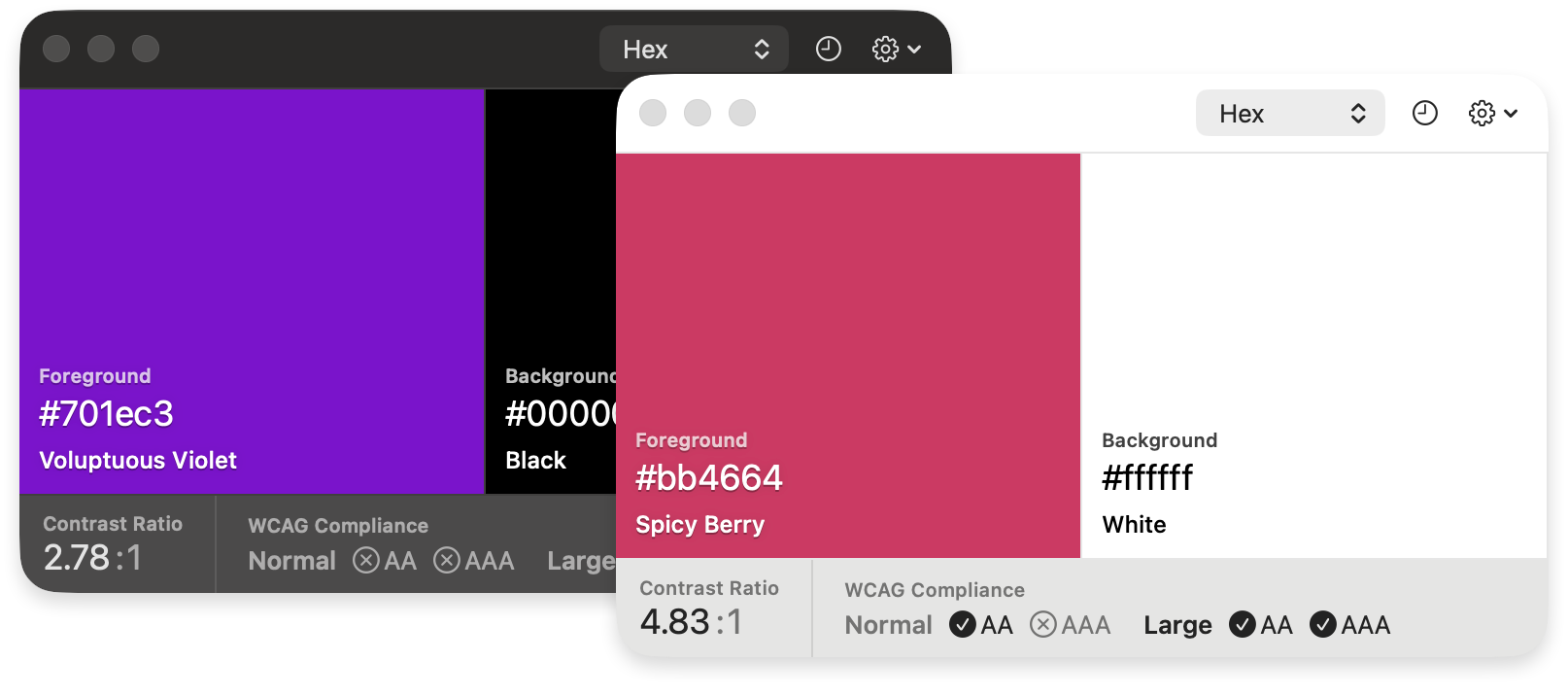
Pika (pronounced pi·kuh, like picker) is an easy to use, open-source, native colour picker for macOS. Pika makes it easy to quickly find colours onscreen, in the format you need, so you can get on with being a speedy, successful designer.
## Download
**Download the latest version of the app at:
[superhighfives.com/pika](https://superhighfives.com/pika)**
Or install with Homebrew:
```bash
brew install --cask pika
```
## Features
- Quick color picking from anywhere on screen
- Multiple color format support (Hex, RGB, HSB, HSL, LAB, OpenGL)
- Keyboard shortcuts for efficiency
- URL scheme support for automation
- System color picker integration
- Undo/redo functionality
- Color swapping capabilities
## Learn More
Learn more about the [motivations behind the project](https://medium.com/superhighfives/introducing-pika-d7725c397585), and the [product vision](https://github.com/superhighfives/pika/wiki).
---
## Requirements
### OS
- macOS Sequoia (Version 14) and newer
## Keyboard Shortcuts
As of version `0.0.18`, Pika supports the following keyboard shortcuts:
### Pick colors
- ⌘ D: Pick foreground
- ⌘ ⇧ D: Pick background
### Copy colors
- ⌘ C: Copy foreground
- ⌘ ⇧ C: Copy background
### Use the system colour picker
- ⌘ S: Use for foreground
- ⌘ ⇧ S: Use for background
### Change formats
- ⌘ 1: Format Hex
- ⌘ 2: Format RGB
- ⌘ 3: Format HSB
- ⌘ 4: Format HSL
- ⌘ 5: Format LAB
- ⌘ 6: Format OpenGL
- ⌘ 7: Format OKLCH
### Change colors
- ⌘ Z: Undo last pick
- ⌘ ⇧ Z: Redo last pick
- X: Swap colors
## URL Triggers
As of version `0.0.17`, you can trigger Pika using the `pika://` URL scheme.
You can also change the format by appending it to the URL when picking or copying. For example, `pika://pick/foreground/hex` (or rgb, hsl, hsb).
### Pick colors
- Pick foreground:
- `pika://pick/foreground`
- Pick background:
- `pika://pick/background`
- Pick colour with specific format:
- `pika://pick/foreground/hex` (or hex, rgb, hsb, hsl, lab, opengl, oklch)
- `pika://pick/background/hex` (or hex, rgb, hsb, hsl, lab, opengl, oklch)
- Use the system color picker for foreground:
- `pika://system/foreground`
- Use the system color picker for background:
- `pika://system/background`
### Copy colors
- Copy foreground:
- `pika://copy/foreground`
- Copy background:
- `pika://copy/background`
- Copy colour with specific format:
- `pika://copy/foreground/hex` (or hex, rgb, hsb, hsl, lab, opengl, oklch)
- `pika://copy/background/hex` (or hex, rgb, hsb, hsl, lab, opengl, oklch)
- Copy text
- `pika://copy/text`
- Copy JSON
- `pika://copy/json`
### Change formats
- Format Hex
- `pika://format/hex`
- Format RGB
- `pika://format/rgb`
- Format HSB
- `pika://format/hsb`
- Format HSL
- `pika://format/hsl`
- Format LAB
- `pika://format/lab`
- Format OpenGL
- `pika://format/opengl`
- Format OKLCH
- `pika://format/oklch`
### Change colors
- Undo last pick
- `pika://undo`
- Redo last pick
- `pika://redo`
- Swap colors
- `pika://swap`
## Development
- [Xcode](https://developer.apple.com/xcode/)
- Swift Package Manager
- [Mint](https://github.com/yonaskolb/Mint)
## Getting Started with Contributing
Make sure you have [mint](https://github.com/yonaskolb/Mint) installed, and bootstrap the toolchain dependencies:
```
brew install mint
mint bootstrap
```
Open `Pika.xcodeproj` and to run the project. [Sparkle](https://github.com/sparkle-project/Sparkle) requires that you have a [team and signing profile set](https://github.com/MonitorControl/MonitorControl/discussions/638) for the project, or it will crash with a dyld / signal SIGABRT error.
If you run into any problems, please [detail them in an issue](https://github.com/superhighfives/pika/issues/new/).
## Contributions
Any and all contributions are welcomed. Check for [open issues](https://github.com/superhighfives/pika/issues), look through the [project roadmap](https://github.com/superhighfives/pika/projects/1), help [translating the app](https://github.com/superhighfives/pika/tree/main/Pika/Assets) and [submit a PR](https://github.com/superhighfives/pika/compare).
## Dependencies and Thanks
- [Sparkle](https://github.com/sparkle-project/Sparkle) software update framework
- [Defaults](https://github.com/sindresorhus/Defaults)
- [Keyboard Shortcuts](https://github.com/sindresorhus/KeyboardShortcuts)
- [Launch At Login](https://github.com/sindresorhus/LaunchAtLogin)
- [NSWindow+Fade](https://gist.github.com/BenLeggiero/1ec89e5979bf88ca13e2393fdab15ecc)
- [Sweetercolor](https://github.com/jathu/sweetercolor) colour extension library for Swift (slightly tweaked for NSColor, rather than UIColor)
- [Color names](https://github.com/meodai/color-names)
- Metal shader code in part thanks to [Smiley](https://github.com/aslr/Smiley)
And a huge thank you to [Stormnoid](https://twitter.com/stormoid) for the incredible [2D vector field visualisation](https://www.shadertoy.com/view/4tfSRj) on Shadertoy.

 # Pika
Pika (pronounced pi·kuh, like picker) is an easy to use, open-source, native colour picker for macOS. Pika makes it easy to quickly find colours onscreen, in the format you need, so you can get on with being a speedy, successful designer.
# Pika
Pika (pronounced pi·kuh, like picker) is an easy to use, open-source, native colour picker for macOS. Pika makes it easy to quickly find colours onscreen, in the format you need, so you can get on with being a speedy, successful designer.
 ## Download
**Download the latest version of the app at:
## Download
**Download the latest version of the app at: