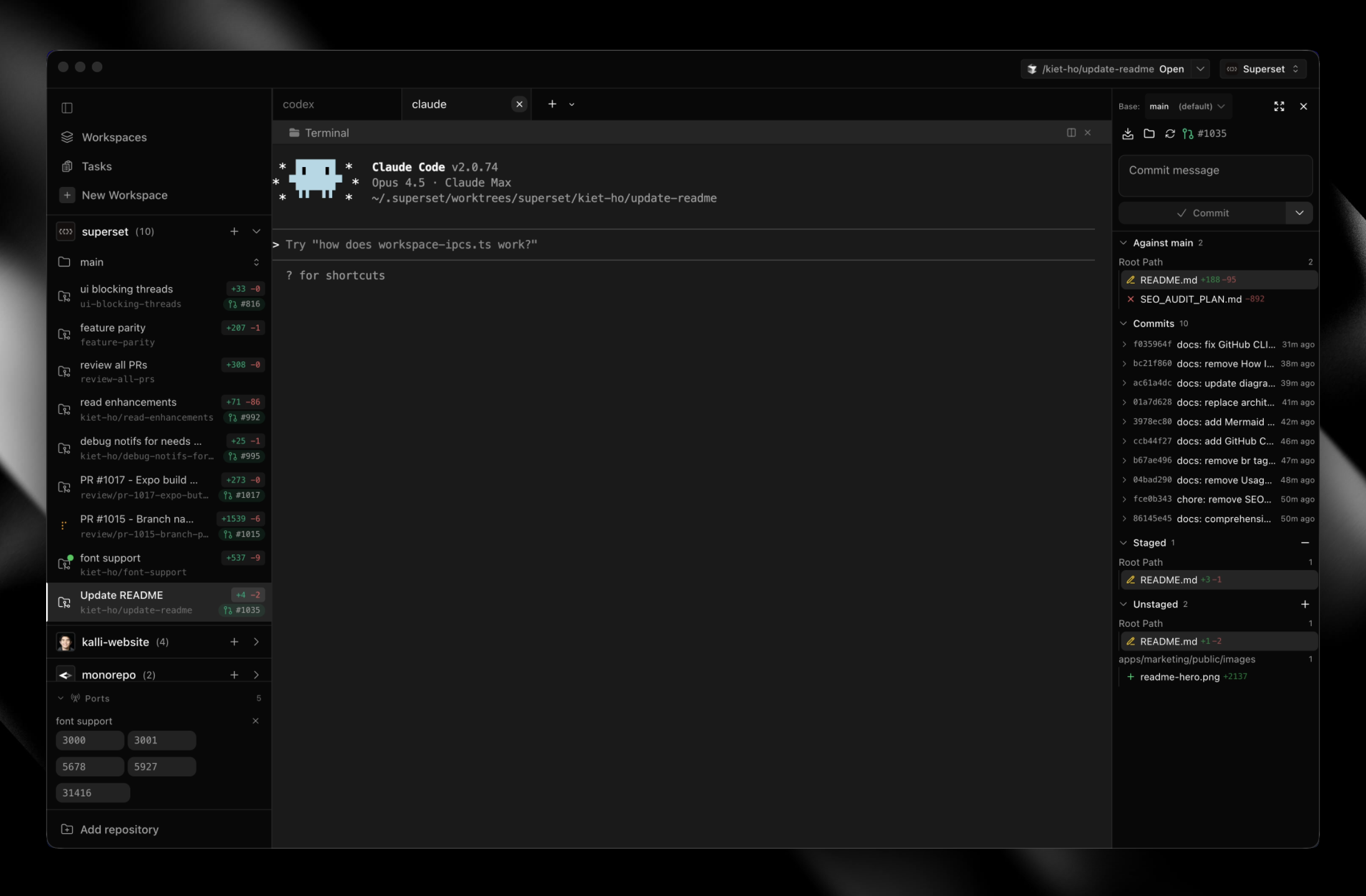
### The Code Editor for AI Agents
[](https://github.com/superset-sh/superset/stargazers)
[](https://github.com/superset-sh/superset/releases)
[](LICENSE.md)
[](https://x.com/superset_sh)
[](https://discord.gg/cZeD9WYcV7)
Orchestrate swarms of Claude Code, Codex, and more in parallel.
Works with any CLI agent. Built for local worktree-based development.
[**Download for macOS**](https://github.com/superset-sh/superset/releases/latest) • [Documentation](https://docs.superset.sh) • [Changelog](https://github.com/superset-sh/superset/releases) • [Discord](https://discord.gg/cZeD9WYcV7)
## Code 10x Faster With No Switching Cost
Superset orchestrates CLI-based coding agents across isolated git worktrees, with built-in terminal, review, and open-in-editor workflows.
- **Run multiple agents simultaneously** without context switching overhead
- **Isolate each task** in its own git worktree so agents don't interfere with each other
- **Monitor all your agents** from one place and get notified when they need attention
- **Review and edit changes quickly** with the built-in diff viewer and editor
- **Open any workspace where you need it** with one-click handoff to your editor or terminal
- **Reach your workspaces from anywhere** via remote hosts, the CLI, the SDK, or MCP
Wait less, ship more.
## Features
|
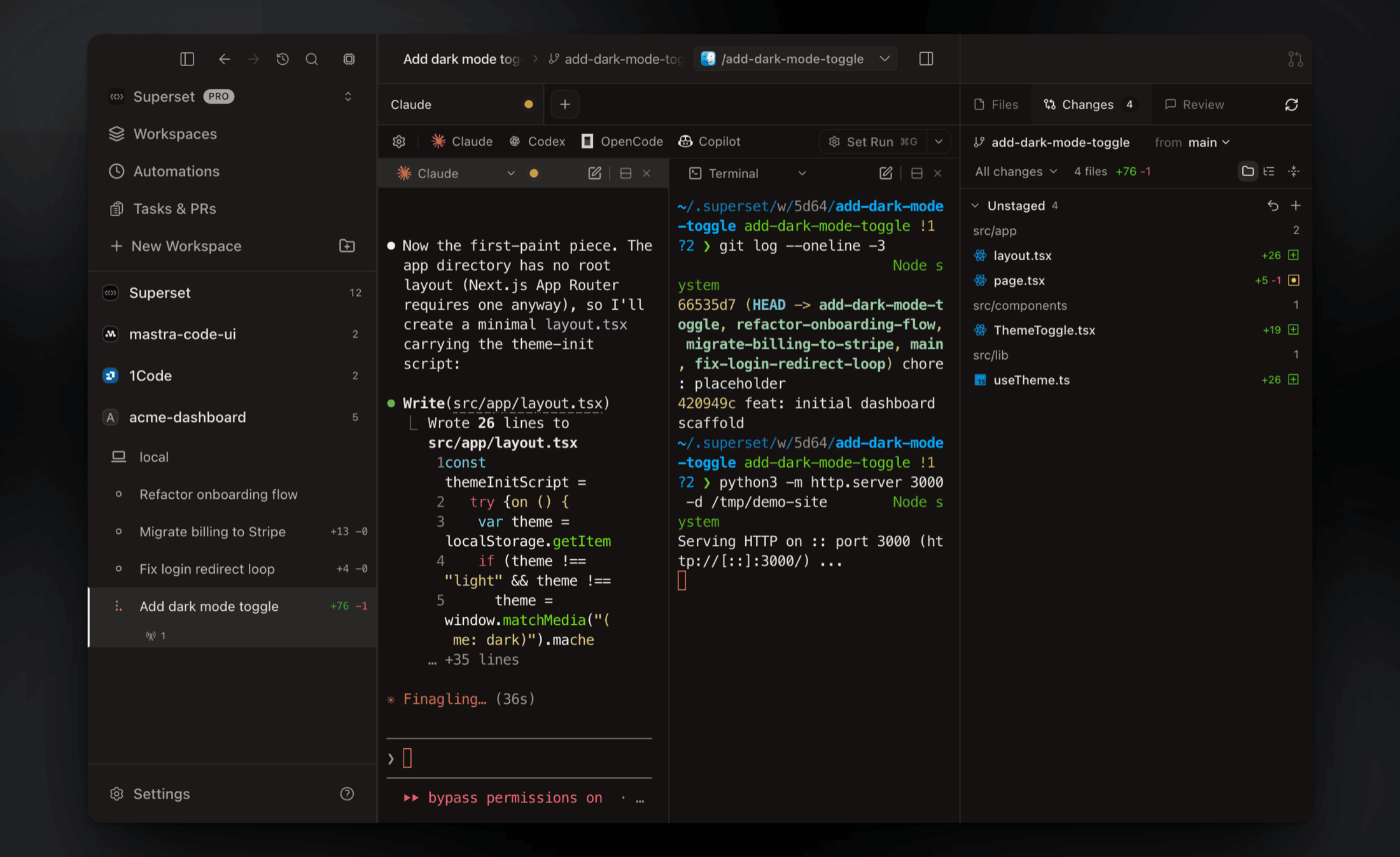
### Parallel Workspaces
Run 10+ coding agents at once, each in its own git worktree with its own branch, terminal, and environment. Compare the results and merge the winner.
[Docs →](https://docs.superset.sh/workspaces)
|
|
|
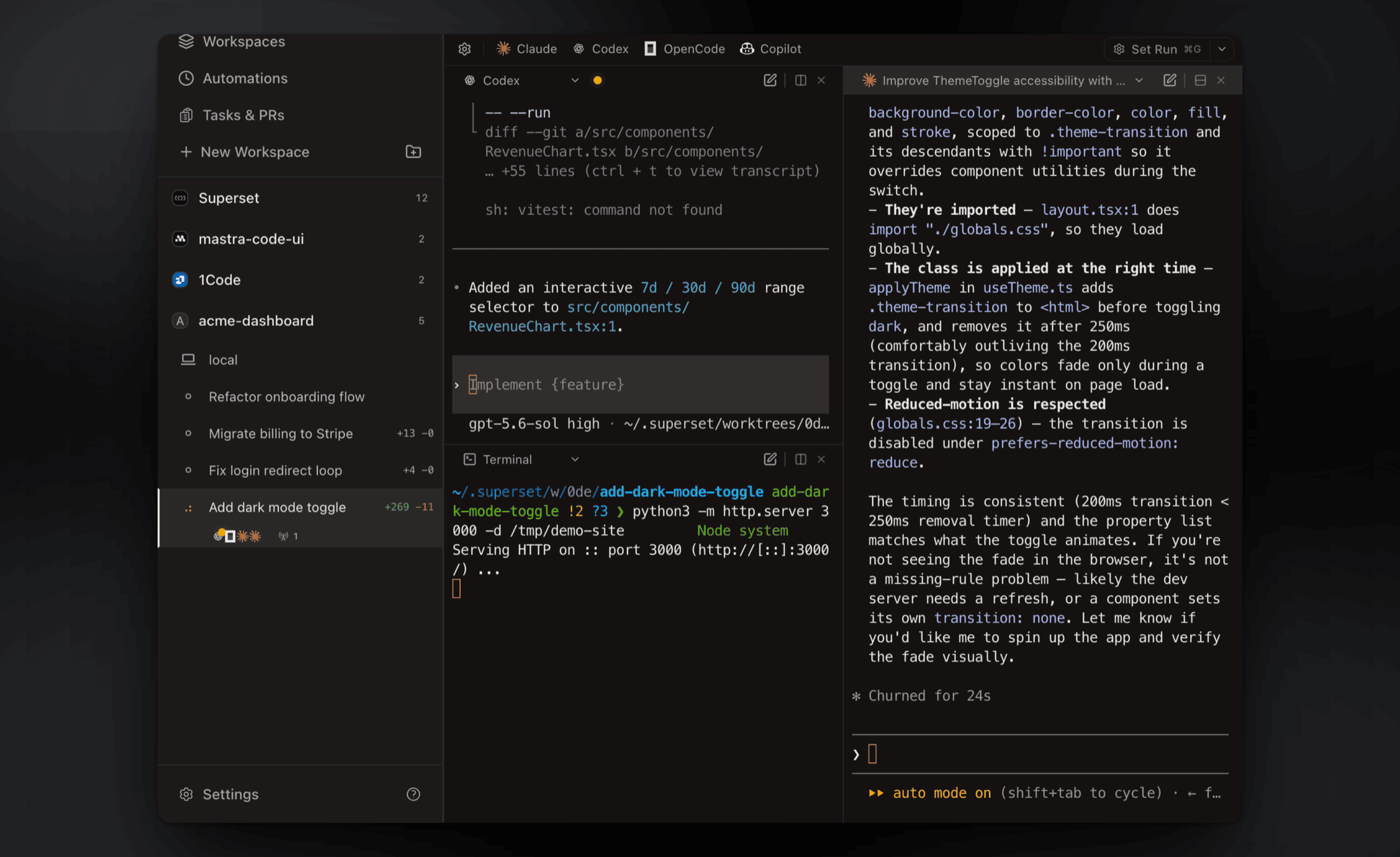
### Agent Monitoring
Track every agent from the sidebar, with working indicators, completion chimes, and dock badges when one needs your attention.
[Docs →](https://docs.superset.sh/agent-integration)
|
|
|
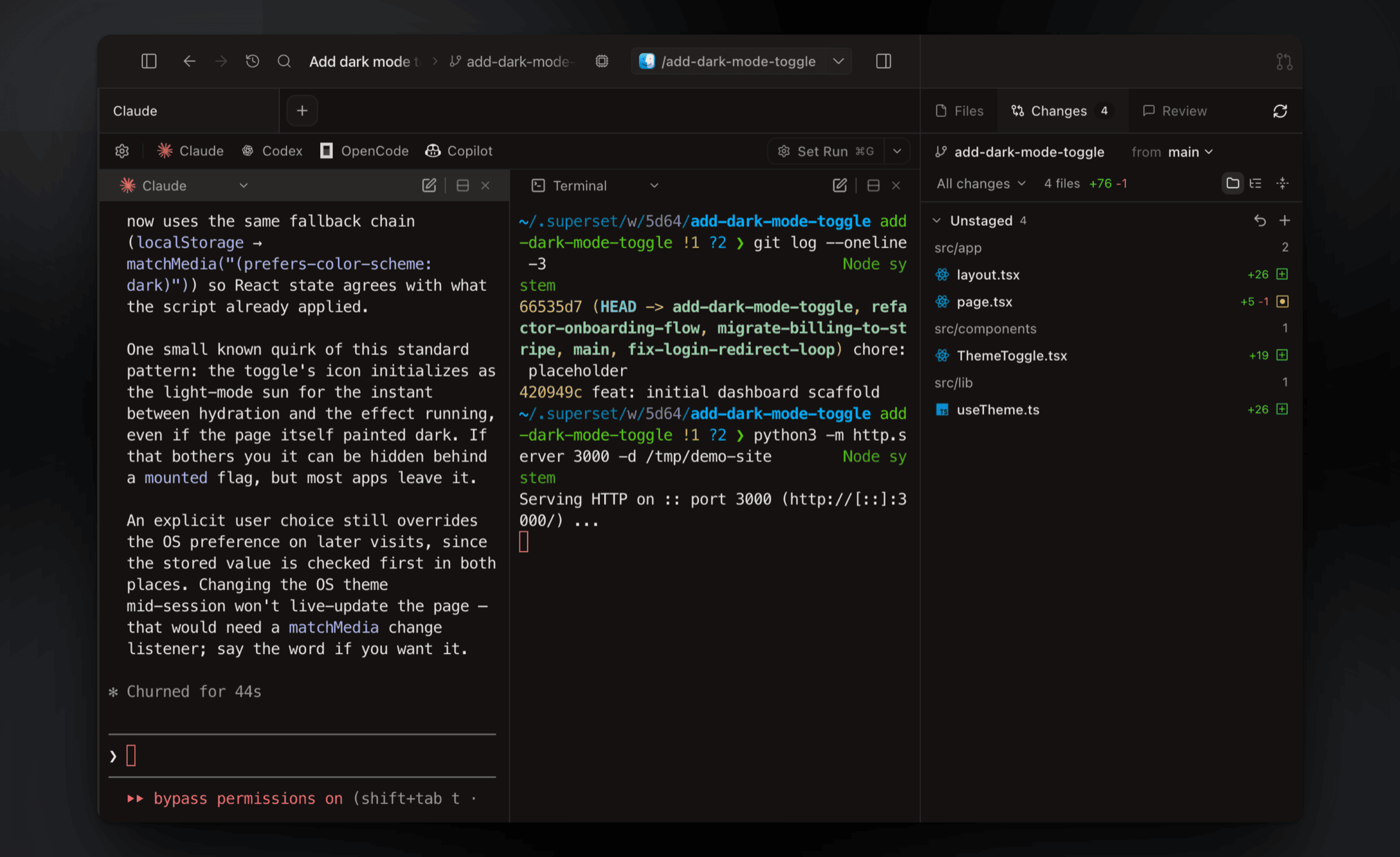
### Built-in Terminal
Tabs, infinite splits, presets, and persistent sessions that survive restarts. Press ⌘I for a rich prompt editor with multiline editing and @-file mentions.
[Docs →](https://docs.superset.sh/terminal-integration)
|
|
|
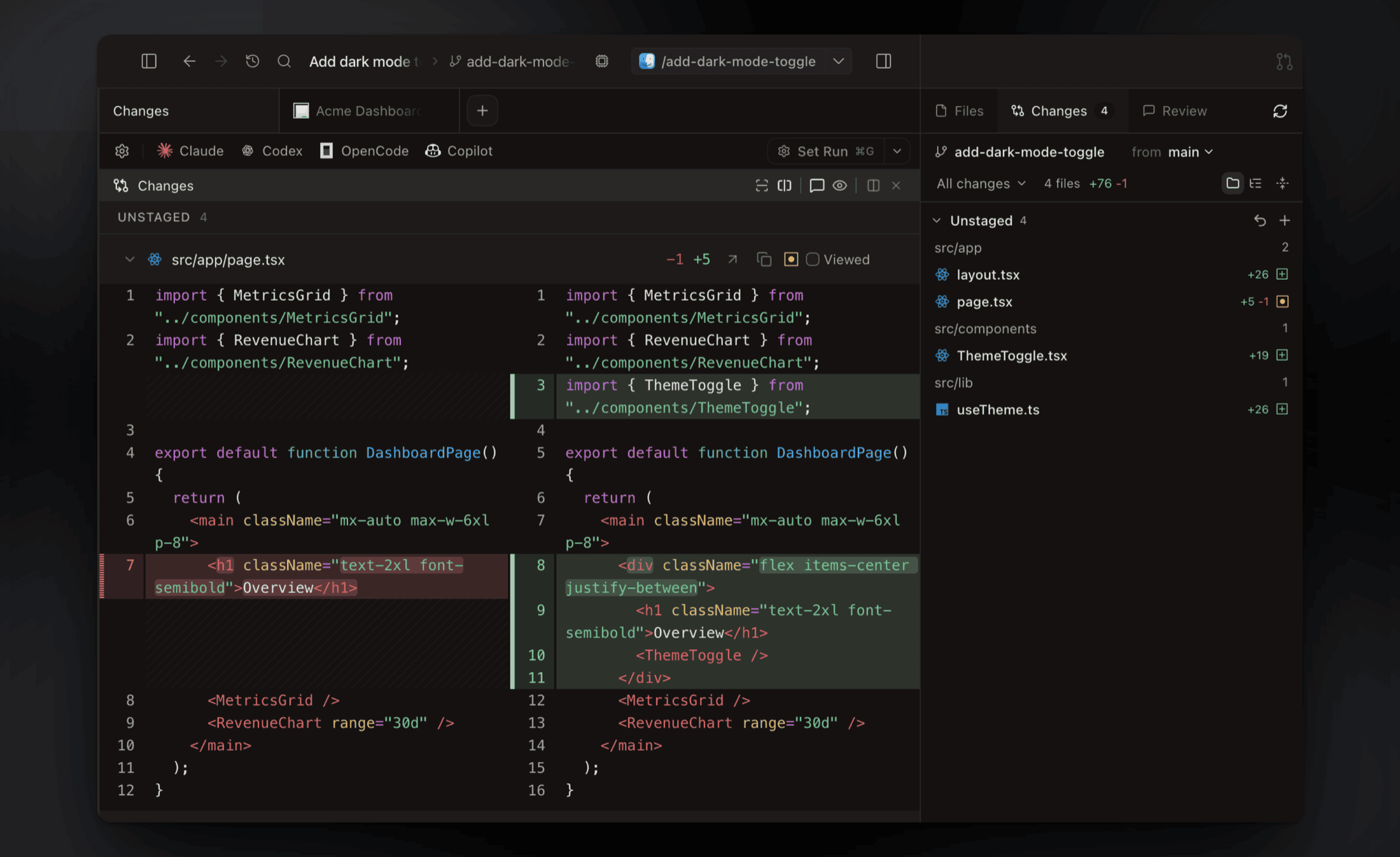
### Built-in Diff Viewer
Inspect, comment on, and edit agent changes without leaving the app, then commit and push when it's ready.
[Docs →](https://docs.superset.sh/diff-viewer)
|
|
|
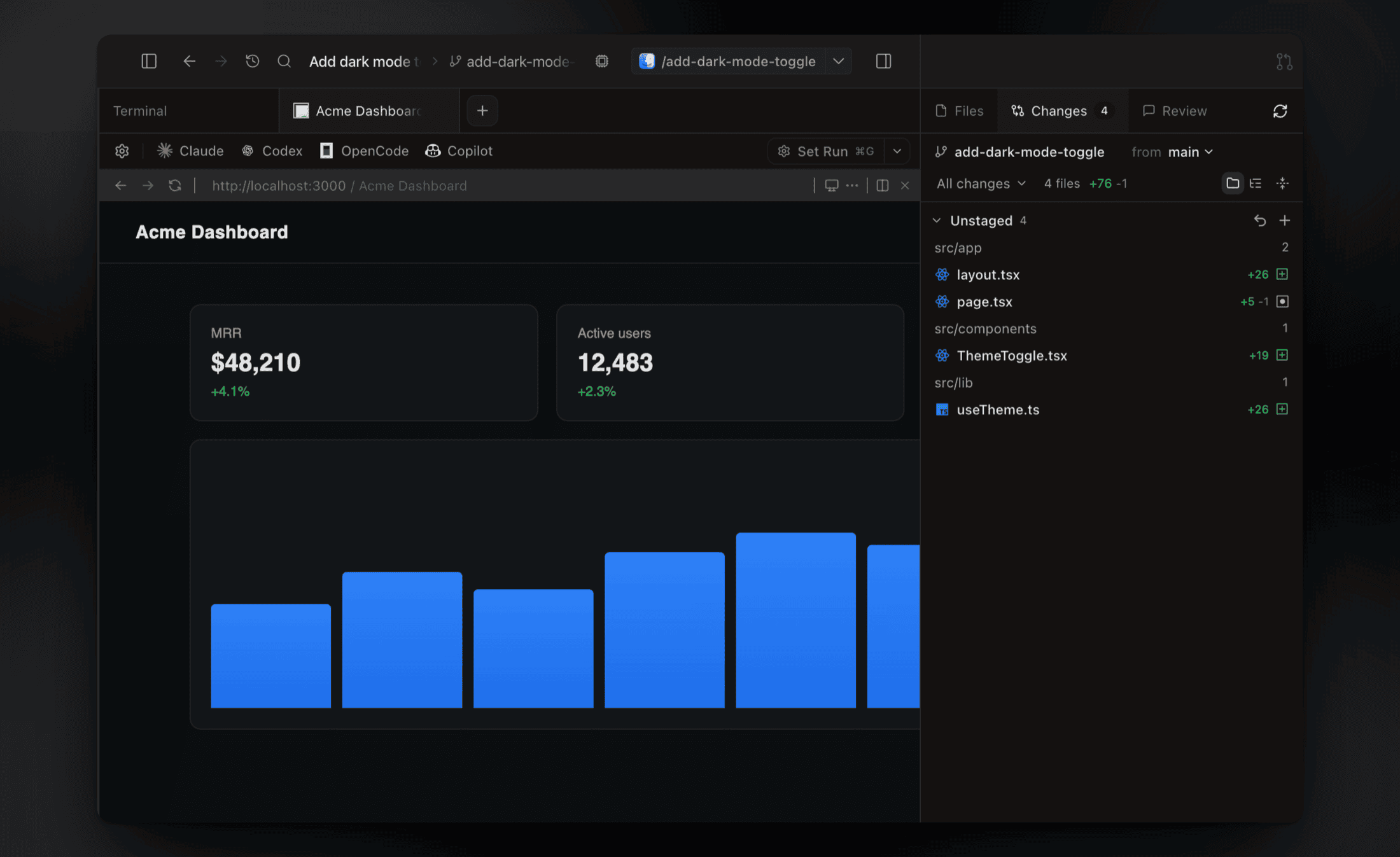
### In-App Browser & Ports
Preview running dev servers in a browser pane. Ports are detected per workspace, so every worktree gets its own preview.
[Docs →](https://docs.superset.sh/browser)
|
|
|
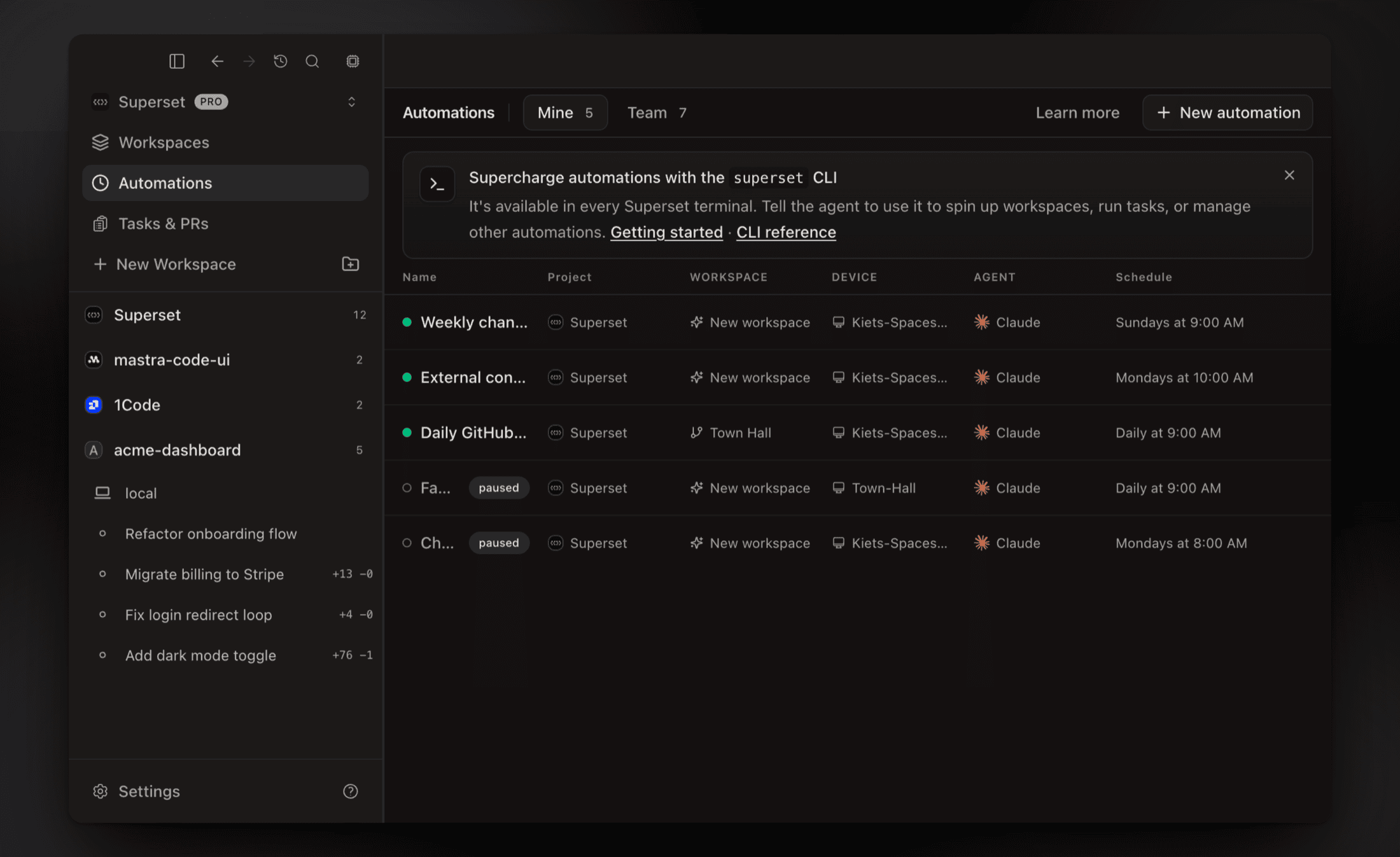
### Automations
Run agent sessions on a schedule: triage issues overnight, draft the weekly changelog, keep dependencies fresh.
[Docs →](https://docs.superset.sh/automations)
|
|
|
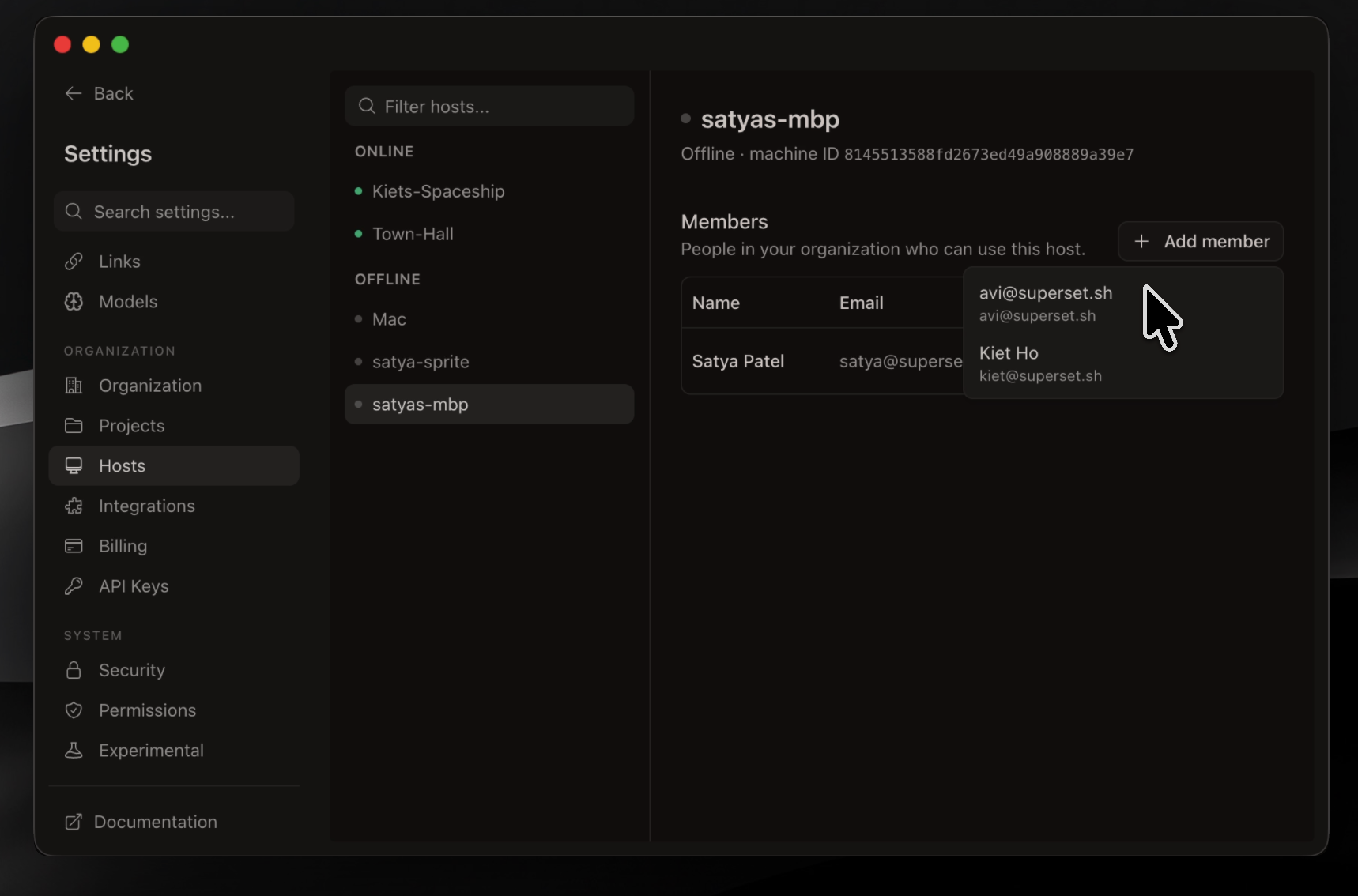
### Remote Workspaces
Connect another machine and reach its workspaces from anywhere: the desktop app, the CLI, or your phone. Wake offline hosts with a custom command.
[Docs →](https://docs.superset.sh/remote-workspaces)
|
|
|
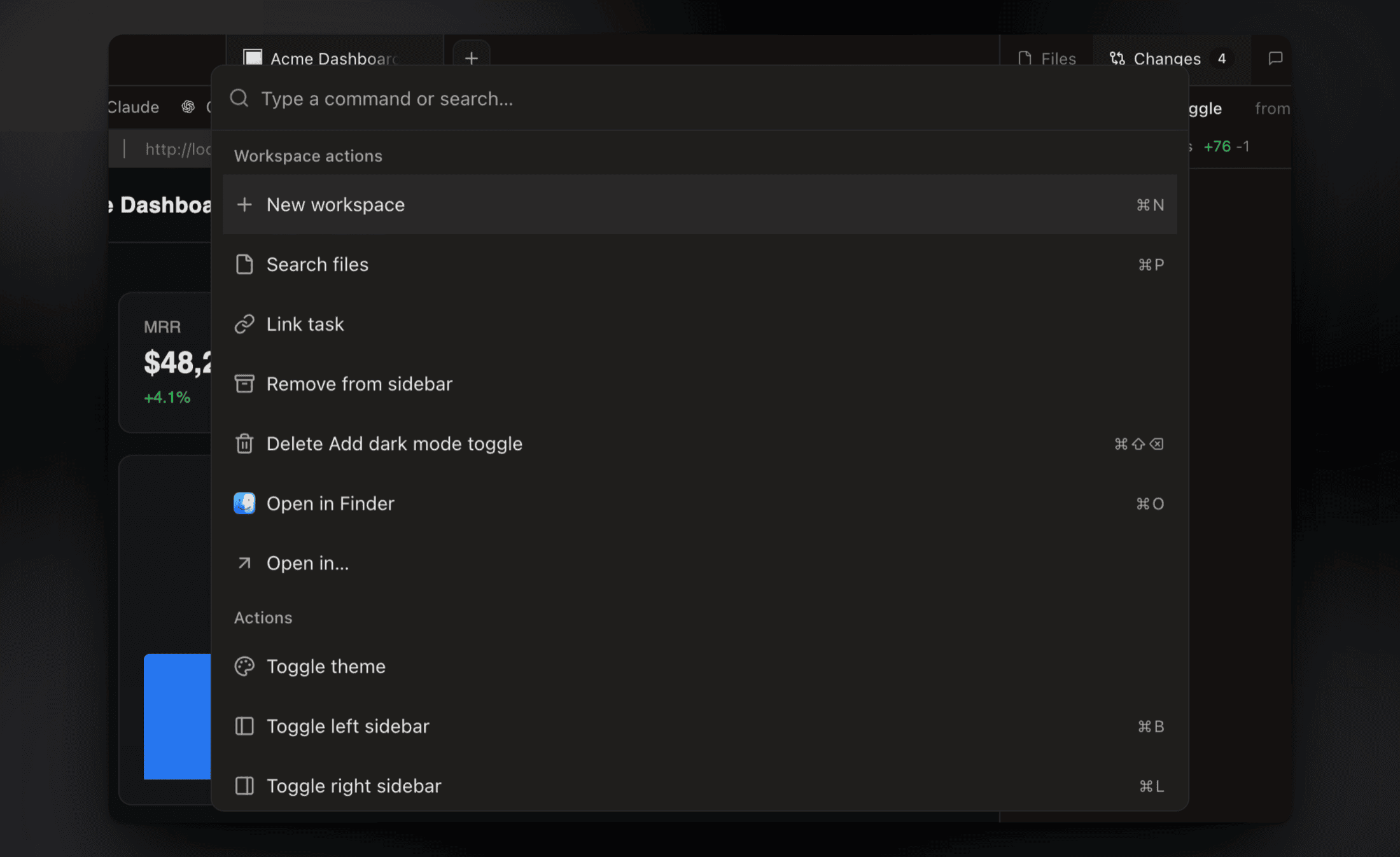
### Command Palette
Jump to any workspace, action, or setting from one search box.
[Docs →](https://docs.superset.sh/keyboard-shortcuts)
|
|
**Also in the box:**
- **[Model picker & custom agents](https://docs.superset.sh/agent-integration)**: choose a model and reasoning effort at launch, and add any terminal agent with its own icon
- **[Workspace setup scripts](https://docs.superset.sh/setup-teardown-scripts)**: automate env setup, dependency installs, and dev servers per workspace
- **[Terminal presets](https://docs.superset.sh/terminal-presets)**: save agent and shell layouts and open them with one keystroke
- **[Slack & Linear](https://docs.superset.sh/use-with-linear)**: spin up workspaces from Slack messages or Linear issues
- **[Open in your IDE](https://docs.superset.sh/use-with-ide)**: one-click handoff to Cursor, VS Code, or any editor
- **[Custom themes](https://docs.superset.sh/custom-themes)**: build, edit, and import theme files
- **[Keyboard shortcuts](https://docs.superset.sh/keyboard-shortcuts)**: every action is remappable via **Settings → Keyboard Shortcuts** (⌘/)
- **[Bring your own providers](https://docs.superset.sh/providers)**: connect OpenRouter, Bedrock, Vertex, or Vercel AI Gateway
- **And many more**: we ship daily, so this list is perpetually behind. The [changelog](https://superset.sh/changelog) is the real feature list.
## Supported Agents
Superset works with any CLI-based coding agent, including:
| Agent | Status |
|:------|:-------|
|  [Amp Code](https://ampcode.com/) | Fully supported |
|
[Amp Code](https://ampcode.com/) | Fully supported |
|  [Claude Code](https://github.com/anthropics/claude-code) | Fully supported |
|
[Claude Code](https://github.com/anthropics/claude-code) | Fully supported |
| 
 [Cursor Agent](https://docs.cursor.com/agent) | Fully supported |
|
[Cursor Agent](https://docs.cursor.com/agent) | Fully supported |
| 
 [Gemini CLI](https://github.com/google-gemini/gemini-cli) | Fully supported |
|
[Gemini CLI](https://github.com/google-gemini/gemini-cli) | Fully supported |
| 

 [Mistral Vibe](https://mistral.ai/) | Fully supported |
|
[Mistral Vibe](https://mistral.ai/) | Fully supported |
|