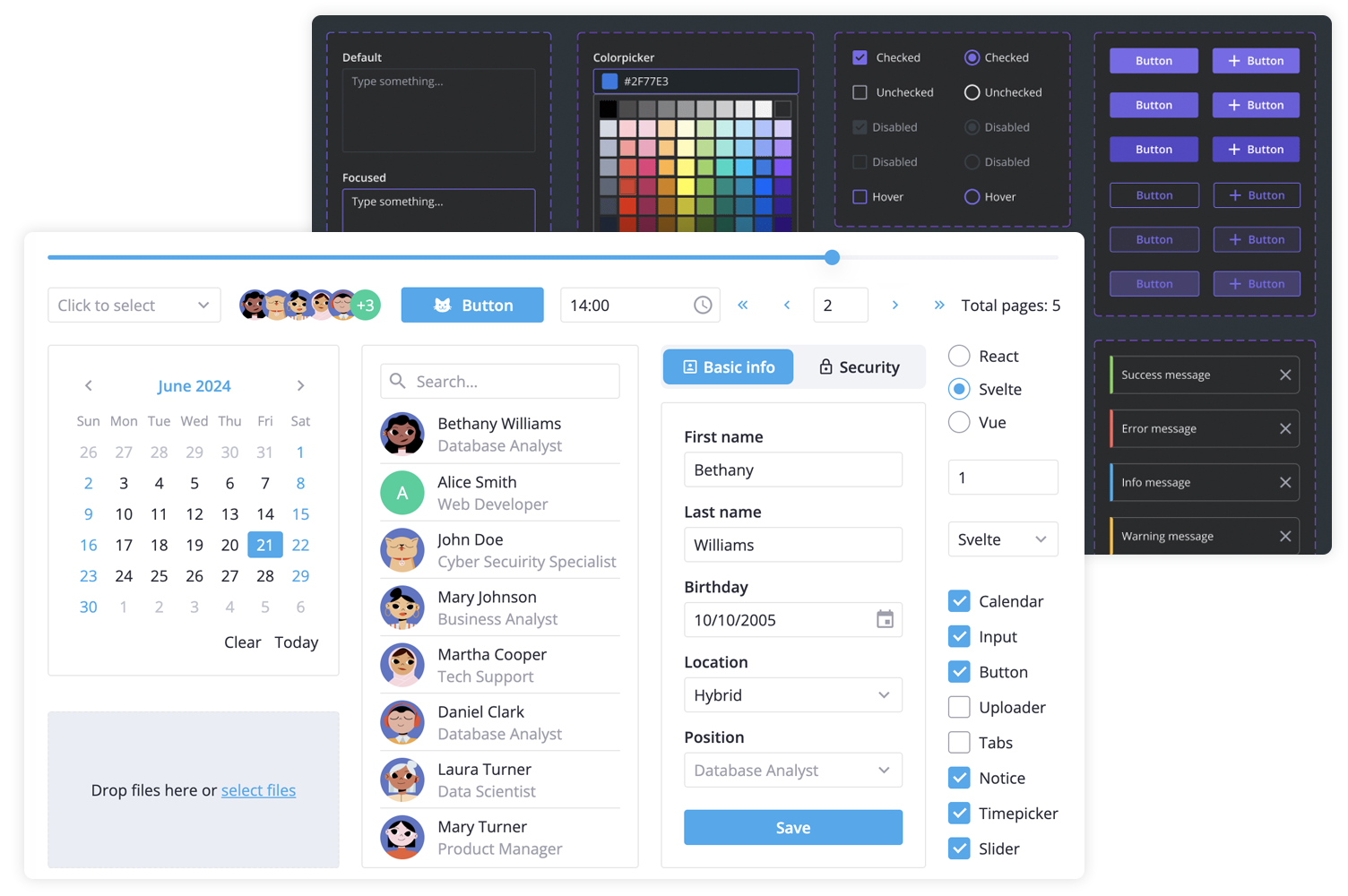
**SVAR Svelte Core** library offers 30+ lightweight, fast-performing Svelte UI components with TypeScript support. Beautifully designed light and dark themes are included and fully customizable via CSS variables. A straightforward API and comprehensive documentation make it easy to start building feature-rich Svelte interfaces quickly.
SVAR Svelte Core library includes the following components:
- buttons & form controls,
- calendar (datepicker),
- popups, tooltips,
- notifications,
- sliding sidebar,
- tabs, and more.
Additionally, you can use these SVAR Svelte components to build unified app interfaces:
- [Menu](https://github.com/svar-widgets/menu) - helps you create basic menu bar, actions or context menu;
- [Toolbar](https://github.com/svar-widgets/toolbar) - allows you to create button and icon panels with configurable layouts;
- [Tasklist](https://github.com/svar-widgets/tasklist) - task list component to add, edit, check or delete tasks;
- [Comments](https://github.com/svar-widgets/comments) - nice-looking comments section;
- [File uploader](https://github.com/svar-widgets/uploader) - simple file uploader component.
### :hammer_and_wrench: How to Use
To start using components from the **Core** package, simply import the package and include the desired component in your Svelte file:
```svelte
```
See the [getting started guide](https://docs.svar.dev/svelte/core/getting_started/) to quickly set up and begin using SVAR Core components in your Svelte projects.
### :computer: How to Modify
Typically, you don't need to modify the code. However, if you wish to do so, follow these steps:
1. Install [vite-plus](https://vite.plus) (`curl -fsSL https://vite.plus | bash` on Mac/Linux, `irm https://vite.plus/ps1 | iex` on Windows). The project uses `pnpm` workspaces under the hood, so plain `npm` will not work.
2. Run `vp i` from the project root to install dependencies.
3. Run `vp run build` to build all packages.
4. Start the demo app in development mode with `vp run start`.
### :speech_balloon: Need Help?
[Post an Issue](https://github.com/svar-widgets/core/issues/) or use our [community forum](https://forum.svar.dev).