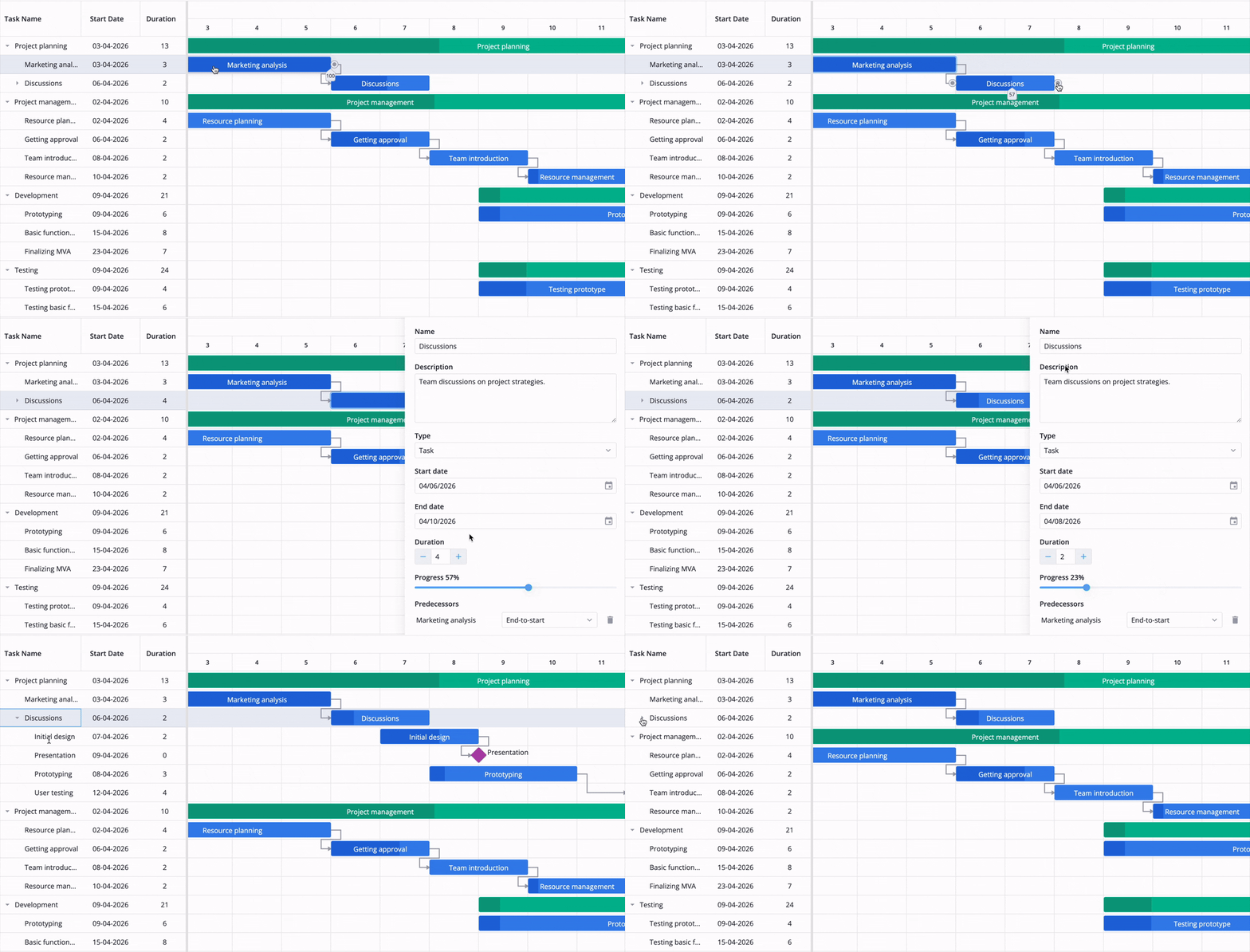
# SVAR Svelte Gantt Chart
[Website](https://svar.dev/svelte/gantt/) • [Getting Started](https://docs.svar.dev/svelte/gantt/getting_started/) • [Demos](https://docs.svar.dev/svelte/gantt/samples/#/base/willow)
[](https://www.npmjs.com/package/@svar-ui/svelte-gantt)
[](https://github.com/svar-widgets/gantt/blob/main/license.txt)
[](https://www.npmjs.com/package/@svar-ui/svelte-gantt)
**SVAR Svelte Gantt** is a customizable, interactive Gantt chart component written in Svelte and designed for visualizing project timelines. It provides an intuitive interface for managing tasks and dependencies directly on the timeline through drag-and-drop scheduling or a customizable task edit form. Comes with full TypeScript support, developer-friendly API, and flexible CSS styling.
The component can be easily integrated with SvelteKit apps - check the [Gantt demo with SvelteKit](https://github.com/svar-widgets/gantt-demo-sveltekit) and [integration guide](https://docs.svar.dev/svelte/gantt/integration-guides/sveltekit/).
### Key Features
SVAR Svelte Gantt gives you a solid foundation for task management and flexible timelines, with a grid, backend support, and customization options built in.
**Timeline**
- Interactive drag-and-drop interface
- Tasks and dependencies visualization
- Task progress shown on taskbars
- Configurable timeline with flexible time units
- Custom time scales: define custom periods like sprints or stages
- Weekends/holidays highlights
- Zooming with scroll
- Drag tasks from a backlog
**Grid**
- Sorting tasks in the grid
- Reorder tasks in the grid
- Filtering (including natural language search)
- Custom HTML in grid cells
- In-cell editing of task details in grid
**Task interaction**
- Intuitive and customizable task edit form
- Toolbar and context menu
- Tooltips for taskbars and links
- Hotkeys support for common actions
**Backend & data**
- Virtualization for large data sets
- Real-time updates from the server
**Customization**
- Localization
- Light and dark skins
- Full TypeScript support
### 🚀 PRO Edition
SVAR Svelte Gantt is available in open-source and [PRO editions](https://svar.dev/svelte/gantt/#pro). The PRO edition offers additional features and automation logic:
**Scheduling & constraints**
- Auto-scheduling: FS, SS, FF, SF, and lag
- Constraints (6 types)
- Critical path and deadlines
- Manual and inactive tasks
**Calendars & resources**
- Working-time calendars (including individual tasks and resources)
- Resource-driven scheduling
- Resource load chart and histogram
- Drag-and-drop resources assignment
**Tracking**
- Baselines, progress line, and S-curve
- Slack (float) visualization
**Advanced task management**
- Task grouping
- Rollups
- Split tasks
- Summary tasks automation
- Unscheduled tasks
- WBS codes support
**Layout & data**
- Sub-grid panel and placeholder row
- Undo/redo
- Vertical markers
- Export to PDF, PNG, Excel
- MS Project import/export
Visit the [pricing page](https://svar.dev/svelte/gantt/pricing/) for full feature comparison, licensing details, and **free trial**.
👉 [Check the live demo](https://svar.dev/demos/gantt/) to see SVAR Svelte Gantt chart in action.
### 🔧 Svelte 4 and Svelte 5 versions
There are two versions of the library: the 1.x version – designed to work with Svelte 4, and the 2.x version – created for Svelte 5 and is actively maintained.
To use the SVAR Gantt for Svelte 5, install it as follows:
```
npm install @svar-ui/svelte-gantt
```
To use the SVAR Gantt for Svelte 4:
```
npm install wx-svelte-gantt@1.2.0
```
### 🛠️ How to Use
To use SVAR Svelte Gantt, simply import the package and include the component in your Svelte file:
```svelte
```
For further instructions, follow the detailed [how-to-start guide](https://docs.svar.dev/svelte/gantt/getting_started/).
### How to Modify
Typically, you don't need to modify the code. However, if you wish to do so, follow these steps:
1. Install [vite-plus](https://vite.plus) (`curl -fsSL https://vite.plus | bash` on Mac/Linux, `irm https://vite.plus/ps1 | iex` on Windows). The project uses `pnpm` workspaces under the hood, so plain `npm` will not work.
2. Run `vp i` from the project root to install dependencies.
3. Run `vp run build` to build all packages.
4. Start the demo app in development mode with `vp run start`.
### ⭐ Show Your Support
If SVAR Svelte Gantt helps your project, give us a star! It helps us reach more developers and keeps us motivated to add new features.
### :speech_balloon: Need Help?
[Post an Issue](https://github.com/svar-widgets/gantt/issues/) or use our [community forum](https://forum.svar.dev).