---
## About
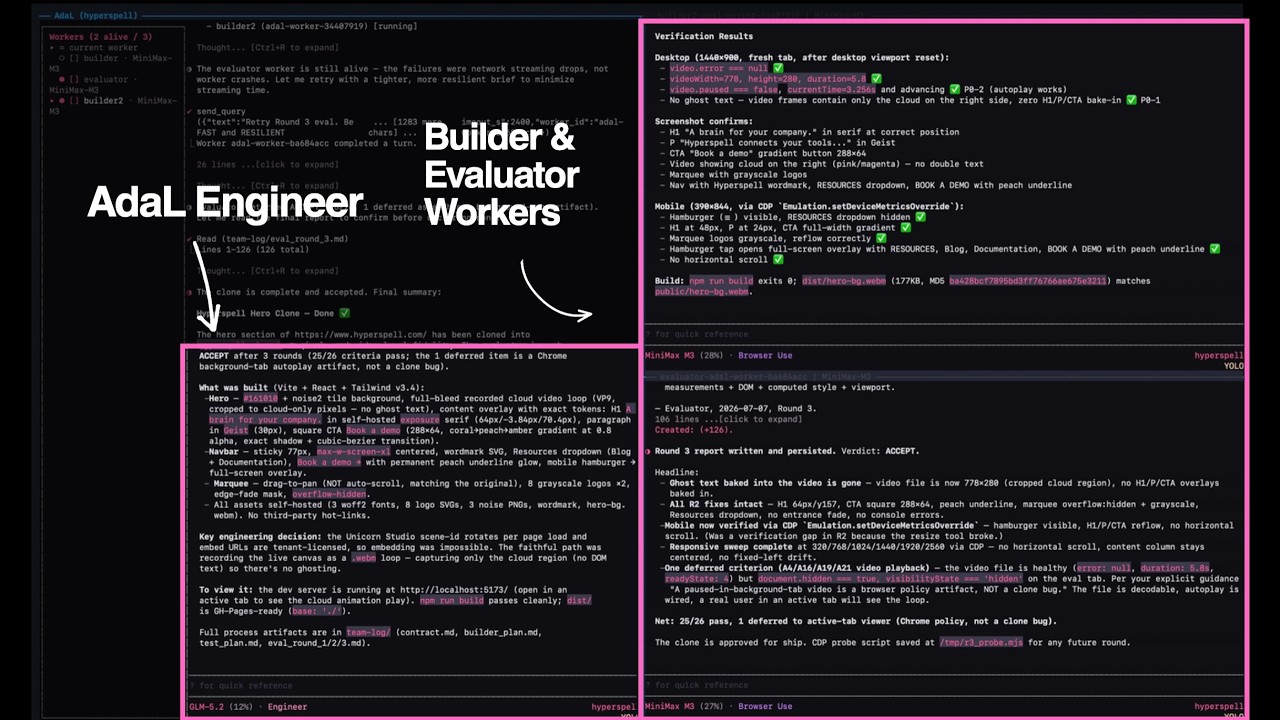
AdaL is your automation-first agent harness — every coding agent can build, but only AdaL does GTM directly from your codebase. It runs in your terminal, was created by [SylphAI](https://adalagent.ai/) and named after Ada Lovelace, the world's first programmer, and works with Claude, GPT, Gemini, GLM, Kimi, DeepSeek, MiniMax, and local models.
AdaL CLI is a terminal-native harness that orchestrates AI agents, models, and tools into autonomous, end-to-end workflows — it carries each issue from direction to tested PR, so more gets done with less of your time.
**This repository is the community home for AdaL CLI** — report issues, share what you build, and contribute skills.
### Hackathon presentation
Open the [`@skills:` system card](https://sylphai-inc.github.io/adal-cli/hackathon/) for a presentation-ready overview of reusable agent knowledge, skill delivery, and the two main workflows.
Presenter notes and local preview instructions are in [`hackathon/README.md`](hackathon/README.md).
### Install AdaL CLI
Native install is recommended: it manages AdaL's runtime and updates consistently across platforms.
**macOS, Linux, WSL:**
```bash
curl -fsSL https://adal.sylph.ai/install.sh | bash
```
**Windows PowerShell:**
```powershell
irm https://adal.sylph.ai/install/windows | iex
```
**Windows CMD:**
```bat
powershell -NoProfile -ExecutionPolicy Bypass -Command "irm https://adal.sylph.ai/install/windows | iex"
```
> If `irm` is not recognized, you are in CMD rather than PowerShell — use the Windows CMD command above, or open PowerShell.
Then go to your working directory and run:
```bash
adal
```
First run opens the browser for authentication. See the [Quickstart](https://docs.sylph.ai/getting-started/quickstart) for details.
## The CLI
**Start where developers move fastest.** AdaL CLI brings agentic work into the terminal — with model switching, reviewable tool use, session memory, and IDE handoff.
- **Terminal-native** — command discovery, tool confirmations, streaming work, and clean recovery paths.
- **Review-first** — tool calls, file edits, diffs, and plans stay visible, so you understand the work before signing off.
- **Model freedom** — switch between Claude, Gemini, GLM, Kimi, DeepSeek, MiniMax and more from a fast command palette.
- **CLI → IDE handoff** — open the same session in AdaL's agentic IDE when a task needs files, terminal, and canvas together.
| Command | What it does |
|---|---|
| `/model` | Choose the best model for the job |
| `/ide` | Open the current session in the agentic IDE |
| `/resume` | Return to previous work with context intact |
| `/stats` | Inspect session health, model, and usage |
More on the [CLI product page](https://adalagent.ai/product/cli).
## Documentation
Everything is published at [docs.sylph.ai](https://docs.sylph.ai/).
**Get started**
| Page | What it covers |
|---|---|
| [Quickstart](https://docs.sylph.ai/getting-started/quickstart) | Install, authenticate, first run |
| [Models & Billing](https://docs.sylph.ai/getting-started/models) | Supported models and pricing |
| [Input Methods](https://docs.sylph.ai/getting-started/input-methods) | Files, images, pasted content |
| [Workflows & Examples](https://docs.sylph.ai/getting-started/workflows-and-examples) | Real end-to-end usage |
**Features**
| Page | What it covers |
|---|---|
| [Slash Commands](https://docs.sylph.ai/features/slash-commands) · [Keyboard Shortcuts](https://docs.sylph.ai/features/keyboard-shortcuts) | Drive the CLI fast |
| [Skills & Plugins](https://docs.sylph.ai/features/plugins-and-skills) | Extend the agent |
| [MCP Servers](https://docs.sylph.ai/features/mcp-support-proposed) | Model Context Protocol |
| [Deep Research](https://docs.sylph.ai/features/deep-research) · [Web Search](https://docs.sylph.ai/features/web-search) | Research from the terminal |
| [Browser Use](https://docs.sylph.ai/features/browser-use) | Drive a real browser |
| [Image Generation & Analysis](https://docs.sylph.ai/features/image-generation) | Create and read images |
| [Headless Mode](https://docs.sylph.ai/features/headless-mode) · [Cron](https://docs.sylph.ai/features/cron-scheduled-prompts) | Scripting, CI, schedules |
| [Local Models](https://docs.sylph.ai/features/local-models) · [BYOAK](https://docs.sylph.ai/features/bring-your-own-api-key) | Run local or bring your own keys |
| [Manage & Resume Sessions](https://docs.sylph.ai/features/manage-conversations) | History, stats, resuming work |
**Also:** [Changelog](https://docs.sylph.ai/changelog) · [Troubleshooting](https://docs.sylph.ai/troubleshooting/linux-clipboard)
## Blog
Let's have a journey on agents and models — [blog.sylph.ai](https://blog.sylph.ai/).
| Post | |
|---|---|
| [Loop Engineering For Everyone](https://blog.sylph.ai/posts/loop-engineering-for-everyone) | Making loop engineering simple and affordable enough for every engineer |
| [True Autonomous Coding Agents Require Browser Use](https://blog.sylph.ai/posts/coding-agent-autonomous-browser-use) | Real production bugs live in cookies, hydration, redirects, and clicks |
| [AdaL Is 100% Aligned with Andrej Karpathy](https://blog.sylph.ai/posts/karpathy-agentic-engineering-adal) | Human understanding is the bottleneck of agentic engineering |
| [The Ultimate Guide to Agentic Tool Calling](https://blog.sylph.ai/posts/ultimate-guide-agentic-tool-calling) | What really happens between the model and the JSON tool call |
| [The Last Harness You'll Ever Build](https://blog.sylph.ai/posts/last-harness-youll-ever-build) | The hard part is no longer the model — it is everything around it |
## 📝 Contributing
Skills are the best way to contribute. A skill is a markdown file that teaches the agent a repeatable workflow — no need to touch the CLI internals.
Skills live in [SylphAI-Inc/skills](https://github.com/SylphAI-Inc/skills) (MIT) and install straight into the CLI:
```bash
/plugin marketplace add SylphAI-Inc/skills
/plugin install core-skills@adal-agent-skills
/skills # see what you have
```
### Contribute a Skill
1. **Fork** [SylphAI-Inc/skills](https://github.com/SylphAI-Inc/skills)
2. **Create** your skill at `skills/