# SwiftRater
[](http://cocoapods.org/pods/SwiftRater)
[](http://cocoapods.org/pods/SwiftRater)
[](https://swiftpackageindex.com/takecian/SwiftRater)
[](https://swiftpackageindex.com/takecian/SwiftRater)
[](https://codebeat.co/projects/github-com-takecian-swiftrater-master)
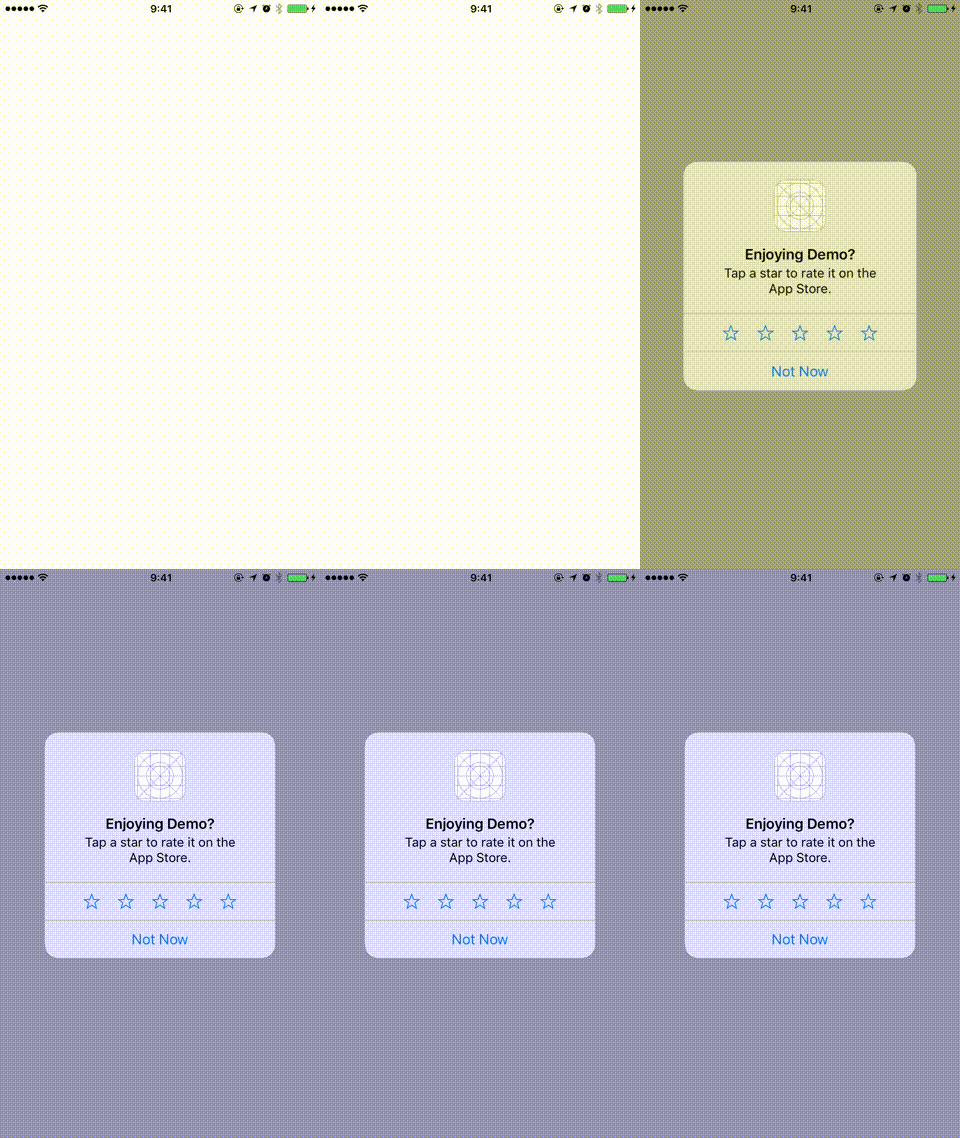
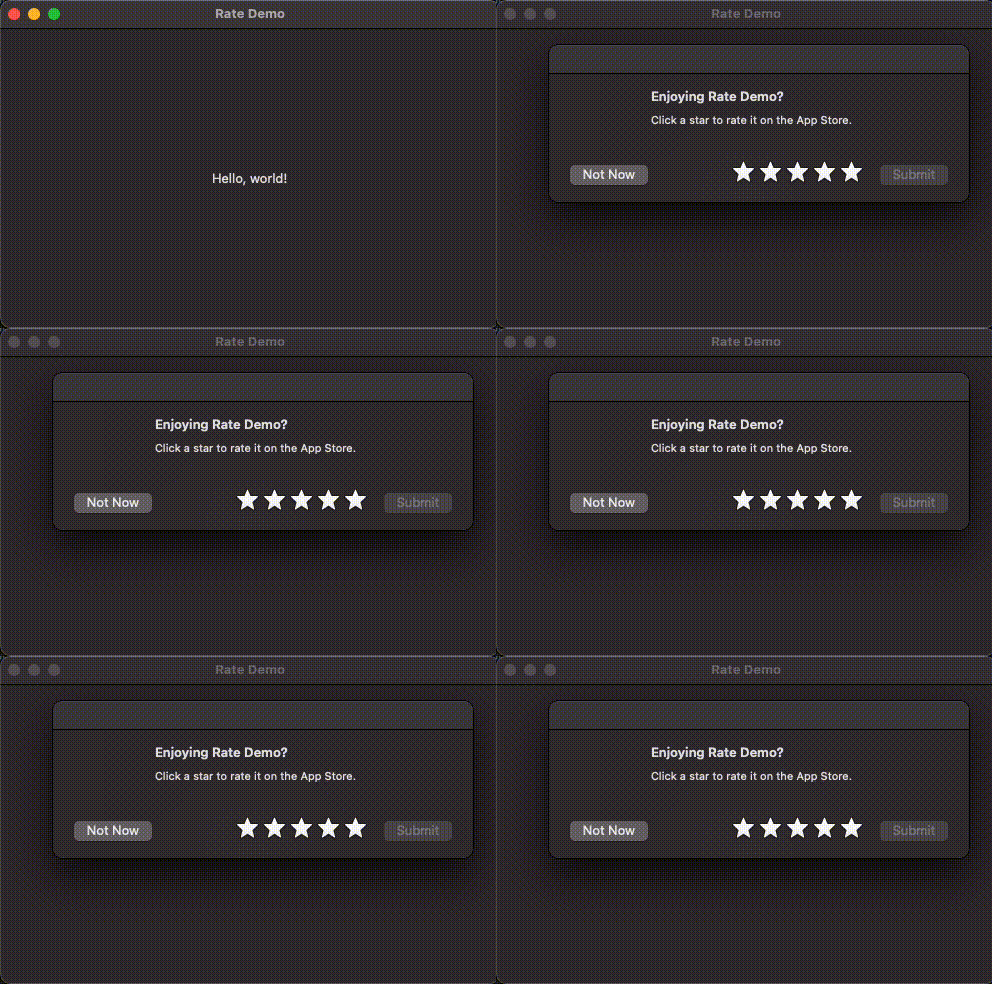
SwiftRater is a class that you can drop into any iPhone app that will help remind your users to review your app on the App Store/in your app.
SwiftRater is written in pure Swift.
## iOS
## macOS
## Requirements
- iOS 13.0 or macOS 10.15 or later
- Swift Package Manager: Swift 5.10 or later (Swift 5 language mode by default)
- Xcode project / CocoaPods: Xcode 16 or later, using Swift 6 language mode
The SwiftRater API is main-actor isolated. Configure it and call its methods on the main actor; from other asynchronous contexts, use `await MainActor.run { ... }`.
## Installation
### SPM
Open your project setting and navigate to "Package dependencies" tab. Put "https://github.com/takecian/SwiftRater".
### Cocoapods
SwiftRater is available through [CocoaPods](http://cocoapods.org). To install
it, simply add the following line to your Podfile:
```ruby
pod "SwiftRater"
```
### Carthage
SwiftRater is compatible with [Carthage](https://github.com/Carthage/Carthage). Add it to your `Cartfile`:
```ruby
github "takecian/SwiftRater"
```
## Usage
1.Setup SwiftRater in AppDelegate.swift. After setting up, call `SwiftRater.appLaunched()`.
```
func application(_ application: UIApplication, didFinishLaunchingWithOptions launchOptions: [UIApplicationLaunchOptionsKey: Any]?) -> Bool {
SwiftRater.daysUntilPrompt = 7
SwiftRater.usesUntilPrompt = 10
SwiftRater.significantUsesUntilPrompt = 3
SwiftRater.daysBeforeReminding = 1
SwiftRater.showLaterButton = true
SwiftRater.debugMode = true
SwiftRater.appLaunched()
return true
}
```
If you are using SwiftUI, create AppDelegate class that inherits UIApplicationDelegate and
configure SwiftRater there. (Thanks [@markgravity](https://github.com/markgravity) for the suggetion)
```
@main
struct YourApp: App {
@UIApplicationDelegateAdaptor(AppDelegate.self) var appDelegate
var body: some Scene {
WindowGroup {
ContentView()
}
}
}
class AppDelegate: NSObject, UIApplicationDelegate {
func application(_ application: UIApplication, didFinishLaunchingWithOptions launchOptions: [UIApplication.LaunchOptionsKey : Any]? = nil) -> Bool {
SwiftRater.daysUntilPrompt = 7
SwiftRater.usesUntilPrompt = 10
SwiftRater.significantUsesUntilPrompt = 3
SwiftRater.daysBeforeReminding = 1
SwiftRater.showLaterButton = true
SwiftRater.debugMode = true
SwiftRater.appLaunched()
return true
}
}
```
| Property | Description |
| :------------- |:-------------|
| daysUntilPrompt | Shows review request if `daysUntilPrompt` days passed since first app launch. |
| usesUntilPrompt | Shows review request if users launch more than `usesUntilPrompt` times. |
| significantUsesUntilPrompt | Shows review request if user does significant actions more than `significantUsesUntilPrompt` |
Set only the criteria you want to apply. A value of `-1` (the default) disables a criterion. `.all` requires every configured criterion; `.any` requires at least one. Without configured criteria or a due reminder, automatic prompts remain disabled unless `debugMode` is enabled.
| Property | Description |
| :------------- |:-------------|
| debugMode | Shows review request every time. Default false, **need to set false when you submit app to AppStore**. |
| conditionsMetMode | Possible values: `.any`, `.all` (default)
Setting this to `.any` allows the prompt to be shown **when any one or more of your criteria have been met**. |
| showLaterButton | Show the Later button in the custom review dialog (`useStoreKitIfAvailable = false` or `rateApp(host:)`).|
| daysBeforeReminding | Days until the custom dialog may be shown again after the user chooses `rate later`. |
2.Call `SwiftRater.check(host: self)` in `viewDidAppear` of the view controller where you want to request a review. Passing the visible host ensures that multi-window iOS apps use the correct scene. On iOS 14 and later, a detached or backgrounded host does not consume the request, so you can retry when it becomes visible.
`check` returns whether the eligibility conditions were met, not whether a dialog appeared. StoreKit decides whether to display its system prompt. SwiftRater uses `AppStore.requestReview(in:)` on iOS 18 / macOS 15 and later when built with Xcode 16 or later, and retains StoreKit fallbacks for older systems.
```
override func viewDidAppear(_ animated: Bool) {
super.viewDidAppear(animated)
SwiftRater.check(host: self)
}
```
3(Optional).For `significantUsesUntilPrompt`, you need to add `SwiftRater.incrementSignificantUsageCount` in siginificant action for your app.
```
func postComment() {
// do something ..
SwiftRater.incrementSignificantUsageCount()
}
```
4(Optional).Call `SwiftRater.rateApp(host:)` to let your users to review your app on the App Store/in your app directly.
```
func rateButtonDidClick(sender: UIButton) {
// do something ..
SwiftRater.rateApp(host: self)
}
```
## Example
This example states that the rating request is only shown when the app has been launched 5 times and after 7 days, remind 5 days after if later selected.
```
SwiftRater.daysUntilPrompt = 7
SwiftRater.usesUntilPrompt = 5
SwiftRater.daysBeforeReminding = 5
SwiftRater.appLaunched()
```
If you wanted to show the request after 5 days only and remind 7 days after if later selected, you can set the following:
```
SwiftRater.daysUntilPrompt = 5
SwiftRater.daysBeforeReminding = 7
SwiftRater.appLaunched()
```
If you wanted to show the request after a user performs 10 significant actions before 5 days or 5 uses have passed:
```
SwiftRater.conditionsMetMode = .any
SwiftRater.daysUntilPrompt = 5
SwiftRater.usesUntilPrompt = 5
SwiftRater.significantUsesUntilPrompt = 10
```
## Customize text
You can customize text in the custom review dialog (`useStoreKitIfAvailable = false` or `rateApp(host:)`). StoreKit controls its own prompt text. Set the following properties.
- SwiftRater.alertTitle
- SwiftRater.alertMessage
- SwiftRater.alertCancelTitle
- SwiftRater.alertRateTitle
- SwiftRater.alertRateLaterTitle
- SwiftRater.appName
## Country code
If your app is only avaiable for some coutnries, please add country code at Setup phase.
```
func application(_ application: UIApplication, didFinishLaunchingWithOptions launchOptions: [UIApplicationLaunchOptionsKey: Any]?) -> Bool {
SwiftRater.daysUntilPrompt = 7
SwiftRater.usesUntilPrompt = 10
SwiftRater.countryCode = "fr"
SwiftRater.debugMode = true
SwiftRater.appLaunched()
return true
}
```
## App ID
Optional, you can set App ID explicitly. If not, SwiftRater will get App ID from appstore by bundle ID.
```
func application(_ application: UIApplication, didFinishLaunchingWithOptions launchOptions: [UIApplicationLaunchOptionsKey: Any]?) -> Bool {
SwiftRater.daysUntilPrompt = 7
SwiftRater.usesUntilPrompt = 10
SwiftRater.appID = "1104775712"
SwiftRater.debugMode = true
SwiftRater.appLaunched()
return true
}
```
## Demo
You can find Demo app in this repo.
## Development
On a Mac with Xcode selected, run the package tests:
```sh
swift test
swift test -Xswiftc -swift-version -Xswiftc 6
```
Build the iOS framework without signing:
```sh
xcodebuild -project SwiftRater.xcodeproj -scheme SwiftRater \
-destination 'generic/platform=iOS Simulator' CODE_SIGNING_ALLOWED=NO build
```
To run the iOS tests, list destinations with `xcodebuild -project SwiftRater.xcodeproj -scheme SwiftRater -showdestinations`, then run:
```sh
xcodebuild -project SwiftRater.xcodeproj -scheme SwiftRater \
-destination 'platform=iOS Simulator,id=' \
CODE_SIGNING_ALLOWED=NO test
```
The tests use separate UserDefaults suites and do not open review dialogs or contact the App Store. Apple SDKs are required; Linux `swift test` is not supported. See [AGENTS.md](AGENTS.md) for repository guidance.
## Author
takecian, takecian@gmail.com
## License
SwiftRater is available under the MIT license. See the LICENSE file for more info.