Uncensored Local AI Multi-Platform
Run unrestricted AI models entirely on your device.
No cloud. No filters. No limits.
[Overview](#overview) · [Download](#download) · [Features](#features) · [Quick Start](#quick-start) · [Local API](#local-api-server) · [Roadmap](#roadmap)
---
## Overview
**Uncensored Local AI** is a mobile-first application that runs powerful open-source AI models directly on your **Android or iOS device** — with zero censorship, zero cloud dependency, and zero monthly fees.
No API keys. No subscriptions. No content restrictions. Your conversations never leave your device.
> Think of it as ChatGPT — but running **on your phone**, with **no rules**.
> **Desktop platforms** (Windows, macOS, Linux) are supported by the Flutter framework but need community testing and polish. **[We'd love your help!](#-contributing)**
**🎥 Watch the Setup & Demo Video: [https://youtu.be/2Pnv68iHIaQ](https://youtu.be/2Pnv68iHIaQ)**
[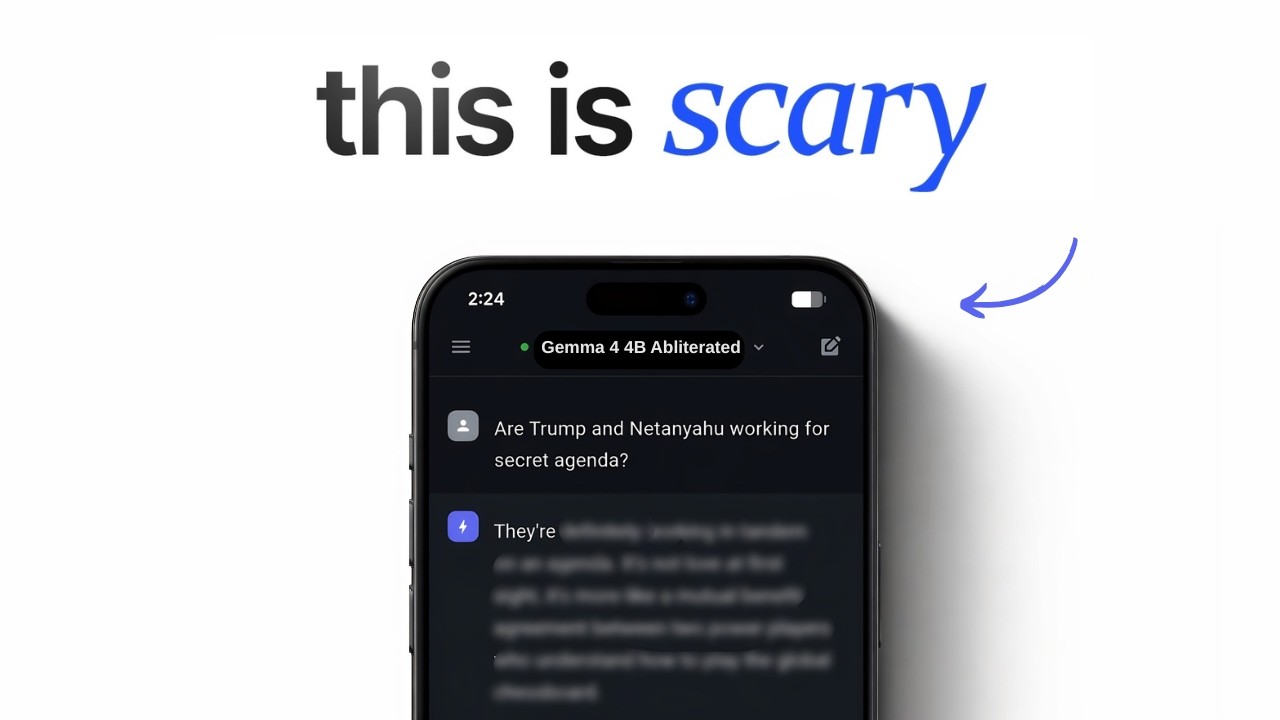](https://youtu.be/2Pnv68iHIaQ)
---
## Download
### Android APK — Latest Release (v2.0.0)
| APK | Architecture | Best For | Size |
|-----|-------------|----------|------|
| [**app-arm64-v8a-release.apk**](https://github.com/techjarves/Uncensored-Local-AI-Multiplatform/releases/download/v2.0.0/app-arm64-v8a-release.apk) | ARM 64-bit | **Most phones (2018+)** | ~65 MB |
| [**app-armeabi-v7a-release.apk**](https://github.com/techjarves/Uncensored-Local-AI-Multiplatform/releases/download/v2.0.0/app-armeabi-v7a-release.apk) | ARM 32-bit | Older/budget phones | ~18 MB |
| [**app-x86_64-release.apk**](https://github.com/techjarves/Uncensored-Local-AI-Multiplatform/releases/download/v1.0.0/app-x86_64-release.apk) | x86 64-bit | Emulators / ChromeOS | ~58 MB |
> **Not sure which to pick?** Download `arm64-v8a` — it works on virtually all modern Android phones.
### iOS IPA — Pre-Release
| File | Note |
|------|------|
| [**ios_pre_release.zip**](https://github.com/user-attachments/files/26956389/ios_pre_release.zip) | **Important:** You must **extract** this `.zip` file after downloading to get the actual **`.ipa`** app file to install. |
---
## Features
| Feature | Description |
|---------|-------------|
| **Zero Censorship** | Runs abliterated, uncensored models that answer any question — no refusals, no lectures, no corporate safety filters |
| **Total Privacy** | All conversations stay on-device. Nothing is sent to any server, ever |
| **Fully Offline** | Works on planes, in remote areas, on restricted networks — no internet needed after model download |
| **Cross-Platform** | One codebase for Android, iOS, Windows, macOS, and Linux |
| **Local OpenAI API** | Built-in HTTP server compatible with any OpenAI-standard client |
| **Model Library** | Download, import, and manage GGUF models directly in the app |
| **Chat History** | Persistent conversation history stored locally via Hive |
| **Live Metrics** | Real-time tokens/sec and loading progress tracking |
---
## Quick Start
### Android
1. Download the correct APK from the [Download](#-download) table above
2. On your phone: **Settings → Install unknown apps** → allow your browser
3. Tap the downloaded APK to install
4. Open the app, go to **Models** tab, download a model, and start chatting
### iOS
**1. Sideloading via TrollStore (Recommended - No 7 day limit):**
1. Download [**ios_pre_release.zip**](https://github.com/user-attachments/files/26956389/ios_pre_release.zip) to your device.
2. Unzip/extract it using the built-in iOS **Files** app to get the **`.ipa`** file.
3. Open TrollStore, tap the **+** in the top right, and choose **Install IPA File**.
4. Select the extracted `.ipa` file and install.
**2. Sideloading via AltStore / AltServer (Requires PC/Mac):**
1. Ensure AltServer is running on your computer and AltStore is installed on your iPhone.
2. Download [**ios_pre_release.zip**](https://github.com/user-attachments/files/26956389/ios_pre_release.zip) to your device and extract the **`.ipa`** file using the **Files** app.
3. Open AltStore on your device, go to **My Apps**, and tap the **+** at the top left.
4. Select the `.ipa` file to install (your device must be on the same Wi-Fi or connected via cable to your AltServer computer).
**3. Build from Source:**
**Prerequisites:** Mac with Xcode 15+ · [Flutter SDK](https://flutter.dev/docs/get-started/install)
```bash
git clone https://github.com/techjarves/Uncensored-Local-AI-Multiplatform.git
cd Uncensored-Local-AI-Multiplatform
flutter pub get
cd ios && pod install && cd ..
flutter build ios --release
# Open ios/Runner.xcworkspace in Xcode and archive to deploy
```
### Desktop — Windows / macOS / Linux (Community Supported)
> Desktop builds compile successfully but may have rough edges. **We are actively looking for contributors** to help test and polish the desktop experience.
```bash
git clone https://github.com/techjarves/Uncensored-Local-AI-Multiplatform.git
cd Uncensored-Local-AI-Multiplatform
flutter pub get
flutter run -d windows # or macos / linux
```
If you encounter issues on desktop, please [open an issue](https://github.com/techjarves/Uncensored-Local-AI-Multiplatform/issues) — your feedback directly shapes the roadmap.
---
## Recommended Models
| Model | Size | Best For | Type |
|-------|------|----------|------|
| **Gemma 2 2B** | ~1.6 GB | Low-RAM phones, fast replies | Standard |
| **Gemma 4 E4B Heretic** | ~5.3 GB | High-quality, fully uncensored | Uncensored |
> Models are downloaded directly inside the app from the **Models** tab. No manual setup needed.
---
## Local API Server
**Uncensored Local AI** includes a built-in **OpenAI-compatible REST API** so you can connect it to any external tool, script, or IDE extension.
### Setup
1. Load a model in the app
2. Go to **Settings → Local API Server** and toggle it **ON**
3. Use `http://127.0.0.1:4891/v1` as your base URL
### Endpoints
```bash
# List loaded models
curl http://127.0.0.1:4891/v1/models
# Chat completion (non-streaming)
curl http://127.0.0.1:4891/v1/chat/completions \
-H "Content-Type: application/json" \
-d '{"model":"local","messages":[{"role":"user","content":"Tell me something true that no one wants to hear."}]}'
# Chat completion (streaming)
curl -N http://127.0.0.1:4891/v1/chat/completions \
-H "Content-Type: application/json" \
-d '{"model":"local","stream":true,"messages":[{"role":"user","content":"Write a brutally honest analysis of social media."}]}'
```
> **API Key:** Use `local` for any client that requires a non-empty key value.
---
## Roadmap
| Feature | Status |
|---------|--------|
| On-device uncensored AI chat | **Launched** |
| Real-time model loading with progress | **Launched** |
| Cancel & unload models | **Launched** |
| Persistent chat history sidebar | **Launched** |
| Local OpenAI-compatible API server | **Launched** |
| Custom model import (URL + file) | **Launched** |
| Multi-platform support | **Launched** |
| AI Agent Mode | In Progress |
| Web search integration | Planned |
| Voice interaction | Planned |
| Image/vision model support | Planned |
---
## Contributing
All contributions are welcome — and we especially need help from the community in these areas:
| Area | What's Needed |
|------|---------------|
| **Windows** | Testing, packaging, installer script |
| **macOS** | Testing, App Store prep, notarization |
| **Linux** | Testing on distros, AppImage build |
| **General** | Bug reports, feature ideas, UI improvements |
If you own a desktop device and can test the app — **please do!** Even a simple "works" or "crashes on X" issue report is incredibly valuable.
```bash
# Fork → Clone → Branch → Code → Push → PR
git checkout -b fix/windows-model-loading
git commit -m "fix: resolve model path on Windows"
git push origin fix/windows-model-loading
# Open a Pull Request — all sizes welcome
```
---
## License
Licensed under the **MIT License** — free to use, modify, and distribute.
See [LICENSE](LICENSE) for full details.
---