 **Bay — the cloud for the agentic era.**
You don't pick a database, a region, or an instance size. Your coding agent and Bay
work that out, ship it to a real address, and keep it alive.
[](https://www.npmjs.com/package/@thebaycloud/cli)
[](https://www.npmjs.com/package/@thebaycloud/cli)
[](LICENSE)
[](https://bay.mintlify.app)
[](https://is-agentic.com/scan/thebay.cloud)
[**thebay.cloud**](https://thebay.cloud) · [Docs](https://bay.mintlify.app) · [Templates](https://thebay.cloud/templates) · [Changelog](https://thebay.cloud/changelog)
**Bay — the cloud for the agentic era.**
You don't pick a database, a region, or an instance size. Your coding agent and Bay
work that out, ship it to a real address, and keep it alive.
[](https://www.npmjs.com/package/@thebaycloud/cli)
[](https://www.npmjs.com/package/@thebaycloud/cli)
[](LICENSE)
[](https://bay.mintlify.app)
[](https://is-agentic.com/scan/thebay.cloud)
[**thebay.cloud**](https://thebay.cloud) · [Docs](https://bay.mintlify.app) · [Templates](https://thebay.cloud/templates) · [Changelog](https://thebay.cloud/changelog)
[](https://raw.githubusercontent.com/thebaycloud/bay/main/README.md) Paste that link into Claude Code, Cursor, Codex or Copilot and say "set this up". No account, no dashboard step, no keys to find first — the agent reads the manual at [thebay.cloud/llms.txt](https://thebay.cloud/llms.txt) and drives the rest. ```bash npm install -g @thebaycloud/cli && bay ship ```
 A real `bay ship --wait` against [`examples/pgapp`](examples/pgapp), which is
still up.
The first run opens a browser once so you can sign in; after that the token is on
disk and your agent inherits it. Without `--wait`, `ship` returns as soon as the URL
is live and the build continues behind it; with `--wait` it stays attached and
streams the build to completion, which is the mode to give an agent that needs to
know the deploy finished before it does anything else.
Two commands worth knowing before the first ship, because both are local — no
cloud, no build, about two seconds each:
```bash
bay init # writes a draft supersonic.json, and names what it could NOT determine
bay check # resolves and validates that file exactly as a deploy would
```
A real `bay ship --wait` against [`examples/pgapp`](examples/pgapp), which is
still up.
The first run opens a browser once so you can sign in; after that the token is on
disk and your agent inherits it. Without `--wait`, `ship` returns as soon as the URL
is live and the build continues behind it; with `--wait` it stays attached and
streams the build to completion, which is the mode to give an agent that needs to
know the deploy finished before it does anything else.
Two commands worth knowing before the first ship, because both are local — no
cloud, no build, about two seconds each:
```bash
bay init # writes a draft supersonic.json, and names what it could NOT determine
bay check # resolves and validates that file exactly as a deploy would
```
 `bay init` prints its open questions rather than guessing at them — which service
owns `/`, whether a migration runs before traffic, which env names are secrets.
None of those are answerable from files, and a guess would be indistinguishable
from a decision.
## Builds every service
Postgres, MySQL, Mongo and Redis come up with your app, picked from what your code
already imports. Object storage sits behind a CDN. Workers and cron run beside the
web process, and a `release` phase runs before any traffic reaches it. You
provision none of it.
`bay init` prints its open questions rather than guessing at them — which service
owns `/`, whether a migration runs before traffic, which env names are secrets.
None of those are answerable from files, and a guess would be indistinguishable
from a decision.
## Builds every service
Postgres, MySQL, Mongo and Redis come up with your app, picked from what your code
already imports. Object storage sits behind a CDN. Workers and cron run beside the
web process, and a `release` phase runs before any traffic reaches it. You
provision none of it.
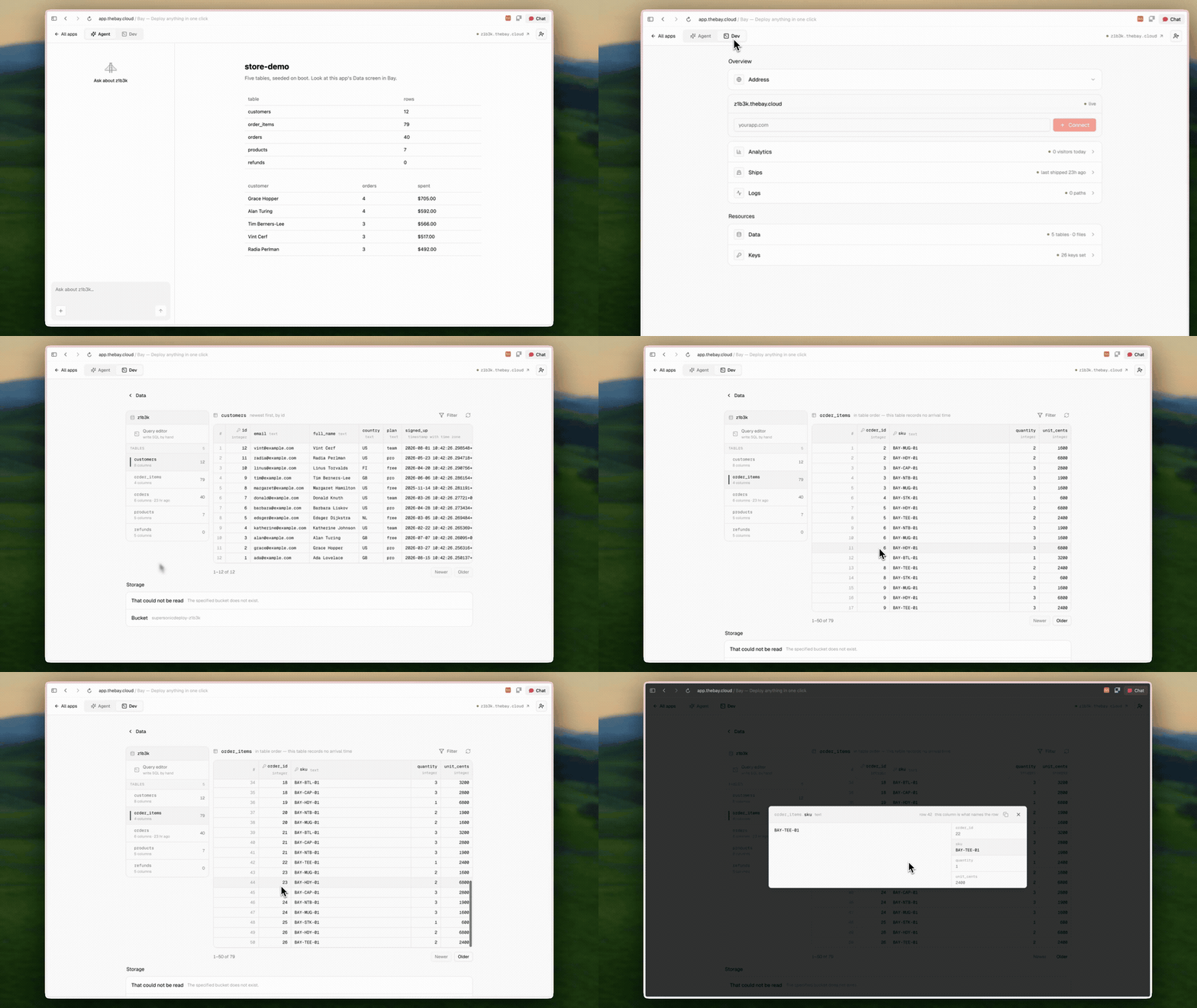 Nobody provisioned that database. It is one app's own Postgres, with the tables
its code created, browsable from the app's page.
## Hands your agent bug fixes
Bay watches the app after it is live. When something breaks in production, it reads
the logs and the repository together and returns an instruction written for the
thing that wrote the code:
```bash
bay errors
Nobody provisioned that database. It is one app's own Postgres, with the tables
its code created, browsable from the app's page.
## Hands your agent bug fixes
Bay watches the app after it is live. When something breaks in production, it reads
the logs and the repository together and returns an instruction written for the
thing that wrote the code:
```bash
bay errors 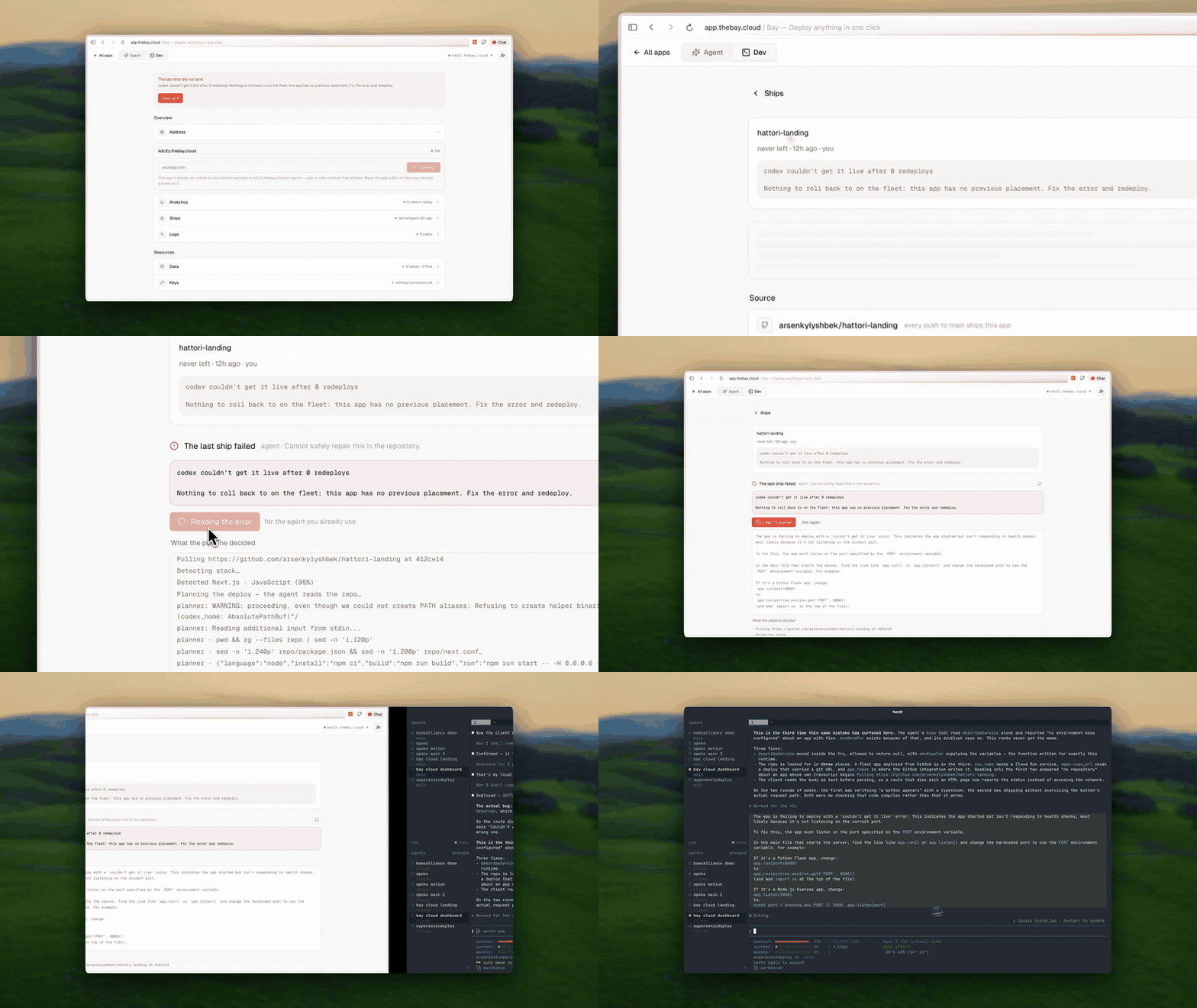 A real failed deploy. Bay says what broke, shows what the pipeline decided on
the way there, and hands back the instruction — not a stack trace to interpret.
`diagnose` does not print a stack trace and leave you to it. It prints the actual
sentence — *migrations never ran, so the schema is empty; add a release step that
runs them before the web process starts, then deploy again* — because a trace is
the symptom and the agent needs the cause.
## MCP and CLI instead of a dashboard
Everything the dashboard does, the CLI does, and every command takes `--json`:
```bash
bay apps # everything you have shipped
bay status
A real failed deploy. Bay says what broke, shows what the pipeline decided on
the way there, and hands back the instruction — not a stack trace to interpret.
`diagnose` does not print a stack trace and leave you to it. It prints the actual
sentence — *migrations never ran, so the schema is empty; add a release step that
runs them before the web process starts, then deploy again* — because a trace is
the symptom and the agent needs the cause.
## MCP and CLI instead of a dashboard
Everything the dashboard does, the CLI does, and every command takes `--json`:
```bash
bay apps # everything you have shipped
bay status 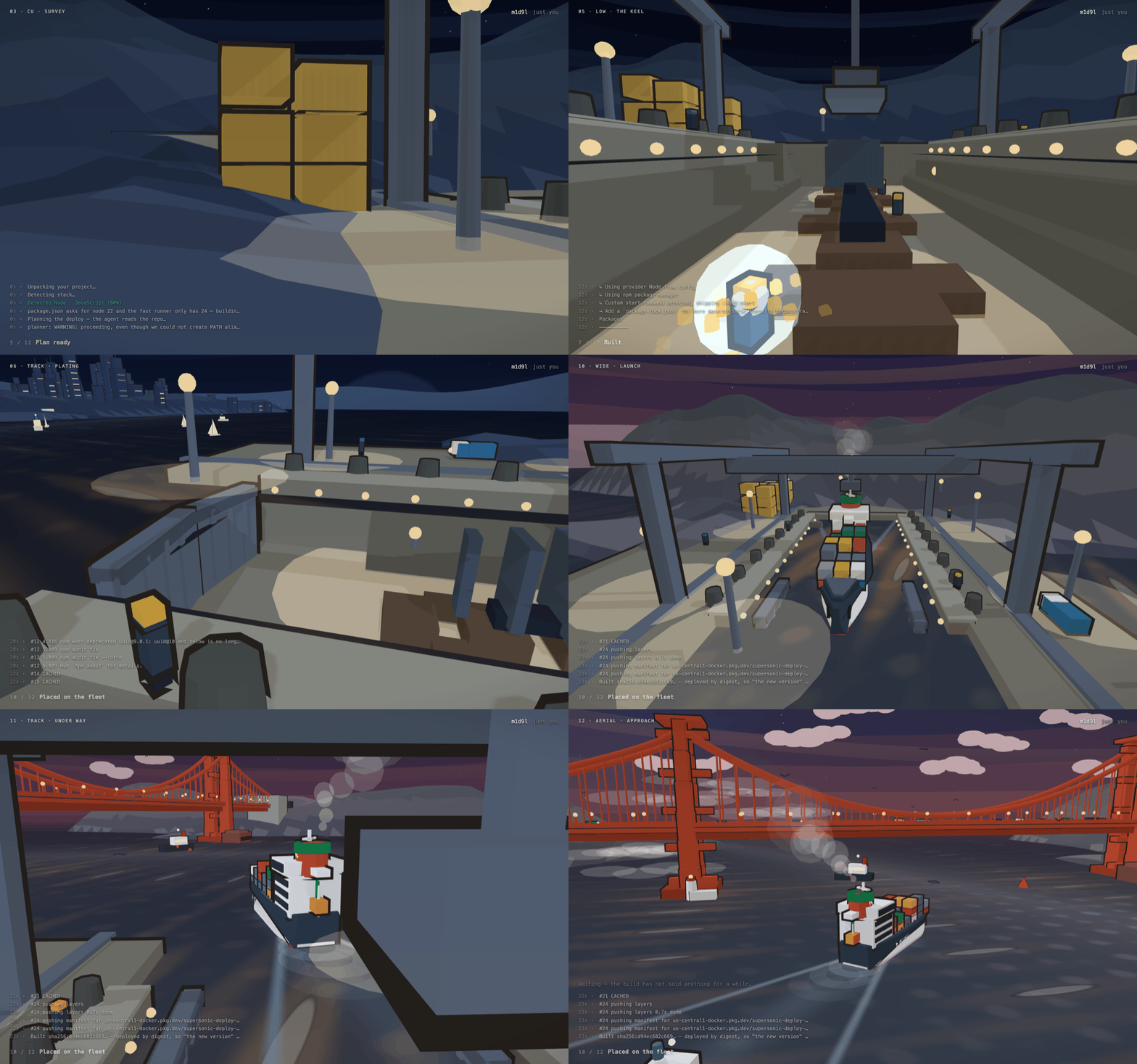 Frames from one real build at `m1d9l.thebay.cloud`. The log along the bottom is
that build's own output and the counter is its real stage. Only the owner sees this —
send the link to anybody else and they get a page with no build on it.
## Self-host something you already use
Bay runs software you did not write as happily as software you did, and
**self-hosting a public repository is free for the first year.**
The [templates](https://thebay.cloud/templates) — Excalidraw, Open WebUI, Cal.com —
are prompts rather than buttons. You copy one, your agent reads it, clones the
source and ships it. No form and no dashboard step, since the agent is already
holding everything the deploy needs.
Each template page says up front what gets provisioned, which secrets are generated
for you, and the one or two only you can supply. A one-click deploy that then
demands a Google OAuth client is worse than a page that warned you.
Frames from one real build at `m1d9l.thebay.cloud`. The log along the bottom is
that build's own output and the counter is its real stage. Only the owner sees this —
send the link to anybody else and they get a page with no build on it.
## Self-host something you already use
Bay runs software you did not write as happily as software you did, and
**self-hosting a public repository is free for the first year.**
The [templates](https://thebay.cloud/templates) — Excalidraw, Open WebUI, Cal.com —
are prompts rather than buttons. You copy one, your agent reads it, clones the
source and ships it. No form and no dashboard step, since the agent is already
holding everything the deploy needs.
Each template page says up front what gets provisioned, which secrets are generated
for you, and the one or two only you can supply. A one-click deploy that then
demands a Google OAuth client is worse than a page that warned you.