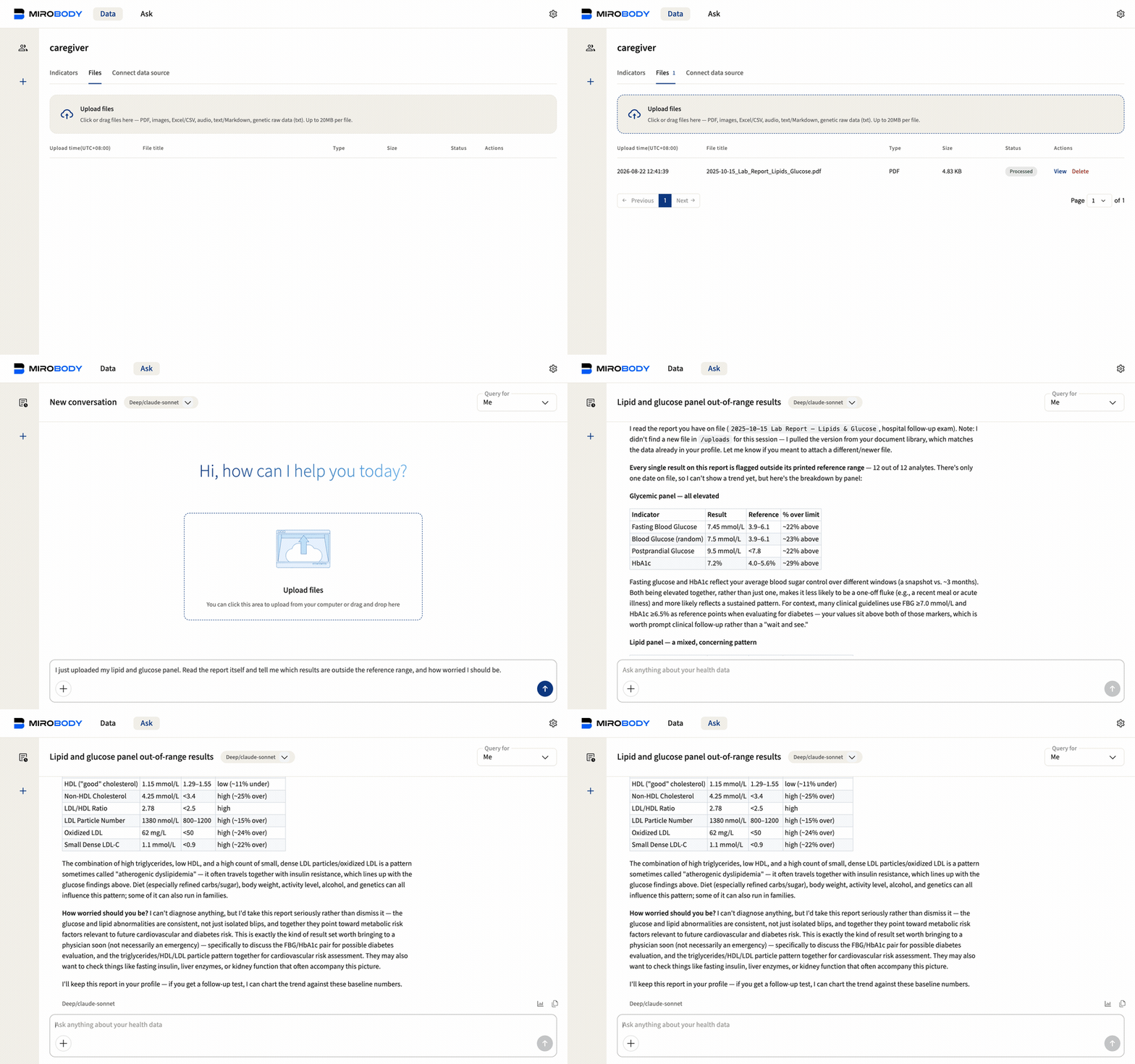
Three reports, three names for the same test. One trend, with the file behind every number.
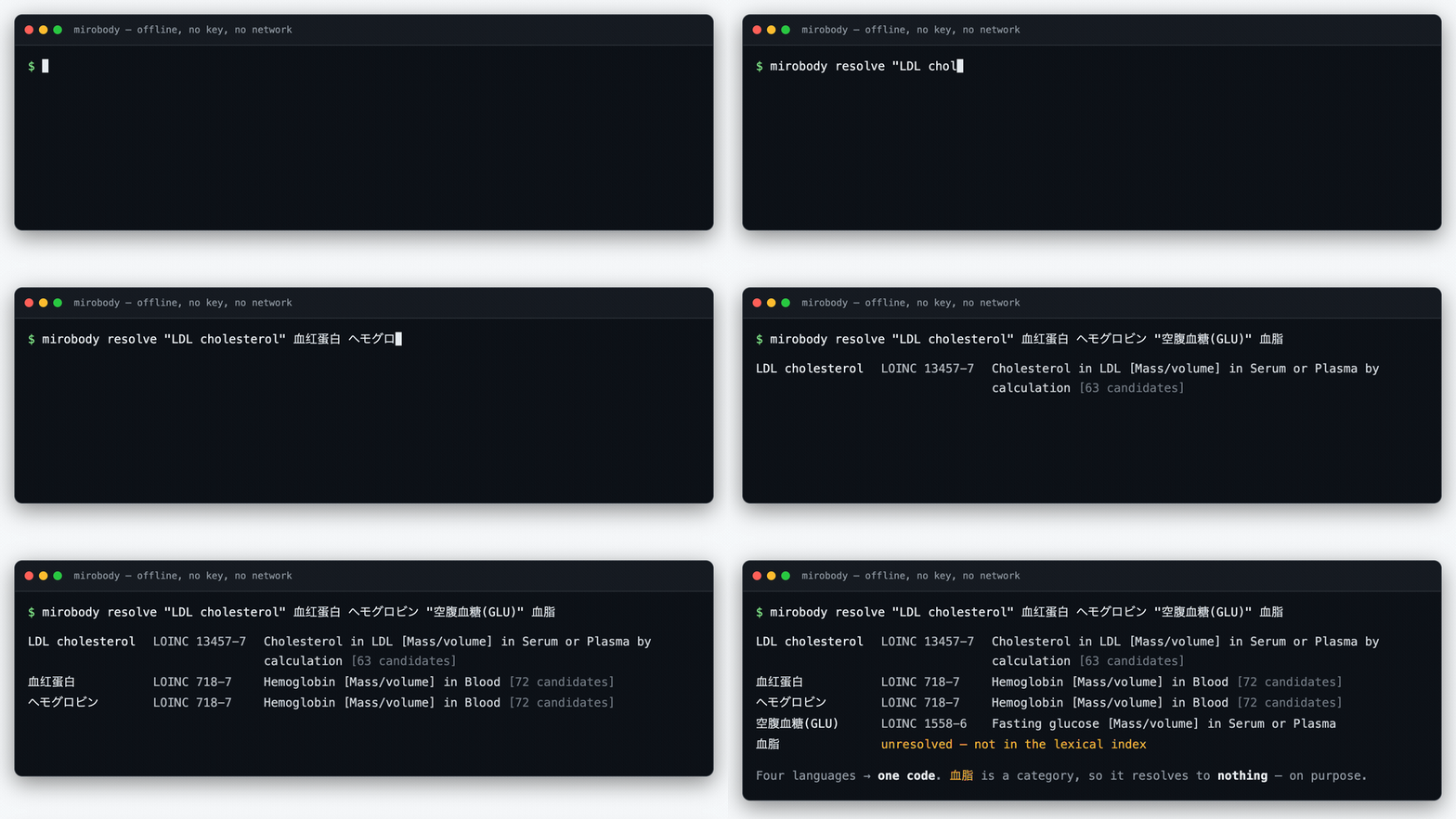
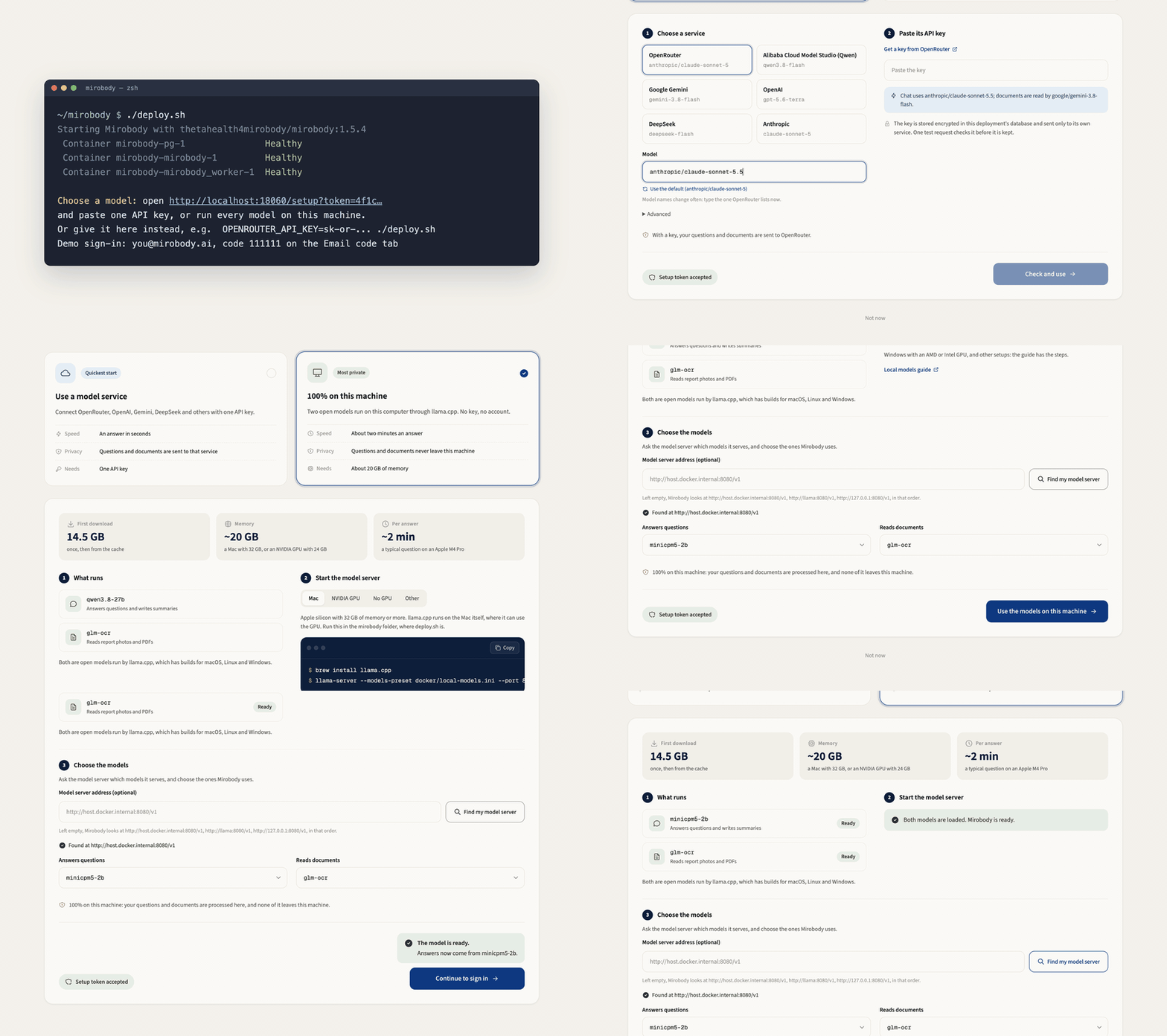
## Choose where to start | You want to | Start here | What you need | | --- | --- | --- | | Standardize names and units | [One command](#try-the-engine-with-one-command) | uv; no model or API key | | Try the full app in your browser | [GitHub Codespaces](#try-the-full-app-in-codespaces) | A GitHub account and your own model API key | | Keep the app, models and records on your machine | [100% local with Docker](#run-everything-100-locally) | Docker with Compose; 16 GB memory; no API key | | Keep the app and records on your machine, without Docker | [No Docker](#run-without-docker) | Debian or Ubuntu; PostgreSQL 16; Python 3.12; your own model API key | ## Try the engine with one command With [uv installed](https://docs.astral.sh/uv/getting-started/installation/), paste this into your terminal: ```bash uvx --python 3.12 mirobody resolve "LDL cholesterol" 血红蛋白 ヘモグロビン "Total Kolesterol" 血脂 ``` No repository clone, Docker, model or API key. uv prepares Python and the package for you; the first run needs a network connection to download them. The resolver then works offline from the bundled vocabulary. `血红蛋白` and `ヘモグロビン` both resolve to `718-7`. `血脂` stays unresolved: it names a category, not one test. The same engine standardizes names and units across the full app.