
A fast, lightweight, git-native API client for developers who live in terminals and version control.
[](LICENSE)
[](https://github.com/this-senda/senda/releases)
[](https://github.com/this-senda/senda)
[](https://github.com/this-senda/senda/releases)
[](https://github.com/this-senda/senda/actions/workflows/ci.yml)
---
## What is Senda?
Senda is a desktop API client — a spiritual cousin of Bruno and Postman — where every collection is a plain folder of YAML files. No cloud account, no proprietary sync, no binary blobs. Open a collection, send requests, and commit the diff.
Built with **Wails (Go)** for the native shell and **SolidJS** for the UI, it ships to a ~24 MB binary using ~100 MB of RAM — compared to ~150 MB binary / ~400 MB RAM for Electron-based alternatives.
> 🤖 **Heads up:** Senda is largely AI-assisted ("vibe-coded") — most of the code
> and docs were written by pairing with Claude, with a human steering the
> direction. It's young and experimental — more on what that means in
> [How this was built](#how-this-was-built).
---
## Screenshots
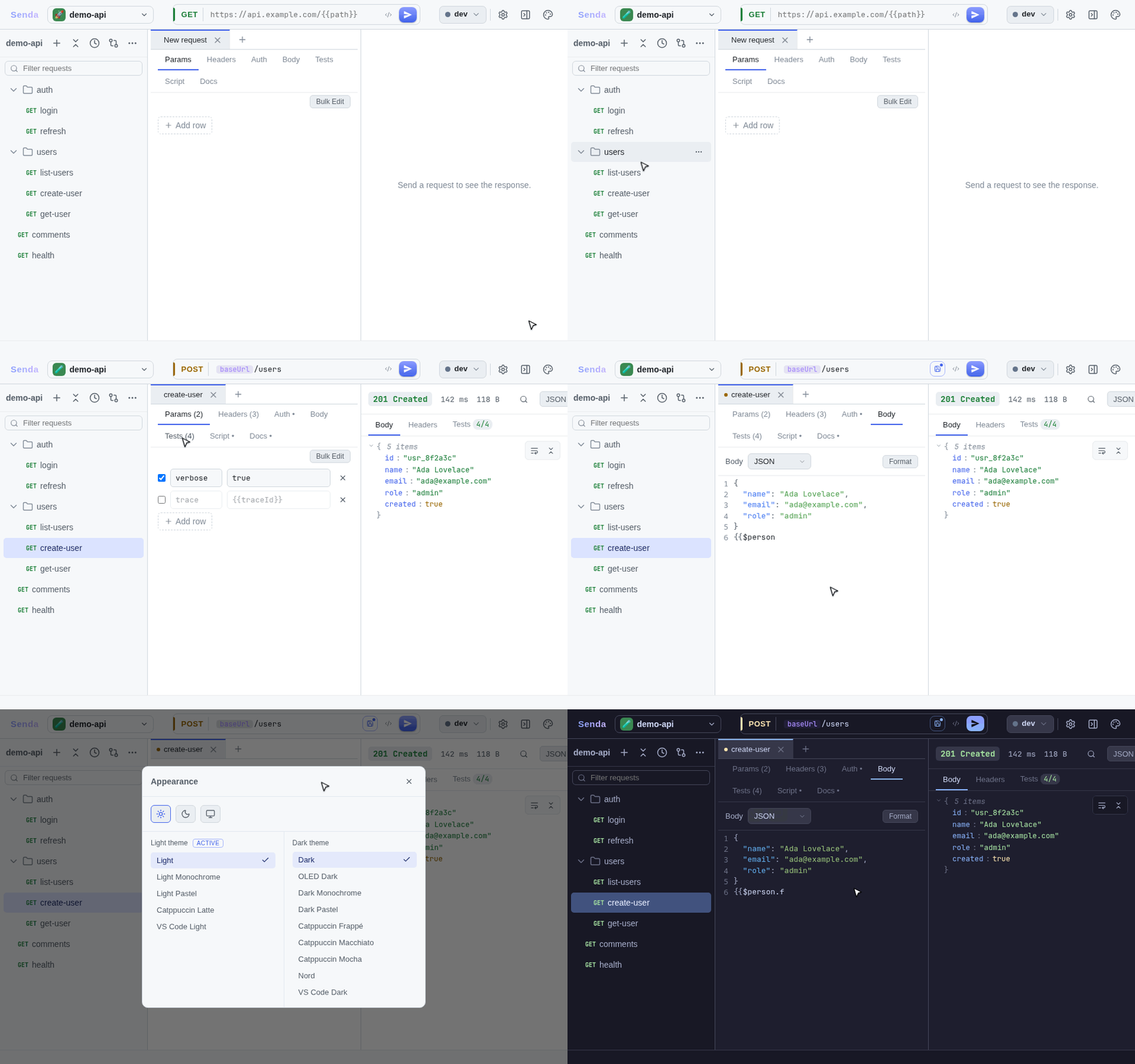
Click to expand the screenshot gallery
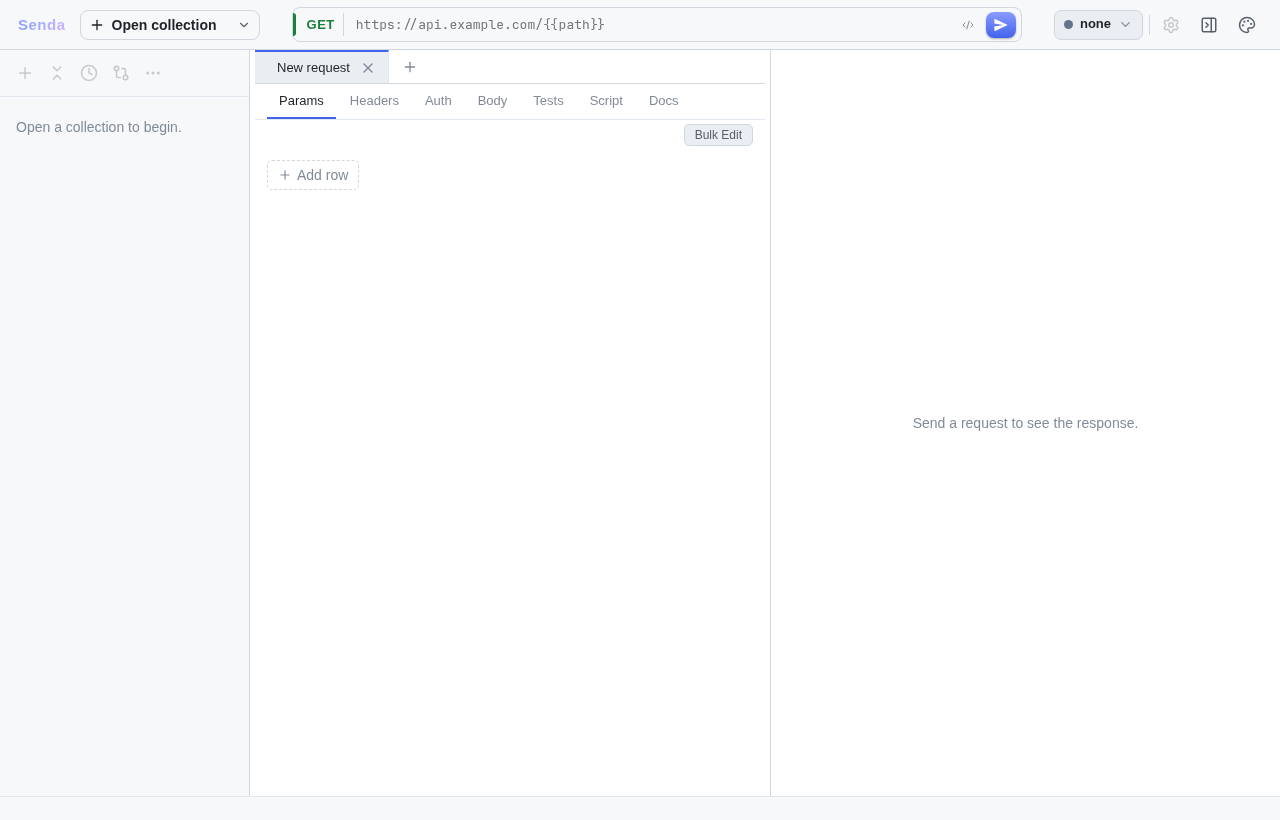
### Main interface — 3-pane shell
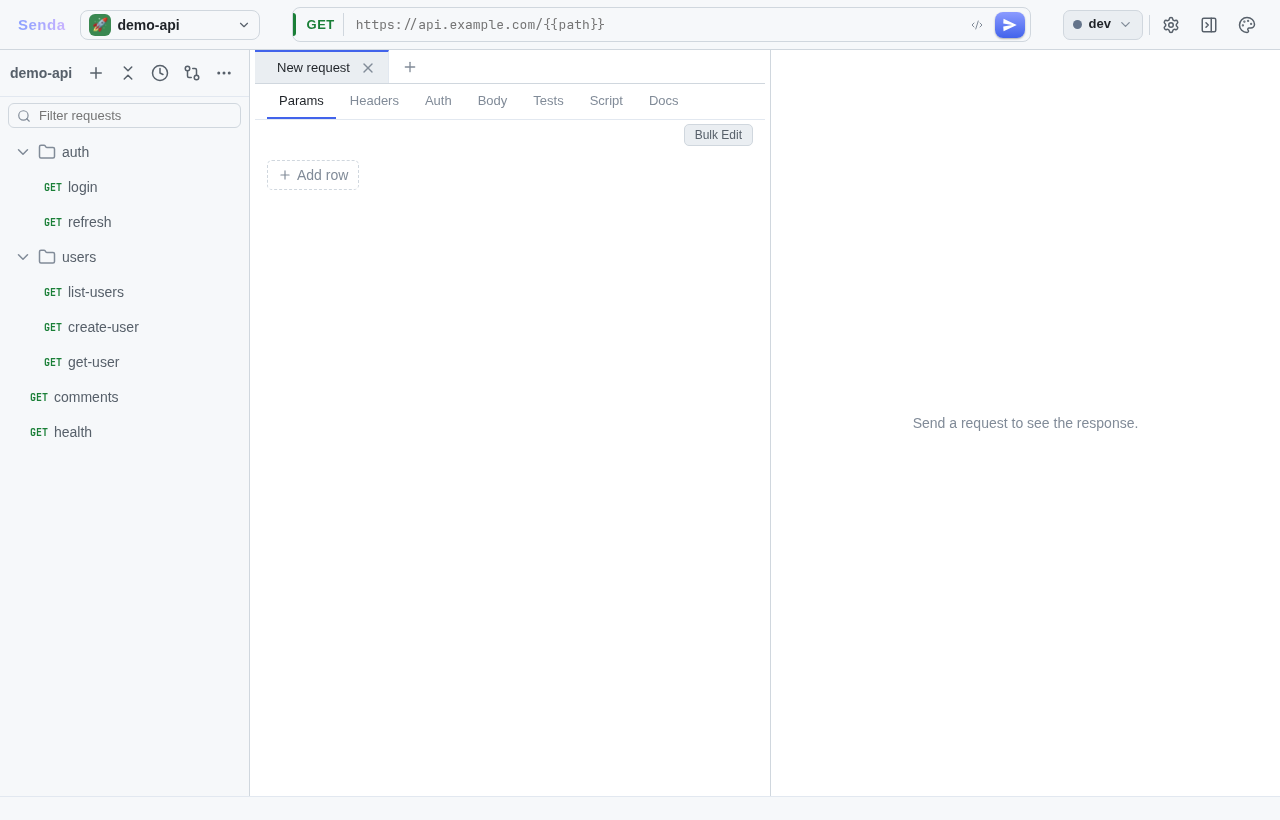
### Collection open with request tree
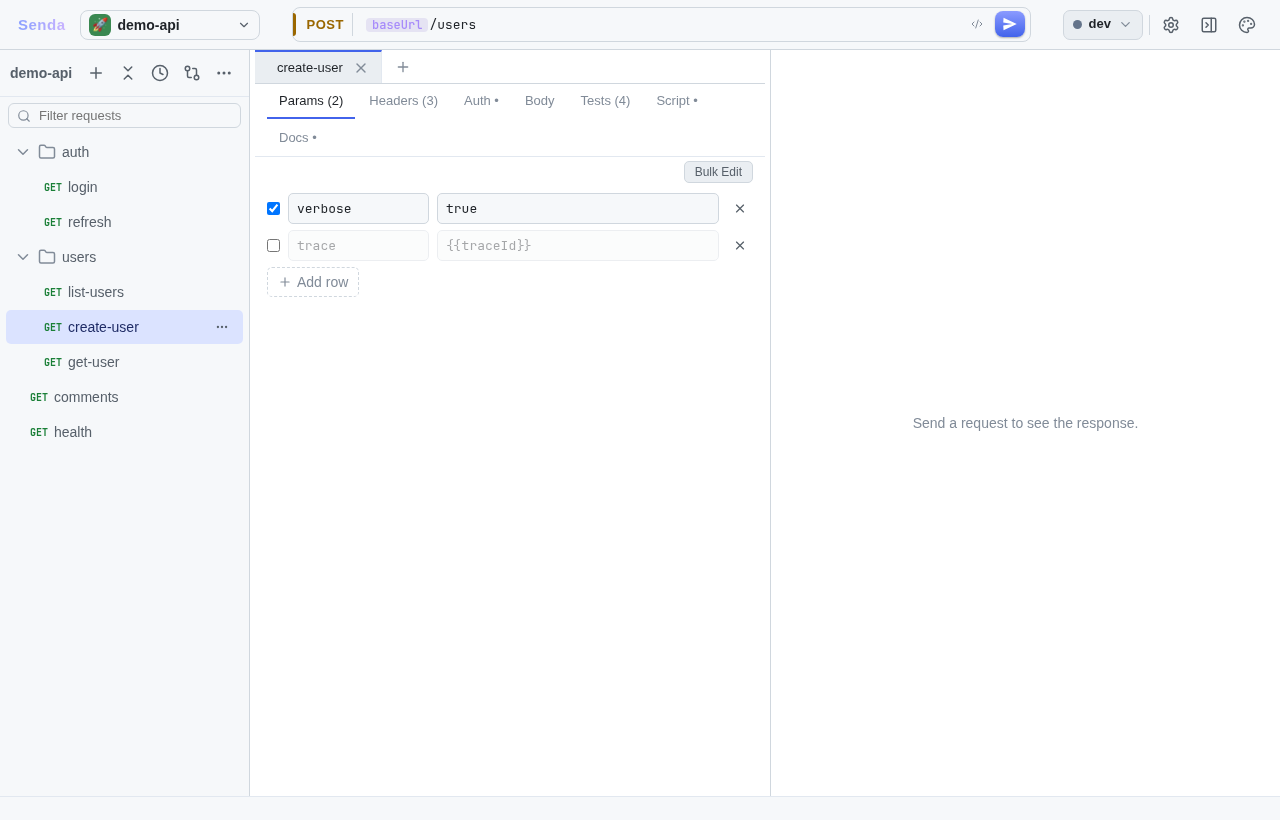
### Request editor
### Sending a request and viewing the response
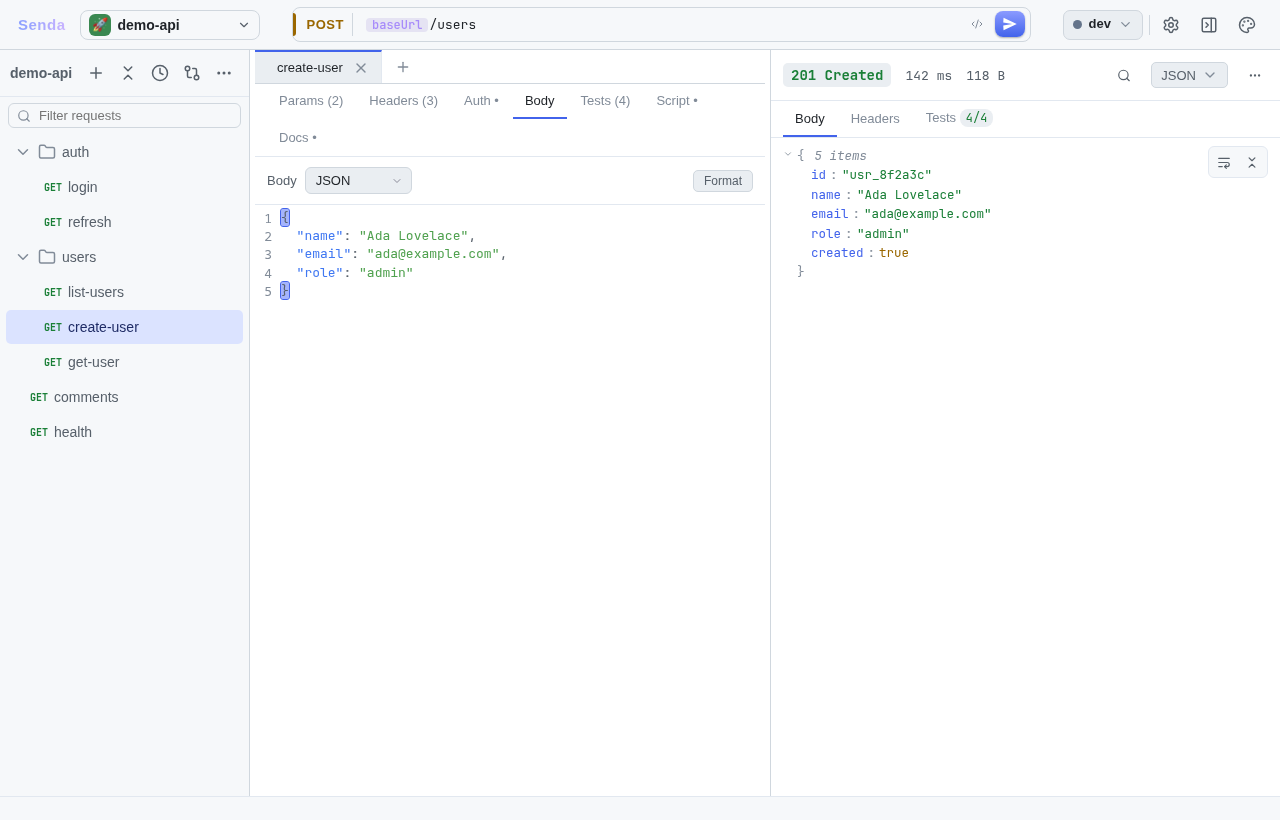
### JSON body editor with syntax highlighting
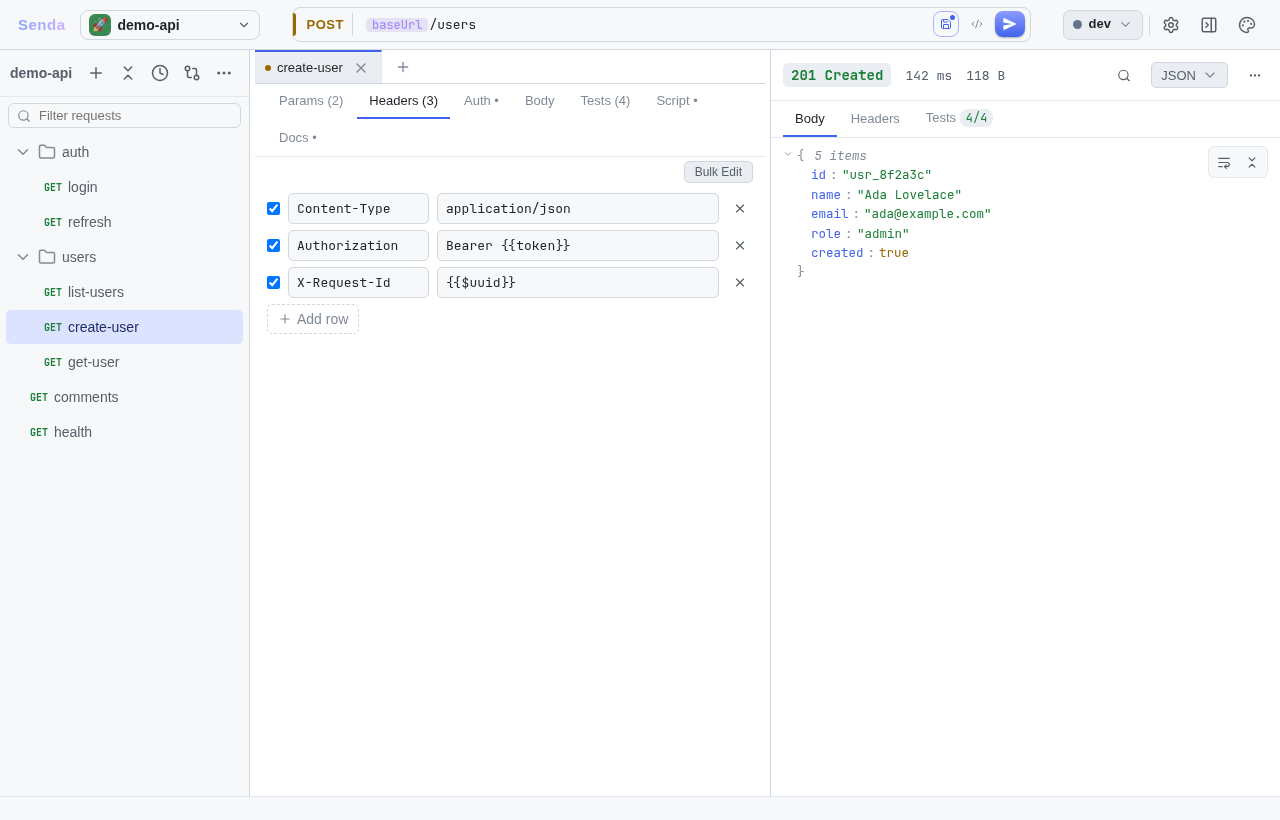
### Headers tab
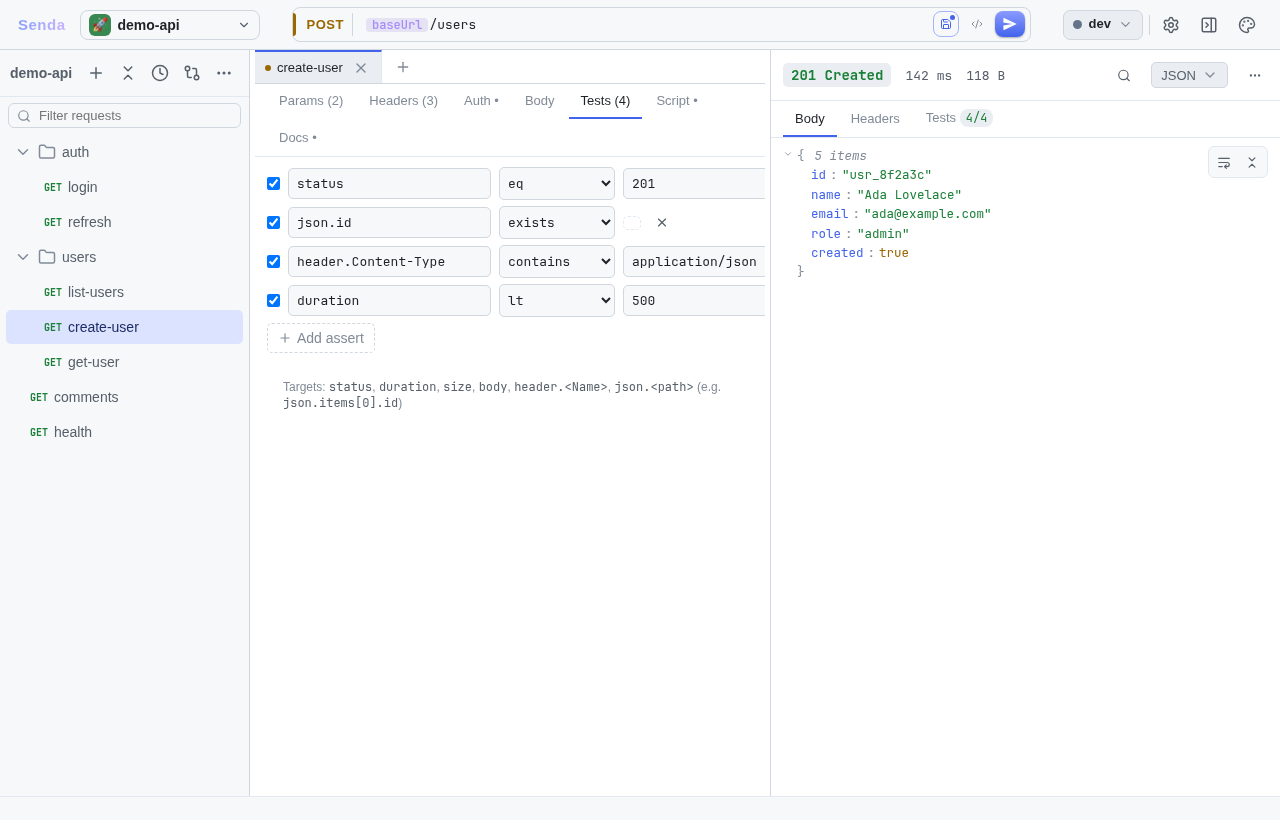
### Assertions / test runner
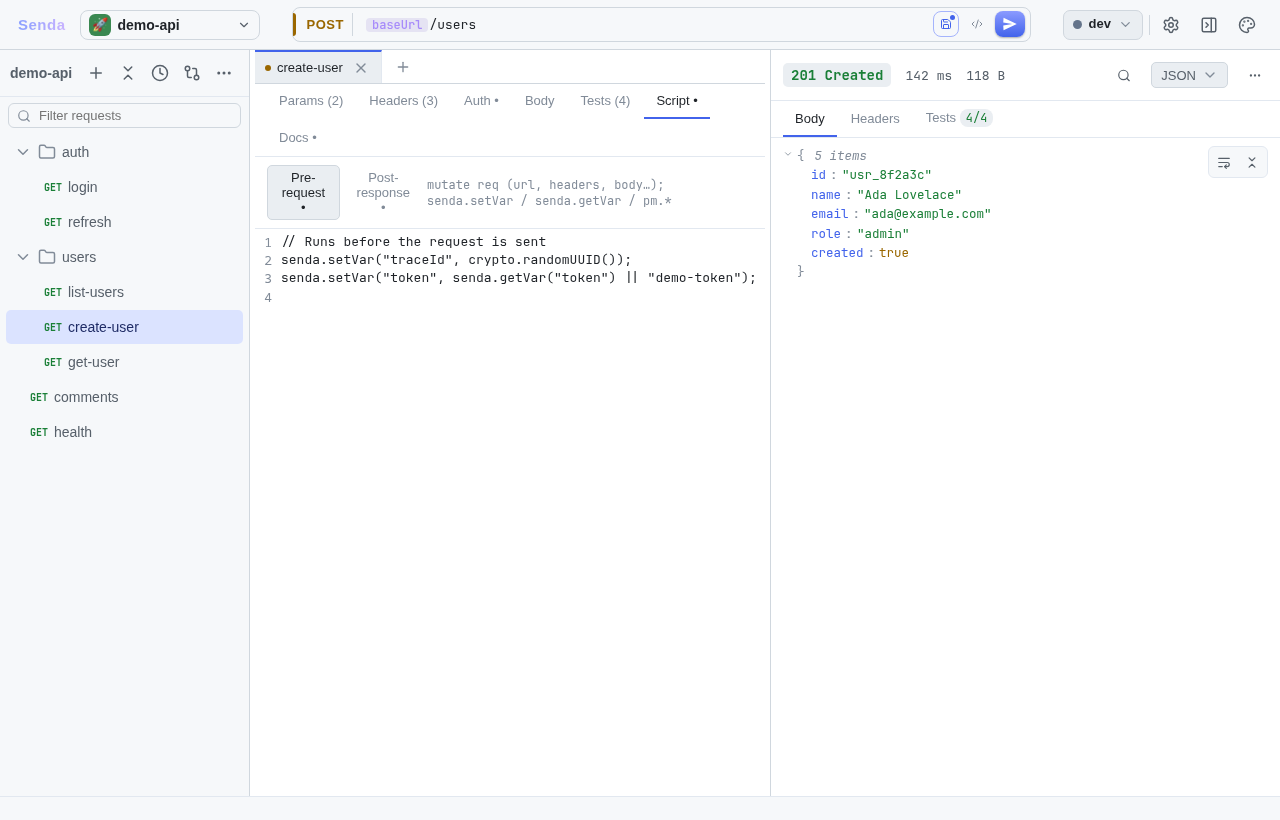
### Pre/post-request scripting
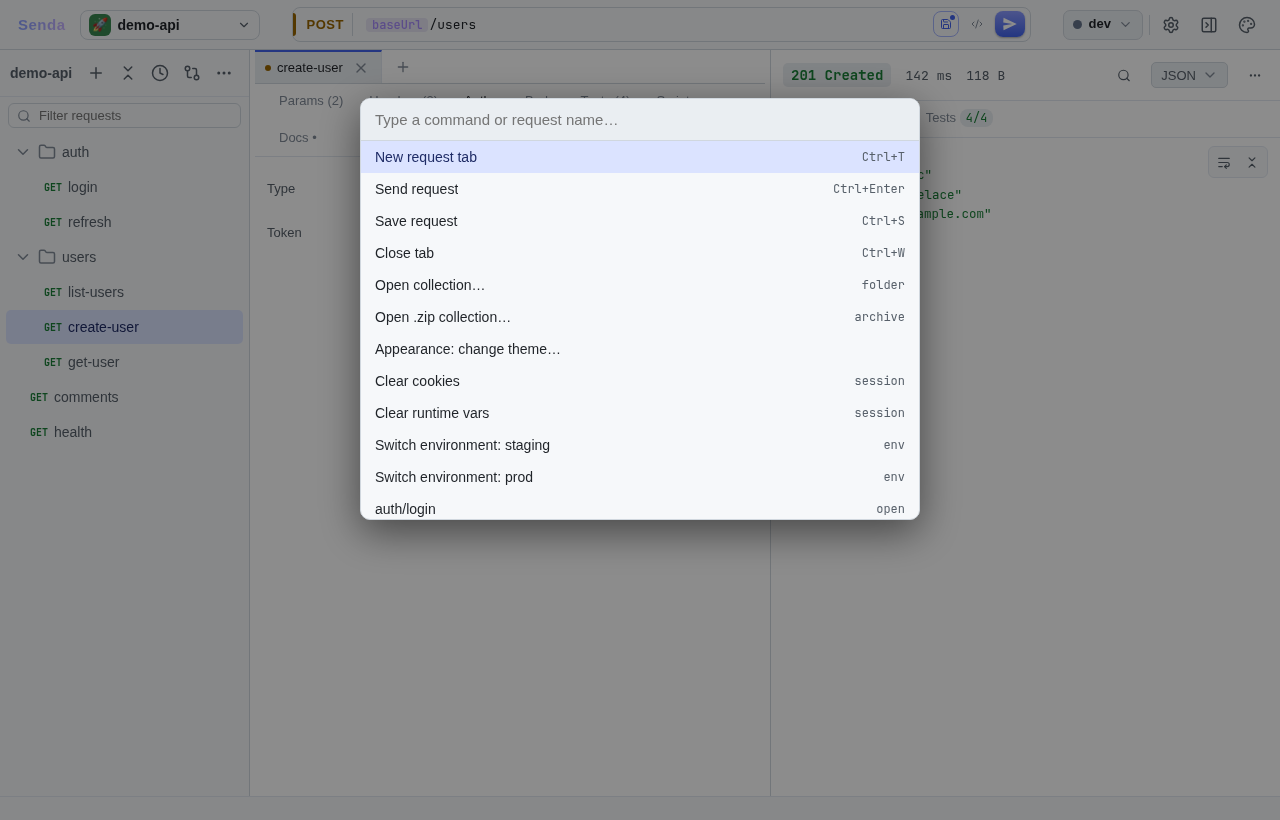
### Command palette
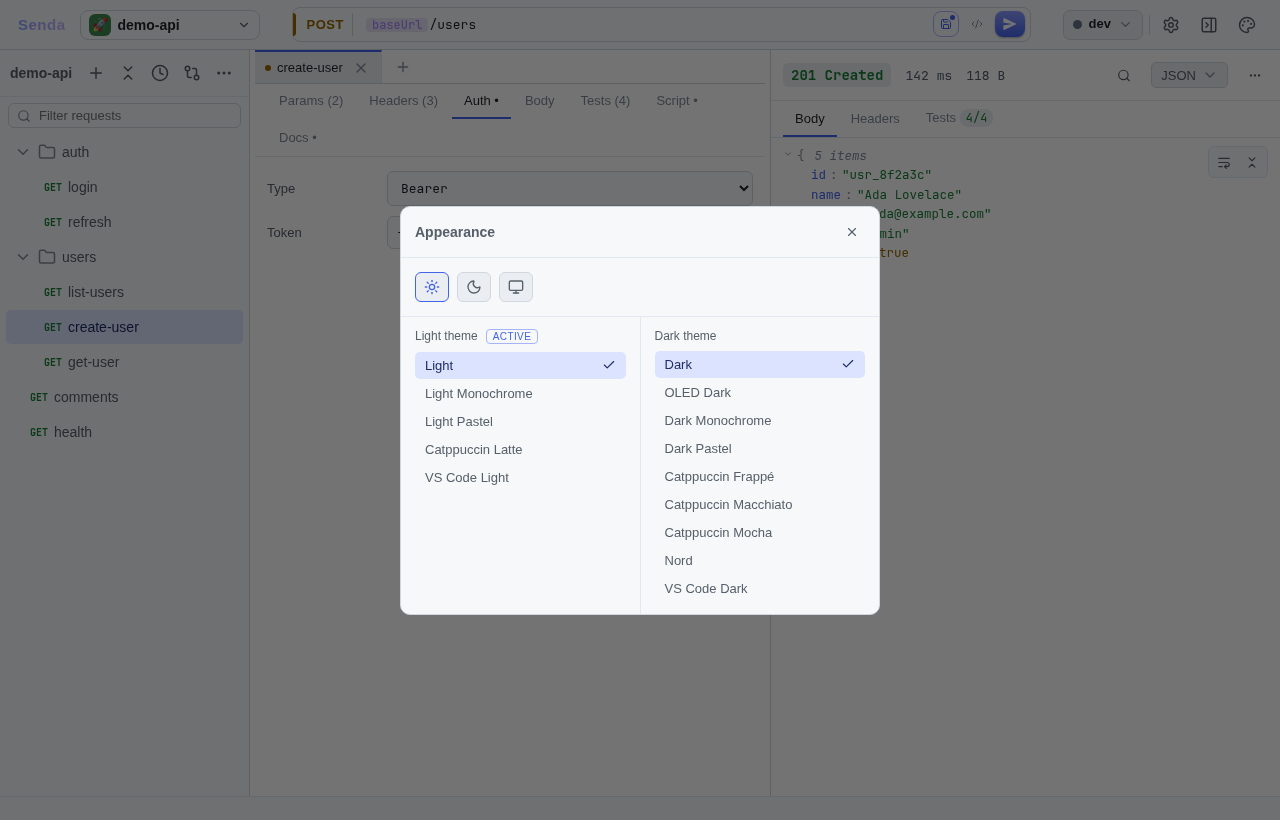
### Appearance — 13 built-in themes
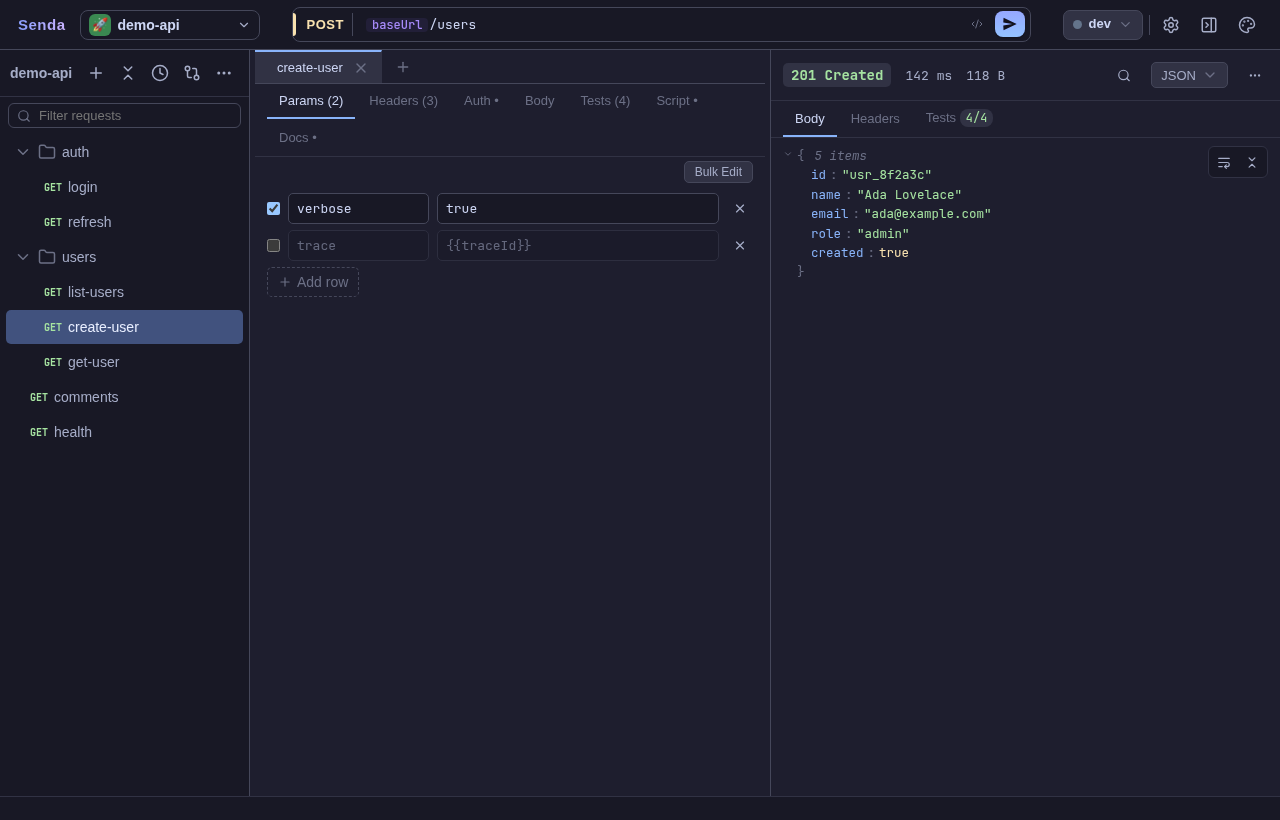
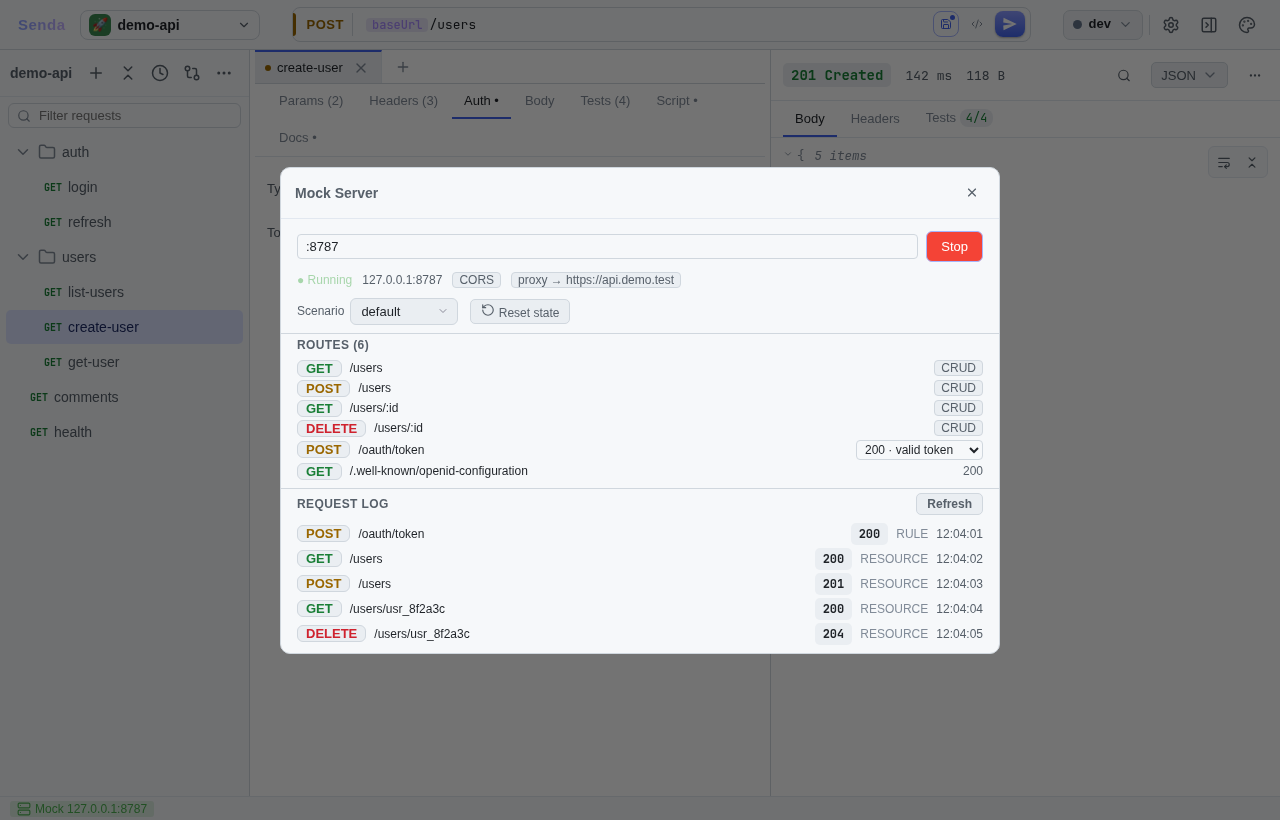
### Mock server
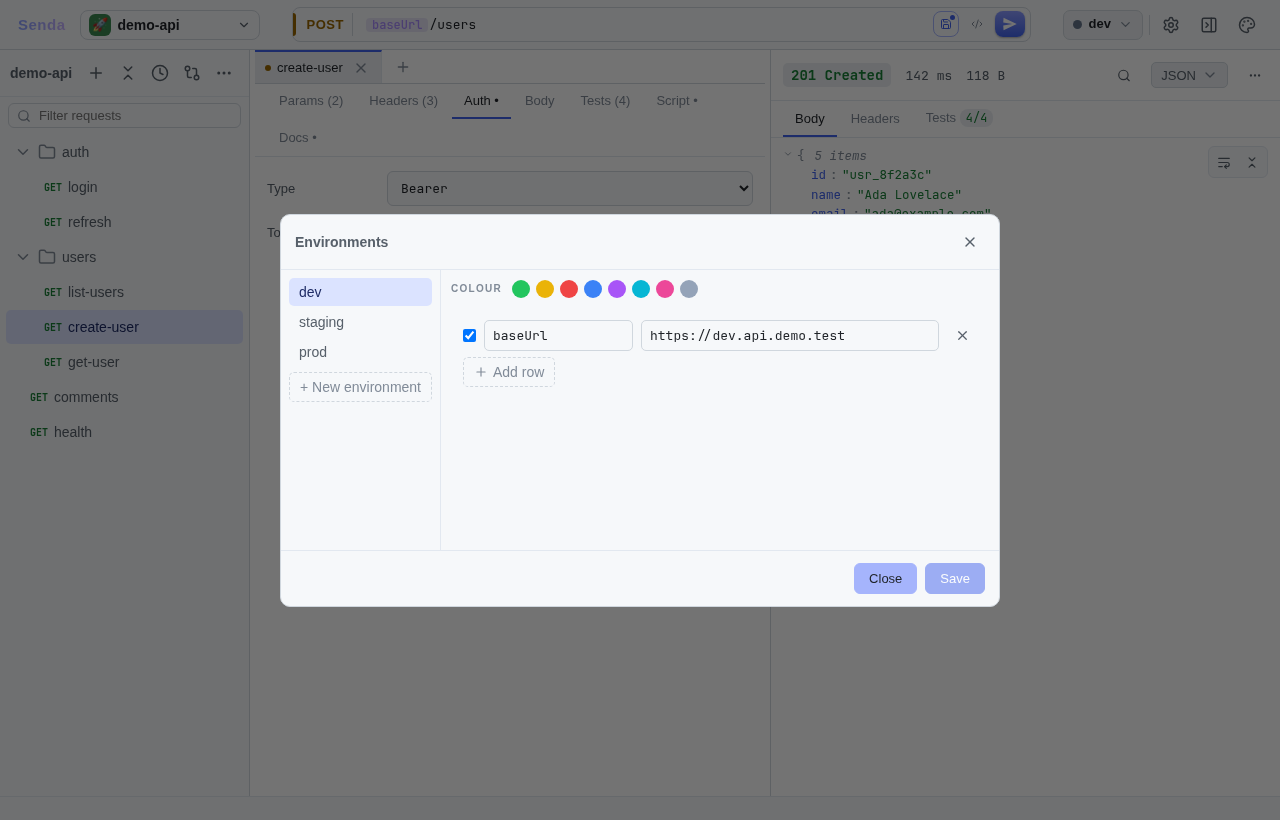
### Environments
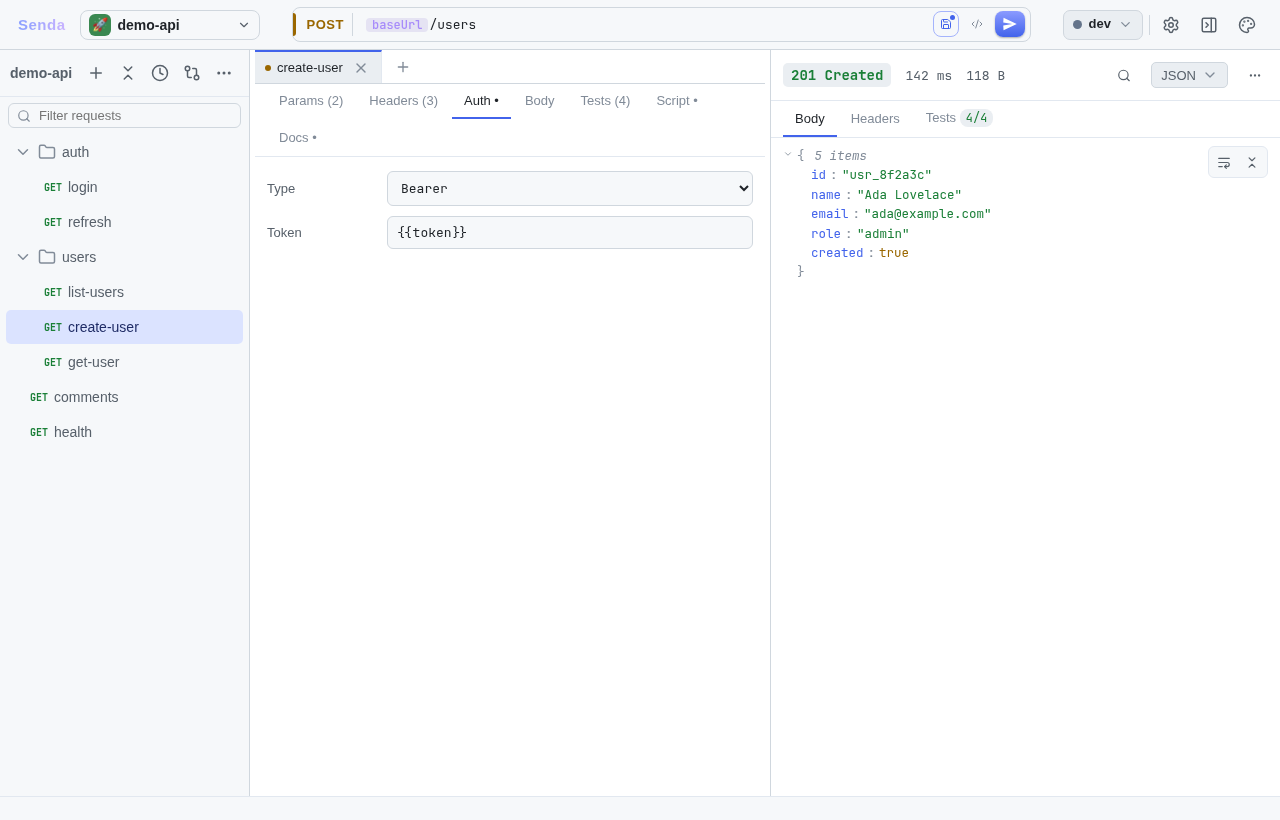
### Auth
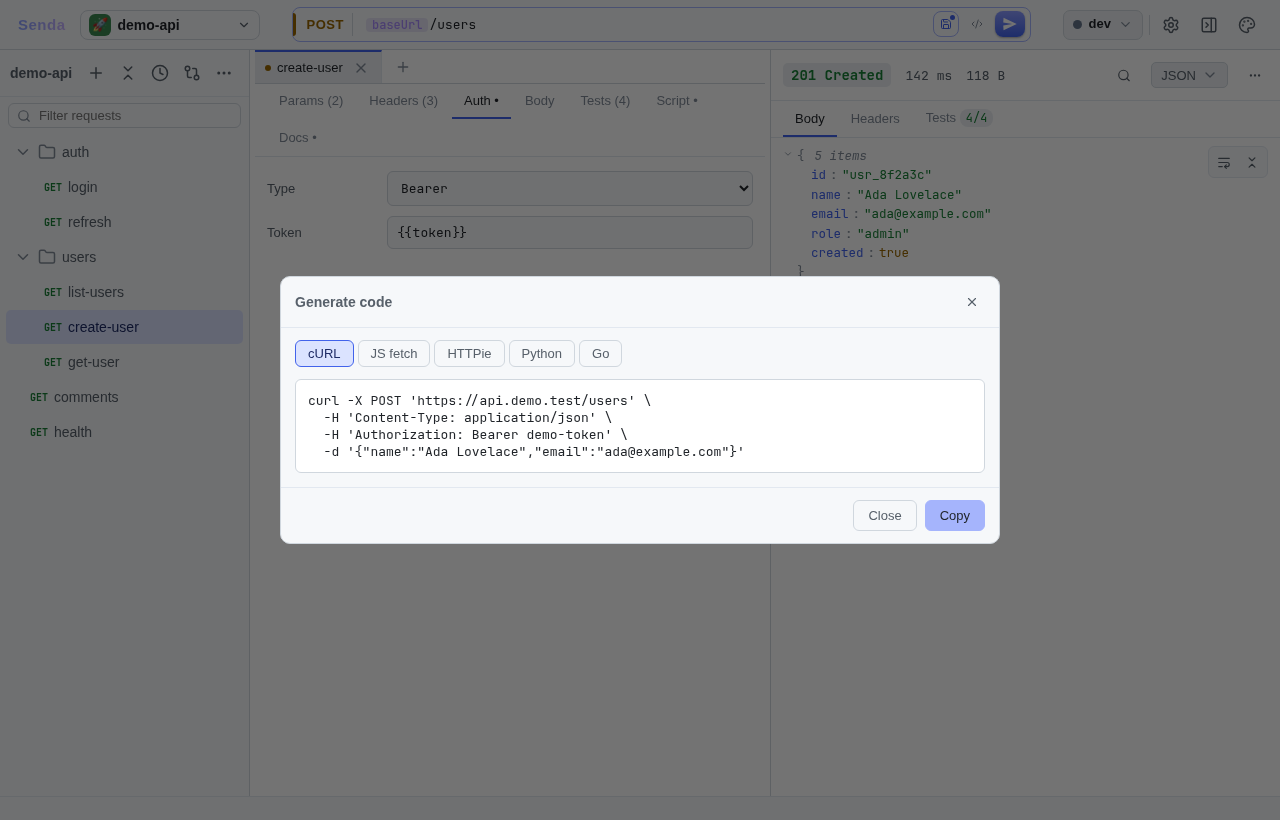
### Code generation
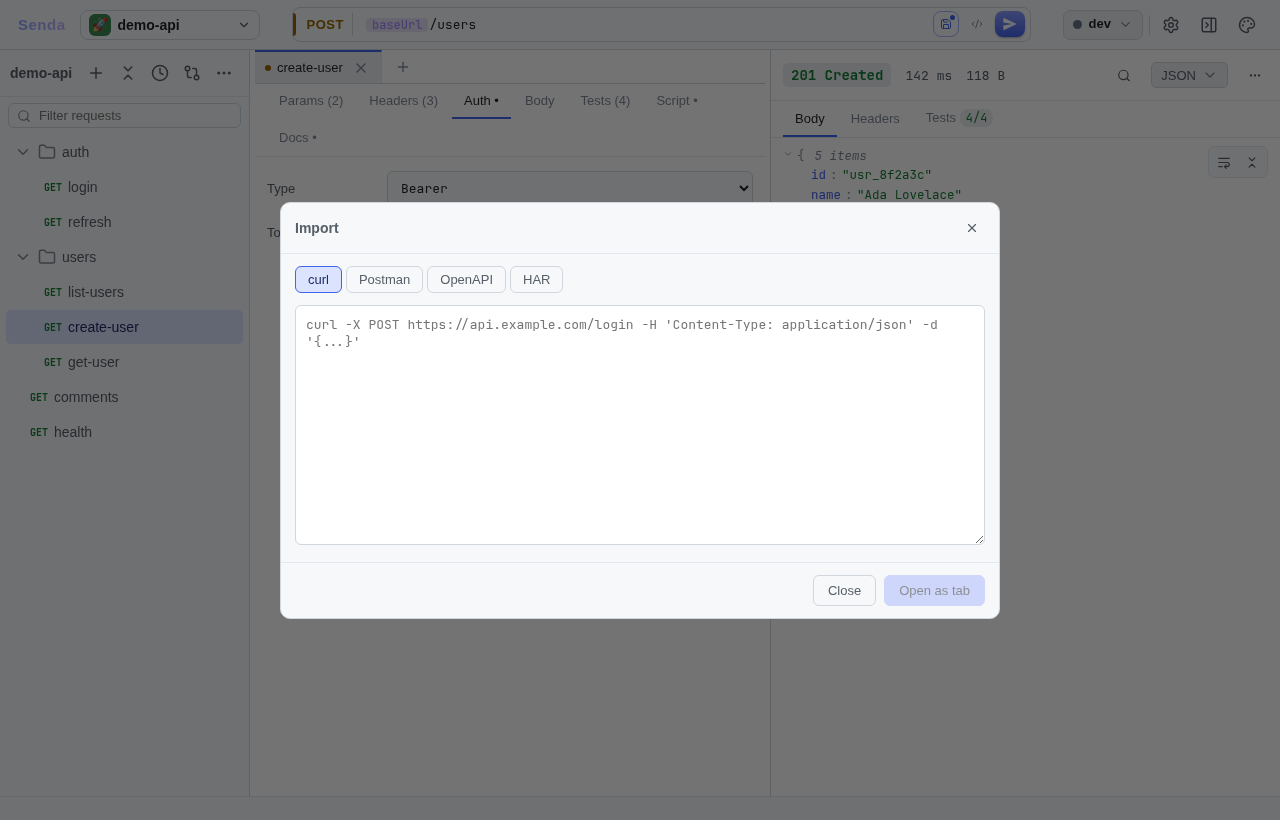
### Import — curl, Postman, OpenAPI, HAR
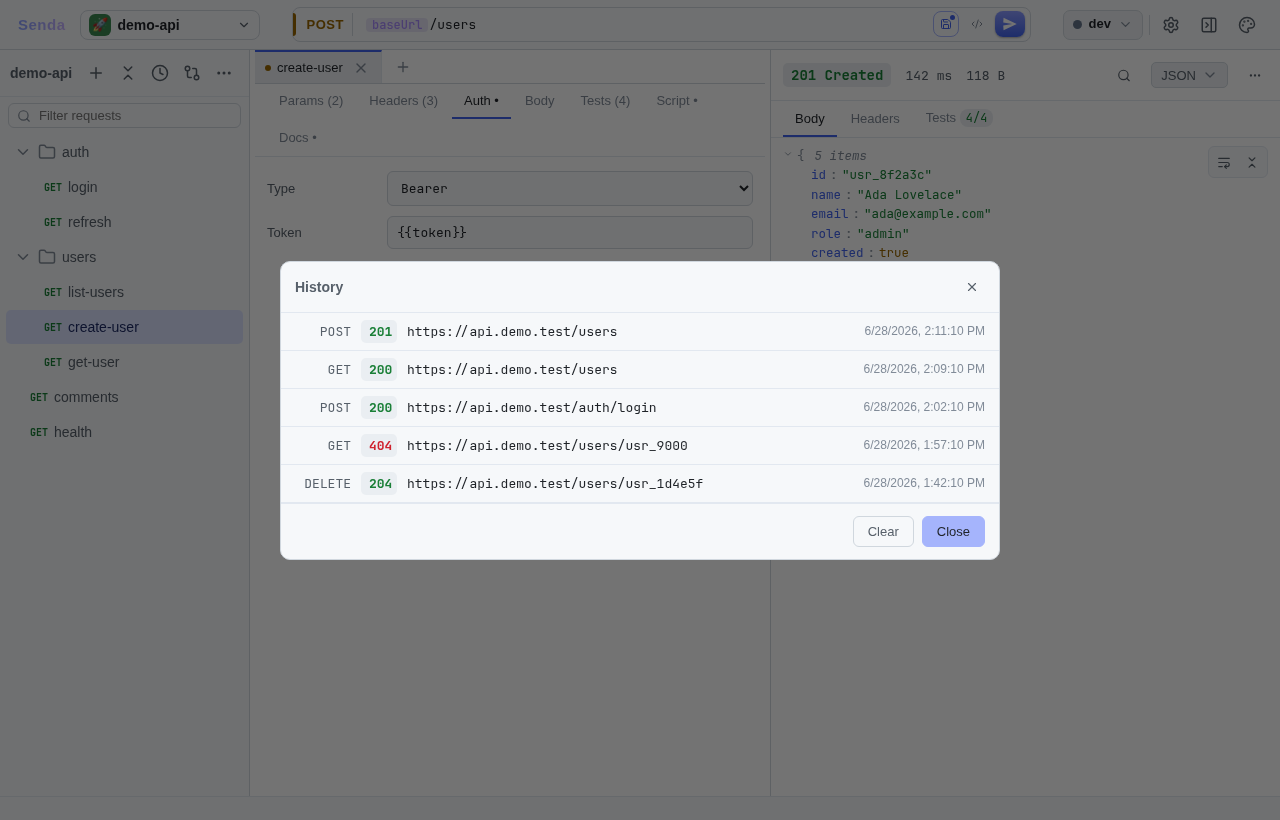
### Request history
> **Regenerate screenshots:** `cd frontend && bun run shots` (or `task shots:desktop` from the repo root) drives the UI headlessly and rewrites every image, including the GIF. See [`docs/screenshots/README.md`](docs/screenshots/README.md) for the full process.
---
## Why Senda?
| Problem with existing tools | How Senda solves it |
|-----------------------------|-------------------|
| Postman/Insomnia store collections in the cloud or proprietary formats | Plain YAML files — `git diff` works on your requests |
| Electron apps ship 150 MB binaries and use 400 MB RAM | Wails + native webview: ~24 MB binary, ~100 MB RAM |
| Bruno is close but `bru` files aren't universally readable | Standard YAML, no custom DSL |
| Sync conflict nightmares on team collections | Collections are folders — merge conflicts resolve naturally |
| Heavy UI frameworks cause jank on large responses | SolidJS fine-grained reactivity + virtualized CodeMirror 6 |
---
## Features
### Core workflow
- **HTTP methods**: GET, POST, PUT, PATCH, DELETE, HEAD, OPTIONS
- **Collections**: one folder per collection, one YAML file per request — fully git-trackable
- **Multi-request tabs**: open many requests at once; state persists across restarts
- **Resizable panes**: sidebar | request editor | response viewer; sizes saved between sessions
### Request editor
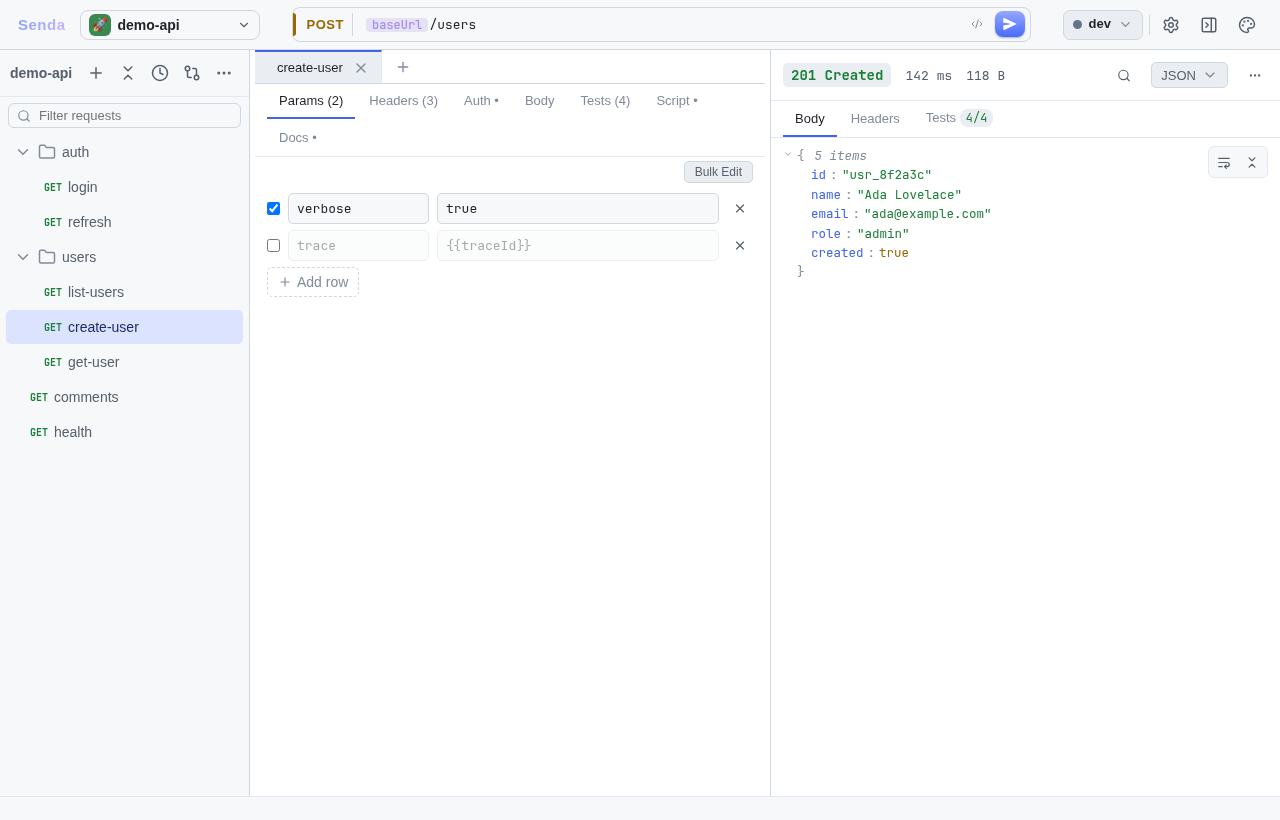
- URL, method, query params, headers, body with per-row enable/disable toggles and count badges
- **Body types**: JSON, raw, form-urlencoded, multipart/form-data, GraphQL (with one-click schema **introspection** and field autocomplete)
- **Format button**: validates and pretty-prints JSON body in one click
- **Auth**: Bearer token, Basic, API key, OAuth 2 — per-request or inherited from collection
### Response viewer
- Status badge, duration, size at a glance
- Headers and body tabs; body rendered in CodeMirror 6
- **Large-response handling**: Go caps inline body at 2 MiB; UI shows size and a "Show anyway" escape hatch
- **Viewport rendering**: only visible lines painted — 20 MB JSON stays smooth
### Environments & variables
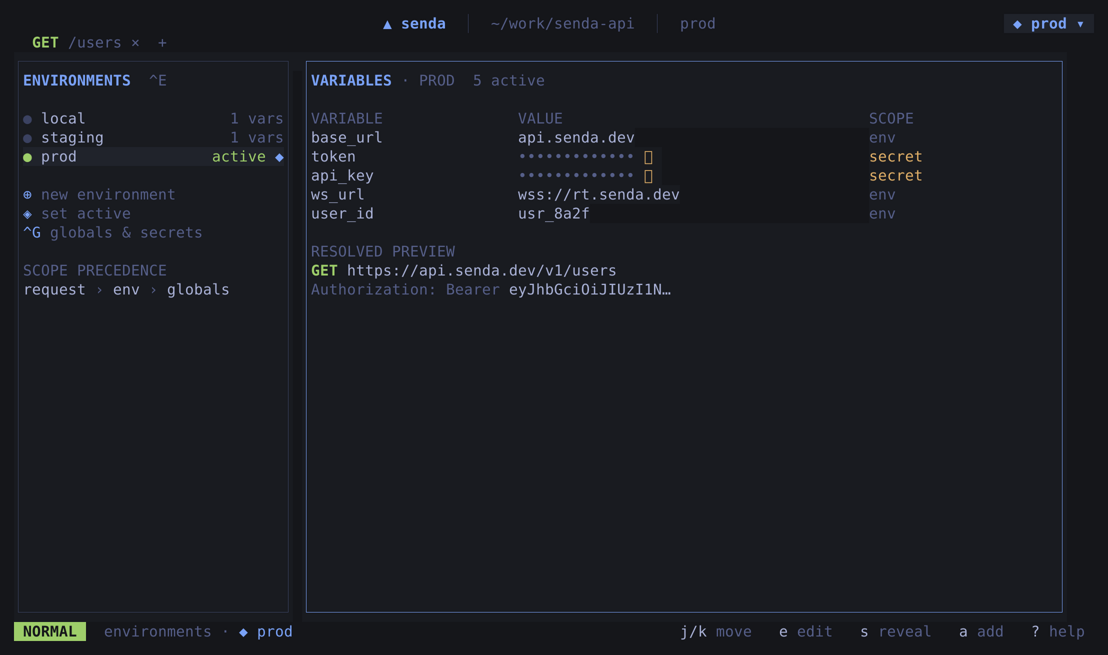
- Named environments (dev, prod, staging…) stored as YAML alongside requests
- `{{var}}` interpolation in URL, headers, and body
- Precedence: runtime (script) → environment → collection base → request
- **Secrets**: `*.secret.yaml` files are gitignored and merged at send-time only — never committed; edit them in-app (collection or per-environment) via the Manage secrets dialog, values masked with per-row reveal. Optional **at-rest encryption** (AES-256-GCM, key in the OS keychain) guards them against disk/backup theft; export the key as `SENDA_SECRET_KEY` to decrypt headless on a server/CI
### Testing & assertions
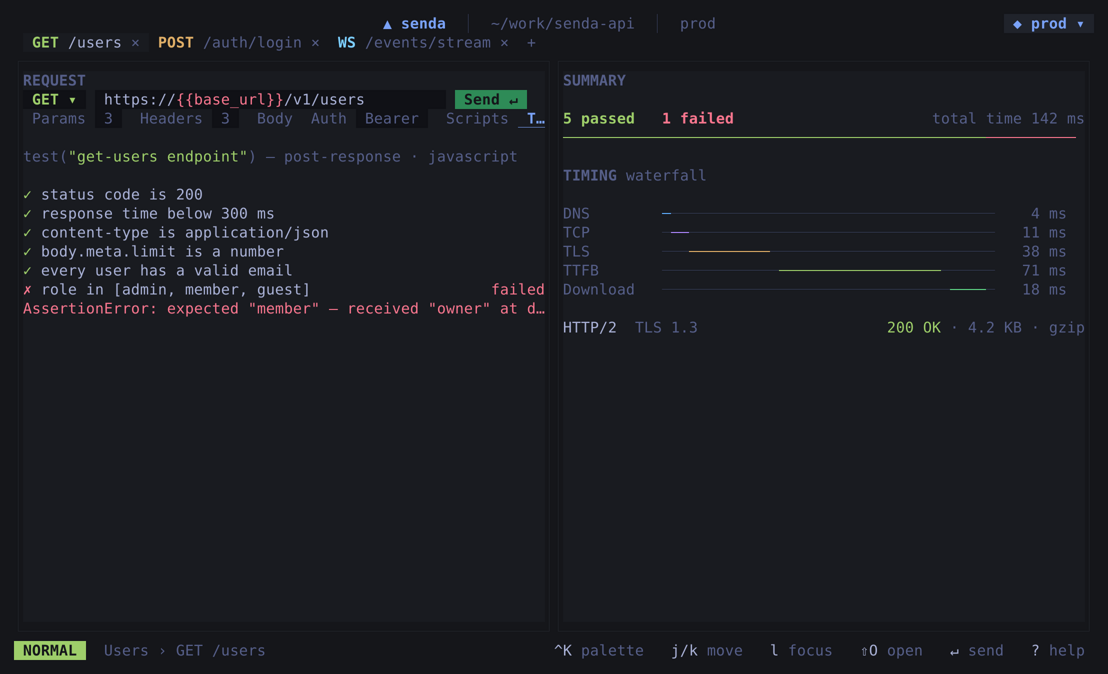
- Define assertions per request: target / operator / value
- **Targets**: status code, response time, body size, JSON path, header values, raw body
- **Operators**: `eq`, `neq`, `contains`, `notcontains`, `matches` (regex), `gt/gte/lt/lte`, `exists`, `notexists`
- **JSON Schema validation**: set `responseSchema:` on a request and the response body is validated against it on every send — failures appear as assertion rows
- Assertions run on every send and in folder/load test runs
### Scripting
- **Pre-request script**: modify headers, params, or body before send using a JS sandbox
- **Post-request script**: extract tokens, set variables, or log after the response arrives
- `senda.setVar()` / `senda.getVar()` — session-scoped runtime variables (highest precedence)
- Powered by [Goja](https://github.com/dop251/goja) (Go-native JS engine); 5-second runaway guard
### Running collections
- **Folder runner**: sequential execution of all requests in a folder — with timing, status, and assertion results per request
- **Request chaining**: reference an earlier response inline with `{{res..json.token}}` (status / body / `json.` / `header.`) — no script needed
- **Flows**: declarative `*.flow.yaml` graphs (request / branch / setvar / loop / parallel / delay) for orchestration beyond the sequential runner; create/edit/delete them in-app (raw YAML with live validation) or by hand, run from the app or headless with `senda run -flow`. Graphs are validated before they run, so a dangling edge or bad `start` fails fast before any request fires — see [`docs/flows.md`](docs/flows.md)
- **Load testing**: concurrent virtual-user (VU) mode with configurable duration, target RPS, and max VUs; reports p50/p95/p99 latency and status distribution streamed live
### Mock server
- Spin up a local HTTP server straight from YAML definitions in `.senda/mocks/` — no code
- **Rule routes** (match method + path, pick a response variant) and **stateful resource routes** (in-memory CRUD that survives across requests until reset)
- `{{...}}` response templating (path params, fake data, `uuid`, `now`), named **scenarios** you can switch live, proxy passthrough, CORS, and hot-reload on file edits
- **Generate mocks from an OpenAPI spec**, scaffold bundled presets, or **save a real response as a mock** to turn a round-trip into a fixture
- Also runnable headless: `senda mock`
### Security scanning
- Run an embedded pack of nuclei-compatible HTTP checks against the resolved URLs of every request under a folder
- Filter by severity and tags; preview the exact check count before you run; progress streams check-by-check
- Pull extra/updated templates from any nuclei-compatible Git repo into `.senda/security/`
- Scans send real probe traffic — only point them at APIs you own or are authorized to test
### Realtime: WebSocket & SSE
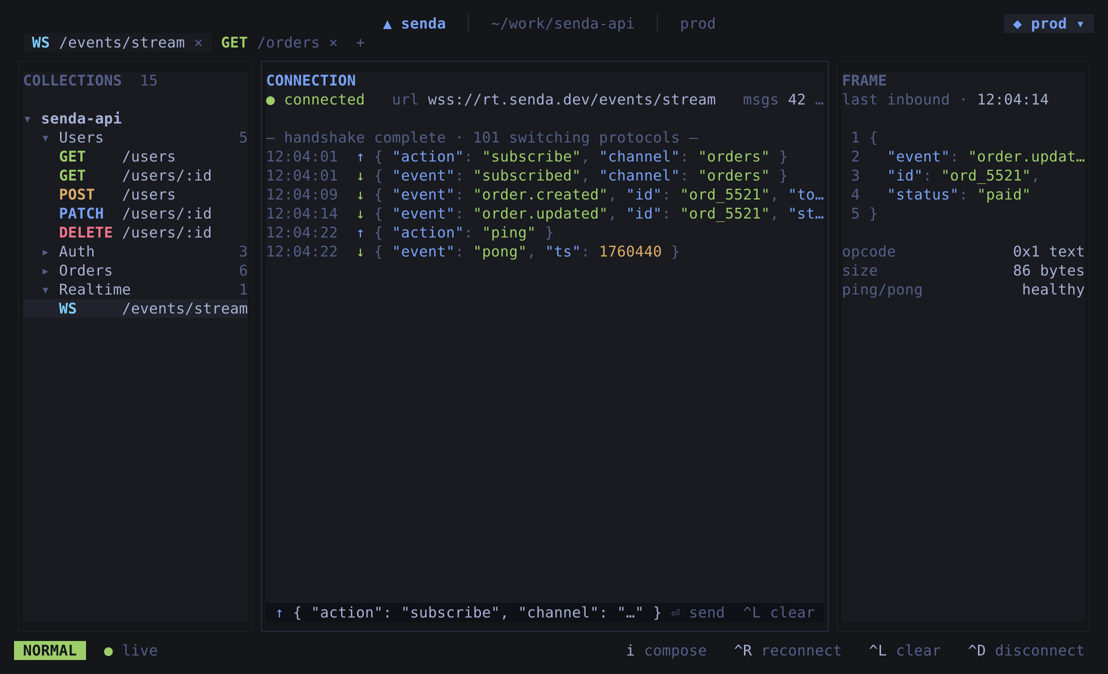
- **WebSocket**: connect to `ws://` / `wss://` endpoints, send frames, and watch the live message log — variables and auth resolve the same as HTTP requests
- **Server-Sent Events**: connect to an SSE endpoint and stream events into the response view in real time
### Import & code generation
- **Import from**: curl commands, Postman v2.0+ collections, OpenAPI 3.0 / 3.1 specs, HAR captures (Chrome DevTools "Copy all as HAR" — bulk requests + example responses, with optional record-and-replay mocks; secrets and static/analytics noise stripped on import)
- **OpenAPI spec editor**: imported specs are kept in `.senda/openapi/` and editable in-app via a structured form (operation summary/description + request-body fields), written back in place so the rest of the document is preserved; each request links to its operation, pulling that operation's request-body JSON Schema into the body editor for validation + key autocomplete
- **Export a response as HAR**: turn any captured request/response into a shareable `.har` from the response panel
- **Generate code**: curl, fetch, httpie, Python `requests`, Go `net/http`
- **Generate API docs**: render a collection (or one folder) to Markdown or self-contained HTML via `senda docs`
### Developer experience
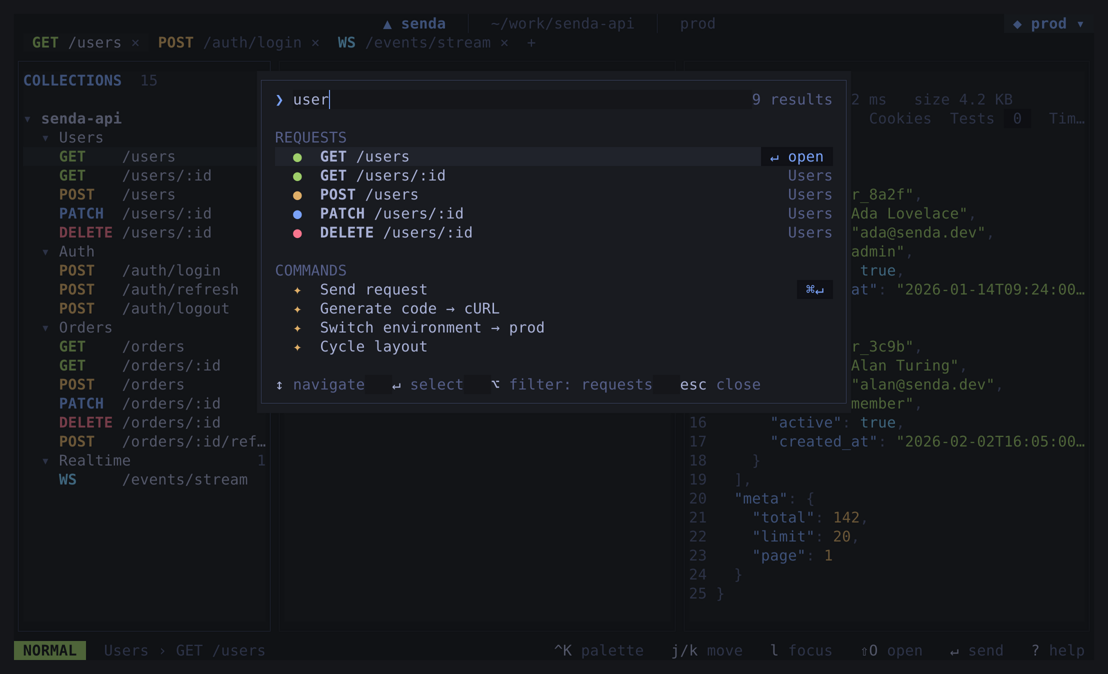
- **Command palette** (`Ctrl+K` / `Ctrl+P`): fuzzy-search requests, switch environments, trigger actions
- **Theming**: 13 built-in themes (Catppuccin, Nord, VS Code, monochrome, pastel) with independent light/dark picks and a follow-the-OS system mode — see [`docs/theming.md`](docs/theming.md)
- **Keyboard shortcuts**: `Ctrl+T` new tab, `Ctrl+N` new request, `Ctrl+W` close tab, `Ctrl+S` save, `Ctrl+Enter` send, `Ctrl+Tab` / `Page Up` / `Page Down` cycle tabs
- **History**: every sent request logged to `.senda/history.jsonl`; browsable in the history panel
- **File watch**: auto-refreshes when a YAML file is edited externally (`git pull`, `$EDITOR`)
- **Source control**: a read-only panel showing working-tree-vs-`HEAD` changes for the collection — status-badged file list with a semantic per-field diff (URL / method / header changed) for request YAML, raw text diff for everything else; shells the system `git`
- **Drag-and-drop**: reorder requests and folders in the tree
- **Cookie jar**: persistent session cookies across sends and runs
- **Proxy & mTLS**: per-collection upstream proxy and client certificate (cert/key/CA, optional verify-skip); proxy URL and cert paths support `{{var}}` so machine-specific values stay out of git
- **One binary, three modes**: `senda` is pure Go (no webview) — bare `senda` opens the terminal UI, `senda run` is the headless CI runner, `senda gui` launches the desktop app. All share the same send pipeline.
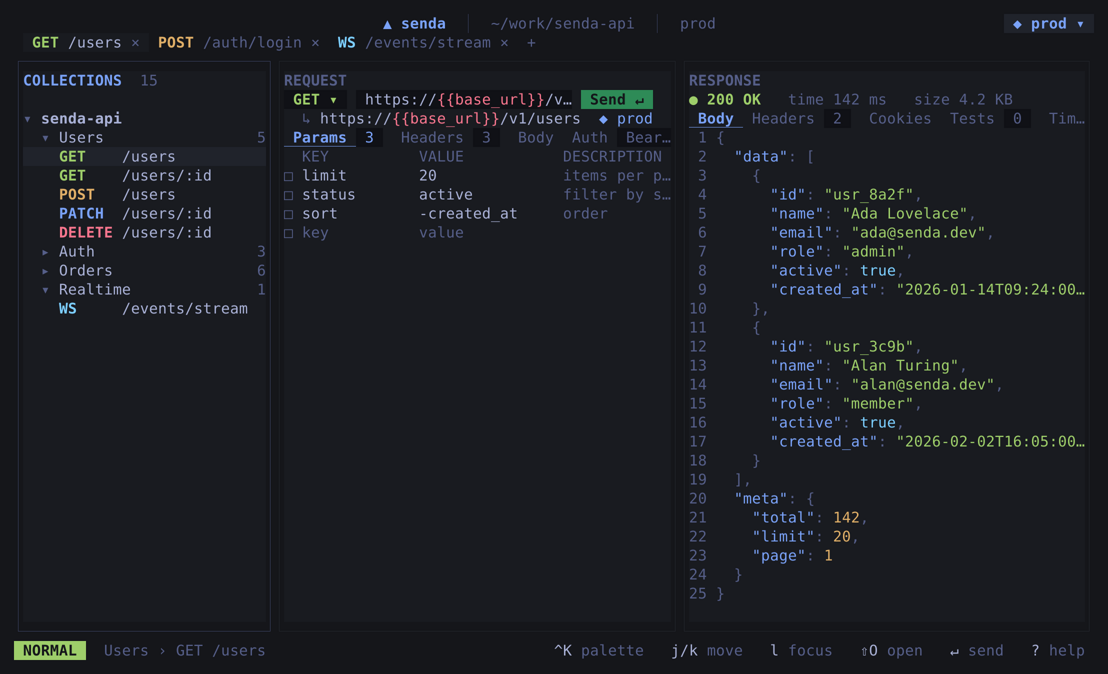
- **Terminal UI**: `senda` (or `senda tui`) — interactive 3-pane TUI (tree | request | response) for working entirely in the terminal
- **CLI runner**: `senda run` — same send pipeline as the desktop app, scriptable in CI
---
## Data format
Collections are plain directories. A minimal layout:
```
my-api/
├── .senda/ # all non-request files live here, keeping the root clean
│ ├── senda.meta.yaml # collection metadata (name, base auth, base vars)
│ ├── senda.secret.yaml # gitignored collection secrets overlay
│ ├── environments/
│ │ ├── dev.yaml # environment variables
│ │ ├── prod.yaml
│ │ └── prod.secret.yaml # gitignored secrets overlay
│ ├── mocks/ # mock server definitions
│ ├── security/ # extra/synced scan templates
│ └── history.jsonl # sent request log (auto-generated)
└── users/
├── senda.meta.yaml # per-folder vars/auth stay inline next to requests
├── list-users.yaml
└── create-user.yaml
```
Collections created by older versions (with `senda.meta.yaml`, `environments/`,
`mocks/` and `.security/` at the root) are migrated into `.senda/` automatically
the first time they are opened.
A single request file looks like this:
```yaml
name: Create user
method: POST
url: "{{baseUrl}}/users"
headers:
- { key: Content-Type, value: application/json, enabled: true }
- { key: Authorization, value: "Bearer {{token}}", enabled: true }
body:
type: json
raw: |
{ "name": "Ada Lovelace", "email": "ada@example.com" }
asserts:
- { target: status, op: eq, value: "201" }
- { target: body, op: contains, value: "ada@example.com" }
preScript: |
req.setHeader("X-Request-ID", senda.getVar("requestId") || crypto.randomUUID());
postScript: |
senda.setVar("userId", res.json.id);
```
---
## Install
Prebuilt binaries for Linux, macOS, and Windows are attached to every
[release](https://github.com/this-senda/senda/releases). Each archive bundles the
everyday `senda` binary (pure Go — terminal UI plus `senda run`/`mock`/`docs` and
the `senda gui` launcher) and the `senda-desktop` GUI app. Pick whichever install
path you prefer.
### Shell installer (Linux / macOS)
```sh
curl -fsSL https://raw.githubusercontent.com/this-senda/senda/main/scripts/install.sh | sh
```
Installs into `~/.local/bin` (or `/usr/local/bin` when writable). Override with
`SENDA_INSTALL_DIR=/path`, pin a version with `SENDA_VERSION=0.1.0`, or skip the
GUI on headless hosts with `SENDA_NO_DESKTOP=1`. The script verifies the release
SHA-256 checksum before installing.
> **Linux:** the `senda-desktop` window needs a WebKitGTK runtime — `libwebkitgtk-6.0-4`
> (Debian/Ubuntu), `webkitgtk-6.0` (Arch), or `webkitgtk6.0` (Fedora). The
> installer prints the exact command if it's missing.
### PowerShell installer (Windows)
```powershell
irm https://raw.githubusercontent.com/this-senda/senda/main/scripts/install.ps1 | iex
```
### Homebrew (macOS / Linux)
```sh
brew install this-senda/tap/senda
```
### winget (Windows)
```powershell
winget install this-senda.Senda
```
Prefer Chocolatey? `choco install senda` works too.
> Maintainer notes for cutting releases and publishing the Homebrew/Chocolatey
> manifests live in [`packaging/README.md`](packaging/README.md).
### Unsigned builds
Senda's binaries aren't code-signed yet, so the OS shows a one-time warning on
first launch. The download is intact (verify the checksum if you like) — this is
just the missing signature, not a problem with the app.
- **macOS** — the [`.dmg`](https://github.com/this-senda/senda/releases) is the
recommended GUI download (drag `Senda.app` to Applications). On first launch
Gatekeeper blocks the unsigned app — on Apple Silicon it usually shows
*"Senda is damaged and can't be opened"* (older Macs may instead say
*"developer cannot be verified"*). **The "damaged" dialog can't be cleared by
right-clicking → Open** — you must remove the quarantine flag once:
```sh
xattr -dr com.apple.quarantine /Applications/Senda.app
```
(The "developer cannot be verified" variant also clears with right-click →
**Open**.) The download is fine — this is only the missing Apple signature.
The shell installer instead drops the CLI-style `senda` / `senda-desktop`
binaries and clears their quarantine flag for you. Homebrew also installs those
binaries but re-applies quarantine by default — install with
`brew install --no-quarantine this-senda/tap/senda` to skip it.
Downloading a `.tar.gz` straight from the releases page (instead of via the
installer) quarantines **both** binaries, and the same block hits the terminal
`senda` CLI/TUI — not just the GUI. Clear them after extracting:
```sh
xattr -dr com.apple.quarantine ./senda ./senda-desktop
```
- **Windows** — SmartScreen may show *"Windows protected your PC"*. Click
**More info → Run anyway**.
---
## Getting started
> Building from source — for contributors and anyone on an unsupported platform.
### Prerequisites
| Tool | Version | Purpose |
|------|---------|---------|
| Go | 1.25+ | Build the backend (`go.mod` targets 1.25.7) |
| Bun | 1.x | Frontend install, build, test |
| Wails CLI v3 | alpha2.104+ | Dev server + build |
| webkitgtk | 6.0 (4.1 legacy) | Native webview (Linux only) |
Install Wails:
```bash
go install github.com/wailsapp/wails/v3/cmd/wails3@latest
```
On **Linux**, install the webview dependency (the default build targets GTK4 /
webkitgtk-6.0):
```bash
sudo pacman -S webkitgtk-6.0 # Arch (legacy: webkit2gtk-4.1)
sudo apt install libwebkitgtk-6.0-dev # Ubuntu/Debian (legacy: libwebkit2gtk-4.1-dev)
```
On **macOS** and **Windows**, WebKit / WebView2 is bundled — no extra step needed.
### Run in development (hot reload)
```bash
# Clone and enter
git clone https://github.com/this-senda/senda.git
cd senda
# Install frontend dependencies
cd frontend && bun install && cd ..
# Start the app with hot reload (Vite HMR + Go auto-restart)
wails3 dev
```
`wails3 dev` always runs the default GTK4 / webkitgtk-6.0 stack on Linux. To fall
back to the legacy GTK3 / webkit2gtk-4.1 webview, build with the `gtk3` tag (see
below).
### Build a release binary
```bash
# Single command (rebuilds frontend, embeds assets, compiles Go) → bin/senda-desktop
wails3 build
# Or run the OS-namespaced task directly (swap linux for darwin / windows):
wails3 task linux:build # stripped release (~24 MB) → bin/senda-desktop
wails3 task linux:build:debug # unstripped, keeps symbols/DWARF (~32 MB)
./bin/senda-desktop
```
> **Build tags:** the Taskfile applies the mandatory `production` tag for you. If
> you call `go build` directly you must pass `-tags production` (`go build -tags
> production -o bin/senda-desktop .`) or the binary exits with an error at
> startup. The default (no extra tag) selects GTK4 / webkitgtk-6.0 on Linux; to
> use the legacy GTK3 webview, add `gtk3`: `wails3 task linux:build PROD_TAGS="production gtk3"`.
### Run tests
```bash
# Go backend tests
go test ./...
# Frontend unit tests (Vitest) — runs without the Wails toolchain; the
# generated bindings are stubbed under test (see frontend/vite.config.ts)
cd frontend && bun run test
# Visual screenshot regeneration (Playwright drives a mocked backend)
task shots:desktop # or, from frontend/: bun run shots
```
---
## Tech stack
| Layer | Technology | Reason |
|-------|-----------|--------|
| Desktop shell | [Wails v3](https://wails.io) (Go) | Small binary, native webview, Go for HTTP/file ops |
| Frontend | [SolidJS](https://solidjs.com) + TypeScript | Fine-grained reactivity, tiny bundle, minimal re-renders |
| Editor | [CodeMirror 6](https://codemirror.net) | Virtualized viewport — handles 20+ MB without freeze |
| Storage | Plain YAML (`gopkg.in/yaml.v3`) | Git-diffable, human-readable, no custom DSL |
| Frontend tooling | [Bun](https://bun.sh) (never npm/node) | Fast install, unified build/test/run |
| Scripting engine | [Goja](https://github.com/dop251/goja) | Pure-Go JS VM — no Node dependency, sandboxed |
| Visual testing | [Playwright](https://playwright.dev) | Screenshot-based UI verification |
---
## Project structure
```
senda/
├── frontend/src/
│ ├── App.tsx # 3-pane shell, keyboard shortcuts, file-watch events
│ ├── components/ # UI components (Sidebar, RequestEditor, ResponseViewer, …)
│ └── lib/ # store, api bindings, actions, format helpers
│
├── internal/
│ ├── model/ # Core structs (Request, Response, KV, Body, …)
│ ├── httpclient/ # HTTP send, streaming, timeout, size tracking
│ ├── pipeline/ # Unified send pipeline (pre-script → vars → send → asserts → schema → post-script)
│ ├── store/ # YAML serialization, filesystem tree walk, file watch
│ ├── vars/ # {{var}} interpolation resolver + precedence
│ ├── script/ # Goja JS sandbox (pre/post scripts)
│ ├── assert/ # Assertion evaluator
│ ├── schemaval/ # JSON Schema response validation
│ ├── auth/ # Auth scheme helpers (Bearer, Basic, API key, OAuth 2)
│ ├── runner/ # Sequential folder runner (+ data-driven runs)
│ ├── load/ # Concurrent load test engine
│ ├── codegen/ # Code generation (curl, fetch, httpie, python, go)
│ ├── importer/ # Import from curl / Postman / OpenAPI / HAR
│ ├── docgen/ # Markdown / HTML API docs from a collection
│ ├── mockserver/ # Local mock server (rules, resources, scenarios)
│ ├── security/ # Nuclei-compatible security scanner
│ ├── wsclient/ · sseclient/ # WebSocket + Server-Sent Events clients
│ ├── history/ # JSONL-based request history
│ ├── scm/ # Read-only git diff (working tree vs HEAD), semantic per-field for request YAML
│ ├── aigen/ # Optional LLM-assisted assertion suggestions
│ ├── tui/ # Terminal UI (Bubble Tea; same pipeline, no webview)
│ ├── termimg/ # Pure-Go TUI screenshot/GIF renderer (docs)
│ └── buildinfo/ # Version string injected at build time
│
├── cmd/senda/ # Unified pure-Go binary: TUI default + run/mock/docs + gui launcher (no webview)
├── app.go # Wails-bound API surface (IPC)
├── app_features.go # Import, codegen, runner, load, mock, history, WS/SSE
├── app_security.go # Security-scan bindings
├── app_watch.go # File watcher integration
├── docs/ # architecture, roadmap, design decisions (ADRs)
└── examples-collection/ # Sample collection (JSONPlaceholder, GitHub API, …)
```
---
## Example collection
The `examples-collection/public-api/` directory contains a ready-to-open collection with:
- **Postman Echo** — verify request/response capture (headers, auth, form data)
- **JSONPlaceholder** — realistic CRUD workflow (list, create, update, delete)
- **GitHub API** — real-world authenticated requests
Open it via **File → Open Collection** and set the `token` environment variable to your GitHub PAT to run the GitHub folder.
---
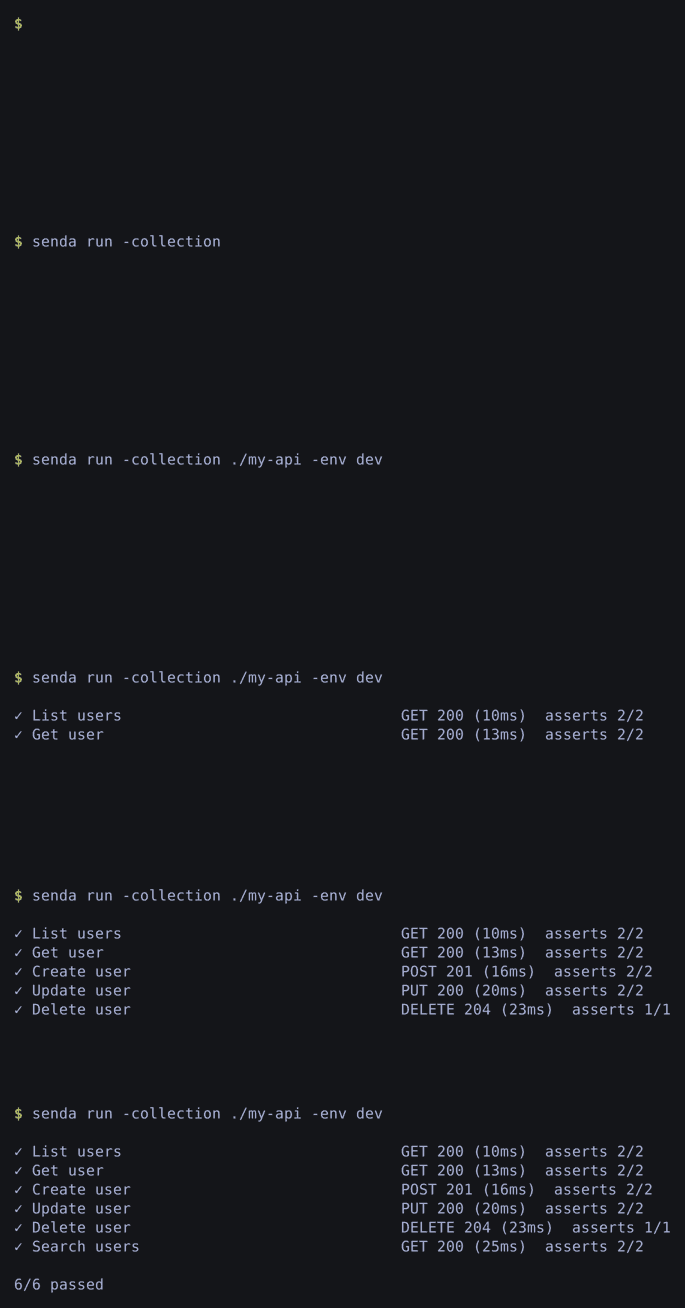
## Headless runner (`senda run`)
`senda run` drives the same send pipeline as the desktop app — scripts, variables,
secrets, assertions, and the cookie jar all behave identically — so it slots
straight into CI. It exits `0` when every request passes and `1` on any failure.
```bash
task build:senda # builds bin/senda
# Run a collection (or one folder) against an environment
bin/senda run -collection ./my-api -env dev
bin/senda run -collection ./my-api -folder auth -env dev -q # -q = summary only
# Data-driven run: repeat every request once per row of a CSV/JSON file
bin/senda run -collection ./my-api -data users.csv
# Run a flow (branch/loop/chained requests) by name or path
bin/senda run -collection ./my-api -flow signup
# Machine-readable run report for CI (json or junit XML; -o file or stdout)
bin/senda run -collection ./my-api --report junit -o report.xml
bin/senda run -collection ./my-api --report json
# Generate API documentation (Markdown or self-contained HTML)
bin/senda docs -collection ./my-api -o docs/api.md
bin/senda docs -collection ./my-api --docs-format html -o docs/api.html
# Run the mock server headlessly (see docs/mock-server.md)
bin/senda mock -collection ./my-api -addr :8787 -scenario error
bin/senda mock init oauth -collection ./my-api # scaffold a preset
```
> **Regenerate the CLI screenshot + GIF:** `task shots:cli` runs the real
> pipeline against a local in-process server and renders the actual output (a
> still PNG and the animated GIF) into `docs/screenshots/cli/` in pure Go — no
> network, no capture tools. `SENDA_CLI_GIF=0` skips the GIF.
---
## Terminal UI (`senda`)
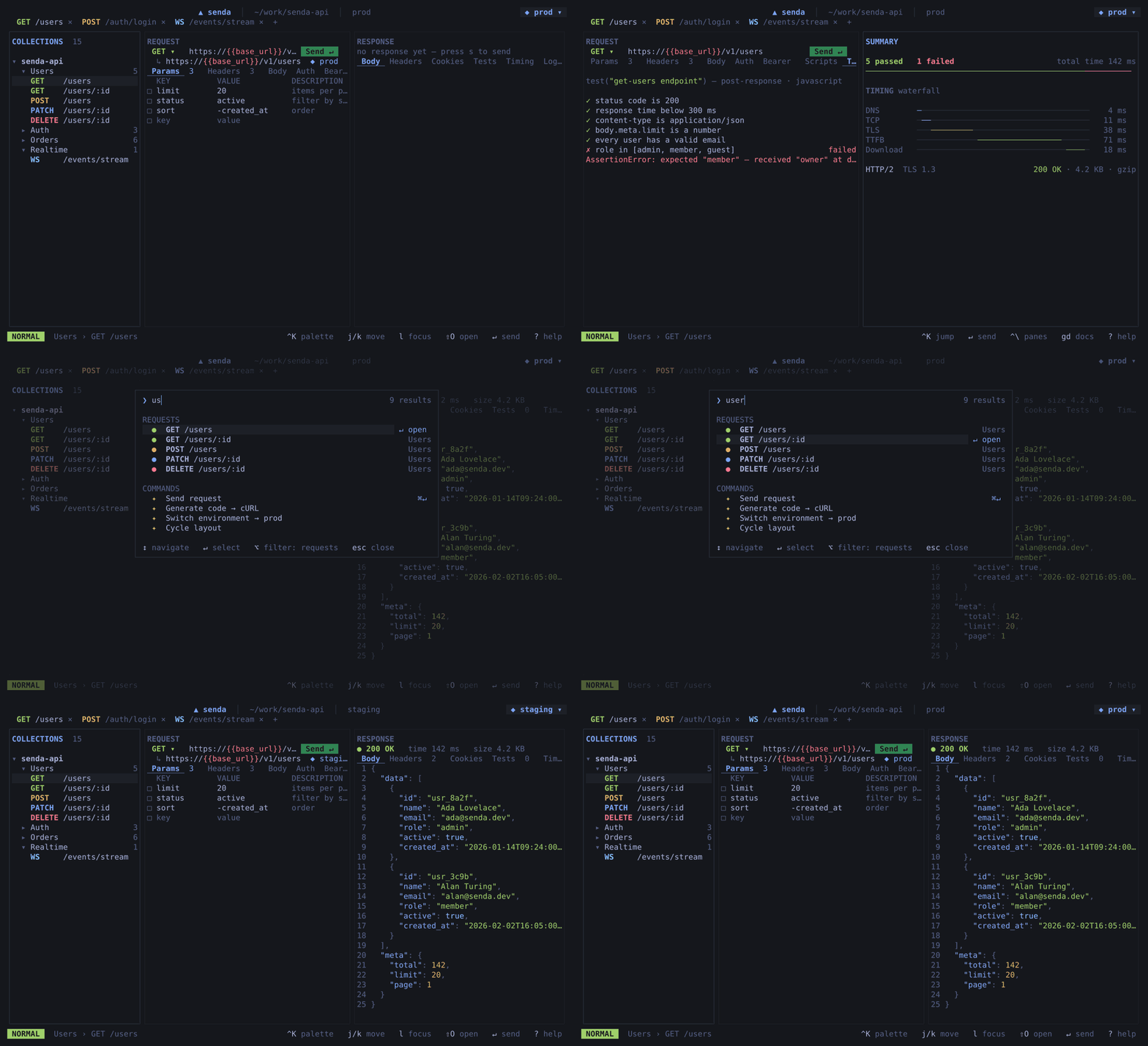
A keyboard-driven TUI built on [Bubble Tea](https://github.com/charmbracelet/bubbletea) that drives the exact same send pipeline as the desktop app — no webview, pure Go. It's what bare `senda` opens (when attached to a terminal). Useful over SSH, in tmux, or when you'd rather not leave the terminal.
```bash
task build:senda # builds bin/senda
bin/senda # open the current directory
bin/senda -collection ./my-api # open a collection (shorthand for `senda tui`)
bin/senda tui -collection ./my-api -env dev
# or build + run in one step
task tui -- -collection ./my-api -env dev
```
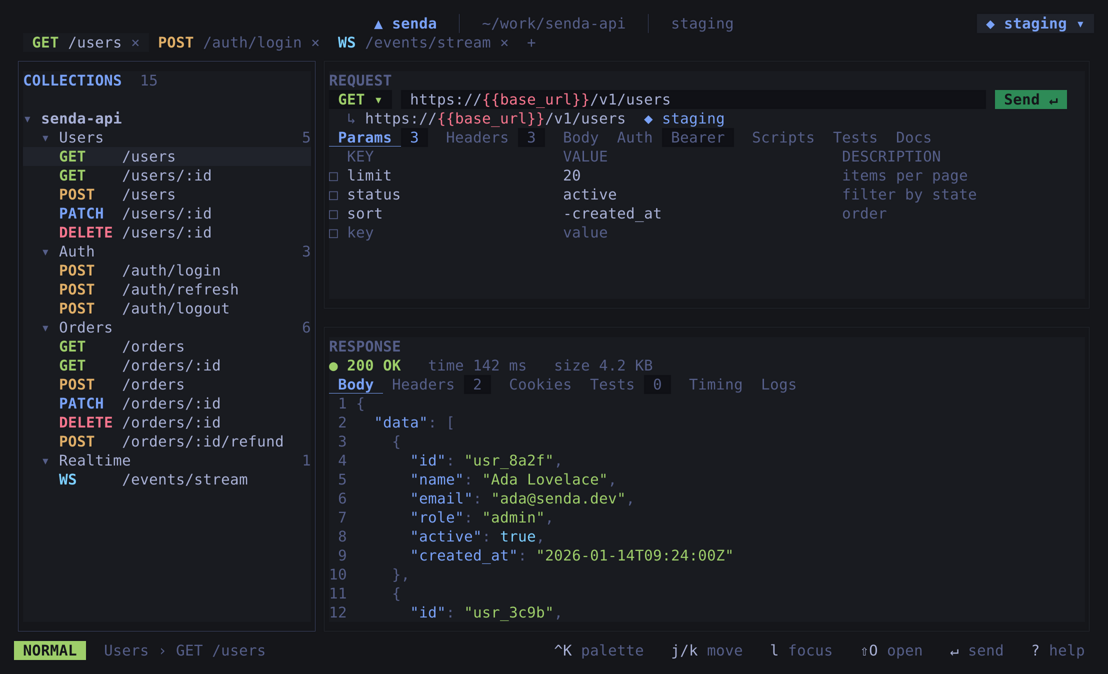
Three panes: collection tree | request detail | response body.
| Key | Action |
|-----|--------|
| `j` / `k` or `↑` / `↓` | Move in the tree |
| `enter` / `l` / `→` | Expand folder · load request |
| `h` / `←` | Collapse folder |
| `s` | Send the selected request |
| `e` | Edit the request file in `$EDITOR` |
| `[` / `]` | Cycle environments |
| `tab` | Switch focus (tree ↔ response, for scrolling) |
| `q` / `Ctrl+C` | Quit |
Click to expand the terminal screenshot gallery
### Three-pane shell — tree · request · response
### Tests + timing waterfall
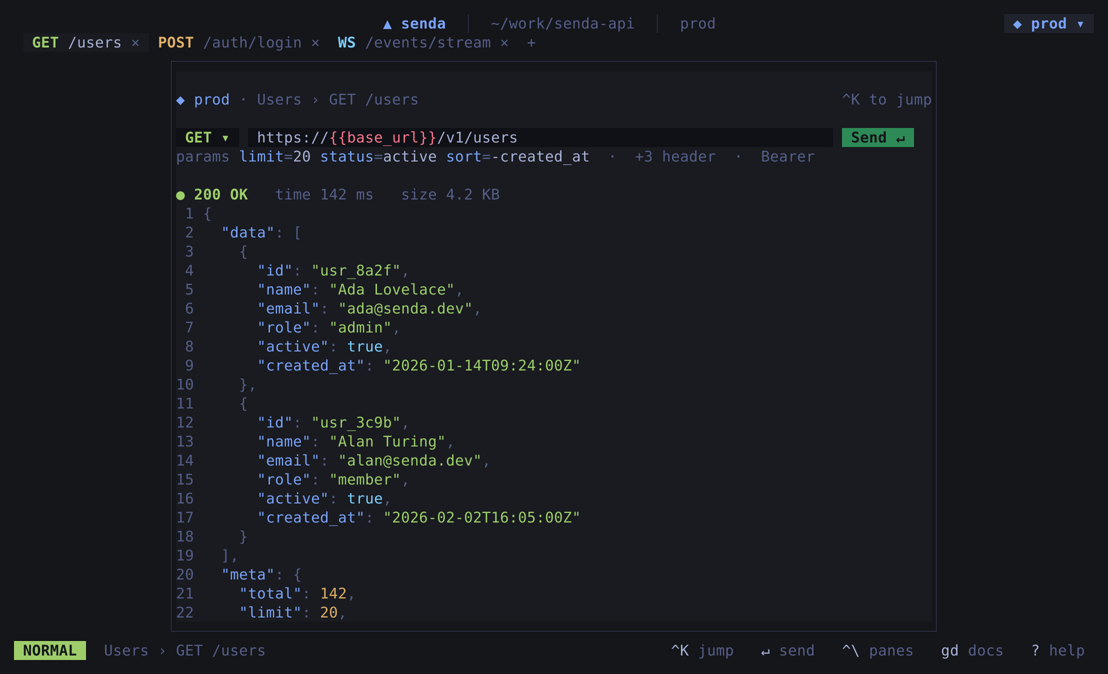
### Command palette (Ctrl+K)
### Environments manager
### Code export
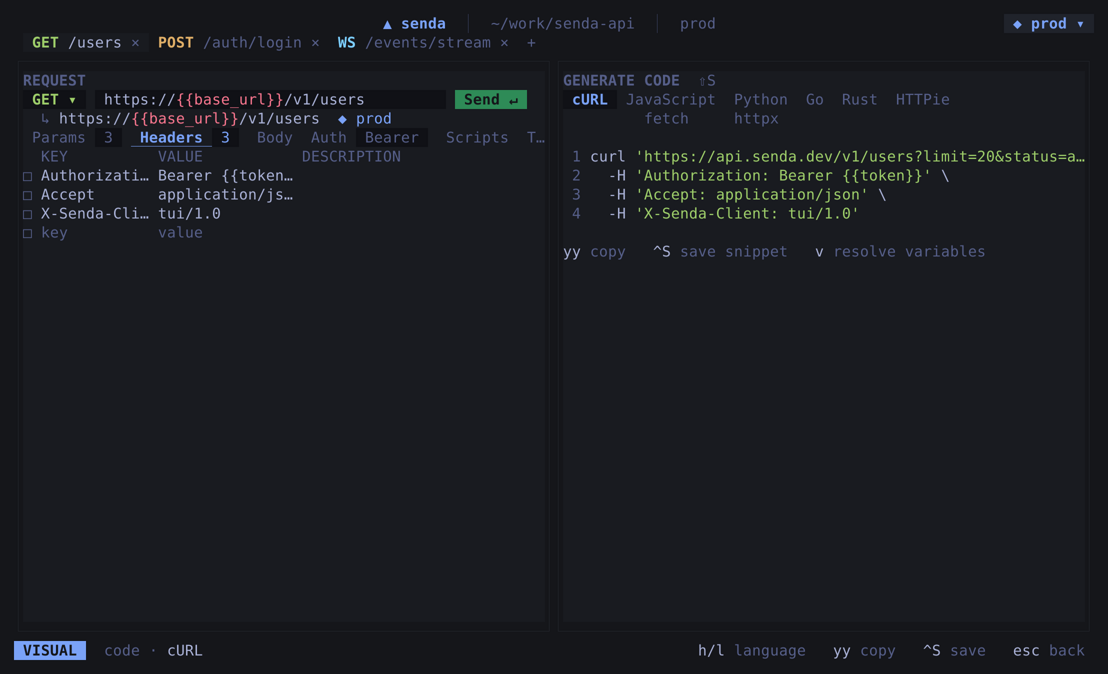
### WebSocket — live connection log
### Layouts — stacked and focus
> **Regenerate terminal screenshots:** `task shots:tui` (from the repo root) renders every TUI image and the GIF headlessly in pure Go — no PTY or ffmpeg. See [`docs/screenshots/tui/README.md`](docs/screenshots/tui/README.md) for the full process.
---
## Keyboard shortcuts
| Shortcut | Action |
|----------|--------|
| `Ctrl+T` | New tab |
| `Ctrl+N` | New request |
| `Ctrl+W` | Close active tab |
| `Ctrl+S` | Save request |
| `Ctrl+Enter` | Send request |
| `Ctrl+Tab` | Next tab |
| `Page Up` / `Page Down` | Cycle tabs |
| `Ctrl+K` / `Ctrl+P` | Open command palette |
---
## Roadmap
Senda v0.1 is feature-complete for everyday API work — see [Features](#features)
for what's in the box, and the [CHANGELOG](CHANGELOG.md) for the full release detail.
Where it's headed next — intent, not a promise. The full roadmap lives in
[`docs/roadmap.md`](docs/roadmap.md).
- **gRPC** — first-class gRPC requests alongside HTTP and GraphQL
---
## How this was built
Senda is largely **vibe-coded** — most of the code, tests, and docs were
written with heavy AI assistance (Claude), with me steering the direction and
deciding what shipped. It's young, lightly used, and maintained by one person,
so treat it as experimental. The source is plain Go and YAML, so when in doubt,
read the diff. Catch something off?
[Open an issue](https://github.com/this-senda/senda/issues).
---
## Contributing
Contributions are welcome. Please open an issue before starting larger changes.
See **[CONTRIBUTING.md](.github/CONTRIBUTING.md)** for setup, test commands, conventions, and PR guidelines.
Architecture references:
- [`docs/architecture.md`](docs/architecture.md) — system design, IPC contract, data model
- [`docs/decisions/`](docs/decisions/) — Architecture Decision Records (ADRs)
---
## License
MIT — see [LICENSE](LICENSE).