
Flea
The fastest GUI file manager on Linux.
Keyboard-first. Built for Omarchy.

Install ·
Views ·
Performance ·
Keyboard ·
Releases
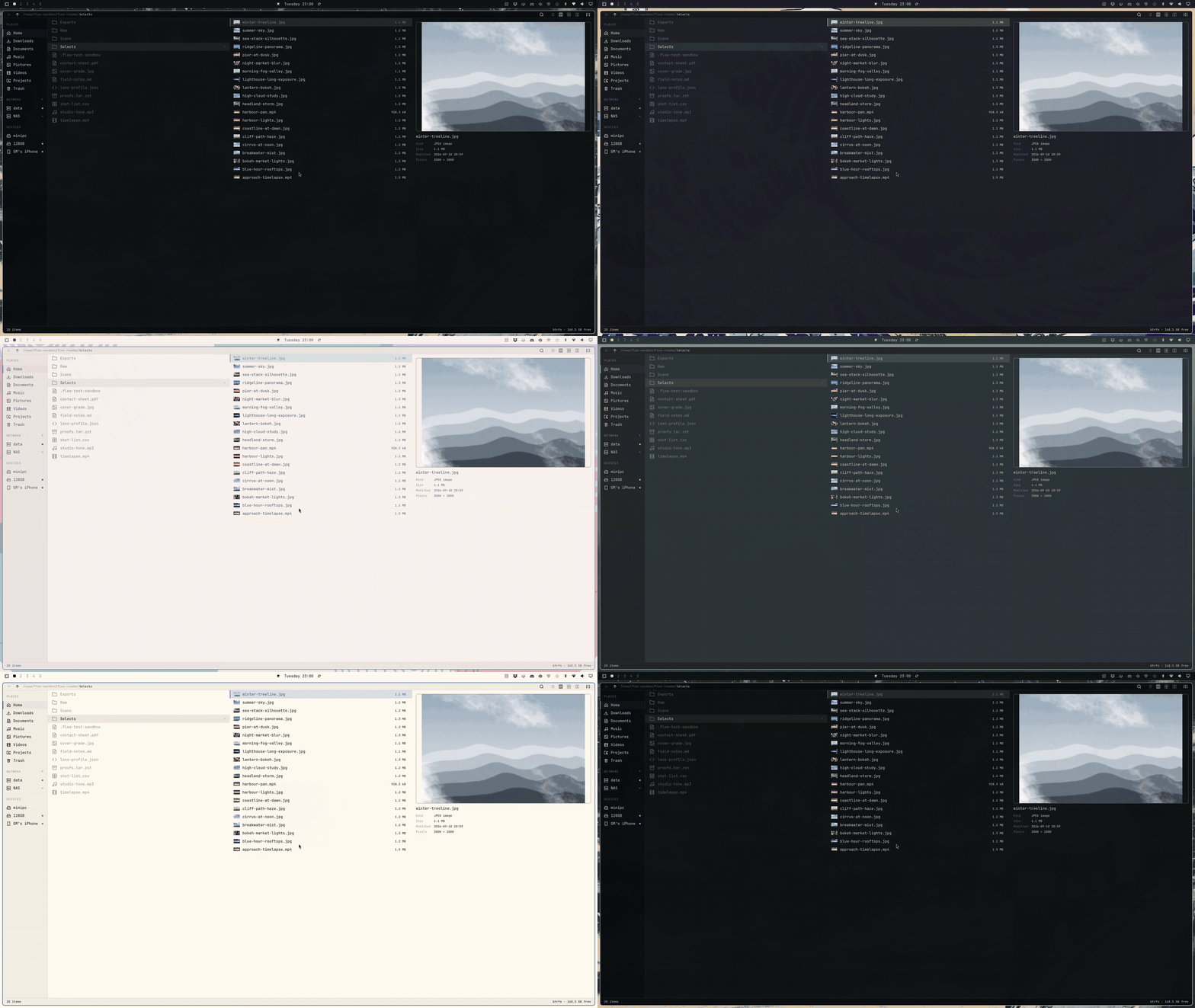
Flea combines a Rust backend with a Quickshell interface that follows your Omarchy theme.
Large directories stay responsive: the window loads rows and requests thumbnails as you need them.
- **Three views.** List, columns and grid, with tabs and natural filename sorting.
- **Quick Look.** Press Space for images, PDFs, text, media and archive contents.
- **File operations.** Copy, move, rename, trash, compress and extract, with an undo journal.
- **Network and sharing.** SMB, SFTP, FTPS, WebDAV, NFS, Dropbox and Taildrop.
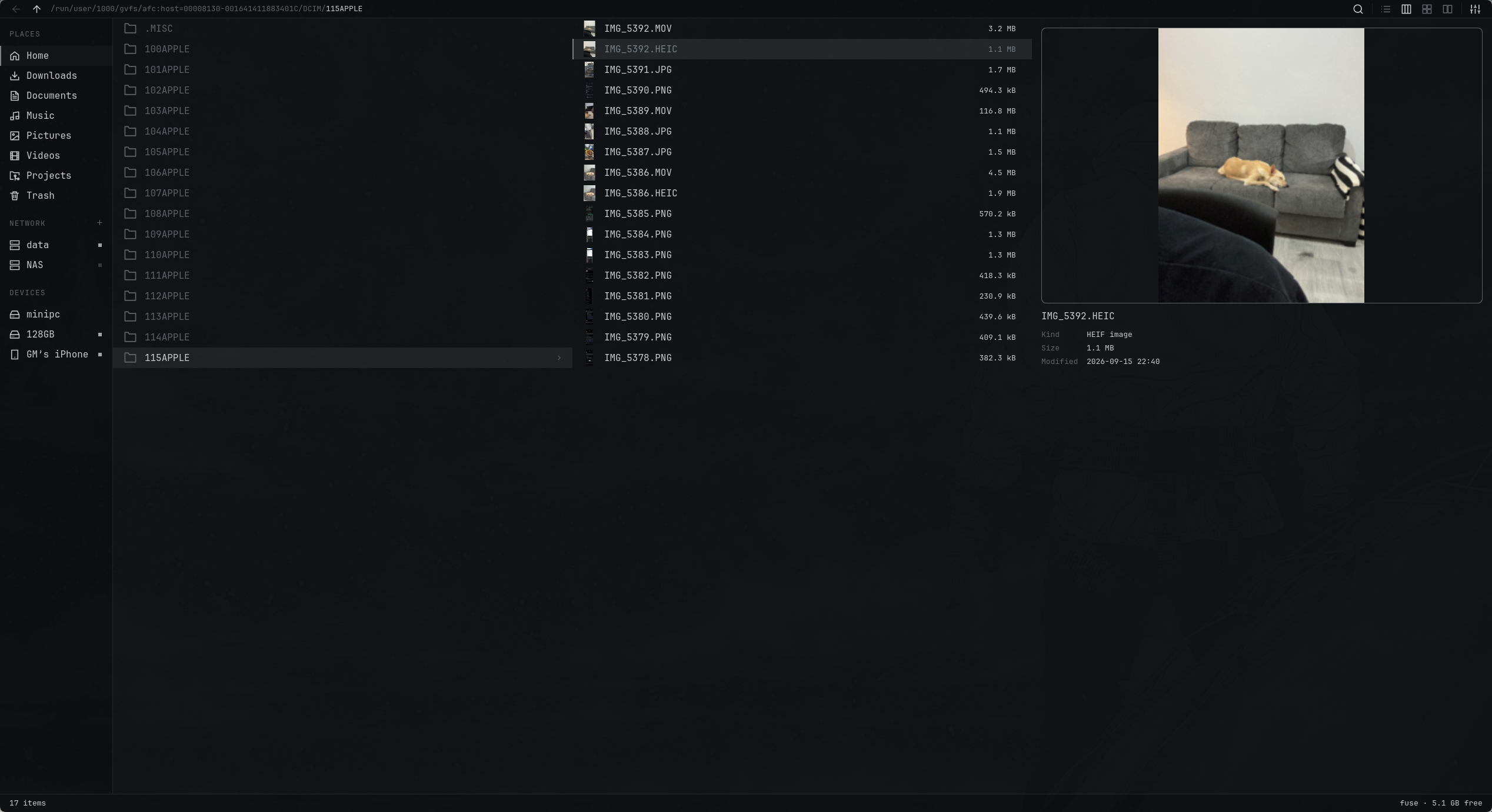
- **Devices.** USB drives, phones and cameras over MTP, PTP and AFC, mounted from the rail.
- **Desktop integration.** Default file manager, “Show in folder” and Open/Save dialogs.
- **Your settings.** Omarchy text sizes, configurable menus and Default, Vim, Mac or Windows keys.
An iPhone lists once it has been unlocked and trusted on this machine: AFC needs the pairing record
that leaves behind, not an unlocked screen every time. Pairing also puts the phone on its tethering
USB configuration, so iOS shows Personal Hotspot as active while it is plugged in, and Flea never
uses it. If this machine should never route through the phone, tell NetworkManager so with a
`conf.d` drop-in carrying `unmanaged-devices=driver:ipheth`; that is your call, not the package's.
## Install
Install Flea and make it your default file manager, file chooser and the app opened by
**Super+Shift+F**:
```bash
omarchy pkg aur add flea-bin && flea --default
```
`flea-bin` is the tagged release, prebuilt for x86_64 and aarch64, and it reaches you minutes after it
ships. To let Omarchy's own repository review, build and sign it instead, a day or more behind:
```bash
omarchy pkg add flea && flea --default
```
Install one of the two, never both.
Run it at a terminal inside your session: `flea --default` restarts xdg-desktop-portal itself there,
so file dialogs follow at once. To only try Flea, run the install alone and leave your defaults as
they are; `flea --default off` hands everything back later, and Settings, About can switch it either
way.
Update through Omarchy:
```bash
omarchy update
```
Already on `flea` from Omarchy's repository? Switch to `flea-bin` with the interactive command and
answer `y` when pacman asks to remove `flea`:
```bash
yay -S flea-bin
```
`omarchy pkg aur add flea-bin` cannot make that swap: it passes `--noconfirm`, which takes each prompt's
default, and pacman's "Remove flea?" defaults to No.
File chooser only, development package and removal
Use Flea for portal Open/Save dialogs without changing your default file manager:
```bash
flea --picker
```
For the development build, which follows `main` and compiles on your machine, answer `y` if pacman
asks to remove an installed Flea:
```bash
yay -S flea-git
```
It updates with `yay -Sua --devel`.
Before removing Flea, undo its desktop integration, then drop whichever package you installed:
```bash
flea --default off
omarchy pkg drop flea
```
If you previously pinned another directory handler, restore that handler explicitly.
[Installation details](docs/install.md) cover dependencies, desktop integration and removal.
## Views
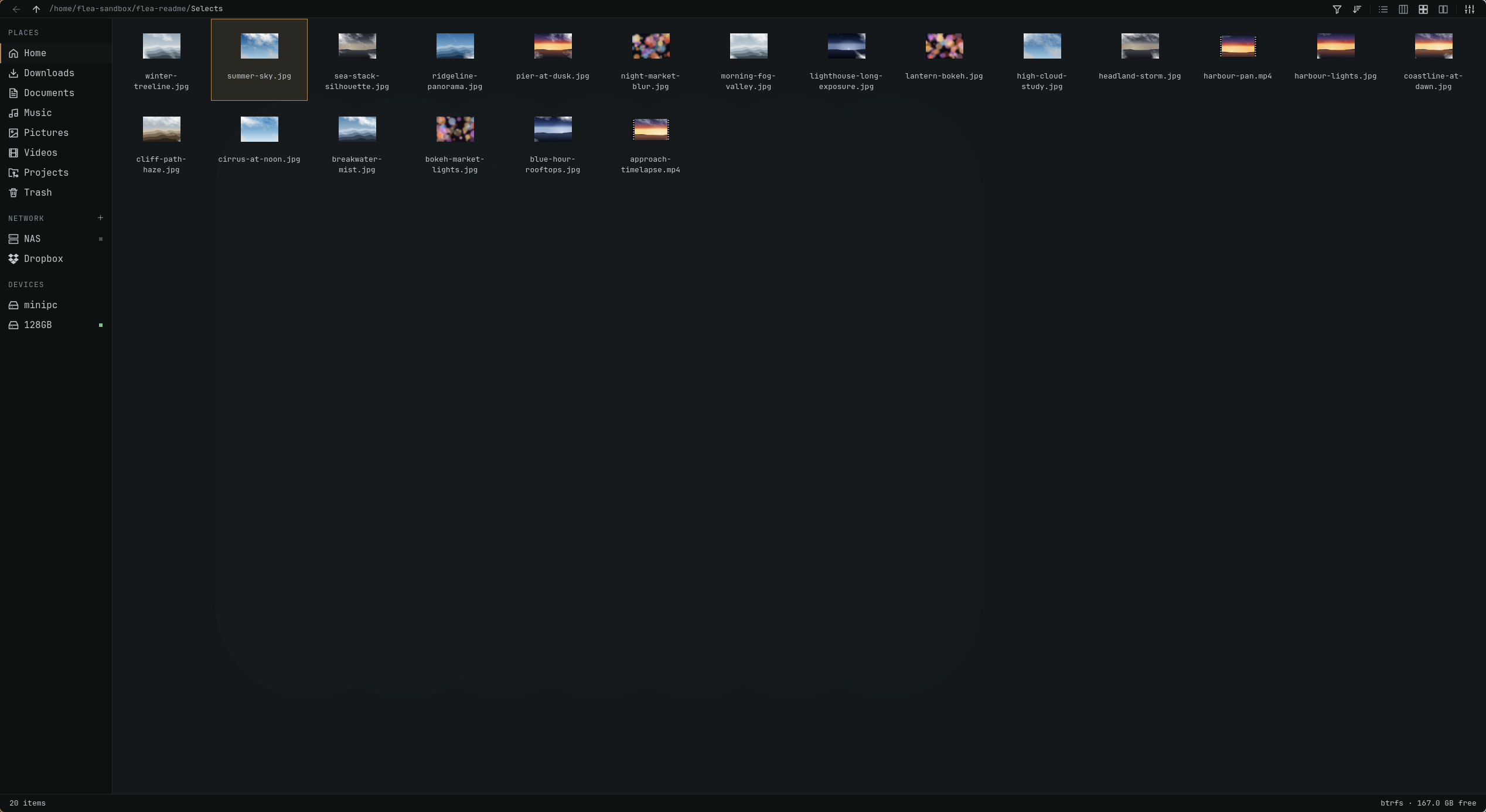
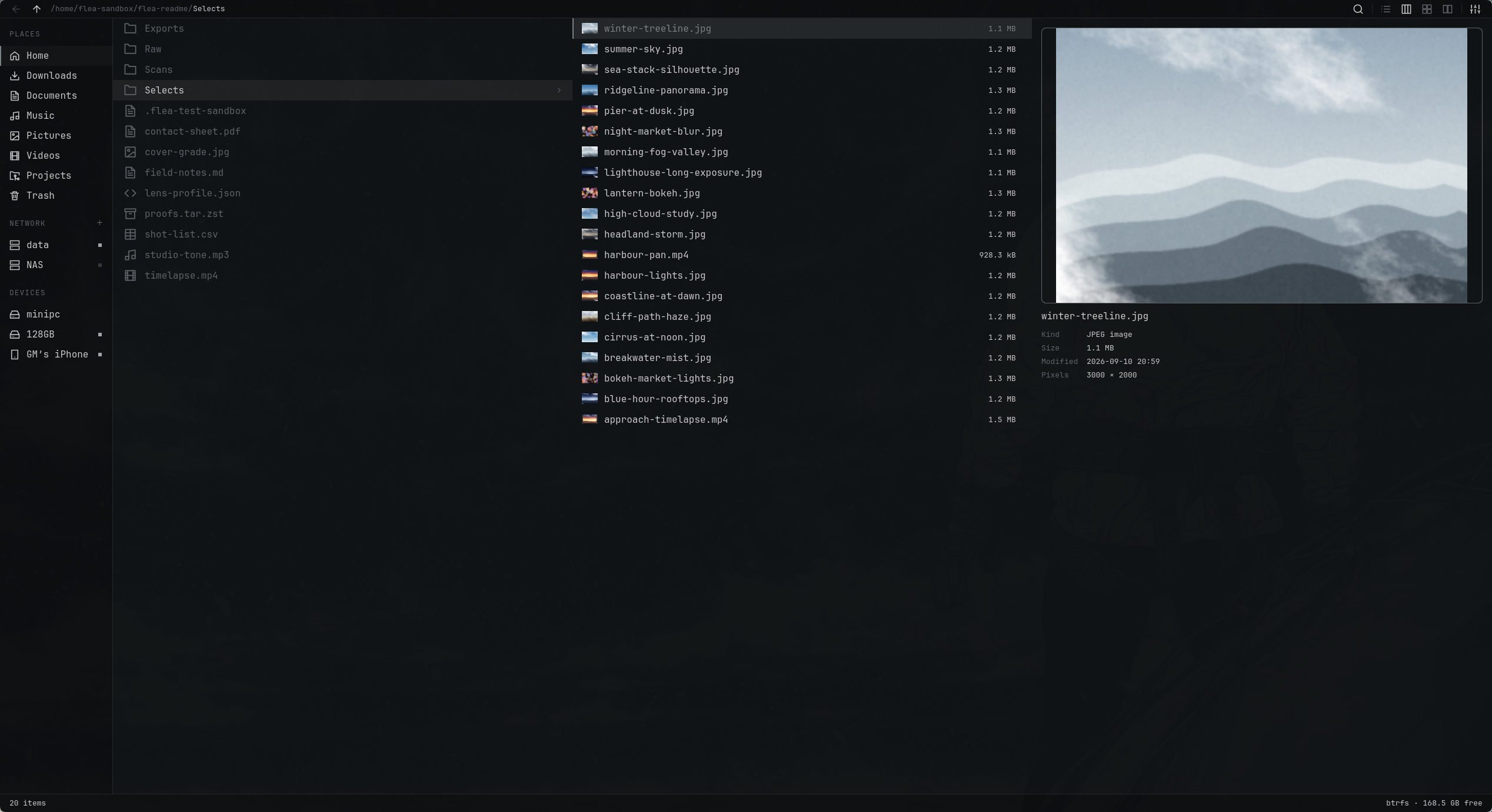
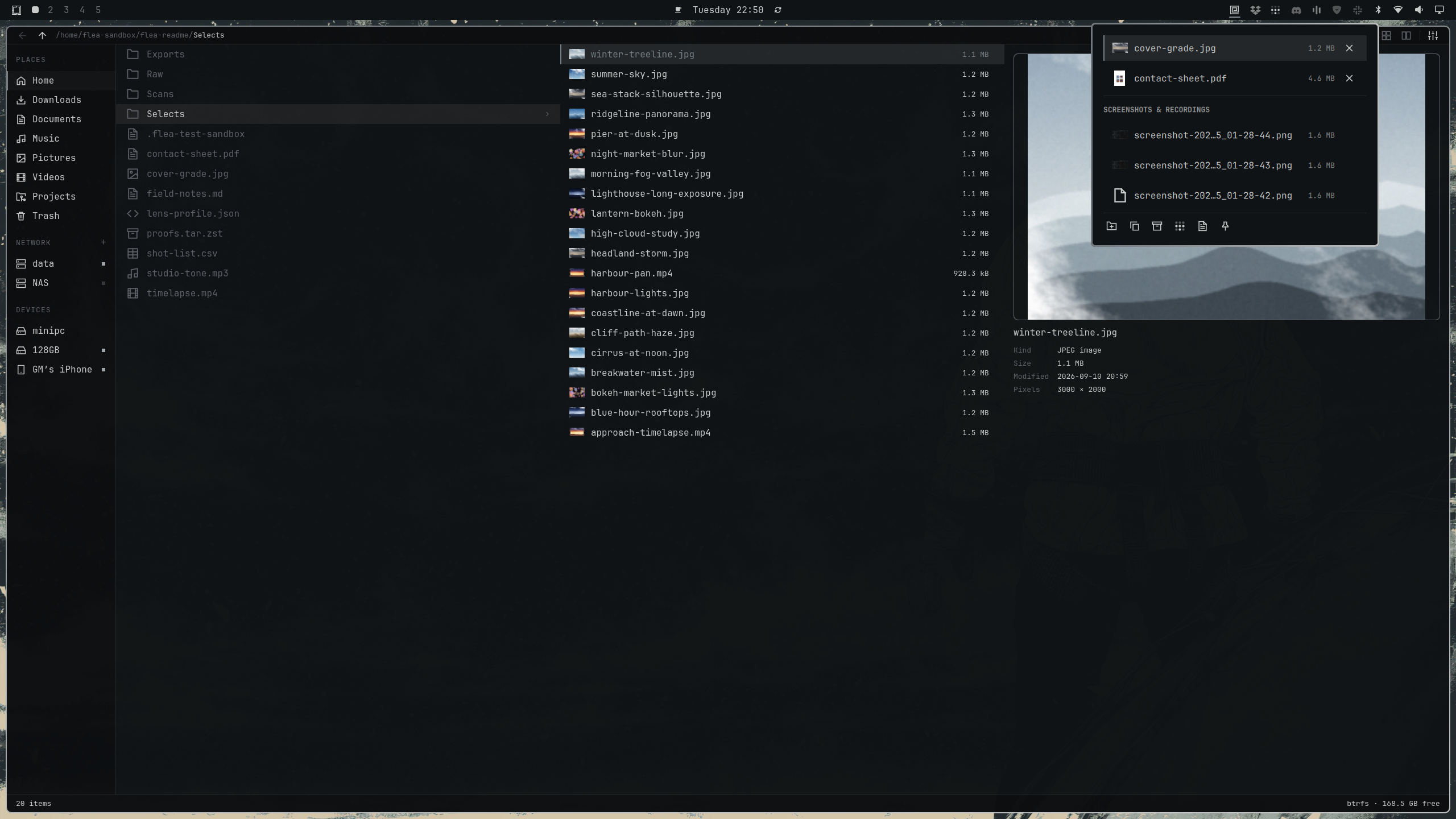
**List** for file details. **Grid** for photos and clips. **Columns** for browsing folders with a preview beside them.
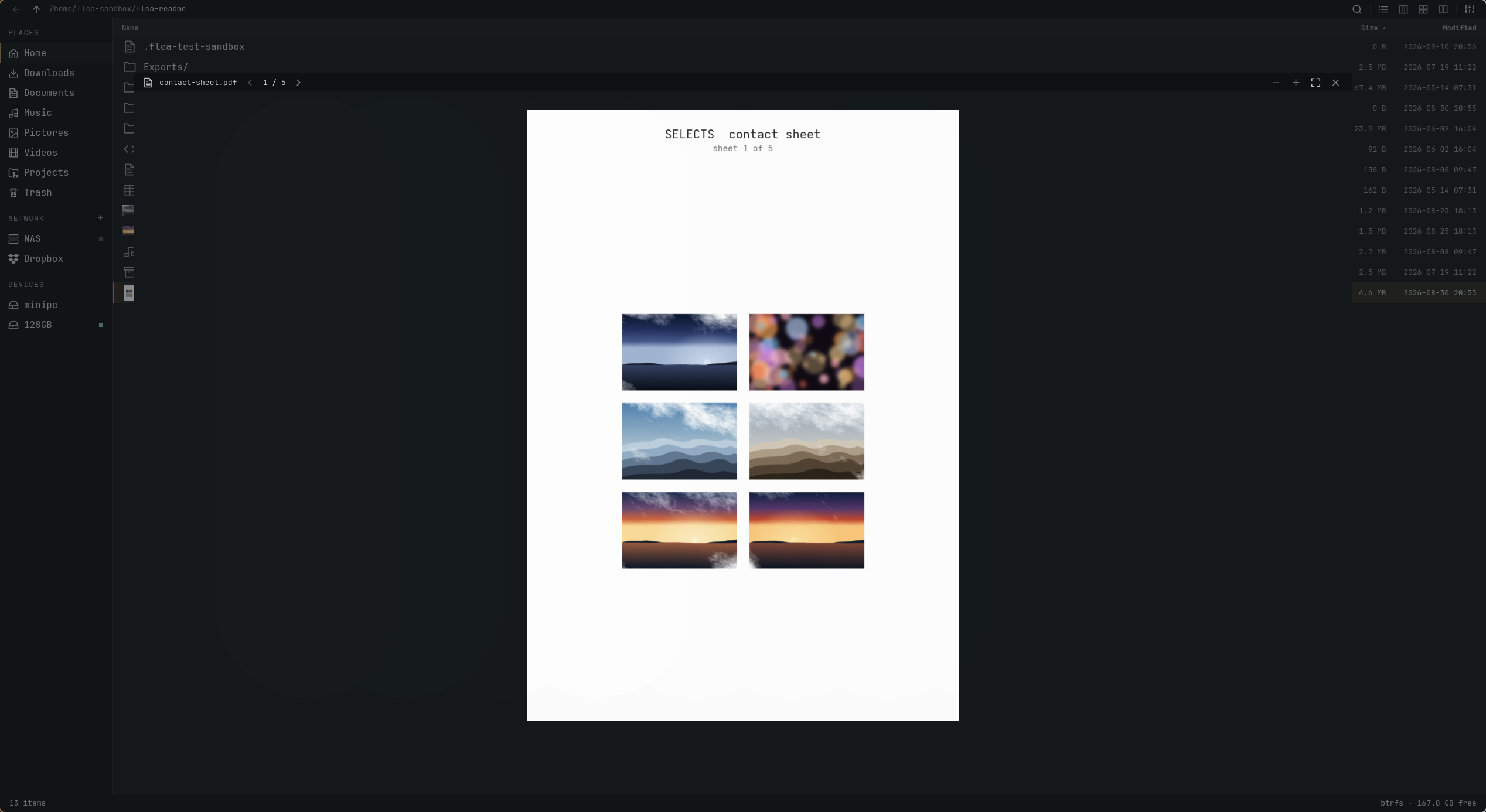
**Space** opens Quick Look from any view. Page through a PDF, play media or inspect an archive.
**The shelf** lives in the Omarchy bar: send files there from any menu, drag them out into any app, pin the ones you keep coming back to. **Phones** are Devices rows over MTP, AFC and PTP.
**Dragging out** works into any app that takes a drop, on this monitor or another, as long as the target is on screen before you lift the file; a terminal gets the path. Switching workspace mid-drag ends it, because Hyprland releases every mouse button on a workspace change, so bring the target workspace up first. See "A drag does not survive a workspace switch" in `AGENTS.md`.
## Performance
Measured on **23 September 2026**, using the **0.3.3** source tree.
Cold caches, three runs per app, medians below. Seven GUI apps on the same Omarchy machine.
Flea's memory does not grow with the directory: first at 100,000 entries, mid-field at 2,000.
At 100,000 files Flea's window used 71.9 MiB against Strata's 107.8 MiB, the next lightest; on
2,000 media files it used 83.0 MiB, fifth of seven.
### 100,000 files
Flea led every column of this run. Its first window now arrives with the listing already drawn;
0.3.2's arrived empty, at 277 ms.
| File manager | First window | Settled | Window PSS | CPU |
|---|---:|---:|---:|---:|
| **Flea** | 409 ms | 0.92 s | 71.9 MiB | 0.65 s |
| Strata | 588 ms | 3.26 s | 107.8 MiB | 3.13 s |
| Dolphin | 735 ms | 5.39 s | 203.0 MiB | 9.26 s |
| Thunar | 583 ms | 23.10 s | 347.4 MiB | 22.92 s |
| Nemo | 824 ms | 23.30 s | 459.8 MiB | 26.80 s |
| PCManFM | 480 ms | 36.54 s | 109.9 MiB | 25.40 s |
| Nautilus | 866 ms | 84.03 s | 333.8 MiB | 19.03 s |
### 2,000 mixed files
The apps produced different amounts of thumbnail work, so settled time and CPU are
**not ranked** across the whole table. Flea and Strata made the same work, 43 and 42
thumbnails, and Flea settled in 1.80 s against 2.88 s on less CPU.
| File manager | First window | Settled | Window PSS | CPU | Thumbnails |
|---|---:|---:|---:|---:|---:|
| **Flea** | 410 ms | 1.80 s | 83.0 MiB | 6.02 s | 43 |
| Dolphin | 761 ms | 13.83 s | 93.1 MiB | 67.87 s | 500 |
| Nautilus | 923 ms | 20.36 s | 180.8 MiB | 125.08 s | 641 |
| Nemo | 864 ms | 3.60 s | 54.2 MiB | 9.10 s | 60 |
| PCManFM | 438 ms | Timed out | 39.6 MiB | 157.27 s | 687 |
| Strata | 553 ms | 2.88 s | 74.3 MiB | 7.08 s | 42 |
| Thunar | 568 ms | 13.23 s | 38.8 MiB | 21.03 s | 221 |
### 1,700 matched files
The same set less HEIC and MKV, the two formats some of these apps decline, so none of them
finishes sooner by skipping a format. Work still differs by app, so the same rule holds. Nemo left
nothing in the thumbnail cache on this set, so its work was not measured and its time is not a
result. Flea and Strata again made the same work, and Flea settled in 1.81 s against 2.88 s.
| File manager | First window | Settled | Window PSS | CPU | Thumbnails |
|---|---:|---:|---:|---:|---:|
| **Flea** | 410 ms | 1.81 s | 83.4 MiB | 6.40 s | 43 |
| Dolphin | 679 ms | 13.49 s | 93.1 MiB | 66.40 s | 500 |
| Nautilus | 871 ms | 19.07 s | 179.7 MiB | 117.55 s | 641 |
| Nemo | 817 ms | 1.98 s | 46.0 MiB | 1.60 s | not measured |
| PCManFM | 442 ms | 115.06 s | 41.6 MiB | 181.72 s | 700 |
| Strata | 557 ms | 2.88 s | 74.1 MiB | 7.14 s | 42 |
| Thunar | 538 ms | 12.90 s | 37.9 MiB | 20.79 s | 221 |
"First window" records compositor registration. "Settled" means 500 ms without process-tree
CPU activity; neither measures input readiness.
PSS covers the window process, excluding helpers and GPU memory. Flea's separate backend used a
median **6.7 MiB** on the large listing and **3.3 MiB** on media. CPU is everything the app
started, counted from a control group of its own, so sandboxed thumbnailers are in it; a figure
from before 0.3.2 counted only reaped children and is not comparable. Shared libraries affect PSS.
PCManFM did not settle in any media run. Results describe this machine and workload.
[Method](docs/benchmarks.md) · [Scale CSV](docs/bench/scale-0.3.3-20260923.csv) ·
[Scale manifest](docs/bench/scale-0.3.3-20260923.manifest.md) ·
[Media CSV](docs/bench/media-0.3.3-20260923.csv) ·
[Media manifest](docs/bench/media-0.3.3-20260923.manifest.md) ·
[Matched CSV](docs/bench/matched-0.3.3-20260923.csv) ·
[Matched manifest](docs/bench/matched-0.3.3-20260923.manifest.md) ·
[0.1.6 run and TUI results](docs/bench/results-0.1.6.md)
## Keyboard
Press **?** for the full keymap, or **,** to change settings.
| Action | Keys |
|---|---|
| Move / parent / enter | `j` `k` / `h` / `l` |
| Open with the default app | `Enter` |
| Quick Look | `Space` |
| Select / extend selection | `v` / `Shift` + arrows |
| Copy / cut / paste | `y` `x` `p`, or `Ctrl+C` `Ctrl+X` `Ctrl+V` |
| Rename / trash / undo | `r` or `F2` / `dd` or `Delete` / `z` |
| New folder | `Ctrl+Shift+N` |
| Search / filter the list | `f` / `/` |
| Enter a path | `:` or `Ctrl+L` |
| List / columns / grid | `Ctrl+1` / `Ctrl+2` / `Ctrl+3` |
| New tab / close tab / switch tab | `t` / `w` / `1`–`9` |
| Open terminal / context menu | `Ctrl+T` / `m` |
| Show hidden files | `.` |
The Windows preset uses `Ctrl+Shift+1/2/3` for views. Menu visibility does not disable shortcuts.
See [the full key table](keys.toml) for preset bindings and pointer actions.
## Build
Requires Omarchy, Quickshell 0.3.1 or newer, and Rust. See
[installation details](docs/install.md) for runtime and optional dependencies.
```bash
cargo build --release
FLEA_UI="$PWD/ui" ./target/release/flea --gui
```
Pass a directory to open it, or `--select ` to reveal a file. The terminal interface
is not implemented yet.
```bash
./tests/run-all.sh
```
The headless runner builds both profiles and reports suites that need a display, credentials
or a package. [The test suites](tests/) cover file operations, previews, persistence and input;
[the protocol guide](docs/protocol.md) documents the backend.
## Support
If this saved you an afternoon, you can
[sponsor me on GitHub](https://github.com/sponsors/thisisgm) or
[buy me a coffee](https://buymeacoffee.com/thisisgm).
## Licence
[MIT](LICENSE).