# dsh-official-port-nav
[](README.md)
[](README.zh.md)
A **DSH (DeepSeek Harness) plugin** that replicates DeepSeek Web's conversation quick-navigation feature.
A minimal minimap lives on the far right of the chat: a vertical strip of capsule bars when collapsed. Hover it and a message-index panel fades in around the bars without moving them; click any entry to jump instantly to that message with a flash highlight. While you scroll the conversation, the bar mapping and the blue "current" marker follow in real time — a pixel-faithful match to the official DeepSeek experience.
## Side-by-Side Comparison
### Collapsed (1)
| Official (DeepSeek) |
Plugin (this package) |
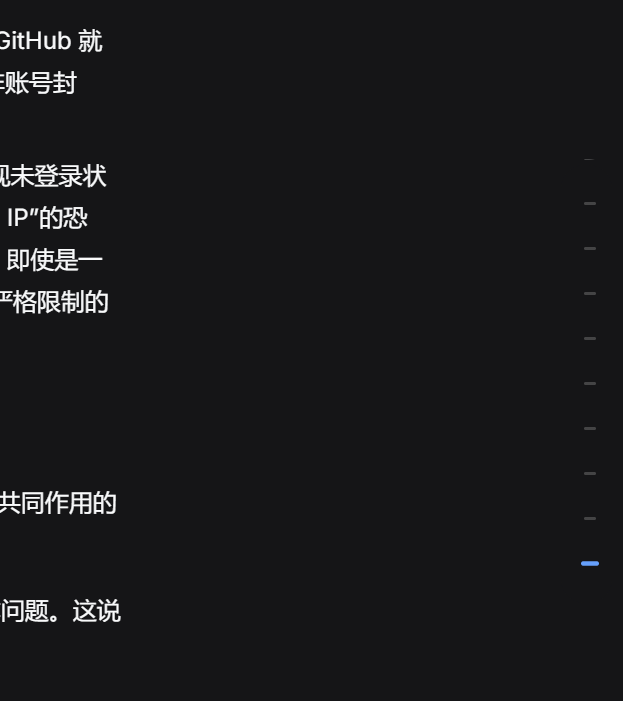 |
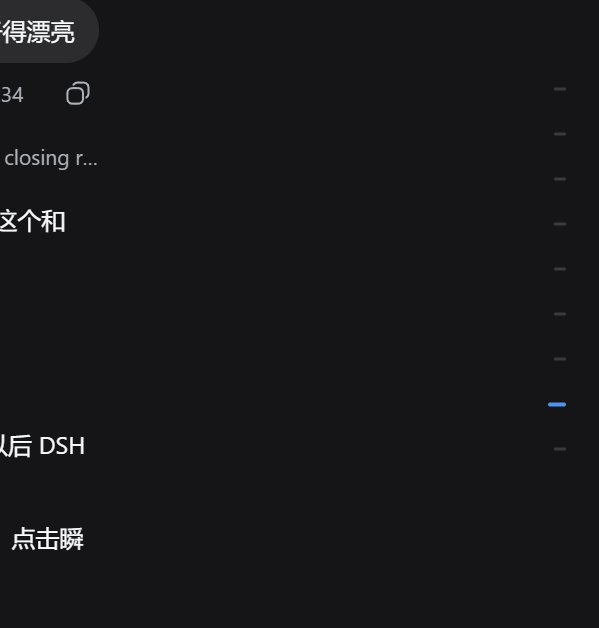 |
### Expanded (2)
| Official (DeepSeek) |
Plugin (this package) |
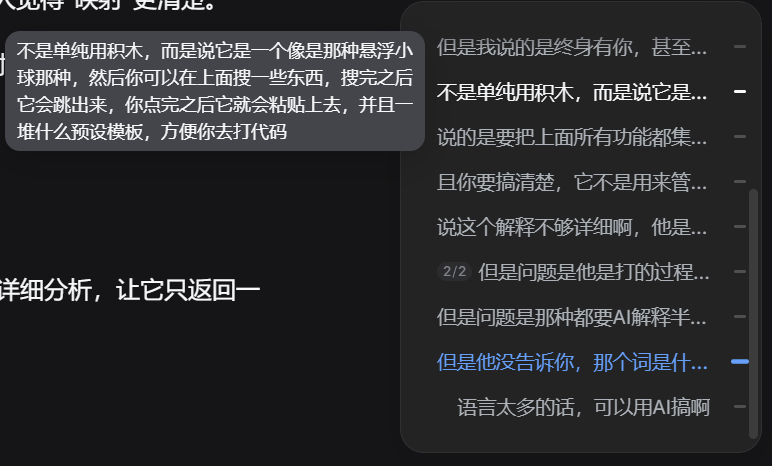 |
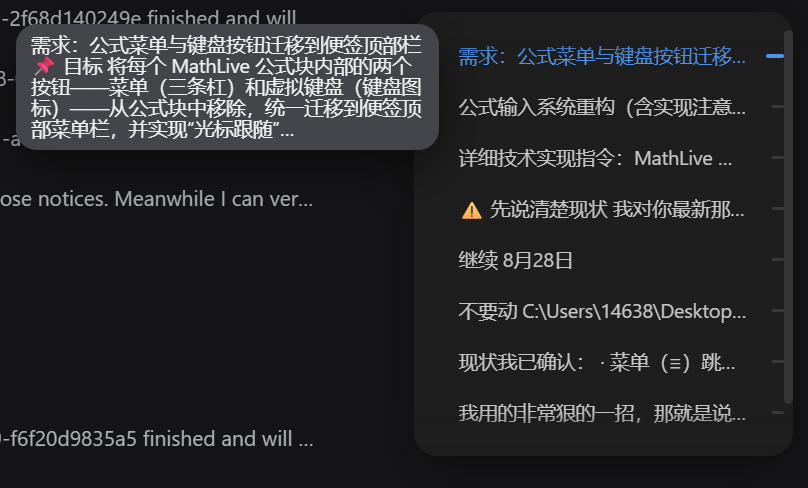 |
> Pairs are matched by the trailing number in the filename: `1` = collapsed, `2` = expanded.
## Features
- **Grows in place**: hovering the right-edge strip fades the panel in (border first, then text); the bars never move — the panel wraps around them. Moving out fades it away instantly.
- **Inverted mapping**: the collapsed state is a mapping of the expanded panel's viewport — as the panel wheel scrolls, the bars move with every row in real time.
- **Auto-location**: scrolling the chat updates the blue current marker automatically (no click needed); the panel viewport centers on the current message.
- **Click-to-jump**: clicking a bar or row instantly scrolls the chat so the target message lands at the top, then flashes it for 1.8s.
- **Detail preview**: hovering a row for 400ms pops a compact tooltip (max 5 lines, ellipsis beyond that).
- **Custom scrollbar**: a 6px thin wheel with no arrow buttons, slides to the very bottom; click the track to jump, drag the thumb to scrub.
- **Details**: indexes user messages only (max 10 bars); normal grey / hover slightly-brighter / current blue; 12px viewport inset with 30px edge fades; scroll position preserved on collapse.
## Installation
```bash
dsh plugin --profile web add dsh-official-port-nav
```
Then restart DSH so the bundle enters the boot graph.
### Local development
```bash
cd dsh-official-port-nav
dsh plugin --profile web add .
```
> `link:` installs read the client bundle live from disk — edits to `lib/client.js` take effect on a browser refresh. Changes to `package.json` or `cordis.patch.yml` require re-adding or restarting.
## File Structure
```
dsh-official-port-nav/
├── lib/
│ ├── client.js # browser half: __ModuleLoader__ bundle (built artifact)
│ └── index.js # host half: no-op placeholder
├── cordis.patch.yml # bundle patch mounting the plugin row
├── dsh-client.js # dynamic-plugin source (archive; not used at runtime)
├── docs/
│ ├── official1.png # official, collapsed
│ ├── official2.png # official, expanded
│ ├── plugin1.png # plugin, collapsed
│ └── plugin2.png # plugin, expanded
├── ConversationNavigator.tsx # v1 UI prototype by ChatGPT (archive)
├── ConversationNavigator.css # v1 UI styles (archive)
├── package.json
└── README.md / README.en.md
```
## Technical Notes
- Mounted on `shell.overlay` — the frame-wide floating layer; additive, never changes the chat layout.
- Data bridge reads the chat DOM (`data-chat-flow-kind` / `data-chat-flow-key`) read-only; zero intrusion into chat rendering.
- All timers go through `ctx.timer` (the client-half sandbox provides no native timers).
- Current-message detection: throttled scroll events (120ms) + IntersectionObserver + MutationObserver + fallback polling.
- Every style tag, listener, and timer is cleaned up with the plugin's Cordis fiber.