[](https://github.com/tiny-craft/tiny-rdm/blob/main/LICENSE)
[](https://github.com/tiny-craft/tiny-rdm/releases)

[](https://github.com/tiny-craft/tiny-rdm/stargazers)
[](https://github.com/tiny-craft/tiny-rdm/fork)
[](https://atomgit.com/tiny-craft/tiny-rdm)
[](https://discord.gg/VTFbBMGjWh)
[](https://twitter.com/Lykin53448)
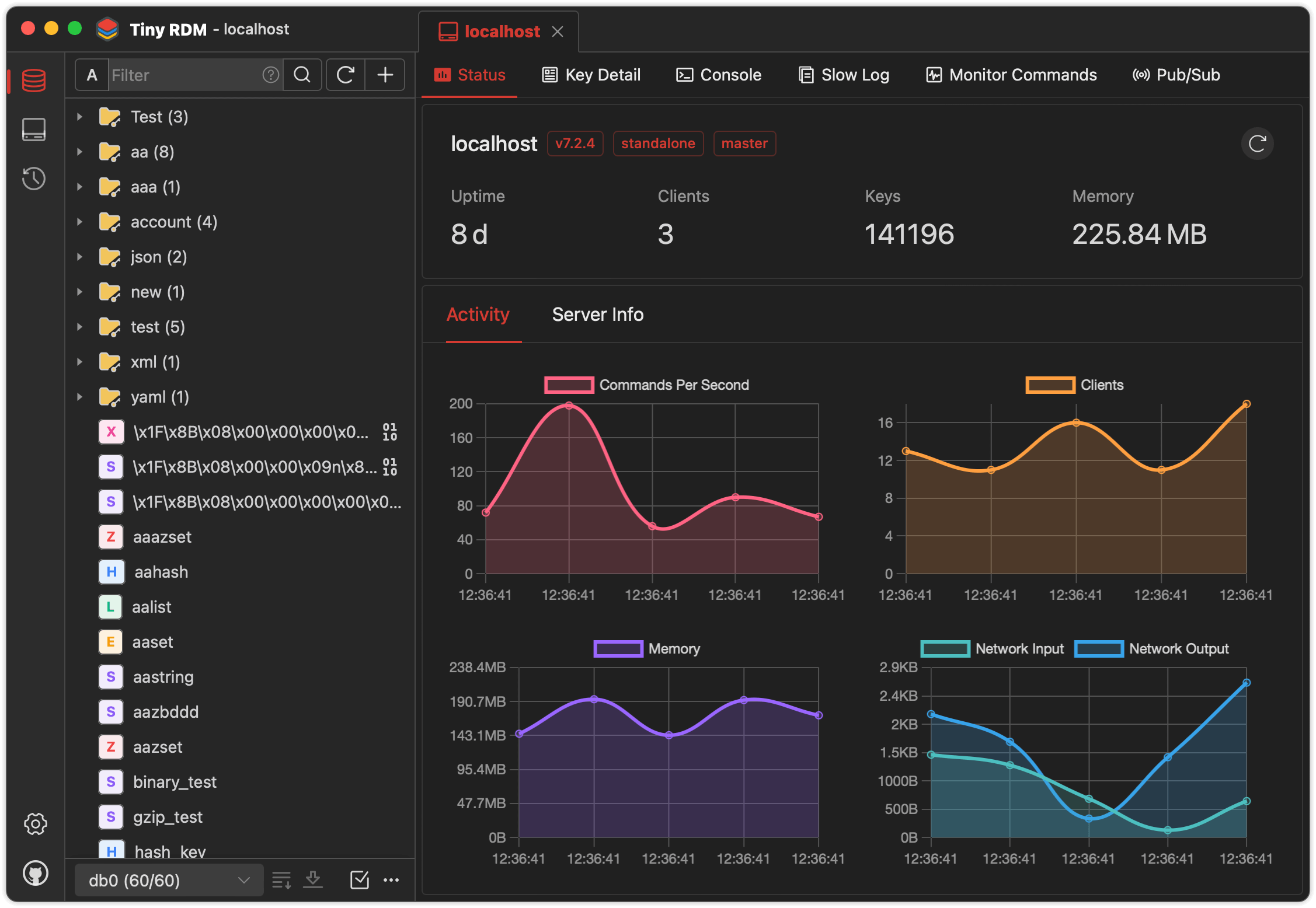
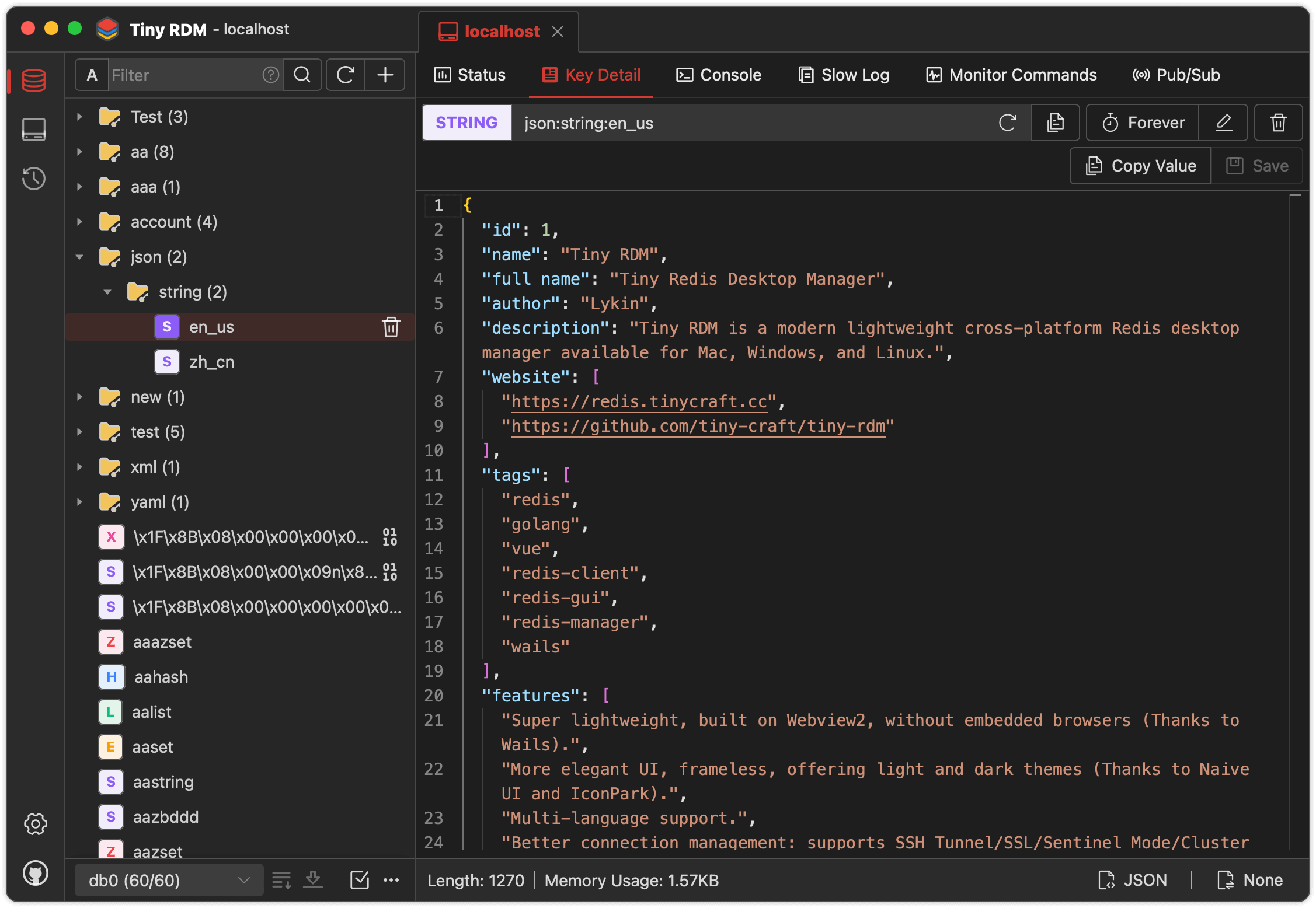
Tiny RDM is a modern lightweight cross-platform Redis desktop manager available for Mac, Windows, and Linux. It
also provides a web version that can be deployed via Docker.
## Feature
* Super lightweight, built on Webview2, without embedded browsers (Thanks
to [Wails](https://github.com/wailsapp/wails)).
* Provides visually and user-friendly UI, light and dark themes (Thanks
to [Naive UI](https://github.com/tusen-ai/naive-ui)
and [IconPark](https://iconpark.oceanengine.com)).
* Multi-language support ([Need more languages ? Click here to contribute](.github/CONTRIBUTING.md)).
* Better connection management: supports SSH Tunnel/SSL/Sentinel Mode/Cluster Mode/HTTP proxy/SOCKS5 proxy.
* Visualize key value operations, CRUD support for Lists, Hashes, Strings, Sets, Sorted Sets, and Streams.
* Support multiple data viewing format and decode/decompression methods.
* Use SCAN for segmented loading, making it easy to list millions of keys.
* Logs list for command operation history.
* Provides command-line mode.
* Provides slow logs list.
* Segmented loading and querying for List/Hash/Set/Sorted Set.
* Provide value decode/decompression for List/Hash/Set/Sorted Set.
* Integrate with Monaco Editor
* Support real-time commands monitoring.
* Support import/export data.
* Support publish/subscribe.
* Support import/export connection profile.
* Custom data encoder and decoder for value
display ([Here are the instructions](https://tinyrdm.com/guide/custom-decoder/)).
## Installation
Available to download for free from [here](https://github.com/tiny-craft/tiny-rdm/releases).
> If you can't open it after installation on macOS, exec the following command then reopen:
> ``` shell
> sudo xattr -d com.apple.quarantine /Applications/Tiny\ RDM.app
> ```
## Build Guidelines
### Prerequisites
* Go (latest version)
* Node.js >= 20
* NPM >= 9
### Install Wails
```bash
go install github.com/wailsapp/wails/v2/cmd/wails@latest
```
### Pull the Code
```bash
git clone https://github.com/tiny-craft/tiny-rdm --depth=1
```
### Build Frontend
```bash
npm install --prefix ./frontend
```
or
```bash
cd frontend
npm install
```
### Compile and Run
```bash
wails dev
```
## Docker Deployment
In addition to the desktop client, Tiny RDM also provides a web version that can be quickly deployed via Docker.
### Using Docker Compose (Recommended)
Create a `docker-compose.yml` file:
```yaml
services:
tinyrdm:
image: ghcr.io/tiny-craft/tiny-rdm:latest
container_name: tinyrdm
restart: unless-stopped
ports:
- "8086:8086"
environment:
- ADMIN_USERNAME=admin
- ADMIN_PASSWORD=tinyrdm
volumes:
- ./data:/app/tinyrdm
```
Start the service:
```bash
docker compose up -d
```
Once started, visit `http://localhost:8086` and log in with the credentials configured above.
### Using Docker Command
```bash
docker run -d --name tinyrdm \
-p 8086:8086 \
-e ADMIN_USERNAME=admin \
-e ADMIN_PASSWORD=tinyrdm \
-v ./data:/app/tinyrdm \
ghcr.io/tiny-craft/tiny-rdm:latest
```
### Environment Variables
| Variable | Description | Default |
|------------------|----------------|---------|
| `ADMIN_USERNAME` | Login username | - |
| `ADMIN_PASSWORD` | Login password | - |
## Sponsor
Thanks to the following service providers for hosting sponsorship
Special thanks to FlyMux for sponsoring this project! FlyMux is committed to providing official, high-stability relay services for Claude Code and Codex, focusing on creating a seamless and efficient integration experience for developers. As an exclusive benefit for TinyRDM users, register via this link to receive a $5 bonus credit automatically added to your account.
Special thanks to NotIDC for sponsoring this project! NotIDC provides high-performance cloud infrastructure including cloud servers, bare metal, CDN, and security solutions, with global network coverage and reliable DDoS protection, helping developers deploy and scale applications efficiently.