





⚡Lightweight · 🚀Blazing Fast · ✨Minimal · 🆓Free & Open Source
A clean, fast Markdown editor
~7MB installer · <50MB RAM · Double-click to launch
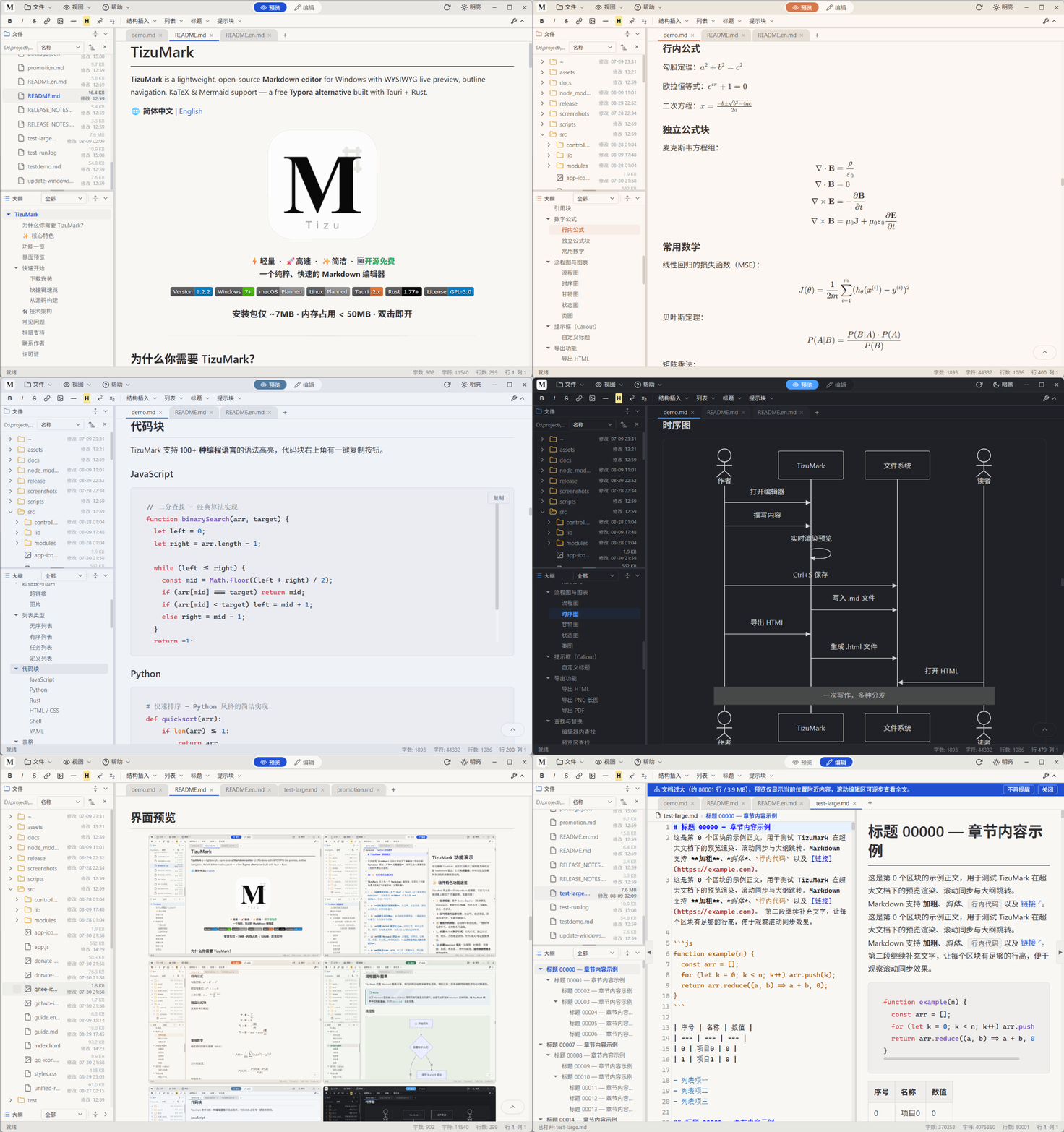
Open. Read. Edit. Export. That's it.
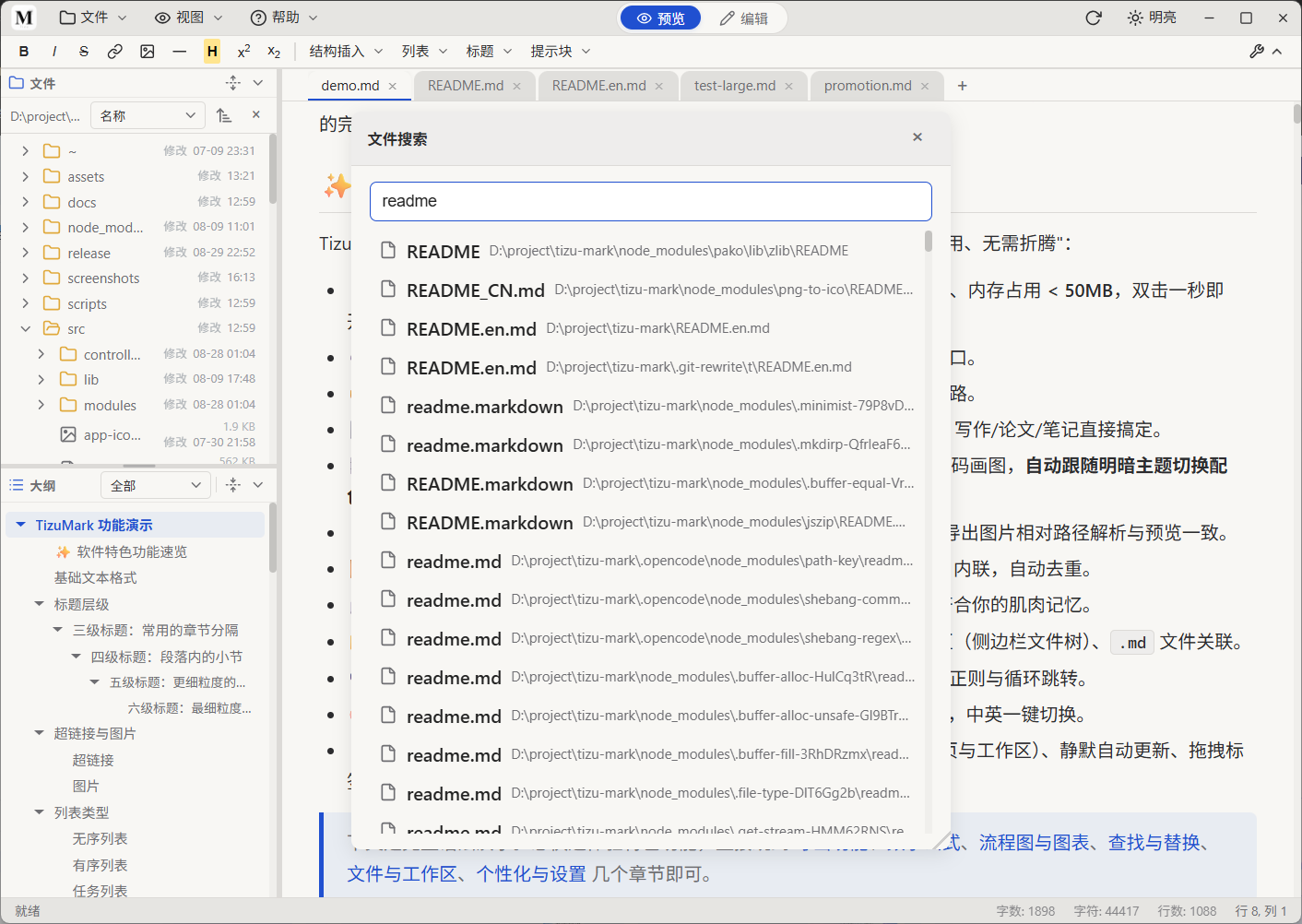
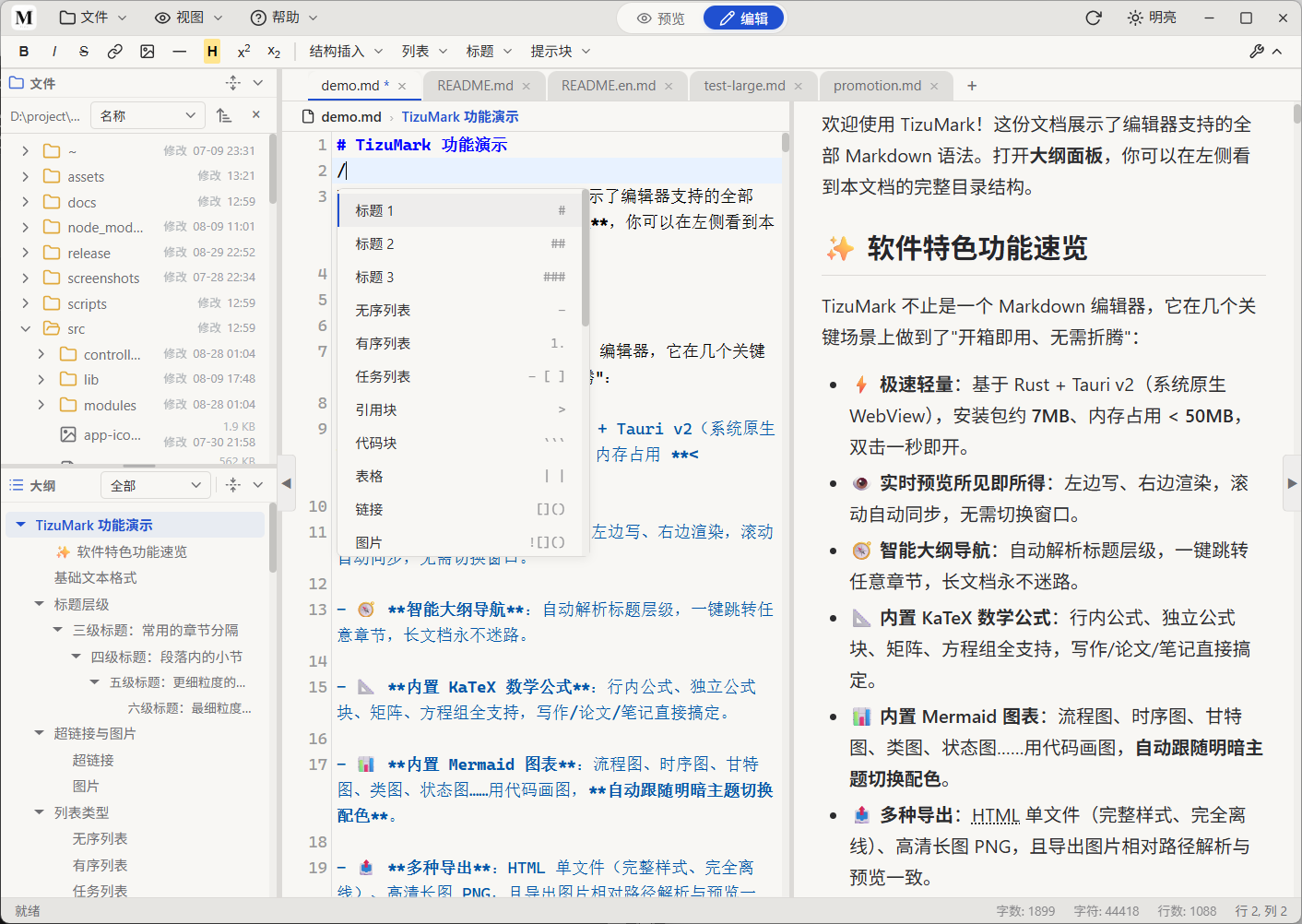
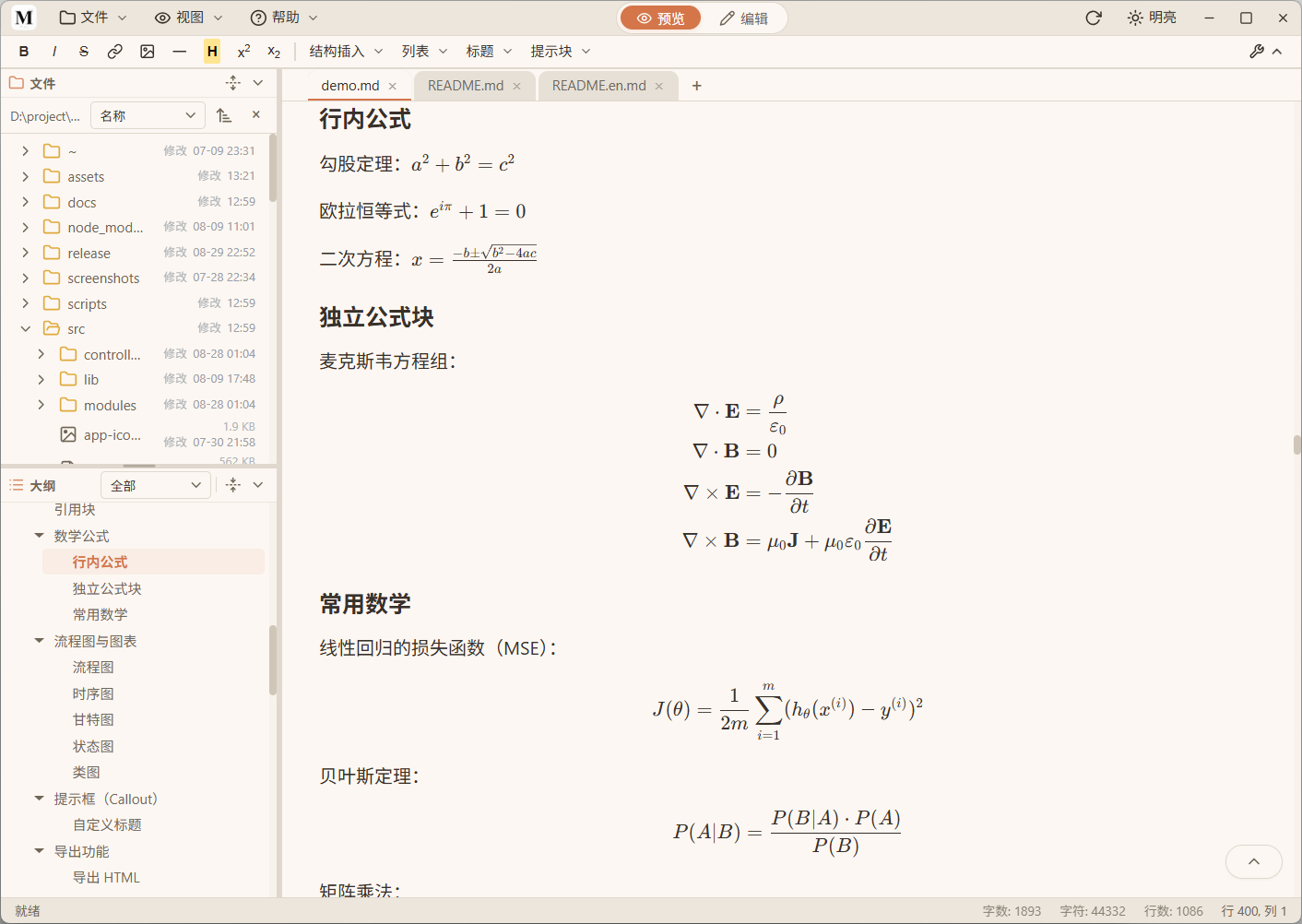
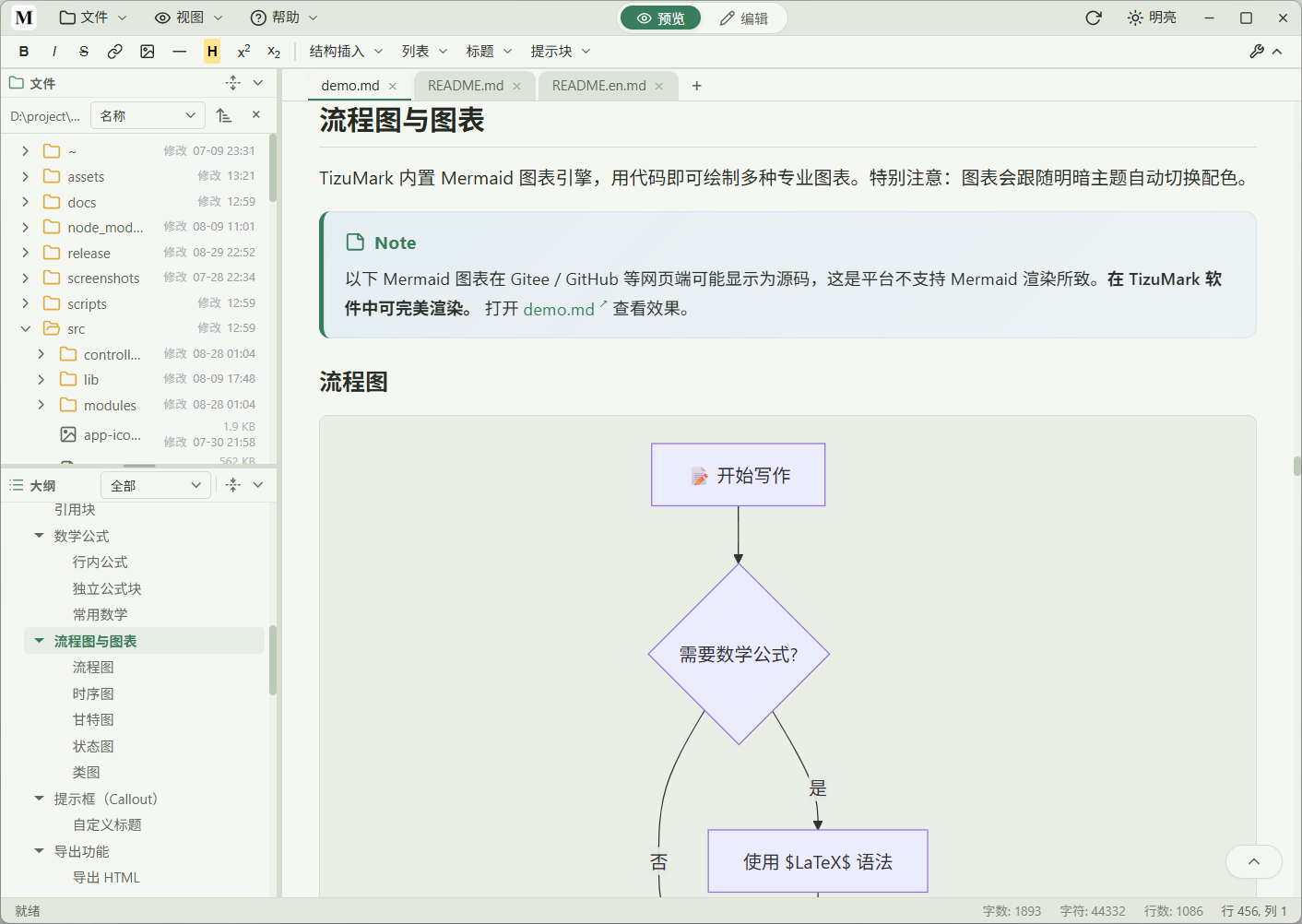
The world isn't short of Markdown editors. But most fall into one of two camps: heavyweight monsters that hog hundreds of MB, or toys too barebones for real work. TizuMark lands right in the sweet spot. | Pain Point | The Usual Way | ✨ TizuMark | |---|---|---| | 🐢 **Too heavy** | Hundreds of MB RAM, multi-GB install, slow boot | **Rust engine. ~7MB installer, <50MB RAM, up in a second** | | 👯 **Split views** | Source on one side, render on the other — scroll and squint | **Live preview, WYSIWYG, editor/preview scroll auto-synced** | | 🌀 **Long docs** | Endless scrolling, can't find that one section | **Auto-generated outline from headings, one click to any chapter** | | 🧩 **Math & diagrams** | Install LaTeX, switch tools, export, paste, repeat | **Built-in KaTeX & Mermaid — math and diagrams render from code** | --- ## Key Features > TizuMark lands right in the sweet spot between heavyweight IDEs and barebones notepads — nailing the things writers care about most. - ⚡ **Blazing fast & lightweight**: Built on **Rust + Tauri v2** (native WebView), ~**7MB** installer, **<50MB** RAM, launches in under a second — 4/5 less memory than Electron apps. - 👁️ **Live WYSIWYG preview**: Write on the left, see it render on the right. Editor and preview scroll auto-synced — no window switching. - 🧠 **Smart view per file type**: Markdown auto splits preview/edit; plain text & code open in a pure editor (no preview pane); images open read-only — each file gets the right view. - 🧭 **Smart outline navigation**: Auto-parses heading hierarchy, one click to any chapter. Never get lost in long docs. - 📐 **Built-in KaTeX math**: Inline formulas, display blocks, matrices, equation systems; supports `$…$` / `$$…$$` as well as LaTeX-style `\(…\)` / `\[…\]` delimiters — papers, notes, formulas all handled. - 📊 **Built-in Mermaid diagrams**: Flowcharts, sequence diagrams, Gantt charts, class diagrams, state diagrams… **draw with code, auto-adapts to light/dark theme**, with ELK auto-layout support. - 🖼️ **Paste-to-insert images**: Screenshots or drag-drop, auto-dedup via MD5. Store in `assets/` or inline as Base64. Relative paths resolve identically in preview and export. - 📤 **Multi-format export**: Standalone HTML (full styling, fully offline), high-res PNG long screenshot, PDF (system print dialog), and **Word DOCX** (math & diagrams rasterized, images auto-scaled to fit the page) — all preserve dark/light theme. - ⌨️ **Fully customizable shortcuts**: Every single shortcut can be rebound in `File → Keyboard Shortcuts` to match your muscle memory. - 📂 **Multi-tab + workspace**: Edit multiple files at once, drag-drop batch open, folder workspace with sidebar file tree, `.md` file association. - 🚀 **Huge-doc smooth preview**: Sliding-window + virtual rendering for documents with tens of thousands of lines — never lags. External file changes auto-detected with reload prompt. - 🎨 **Deep personalization**: Light / Dark / Follow System; 5 color schemes (Default / Sunset / Forest / Nord / Dusk); editor / preview / code-block fonts can use any system-installed font (fully enumerated, searchable), or import local `.ttf` / `.otf` / `.woff` / `.woff2` fonts. - 🌐 **Bilingual UI**: Chinese / English interface toggle at any time. - 💾 **Session restore**: Reopens tabs, folder workspace, and expanded directories from last session. --- ## Feature Matrix | 📝 Editing | 👁️ Preview | 📤 Export | |---|---|---| | Full GFM syntax highlighting | Live scroll-synced preview | Standalone HTML (with full styling) | | 100+ language code highlighting | KaTeX math rendering | High-res long screenshot PNG | | Find & replace with regex | Mermaid flowcharts, sequences, Gantt, state | Export PDF (system print dialog) | | Cross-file search (`Ctrl+H`) | Emoji shortcodes (`:rocket:` → 🚀) | Dark / light theme preserved | | Collapsible format toolbar | Image viewer (drag-pan + scroll-zoom) | 100% offline | | Auto bracket & quote pairing | Adaptive image sizing | CJK Emoji support | | Image paste, auto-dedup (MD5) | Clickable task-list checkboxes | Custom image asset path | | Insert menu + "/" quick-insert (tables, callouts, TOC) | Auto width/height on image insert | Export Word DOCX (math & diagrams rasterized, images auto-scaled) | | ⚡ Productivity | 🎨 Style | 🔧 Power | |---|---|---| | Outline sidebar — jump anywhere | Light / Dark / Follow System | CLI file opening | | Folder workspace (sidebar file tree) | Font size, line height, max width | File association: .md, .markdown | | Cross-file search (Ctrl+H) / file search (Ctrl+P by name or path) | Tab width, word wrap toggle | Recently opened files list | | Tab drag-to-reorder | Code block line numbers / auto-wrap | Unsaved-state markers + close prompt | | Drag & drop, batch file open | Fully rebindable shortcuts | System tray (hideable) + close behavior | | Free-drag split pane ratio | Import custom fonts (editor & preview separately) | Status bar word & char count | | Find in preview (regex) + copy as HTML | 5 color schemes + font picker (all system fonts, searchable / import local) | External-change detection & reload prompt | | Soft line break toggle | Chinese / English UI toggle | | | Session restore (tabs & workspace) | Frameless custom window controls | | | | Silent update check on startup | | --- ## Screenshots
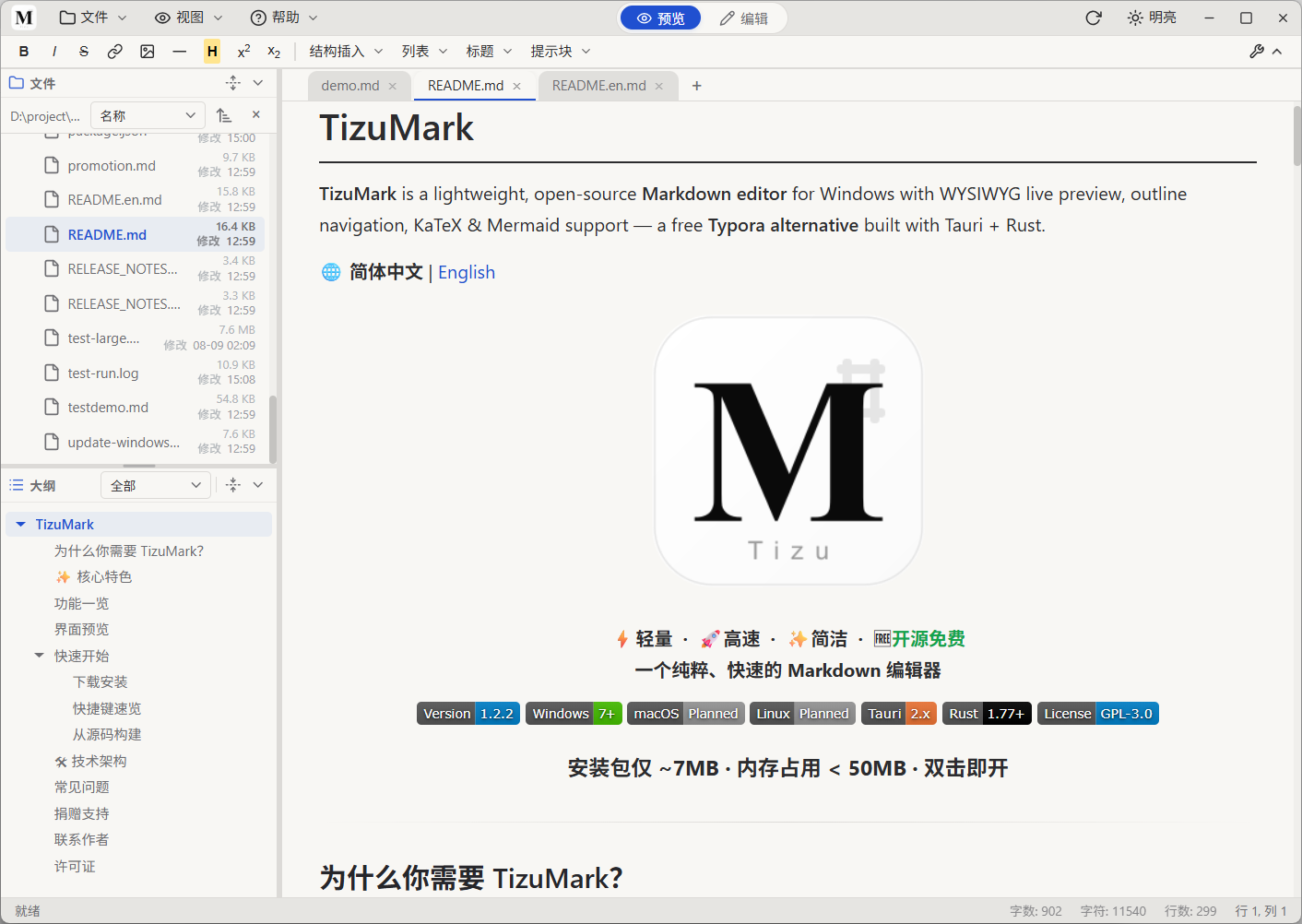
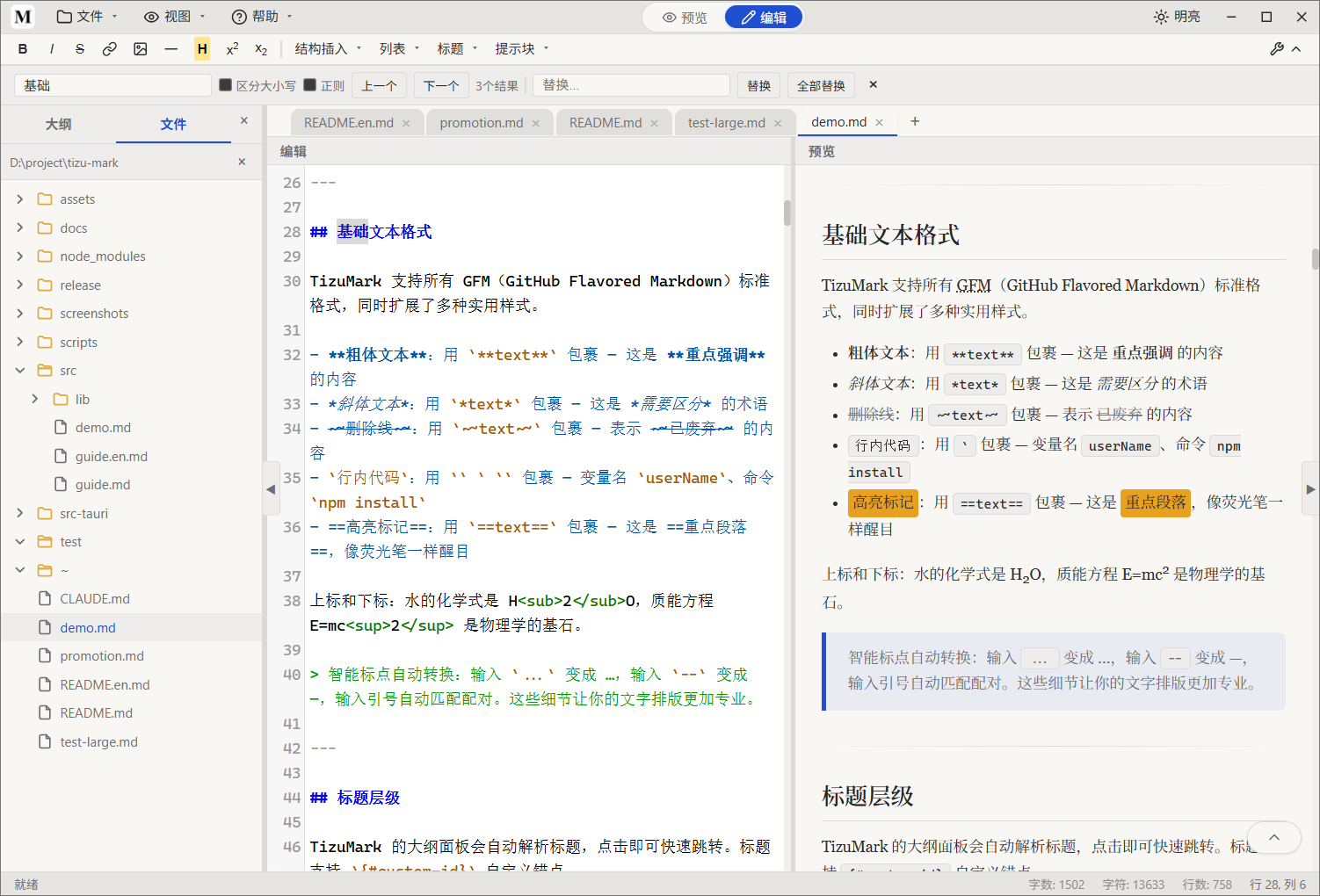
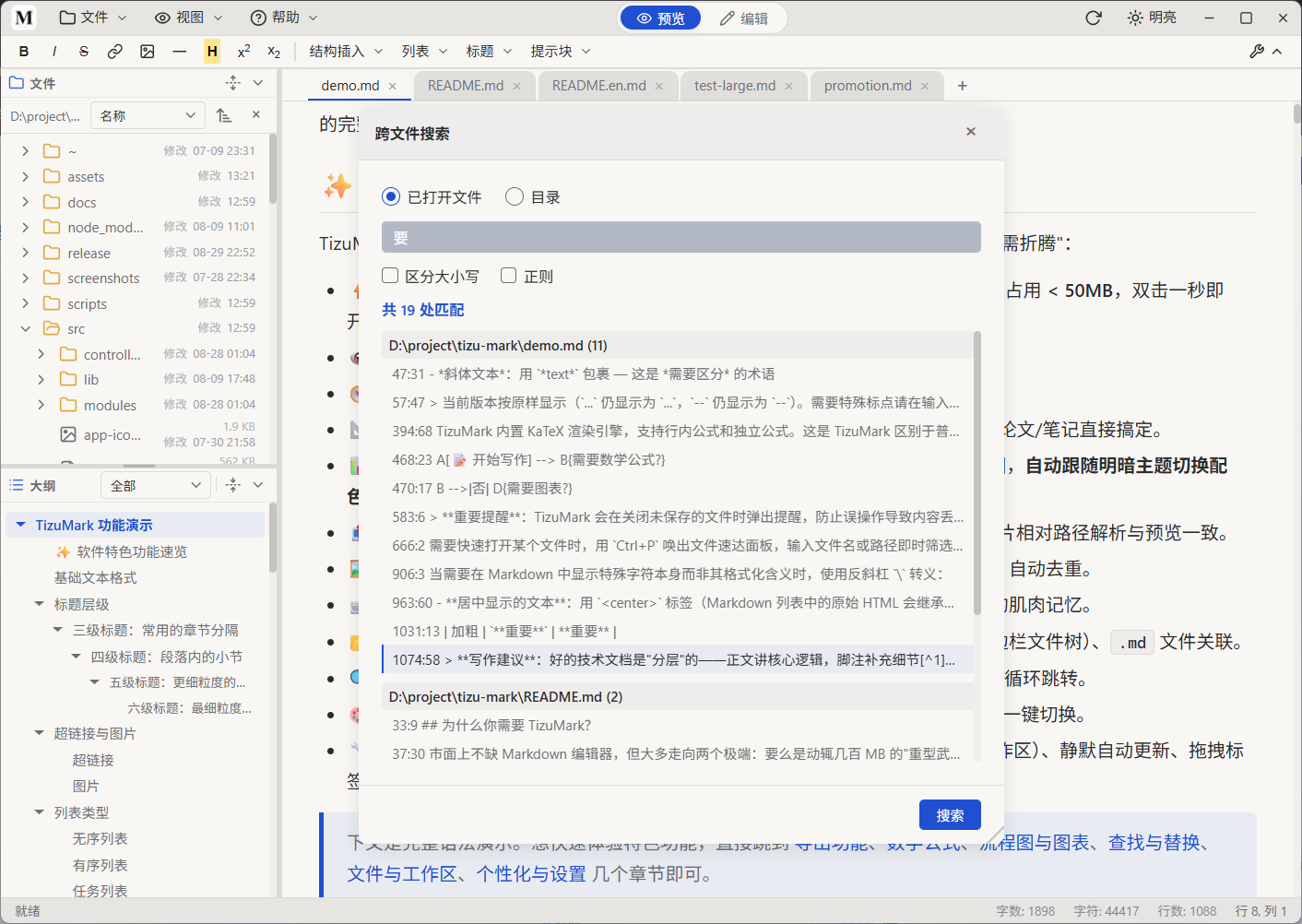
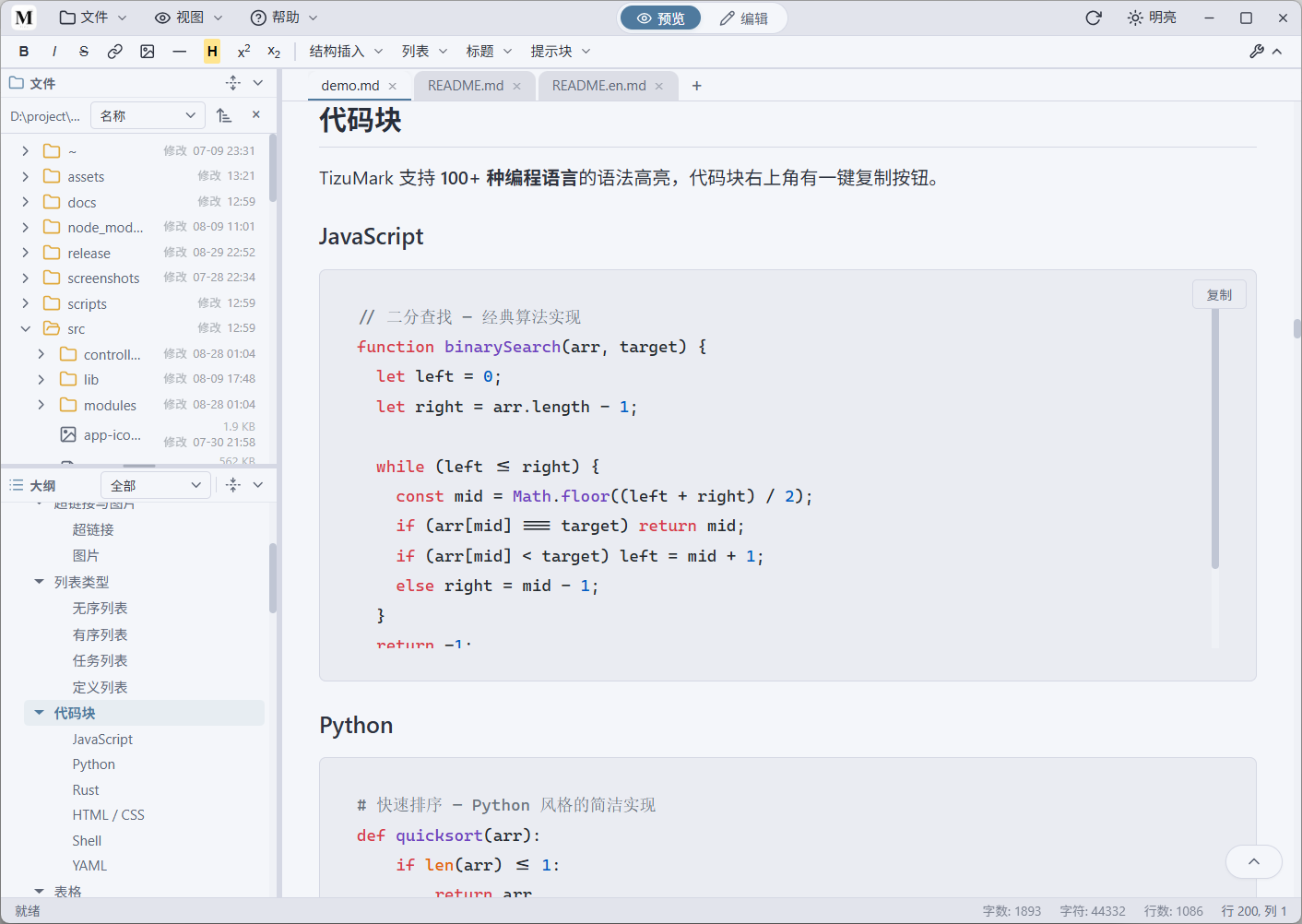
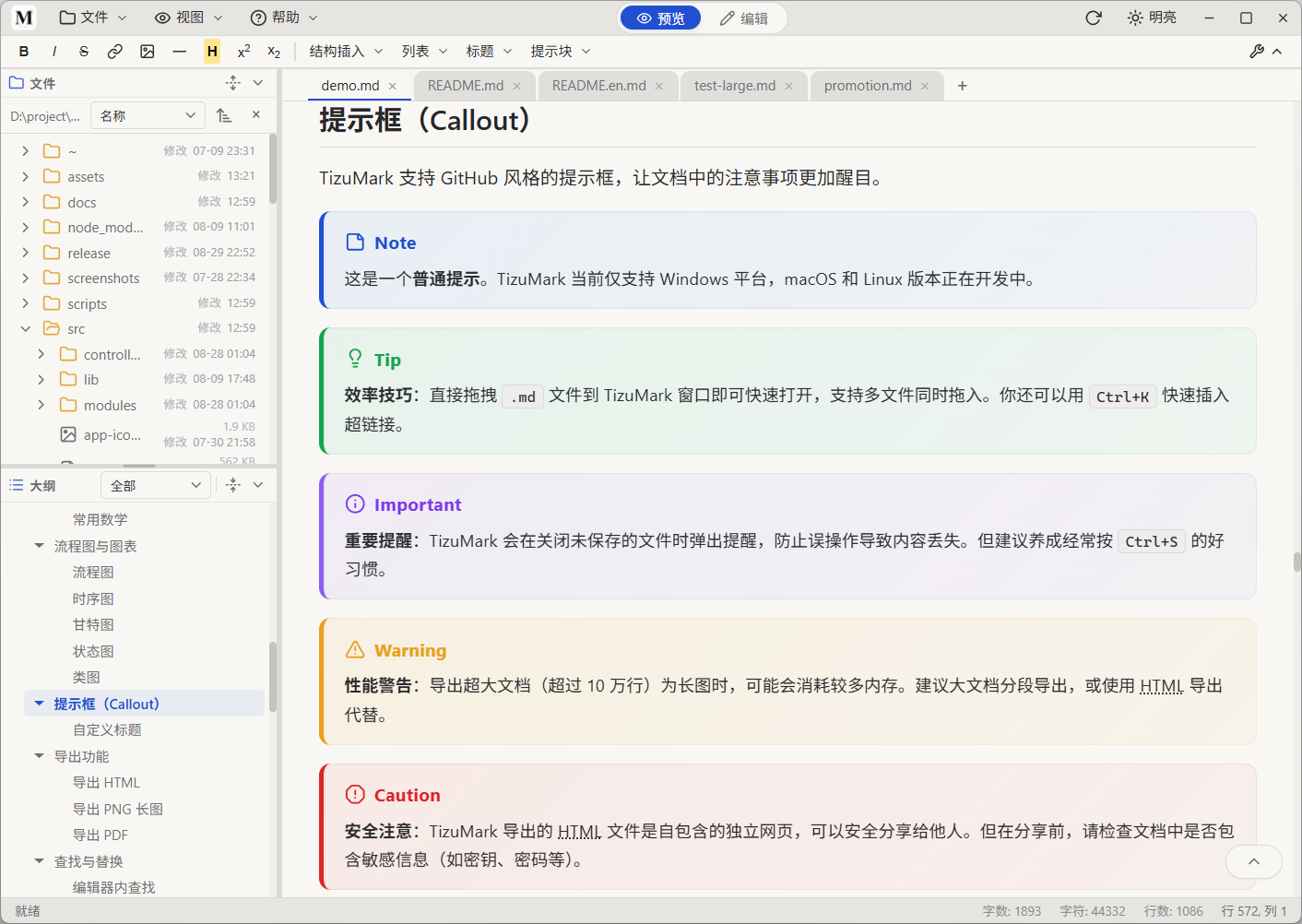
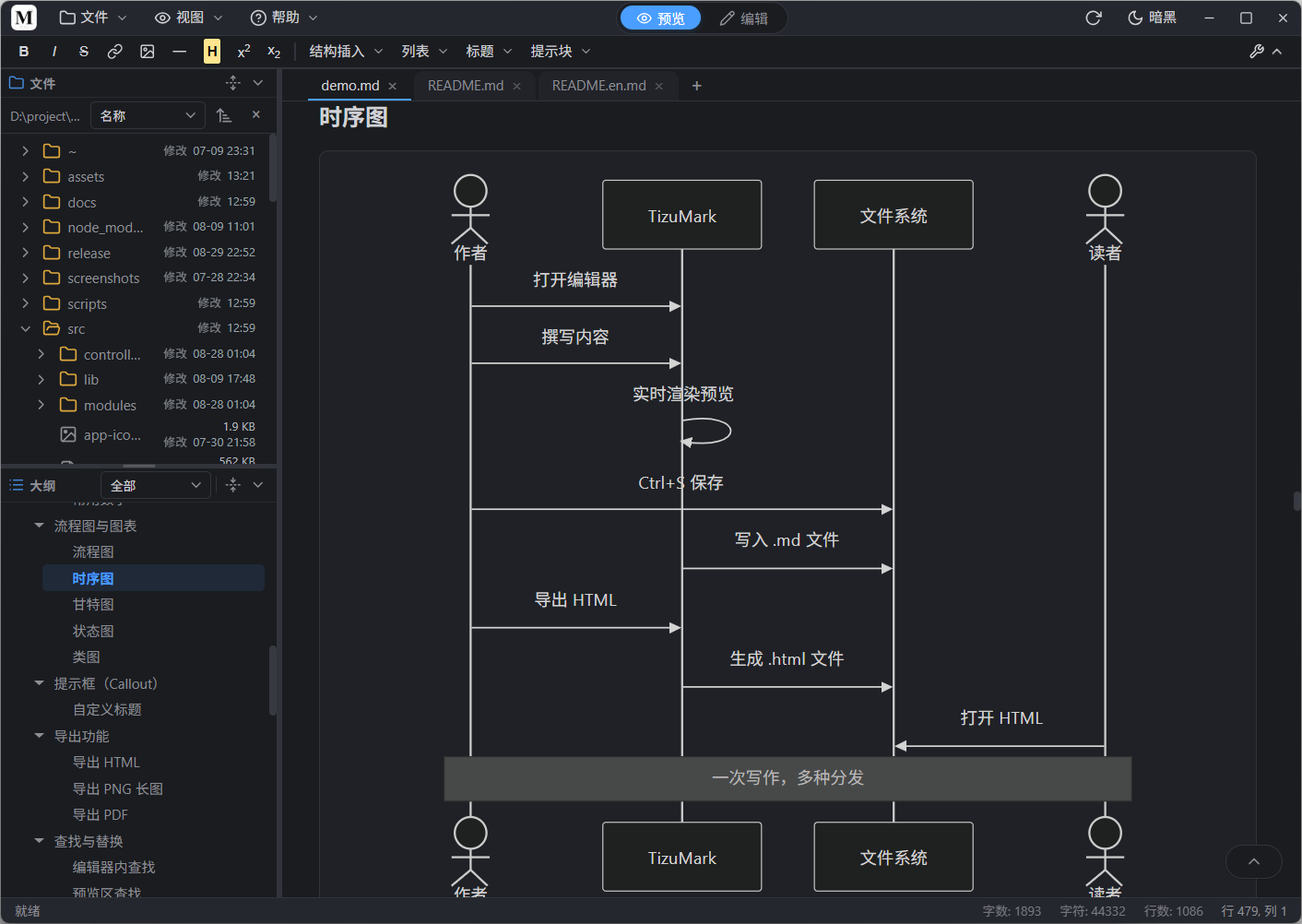
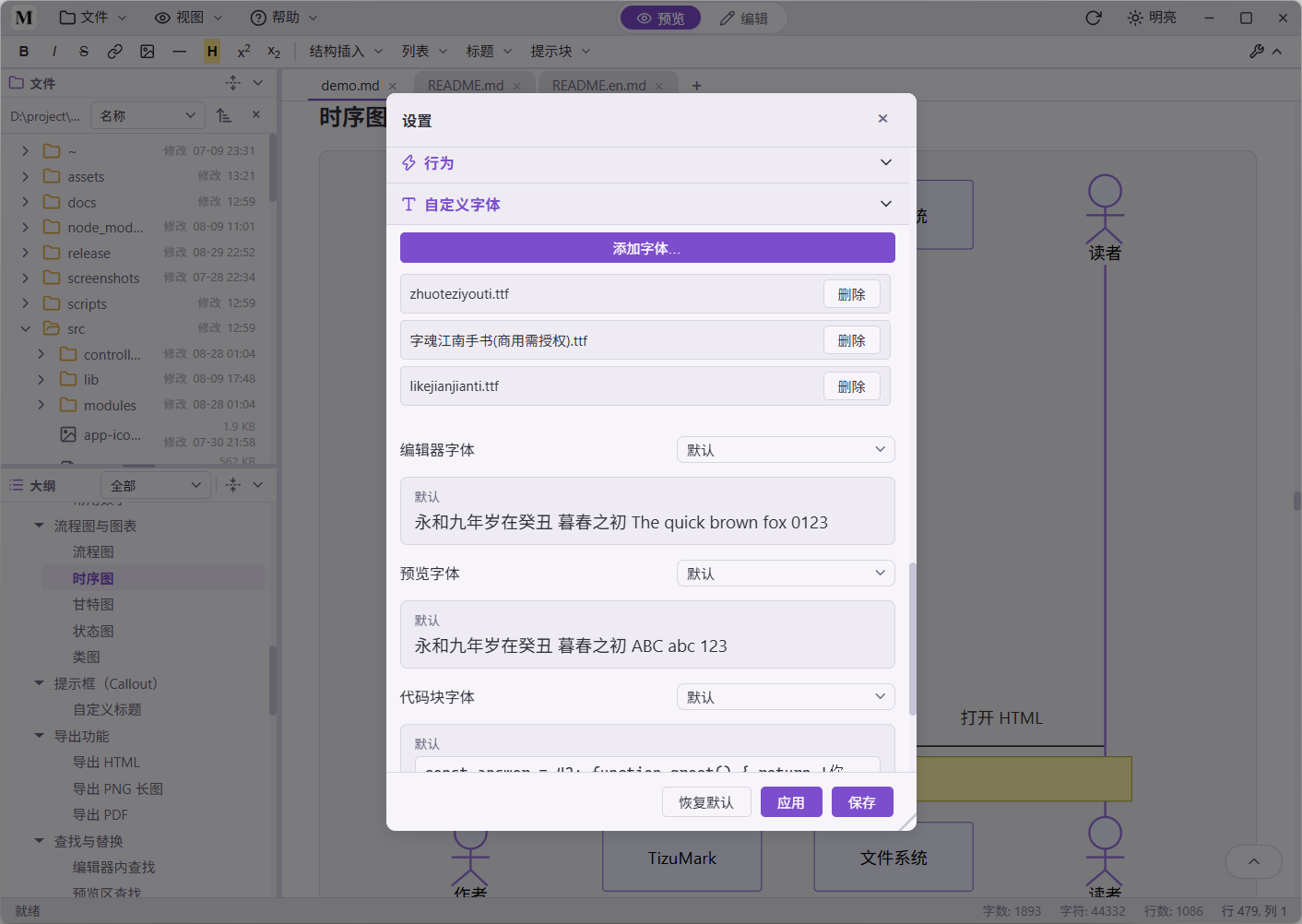
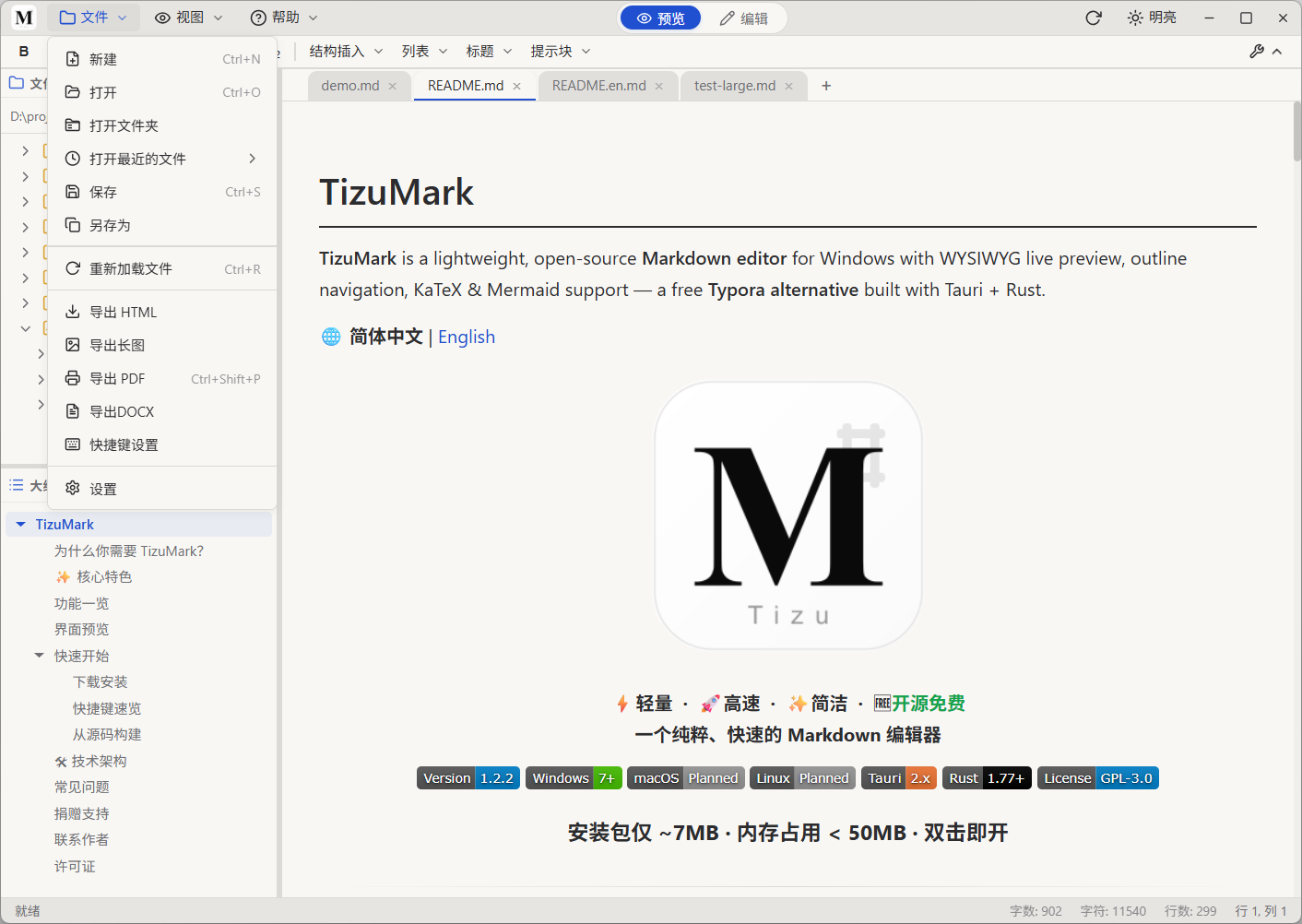
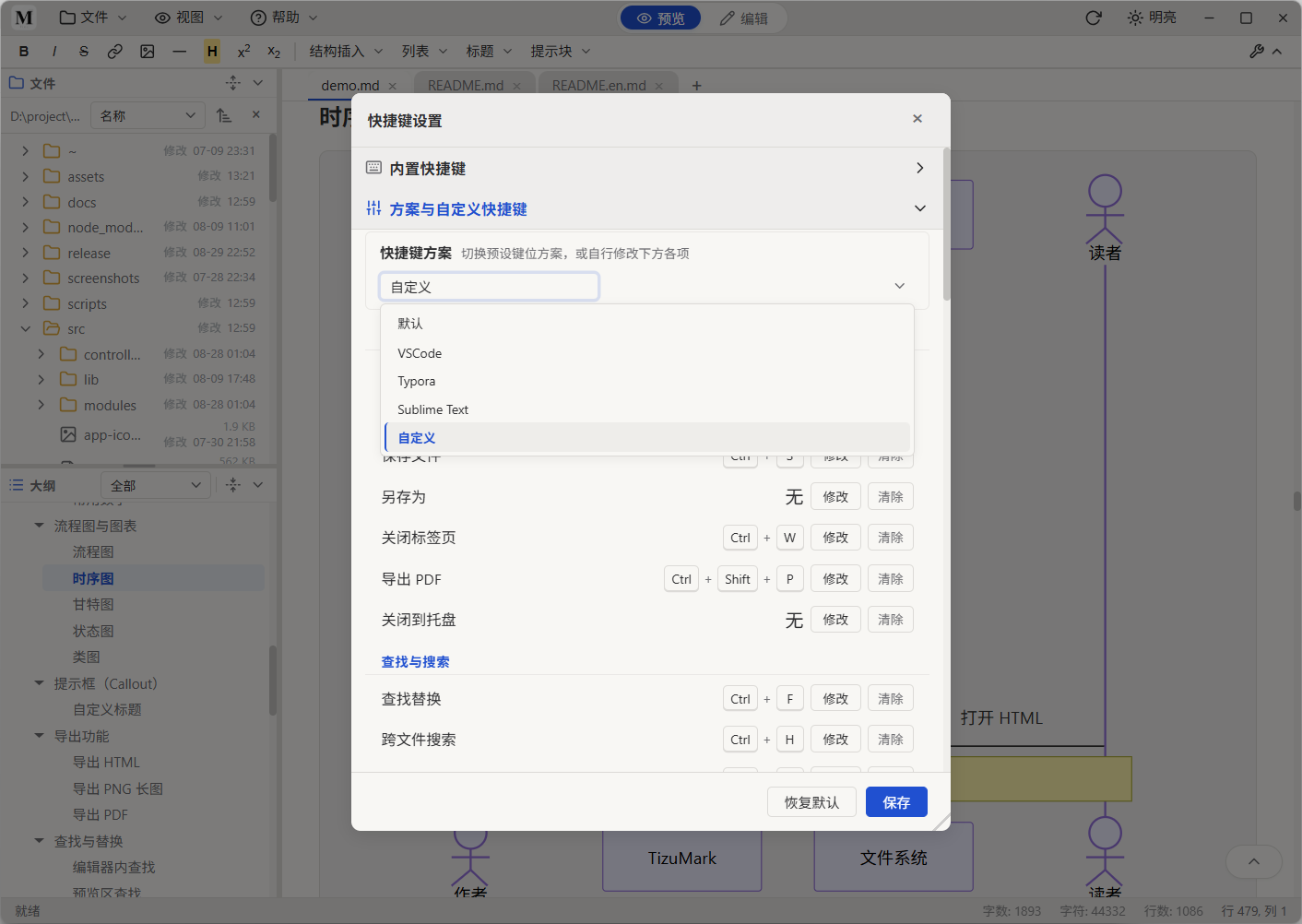
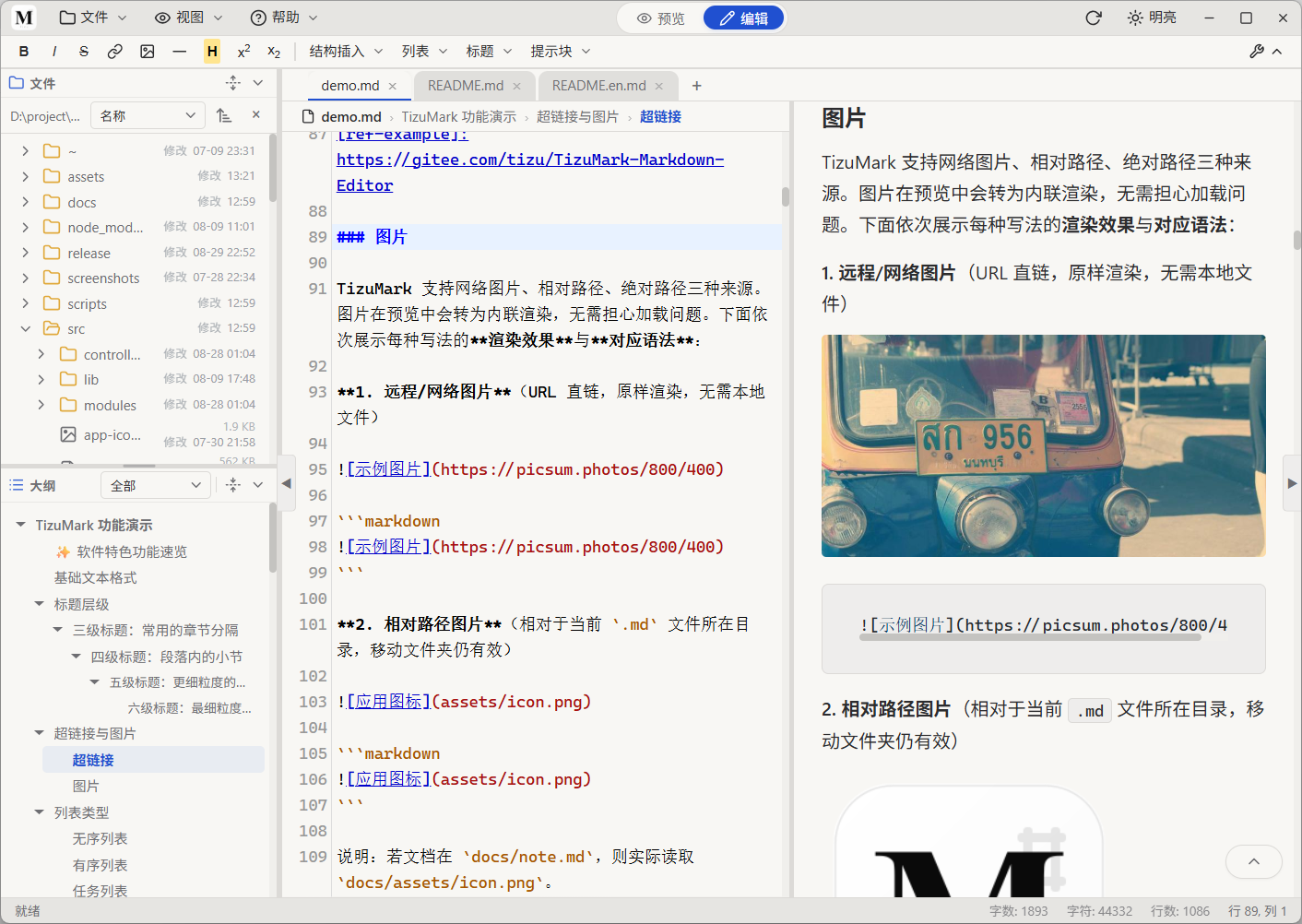
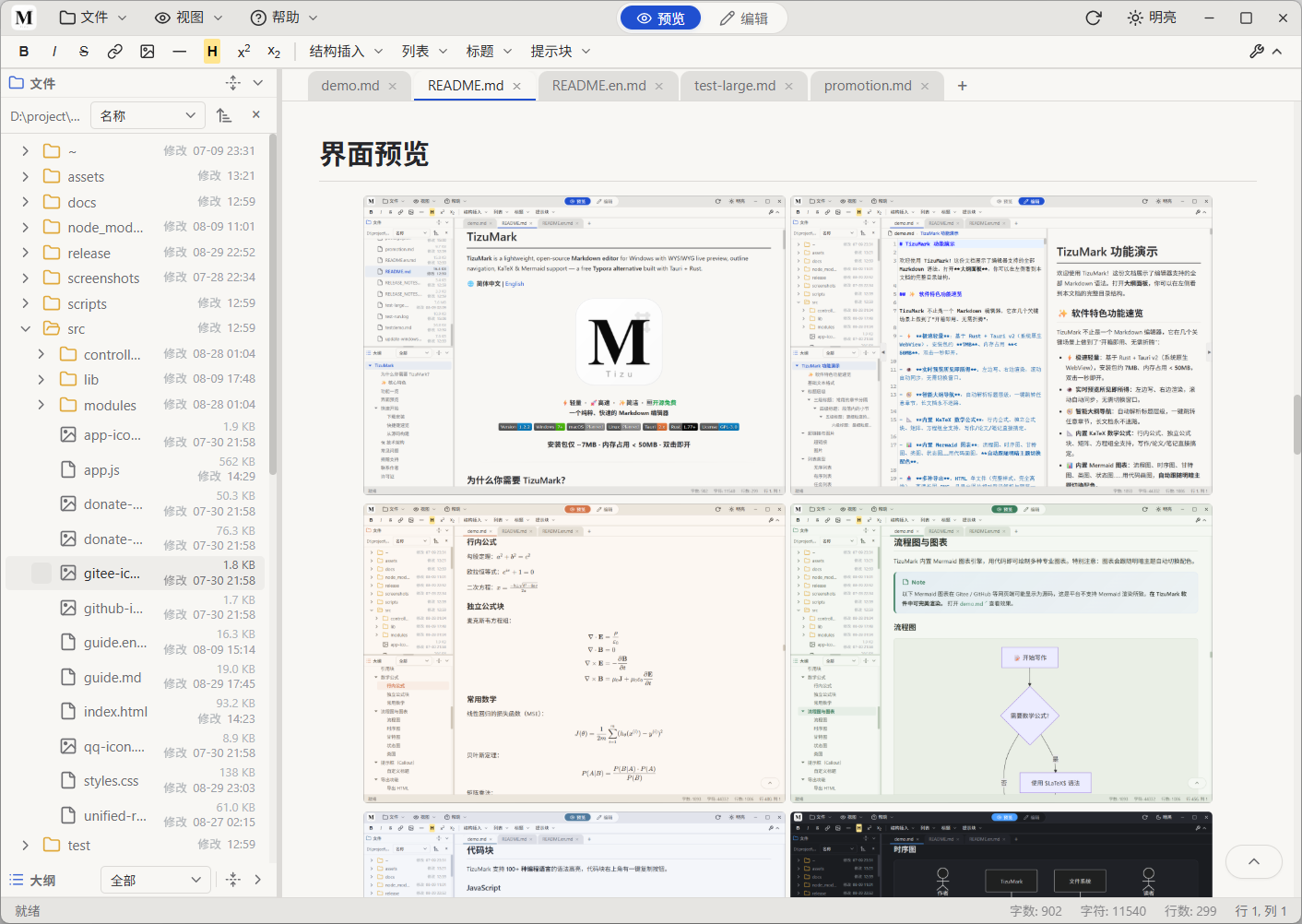
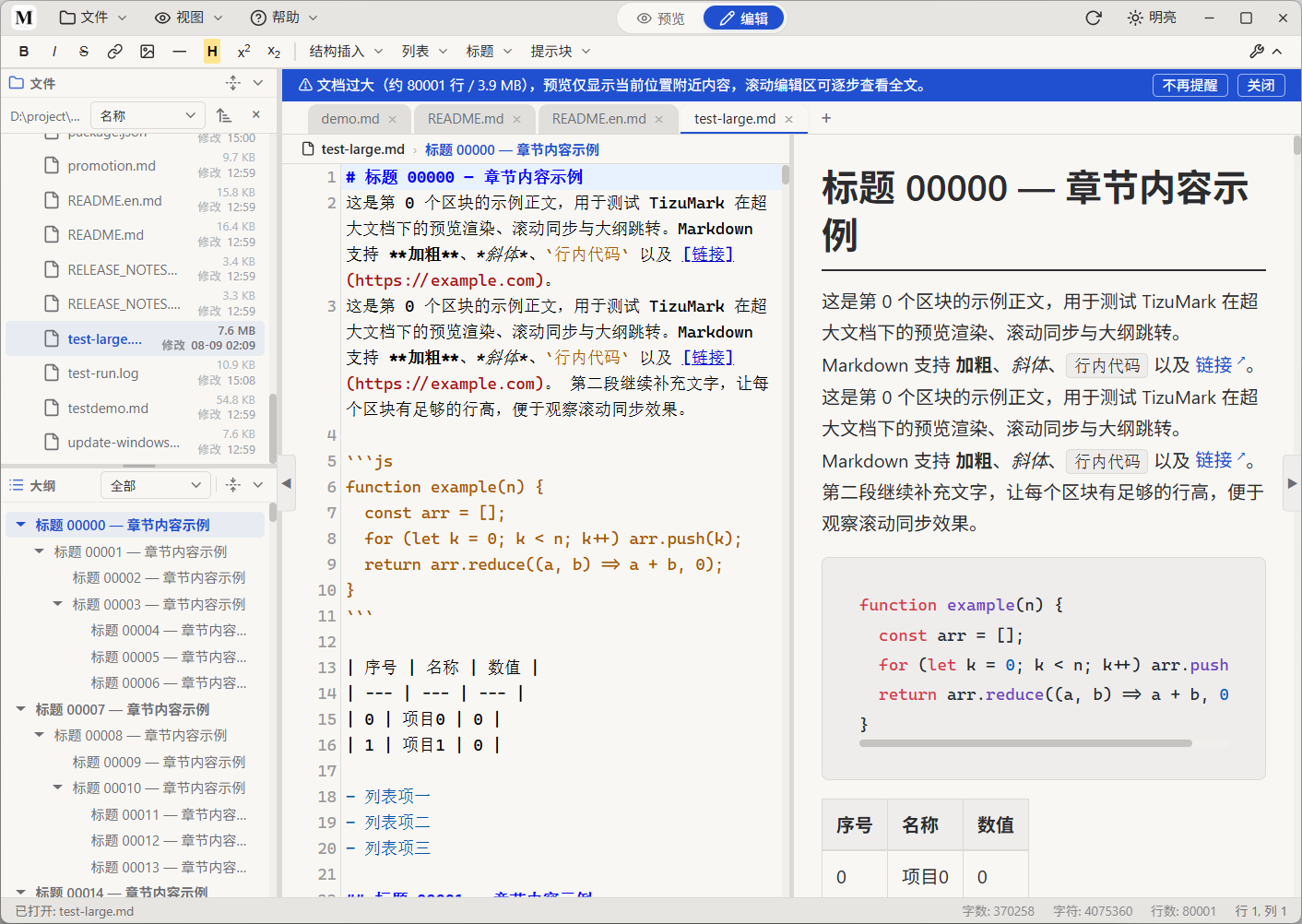

 > On first launch, the user guide opens automatically. You can also find it in `Help → User Guide` anytime.
> 🔔 **On first install or after a version upgrade, TizuMark automatically opens the User Guide and the full syntax demo (demo.md) to help you get started with new features.**
📖 Want to see every syntax in action? Open [demo.md](demo.md) for a full syntax showcase.
### Shortcuts
| Shortcut | Action | Shortcut | Action |
|---|---|---|---|
| `Ctrl+N` | New File | `Ctrl+W` | Close Tab |
| `Ctrl+O` | Open File | `Ctrl+F` | Find |
| `Ctrl+S` | Save File | `Ctrl+H` | Find & Replace |
| `Ctrl+B` | Bold | `Ctrl+I` | Italic |
> All shortcuts are customizable via `File → Keyboard Shortcuts`
### Build from Source
```bash
git clone https://github.com/tizuio/TizuMark-Markdown-Editor.git
# Or via Gitee (China mirror):
git clone https://gitee.com/tizu/TizuMark-Markdown-Editor.git
cd tizu-mark
npm install
npm run dev # dev mode
npm run build # production build
```
---
## 🛠 Architecture
```
┌──────────────────────────────────────────────────┐
│ Frontend (WebView) │
│ CodeMirror 5 │ highlight.js │ KaTeX │
│ Mermaid │ html2canvas │ ... │
└──────────────┬───────────────────────────────────┘
│ IPC (ipc: / tauri:)
┌──────────────┴───────────────────────────────────┐
│ Backend (Rust) │
│ Tauri 2.5 │ pulldown-cmark │
│ File I/O │ Native Dialogs │
└──────────────┬───────────────────────────────────┘
│
┌──────┴──────┐
│ OS Native │
│ Win / Mac / │
│ Linux │
└─────────────┘
```
> Tauri v2 uses the OS native WebView — ~7MB installer, ~1/5 the footprint of Electron-based alternatives. **Windows is released today; macOS & Linux are planned.**
---
## FAQ
> On first launch, the user guide opens automatically. You can also find it in `Help → User Guide` anytime.
> 🔔 **On first install or after a version upgrade, TizuMark automatically opens the User Guide and the full syntax demo (demo.md) to help you get started with new features.**
📖 Want to see every syntax in action? Open [demo.md](demo.md) for a full syntax showcase.
### Shortcuts
| Shortcut | Action | Shortcut | Action |
|---|---|---|---|
| `Ctrl+N` | New File | `Ctrl+W` | Close Tab |
| `Ctrl+O` | Open File | `Ctrl+F` | Find |
| `Ctrl+S` | Save File | `Ctrl+H` | Find & Replace |
| `Ctrl+B` | Bold | `Ctrl+I` | Italic |
> All shortcuts are customizable via `File → Keyboard Shortcuts`
### Build from Source
```bash
git clone https://github.com/tizuio/TizuMark-Markdown-Editor.git
# Or via Gitee (China mirror):
git clone https://gitee.com/tizu/TizuMark-Markdown-Editor.git
cd tizu-mark
npm install
npm run dev # dev mode
npm run build # production build
```
---
## 🛠 Architecture
```
┌──────────────────────────────────────────────────┐
│ Frontend (WebView) │
│ CodeMirror 5 │ highlight.js │ KaTeX │
│ Mermaid │ html2canvas │ ... │
└──────────────┬───────────────────────────────────┘
│ IPC (ipc: / tauri:)
┌──────────────┴───────────────────────────────────┐
│ Backend (Rust) │
│ Tauri 2.5 │ pulldown-cmark │
│ File I/O │ Native Dialogs │
└──────────────┬───────────────────────────────────┘
│
┌──────┴──────┐
│ OS Native │
│ Win / Mac / │
│ Linux │
└─────────────┘
```
> Tauri v2 uses the OS native WebView — ~7MB installer, ~1/5 the footprint of Electron-based alternatives. **Windows is released today; macOS & Linux are planned.**
---
## FAQ
One person. No salary. Your support keeps this alive.
I built TizuMark because I was tired of Markdown tools that were either bloated or broken. So I made my own. If TizuMark has made your life even a little easier — docs look cleaner, writing flows better, that export earned you a compliment — please consider chipping in. **Your encouragement genuinely makes my day and extends this project's runway.** Can't donate? No worries. A GitHub star, a shout-out to a friend, a "nice tool" in the group chat — that's already huge.
 |
 Alipay |
I read every donation notification. Thank you.
--- ## Contact | Channel | Link | |---|---| | QQ Group | **1035294939** [@Join the group【Tizu交流群】](http://qm.qq.com/cgi-bin/qm/qr?_wv=1027&k=G0xAh9l042apAmjy9MAKOI6pSMWhV5jI&authKey=hWwxCXRZkWorgQZtiBNeRE6L12Ow6CLSo9K9dWzSjDFNuIEfmnmLAWH1T3qooH40&noverify=0&group_code=1035294939)| | GitHub | [@tizuio](https://github.com/tizuio) | | Gitee | [@tizu](https://gitee.com/tizu) | Questions, feedback, collaboration — open an issue or join the QQ group. --- ## License Copyright (c) 2024-2026 TizuMark This software is released under the [GNU General Public License v3.0](LICENSE). You are free to use, modify, and distribute it, but derivative works must remain under GPL v3. Bundled open-source components are licensed under their respective terms. See `Help → About` in the app for details. ---
✨ TizuMark — Stupidly light. Exactly fast enough.


⭐ GitHub Star
·
⭐ Gitee Star
·
🐛 Report Bug