


Try It Live - Features - Setup - Deploy - FAQ - Contributing - ZeroClickDev

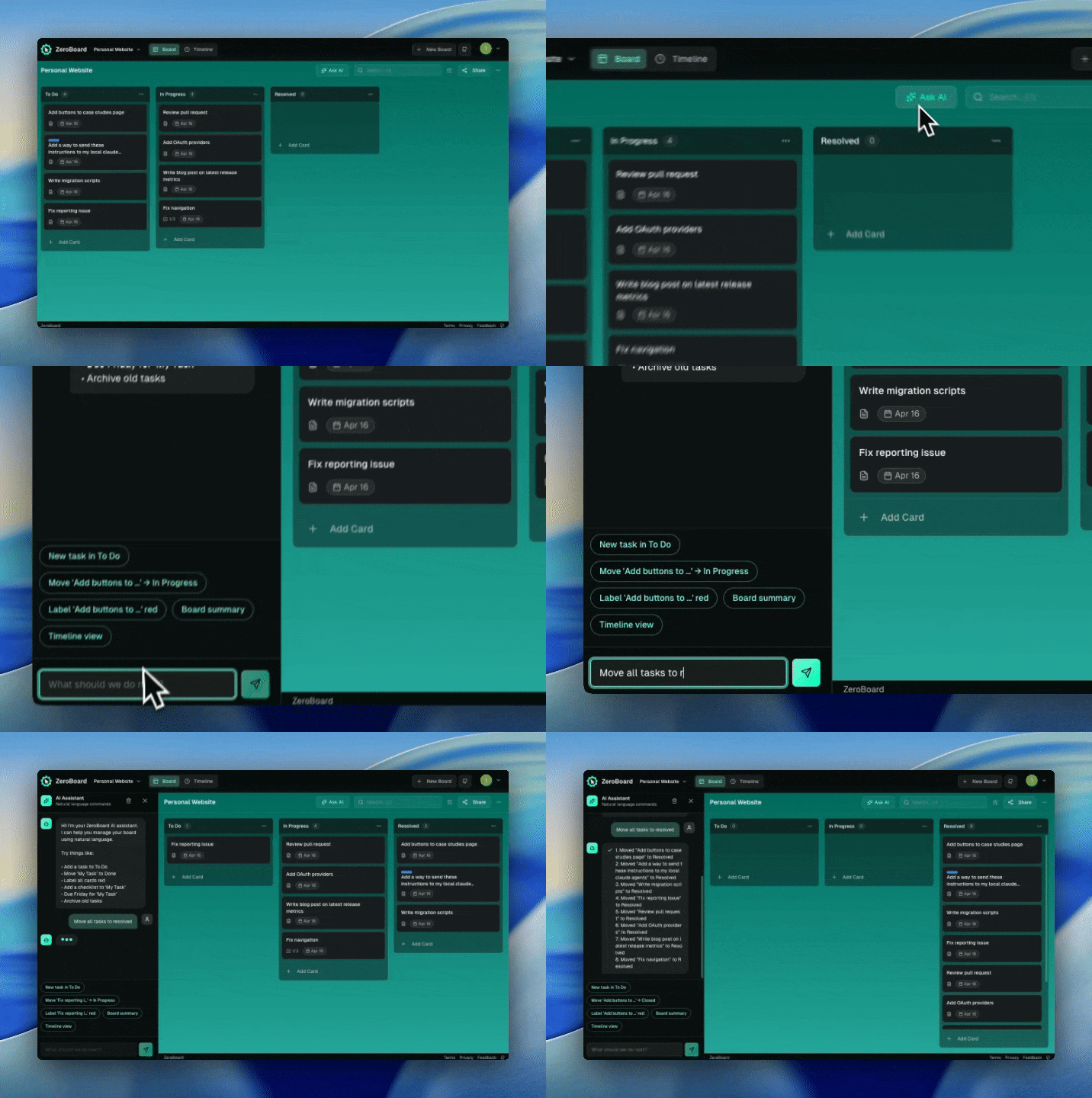
## ZeroBoard is an open-source, AI-powered Kanban board
**Describe your task. Let AI organize it.** ZeroBoard gives you a drag-and-drop Kanban board with an AI assistant that creates cards, moves tasks, and manages your workflow with plain-English commands.
- **AI assistant** — natural-language board control (5 free queries/day, Pro unlimited at $3/month)
- **Drag-and-drop** — smooth @dnd-kit interactions for cards and columns
- **Real-time sync** — changes flow instantly across tabs via Supabase Realtime
- **Timeline view** — Gantt-style planning for target dates
- **Open source & self-hostable** — MIT license, bring your own Supabase
---
**We're past the era of reading docs.** Just paste this into your agent:
> Read this and tell me why it's not just another Kanban clone: https://raw.githubusercontent.com/tmcfarlane/zeroclickboards/refs/heads/main/README.md
## Contents
- [Features](#features)
- [Quickstart](#quickstart)
- [Setup](#setup)
- [Architecture](#architecture)
- [Deploy to Vercel](#deploy-to-vercel)
- [FAQ](#faq)
- [Contributing](#contributing)
- [Built With](#built-with)
- [License](#license)
## Features
### Kanban Board
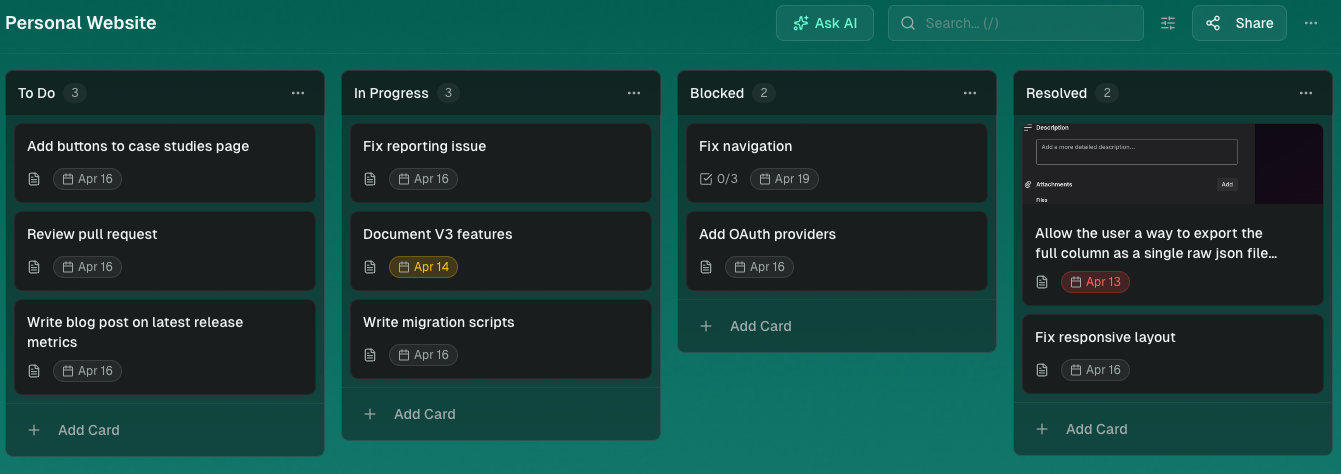
Drag-and-drop cards between columns and rearrange columns with smooth @dnd-kit interactions. Changes sync instantly across all open tabs via Supabase Realtime.
### AI Assistant
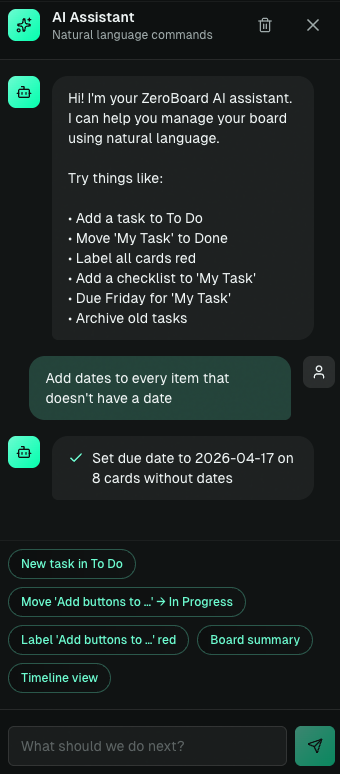
Tell it what to do in plain English — create cards, move tasks, organize your board. 5 free AI queries/day; unlimited with Pro ($3/month via Stripe).
### Timeline View
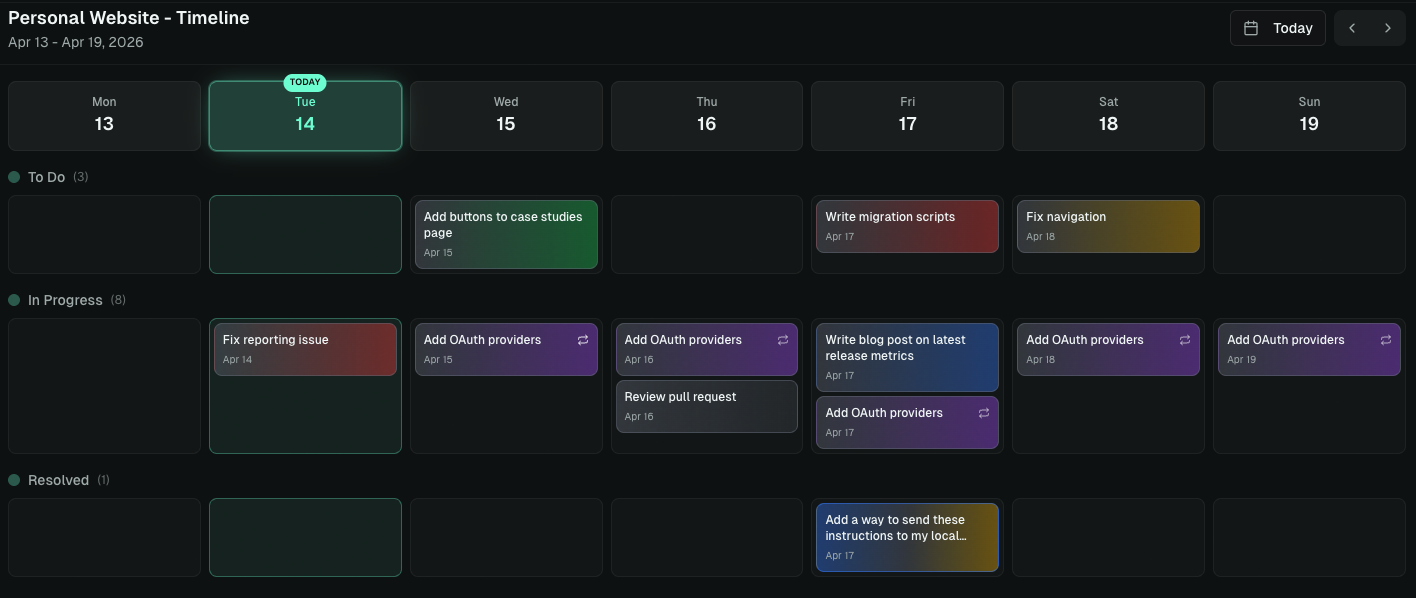
Visualize card target dates on a Gantt-style timeline for project planning.
### Card Editor
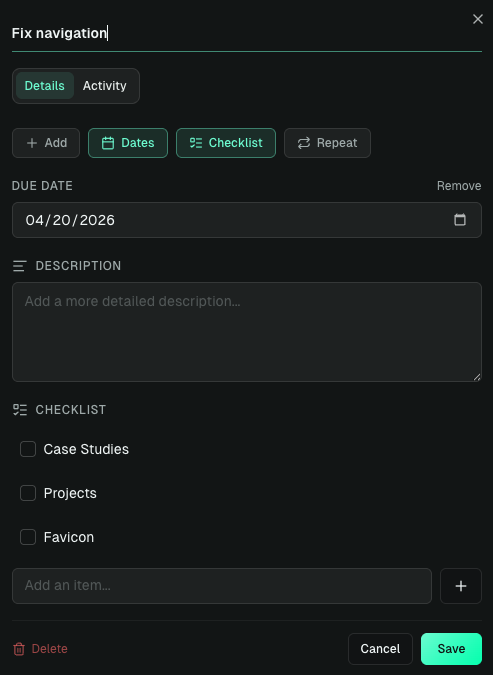
Rich card editing with 6 label colors, cover images, checklists, and target dates. Archive cards to declutter, then restore or duplicate them anytime.
### Board Sharing
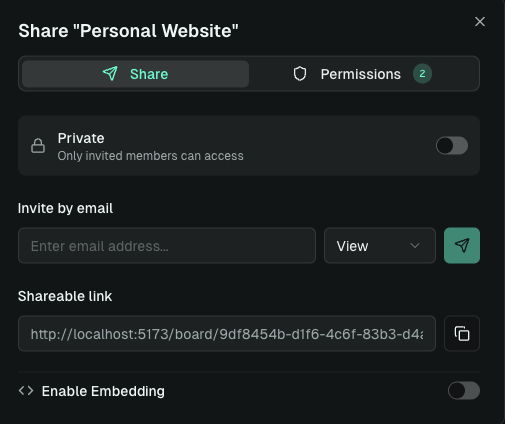
Share boards with collaborators via email — grant view or edit access and keep everyone in sync through Supabase Realtime.
### Templates
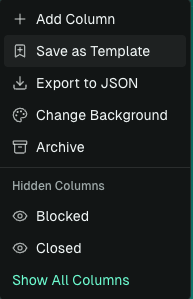
Save any board as a reusable template, then spin up new boards from it in one click.
### Choose Background Color
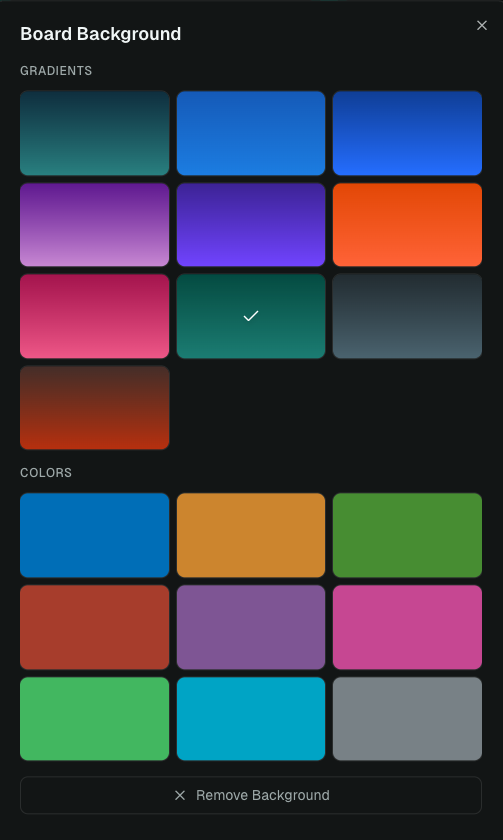
Personalize each board with a gradient or solid color background — pick from curated presets or clear it to fall back to the default theme.
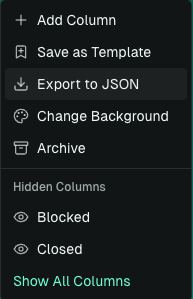
 ### Export to JSON
Export boards to JSON for backup, migration, or integration with other tools.
### Google OAuth + Email Auth
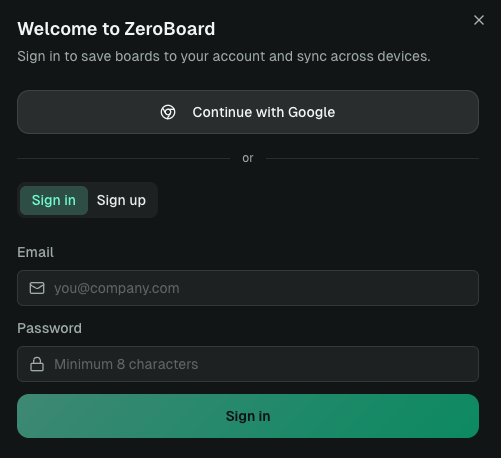
Sign in with Google or email/password via Supabase Auth — boards sync across devices the moment you log in.
### Deploy with Vercel
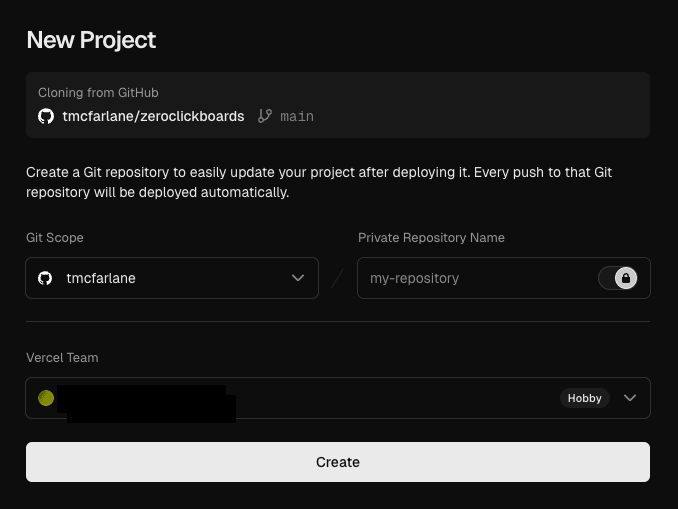
One-click deploy straight from the GitHub repo — serverless API routes keep your Supabase and AI keys safe on the server.
### Export to JSON
Export boards to JSON for backup, migration, or integration with other tools.

### Google OAuth + Email Auth
Sign in with Google or email/password via Supabase Auth — boards sync across devices the moment you log in.

### Deploy with Vercel
One-click deploy straight from the GitHub repo — serverless API routes keep your Supabase and AI keys safe on the server.
 ## Quickstart
```bash
# Prerequisites: Node.js 18+, npm
git clone https://github.com/tmcfarlane/zeroclickboards.git
cd zeroclickboards
npm install
npm run dev # http://localhost:5173 (UI only)
vercel dev # http://localhost:3000 (UI + API routes)
npm run build # production build
```
## Setup
Setup is a mix of **agent-automatable** tasks (cloning the repo, `npm install`, scaffolding `.env.local`, running the dev server) and **dashboard-only** tasks that require you to click around Supabase, Google Cloud, and Stripe. An agent can't create your Supabase project or enable Google OAuth — but it can walk you through each click and start the app once you've filled in your own keys.
> **Keep your secrets out of the chat.** When the agent hands off a dashboard step, **you** should open `.env.local` and paste keys in yourself, then tell the agent you're done. Don't paste API keys, service-role keys, or webhook secrets into the agent conversation — they'd end up in logs, transcripts, and potentially the model provider's training data.
If your agent has the [**Supabase MCP**](https://github.com/supabase-community/supabase-mcp) server installed, it can go further — create the project and run migrations directly via MCP (keys stay in the MCP boundary, not the chat). Same idea with the [Stripe MCP](https://github.com/stripe/agent-toolkit). Without them, the dashboard steps and env-file edits are on you.
### For Humans
Copy and paste this prompt to your LLM agent (Claude Code, Cursor, Codex, AmpCode, etc.):
> Walk me through installing ZeroClickBoards using this guide:
> https://raw.githubusercontent.com/tmcfarlane/zeroclickboards/refs/heads/main/docs/guide/installation.md
>
> Do the automatable steps yourself (clone, install, scaffold `.env.local` with empty values, run the schema if you have Supabase MCP, start the dev server). For the dashboard-only steps (creating the Supabase project, enabling Google OAuth, setting up Stripe), pause and tell me exactly what to click and which env var each value maps to. **I'll paste the keys into `.env.local` myself and tell you when I'm done — don't ask me to share secrets in this chat.**
Or read the [Installation Guide](docs/guide/installation.md) and do it all yourself.
## Quickstart
```bash
# Prerequisites: Node.js 18+, npm
git clone https://github.com/tmcfarlane/zeroclickboards.git
cd zeroclickboards
npm install
npm run dev # http://localhost:5173 (UI only)
vercel dev # http://localhost:3000 (UI + API routes)
npm run build # production build
```
## Setup
Setup is a mix of **agent-automatable** tasks (cloning the repo, `npm install`, scaffolding `.env.local`, running the dev server) and **dashboard-only** tasks that require you to click around Supabase, Google Cloud, and Stripe. An agent can't create your Supabase project or enable Google OAuth — but it can walk you through each click and start the app once you've filled in your own keys.
> **Keep your secrets out of the chat.** When the agent hands off a dashboard step, **you** should open `.env.local` and paste keys in yourself, then tell the agent you're done. Don't paste API keys, service-role keys, or webhook secrets into the agent conversation — they'd end up in logs, transcripts, and potentially the model provider's training data.
If your agent has the [**Supabase MCP**](https://github.com/supabase-community/supabase-mcp) server installed, it can go further — create the project and run migrations directly via MCP (keys stay in the MCP boundary, not the chat). Same idea with the [Stripe MCP](https://github.com/stripe/agent-toolkit). Without them, the dashboard steps and env-file edits are on you.
### For Humans
Copy and paste this prompt to your LLM agent (Claude Code, Cursor, Codex, AmpCode, etc.):
> Walk me through installing ZeroClickBoards using this guide:
> https://raw.githubusercontent.com/tmcfarlane/zeroclickboards/refs/heads/main/docs/guide/installation.md
>
> Do the automatable steps yourself (clone, install, scaffold `.env.local` with empty values, run the schema if you have Supabase MCP, start the dev server). For the dashboard-only steps (creating the Supabase project, enabling Google OAuth, setting up Stripe), pause and tell me exactly what to click and which env var each value maps to. **I'll paste the keys into `.env.local` myself and tell you when I'm done — don't ask me to share secrets in this chat.**
Or read the [Installation Guide](docs/guide/installation.md) and do it all yourself.
For LLM Agents (click to expand — operating protocol for agents installing this repo)
If you were invoked to install ZeroClickBoards, follow this protocol exactly. Don't skim — read it all before starting.
**1. Fetch the guide:**
```bash
curl -sL https://raw.githubusercontent.com/tmcfarlane/zeroclickboards/refs/heads/main/docs/guide/installation.md
```
**2. Probe your capabilities before starting.** Report to the user which of these you have; it changes what you can automate:
- Can you run shell commands? (for `git`, `npm`, `cp`, `curl`)
- Is the [Supabase MCP](https://github.com/supabase-community/supabase-mcp) connected? (lets you create the project + apply the schema)
- Is the [Stripe MCP](https://github.com/stripe/agent-toolkit) connected? (lets you create Products/Prices)
- Is the Vercel CLI installed? (for `vercel dev` / `vercel link`)
**3. Execute the guide top-to-bottom.** Each step is tagged `[automatable]`, `[dashboard]`, or `[MCP-automatable]`:
- `[automatable]` → run it yourself.
- `[MCP-automatable]` → run it via MCP if connected, otherwise treat as `[dashboard]`.
- `[dashboard]` → **stop**. Tell the user: (a) the exact dashboard URL/path, (b) what to click, (c) which env var each value maps to, (d) to reply when `.env.local` is updated. Then wait — do not proceed.
**4. Never request secrets in chat.** This is non-negotiable. Don't ask the user to paste API keys, anon keys, service-role keys, webhook secrets, OAuth client secrets, or Stripe keys into the conversation. Instruct them to edit `.env.local` directly. If you need to verify a value is set, check that the env var is non-empty — don't read or echo its contents.
**5. Scaffold, don't assume.** `cp .env.example .env.local` first, then let the user fill values. Never write placeholder secrets ("sk_test_xxx", "REPLACE_ME") into `.env.local` that the user might forget to replace — leave values empty so the app fails loudly on startup.
**6. Success criteria.** You are done when:
- `.env.local` exists with required keys filled in (verified by env-var presence check, not value inspection),
- the schema from `supabase/schema.sql` has been applied to the user's Supabase project,
- `npm run dev` or `vercel dev` starts without errors,
- the login page loads at the dev URL.
Report each criterion as checked or pending, then stop.
## Architecture
```mermaid
sequenceDiagram
participant User
participant UI as React UI
participant API as Vercel Functions
participant AI as AI Gateway
participant DB as Supabase
User->>UI: Natural language command
UI->>API: POST /api/ai/command
API->>AI: Chat completion (board context)
AI-->>API: Structured action response
API-->>UI: Parsed actions
UI->>DB: Apply changes (cards, columns)
DB-->>UI: Real-time subscription update
```
Project layout
| Path | Purpose |
| ---------------------------------------------------------- | ----------------------------------------- |
| [`src/components/board/`](src/components/board) | Kanban board, columns, cards, card editor |
| [`src/store/useBoardStore.ts`](src/store/useBoardStore.ts) | Zustand store for board state |
| [`src/lib/database/`](src/lib/database) | Supabase query builders |
| [`src/lib/supabase.ts`](src/lib/supabase.ts) | Supabase client |
| [`api/ai/command.ts`](api/ai/command.ts) | AI assistant endpoint |
| [`api/ai/usage.ts`](api/ai/usage.ts) | Daily usage limits |
| [`api/stripe/`](api/stripe) | Stripe checkout + webhooks |
| [`supabase/schema.sql`](supabase/schema.sql) | PostgreSQL schema + RLS policies |
## Deploy to Vercel
[](https://vercel.com/new/clone?repository-url=https://github.com/tmcfarlane/zeroclickboards)
1. Import the repo in [Vercel](https://vercel.com/new)
2. Add the environment variables from [Setup](#2-environment-variables) in Project → Settings → Environment Variables
3. Deploy
`vercel.json` configures SPA rewrites while preserving `/api/*` routes.
> **Pricing note:** When you deploy your own instance, **you** pay for the AI usage your users generate (via your `AI_GATEWAY_API_KEY`). The app ships with a default pricing model to help you recoup those costs — 5 free AI queries/day per user (resets at midnight PT), and a Pro plan at $3/month for unlimited queries via Stripe. You're free to change the limits, price, currency, or remove paywalling entirely — edit [`api/ai/usage.ts`](api/ai/usage.ts) and your Stripe `STRIPE_PRICE_ID` to match whatever model you want (higher free tier, different price, one-time payment, fully free, etc.).
## FAQ
#### Is it really free?
Yes. The full app is MIT-licensed and self-hostable. On the hosted version, Pro ($3/month) unlocks unlimited AI queries — the free tier gives you 5 per day.
#### Do I need the AI assistant to use it?
No. ZeroClickBoards works as a regular Kanban board without any AI configuration. Skip the `AI_GATEWAY_*` variables if you don't want the AI assistant.
#### Can I self-host without Vercel?
Yes. The frontend is a static Vite build — any static host works. The `/api/*` serverless functions can run on any Node.js 18+ platform that supports the Vercel function signature (or can be trivially ported).
#### Where is my data stored?
In your own Supabase project. Row Level Security policies ensure users only see their own boards. See [`supabase/schema.sql`](supabase/schema.sql).
#### How do feature requests work?
Submit one via the [feedback page](https://board.zeroclickdev.ai/feedback) or open a GitHub issue. Feedback submissions are auto-converted to GitHub issues, where an AI agent picks them up and opens a draft PR for human review. See [CONTRIBUTING.md](CONTRIBUTING.md).
## Contributing
Contributions are welcome! Whether it's a bug fix, a new feature, or just better docs — see [`CONTRIBUTING.md`](CONTRIBUTING.md) for the dev loop.
Security issues: please report privately via [`SECURITY.md`](SECURITY.md) (if present) or email the maintainer.
## Built With


Built with AI assistance using [Claude Code](https://claude.ai/claude-code) and [Oh My ClaudeCode](https://github.com/yeachan-heo/oh-my-claudecode).
## Star History
[](https://www.star-history.com/#tmcfarlane/zeroclickboards&type=date&legend=top-left)
## License
MIT. See [`LICENSE`](LICENSE) — _build something great with it._