# 🏯 Install Cloudpanel
to start working on the new server you need to install a lot of packages, or use a docker container, the easy way to start deploying a Laravel php app is to get a VPS from any service provider like AWS EC2 or Hetziner Cloud ...etc, after you got your VPS and **it must be Ubuntu 22.01** you can follow this lesson.
### What is Cloudpanel
**CloudPanel** is a free and modern server control panel to configure and manage a server with an obsessive focus on simplicity.
Run **PHP**, **Node.js**, **Static Websites**, **Reverse Proxies**, and **Python** **Applications** in no time on a **High-Performance Technology Stack**.
Quick launch support for:
* [Amazon Web Services](https://www.cloudpanel.io/docs/v2/getting-started/amazon-web-services/installation/ami/)
* [Digital Ocean](https://www.cloudpanel.io/docs/v2/getting-started/digital-ocean/installation/marketplace/)
* [Hetzner Cloud](https://www.cloudpanel.io/docs/v2/getting-started/hetzner-cloud/installation/installer/)
* [Google Compute Engine](https://www.cloudpanel.io/docs/v2/getting-started/google-compute-engine/installation/installer/)
* [Microsoft Azure](https://www.cloudpanel.io/docs/v2/getting-started/microsoft-azure/installation/installer/)
* [Oracle Cloud](https://www.cloudpanel.io/docs/v2/getting-started/oracle-cloud/installation/installer/)
* [Vultr](https://www.cloudpanel.io/docs/v2/getting-started/vultr/installation/marketplace/)
* [Other](https://www.cloudpanel.io/docs/v2/getting-started/other/)
### Benefits
* **Free**
* **Easy to use**
* **Community Driven**
* **Blazing Fast Page Loads - Up to 250x faster**
* **Secure (free SSL/TLS certificates)**
* **Cloudflare integration**
* **High Performance**
* **Ready to go within 1 minute**
* **Supports all major clouds**
* **Support for X86 and ARM**
### Install Cloudpanel
login to your server using your terminal with SSH
```bash
ssh root@yourIpAddress
```
If you are using a **password** to log in, the **SSH command** would be:
```bash
ssh -i path_to_your_private_key root@yourIpAddress
```
If you are using a **private key** to log in, the SSH command would be:
Login via **SSH** to the **Server**.
now you are on the server root and the server is empty, to install the panel we need some packages to be installed first and the system to be updated.
```bash
apt update && apt -y upgrade && apt -y install curl wget sudo
```
This command will update the system packages, and add the required packages.
now you can start installing the Cloudpanel
```bash
curl -sS https://installer.cloudpanel.io/ce/v2/install.sh -o install.sh; \
echo "3c30168958264ced81ca9b58dbc55b4d28585d9066b9da085f2b130ae91c50f6 install.sh" | \
sha256sum -c && sudo bash install.sh
```
### Access CloudPanel
**SECURITY**
For security reasons, access **CloudPanel** as fast as possible to create the admin user. There is a small time window where bots can create the user. If possible, open port **8443** only for your IP via the **firewall**.
You can now access **CloudPanel** via Browser: **https://yourIpAddress:8443**
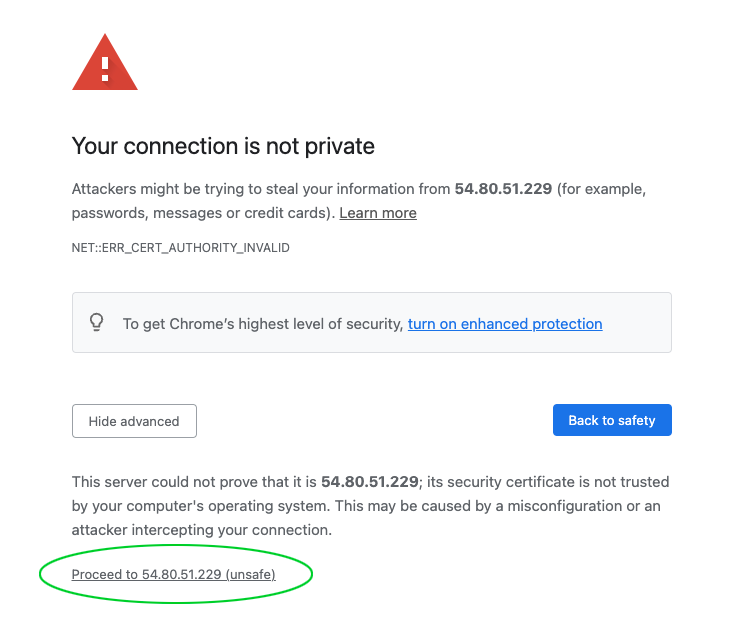
Ignore the self-signed certificate warning click on **Advanced** and **Proceed** to continue to **CloudPanel**.
 (1) (1).png)
.png)