OmniGet
Download once. Study, watch and listen inside the app.
English
| 中文





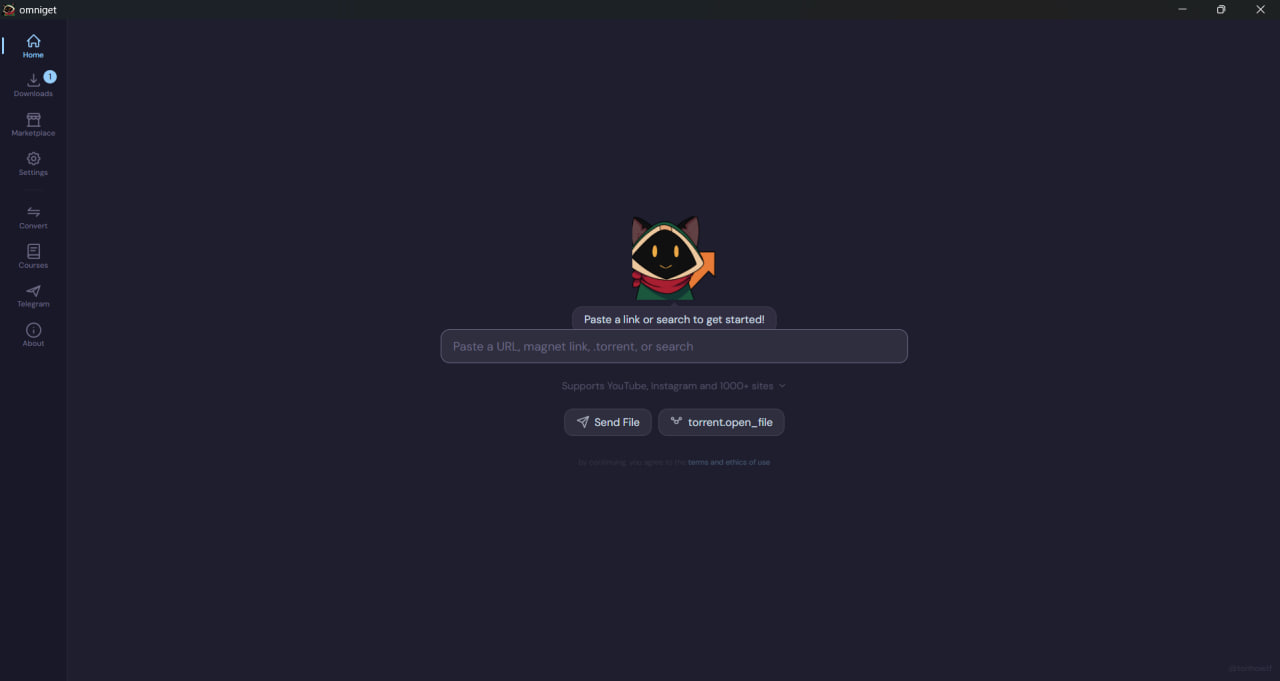
OmniGet is a free desktop app that downloads videos, courses, books and music from the internet — then plays them inside. One window, no setup, your files stay on your computer.
---
## Get OmniGet
| Platform |
Download |
| Windows |

Download the .exe and double-click. No installer, no admin needed.
|
| macOS |

Open the .dmg and drag OmniGet to Applications.
|
| Linux |

flatpak install wtf.tonho.omniget — or grab the bundle from Releases.
|
Updates run quietly in the background. Your files never leave your computer.
---
## What you do with it
Three things you'll probably try on day one.
### 1. Paste a link, get the video
YouTube, Instagram, TikTok, Twitter, Reddit, Twitch, Bilibili — and around a thousand other sites. Drop the link in the box, pick a quality, the file is in your folder a moment later.
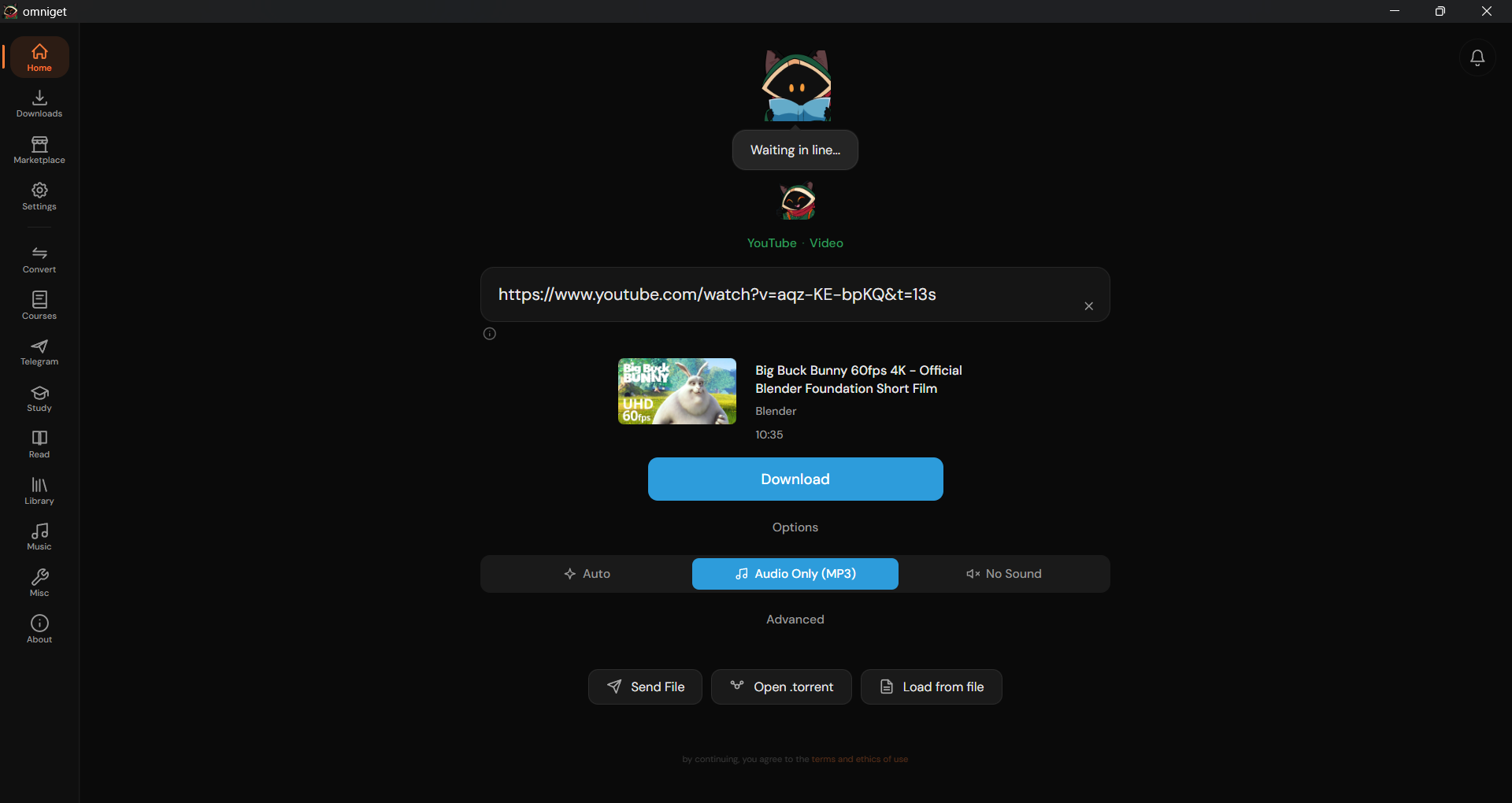
Paste, preview, download.
### 2. Open a course and actually watch it
Download the whole course (Hotmart, Udemy, Kiwify, Skool, Teachable, Kajabi, Wondrium, Thinkific) and watch it without leaving the app. Resume at the second you stopped. Take notes that jump to that moment when you click them. Read the attached PDFs side by side.
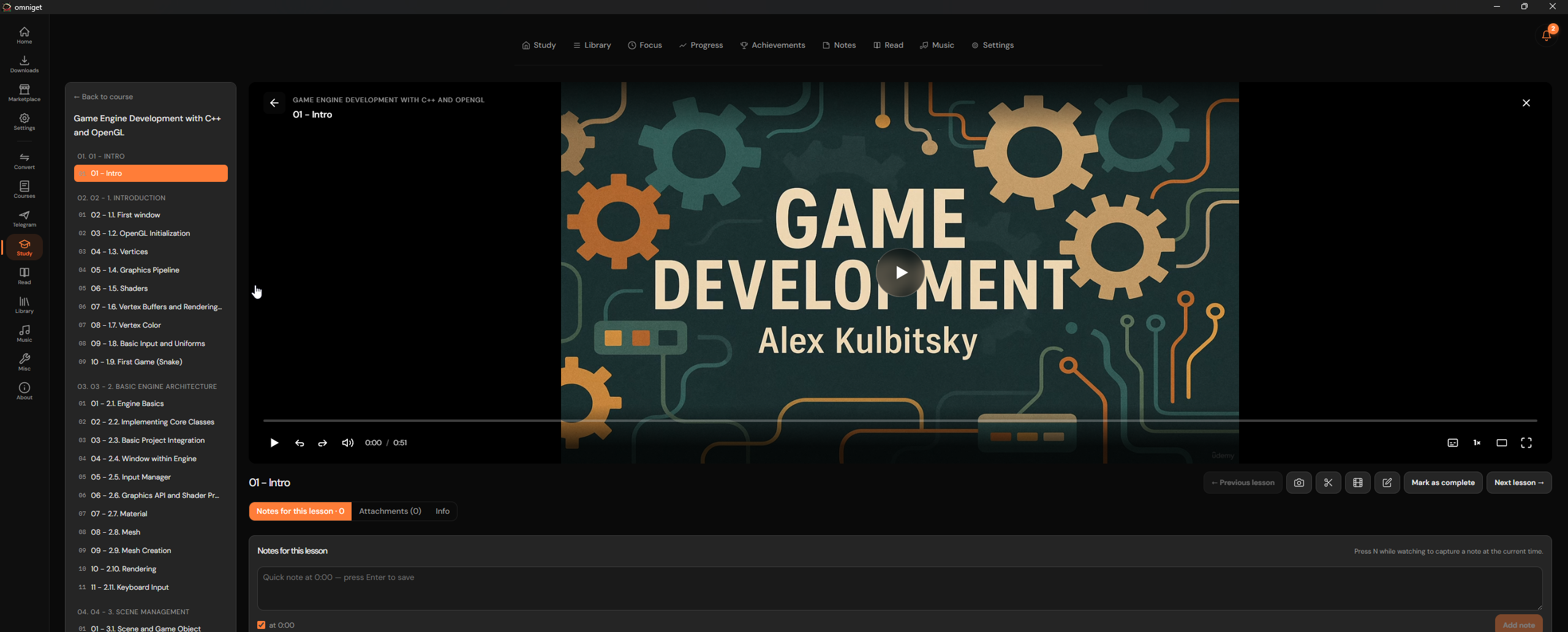
Course player, notes pinned to timestamps, attachments in the same window.
### 3. Read books, real ones
Drop a folder of PDFs and EPUBs. OmniGet pulls covers from them, fetches titles and authors, and opens each one in a built-in reader with highlights, bookmarks, a focus mode and a paper-feel theme for the eyes. CBZ comics and TXT/HTML too.
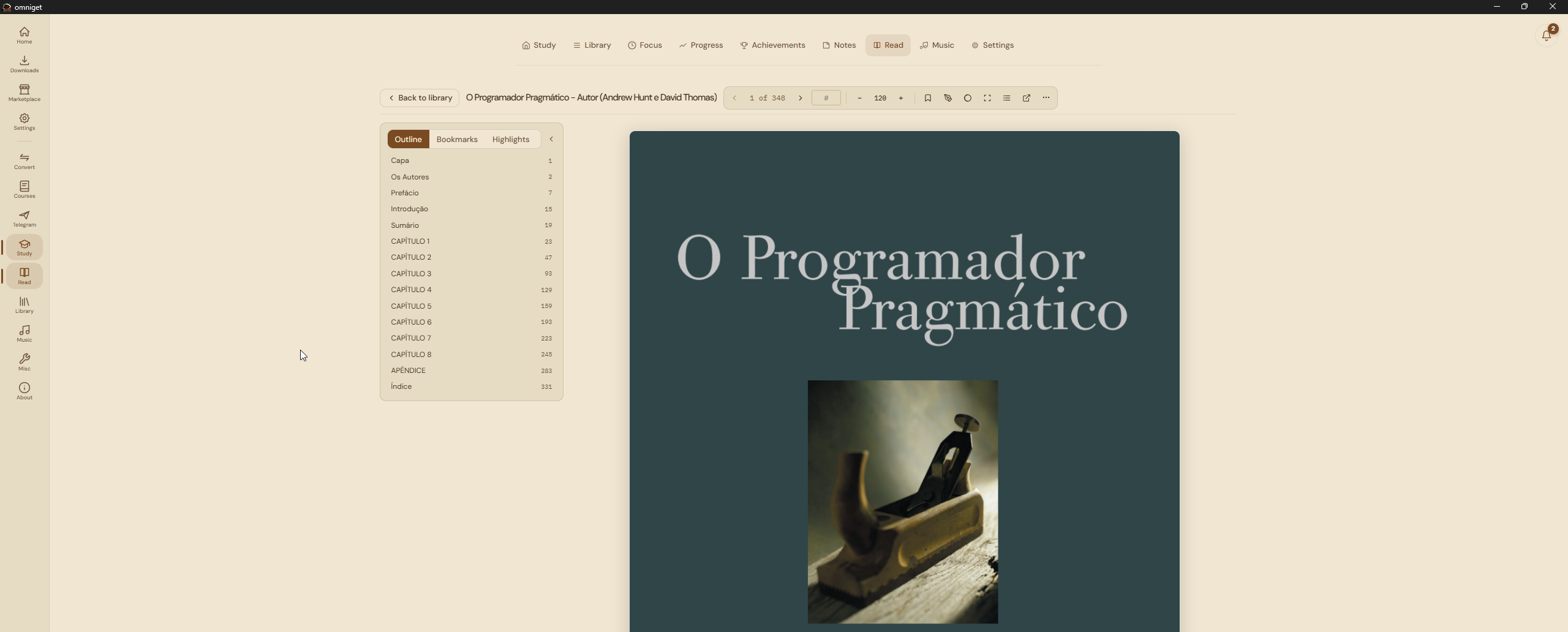
Reader with highlights, notes panel and focus mode.
---
## Music, the way you remember it
Point OmniGet to your music folder and it shows your tracks the way iTunes used to: albums with covers, artists with discographies, a queue that doesn't argue with you.
- Plays MP3, FLAC, M4A, OGG, Opus — anything you already have.
- Pulls **synced lyrics** so they scroll along with the song.
- Connects to **Spotify, SoundCloud, YouTube Music, Qobuz and Last.fm** — your playlists and likes show up next to your local files.
- **Equalizer** with presets, dark theme variants per album cover, an activity dashboard with your top tracks and a Discord presence that shows what you're playing.
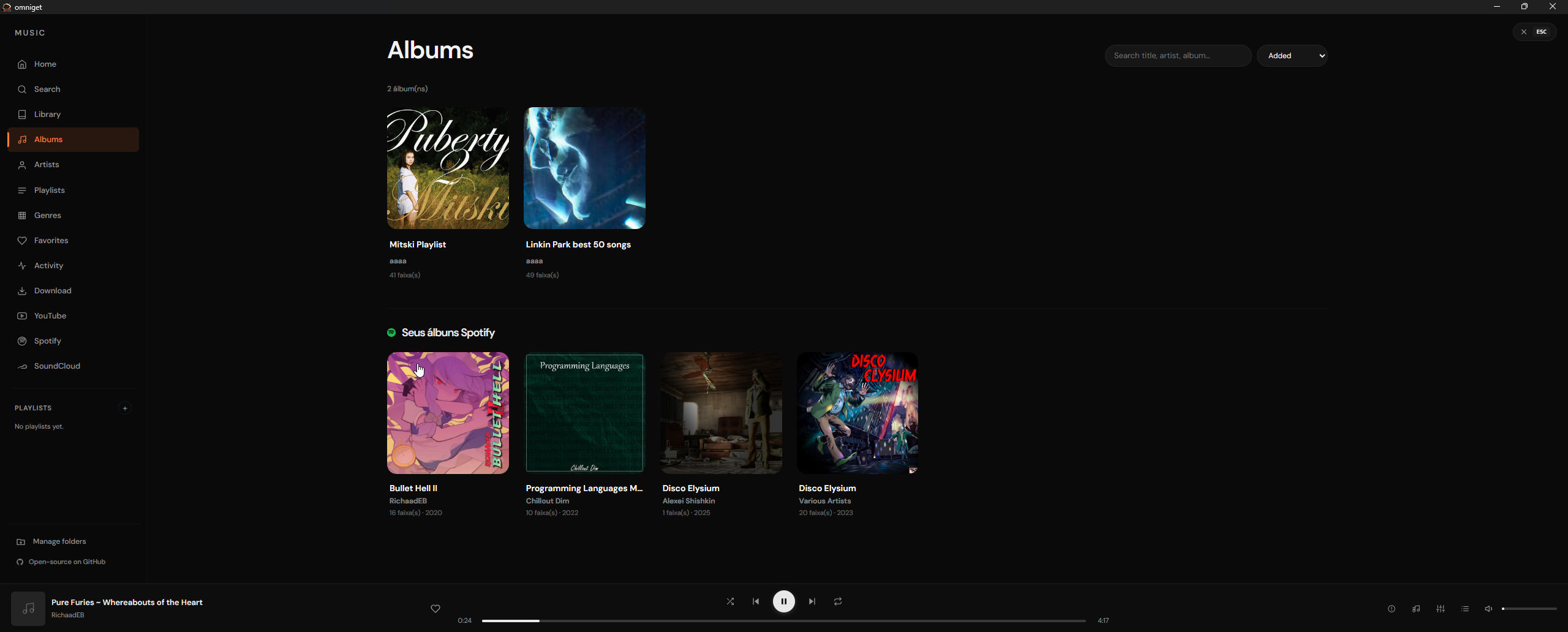
Local library, synced lyrics, streaming sources — one player.
---
## Where the downloads come from
You paste a link. OmniGet figures out the site, shows a preview with quality options, and downloads.
| What | Examples |
|------|----------|
| Online courses | Hotmart, Udemy, Kiwify, Gumroad, Teachable, Kajabi, Skool, Wondrium, Thinkific, Rocketseat |
| Video and audio | YouTube, Instagram, TikTok, Twitter / X, Reddit, Twitch, Pinterest, Vimeo, Bluesky, Bilibili |
| Asian platforms | Douyin (抖音), Xiaohongshu (小红书), Kuaishou (快手), Youku (优酷), iQiyi (爱奇艺), Tencent Video, Mango TV |
| Files | `.torrent` and magnet links, P2P direct transfer between two computers with a 4-word code |
If yt-dlp supports a site, OmniGet downloads from it — roughly a thousand more.
---
## The small things that add up
Quietly there when you need them.
- **Pomodoro focus timer** that pauses your video when the session ends.
- **Notes app** with bidirectional links, daily journal and a knowledge graph.
- **Progress dashboard** with a streak counter, daily goals and a year-style heatmap.
- **FFmpeg converter** for local files. No internet required.
- **Telegram chat browser** that lets you save photos, videos and files from any chat.
- **Browser extension** (Chrome and Firefox) that hands the current page to OmniGet with one click.
- **Global hotkey** (`Ctrl+Shift+D`) that downloads whatever URL is in your clipboard.
- **9 languages**, **14 themes** including Catppuccin, Dracula, One Dark Pro and three e-ink variants.
---
## How it feels day-to-day
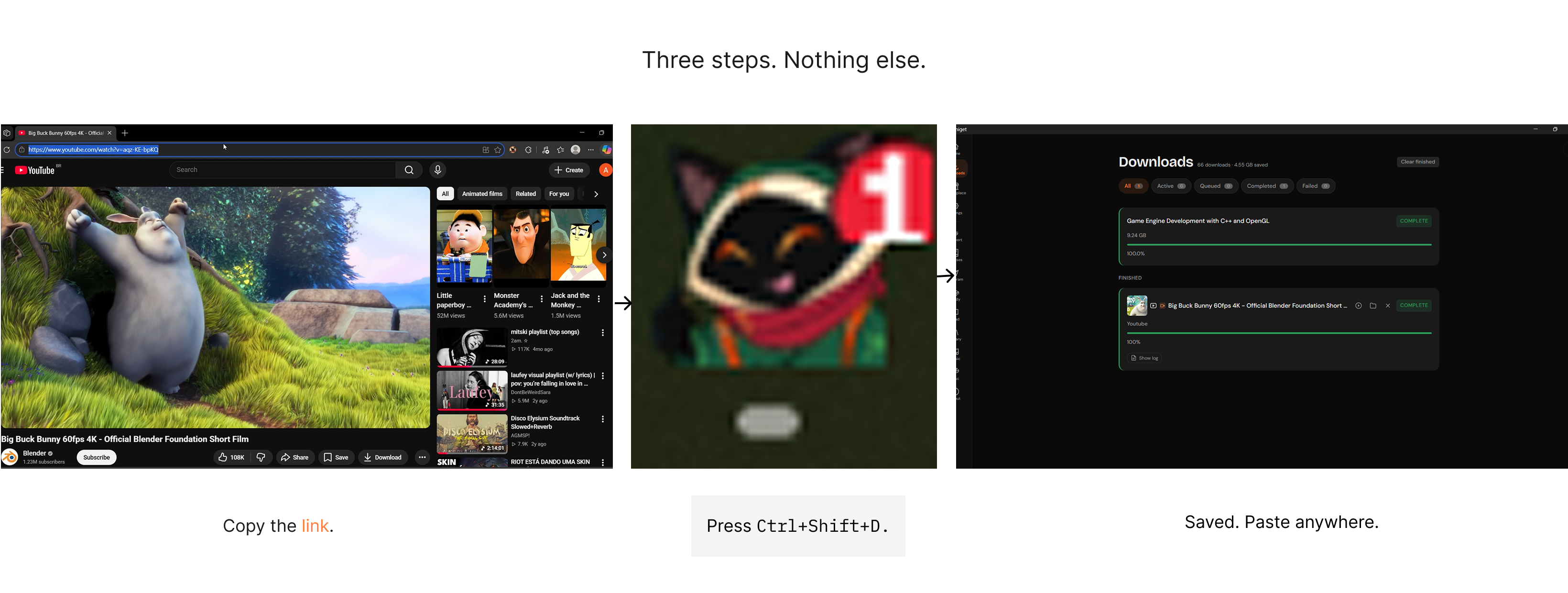
Copy a link anywhere — a tweet, a Discord message, an open tab. Press `Ctrl+Shift+D`. OmniGet downloads in the background. You don't even open the window.
Or paste in the omnibox, glance at the preview, click download.
For a course: log in once on the platform, browse your library, pick what you want, walk away. Every lesson and attachment lands in the folder you chose.
For books: drop the files in a folder you already use, scan once, and they appear with covers.
For music: point at a folder, and the library is yours.
---
## Build from source
For developers. If you just want to use OmniGet, [grab a release](#get-omniget).
```bash
git clone https://github.com/tonhowtf/omniget.git
cd omniget
pnpm install
pnpm tauri dev
```
Requires [Rust](https://rustup.rs/), [Node.js](https://nodejs.org/) 18+, [pnpm](https://pnpm.io/).
Linux build dependencies
```bash
sudo apt-get install -y libwebkit2gtk-4.1-dev build-essential curl wget file libxdo-dev libssl-dev libayatana-appindicator3-dev librsvg2-dev patchelf
```
Windows SmartScreen and macOS Gatekeeper warnings
**Windows:** SmartScreen may warn you on first run. Click **More info** → **Run anyway**. Standard for open source apps without a paid code signing certificate.
**macOS:** If Gatekeeper blocks the app, run in Terminal:
```bash
xattr -cr /Applications/omniget.app
codesign --force --deep --sign - /Applications/omniget.app
```
Production build: `pnpm tauri build`.
---
## Contribute
Bug or feature idea? [Open an issue](https://github.com/tonhowtf/omniget/issues). Pull requests welcome — see [CONTRIBUTING.md](CONTRIBUTING.md).
OmniGet is translated on [Weblate](https://hosted.weblate.org/engage/omniget/). Pick a language, translate in your browser, Weblate opens a pull request automatically.
## Notice to platform owners
If you represent a listed platform and have concerns, email **tonhowtf@gmail.com** from a company address. The platform comes off the list right away.
## Legal
OmniGet is meant for personal use. Respect copyright and each platform's terms of service. You are responsible for what you download.
## License
[GPL-3.0](LICENSE). The OmniGet name, logo and Loop mascot are project trademarks not covered by the code license.