# mapnetwork-mcp
MCP server for [MapNetwork](https://mapnetwork.app) — generate styled map images (PNG / SVG) for any location on Earth, directly from Claude or any MCP-compatible AI assistant.
## Features
- Generate maps from a place name, a list of markers, or a walking/driving route
- 11 color themes (white, darkBlue, darkGreen, popArt, lightBlue, lightGreen, beige, magenta, gray, black, brown)
- PNG or SVG output, saved to your Downloads folder
- Slow-to-generate maps are handled automatically — `generate_*` tools poll internally, and `download_map` can pick up a job later if needed
- Re-download a previously generated map in a different theme or format without regenerating
- Open any generated map in the MapNetwork web editor for manual customization
## Example Usage
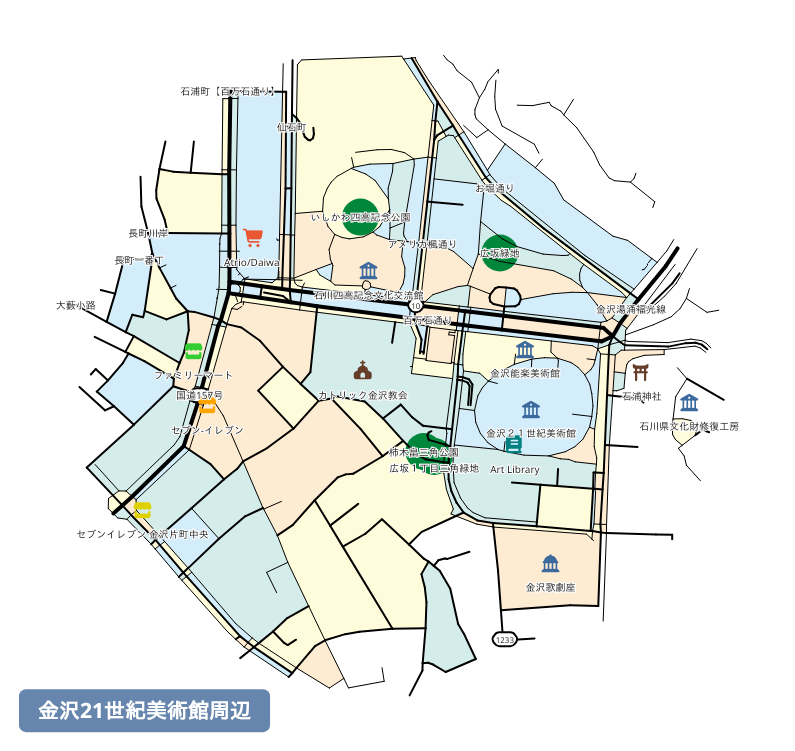
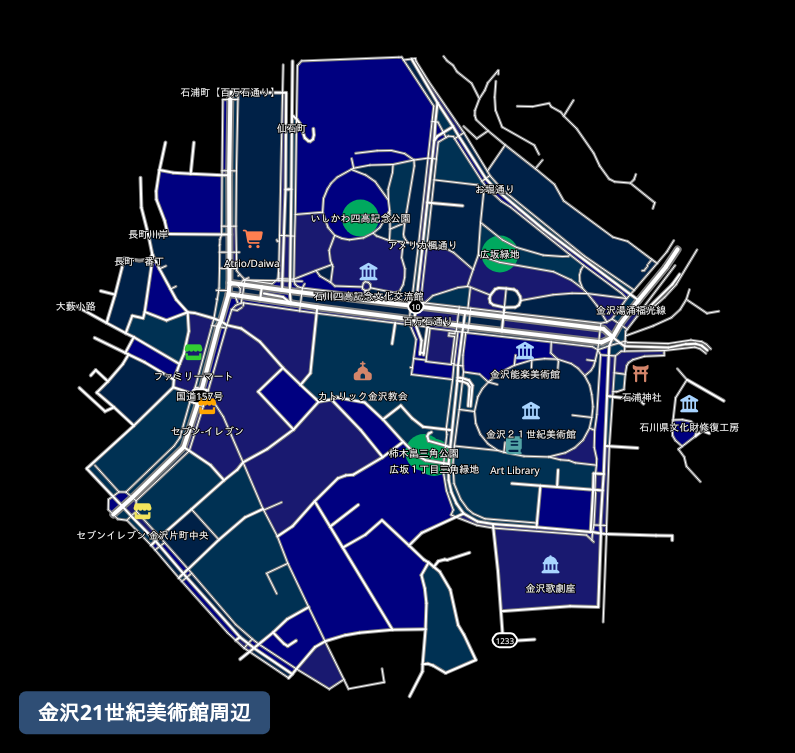
**Prompt:** "Generate a map around the 21st Century Museum of Contemporary Art, Kanazawa."
Here is the map it generated:
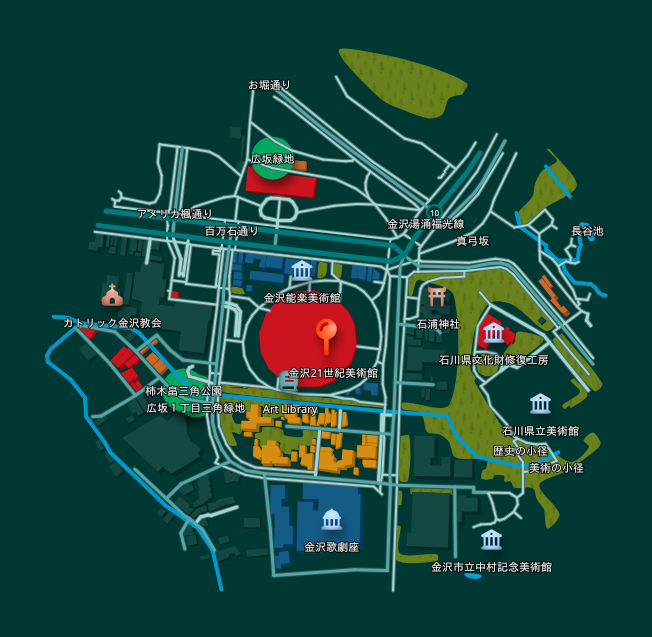
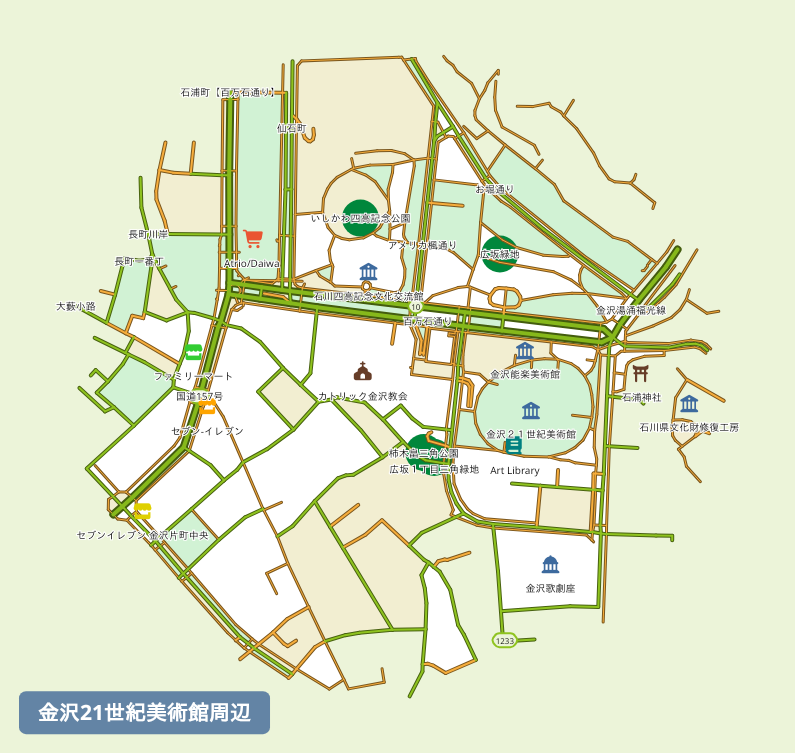
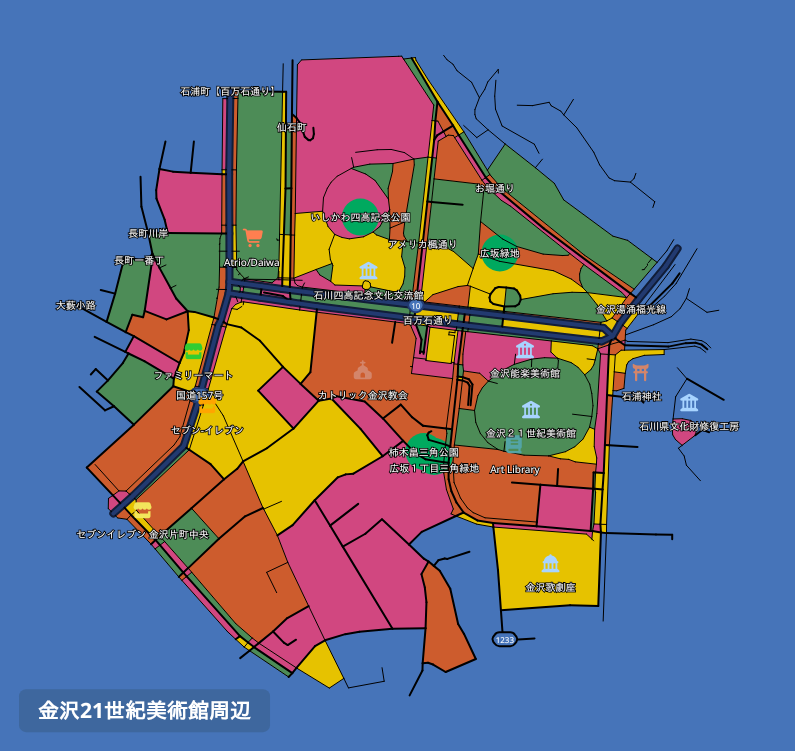
 **Prompt:** "Redownload that map in a few different color themes."
The same map, redownloaded in different color themes:
| Dark Green Style | Light Green Style | Pop Art Style | Black Style |
|:-------------------------------------------------------------------------------------------------------------------------------:|:--------------------------------------------------------------:|:----------------------------------------------------------------:|:---------------------------------------------------------:|
|
**Prompt:** "Redownload that map in a few different color themes."
The same map, redownloaded in different color themes:
| Dark Green Style | Light Green Style | Pop Art Style | Black Style |
|:-------------------------------------------------------------------------------------------------------------------------------:|:--------------------------------------------------------------:|:----------------------------------------------------------------:|:---------------------------------------------------------:|
|  |
|  |
|  |
|  |
## Installation
### Claude Desktop
#### Using the .mcpb extension file (recommended)
The easiest way to install is via the `.mcpb` extension file available on the [Releases](https://github.com/toruproject/mapnetwork-mcp/releases) page.
1. Download the latest `.mcpb` file from the Releases page.
2. Open Claude Desktop and go to **Settings** → **Extensions**.
3. Drag the downloaded `.mcpb` file onto the Extensions panel to install.
#### Manual configuration
Add the following to your `claude_desktop_config.json`:
```json
{
"mcpServers": {
"mapnetwork": {
"command": "uvx",
"args": ["mapnetwork-mcp"],
"alwaysAllow": ["generate_map", "generate_markers_map", "generate_route_map", "download_map", "redownload_map"]
}
}
}
```
If you use `pip` instead of `uvx`:
```bash
pip install mapnetwork-mcp
```
```json
{
"mcpServers": {
"mapnetwork": {
"command": "mapnetwork-mcp"
}
}
}
```
## Remote MCP Server
You can also use MapNetwork through MCP without installing anything, via the remote MCP server:
```
https://mapnetwork.app/mcp
```
In Claude, go to **Settings** → **Connectors** → **Add custom connector** and register the URL above.
The key difference from this local server is how you receive the generated map image. Since `mapnetwork-mcp` runs on your PC, it can save the generated image directly to your Downloads folder. The remote server can't do this — most AI assistants are unable to properly display or save tool-result images within the chat — so instead of image data, it returns a text response with a download link and a link to edit the map at [mapnetwork.app](https://mapnetwork.app). Open the links in a browser to view or save the image, or to edit the map.
## Tools
| Tool | Description |
|---|---|
| `generate_map` | Generate a styled map image centered on a single place and save it to Downloads |
| `generate_markers_map` | Generate a map with multiple pinned locations |
| `generate_route_map` | Compute a walking or driving route between two places and generate a map with it overlaid |
| `download_map` | Check a pending `generate_*` job and download it once ready |
| `redownload_map` | Re-download a previously generated map in a different color theme or format — instant, no regeneration |
## Example prompts
**Japanese**
- "東京タワー周辺の地図を作って"
- "上野駅が最寄りの美術館・博物館を地図にして"
- "赤坂駅から赤坂氷川神社までの徒歩ルートを地図にして"
- "その地図を darkBlue テーマでSVG画像で出し直して"
- "生成した地図の編集用リンクをください"
**English**
- "Generate a map around Tokyo Tower"
- "Show a map of the museums near Ueno Station"
- "Show a walking route from Akasaka Station to Akasaka Hikawa Shrine on a map"
- "Redownload that map as an SVG in the darkBlue theme"
- "Give me a link to edit the generated map"
## Links
- Web UI: [https://mapnetwork.app](https://mapnetwork.app)
- Web UI Manual: [https://mapnetwork.app/manual](https://mapnetwork.app/manual)
- API docs: [https://mapnetwork.app/openapi.json](https://mapnetwork.app/openapi.json)
mcp-name: io.github.toruproject/mapnetwork-mcp
|
## Installation
### Claude Desktop
#### Using the .mcpb extension file (recommended)
The easiest way to install is via the `.mcpb` extension file available on the [Releases](https://github.com/toruproject/mapnetwork-mcp/releases) page.
1. Download the latest `.mcpb` file from the Releases page.
2. Open Claude Desktop and go to **Settings** → **Extensions**.
3. Drag the downloaded `.mcpb` file onto the Extensions panel to install.
#### Manual configuration
Add the following to your `claude_desktop_config.json`:
```json
{
"mcpServers": {
"mapnetwork": {
"command": "uvx",
"args": ["mapnetwork-mcp"],
"alwaysAllow": ["generate_map", "generate_markers_map", "generate_route_map", "download_map", "redownload_map"]
}
}
}
```
If you use `pip` instead of `uvx`:
```bash
pip install mapnetwork-mcp
```
```json
{
"mcpServers": {
"mapnetwork": {
"command": "mapnetwork-mcp"
}
}
}
```
## Remote MCP Server
You can also use MapNetwork through MCP without installing anything, via the remote MCP server:
```
https://mapnetwork.app/mcp
```
In Claude, go to **Settings** → **Connectors** → **Add custom connector** and register the URL above.
The key difference from this local server is how you receive the generated map image. Since `mapnetwork-mcp` runs on your PC, it can save the generated image directly to your Downloads folder. The remote server can't do this — most AI assistants are unable to properly display or save tool-result images within the chat — so instead of image data, it returns a text response with a download link and a link to edit the map at [mapnetwork.app](https://mapnetwork.app). Open the links in a browser to view or save the image, or to edit the map.
## Tools
| Tool | Description |
|---|---|
| `generate_map` | Generate a styled map image centered on a single place and save it to Downloads |
| `generate_markers_map` | Generate a map with multiple pinned locations |
| `generate_route_map` | Compute a walking or driving route between two places and generate a map with it overlaid |
| `download_map` | Check a pending `generate_*` job and download it once ready |
| `redownload_map` | Re-download a previously generated map in a different color theme or format — instant, no regeneration |
## Example prompts
**Japanese**
- "東京タワー周辺の地図を作って"
- "上野駅が最寄りの美術館・博物館を地図にして"
- "赤坂駅から赤坂氷川神社までの徒歩ルートを地図にして"
- "その地図を darkBlue テーマでSVG画像で出し直して"
- "生成した地図の編集用リンクをください"
**English**
- "Generate a map around Tokyo Tower"
- "Show a map of the museums near Ueno Station"
- "Show a walking route from Akasaka Station to Akasaka Hikawa Shrine on a map"
- "Redownload that map as an SVG in the darkBlue theme"
- "Give me a link to edit the generated map"
## Links
- Web UI: [https://mapnetwork.app](https://mapnetwork.app)
- Web UI Manual: [https://mapnetwork.app/manual](https://mapnetwork.app/manual)
- API docs: [https://mapnetwork.app/openapi.json](https://mapnetwork.app/openapi.json)
mcp-name: io.github.toruproject/mapnetwork-mcp