|
|
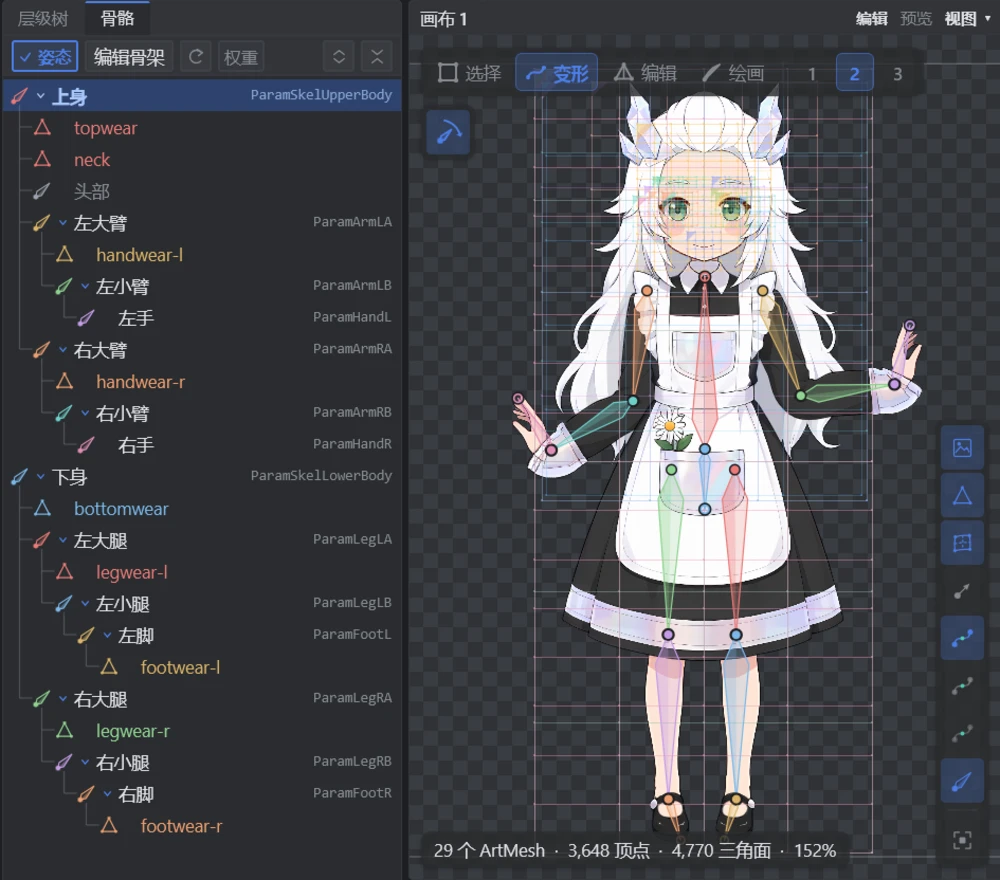
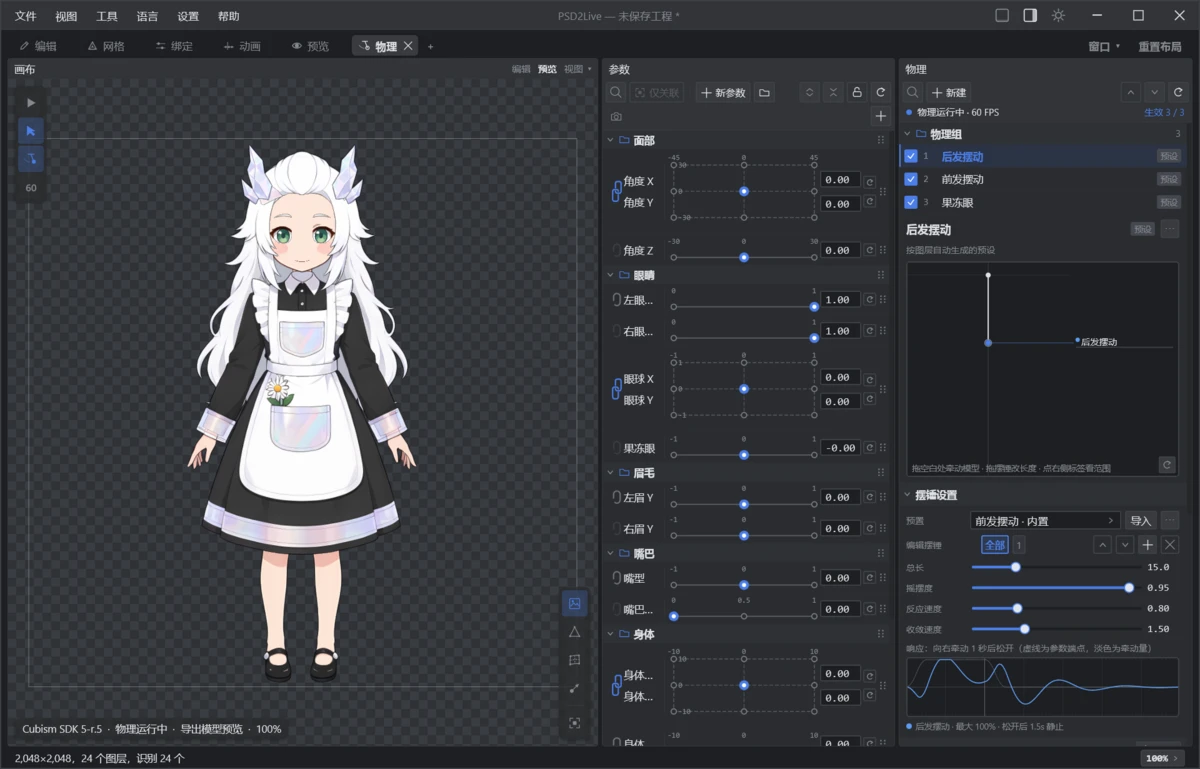
| Skeleton: inferred automatically, posed by dragging bone tips with IK | Physics: pull the pendulum directly and watch the response curve update |
 **New to PSD2Live? Open Help → Tutorials… (`F1`).** The interactive tutorials highlight each control and use your current shortcuts. There is a beginner path (18 lessons) and a path for Cubism users (13 lessons); the [user guide](guide/USER_GUIDE.md) is the text companion.
## Preparing artwork
Layer structure matters most for the automatic result:
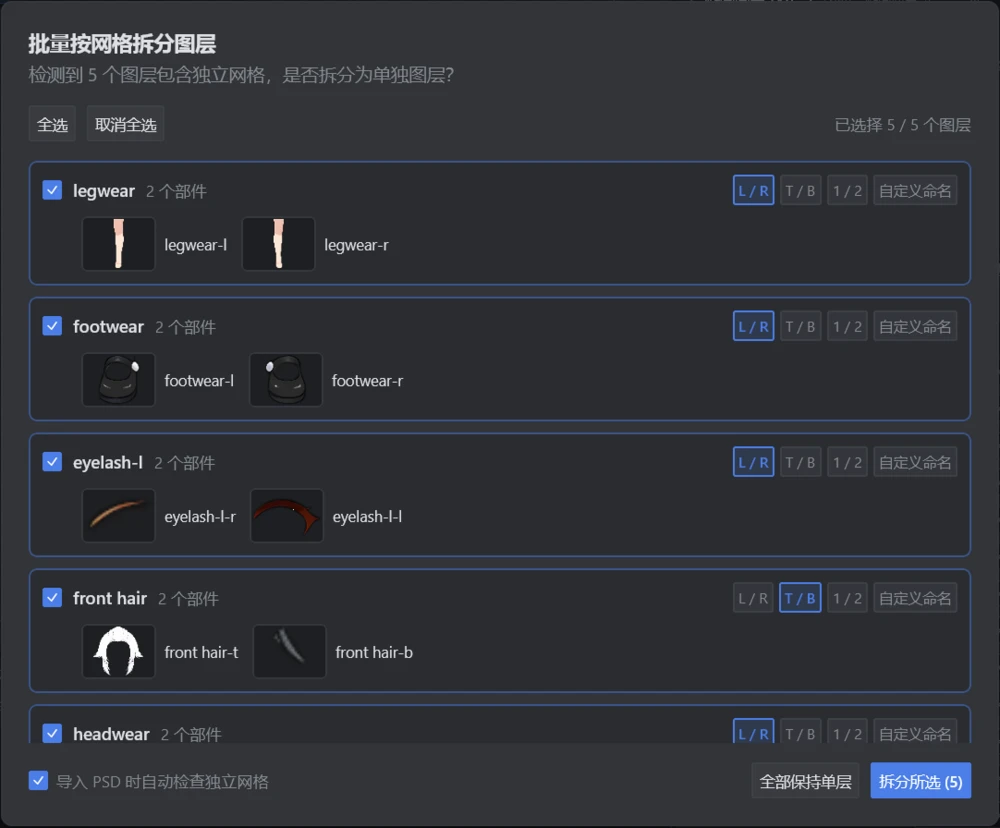
- Separate eye whites, irises and upper lashes, and keep the part of the iris hidden under the eyelid.
- Provide an open-mouth drawing, or separate upper teeth, lower teeth and tongue.
- Separate front and back hair and leave overlap under covered areas.
- Keep the body roughly upright; rasterize layer effects and text.
See [PSD preparation and naming](spec/PSD_LAYER_SPEC.md) for the full name table. Unrecognized layers are kept and can be classified manually.
## Output files
| File | Purpose |
| --- | --- |
| `.psd2live` | PSD2Live project: source PSD, artwork, settings, every edit and all history branches. Save this to keep working |
| `.cmo3` | Cubism Editor model project for inspection and refinement in the official editor |
| `.model3.json` + `.moc3` + textures, physics, motions | Runtime bundle; deliver together and load from `.model3.json` |
| `.psd2live.json` | Export diagnostics, not a project |
Export targets Cubism 3.0 – 5.0 (default 5.0); features the target cannot express are downgraded and reported. A successful export does not guarantee identical results in every runtime, so check the model in the target editor and runtime before delivery. Support boundaries are described in the [runtime and export reference](../zh/spec/RUNTIME_EXPORT_ARCHITECTURE_AND_GAPS.md) (Chinese).
The built-in renderer needs no official SDK. [Cubism native preview](guide/CUBISM_SDK_SETUP.md) is optional and lets you compare against the official runtime's rendering and physics.
## Connecting an agent (MCP)
1. Keep PSD2Live running and open **Tools → MCP → MCP Connection & Setup…**.
2. Copy the configuration for your host. Hosts with Streamable HTTP connect directly; Stdio-only hosts use [`mcp_proxy.py`](../../mcp_proxy.py) in the repository root.
3. Have the agent call `inspect` first. Every write goes into the same history as UI edits and can be undone in the app.
The [MCP reference](../zh/agent/MCP_AUTHORING.md) (Chinese) lists requests and examples. The MCP server does not generate images; new artwork requires image generation in the host. A callable tool does not make a complex modeling task reliable; [recorded evaluations](../zh/STATUS.md) keep both successes and failures.
## Build from source
Requires JDK 21; Gradle runs through the bundled wrapper.
```bash
./gradlew run # start the GUI (Windows: .\gradlew.bat run or run-gui.bat)
./gradlew run --args="--input examples/tml/psd-input/tml.psd --output build/example-output" # generate from the command line
./gradlew test # run the tests
./gradlew packageDistributionForCurrentOS # build an installer for this platform
```
Source builds use the built-in renderer. The official Cubism SDK must be obtained separately to build the native bridge. See [development and CLI](guide/DEVELOPMENT.md) for all CLI options, packaging and native builds.
## Documentation
| Using PSD2Live | Reference |
| --- | --- |
| [User guide](guide/USER_GUIDE.md) · [Development and CLI](guide/DEVELOPMENT.md) | [PSD preparation](spec/PSD_LAYER_SPEC.md) · [Deformers and parameters](spec/DEFORMER_AND_PARAMETER_SPEC.md) |
| [Cubism native preview](guide/CUBISM_SDK_SETUP.md) · [CI and releases](guide/CUBISM_CI_RELEASE.md) | [Project format](spec/PROJECT_FORMAT.md) · [Implementation overview](spec/IMPLEMENTATION_COMPARISON.md) |
Guides for canvas editing, skeletons, swing, physics and texture upscaling are currently in Chinese; see the [documentation index](../README.md). Example PSDs and outputs are in [examples](../../examples/readme.md).
## Contributing
Issues, reproducible PSDs, documentation fixes and code are welcome.
- **Bug reports**: include the version, operating system, steps to reproduce, expected and actual results, and relevant entries from the Log panel.
- **Code**: run the tests related to your change (`./gradlew test`). New editing features must persist in the project and replay after reopening; see [development](guide/DEVELOPMENT.md).
- **Agent evaluations**: also record the host, model, retries and cost, following the [evaluation format](../zh/STATUS.md).
## License
Code is released under [GPL-3.0](../../LICENSE); see [THIRD_PARTY_NOTICES.md](../../THIRD_PARTY_NOTICES.md) for third-party components. Example artwork has its own usage terms.
PSD2Live is an independent project, not affiliated with or endorsed by Live2D Inc. This repository does not contain or distribute proprietary Live2D Cubism SDK components. Live2D and Cubism are trademarks of Live2D Inc.
**New to PSD2Live? Open Help → Tutorials… (`F1`).** The interactive tutorials highlight each control and use your current shortcuts. There is a beginner path (18 lessons) and a path for Cubism users (13 lessons); the [user guide](guide/USER_GUIDE.md) is the text companion.
## Preparing artwork
Layer structure matters most for the automatic result:
- Separate eye whites, irises and upper lashes, and keep the part of the iris hidden under the eyelid.
- Provide an open-mouth drawing, or separate upper teeth, lower teeth and tongue.
- Separate front and back hair and leave overlap under covered areas.
- Keep the body roughly upright; rasterize layer effects and text.
See [PSD preparation and naming](spec/PSD_LAYER_SPEC.md) for the full name table. Unrecognized layers are kept and can be classified manually.
## Output files
| File | Purpose |
| --- | --- |
| `.psd2live` | PSD2Live project: source PSD, artwork, settings, every edit and all history branches. Save this to keep working |
| `.cmo3` | Cubism Editor model project for inspection and refinement in the official editor |
| `.model3.json` + `.moc3` + textures, physics, motions | Runtime bundle; deliver together and load from `.model3.json` |
| `.psd2live.json` | Export diagnostics, not a project |
Export targets Cubism 3.0 – 5.0 (default 5.0); features the target cannot express are downgraded and reported. A successful export does not guarantee identical results in every runtime, so check the model in the target editor and runtime before delivery. Support boundaries are described in the [runtime and export reference](../zh/spec/RUNTIME_EXPORT_ARCHITECTURE_AND_GAPS.md) (Chinese).
The built-in renderer needs no official SDK. [Cubism native preview](guide/CUBISM_SDK_SETUP.md) is optional and lets you compare against the official runtime's rendering and physics.
## Connecting an agent (MCP)
1. Keep PSD2Live running and open **Tools → MCP → MCP Connection & Setup…**.
2. Copy the configuration for your host. Hosts with Streamable HTTP connect directly; Stdio-only hosts use [`mcp_proxy.py`](../../mcp_proxy.py) in the repository root.
3. Have the agent call `inspect` first. Every write goes into the same history as UI edits and can be undone in the app.
The [MCP reference](../zh/agent/MCP_AUTHORING.md) (Chinese) lists requests and examples. The MCP server does not generate images; new artwork requires image generation in the host. A callable tool does not make a complex modeling task reliable; [recorded evaluations](../zh/STATUS.md) keep both successes and failures.
## Build from source
Requires JDK 21; Gradle runs through the bundled wrapper.
```bash
./gradlew run # start the GUI (Windows: .\gradlew.bat run or run-gui.bat)
./gradlew run --args="--input examples/tml/psd-input/tml.psd --output build/example-output" # generate from the command line
./gradlew test # run the tests
./gradlew packageDistributionForCurrentOS # build an installer for this platform
```
Source builds use the built-in renderer. The official Cubism SDK must be obtained separately to build the native bridge. See [development and CLI](guide/DEVELOPMENT.md) for all CLI options, packaging and native builds.
## Documentation
| Using PSD2Live | Reference |
| --- | --- |
| [User guide](guide/USER_GUIDE.md) · [Development and CLI](guide/DEVELOPMENT.md) | [PSD preparation](spec/PSD_LAYER_SPEC.md) · [Deformers and parameters](spec/DEFORMER_AND_PARAMETER_SPEC.md) |
| [Cubism native preview](guide/CUBISM_SDK_SETUP.md) · [CI and releases](guide/CUBISM_CI_RELEASE.md) | [Project format](spec/PROJECT_FORMAT.md) · [Implementation overview](spec/IMPLEMENTATION_COMPARISON.md) |
Guides for canvas editing, skeletons, swing, physics and texture upscaling are currently in Chinese; see the [documentation index](../README.md). Example PSDs and outputs are in [examples](../../examples/readme.md).
## Contributing
Issues, reproducible PSDs, documentation fixes and code are welcome.
- **Bug reports**: include the version, operating system, steps to reproduce, expected and actual results, and relevant entries from the Log panel.
- **Code**: run the tests related to your change (`./gradlew test`). New editing features must persist in the project and replay after reopening; see [development](guide/DEVELOPMENT.md).
- **Agent evaluations**: also record the host, model, retries and cost, following the [evaluation format](../zh/STATUS.md).
## License
Code is released under [GPL-3.0](../../LICENSE); see [THIRD_PARTY_NOTICES.md](../../THIRD_PARTY_NOTICES.md) for third-party components. Example artwork has its own usage terms.
PSD2Live is an independent project, not affiliated with or endorsed by Live2D Inc. This repository does not contain or distribute proprietary Live2D Cubism SDK components. Live2D and Cubism are trademarks of Live2D Inc.