# DTPagerController
[](http://cocoapods.org/pods/DTPagerController)
[](http://cocoapods.org/pods/DTPagerController)
[](http://cocoapods.org/pods/DTPagerController)
This is a control for iOS written in Swift. DTPagerController is simple to use and easy to customize.
## Screenshots
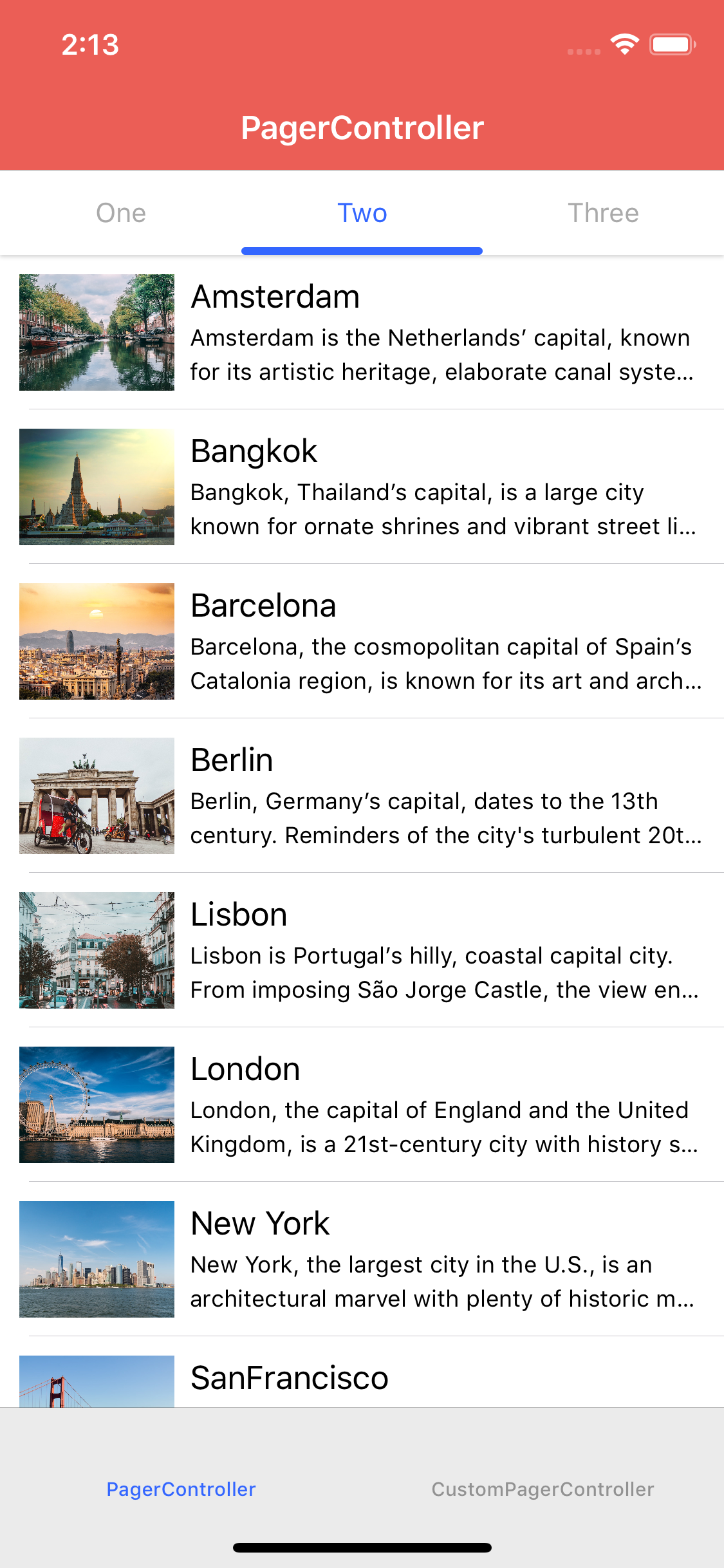
**Default segmented control**
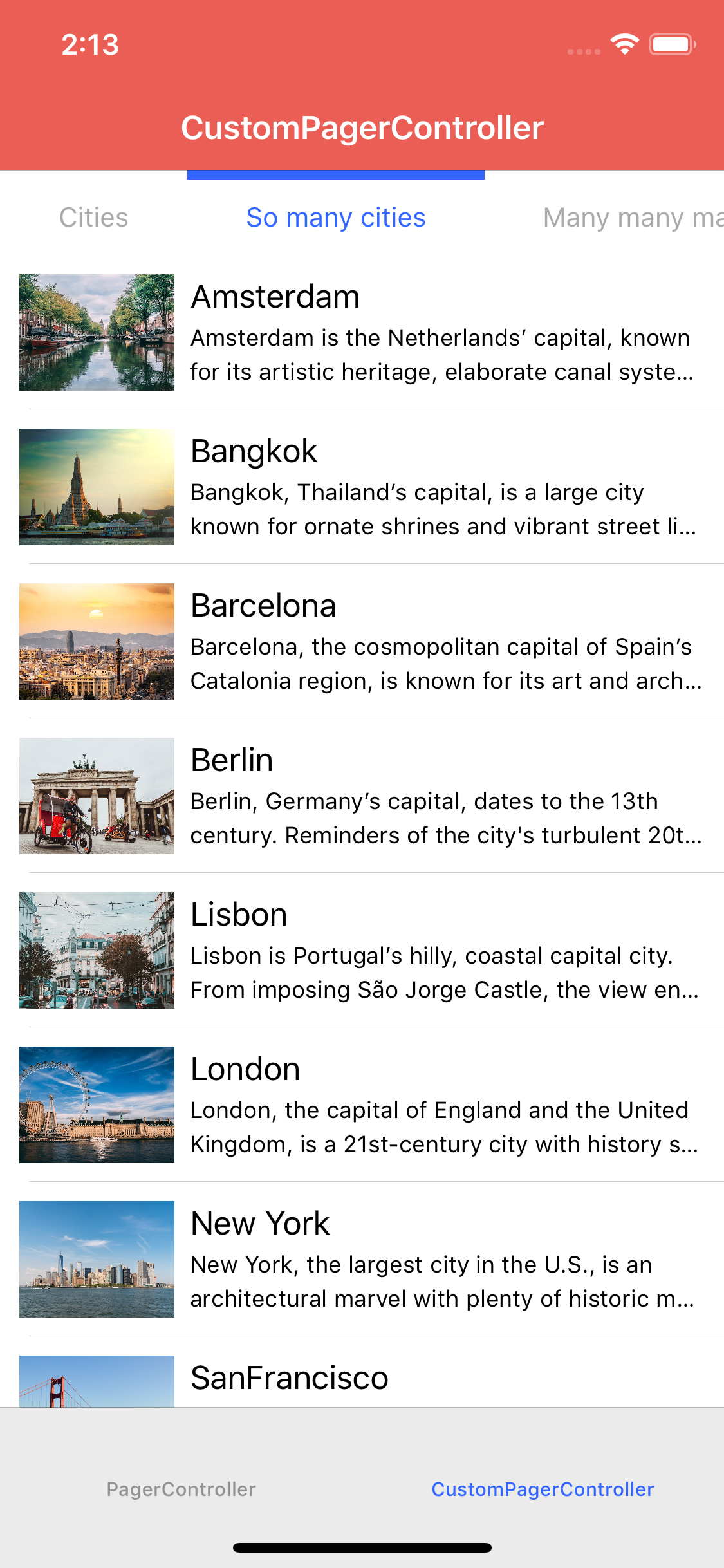
**Custom segmented control**
## Usage
DTPagerController is extremely easy to use. In order to display two view controllers inside a pager controller. All you have to do is this many lines of code.
```swift
let viewController1 = ViewController()
let viewController2 = ViewController()
let pagerController = DTPagerController(viewControllers: [viewController1, viewController2])
```
### Update page index
There are 3 different ways to update selected page index programmatically.
```swift
// Update selected page index with animation
pagerController.selectedPageIndex = 1
// Update selected page index with animation
pagerController.setSelectedPageIndex(1, animated: true)
// Update selected page index without animation
pagerController.setSelectedPageIndex(1, animated: false)
```
### Custom UI
DTPagerController is also customizable in case you want to implement your own UI.
```swift
// Change the height of segmented control
pagerController.preferredSegmentedControlHeight = 60
// Change normal font of each segmented control
pagerController.font = UIFont.customFont(ofSize: 15)
// Change selected font of each segmented control
pagerController.selectedFont = UIFont.boldCustomFont(ofSize: 15)
// Change normal text color of each segmented control
pagerController.textColor = UIColor.black
// Change selected text color of each segmented control
pagerController.selectedTextColor = UIColor.red
// Change scroll indicator height
pagerController.perferredScrollIndicatorHeight = 3
```
### Custom segmented control
From version **2.0.0**, DTPagerController supports custom segmented control. Therefore, instead of using default **DTSegmentedControl**, you can provide your own segmented control or any 3rd-party segmented control libraries available out there. All you have to do is making your custom UIControl conform **DTSegmentedControlProtocol**. For example, as shown in sample project, **HMSegmentedControl** is made to conform **DTSegmentedControlProtocol** by using extension:
```swift
extension HMSegmentedControl: DTSegmentedControlProtocol {
public func setImage(_ image: UIImage?, forSegmentAt segment: Int) {
// Custom page control does not support
}
public func setTitle(_ title: String?, forSegmentAt segment: Int) {
// Custom page control does not support
}
public func setTitleTextAttributes(_ attributes: [AnyHashable : Any]?, for state: UIControlState) {
if state == UIControlState.normal {
titleTextAttributes = attributes
}
else if state == UIControlState.selected {
selectedTitleTextAttributes = attributes
}
}
}
```
Then we create new pager controller with the custom segmented control:
```swift
init(viewControllers controllers: [UIViewController]) {
let segmentedControl = HMSegmentedControl(sectionTitles: ["Page 1", "Page 2", "Page 3"])
super.init(viewControllers: controllers, pageSegmentedControl: segmentedControl!)
}
```
When using custom segmented control, it is recommneded to override/take a look at the following methods to customize behavior and appearance of each segments:
```swift
// Setup custom segmented control
func setUpSegmentedControl(viewControllers: [UIViewController])
// Update a custom appearance for segment
func updateAppearanceForSegmentedItem(at index: Int)
// Update a custom scroll indicator if exists
func updateScrollIndicator(with offsetRatio: CGFloat, scrollView: UIScrollView)
// Setup custom scroll indicator
func setUpScrollIndicator()
// Manually update segment title
func setTitle(_ title: String?, forSegmentAt segment: Int)
// Manually update segment image
func setImage(_ image: UIImage?, forSegmentAt segment: Int)
```
## Example
To run the example project, clone the repo, and run `pod install` from the Example directory first.
## Requirements
### iOS 9.0+
## Installation
### CocoaPods
Simply add the following line to your Podfile:
For Swift 5:
```ruby
pod 'DTPagerController'
```
For Swift 4.2:
```ruby
pod 'DTPagerController', '~> 2.0.4'
```
### Swift package manager
`DTPagerController` is available for SPM from version `3.0.2`.
Add the following to the dependencies of your `Package.swift`:
```swift
.package(url: "https://github.com/tungvoduc/DTPagerController", from: "version")
```
## Author
Tung Vo, tung98.dn@gmail.com
## License
DTPagerController is available under the MIT license. See the LICENSE file for more info.
## Feedbacks & requests
- Open an issue if you find a bug, make a proposal or simply need some help.
- You can also contact me via [email](mailto:tung98.dn@gmail.com).