# vue-lumino
[](https://github.com/tupilabs/vue-lumino/actions/workflows/main.yml)
[](https://codecov.io/gh/tupilabs/vue-lumino)
[](https://www.npmjs.com/package/@tupilabs/vue-lumino)
An example project showing one way to integrate Vue.js and
[Lumino](https://github.com/jupyterlab/lumino) (née PhosphorJS).
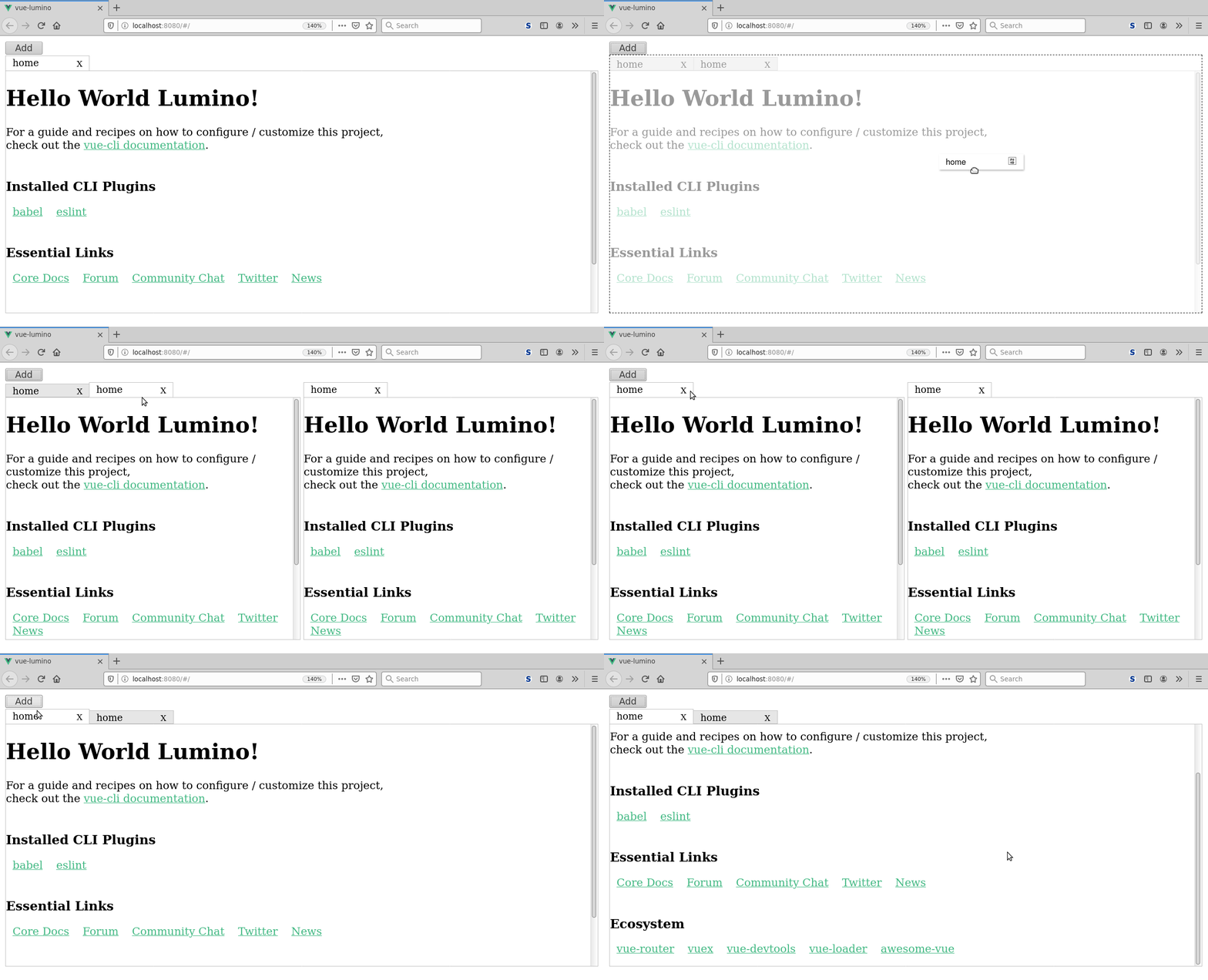
Lumino *“is a library for building interactive web applications”*. It is used by JupyterLab to create the
top menu bar, widgets with close/maximize buttons, and other components that allow users to create
web applications.
Based on work done for [Cylc UI](https://github.com/cylc/cylc-ui).
## Installation
```bash
# npm
npm install @tupilabs/vue-lumino
# yarn
yarn add @tupilabs/vue-lumino
```
## Usage
You will have to import the `Lumino` component, and its stylesheet (or have a look at
it and choose how to better customize it).
`vue-lumino` will install JupyterLab Lumino for you, if that's not in your dependency
tree already. But you will still need to import the Lumino stylesheet as well in your
component or sass or similar code.
The diff below is probably the easiest way to show how to use the component. It was
created using `vue create` to create a new project using its default values. Then a version
of the library was installed locally, and with the diff applied the component is
ready to be used.
```diff
diff --git a/src/App.vue b/src/App.vue
index 3943904..f04b13d 100644
--- a/src/App.vue
+++ b/src/App.vue
@@ -1,13 +1,38 @@
-
- Home |
- About
-
-
+
+
+
+
+
+