# Tuya Integration FAQs
Q1: I got an error saying 'Config flow could not be loaded' when setting up the Tuya integration. How to fix it?
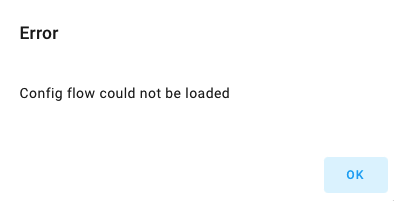 - You might have added Tuya v2 to Home Assistant. Tuya v2 is not compatible with the Tuya integration.
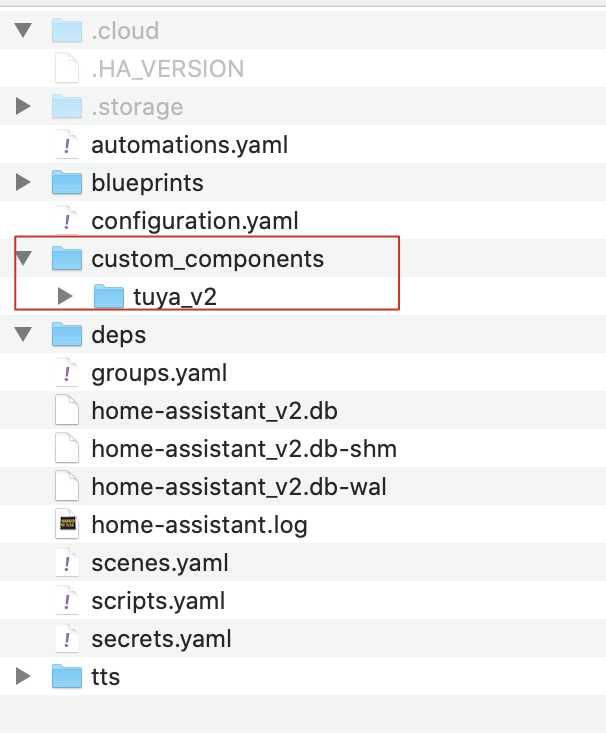
- Go to `custom_components` under the Home Assistant directory and delete the `tuya_v2` folder. Restart Home Assistant and try to install the integration again.
- You might have added Tuya v2 to Home Assistant. Tuya v2 is not compatible with the Tuya integration.
- Go to `custom_components` under the Home Assistant directory and delete the `tuya_v2` folder. Restart Home Assistant and try to install the integration again.
 Q2: I got an error shown in the following screenshot when I tried to scan a QR code to link my devices to my cloud project. How to fix it?
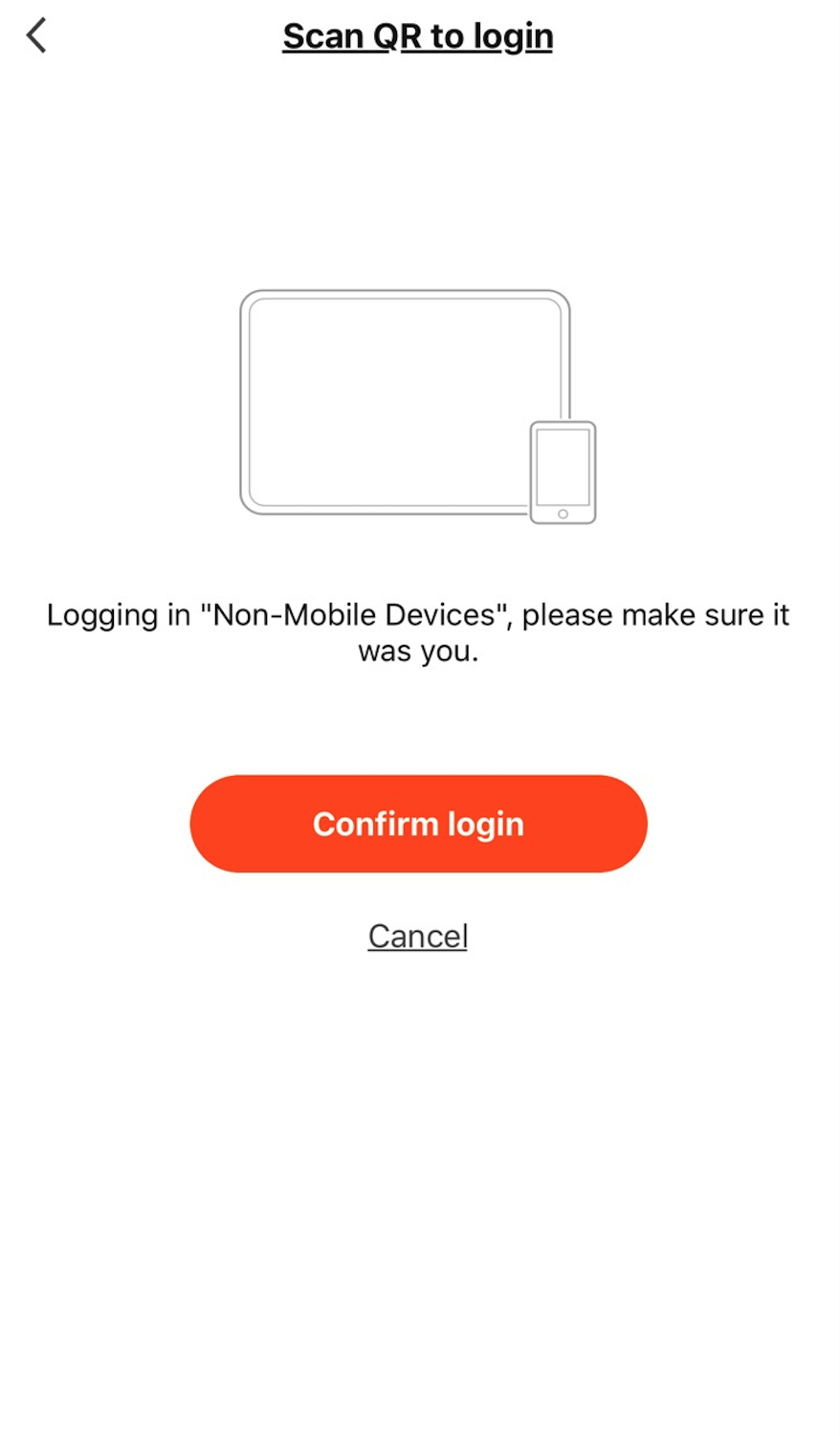 - This is because the data center you selected for your cloud project cannot serve the region of your app account. You must switch to the correct data center and scan the QR code again.
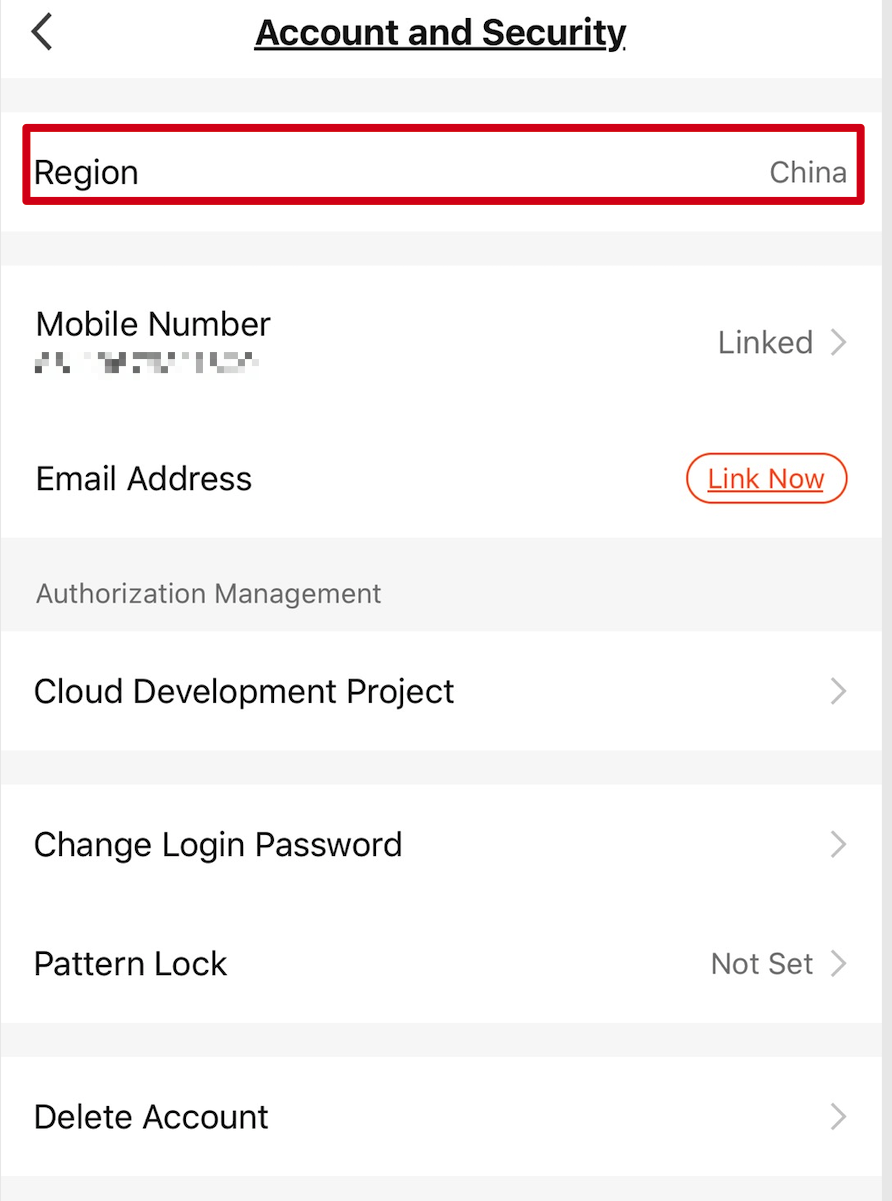
1. Here is how to find the region: open the mobile app you use and tap **Me** > **Setting** > **Account and Security** > **Region**.
- This is because the data center you selected for your cloud project cannot serve the region of your app account. You must switch to the correct data center and scan the QR code again.
1. Here is how to find the region: open the mobile app you use and tap **Me** > **Setting** > **Account and Security** > **Region**.
 2. See [Mappings Between OEM App Accounts and Data Centers](https://developer.tuya.com/en/docs/iot/oem-app-data-center-distributed?id=Kafi0ku9l07qb) and find the data center that can serve your region.
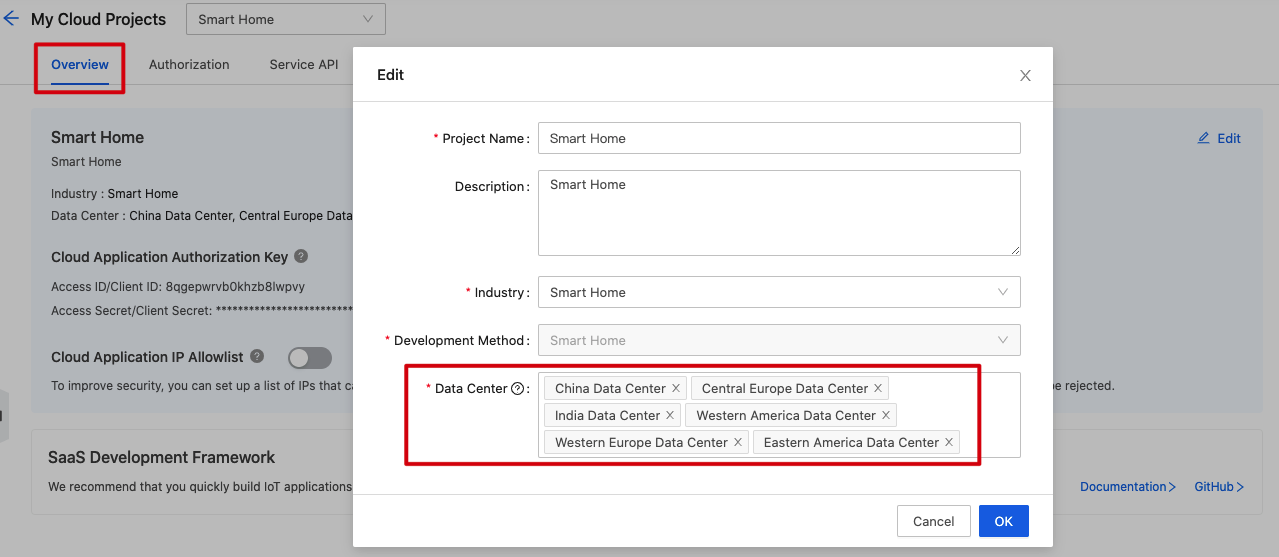
3. (Optional) If you do not find the data center you want to use, click the **Overview** tab and then **Edit** to add data centers.
2. See [Mappings Between OEM App Accounts and Data Centers](https://developer.tuya.com/en/docs/iot/oem-app-data-center-distributed?id=Kafi0ku9l07qb) and find the data center that can serve your region.
3. (Optional) If you do not find the data center you want to use, click the **Overview** tab and then **Edit** to add data centers.
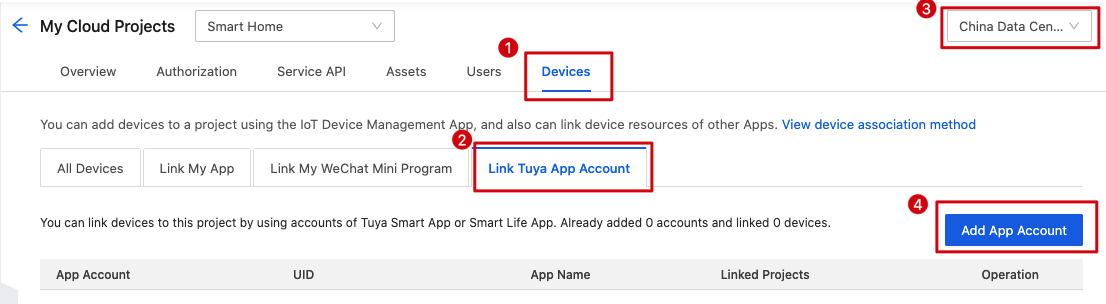
 4. Click the **Devices** tab > **Link Tuya App Account**. Select the correct data center from the drop-down menu in the top right corner and click **Add App Account**.
5. Scan the QR code again to link devices.
Q3: Will I be billed after the free trial of the API service expires?
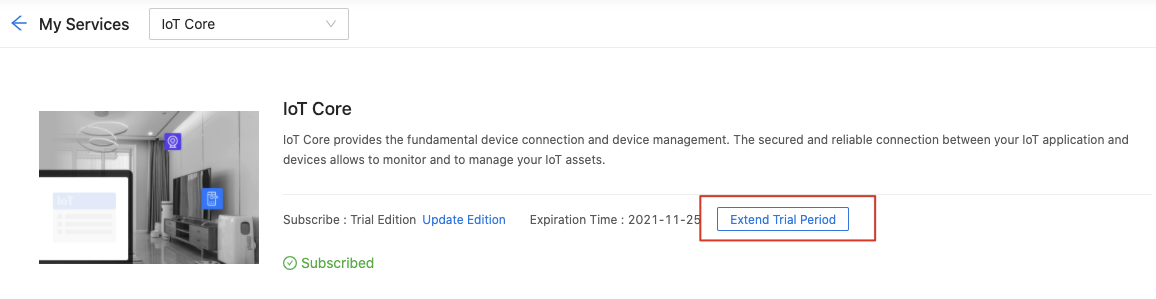
- After your API service expires, go to **Cloud** > **My Services** on the [Tuya IoT Development Platform](https://iot.tuya.com) to request extending your API service by up to 6 months.
1. Click **Extend Trial Period**.
4. Click the **Devices** tab > **Link Tuya App Account**. Select the correct data center from the drop-down menu in the top right corner and click **Add App Account**.

5. Scan the QR code again to link devices.
Q3: Will I be billed after the free trial of the API service expires?
- After your API service expires, go to **Cloud** > **My Services** on the [Tuya IoT Development Platform](https://iot.tuya.com) to request extending your API service by up to 6 months.
1. Click **Extend Trial Period**.
 2. Complete this form.
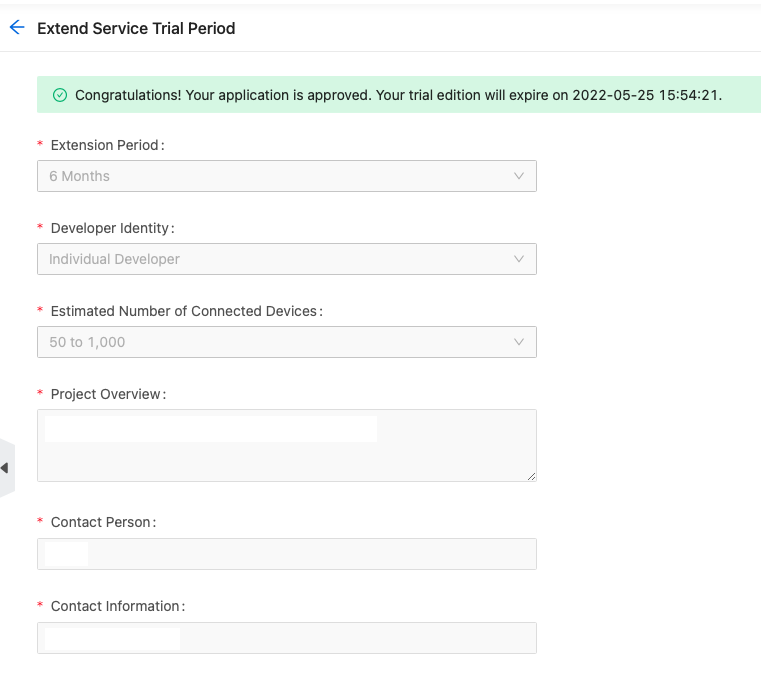 3. You will get the result within one working day.
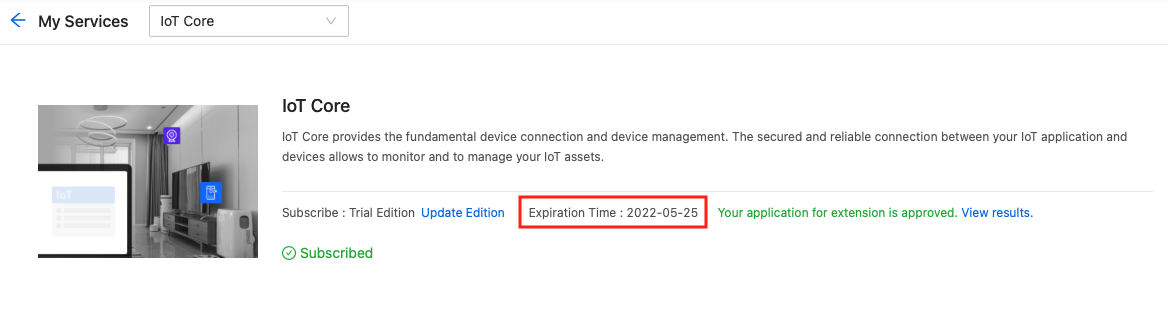 - The Trial Edition allows you to use all free API services but puts limits on the quota of API calls. For more information about the quota, see [Pricing](https://developer.tuya.com/en/docs/iot/membership-service?id=K9m8k45jwvg9j).
Q4: Can I request Tuya's cloud services from an IP address outside the data center region?
Please note that data transfer across regions has a risk of violation of the data security regulations. If you request Tuya's cloud services from an IP address outside the data center region, you are at risk of illegally transferring data. For example, using an IP address in the U.S.A. to access cloud services in China's data centers will be regarded as data transfer across regions, and vice versa. Tuya will completely prohibit cross-region API calls and message subscriptions. Please deploy your cloud services properly to ensure data security.
- The Trial Edition allows you to use all free API services but puts limits on the quota of API calls. For more information about the quota, see [Pricing](https://developer.tuya.com/en/docs/iot/membership-service?id=K9m8k45jwvg9j).
Q4: Can I request Tuya's cloud services from an IP address outside the data center region?
Please note that data transfer across regions has a risk of violation of the data security regulations. If you request Tuya's cloud services from an IP address outside the data center region, you are at risk of illegally transferring data. For example, using an IP address in the U.S.A. to access cloud services in China's data centers will be regarded as data transfer across regions, and vice versa. Tuya will completely prohibit cross-region API calls and message subscriptions. Please deploy your cloud services properly to ensure data security.