Kaku

Kaku

A modern Mac terminal that looks good, runs fast, and works with AI out of the box.

English · 中文 · 繁體 · 日本語 · 한국어 · Deutsch · Français

Website · Docs · Compare · Download

Website Stars Version License Commits Twitter

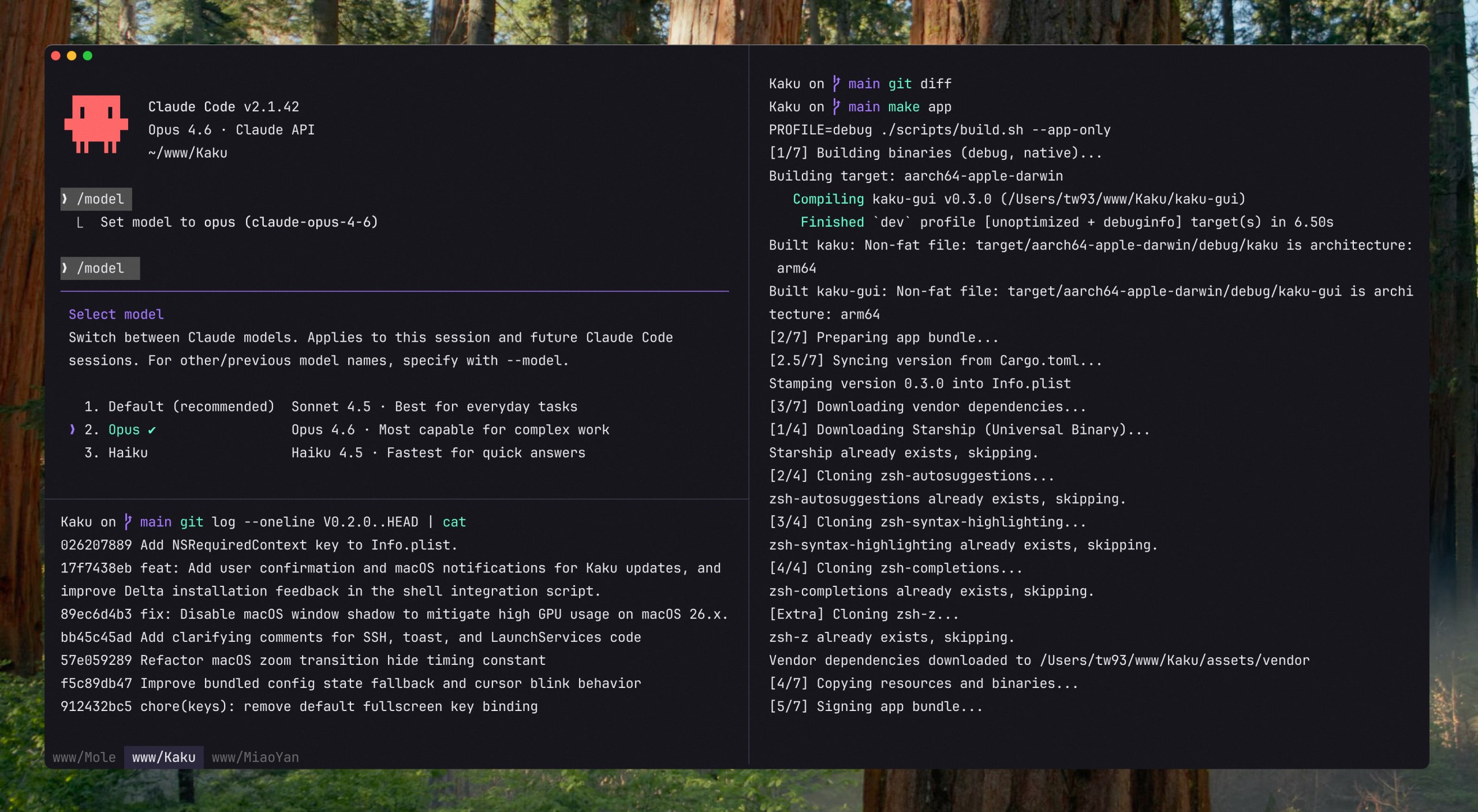
Kaku Screenshot

## Why Kaku (書く, かく) means "to write" in Japanese. It is a macOS terminal based on WezTerm, with fonts, themes, shell integration, and Mac shortcuts already configured, while preserving full Lua customization. Kaku is for writing code, alongside [Waza](https://github.com/tw93/Waza) (技) for engineering habits and [Kami](https://github.com/tw93/Kami) (紙) for documents. ## Quick Start Download the [Kaku DMG](https://github.com/tw93/Kaku/releases/latest), open it, and drag Kaku into Applications. Or install with Homebrew: ```bash brew install --cask kaku ``` Open Kaku to set up shell integration, install missing optional tools with `kaku init`, and check your installed version with `kaku --version`. ## Features - **Ready to use**: JetBrains Mono, automatic dark and light themes, copy on select, and familiar Mac shortcuts - **Tabs and panes**: Split your workspace, jump between tabs with Tab Navigator, and restore windows, panes, and working directories when you reopen Kaku - **Right-click menu**: Paste, search, open AI chat, split or close the clicked pane, and open or close tabs without remembering shortcuts - **Clickable links**: `Cmd + Click` opens URLs and file paths, and URLs automatically wrapped by the terminal keep their full address - **AI-friendly**: See which agent is working and on what at the top right, get notified when Claude Code needs you, and use an optional assistant for command suggestions and chat - **Remote access**: Run `kaku remote` to get a link, open it in any browser on another computer, and keep using the Kaku on this Mac - **Shell tools**: Built-in zsh completion, syntax highlighting, and directory jumping, with shortcuts for optional Lazygit and Yazi installations - **Lua configuration**: Customize fonts, themes, shortcuts, and terminal behavior using WezTerm's Lua configuration system ## Usage Guide | Action | Shortcut | | :--- | :--- | | New Tab | `Cmd + T` | | New Window | `Cmd + N` | | Close Tab/Pane | `Cmd + W` | | Navigate Tabs | `Cmd + Shift + [` / `]` or `Cmd + 1-9` | | Navigate Panes | `Cmd + Opt + Arrows` | | Split Pane Vertical | `Cmd + D` | | Split Pane Horizontal | `Cmd + Shift + D` | | Open Settings Panel | `Cmd + ,` | | AI Settings | `Cmd + Shift + A` | | AI Chat | `Cmd + L` | | Apply AI Suggestion | `Cmd + Shift + E` | | Open Lazygit | `Cmd + Shift + G` | | Yazi File Manager | `Cmd + Shift + Y` or `y` | | Clear Screen | `Cmd + K` | ## Kaku AI Configure your own AI service with `kaku ai` to use the built-in assistant. Kaku does not provide or relay the AI service. - **Command suggestions**: When a command fails, the configured assistant can suggest a fix, and `Cmd + Shift + E` pastes it at the prompt for review - **Natural language to command**: Type `# ` at the prompt and press Enter, and the assistant places the generated command at the prompt for you to review and run - **Chat**: Press `Cmd + L` to discuss terminal output or work with project files and tools, or run `kaku chat` from another shell to access the same conversation store - **AI Tools Config**: Manage settings for Claude Code, Codex, Gemini CLI, Copilot CLI, Kimi Code, and more For authentication, models, API Mode, and tool settings, see the [AI assistant docs](docs/features.md). ## FAQ - **Is there a Windows or Linux version?** Not currently, Kaku is macOS-only - **How is Kaku different from iTerm2, Warp, Ghostty, or WezTerm?** See [kaku.fun/compare](https://kaku.fun/compare) - **Can I use transparent windows?** Yes, set `config.window_background_opacity` in `~/.config/kaku/kaku.lua` - **The `kaku` command is missing.** Run `/Applications/Kaku.app/Contents/MacOS/kaku init --update-only && exec zsh -l`, then `kaku doctor` ## Docs - [Keybindings](docs/keybindings.md) - full shortcut reference - [Features](docs/features.md) - AI assistant, remote access, lazygit, yazi, remote files, shell suite - [Configuration](docs/configuration.md) - themes, fonts, custom keybindings, Lua API - [CLI Reference](docs/cli.md) - `kaku ai`, `kaku config`, `kaku doctor`, and more - [FAQ](docs/faq.md) - common questions and troubleshooting ## Background I heavily rely on the CLI for both work and personal projects. Tools I've built, like [Mole](https://github.com/tw93/mole) and [Pake](https://github.com/tw93/pake), reflect this. I used Alacritty for years and learned to value speed and simplicity. As my workflow shifted toward AI-assisted coding, I wanted stronger tab and pane ergonomics. I also explored Kitty, Ghostty, Warp, and iTerm2. Each is strong in different areas, but I still wanted a setup that matched my own balance of performance, defaults, and control. WezTerm is robust and highly hackable, and I am grateful for its engine and ecosystem. So I built Kaku to be that environment: fast, polished, and ready to work. ## Contributors Big thanks to all contributors who helped build Kaku. Go follow them! ❤️ ## Support - The most direct way to support me is getting [Mole for Mac](https://mole.fit), my paid Mac cleanup app - If Kaku helped you, give it a star, [share it](https://twitter.com/intent/tweet?url=https://github.com/tw93/Kaku&text=Kaku%20-%20A%20modern%2C%20AI-friendly%20Mac%20terminal.), or open an issue or PR - I have two cats, TangYuan and Coke, and if Kaku has been helpful to you, feel free to treat them to canned food 🥩 These lovely people already did 🐱 ## License MIT License. Please feel free to use and contribute to the development. Attribution for WezTerm and the bundled fonts is in [NOTICE.md](NOTICE.md).