
MiaoYan
A native Mac app for local Markdown notes
MiaoYan is 妙言 in Chinese, words beyond words.
English · 中文 · 繁體 · 日本語 · 한국어 · Deutsch · Français






A native Mac app for local Markdown notes
MiaoYan is 妙言 in Chinese, words beyond words.
English · 中文 · 繁體 · 日本語 · 한국어 · Deutsch · Français
 ## Features
- **Local-first**: Notes are Markdown files in a folder you choose, with no data collection, and iCloud Drive or Nutstore can sync them across devices
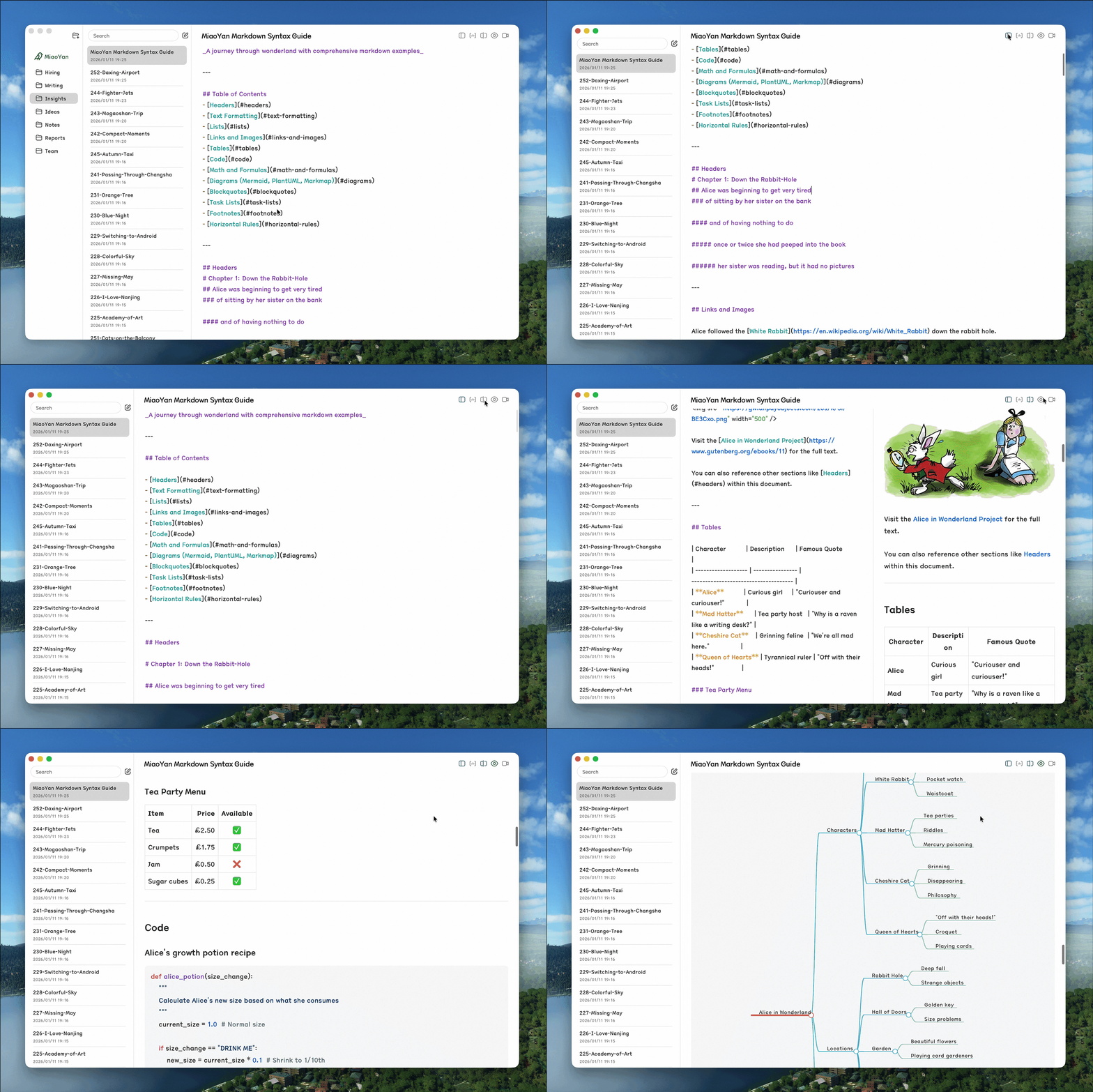
- **Focused**: Folders, notes, and editor in three columns, with dark mode and no plugin system to maintain
- **Native**: Built with Swift 6, lighter than web wrappers, with 60fps scroll sync in split preview
- **Capable**: Wikilinks, LaTeX, Mermaid, version history, auto-formatting, and PPT presentations built in
## Installation
1. **App Store** (recommended, one purchase for iPhone, iPad and Mac, automatic updates):
## Features
- **Local-first**: Notes are Markdown files in a folder you choose, with no data collection, and iCloud Drive or Nutstore can sync them across devices
- **Focused**: Folders, notes, and editor in three columns, with dark mode and no plugin system to maintain
- **Native**: Built with Swift 6, lighter than web wrappers, with 60fps scroll sync in split preview
- **Capable**: Wikilinks, LaTeX, Mermaid, version history, auto-formatting, and PPT presentations built in
## Installation
1. **App Store** (recommended, one purchase for iPhone, iPad and Mac, automatic updates):
 2. **Homebrew**:
```bash
brew install --cask miaoyan
```
3. **GitHub Releases**: download the latest DMG from [GitHub Releases](https://github.com/tw93/MiaoYan/releases/latest) (macOS 12.0+)
Homebrew and GitHub Releases install the same free, open-source Mac app, which keeps being developed. The App Store version is recommended: one purchase gets you MiaoYan on iPhone, iPad and Mac, all opening the same iCloud Drive folder, with automatic updates.
## Sync with Nutstore or Other Cloud Drives
MiaoYan does not sign in to WebDAV or cloud-drive accounts and only reads and writes the Markdown folder you choose. After installing, create a `MiaoYan` folder in iCloud Drive, the local folder synced by the Nutstore desktop client, or any other location, then open Preferences (⌘,) and set it as the storage path. iCloud Drive, Nutstore, Dropbox, or another cloud-drive client handles cross-device sync.
- **iPhone**: Pick the same cloud-drive folder in the system Files app, and if a provider does not offer a writable folder there, use iCloud Drive or make the folder available offline in that provider app first
- **Folder check**: MiaoYan verifies read and write access before switching folders and keeps the current storage path if the folder is unavailable, without reporting the problem as a MiaoYan sync failure
## CLI
```bash
# Install
curl -fsSL https://raw.githubusercontent.com/tw93/MiaoYan/main/scripts/install.sh | bash
# Usage
miao open
2. **Homebrew**:
```bash
brew install --cask miaoyan
```
3. **GitHub Releases**: download the latest DMG from [GitHub Releases](https://github.com/tw93/MiaoYan/releases/latest) (macOS 12.0+)
Homebrew and GitHub Releases install the same free, open-source Mac app, which keeps being developed. The App Store version is recommended: one purchase gets you MiaoYan on iPhone, iPad and Mac, all opening the same iCloud Drive folder, with automatic updates.
## Sync with Nutstore or Other Cloud Drives
MiaoYan does not sign in to WebDAV or cloud-drive accounts and only reads and writes the Markdown folder you choose. After installing, create a `MiaoYan` folder in iCloud Drive, the local folder synced by the Nutstore desktop client, or any other location, then open Preferences (⌘,) and set it as the storage path. iCloud Drive, Nutstore, Dropbox, or another cloud-drive client handles cross-device sync.
- **iPhone**: Pick the same cloud-drive folder in the system Files app, and if a provider does not offer a writable folder there, use iCloud Drive or make the folder available offline in that provider app first
- **Folder check**: MiaoYan verifies read and write access before switching folders and keeps the current storage path if the folder is unavailable, without reporting the problem as a MiaoYan sync failure
## CLI
```bash
# Install
curl -fsSL https://raw.githubusercontent.com/tw93/MiaoYan/main/scripts/install.sh | bash
# Usage
miao open