# GitHub Actions Usage Guide
**English** · [中文](github-actions-usage_CN.md)
Build Pake apps online without installing development tools locally.
## Quick Steps
1. [Fork this project](https://github.com/tw93/Pake/fork)
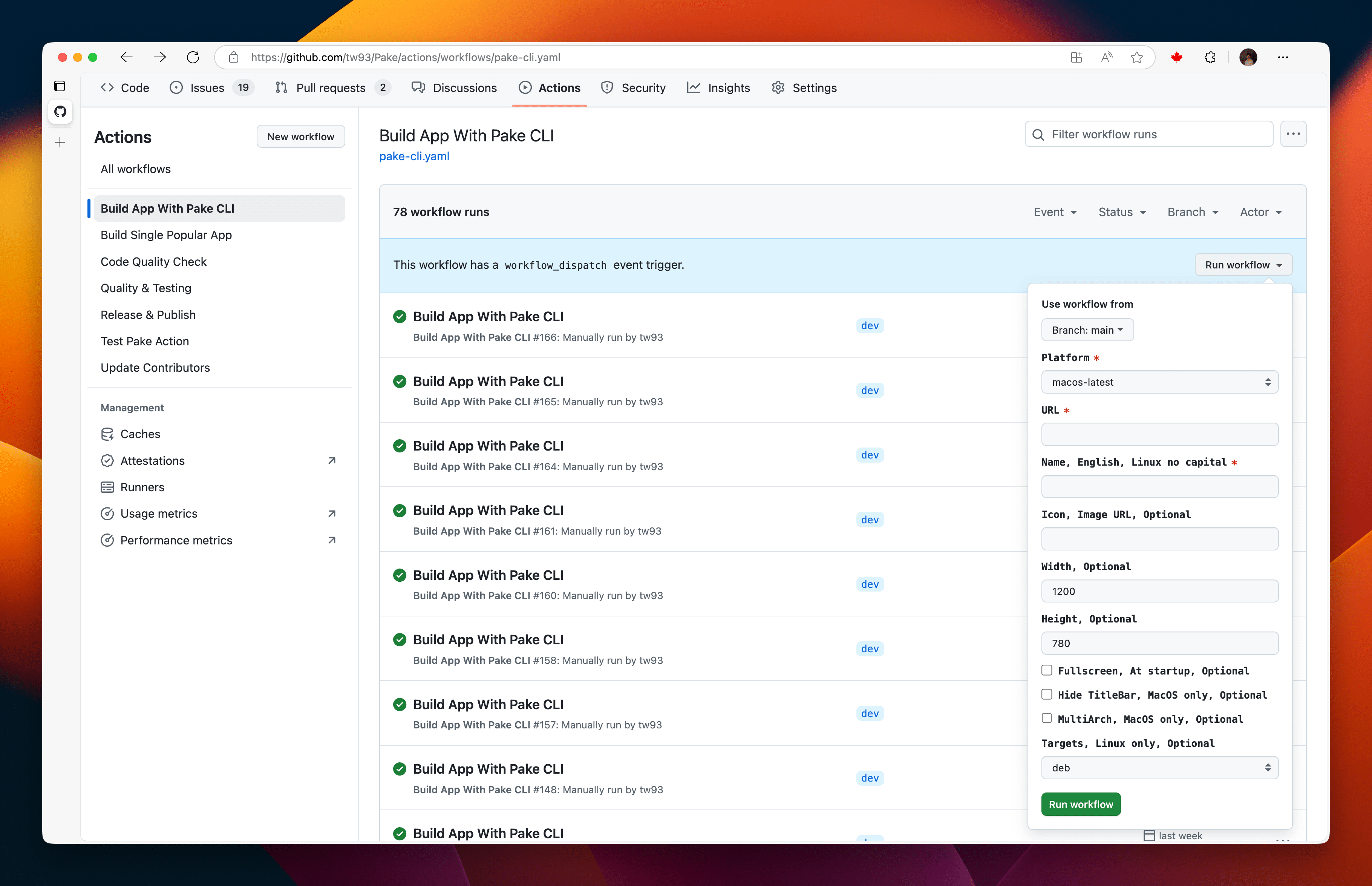
2. In your fork, open the Actions tab, select `Build App With Pake CLI`, fill in the form (its fields are listed under [Form Inputs](#form-inputs) and cover a subset of the [CLI options](cli-usage.md)), and click `Run Workflow`
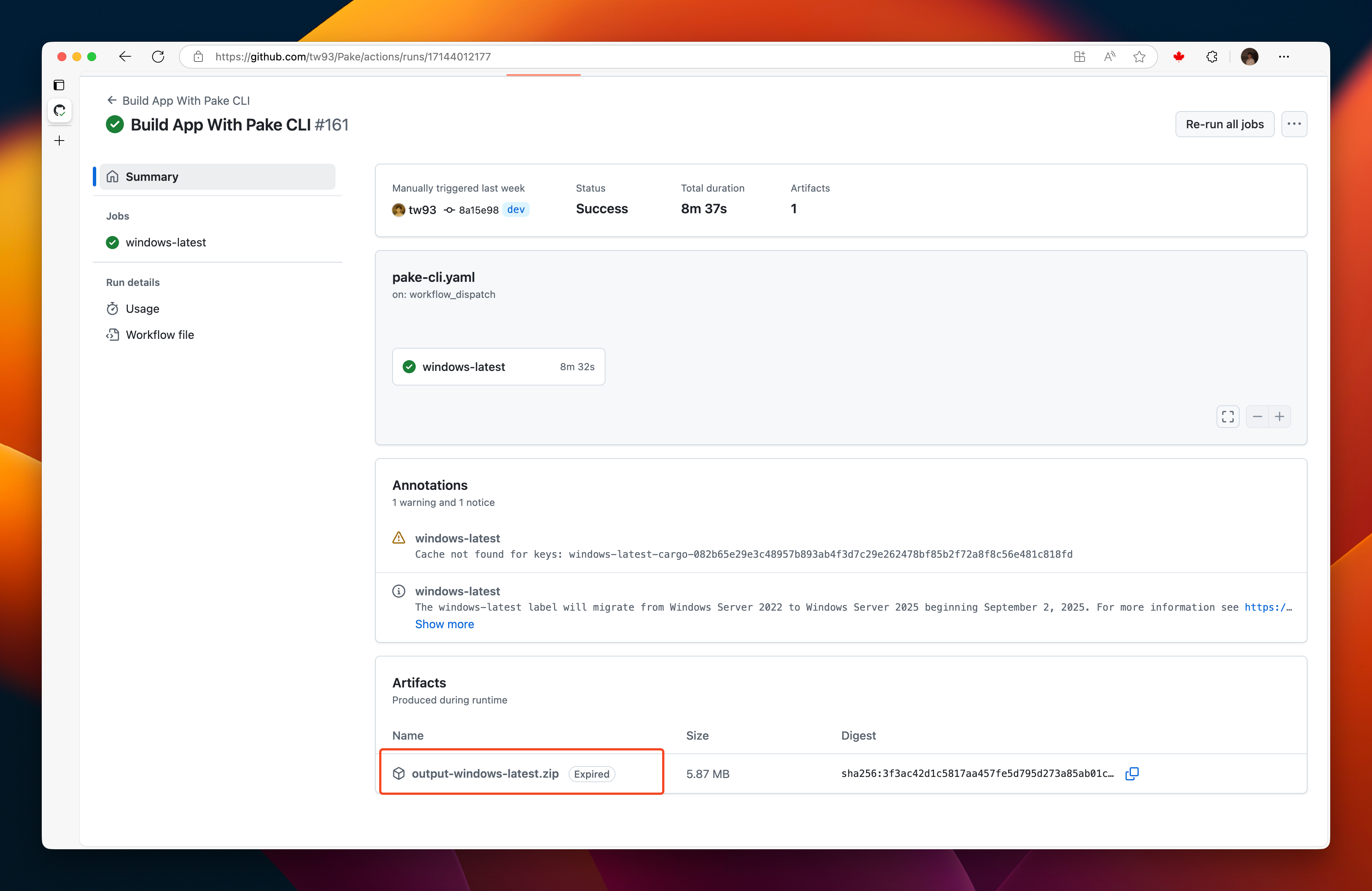
3. A green checkmark means the build succeeded, click the workflow name and download your app from the `Artifacts` section
The first run builds the dependency cache and takes about 10-15 minutes, later runs use the cache and take about 5 minutes, and the complete cache is 400-600MB.
## Form Inputs
| Field | What it does | Default |
| --------------------------------------------------------- | ---------------------------------------------------------------------- | -------------- |
| `Platform` | Runner to build on: `windows-latest`, `macos-latest` or `ubuntu-24.04` | `macos-latest` |
| `Website URL` | The site to package, required | none |
| `App name (lowercase for Linux)` | App name and artifact prefix, required | none |
| `Icon URL, auto-fetch if empty` | Icon for the app, fetched from the site when empty | empty |
| `Window width (px)` | Initial window width | `1200` |
| `Window height (px)` | Initial window height | `780` |
| `Minimum window width (px)` | Smallest width the window can shrink to | empty |
| `Minimum window height (px)` | Smallest height the window can shrink to | empty |
| `App version` | Version written into the package | `1.0.0` |
| `Start in fullscreen mode` | Open the app in fullscreen | off |
| `Hide title bar (macOS only)` | Hide the window title bar | off |
| `Allow sites to open new windows` | Let the site open pop-up windows | off |
| `Universal binary (macOS only)` | Build one app for Intel and Apple Silicon | off |
| `Package formats (comma-separated: deb,appimage,rpm,zst)` | Linux package formats, ignored on other platforms | `deb` |
## Artifacts
Each run uploads the package as an artifact named after the app: `-macOS` holds the `.dmg`, `-Windows` the `.msi`, and Linux gets one artifact per format, `-Linux-deb`, `-Linux-AppImage`, `-Linux-rpm` and `-Linux-zst`. Artifacts are kept for 3 days, so download them soon after the build. Instead of the `Artifacts` section, you can also fetch them with the GitHub CLI: `gh run download RUN_ID`.
## Tips
- Enable `Allow sites to open new windows` when the site launches sign-in, exam, or other flows in a separate window
- If a build fails, clear the Actions cache and retry
## Related Docs
- [CLI Usage Guide](cli-usage.md)
- [Advanced Usage](advanced-usage.md)