# PostgreSQL MCP
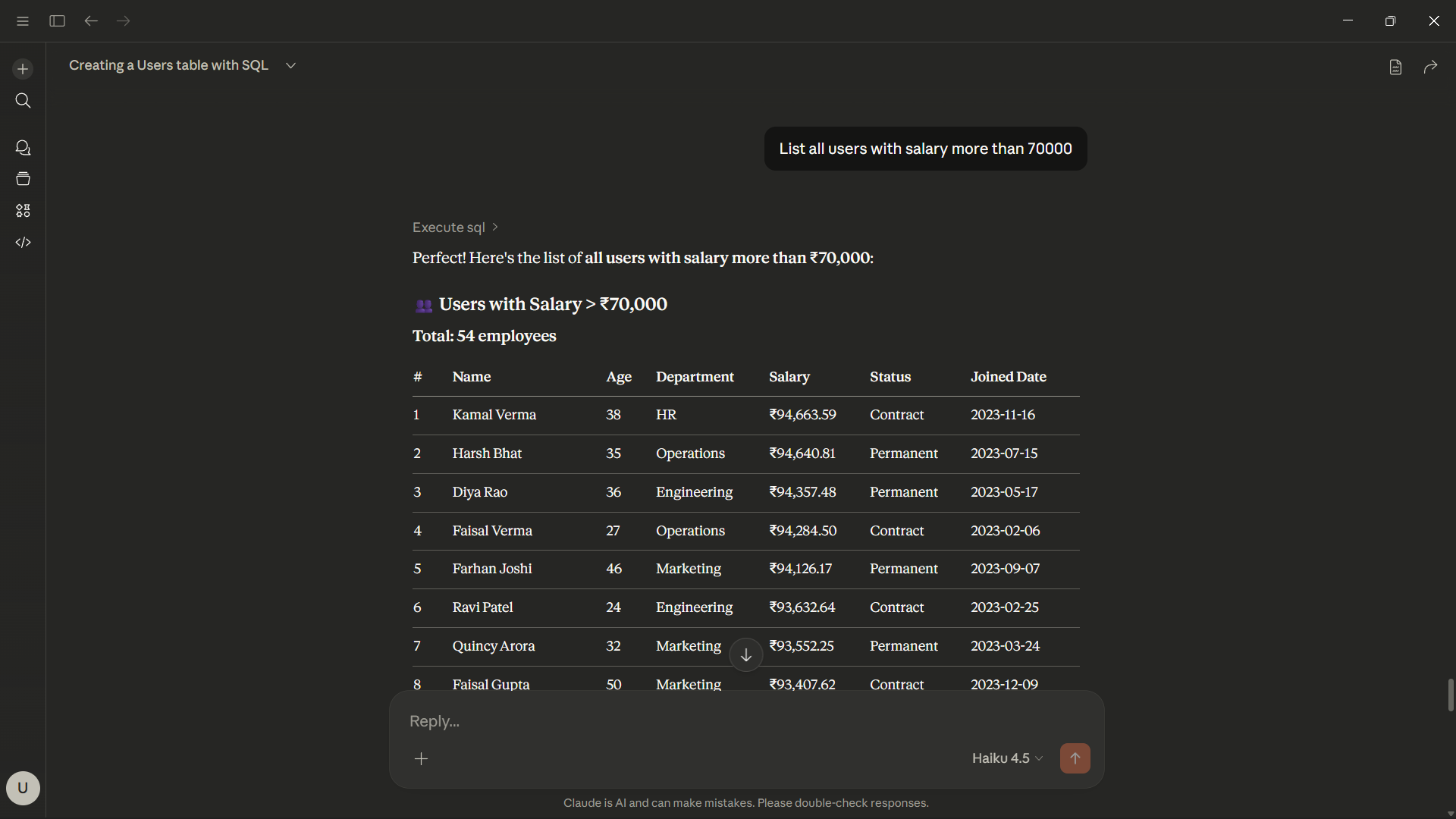
A Model Context Protocol (MCP) server that provides AI assistants (like Claude) with tools to directly interact with PostgreSQL databases securely.
 ## Features
- **`create_table`**: Create a new table with custom columns.
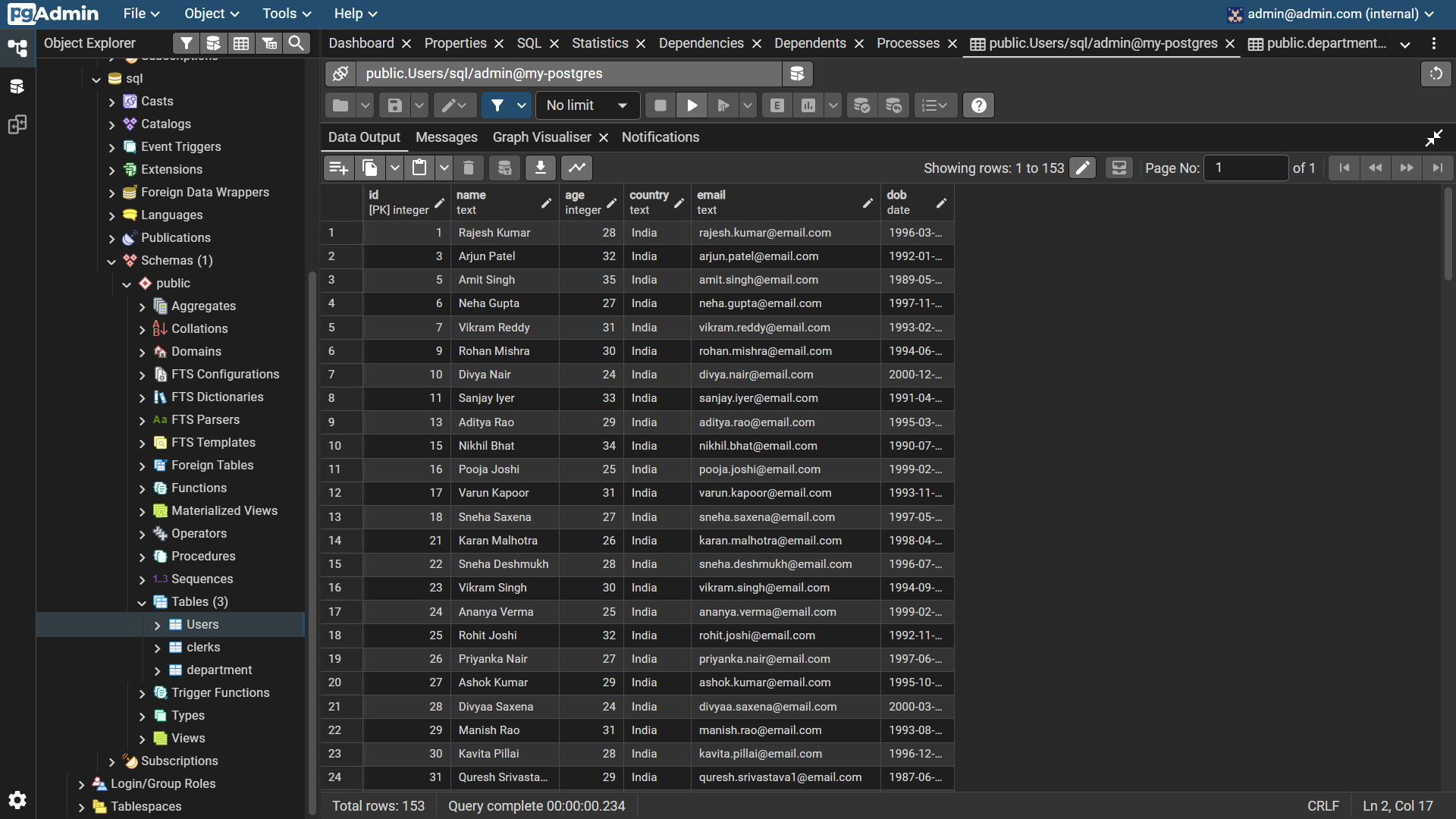
- **`list_tables`**: List all tables in the public schema.
- **`describe_table`**: Get the schema and column details of a specific table.
- **`execute_sql`**: Execute arbitrary SQL queries.
- **Web Configurator**: A built-in local web UI to securely manage connection strings and generate API keys.
## Installation
You can install and run this package easily using `uv`:
```bash
# Run without installing globally
uvx postgresql-mcp
# Or install globally for easy access
uv tool install postgresql-mcp
```
## Setup & Configuration
This project requires an API Key mapped to your PostgreSQL database URL. To easily set this up, we provide a built-in Web Configurator.
### 1. Generate an API Key
Run the web configurator:
```bash
postgresql-mcp-web
```
Or, if running without global installation:
```bash
uvx --from . postgresql-mcp-web
```
Open your browser to [http://localhost:8000](http://localhost:8000). Enter your database URL (`postgresql://user:pass@host/db`) and click "Generate API Key".
The application securely stores your credentials in `~/.sql-mcp/keys.json` and outputs a configuration snippet.
### 2. Connect Claude Desktop
Copy the generated snippet and add it to your Claude Desktop configuration file (typically located at `%APPDATA%\Claude\claude_desktop_config.json` on Windows or `~/Library/Application Support/Claude/claude_desktop_config.json` on macOS).
```json
{
"mcpServers": {
"postgresql-mcp": {
"command": "uvx",
"args": [
"postgresql-mcp"
],
"env": {
"API_KEY": "postgresql-mcp-your-generated-key"
}
}
}
}
```
Restart Claude Desktop, and your AI assistant will now be able to interact with your database!
## Usage Tracking
The server automatically tracks how many times each API key is utilized. You can view this data locally in `~/.sql-mcp/usage.json`.
## Contributing
We welcome contributions! Please see [CONTRIBUTING.md](CONTRIBUTING.md) for details on how to get started.
## Features
- **`create_table`**: Create a new table with custom columns.
- **`list_tables`**: List all tables in the public schema.
- **`describe_table`**: Get the schema and column details of a specific table.
- **`execute_sql`**: Execute arbitrary SQL queries.
- **Web Configurator**: A built-in local web UI to securely manage connection strings and generate API keys.
## Installation
You can install and run this package easily using `uv`:
```bash
# Run without installing globally
uvx postgresql-mcp
# Or install globally for easy access
uv tool install postgresql-mcp
```
## Setup & Configuration
This project requires an API Key mapped to your PostgreSQL database URL. To easily set this up, we provide a built-in Web Configurator.
### 1. Generate an API Key
Run the web configurator:
```bash
postgresql-mcp-web
```
Or, if running without global installation:
```bash
uvx --from . postgresql-mcp-web
```
Open your browser to [http://localhost:8000](http://localhost:8000). Enter your database URL (`postgresql://user:pass@host/db`) and click "Generate API Key".
The application securely stores your credentials in `~/.sql-mcp/keys.json` and outputs a configuration snippet.
### 2. Connect Claude Desktop
Copy the generated snippet and add it to your Claude Desktop configuration file (typically located at `%APPDATA%\Claude\claude_desktop_config.json` on Windows or `~/Library/Application Support/Claude/claude_desktop_config.json` on macOS).
```json
{
"mcpServers": {
"postgresql-mcp": {
"command": "uvx",
"args": [
"postgresql-mcp"
],
"env": {
"API_KEY": "postgresql-mcp-your-generated-key"
}
}
}
}
```
Restart Claude Desktop, and your AI assistant will now be able to interact with your database!
## Usage Tracking
The server automatically tracks how many times each API key is utilized. You can view this data locally in `~/.sql-mcp/usage.json`.
## Contributing
We welcome contributions! Please see [CONTRIBUTING.md](CONTRIBUTING.md) for details on how to get started.