Yuvomi

Yuvomi

The self-hosted family planner. Private, offline-capable, and beautiful.

MIT License Latest Release Docker Image Node.js ≥22 PWA

→ Install  ·  Website & screenshots  ·  Docs  ·  Changelog


16
modules
· 23
languages
· 0
trackers
· AES-256
optional DB encryption
· MIT
license

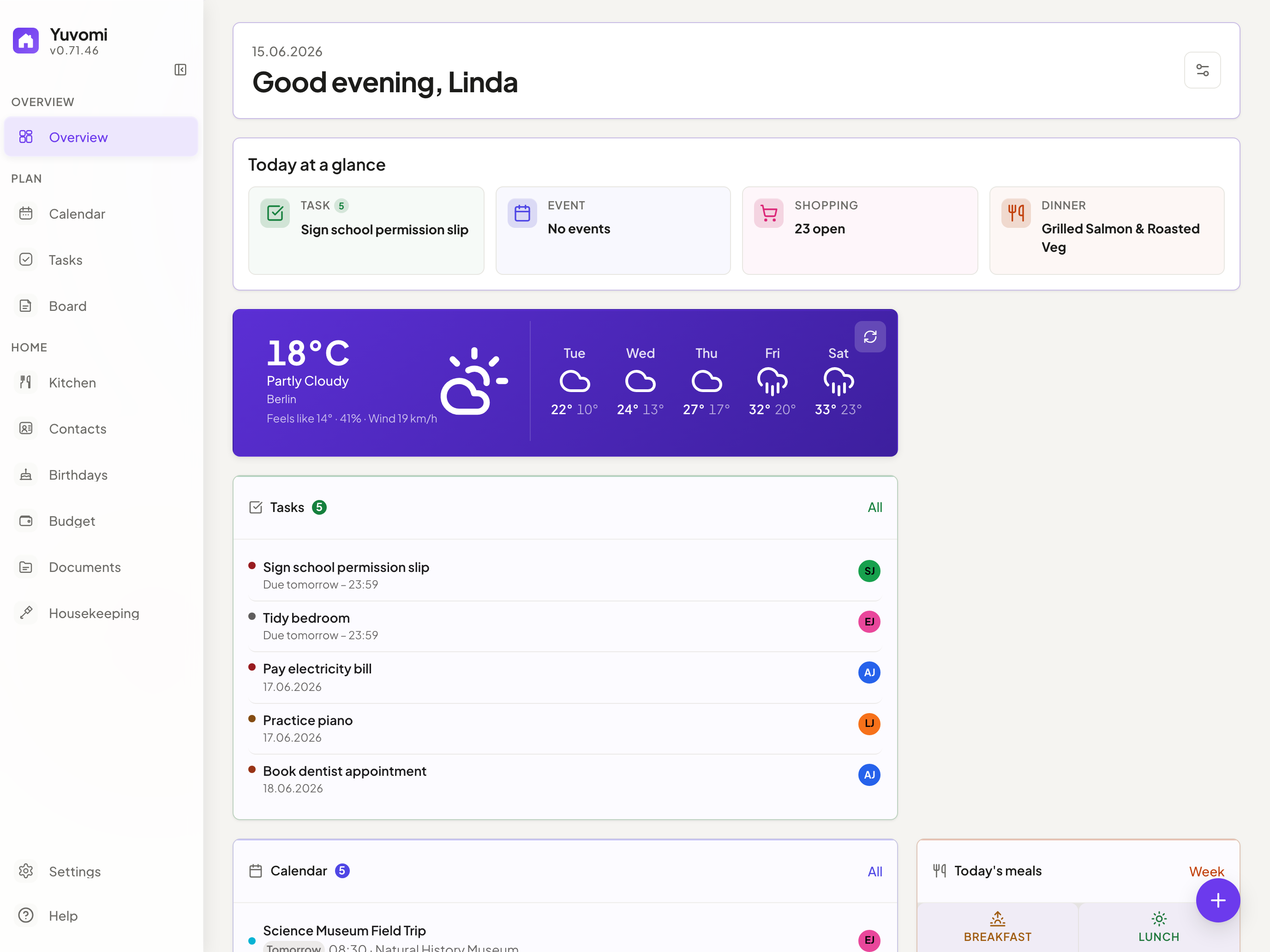
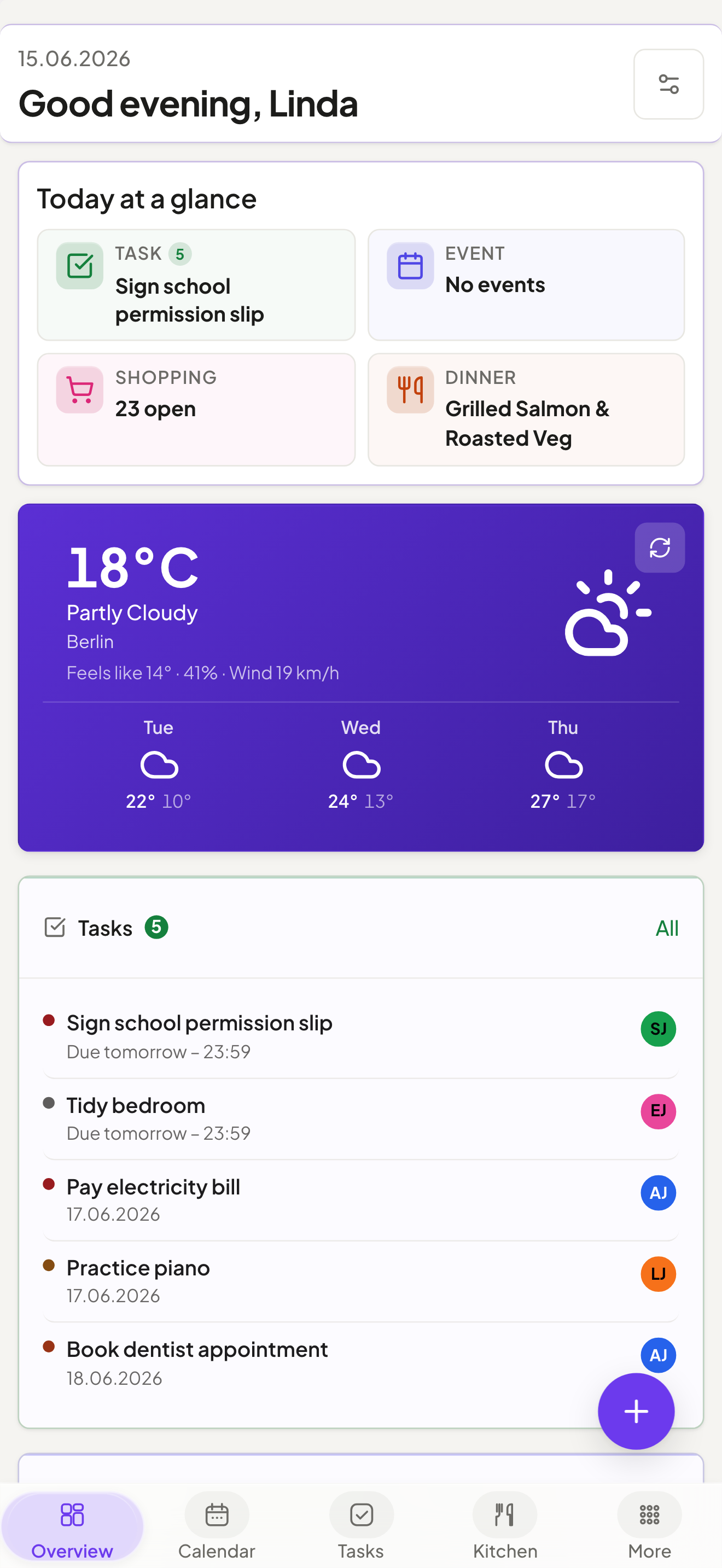
Yuvomi dashboard — tasks, calendar events, meals and shopping at a glance Yuvomi on mobile
Mobile PWA
Switch GitHub to dark mode to preview the dark theme.

Yuvomi keeps your household organized — tasks, groceries, meals, calendar, budget, and more — in one private place, without cloud accounts or subscriptions. Runs as a Docker or Podman container on any home server or NAS, including rootless Podman on SELinux-enabled RHEL/Fedora/CentOS Stream systems. A polished, mobile-first PWA makes it feel native on every device. Each module is independent. Use what fits, skip what doesn't.
Coming from Oikos? This project was renamed — nothing about the app changes.
Yuvomi was renamed from **Oikos** to avoid a trademark conflict with an unrelated product. Same code, same data, same maintainer. - Old links (`github.com/ulsklyc/oikos`) redirect here automatically. - The Docker image moved to `ghcr.io/ulsklyc/yuvomi`; the old `ghcr.io/ulsklyc/oikos` keeps working — please update at your convenience. - Existing data and settings are fully preserved on upgrade. New home: **https://yuvomi.cloud/** · Questions? Open a [discussion](https://github.com/ulsklyc/yuvomi/discussions).
Screenshots  ·  Modules  ·  Design  ·  Install  ·  Tech stack  ·  Docs
--- ## App screenshots
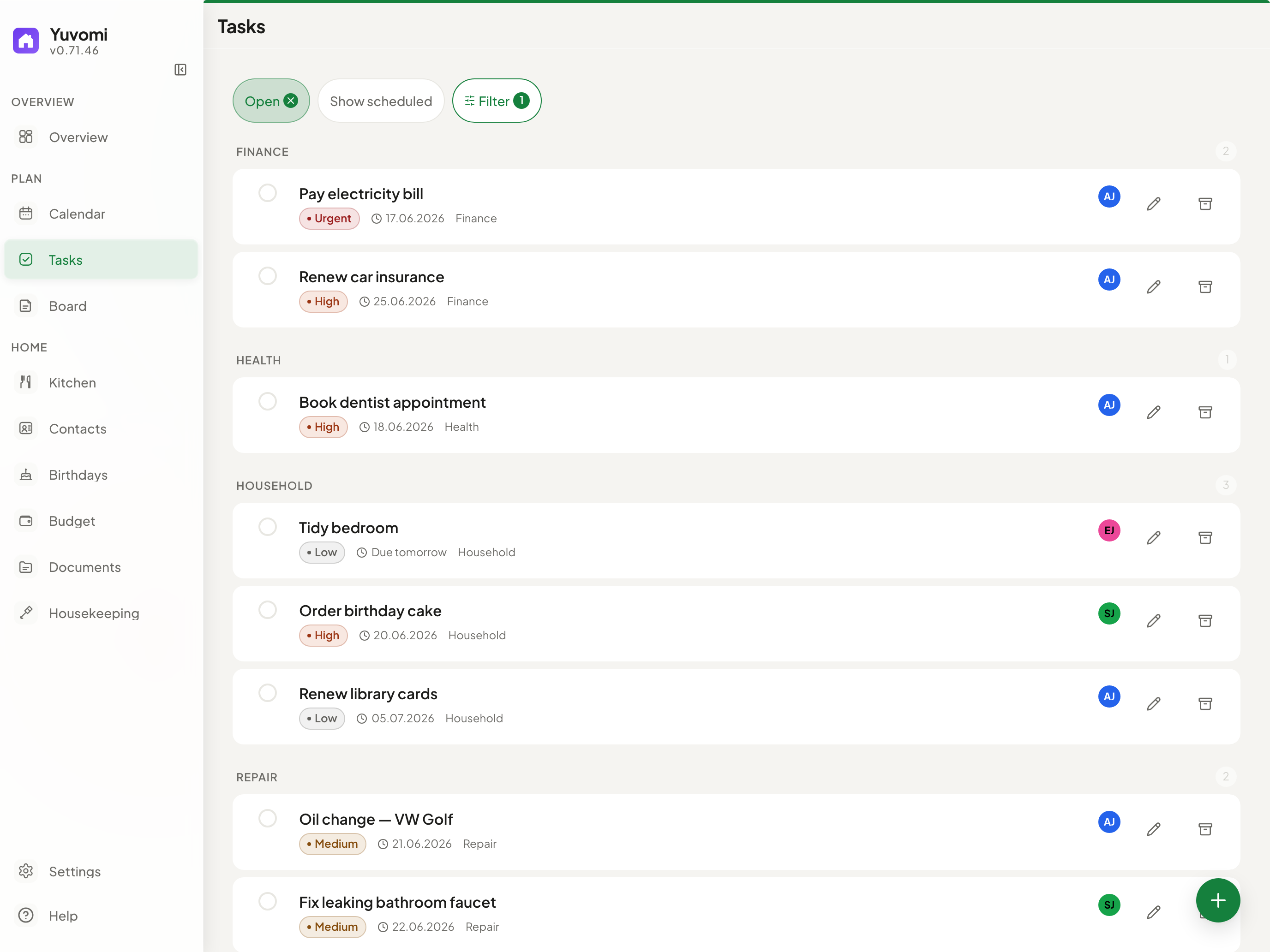
Tasks — Kanban board with priorities, deadlines and multi-member assignment
Tasks — Kanban board, recurring schedules, multi-assignment
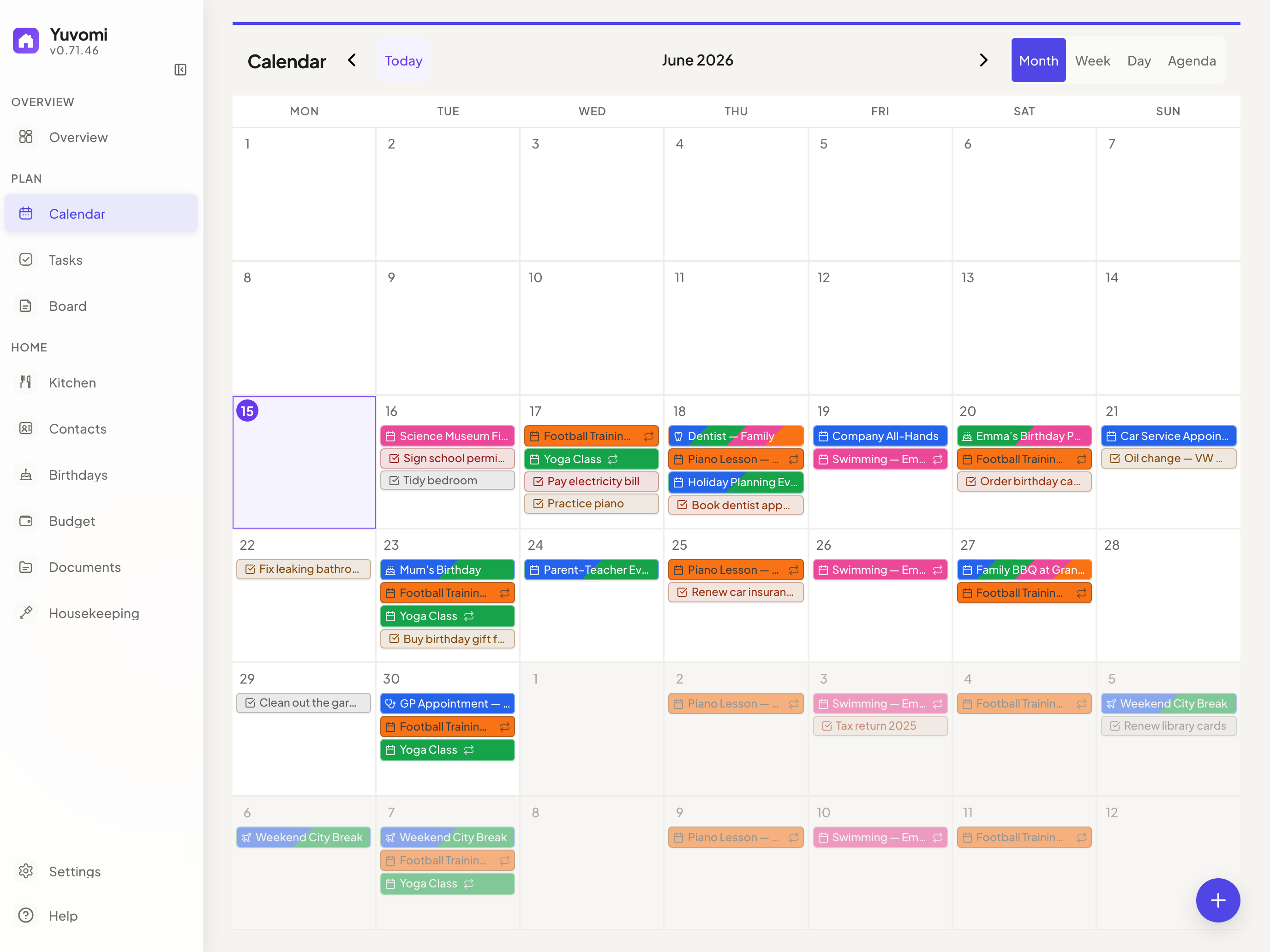
Calendar with Google OAuth and CalDAV sync
Calendar — Google OAuth, iCloud, CalDAV, ICS subscriptions
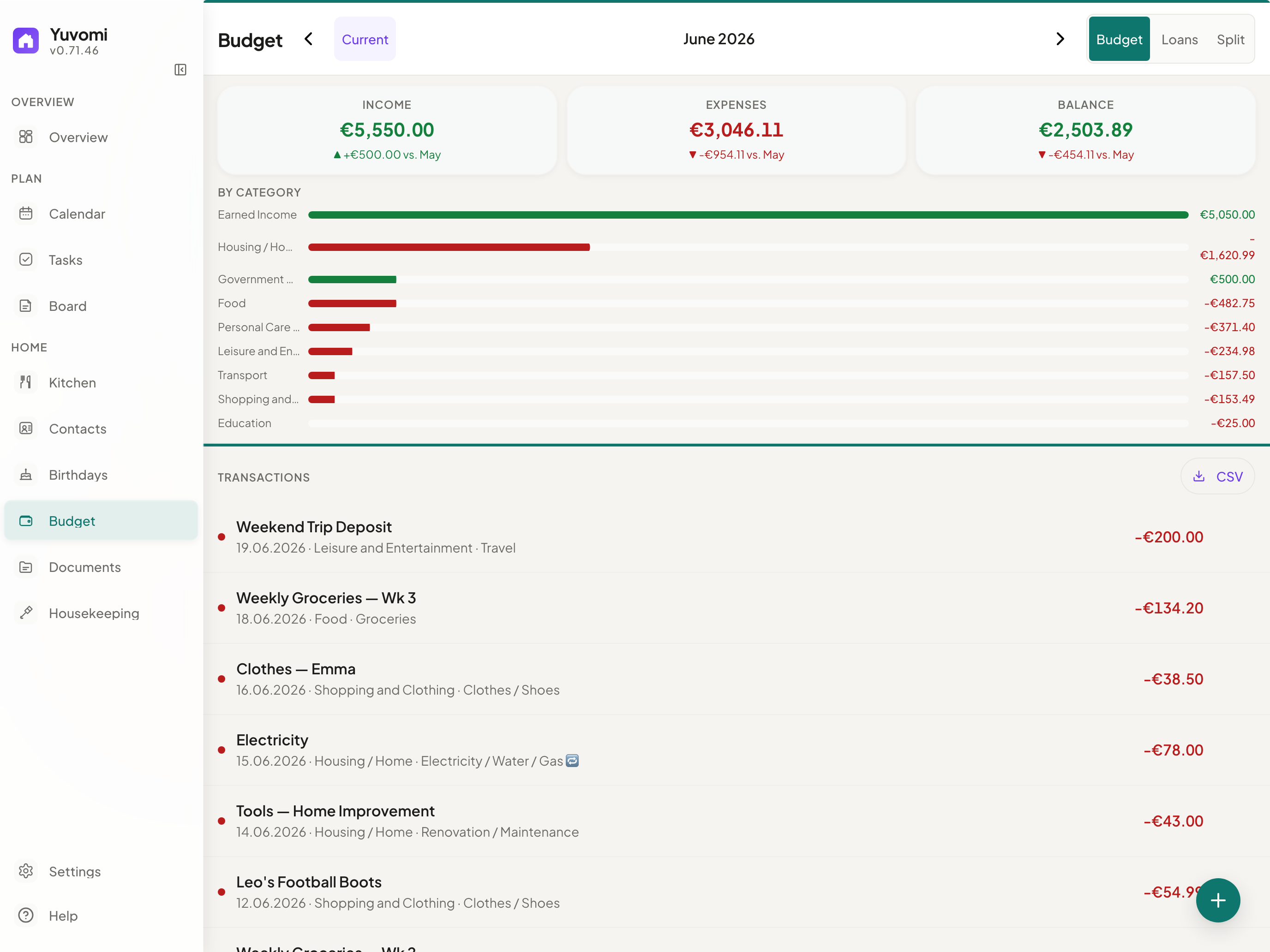
Budget — income, expenses and split costs with debt simplification
Budget — Income, expenses, split costs, CSV export
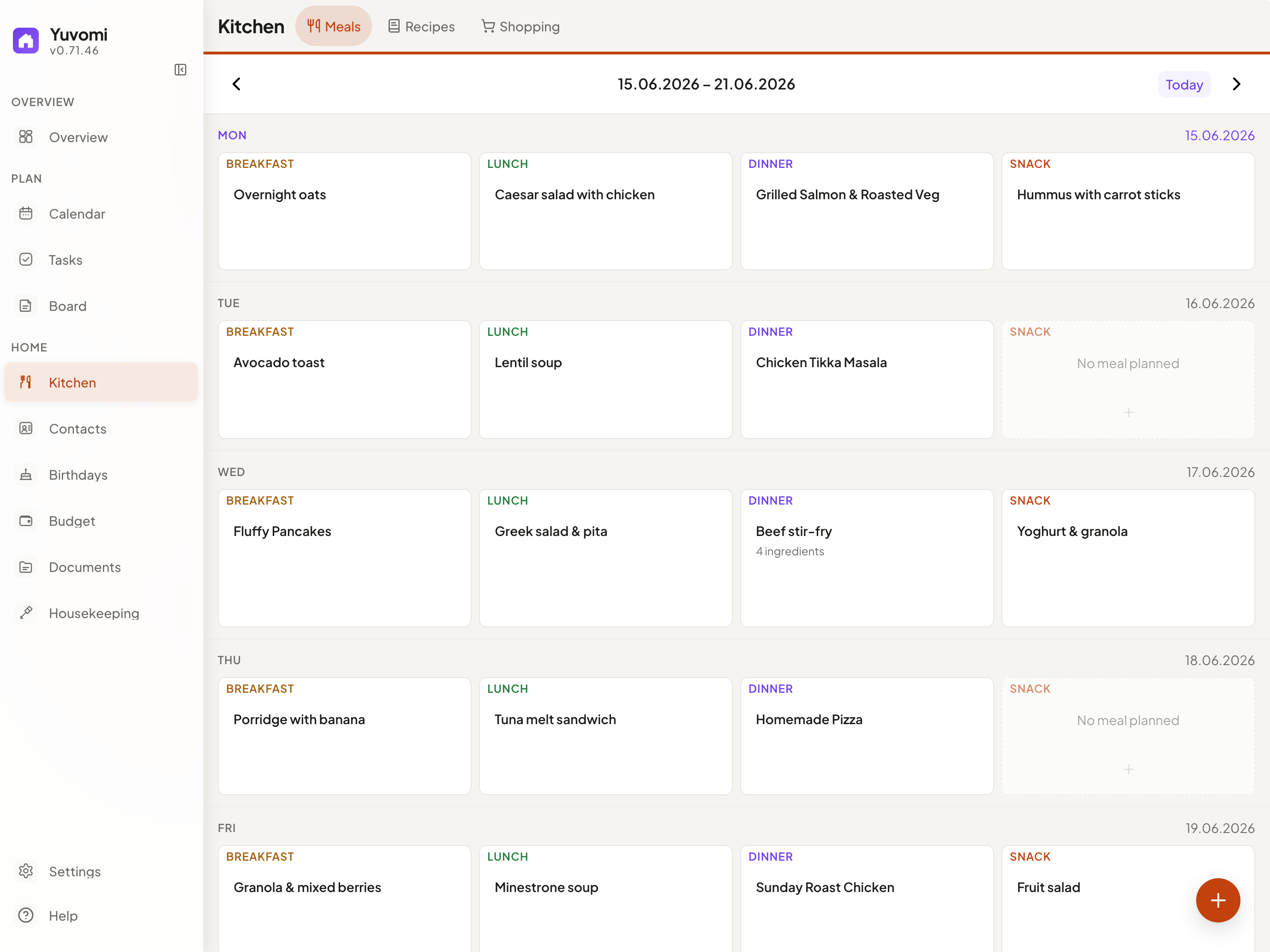
Meals — weekly drag-and-drop planner with recipe import
Meals — Weekly planner, recipes, one-click shopping export
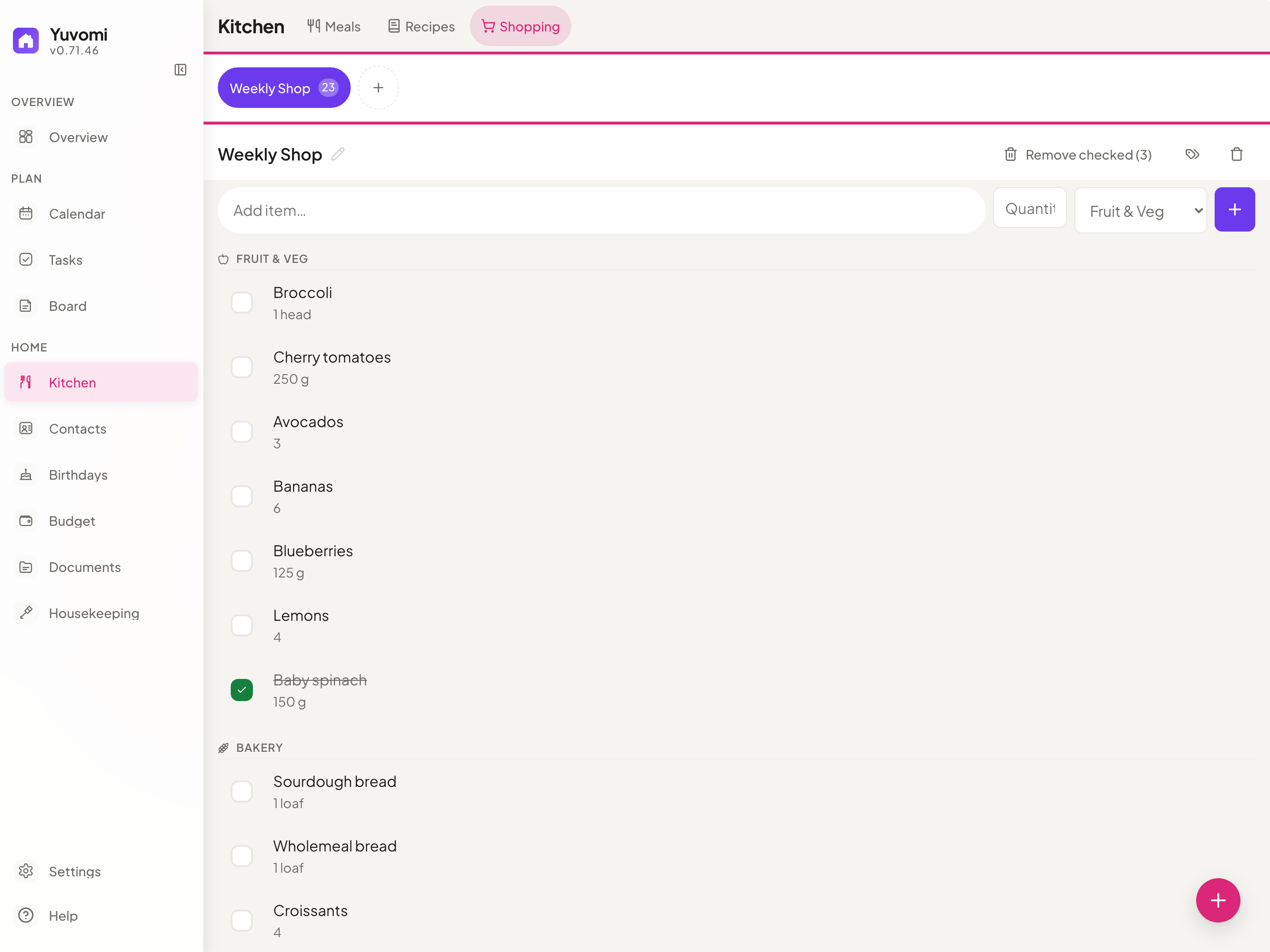
Shopping — collaborative aisle-organized lists
Shopping — Shared lists, aisle groups, swipe gestures
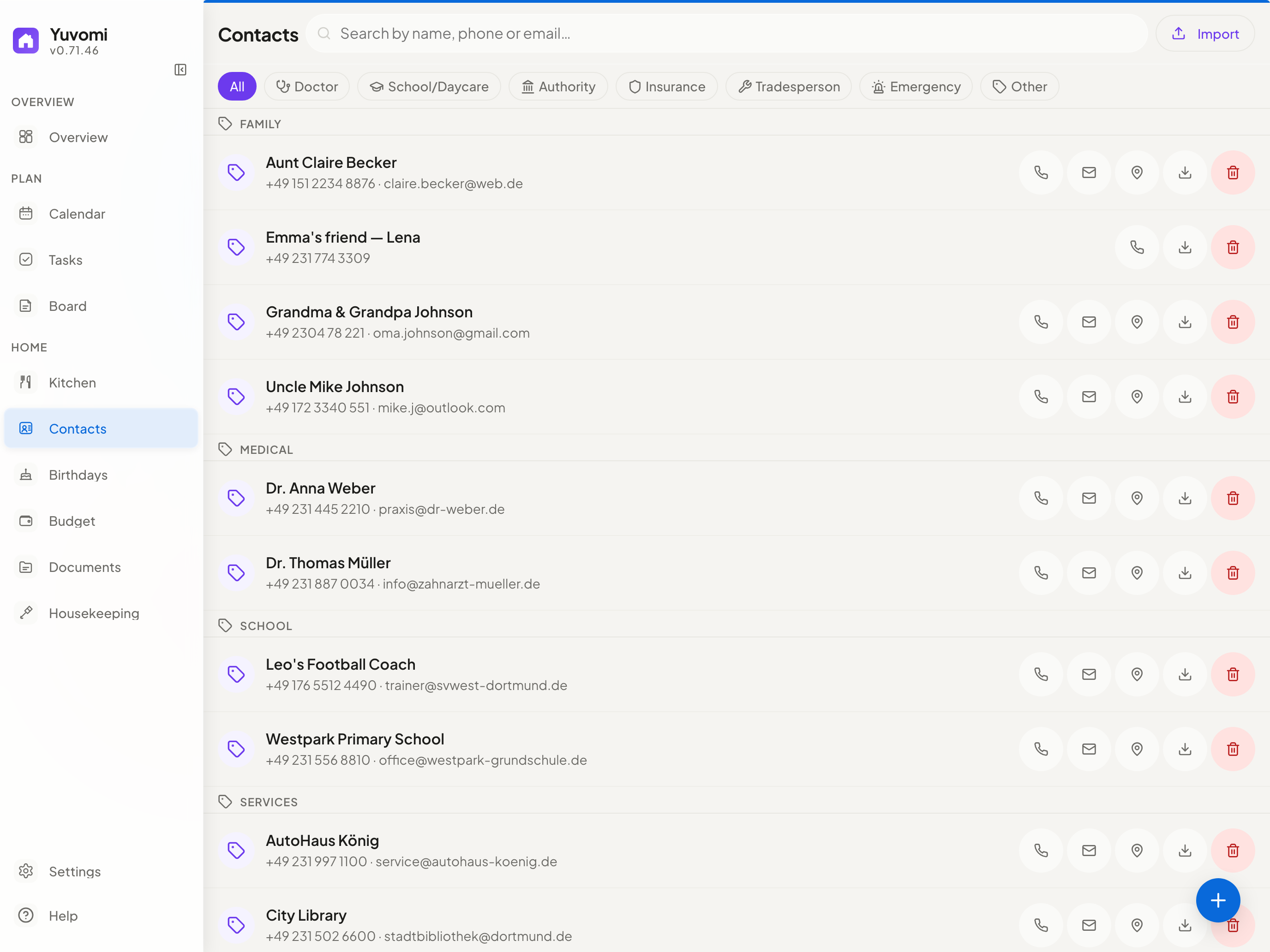
Contacts — family directory with CardDAV sync
Contacts — Family directory, CardDAV sync
See all screenshots →
--- ## Modules | | Module | What it does | |:---:|---|---| | ![tasks](https://raw.githubusercontent.com/ulsklyc/yuvomi/main/docs/icons/tasks.png) | **Tasks** | Deadlines, priorities, subtasks, recurring schedules, multi-member assignment, and a Kanban board. Optional CalDAV import of Apple Reminders. | | ![shopping](https://raw.githubusercontent.com/ulsklyc/yuvomi/main/docs/icons/shopping.png) | **Shopping** | Collaborative lists grouped by aisle, with swipe gestures, per-item notes, and one-tap import from the meal plan. | | ![meals](https://raw.githubusercontent.com/ulsklyc/yuvomi/main/docs/icons/meals.png) | **Meals** | Weekly drag-and-drop planner with multiple items per slot, weekly repeats, and direct export to the shopping list. | | ![recipes](https://raw.githubusercontent.com/ulsklyc/yuvomi/main/docs/icons/recipes.png) | **Recipes** | Create, duplicate, and scale recipes; pre-fill meal slots or save any planned meal as a recipe. | | ![calendar](https://raw.githubusercontent.com/ulsklyc/yuvomi/main/docs/icons/calendar.png) | **Calendar** | Google (OAuth) and CalDAV sync (iCloud, Nextcloud, Radicale), ICS subscriptions, recurring events, attachments, holiday overlays, and a read-only `webcal://` export feed. | | ![documents](https://raw.githubusercontent.com/ulsklyc/yuvomi/main/docs/icons/documents.png) | **Documents** | Upload, tag, preview, and organize family files with per-document visibility. Optional WebDAV storage plus Paperless-ngx and Papra (DMS) linking. | | ![budget](https://raw.githubusercontent.com/ulsklyc/yuvomi/main/docs/icons/budget.png) | **Budget** | Income, expenses, recurring entries, trend charts, a statistics tab, CSV export, loans, split expenses, and subscription tracking with renewals and currencies. | | ![housekeeping](https://raw.githubusercontent.com/ulsklyc/yuvomi/main/docs/icons/housekeeping.png) | **Housekeeping** | Manage household staff — schedules, check-in/out, daily or hourly billing, chores, and supply requests. | | ![rewards](https://raw.githubusercontent.com/ulsklyc/yuvomi/main/docs/icons/rewards.png) | **Rewards** | Point values on tasks credit assigned members; a reward catalog with parent-approved redemptions, per-member opt-in, and an auditable ledger. | | ![health](https://raw.githubusercontent.com/ulsklyc/yuvomi/main/docs/icons/health.png) | **Health** | Per-member vitals, medications with refill alerts, lab results, and activity logs — with trend charts, CSV export, and per-entry visibility. | | ![notes](https://raw.githubusercontent.com/ulsklyc/yuvomi/main/docs/icons/notes.png) | **Notes & Contacts** | Colored Markdown sticky notes plus a contact directory with CardDAV sync. | | ![birthdays](https://raw.githubusercontent.com/ulsklyc/yuvomi/main/docs/icons/birthdays.png) | **Birthdays** | Birthday tracker with automatic calendar events, age display, and custom reminders. | | ![family](https://raw.githubusercontent.com/ulsklyc/yuvomi/main/docs/icons/family.png) | **Family** | Member profiles with roles, photos, and contact details — synced to Contacts and Birthdays. | | ![reminders](https://raw.githubusercontent.com/ulsklyc/yuvomi/main/docs/icons/reminders.png) | **Reminders** | Task and calendar reminders via in-app badges, opt-in Web Push (HTTPS), and household Gotify/ntfy channels. | | ![api-tokens](https://raw.githubusercontent.com/ulsklyc/yuvomi/main/docs/icons/api-tokens.png) | **API Tokens** | Bearer / X-API-Key tokens with an OpenAPI 3.0 spec and a built-in MCP endpoint (`/mcp`) for AI agents like Claude Desktop. | | ![backup](https://raw.githubusercontent.com/ulsklyc/yuvomi/main/docs/icons/backup.png) | **Backup** | Manual and scheduled database backup/restore with pre-restore rollback. Optional WebDAV upload (Nextcloud, ownCloud, etc.). | Full data model and per-module details in the Spec. > **Health is not a medical device** — no diagnostic claims. Health data is sensitive; enable database encryption (`DB_ENCRYPTION_KEY`, SQLCipher). > **WebDAV document storage needs its own backup.** Database backups hold document metadata and links, not the binaries on WebDAV — back up that target separately. Admin-UI WebDAV targets must resolve to public addresses; for a trusted LAN or loopback target, set `DOCUMENT_STORAGE_WEBDAV_URL` via the deployment environment. --- ## Design & technology - **Disciplined Liquid Glass UI** — readable work surfaces, subtle translucent navigation, spring animations, and module-tinted overlays — built in pure CSS, no framework - **PWA** — installable on any device, works offline (read-only access to your last-seen calendar, tasks, shopping, contacts, and dashboard), and stays responsive from phone to desktop with a persistent mobile bar, configurable favorites, and tuned touch targets - **Privacy first** — fully self-hosted, optional SQLCipher AES-256 database encryption (enabled in the recommended Docker setup), zero telemetry - **SSO / OpenID Connect** — optional single sign-on via any OIDC provider (Authentik, Keycloak, Google, Microsoft Entra) configured with four env vars; Authorization Code + PKCE flow - **Self-service password reset** — optional SMTP email lets users reset a forgotten password themselves via a time-limited emailed link; anti-enumeration by design - **Zero build step** — pure ES modules, no bundler, no transpiler, no framework - **Multilingual** — 23 languages with automatic locale detection (de, en, es, fr, it, sv, el, ru, tr, zh, ja, ar, hi, pt, uk, pl, nl, cs, vi, hu, ko, id, fa) --- ## Install anywhere ### Web installer (recommended) A localized setup wizard — 23 languages — that runs in your browser. Auto-detects Docker or Podman, configures HTTPS, SSO, and scheduled backups, then starts the container and creates your admin account. ```bash git clone https://github.com/ulsklyc/yuvomi.git && cd yuvomi node tools/installer/install-server.js ``` Open **http://localhost:8090**. Requires Node.js 18+ on the host to run the installer — the app container ships its own Node 22. ### Docker / Podman **Pre-built image:** ```bash curl -O https://raw.githubusercontent.com/ulsklyc/yuvomi/main/docker-compose.yml curl -O https://raw.githubusercontent.com/ulsklyc/yuvomi/main/.env.example cp .env.example .env # set SESSION_SECRET and DB_ENCRYPTION_KEY docker compose up -d ``` **Build from source:** ```bash git clone https://github.com/ulsklyc/yuvomi.git && cd yuvomi cp .env.example .env docker compose up -d --build ``` Open `http://localhost:3000`. The first visit walks you through creating your admin account. > **Podman (RHEL / Fedora / CentOS Stream):** Both installers auto-detect Podman and use `podman-compose.yml` with SELinux `:Z` labels. For a manual start: `podman compose -f podman-compose.yml up -d`. Rootless systemd autostart: `tools/quadlet/oikos.container`. ### NAS & home servers
TrueNAS SCALE Apps → Discover Apps → search Yuvomi → Install No terminal required. Community Apps Catalog. Version updates via Renovate.
Umbrel App Store → search Yuvomi → Install One-click install. Everything stays on your Umbrel.
Unraid Apps → search Yuvomi → Apply Community Applications template. Set SESSION_SECRET during install.
> **Catalog listings are still registered under the legacy name `oikos`** (TrueNAS `oikos_community`, Unraid `oikos-…`). The app shows and installs as **Yuvomi** — the technical slug is kept so existing installations (database paths and container names) upgrade seamlessly rather than breaking. Search for **Yuvomi**; if a store still surfaces the entry as *oikos*, it's the same app. > **New to Docker or Podman?** The **[Installation Guide](docs/installation.md)** covers engine setup, HTTPS/reverse proxy, backups, and troubleshooting step by step. --- ## Tech stack

Express SQLite / SQLCipher Vanilla JS Plain CSS Docker Podman PWA

--- ## Documentation [Installation](docs/installation.md)  ·  [Spec & data model](docs/SPEC.md)  ·  [Modules](MODULES.md)  ·  [Contributing](CONTRIBUTING.md)  ·  [Security](SECURITY.md)  ·  [Privacy for self-hosters](docs/PRIVACY-FOR-SELFHOSTERS.md)  ·  [Changelog](CHANGELOG.md)  ·  [Backlog](BACKLOG.md) If you self-host Yuvomi in a GDPR context (EU/EEA, processing other people's data), read [docs/PRIVACY-FOR-SELFHOSTERS.md](docs/PRIVACY-FOR-SELFHOSTERS.md) before going live: it covers third-country assessments for every external service (weather, CalDAV/CardDAV, OIDC, WebDAV backup and document storage), data-processing-agreement notes, log-retention guidance, and a records-of-processing template. --- ## License MIT — see [LICENSE](LICENSE).

Built with care for families who value privacy and simplicity.